
Ir directamente a la información del producto
1 de 4

Panel solar Wyze Battery Cam

Panel solar Wyze Battery Cam

Cargador solar de 12 W para cámaras de exterior

Add ons
$28.98
En existencias
Devoluciones sin problemas de 30 días.
En existencias

Graba durante más tiempo. Conecta un panel solar a tu Wyze Battery Cam Pro para prolongar la duración de la batería. Diseñado para ser resistente a la intemperie y montarse en cualquier lugar.

Funciona con Wyze Cam Outdoor v1/v2 y Wyze Battery Cam Pro.

Ver todos los detalles
  • Weather-resistant page.

    Resistente a la intemperie IP65

  • A black background with a streamlined icon of a hammer and wench.

    Montaje fácil de 360°

  • WyzeCam Floodlight Icon 4

    Funciona con energía solar

  • WyzeCam Floodlight Icon 5

    Cable de alimentación de 13 pies

Detalles del panel solar Wyze

Color
  • Marco y soporte blancos
  • Células solares negras
Dimensiones
  • 173 mm x 120 mm x 17 mm
Clasificación de energía solar
  • 2,5 W, 5 V CC
Longitud del cable micro USB
  • 13 pies (4 m)
Nivel de impermeabilidad
  • IP65
  • La frecuencia de recarga de Wyze Cam Outdoor y Wyze Battery Pro varía según la configuración del dispositivo, las notificaciones de movimiento y la exposición al sol en el área de ubicación.
  • Para obtener la mayor cantidad de luz solar, coloque su panel solar Wyze de manera que mire hacia el sur y esté inclinado hacia arriba en un ángulo de 30º.
  • Asegúrese de que no esté en una zona sombreada y evite colocarlo directamente debajo de un árbol. La savia de los árboles, la caída de hojas y las sombras extensas pueden reducir considerablemente la eficiencia del panel solar.
  • Panel solar x1
  • Soporte de pared x1
  • Cable adaptador micro USB x1
  • Cable adaptador USB-C x1
  • Tornillos x3
  • Anclajes de pared x3
  • Guía de inicio rápido x1

The solar panel converts sunlight into electrical energy to charge Wyze Cam Outdoor or Wyze Battery Cam Pro.


The maximum power output is 2.5 watts.


Mount the solar panel where you get the most sunlight during the day. Make sure it’s not in a shaded area and avoid placing it directly under a tree. Tree sap, falling leaves, and large shadows can greatly reduce the solar panel’s efficiency.

For the most sunlight, position your Wyze Solar Panel so that it’s facing south and is tilted upward at a 30º angle.


No, we do not recommend using Wyze Solar Panel with other Wyze cameras. This is only compatible with Wyze Cam Outdoor and Wyze Battery Cam Pro.

Wyze Solar Panel is an accessory for Wyze Cam Outdoor and Wyze Battery Cam Pro to extend its battery life. We do not recommend using it to charge other devices.


Depending on the intensity of the sunlight, the solar panel is unlikely to perform well in cloudy or rainy weather.


Yes, Wyze Solar Panel is IP65 weather resistant and dustproof but is not waterproof.


No, Wyze Solar Panel is an accessory for Wyze Cam Outdoor and Wyze Battery Cam Pro to extend its battery life and is not related to the Base Station. Your Base Station needs a constant power source to keep your Wyze wireless cameras online.


Potencia continua

Aumenta la cantidad de tiempo que tu cámara Wyze puede grabar sin tener que traerla adentro para recargarla.

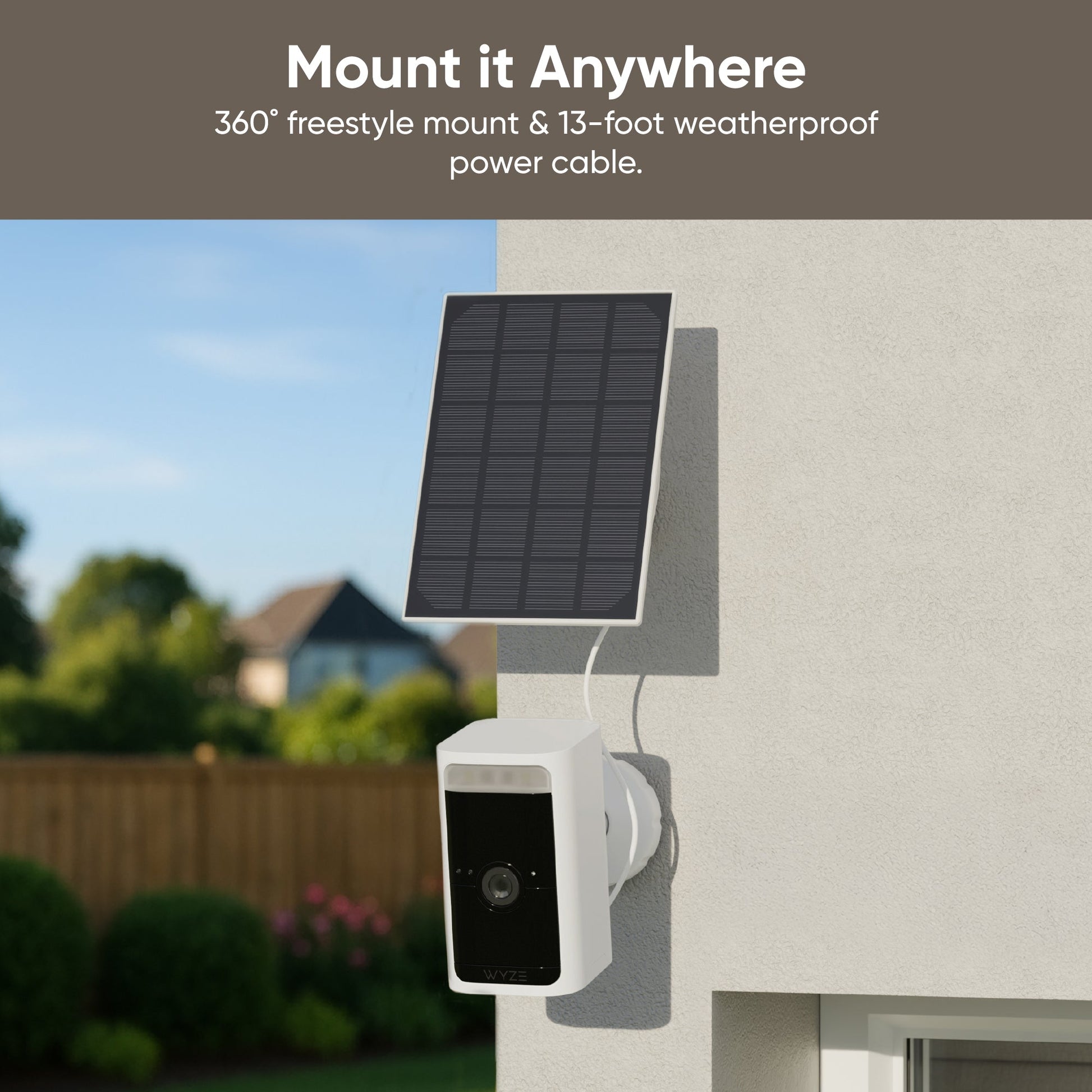
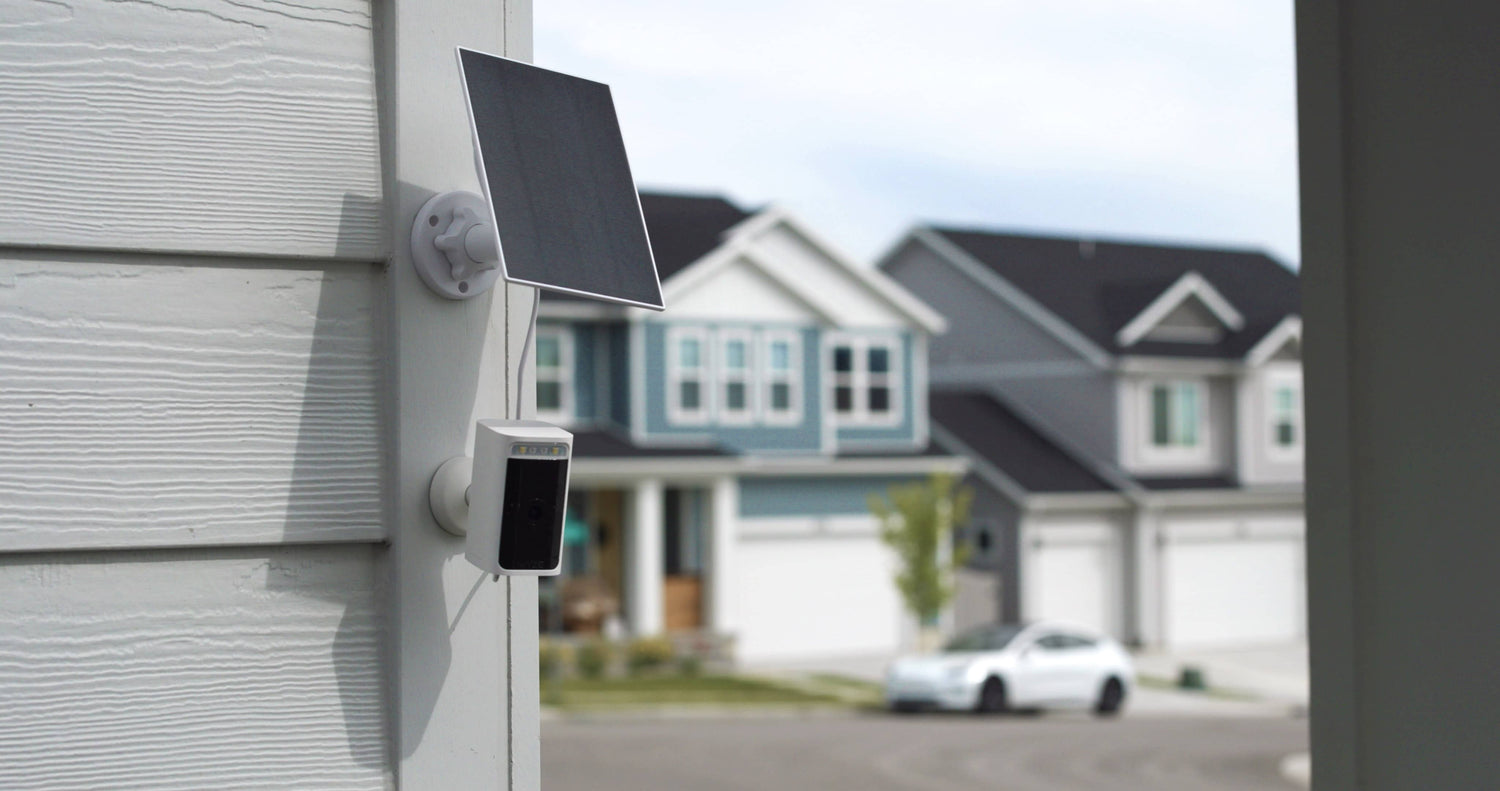
A solar panel is attached to a house.

Montura de estilo libre de 360°

Obtenga el ángulo perfecto para lograr la máxima exposición al sol. Resistencia a la intemperie IP65: resistente a la intemperie y al polvo.

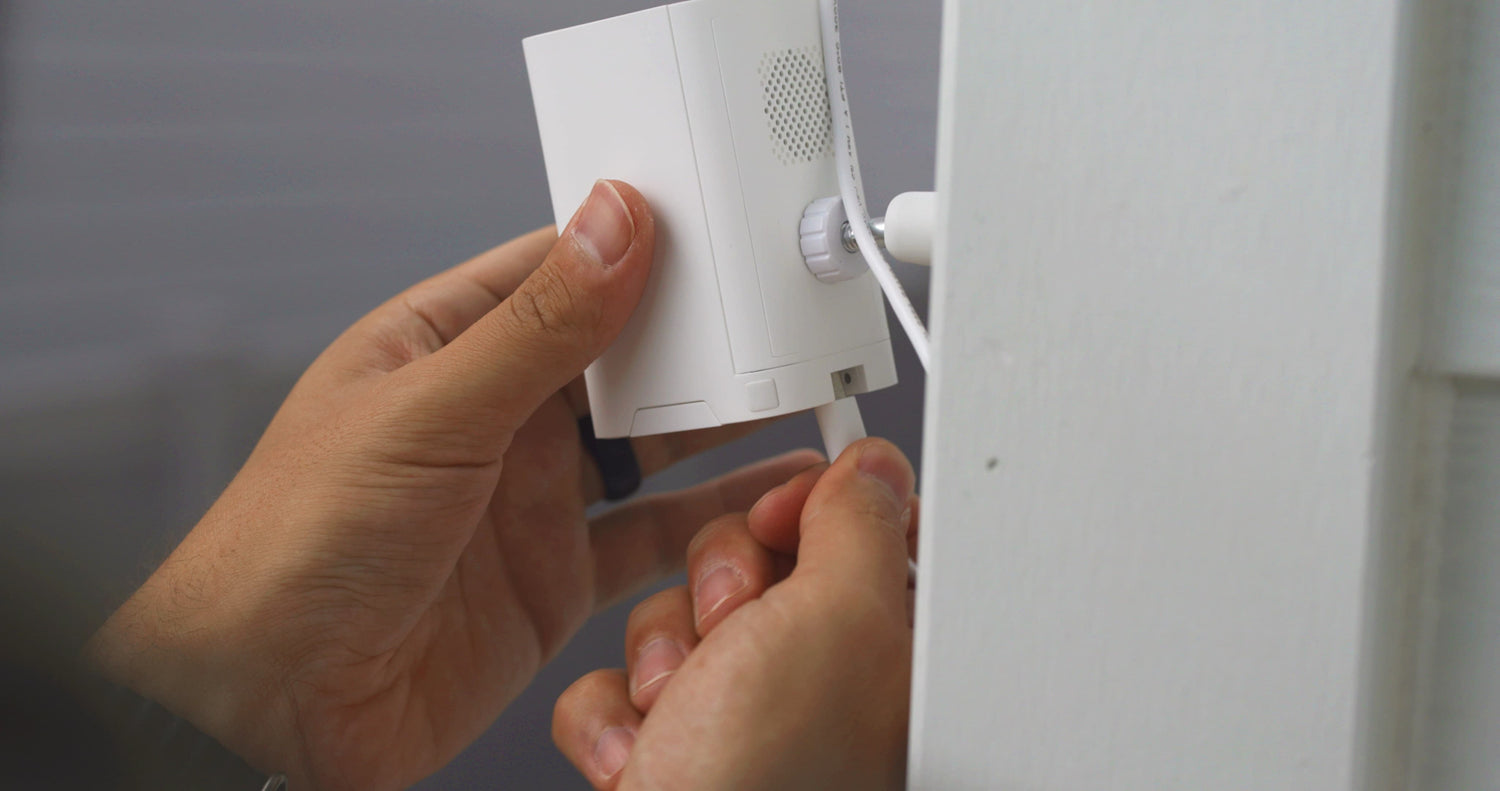
A person is holding a white device that is plugged into a wall outlet.

Cable de alimentación de largo alcance

Un cable de alimentación resistente a la intemperie de 13 pies proporciona máxima flexibilidad de montaje.

1 de 4

Cámaras que funcionan con este panel solar

  • Cámara de batería Wyze Pro
    Precio habitual A partir de $89.98
    Precio habitual $89.98 Precio de oferta A partir de $89.98
    La cámara de seguridad inalámbrica para ir a cualquier parte y verlo todo con video 2K HDR. Learn More
    Choose your option
    View Options
  • Cámara Wyze al aire libre v2
    Precio habitual A partir de $63.99
    Precio habitual $201.97 Precio de oferta A partir de $63.99
    Cámara exterior inalámbrica de 1080p Learn More
    Choose your option
  • Cámara Wyze al aire libre v1
    Precio habitual A partir de $51.99
    Precio habitual Precio de oferta A partir de $51.99
    Muévalo, móntelo, grábelo, en cualquier lugar. Inalámbrico. Learn More
    Choose your option
  • Tarjetas MicroSD
    Precio habitual A partir de $18.98
    Precio habitual $18.98 Precio de oferta A partir de $18.98
    Grabación continua y lapsos de tiempo para Wyze Cams. Learn More
    Choose your option
    View Options

Support Articles

Download the Quick Start Guide for Wyze Solar Panel here.

Below is the Quick Start Guide for Wyze Solar Panel, a short manual on how to get started.

This guide is a short user manual with the basics about Wyze Solar Panel, including:

  • What's in the box for Wyze Solar Panel.
  • A diagram of Wyze Solar Panel.
  • How to install Wyze Solar Panel.
  • A diagram of Wyze Solar Panel.
  • How to position Wyze Solar Panel.

Mount your Wyze Solar Panel anywhere to keep your Wyze Cam Outdoor or Wyze Battery Cam Pro going longer!

Depending on the location of where you plan to mount your solar panel, a ladder may be required.

What’s in the box?
  • 1x Wyze Solar Panel
  • 1x Adapter Cable (for Wyze Cam Outdoor)
  • 1x Universal Joint
  • 1x Locking Screw Cap
  • 1x Wall Mount Base
  • 3x Screws
  • 3x Wall Anchors
  • 1x Hexalobular Socket Nut
  • 1x Quick Start Guide
To install your Wyze Solar Panel:
  1. Locate where you’d like to install your Wyze Solar Panel.
  2. Use the wall mount base and position the holes where you plan to mount the solar panel.
  3. Use a pencil to mark the holes.
  4. For drywall or a surface too soft for screws, drill pilot holes then insert the drywall anchors into the holes.For harder surfaces like wood posts, trim, etc., skip to the next step.
  5. Screw the wall mount base into the wall using the provided screws.
  6. Slide the locking screw cap over the universal joint, then screw the hexalobular socket nut onto the universal joint as well.
  7. Screw the universal joint into the back of Wyze Solar Panel, then tighten it firmly with the hexalobular socket nut.
  8. On the back of the solar panel, you’ll find a winding board for excess cable. Estimate how much cable you’ll need to attach the solar panel to your camera, and coil the rest behind the board.Connect the solar panel to the wall mount base by screwing the locking screw cap until it is secure.
  9. Securely insert the microUSB cable from the solar panel into the sleeve of the power adapter.For Wyze Cam Outdoor, use the standard adapter that is included with the solar panel.For Wyze Battery Cam Pro, you will need Wyze Solar Panel USB-C Adapter Cable (sold separately). Remove the silicone cover from the charging port on your camera and insert the power adapter until secure.
  10. Mount your Wyze Cam and you’re all set to harness the power of the sun!
  11. Need to adjust the angle of your solar panel? Simple! You can adjust your solar panel up to 90° at the elbow at any time or side to side by loosening the locking screw cap. Make sure the screws are securely tightened again after adjusting the solar panel.

Mounting Tips:

  • Find an area that gets the most direct sunlight throughout the day.
  • Angle the solar panel upward 30°.
  • Point it south if you’re in the northern hemisphere and north if you’re in the southern hemisphere.
Added to your cart
Envío GRATIS en pedidos de $59+
Subtotal
$0.00
View cart