Ir directamente a la información del producto
1 de 19

Bloqueo de palma Wyze

Bloqueo de palma Wyze

La clave es la palma de tu mano.

Best Selling
Everyone's Top Pick
Add an extra battery?
$129.98
En existencias
Get it as soon as
Devoluciones sin problemas de 30 días.
En existencias

Touchless Palm Scan Unlock

No Downtime With

Dual Battery System

Open your lock with a key

Control Anywhere

with Wi-Fi

A blue and white logo for Wyze.
VENTAJAS Exclusivas de Wyze.com
Garantía extendida de 18 meses

Obtenga una garantía extendida de 18 meses al comprar este producto en wyze.com. También obtenga paquetes especiales, promociones únicas y recompensas con cada pedido

Ver todos los detalles
  • A black image of a palm vein.

    Desbloqueo con escaneo de palma sin contacto

    Simplemente pase la palma de la mano cerca del lector y la puerta se desbloqueará utilizando tecnología biométrica sin contacto y de alta seguridad.

  • A black screen with a white logo and text reading "Wifi Control".

    6 métodos de entrada + control Wi-Fi

    Desbloquea con la palma de la mano, código, llaves, app, asistente de voz o pestillo. Controla desde cualquier lugar con wifi.

  • A black screen with no visible text or objects.

    Sin tiempo de inactividad con el sistema de batería dual

    La batería principal proporciona 6 meses de carga. La batería de respaldo mantiene el dispositivo en funcionamiento mientras recargas.

  • A black and white image of a hammer and wrench.

    Reemplaza el cerrojo existente

    Incluye opción de cerradura manual y llave (juego de llaves incluido).

Especificaciones del Wyze Palm Lock

Colores y materiales
  • Modelo: WPLCK1
  • Acabado: Mate
  • Color: Negro
  • Material del marco: aleación de aluminio y acero
  • Material del panel: vidrio templado
Dimensiones
  • Conjunto externo: 6,14 x 2,89 x 1,28 pulgadas (156 x 73,5 x 32,5 mm)
  • Conjunto interno: 7,16 pulgadas x 2,93 pulgadas x 1,18 pulgadas (182 mm x 74,5 mm x 30 mm)
Peso
  • 4 libras (64 onzas)

Fuerza
  • Fuente de alimentación: Paquete de batería extraíble Wyze, batería de respaldo
  • Duración de la batería: hasta 6 meses con uso normal (10-20 bloqueos/desbloqueos por día)
  • Alimentación de emergencia: puerto USB-C (cable USB-C no incluido)
Clima y temperaturas de funcionamiento
  • Resistencia a la intemperie: IP53

Temperatura de funcionamiento

  • Montaje exterior: -4℉-122℉ (-20℃-50℃)
  • Montaje interior: 32℉-122℉ (0℃-50℃)
  • Temperatura de almacenamiento: -22 ℉ - 158 ℉ (-30 ℃ - 70 ℃)

Certificaciones
  • Certificaciones: FCC ID+IC, TSCA+CA65, ANSI-BHMA, ROHS, REACH, SVHC, PFAS, IEC62133
Conectividad y compatibilidad
  • Método de comunicación: Bluetooth® 5.0, Wi-Fi de 2,4 GHz, Wi-Fi 6
  • Compatibilidad: Aplicación Wyze 3.7+, Android 10.0+ o iOS 16.0+
Compatibilidad de puertas

Compatible con la mayoría de las puertas estándar de EE. UU. Reemplaza el cerrojo de cilindro único existente.

Garantía

1 año

  • 1x Bloqueo de palma Wyze
  • 1x Conjunto exterior
  • 1x Conjunto interior
  • 1x placa de montaje
  • 1x cerrojo
  • 1x placa de impacto
  • 1x Caja de polvo
  • 1x batería principal
  • 1x batería de respaldo
  • 1x tapón de silicona
  • 1x Plantilla de perforación
  • 1x Guía de inicio rápido
  • 2x llaves mecánicas
  • 4 tornillos para madera
  • 3 tornillos para panel interior
  • 4 tornillos de montaje

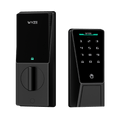
Wyze Palm Lock stands out in virtually every way imaginable, with a sleek new form-factor unlike any other. Wyze Palm Lock uses palm vein recognition for contact-free access, a person-detecting radar for optimized battery life, and it connects to Wi-Fi so you can control it from anywhere using the Wyze app or Alexa/Google Assistant. Yes - you can control the lock with your voice! Wyze Palm Lock also has 2 batteries to ensure your lock is always up and running.

Wyze Palm Lock uses palm vein recognition to securely and touchlessly unlock your door. Simply hold your hand up to the lock screen, and it will unlock automatically.

Palm vein recognition is widely used biometric technology in the security industry. It provides secure authentication and unlocking by identifying the unique features of the user’s palm vein pattern. Palm vein scanning smart locks are highly secure, convenient, and completely contactless.

Wyze Palm Lock scans your vein pattern using infrared light and saves it locally to the device. When unlocking, the lock compares the scan result with your pre-saved vein patterns. If there’s a successful match, the lock will automatically open.

Hold your hand between 3-7 inches from the lock screen, pointed directly at the screen.

Extremely secure. Your palm vein pattern is a unique characteristic of the human body and cannot be copied or forged. Compared to traditional fingerprint recognition or a PIN code, palm vein recognition has a lower false acceptance and rejection rate. Additionally, palm vein features are not affected by growth and aging, or physical damage to the skin. No matter how your palm changes over time, your palm vein pattern remains the same. Finally, your palm scans are stored and encrypted locally on the lock - never exported or uploaded to the cloud.

No, installing your Wyze Palm Lock is the same as any other smart lock, with a standard deadbolt and latch assembly. Contactless palm recognition simply replaces your fingerprint, PIN, or key-based entry, making it convenient and user-friendly.

Even if your palm is slightly injured or scarred, Wyze Palm Lock can still recognize your vein pattern and unlock. If your hand is covered or you’re wearing gloves, simply remove the gloves to use the lock normally. You can also unlock using the Wyze app, PIN, and the included physical keys.

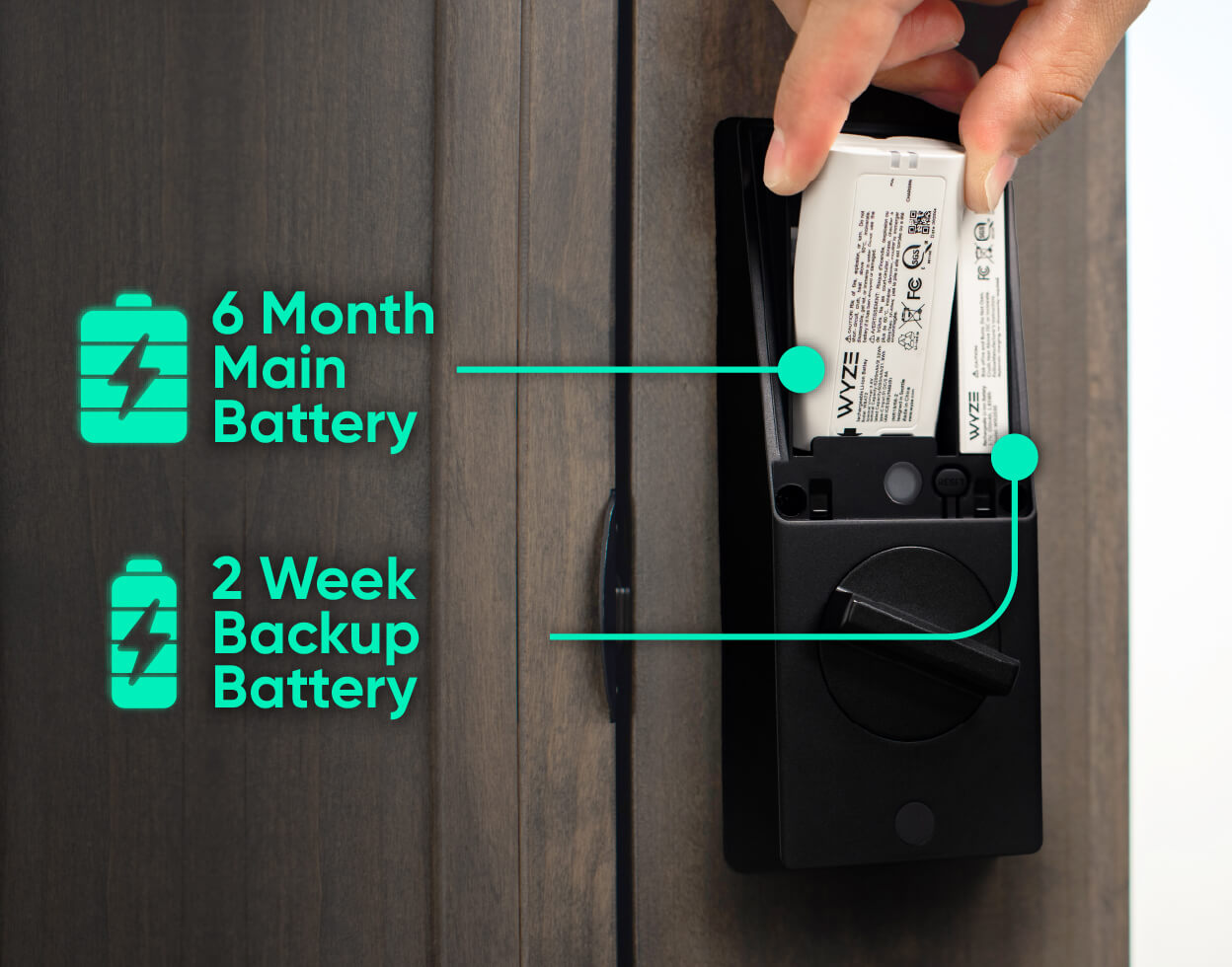
The main battery within the lock has a battery life of up to 6 months, when you average 10 unlocks per day.

Wyze Palm Lock is equipped with a new generation gyroscope, which detects the position of the door and automatically locks the door when it’s closed. The gyroscope ensures that the deadbolt is only extended when the door is completely closed, avoiding door jams and false locks.

With Wyze Palm Lock, you can unlock the door using 5 different methods: Palm scan, with a PIN code using the touchscreen, Wyze app, Alexa & Google Assistant, or by using an included physical key.

There are 5 ways to lock Wyze Palm Lock: Use Auto-Lock to lock the door automatically, tap the lock icon on the touchscreen, tap to lock in the Wyze app, command Alexa & Google Assistant to lock the door, or use the physical key.

This ensures that when the main battery is removed and being charged, the backup battery keeps your Wyze Palm Lock working normally. If the main battery is removed and not reinstalled within 24 hours, you’ll receive a push notification to do so. Once the main battery is reinstalled, it will automatically re-charge the backup battery.

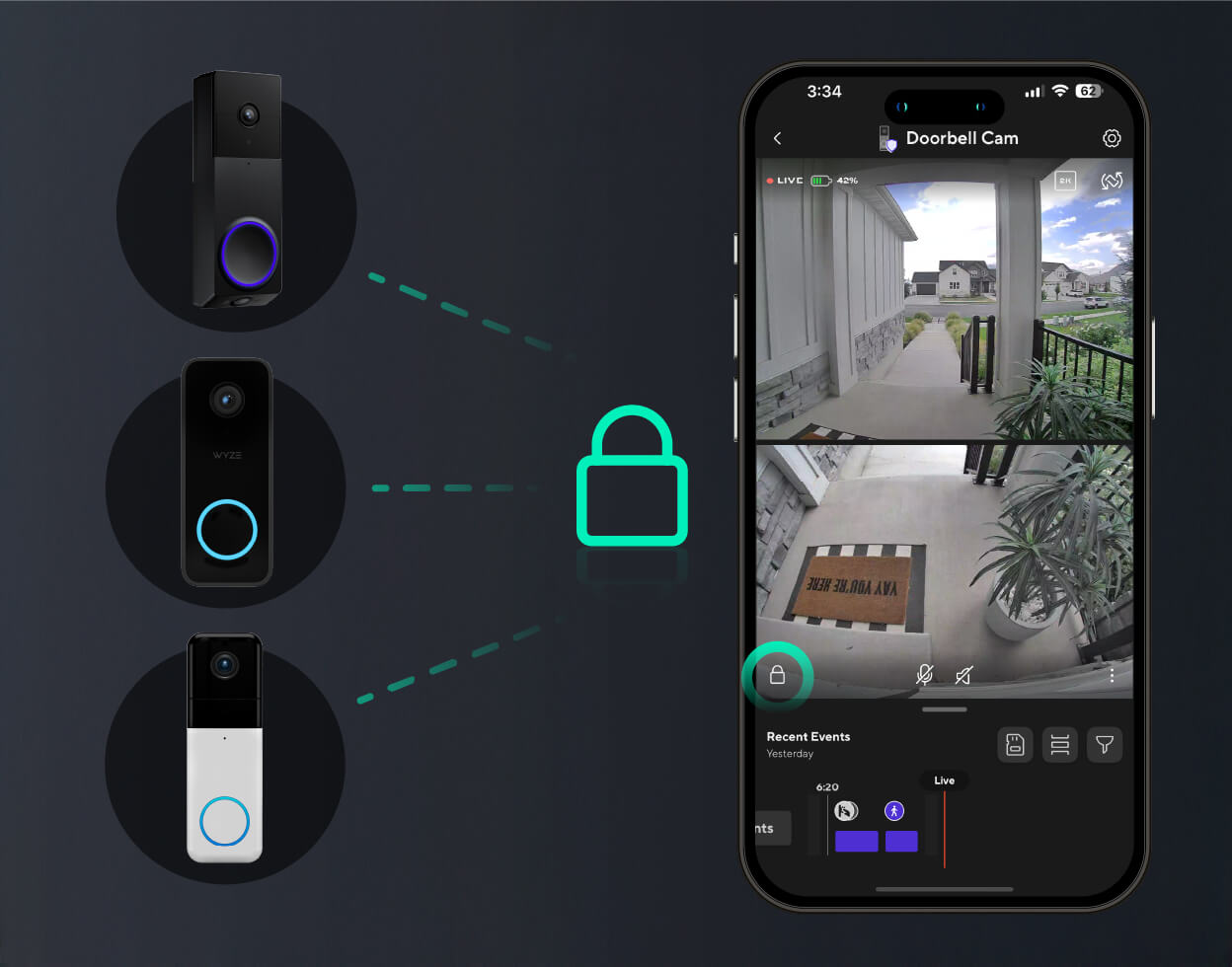
Wyze Palm Lock is compatible with Wyze Video Doorbell v2, Wyze Video Doorbell Pro, and Wyze Duo Cam Doorbell. This lets you lock and unlock the door from your doorbell’s live stream.

La clave es la palma de tu mano.

La tecnología biométrica sin contacto, de alta seguridad, te identifica mediante el patrón único de venas bajo la palma de tu mano. Simplemente acerca la palma al lector y, ¡listo!, la puerta se desbloquea. Es como un apretón de manos secreto con tu puerta principal.

Desbloquea para todo tipo de manos.

Ya sea joven, desgastada, húmeda o sucia, el reconocimiento de las venas de la palma es más preciso que las huellas dactilares porque mira debajo de la piel, por lo que las condiciones de la superficie no interfieren.

A boy is holding up his hand with a thumbs up.
A man holding up a sign that says "5".
  • A person is holding a door handle.

    Escaneo de la palma

  • A black and grey electronic lock with a green button on the front.

    Códigos de acceso

  • A phone with a lock screen that says "Front Lock" and "Wyze Palm Lock Methods 04".

    Control de aplicaciones

  • A person is unlocking a device with a key.

    Llave manual

  • A black and white image of a cross with a Google logo on it.

    Control de voz

  • A black lock on a door.

    Pestillo manual

1 de 6

Check for door compatibility.

The Wyze Palm Lock replaces your existing lock bolt and will work on most standard residential doors sized between SPECS. Click to see more details.

A smartphone displaying a lock screen with the message "Access and Sharing" and a button to unlock the Wyze Palm Lock.

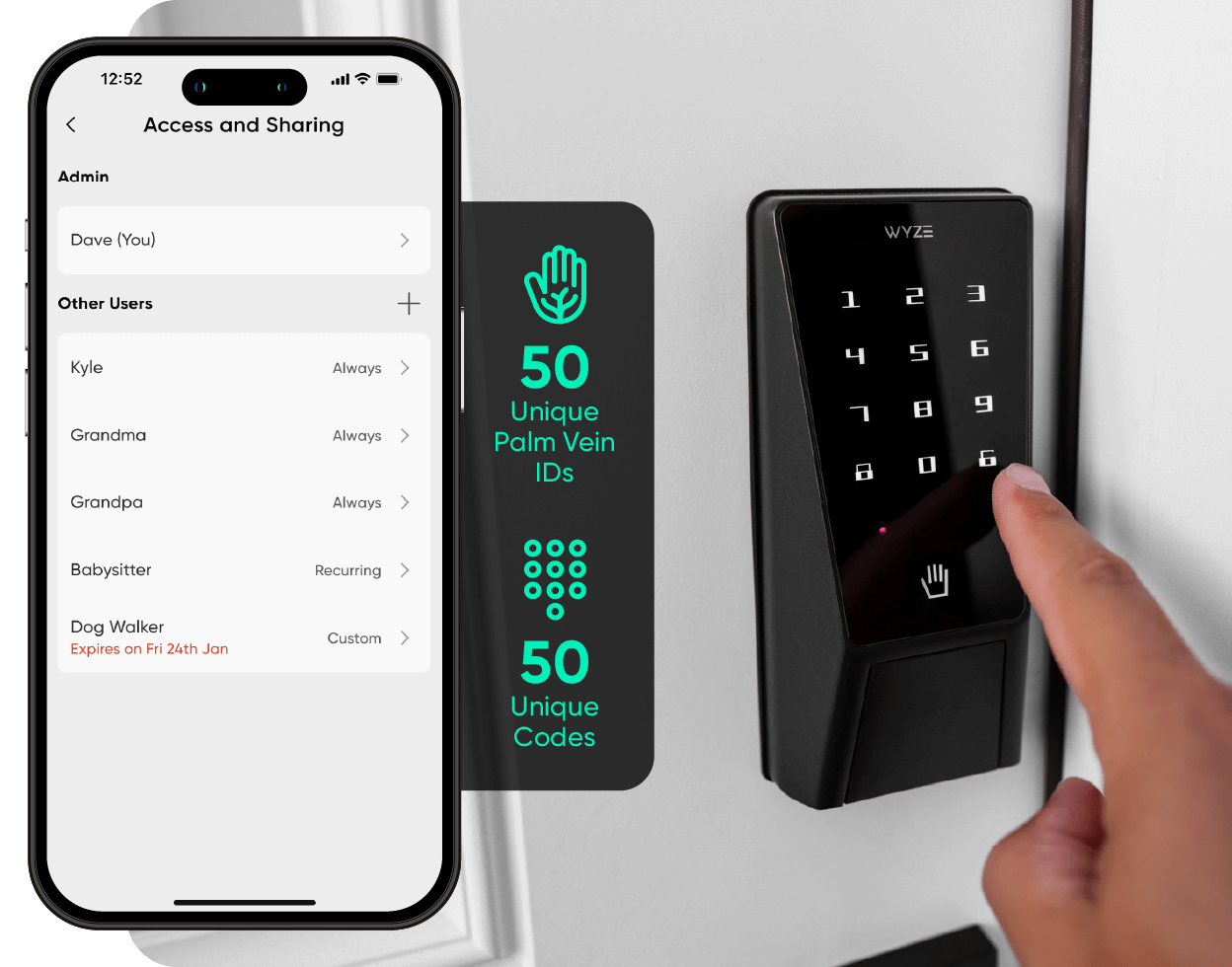
Teclado numerado con códigos de acceso.

Un teclado numérico brillante se ilumina con un simple toque. Configure y guarde hasta 50 códigos de acceso únicos o cree contraseñas de invitados de un solo uso con vencimiento programado.

A black device with a white label that says "Wyze Palm Lock.

Sin tiempo de inactividad.

Wyze Palm Lock utiliza un sistema de doble batería, por lo que no hay tiempo de inactividad. La batería principal ofrece hasta 6 meses de duración, y la batería de respaldo permite el funcionamiento hasta dos semanas mientras se carga la principal.

Tranquilidad de espíritu con bloqueo automático.

Un giroscopio integrado detecta el ángulo y el movimiento de la puerta en tiempo real. Al detectar el cierre, se bloquea automáticamente, evitando cerraduras falsas o atascadas.

A black smart lock that can be controlled via a smartphone app.
A black and green lock with the number 15493 on it.

Con tecnología anti-peep.

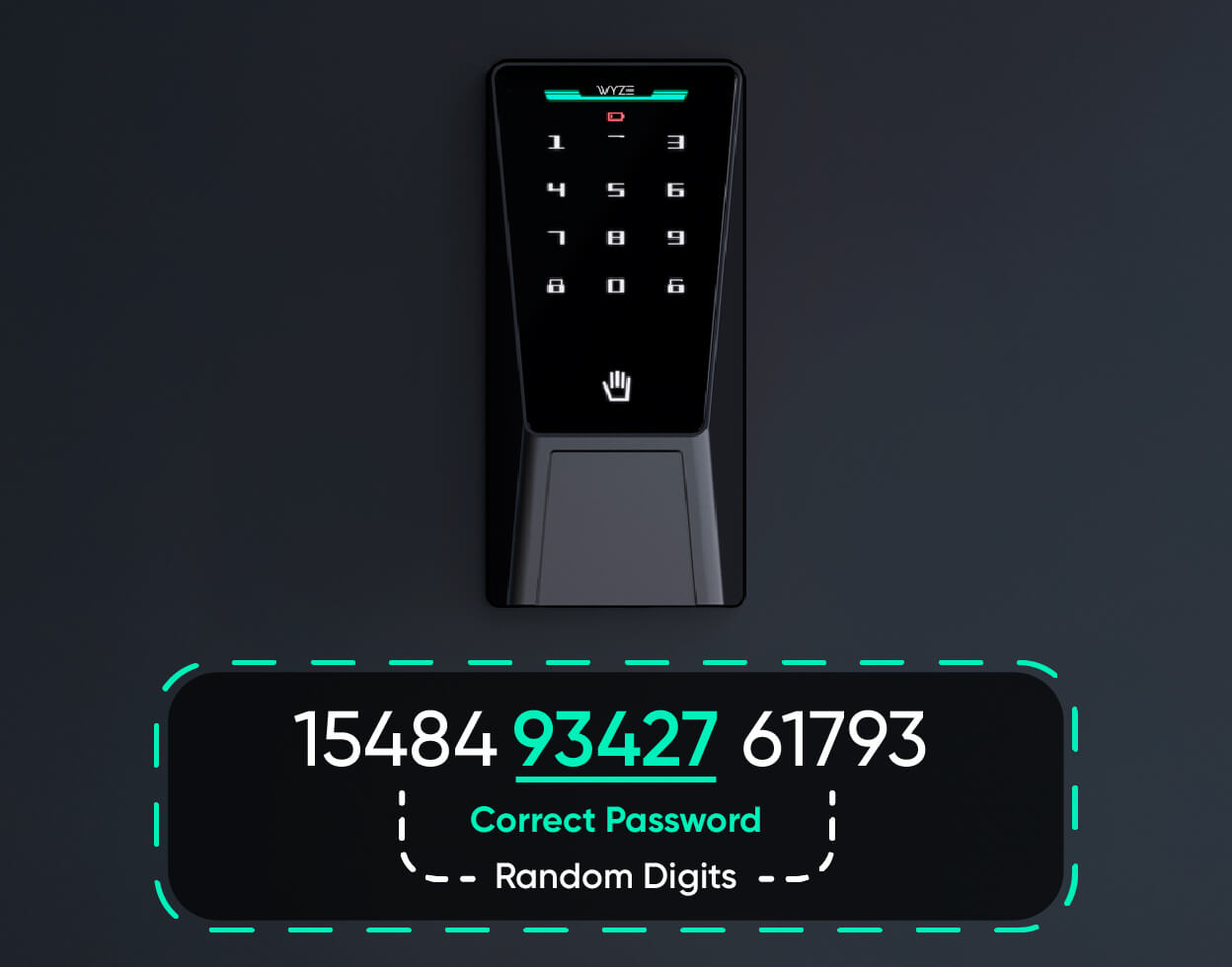
Con tecnología anti-peep, No tienes que preocuparte si alguien te ve ingresar tu código.

Simplemente agregue dígitos adicionales antes o después de su código y Wyze Palm Lock aún se desbloqueará.

A person is holding a key to a Wyze Palm Lock.

Opción de cerradura manual discreta y llave.

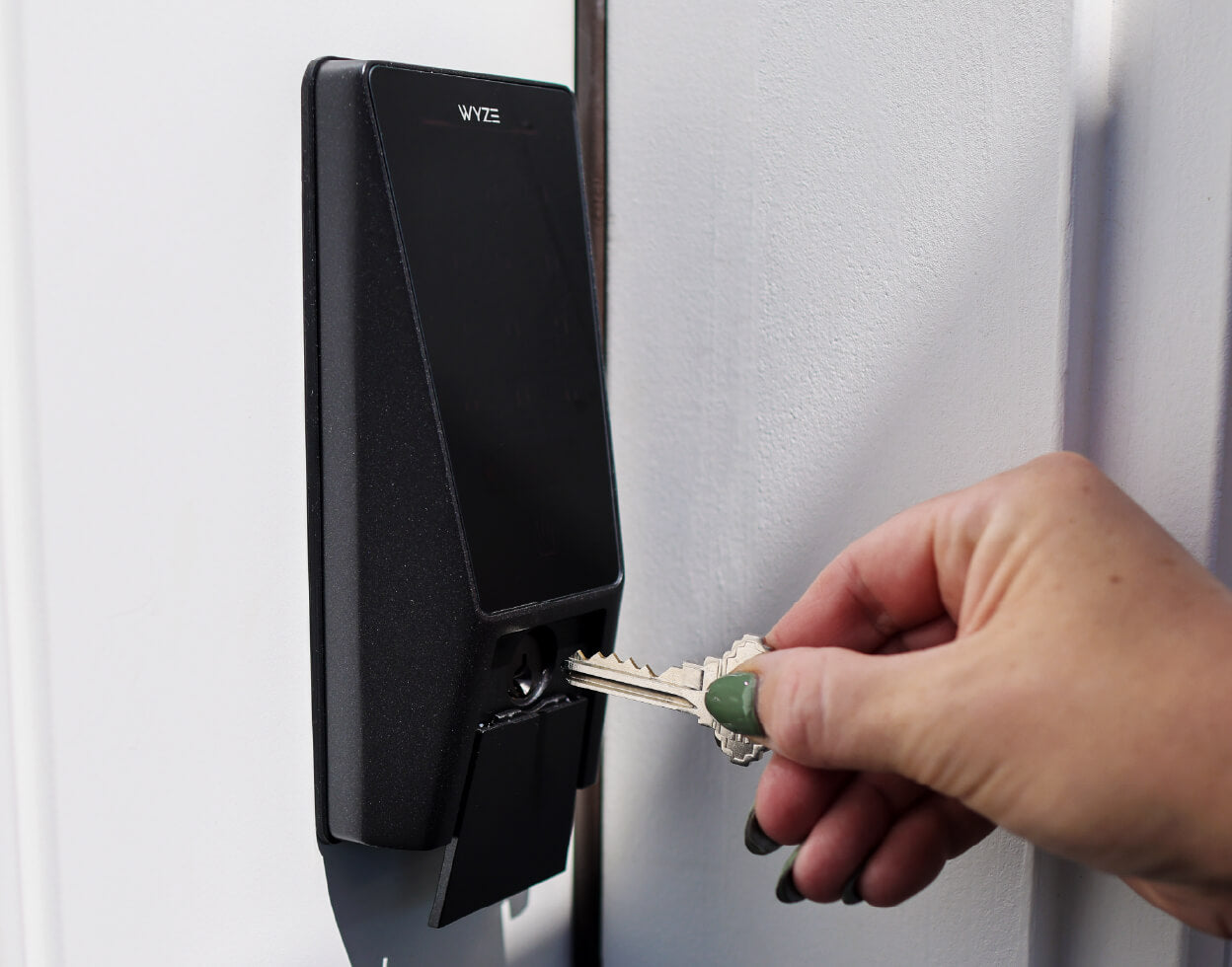
¿Aún añoras la comodidad de una llave tradicional? Te la ofrecemos. Simplemente desliza la cubierta amortiguadora hacia abajo y desbloquea manualmente a la antigua usanza (incluye juego de llaves).

Hola Luke, ¿quién es tu...? ¿Papá cerrojo?

Bueno, mejor no le preguntes eso. En cambio, mira lo que dijo este Skywalker moderno cuando le preguntamos sobre Wyze Palm Lock.

A smartphone screen displays a Wyze Palm Lock.

Funciona con timbres con vídeo Wyze.

Bloquee y desbloquee directamente desde la vista en vivo de su timbre con video Wyze sin cambiar entre pantallas para abrir la puerta a familiares y amigos.

A black and wet Wyze Palm Lock Shopify 13.

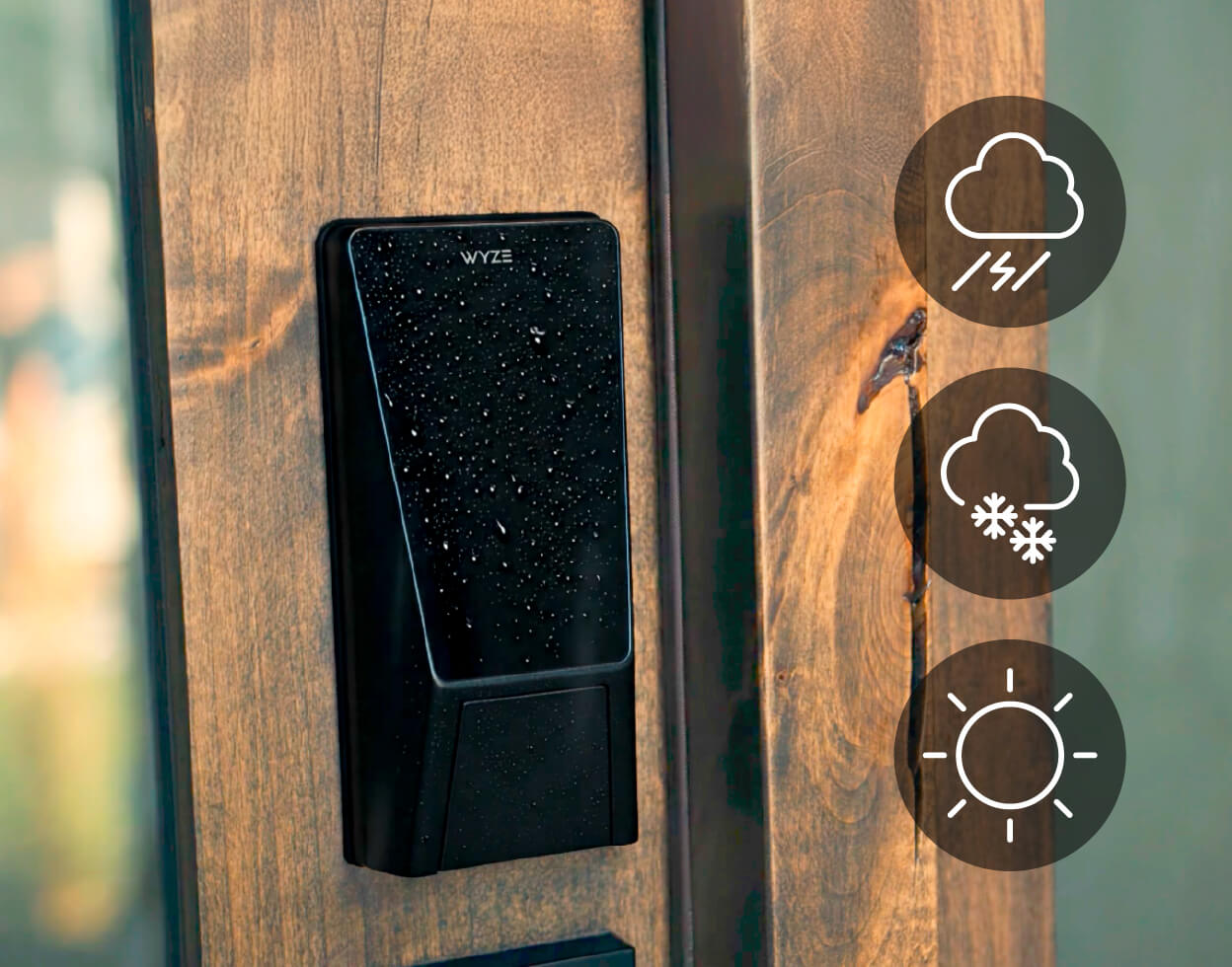
Resistente a la intemperie IP53 y certificado BHMA3.

Con el respaldo de la Asociación de Fabricantes de Herrajes para la Construcción, esta cerradura ha sido probada, golpeada, torcida y salpicada miles de veces para garantizar su durabilidad. Cumple rigurosos estándares de seguridad, durabilidad y rendimiento. No solo es inteligente, sino también resistente.

Logotipo de BHMA

Respaldado por las mejores características de seguridad de la industria.

  • A hand holding a leaf.

    Reconocimiento de las venas de la palma

    A diferencia de las huellas dactilares, el patrón de las venas de la palma es una característica interna del cuerpo humano y no se puede copiar ni falsificar.

  • A lock on a door.

    Cifrado de hardware

    Tus palmas y códigos de acceso se cifran y almacenan localmente en la cerradura para que nadie pueda acceder a tus datos.

  • A bell icon on a black background.

    Sirenas y alertas de seguridad

    Suena una alarma si hay demasiados intentos de desbloqueo incorrectos y si deja la puerta abierta (personalizable en la aplicación Wyze).

1 de 3
A smartphone screen displaying a lock screen with a green circle and the words "Front Lock" and "Locked".
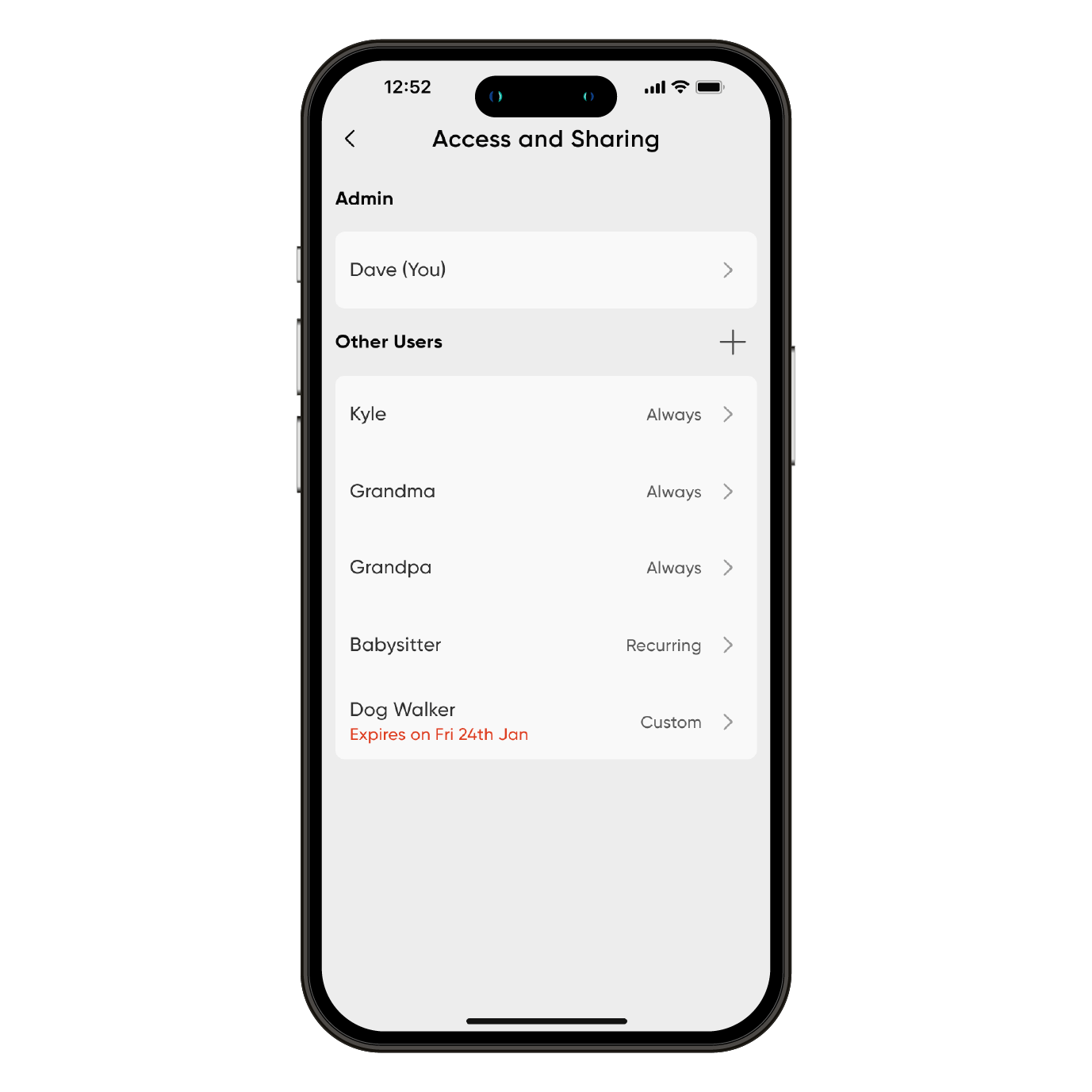
A smartphone screen displaying a list of users and their corresponding names.
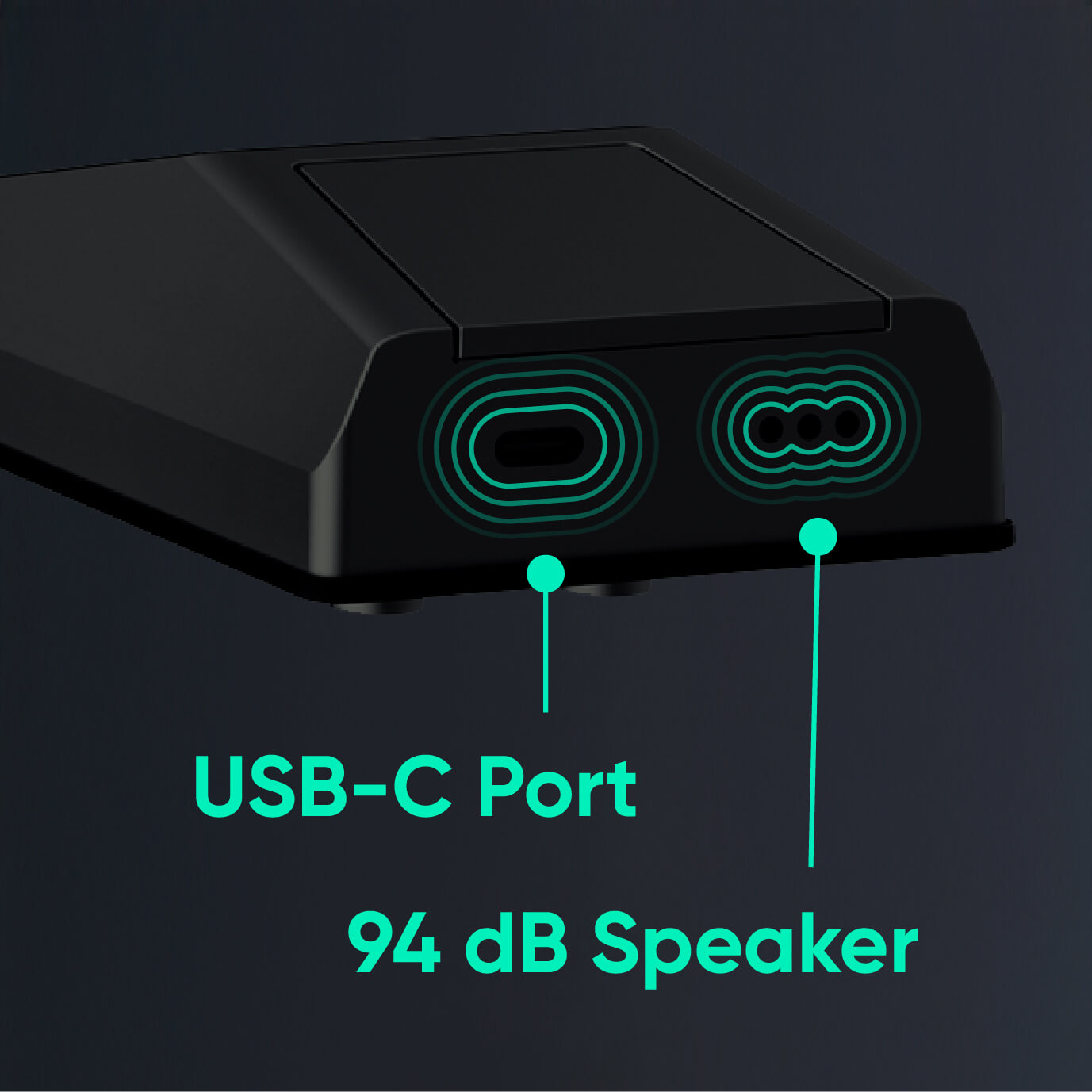
A black device with a green outline and the words "USB-C Port" written on it.
Wyze Palm Lock Shopify 20

Desbloquea aún más bondad

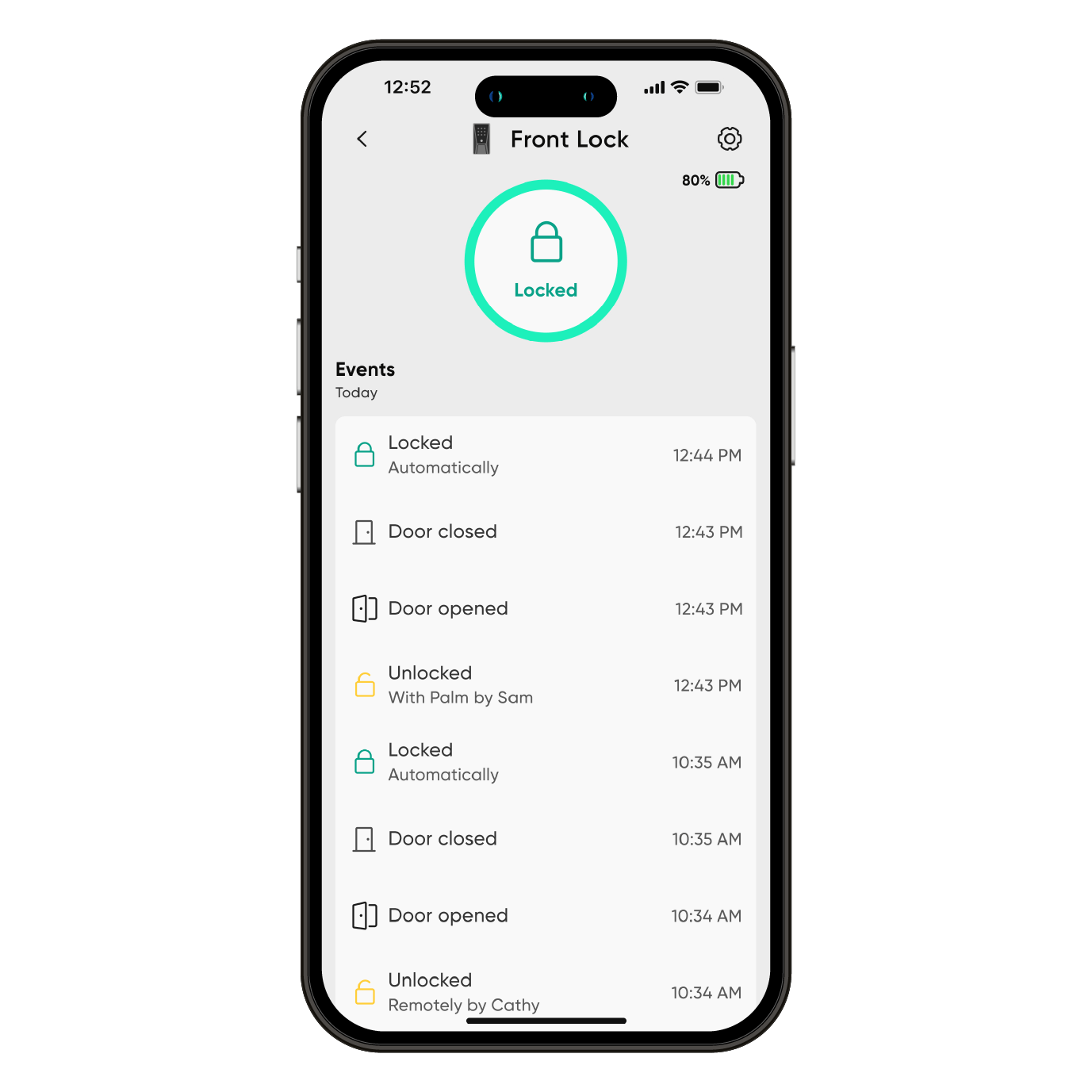
Controla y supervisa el estado de la cerradura desde cualquier lugar y en cualquier momento con Wi-Fi. Consulta el historial de acceso completo en la app Wyze. Consulta cómo se desbloqueó, la hora exacta y si hubo intentos fallidos de introducir el código.

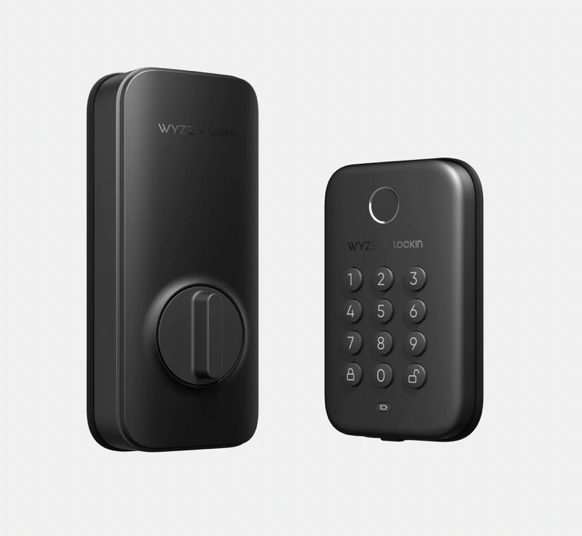
Un teclado numérico brillante se ilumina con un simple toque. Configure y guarde hasta 50 códigos de acceso únicos o cree contraseñas de invitados de un solo uso con vencimiento programado.

Si las baterías se agotan mientras estás fuera, el puerto USB-C permite cargarlas desde un banco de energía para que puedas ingresar tu código de acceso para ingresar.

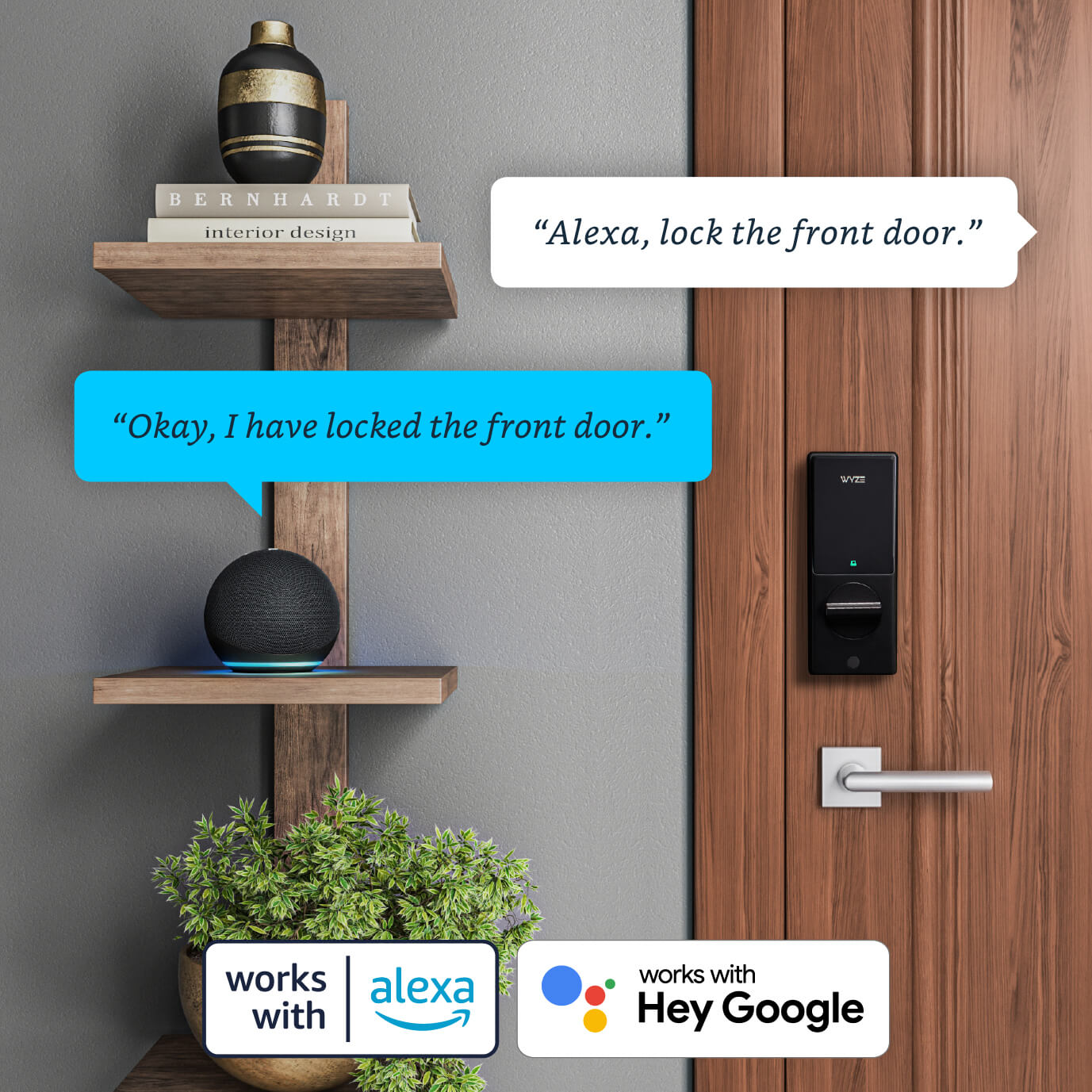
Funciona con asistentes inteligentes como Amazon Alexa y el Asistente de Google. Usa comandos de voz para bloquear, desbloquear y comprobar el estado de la puerta. Por seguridad, el desbloqueo mediante comandos de voz requiere un PIN que autoriza la acción.

  • Prueba a decir: "Alexa, desbloquea la puerta de entrada".
  • Prueba a decir "Google, cierra la puerta lateral".
  • Prueba a preguntar: "Alexa, ¿está abierta mi puerta de entrada?"
  • A black and silver lock with a green light on the bottom.

    Wyze Palm Lock NUEVO

    Fecha de lanzamiento: septiembre de 2025

    Abre la puerta con la palma de la mano

    Desbloqueo seguro de Palm ID

    6 formas totales de desbloquear, incluida la aplicación

    Automatizaciones Wyze o compatibilidad con Alexa/Google

    Reemplaza el cerrojo existente

    Bloqueo automático inteligente

    Opción de tecla manual

    Teclado incorporado

    Estado: Disponible

    Compre ya 
  • A black and silver keypad with a button on the bottom.

    Perno de bloqueo Wyze

    Fecha de lanzamiento: 2022

    Desbloquea la puerta con tu huella dactilar

    Desbloqueo por huella dactilar

    Solo acceso a la aplicación local

    Sin automatizaciones Wyze ni compatibilidad con Alexa/Google

    Reemplaza el cerrojo existente

    Bloqueo automático básico

    Sin desbloqueo automático

    Teclado incorporado

    Estado: Disponible, stock limitado

    Learn more 
  • A white device with a button on it.

    Wyze Lock

    Fecha de lanzamiento: 2020

    Monitorea y accede a tu puerta desde cualquier lugar

    Sin desbloqueo por huella dactilar

    Accede a la aplicación desde cualquier lugar

    Automatizaciones Wyze y compatibilidad con Alexa/Google

    Se fija al cerrojo existente

    Bloqueo automático de posición de puerta avanzado

    Desbloqueo automático

    Teclado opcional vendido por separado

    Estado: Ya no disponible

1 de 3

Mira y aprende. Es muy fácil de instalar.

La cerradura Wyze Palm es compatible con casi todas las puertas exteriores y reemplaza su cerrojo actual en aproximadamente 20 minutos. Vea nuestra demostración de desempaquetado e instalación a continuación.


Aviso importante: antes de comprar su Wyze Palm Lock, tómese unos minutos para consultar nuestro artículo de soporte sobre compatibilidad de puertas .

Support Articles

Installing your Wyze Palm Lock is just like any other super-smart lock; you remove your existing lock, put your new lock in place, then set it up in the Wyze app.

To install Wyze Palm Lock:

  1. In the Wyze app, tap Home, then tap the plus sign + in the top right hand corner.
  2. On the Add screen, tap Device.
  3. Tap Home > Wyze Palm Lock.
  4. Verify that you have the necessary tools to install Wyze Palm Lock. Tap Next to begin the in-app installation instructions.If you've already installed your Wyze Palm Lock, tap Skip to begin the setup process.
  5. Remove the existing lock and deadbolt - including the bolt and strike plate. Tap Next.
  6. Check that your door holes are the correct size. You must have the correct hole sizes on your door to continue. Refer to the sizes below. If your setup meets these requirements, tap Yes, Continue and skip to step 10. If not, tap No, Show Me How and continue to the next step.The latch hole diameter must be 1” (25 mm).The backset must be between 2-⅜” (60 mm) and 2-¾” (70 mm) wide.The cross bore diameter must be 2-⅛” (54 mm).
  7. Verify you have the necessary tools to drill holes in the door. Tap Next.
  8. Use the included drilling template to mark the center of the circle on the door face and the center of the door edge. Tap Next.
  9. Use your marks as a guide to drill the holes. Tap Next.Drill a 2-⅛” (54 mm) hole through the door face for the lockset.Drill a 1” (25.4 mm) hole through the edge of the door face for the latch.
  10. Measure and select the length of the backset. You may need to extend the latch based on the length of the backset.If the backset is 2-⅜” (60 mm), continue to step 11.If the backset is 2-¾” (70 mm), extend the latch by twisting it clockwise until it stops. Then twist it counterclockwise until it stops to return to the 2-⅜” (60 mm) backset. Tap Next.
  11. Mount the strike plate and dust box to the door frame using the provided mounting screws. Tap Next.
  12. Mount the deadbolt to the door and ensure the latch hub is centered on the door face hole. Tap Next.
  13. Measure the diameter of the cross bore to determine if you’ll need the lock hole adapter for installation, then select the corresponding measurement.If the diameter is 1-½” (38 mm), install the exterior assembly by removing the protective cover, then install the exterior assembly to the door. Tap Next. If the diameter is 2-⅛” (54 mm), install the exterior assembly by removing the lock hole adapter and the protective cover, then install the exterior assembly to the door. Tap Next.
  14. Pass the cable on the exterior assembly under the deadbolt and through the door. Then align the tailpiece with the center hole of the deadbolt and insert it. Make sure the tailpiece does not touch the sides of the hole. Tap Next.
  15. Position the mounting plate. Separate the mounting plate from the interior assembly, then route the cable through the mounting plate. Then align the tailpiece with the center hole of the mounting plate and insert it. Make sure the tailpiece does not touch the sides of the hole and that the screws do not block the hole. Tap Next.
  16. Install the mounting plate. Separate the mounting plate from the interior assembly, then route the cable through the mounting plate. Measure the door’s thickness to determine which screws to use. Tap Next. If the door thickness is between 1-¾” and 2-3/16” (45 and 55 mm), use the longer mounting screws.If the door thickness is between 1-⅜” and 1-15/16” (35 and 50 mm), use the shorter mounting screws.
  17. Install the interior assembly by connecting the cable into the receiving port in the interior assembly. The red marks should line up. Tap Next.
  18. Determine which direction the deadbolt is facing - the direction of your deadbolt will determine the position of your interior assembly.If the deadbolt is facing left, position the knob vertically and insert the tailpiece into the deadbolt center hole. Then route the cables to ensure they are fully tucked inside the device. Mount the interior assembly to the door. It should fit flat against the door, firmly inside the edges of the mounting plate. Tap Next. If the deadbolt is facing right, position the knob horizontally and insert the tailpiece into the deadbolt center hole. Then route the cables to ensure they are fully tucked inside the device. Mount the interior assembly to the door. It should fit flat against the door, firmly inside the edges of the mounting plate. Tap Next.
  19. Open the door, then turn the thumb latch to lock and unlock it. Tap Next. The deadbolt should fully extend without jamming. If the deadbolt jams or does not fully extend, uninstall the interior assembly and check the mounting plate. The tailpiece should be in the middle of the door hole, and the screws should not block the hole.
  20. Close the door, then turn the thumb latch to lock and unlock it. Tap Next. If the thumb latch jams or doesn’t fully extend, uninstall the metal strike plate on the doorframe, install the new dust box included in the packaging. If the dust box doesn’t fit in your doorframe, widen the mortise hole with a chisel.
  21. Remove the battery cover and check the alignment. Then use the provided screws to install the interior assembly on to the mounting plate. Tap Next. Do not over-tighten the screws.
  22. Insert the main battery and backup battery. Leave the battery cover off. Next, make sure that the interior and exterior assemblies are securely fastened. Tap Next.
  23. Installation complete! Now let’s connect your lock to your Wi-Fi network. Tap Next to proceed with setup.

Do not install the battery cover until after you finish setup and pairing

To set up Wyze Palm Lock:

  1. In the Wyze app, tap Home, then tap the plus sign + in the top right-hand corner.
  2. On the Add screen, tap Device.
  3. Tap Home > Wyze Palm Lock.
  4. If the lock is not already installed, you can tap Next and follow the in-app installation instructions.If you’ve already installed your Wyze Palm Lock, tap Skip.
  5. Now let’s connect your lock to your Wi-Fi network. Tap Next to proceed with setup.Do not install the battery cover until after you finish setup and pairing.
  6. Press and hold the RESET button on the lock for 8 seconds.The status light will pulse red.
  7. In the app, check the box next to I heard, “Ready to connect”, then tap Next.
  8. If Bluetooth® hasn’t already been enabled, you’ll be prompted to allow Bluetooth® and location access. Tap Next.If Bluetooth® and location access have already been enabled, it will skip to the next step.
  9. The app will automatically begin searching for and pairing to your Wyze Palm Lock.
  10. Select your 2.4 GHz Wi-Fi network and enter your network password. Tap Next.Tap the icon in the password field to display the password to ensure it was entered correctly.
  11. Your device will finish pairing. Then it is time to name your Wyze Palm Lock using the text field, or by choosing one of the preset suggestions, then tap Finish.
  12. Setup complete! Now let’s customize and calibrate your Wyze Palm Lock. Tap Next.

Continue onwards to our Wyze Palm Lock Calibration Guide.

You've completed the Wyze Palm Lock Setup Guide. It's now time to calibrate your lock!

Before calibrating:

  • Stand near the lock for the duration of the calibration.
  • Skip to step 3 if you just completed the Wyze Palm Lock Setup Guide.

To calibrate your Wyze Palm Lock.

  1. Open the Wyze app and tap on your Wyze Palm Lock.
  2. Tap the Settings gear, then Calibration.Follow along in the Wyze app to calibrate your Wyze Palm Lock.
  3. Close your door and manually lock the deadbolt.
    Check the box next to "I have turned the thumb latch. ✅The Wyze app will display "Calibrating your device..."
  4. Manually unlock the deadbolt and wait for your Wyze Palm Lock to sound.
    It will say "Please open the door."
  5. Open the door slightly.
  6. Check the box next to "I heard 'Please open the door.'" Tap Next.
  7. Now open the door at the the widest angle it can be opened. Tap Next.
    The Wyze app will display "Calibrating your device..."
  8. Now close the door completely. Tap Next.The Wyze app will display "Calibrating your device..."
  9. Done with calibration!

Next, you'll continue on to set up your access methods - Palm Vein Setup and Access Code Setup.

Additional Notes

  • Calibrating your Wyze Palm Lock is a common troubleshooting step when other features like Auto-Lock and door ajar alarms aren't working properly.
Added to your cart
Envío GRATIS en pedidos de $59+
Subtotal
$0.00
View cart