Ir directamente a la información del producto
1 de 15

Wyze Duo Cam Battery Doorbell

Wyze Duo Cam Battery Doorbell

Timbre Battery 2K con cámaras duales

Expert Pick
Recommended by Pros
Color
Estilo
Add ons
$119.98
En existencias
Get it as soon as
Devoluciones sin problemas de 30 días.
En existencias

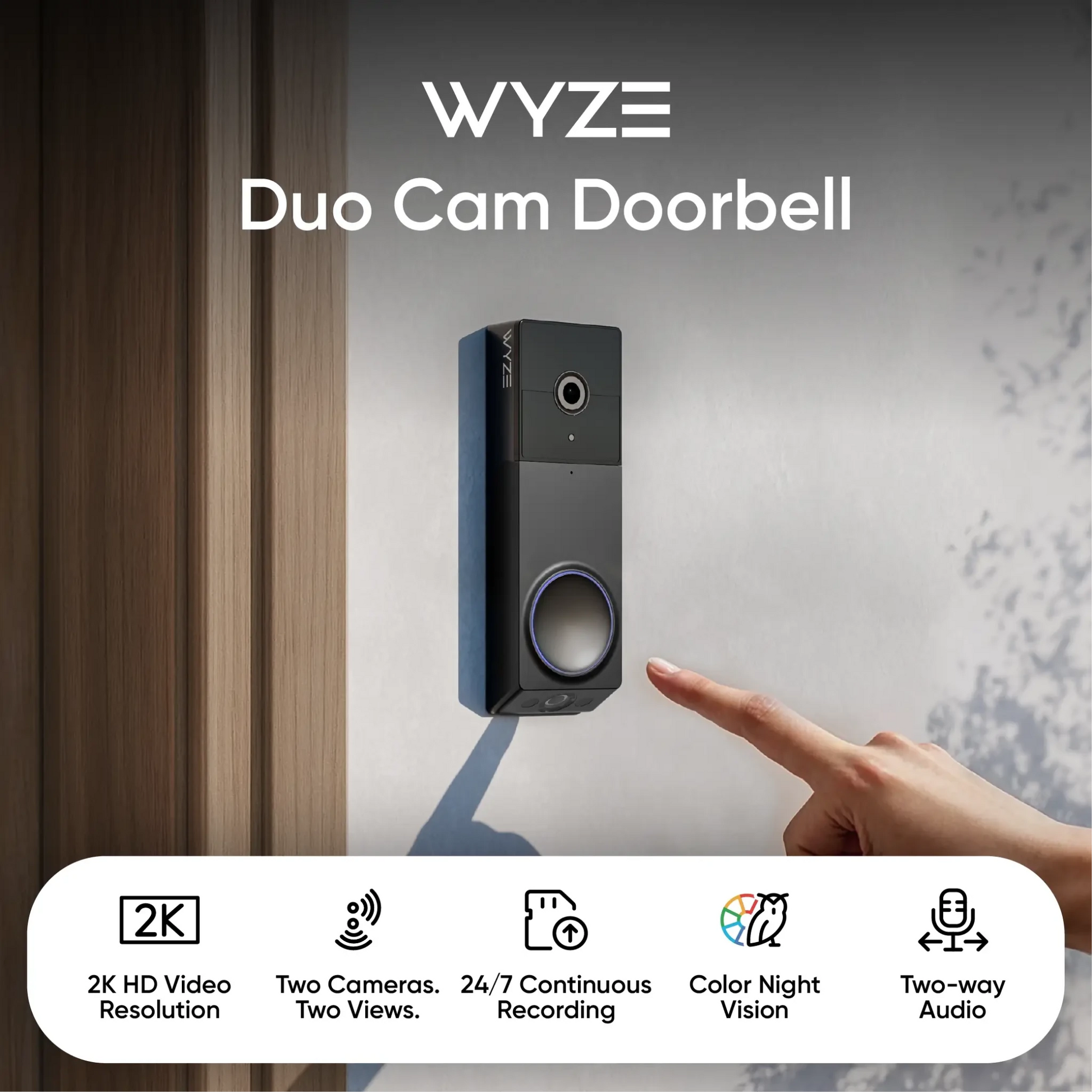
Two Cameras. Two Views.

2K Color Night Vision

Wi-Fi Chime Included

Battery-powered or Hardwired

A blue and white logo for Wyze.
VENTAJAS Exclusivas de Wyze.com
Garantía extendida de 18 meses

Obtenga una garantía extendida de 18 meses al comprar este producto en wyze.com. También obtenga paquetes especiales, promociones únicas y recompensas con cada pedido

Ver todos los detalles
  • A black background with no visible text or objects.

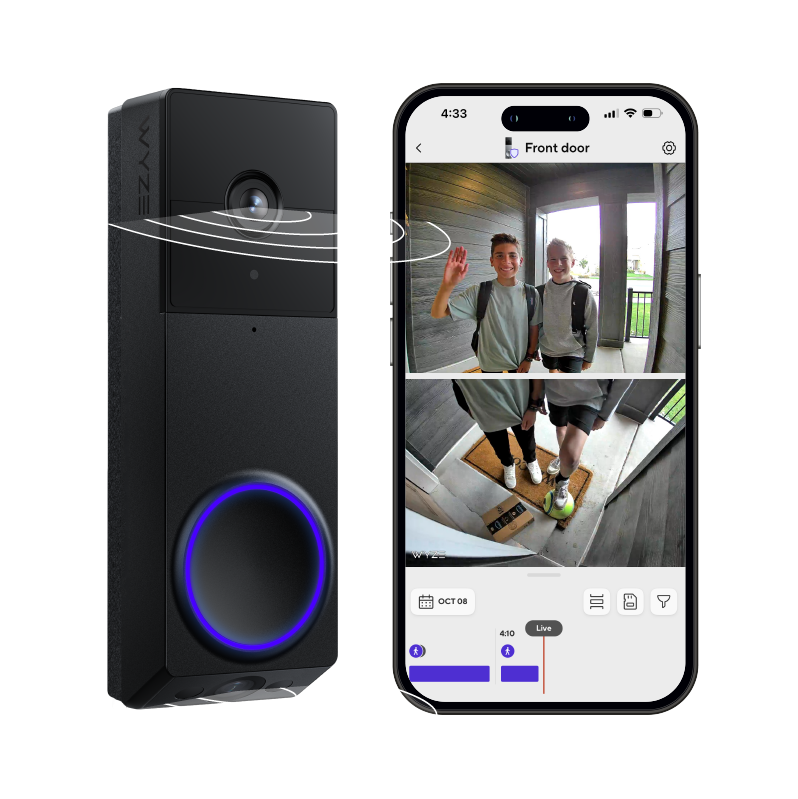
    Dos cámaras. Dos vistas.

    Una cámara ve a las personas y otra se enfoca en la puerta para detectar paquetes con mayor claridad.

  • A colorful logo for a company.

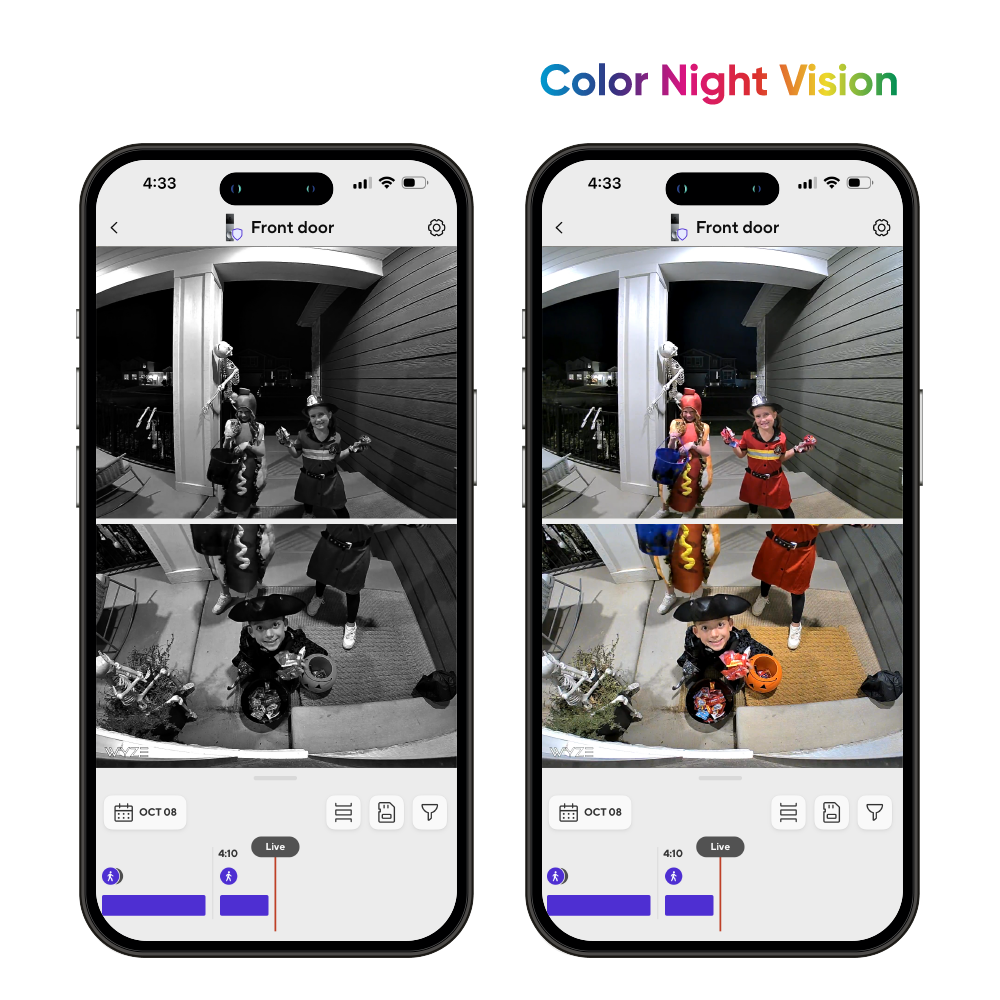
    Resolución HD 2K + Visión nocturna en color

    Nuestro galardonado sensor Starlight amplifica la poca luz para obtener imágenes en color incluso de noche.

  • A black and white image of a bell.

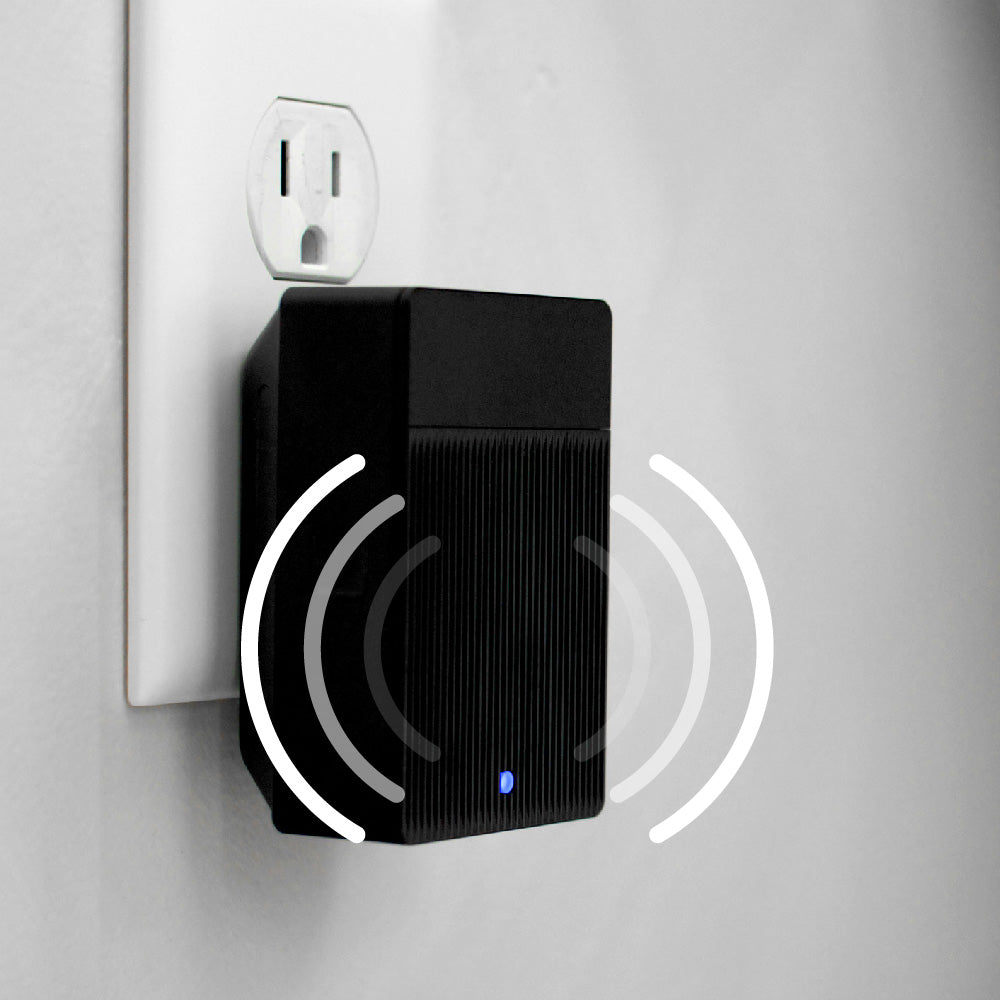
    Timbre Wi-Fi incluido

    Recibe notificaciones en cualquier lugar de tu casa. Compatible con todas las cámaras y timbres Wyze.

  • Battery

    Alimentado por batería o cableado

    Elimine el tiempo de inactividad con una batería extraíble y recargable que dura hasta 6 meses.

Especificaciones del timbre Wyze Duo Cam

Color y materiales
  • Colores: Negro/Plata
  • Materiales: Cuerpo de plástico, lente de resina.
Dimensiones
  • 5,90 pulgadas x 1,88 pulgadas x 1,18 pulgadas (150 mm x 48 mm x 30 mm)
Peso
  • 0,92 libras (416 g)

Video

Resolución de video
  • Frente: 2K (2048 x 1536)
  • Abajo: 1920 x 1080
  • Velocidad de fotogramas: Diurno: 20 FPS / Nocturno: 15 FPS
  • Zoom digital: 8x
Campo de visión de la cámara
  • Cámara frontal - Horizontal: 132°, Vertical: 100°
  • Cámara inferior - Horizontal: 121°, Vertical: 60°

Audio

  • Sirena: 90 dB
  • Audio: conversación bidireccional, simultánea
  • Sensibilidad del micrófono: -42 ± 3 dB
  • Advertencia de movimiento: “Hola, estás siendo grabado”.

Especificaciones adicionales

Iluminación
  • Luz infrarroja: 6 x 850 nm
Fuerza
  • Puerto: Micro USB
  • Alimentación: Batería o CA (10-24 V CA, 60 Hz)
Almacenamiento
  • Almacenamiento local: Admite hasta 256 GB de microSD en formato exFAT
  • Almacenamiento en la nube: almacenado en la nube de AWS

Batería extraíble Wyze

  • Capacidad de la batería: 22,94 Wh, 6200 mAh
  • Tipo de batería: iones de litio
  • Voltaje de salida: 3,6 V
  • Voltaje de entrada: 5 V CC
  • Puerto de carga: USB-C
  • Compatibilidad: Wyze Battery Cam Pro, base de carga Wyze Battery, timbre Wyze Duo Cam

Conectividad y compatibilidad

  • Wi-Fi: IEEE 802.11 a/b/g/n Wi-Fi de 2,4 GHz y 5 GHz
  • Bluetooth® 5.0
  • Compatibilidad del teléfono: Android 9.0+, iOS 15.0+
  • Integraciones: Alexa, Asistente de Google, IFTTT

Clima y temperatura

  • Temperatura de funcionamiento: -4 °F-122 °F (-20 °C-50 °C)
  • Temperatura de almacenamiento: -40 °F-158 °F (-40 °C-70 °C)
  • Resistencia a la intemperie: interior y exterior (IP65)

Certificaciones

  • FCC, IC, UL, IP65

Garantía

  • 1 año
  • 1 timbre con cámara Wyze Duo
  • 1 timbre Wyze Wi-Fi
  • 1x placa trasera
  • 1x Kit de esquina
  • 1 cable de carga USB-C
  • 3x Tuercas para cables
  • 1x cable de puente
  • 2 cables de extensión
  • 3 tornillos largos
  • 3 tornillos cortos
  • 3 tubos de expansión
  • 1x cinta adhesiva
  • 1x Pasador de desmontaje del timbre
  • 1x Paquete de batería extraíble
  • 1x Guía de inicio rápido

It takes ~30 seconds to use the included 3M adhesive to mount the doorbell. Using the included screws to mount it on a door frame takes <1 minute.

No technician is required for installation, even if you choose to use the included hardwired option for your existing doorbell wiring.

Yes, with a microSD card and AC power.

You can enable 24/7 local recording on your Wyze Duo Cam Doorbell as long as you have a microSD card installed, and your doorbell is hardwired. No subscription required! Learn more.

Anywhere near your front door is a great choice since no wires are needed when you go fully wire-free. Make sure the height you choose is comfortable for visitors to press the button on your new doorbell.

Yes, Wyze Duo Cam Doorbell is powered by a removable battery pack. The battery life is 3-6 months with normal use.

Yes, the Wyze Duo Cam Doorbell can be used with Cam Plus, Cam Unlimited, or Cam Unlimited Pro subscriptions. For more information about what these subscriptions unlock, check it out here.

Yes, compatible wiring will allow the doorbell to charge while it’s mounted. Having constant external power will also allow your doorbell to record an additional 3-6 seconds of pre-roll video before an event, allowing you to get the whole picture.

Yes, one Wyze Wi-Fi Chime is included.

Yes, Wyze Duo Cam Doorbell is is IP65-rated for outdoor installation. This means that it is "dust-tight" and protected against water sprays from any angle.

You can adjust the chime sound or volume in the Wyze app.

Dos cámaras. Dos vistas. Doble protección en el porche.

Algo es bueno. Más es mejor. ¡Y el timbre Wyze Duo Cam con dos cámaras y cobertura total para el porche es la bomba que acabará con los piratas del porche!

Color Night Vision

Resolución de video 2K con visión nocturna en color

Captura con gran detalle todas las llegadas y salidas del porche. Nuestro galardonado sensor Starlight amplifica la luz tenue para obtener imágenes con colores vibrantes incluso de noche.

A black and white image of a doorbell camera.

Timbre Wi-Fi incluido

¡Ding dong! Escucha alertas donde quieras. El wifi integrado te permite activar alertas de audio con todas las cámaras y timbres Wyze.

Si está interesado en utilizar Duo Cam Doorbell con su timbre mecánico o digital existente, consulte Wyze Chime Controller para comprobar la compatibilidad.

Lleva tu timbre al siguiente nivel con Cam Unlimited.

Una cámara de timbre diseñada para IA ✨

A black and blue doorbell camera with a picture of a man on the screen.

Detección de personas + Reconocimiento facial 🧑

Una sola cámara ve a las personas para capturar con claridad a cada visitante. Recibe notificaciones de alto nivel con reconocimiento facial para saber cuándo es tu mejor amigo o si es tu mamá.

Más información

Detección de paquetes 📦

Otra cámara mira directamente a tu puerta. Y te avisaremos en cuanto llegue tu último paquete de [CENSURADO], pero no podemos quitarte la vergüenza de tu suscripción.

Más información

Detección de mascotas 🐶

A menos que tu mascota sea una llama, sabes que no siempre aparecerá en la cámara de tu timbre. Ahora puedes detectar a la bola de pelo cuando llegue a tu porche. Observa todo, desde tu puerta hasta el felpudo y a tu perro.

Más información

Detección de vehículos 🚗

Utilice la cámara superior para grabar cada vehículo que se detenga en su domicilio. Puede supervisar a un repartidor desde que se estaciona frente a su casa hasta que entrega el paquete.

Más información

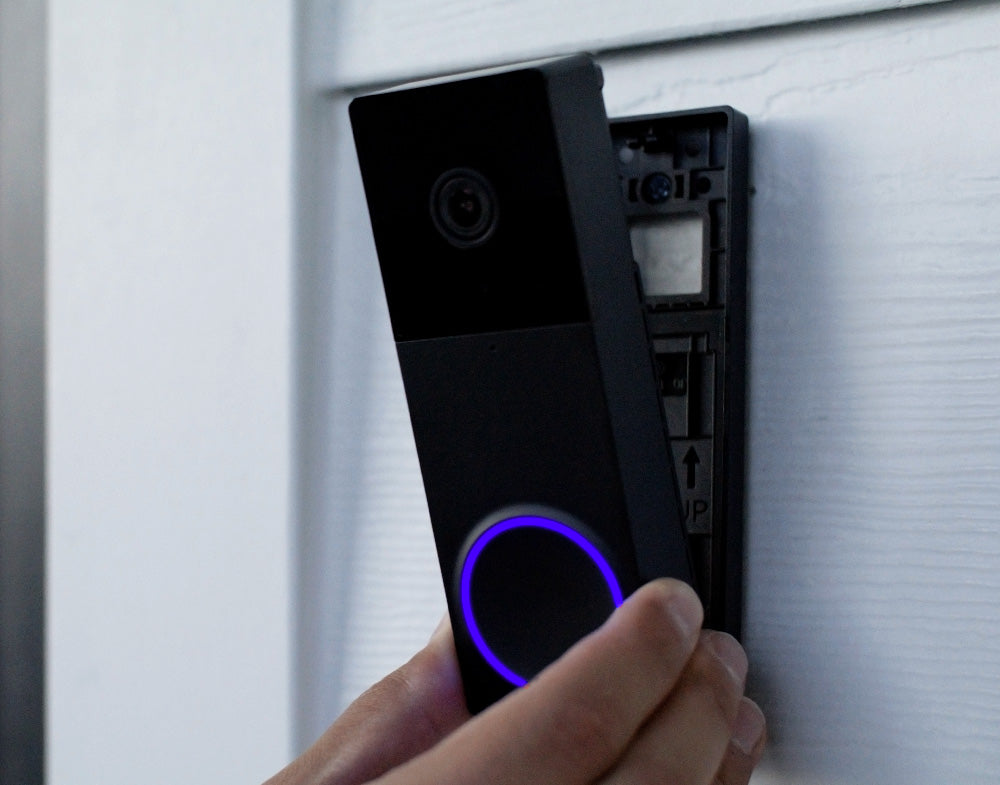
A person is holding a Wyze Duo Cam Doorbell.

Instalación fácil en 1 minuto

Móntalo en dos partes iguales con las tiras adhesivas incluidas. Sin cables ni tornillos. Estoy completamente seguro de que lo tendrás instalado enseguida. También puedes conectarlo con cables si quieres.

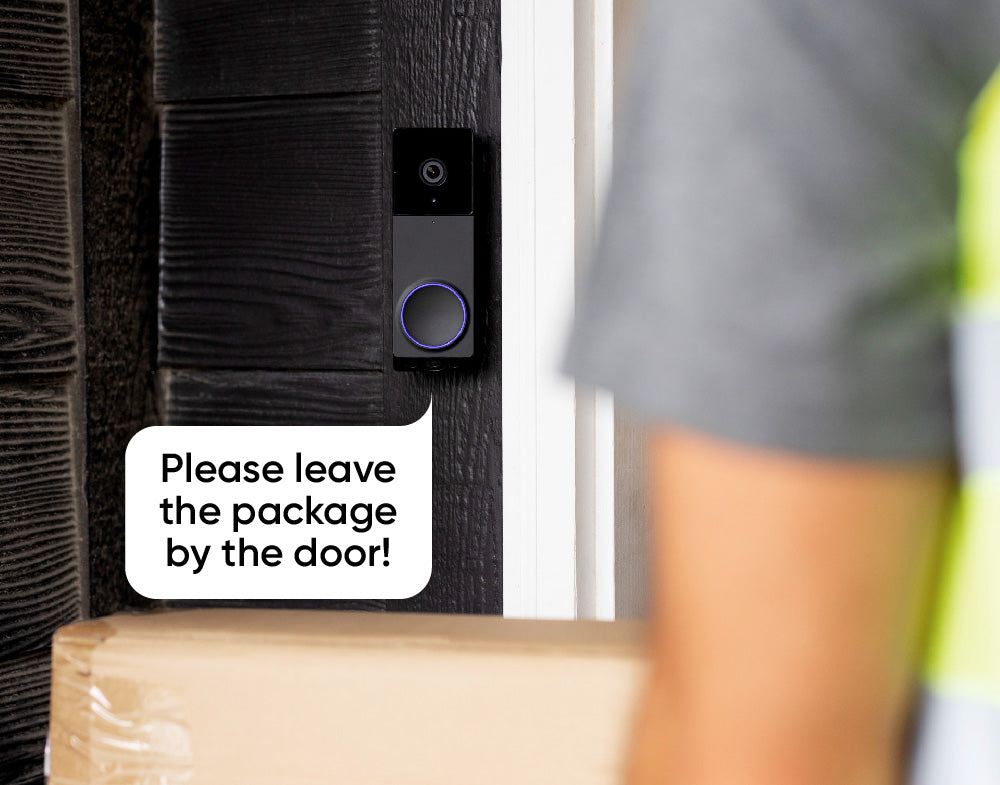
A sign on a door that says "Please leave the package by the door!

Audio bidireccional

Actúa como un mensajero celestial que no conoce el tiempo ni el espacio y abre tu puerta desde cualquier lugar. De alguna manera, "Por favor, deja mis papas fritas rizadas aquí" suena más digno al responder desde la app de Wyze.

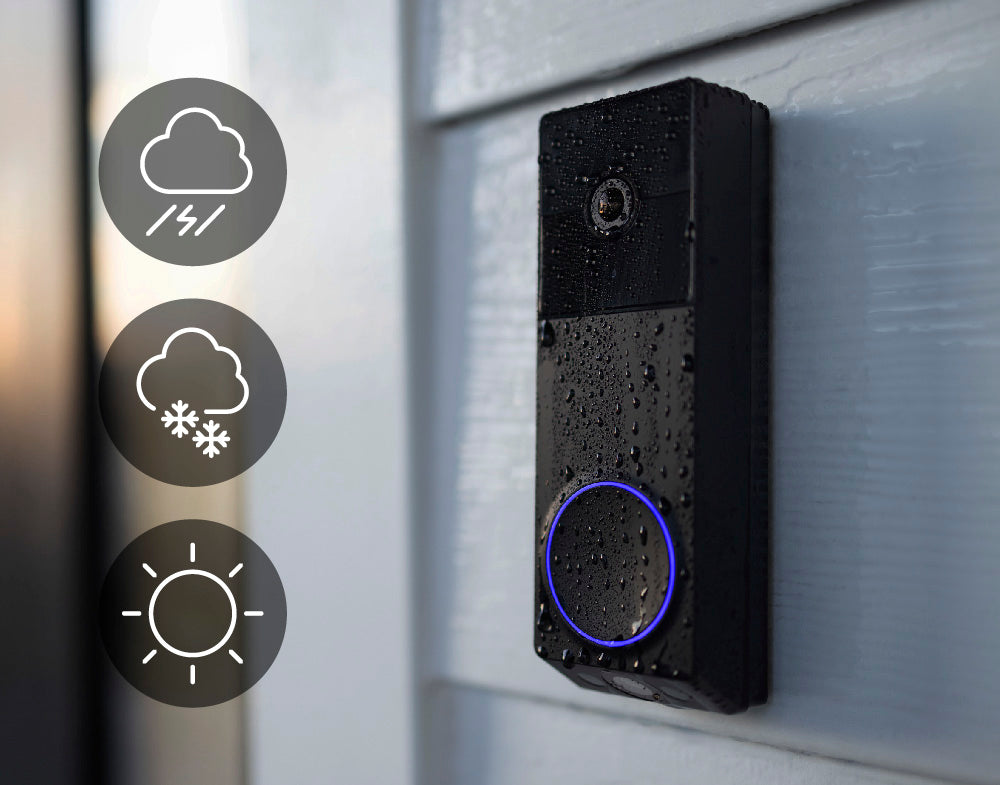
A Wyze Duo Cam Doorbell is shown on a white wall.

Resistente a la intemperie IP65

Está diseñado para resistir cualquier intemperie. Incluso el factor sorpresa. De hecho, es prácticamente imposible sorprenderlo. ¿Mencionamos que tiene dos cámaras?

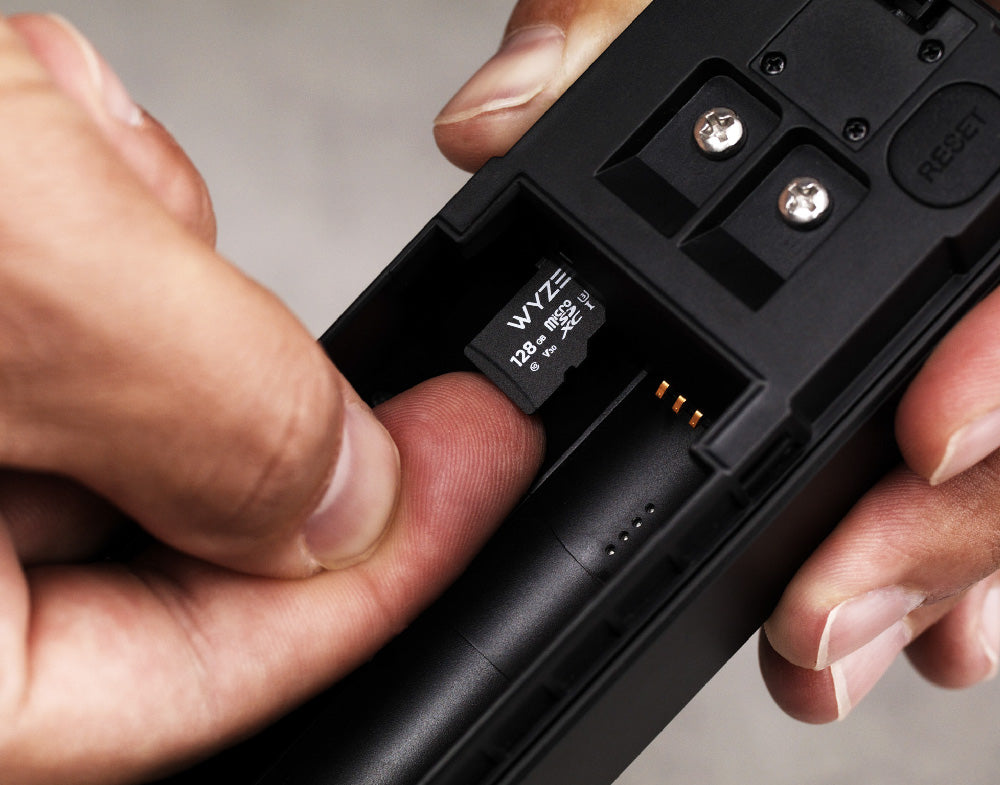
A person holding a Wyze Duo Cam Doorbell.

Grabación local con microSD

Vea lo sucedido de principio a fin con la grabación local. La tarjeta MicroSD se vende por separado.

⚠️ Para habilitar la grabación local las 24 horas, los 7 días de la semana, debe agregar una tarjeta microSD y cablear la cámara del timbre.

  • 5.5 GHz WiFi

    Wi-Fi de doble banda

    Se conecta a redes Wi-Fi de 2,4 GHz o 5 GHz.

  • A person in motion.

    Notificaciones de movimiento y sonido

    Reciba notificaciones instantáneas enviadas a su teléfono por cualquier visitante o entrega de paquete.

  • A black and white image of a 30 degree angle.

    Kit de esquina de 30° incluido

    Se incluye una cuña de montaje en ángulo con cada timbre para ayudarle a lograr la vista perfecta.

  • Show me the front door.

    Compatible con Alexa, Asistente de Google y IFTTT

    Funciona con tu asistente inteligente favorito. Usa Wyze Automations para mayor control.

1 de 4

Comparar timbres

Swipe to compare more products →
Comparar timbres
A white camera next to a phone.
Timbre con video Wyze Pro
from $99.98 $173.98
Resolución
1563 x 1563 (HD+)
Frontal: 2048 x 1536 (2K) / Inferior: 1920 x 1080
1440 x 1440
2048 x 1536 (2K)
Campo de visión
Alto: 150°, Alto: 150°
Delantero H: 132°, V: 100° / Inferior H: 121°, V: 60°
Alto: 150°, Alto: 150°
Alto: 135°, Vertical: 103°
Repicar
Existente + Auxiliar
Existente
Auxiliar
Existente
Opción de energía
Batería + Cableado
Batería + Cableado
Batería + Cableado
Solo con cable
Integración 3P
Amazon Alexa, Google Home
Almacenamiento
Local y en la nube
Local y en la nube
Solo nube
Local y en la nube
View
View
View
View

Support Articles

Follow the steps in the Wyze Duo Cam Doorbell Setup Guide to get your doorbell ready for installation.

Make sure you have these in the box:

Required Tools

  • 1x Phillips Screwdriver
  • 1x Doorbell Detaching Pin (in the box)

Voltage Requirement

  • Your existing circuit must have a minimum voltage of 16V and power output of 10VA.

To install your Wyze Duo Cam Doorbell:

  1. Using the Wyze app, complete steps 1-11 in the Wyze Duo Cam Doorbell Setup Guide.
  2. Tap Next for Step 11 so you do not skip the installation tutorial.
  3. In the Wyze app, the screen will say "Do you already have a doorbell that uses AC wiring" Tap No,... if you don't have AC wiring and/or you don't want to hardwire it.Tap Yes,... if you want to use your AC wiring to hardwire your doorbell.

Wireless Installation:

If you selected No above, follow along in the app to mount your doorbell:

  1. Choose how you want to position your doorbell. Straight ahead to mount your doorbell flat against the wall. At an angle to mount your doorbell with the Corner Kit, or wedge.
  2. Decide how you want to mount your doorbell. Use 3M Tape if positioning straight ahead and you don't want to use screws.Use Screws if you want to use screws with either position.
  3. Tap Next.

Use 3M if you don't want to drill any holes.

  1. Remove the adhesive backing from the back plate, then stick the back plate to the wall.
  2. With the battery installed, mount it to the back plate. Start from the bottom up!
    If you place it from the top first, use the Doorbell Detaching Pin to remove it and try again.
  3. You're all set!

Use Screws if you want to use a screw mount for your doorbell:

  1. Follow along in the app to screw in your Corner Kit and/or Back Plate. Your combination may vary, depending on if you're mounting the doorbell directly to the wall (Back Plate only) or adding a Corner Kit first to change the viewing angle.
  2. Attach your doorbell to the Back Plate.
  3. With the battery installed, mount it to the back plate. Start from the bottom up! (See above) If you place it from the top first, use the Doorbell Detaching Pin to remove it and try again.

Wired Installation:

If you selected Yes above, follow these steps to hardwire and mount your doorbell:

  1. Turn off power to your current mechanical doorbell at your electrical panel. Related article: Which switch in the electrical panel controls my doorbell? If you are not comfortable testing your electrical panel, stop. Call your local electrician for help.
  2. Open your chime box and take a photo of the current configuration. Don't know where the chime box is? Ring your existing doorbell and listen for the chime.
  3. Follow the in-app instructions to use the jump wire to bypass your existing chime*. You can use the same wiring instructions from Wyze Video Doorbell v1.
  4. Please follow the in-app instructions to locate the Front and Trans terminals.
  5. Remove your current doorbell and disconnect the wires.
  6. Install the wall plate or corner kit to the wall.
  7. Install the battery into your doorbell. Even if you're not using the battery for power, you must install the battery.
  8. Attach the extension wires included in the box to your new doorbell. Use your screwdriver to loosen the screws on the back of your doorbell.Attach the forked part of the first wire to the first screw.Do the same with the second wire and second screw.Tighten the screws again.
  9. Connect the wires from your new doorbell to the wires in the wall. Pair each end, twist them together, then cover and twist with the wire caps.
  10. Return to your electrical panel and switch on the breaker to your doorbell.
  11. Check that the status light right on the front of your doorbell is flashing blue.
  12. Mount your doorbell to the back plate. Start from the bottom up!
    If you place it from the top first, use the Doorbell Detaching Pin to remove it and try again.

Additional Note:

* Though using your in-house chime is an option (requires a Wyze Chime Controller), using Wyze Wi-Fi Chime with Wyze Duo Cam Doorbell is recommended. These instructions detail how to write your doorbell without using your in-house chime.

This article details how to set up your new Wyze Duo Cam Doorbell. Let's get started!

Heads up! 👋 You need to update your Wyze app to version 3.2 to set up your new Wyze Duo Cam Doorbell.

What's in the Box:

To set up your Wyze Duo Cam Doorbell:

  1. In the Wyze app, tap Home, then tap + plus sign on the top right.
  2. On the Add menu, tap Device.
  3. Tap Cameras > Video Doorbells > Wyze Duo Cam Doorbell.
  4. Insert the battery into the doorbell. The status light ring will flash red. Tap Next in the app.
  5. On the back of the doorbell, press and hold the RESET button until it says “ready to connect” and the status light continues flashing red.The doorbell may say “ready to connect” without pressing the RESET button. If so, continue.
  6. In the app, tap "I heard “ready to connect," then Begin Setup.
  7. If you haven’t already enabled Bluetooth® for the Wyze app, there will be a screen prompting you to do so. Once enabled, tap Next then tap OK.
  8. If you haven’t already enabled Location Permissions for the Wyze app, there will be a screen prompting you to do so. Once enabled, tap Next.
  9. Your doorbell will pair to the Wyze app. Stay nearby.It will say "Networking is connected" when pairing is complete.
  10. Select your 2.4 GHz or 5 GHz Wi-Fi network and enter your network password. Tap Connect.Tap the icon in the password field to display the password to ensure it was entered correctly.
  11. Your doorbell will now connect to Wi-Fi. It will say "Wi-Fi connected."
  12. Now it’s time to install your doorbell. Follow along in the app to complete your battery-powered or hardwired installation. Tap Next. Or, tap Skip the installation tutorial to do it later.
  13. Select if you plan to install/mount your device Straight ahead or At an angle. Tap Next.Note: You will only need to install the corner kit if you selected At an angle.
  14. Install the back plate to the wall using the included 3M tape or the included screws. Tap Next.
  15. If using battery-power, double-check that the doorbell is powered on before attaching it doorbell to the back plate. Tap Next. Important: Note the graphic in the app for how to install the doorbell to the back plate, first securing the bottom, then the top. If you secure the top first, you will not be able to secure the bottom or mount the doorbell at all. You will need to use the Doorbell Detaching Pin and try again.
  16. Ensure the doorbell is securely fastened to the back plate. Tug to check. Then tap Next.
  17. Name your Wyze Duo Cam Doorbell using the text field, or by choosing a suggestion. Tap Finish when done.
  18. You may have a prompt to enable Cam Plus. Tap Continue.
  19. Set up some automations on the Things to Try* page, or tap Skip.
  20. You’re all set! Your doorbell is set up and ready to go.

Things to Try: Tap Create or edit a device group, Share this device, Automate your device, or Skip. These are quick ways to set up a few automations before you finish setup. When you complete a task, it'll display a green checkmark ✅. You can move on from this page by tapping Skip.

Download the Quick Start Guide for Wyze Duo Cam Doorbell in this article.

Below is the Quick Start Guide for Wyze Duo Cam Doorbell, a short manual for how to get started.

This guide is a short user manual with the basics about Wyze Duo Cam Doorbell, including:

  • What's in the box for Wyze Duo Cam Doorbell.
  • How to download the Wyze app.
  • A diagram of Wyze Duo Cam Doorbell and Wyze Wi-Fi Chime..
  • How to set up Wyze Duo Cam Doorbell and Wyze Wi-Fi Chime.
  • How to install Wyze Duo Cam Doorbell and Wyze Wi-Fi Chime.
  • How to read the status lights.
Added to your cart
Envío GRATIS en pedidos de $59+
Subtotal
$0.00
View cart