Ir directamente a la información del producto
1 de 13

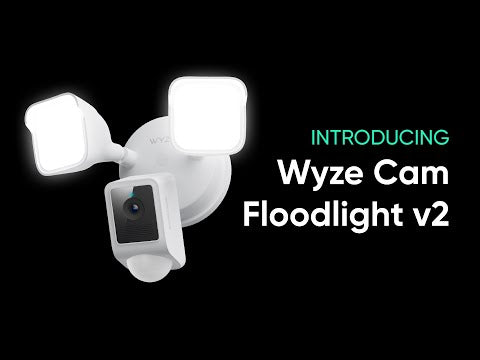
Foco Wyze Cam v2

Foco Wyze Cam v2

Cámara 2K con luz de 2800 lúmenes

Color
Add ons
$99.98
En existencias
Get it as soon as
30-day hassle-free returns.
En existencias
A blue and white logo for Wyze.
VENTAJAS Exclusivas de Wyze.com
Garantía extendida de 18 meses

Obtenga una garantía extendida de 18 meses al comprar este producto en wyze.com. También obtenga paquetes especiales, promociones únicas y recompensas con cada pedido

Domina la oscuridad con LED de 2800 lúmenes, video 2K con Visión Nocturna a Color y un ángulo de visión de 160°. Disfruta de grabación local 24/7, Modo Luz Ambiental, comunicación bidireccional y Control de Iluminación con IA. Todo esto, sumado a la automatización del anochecer al amanecer, resistencia a la intemperie IP65 e integración perfecta con tu asistente inteligente favorito, hacen que Wyze Cam Floodlight v2 marque el camino hacia una seguridad doméstica más inteligente.

Ver todos los detalles
  • A colorful logo for a company.

    Resolución HD 2K y visión nocturna en color

    Captura más detalles.

  • A black image with a wide angle lens.

    Vista de 160° + Detección de movimiento PIR de 270°

    Eliminar puntos ciegos.

  • A sun icon with a black background.

    2800 LED superbrillantes

    Regulable y ajustable.

  • A black screen with a message about syncing a microSD card.

    Grabación 24/7 con tarjeta MicroSD

    No se requiere suscripción.

Especificaciones de Wyze Cam Floodlight v2

Color y materiales

  • Color: Blanco o Negro
  • Acabado: Mate
  • Montaje: Pared/Techo
  • Cuerpo: policarbonato
  • Lente: Vidrio + Plástico

Dimensiones

  • 9,5 pulgadas x 7,7 pulgadas x 7,0 pulgadas (24,13 cm x 19,56 cm x 17,78 cm)

Peso

  • 2,76 libras (1,25 kg)

Iluminación

  • 2 paneles de luz LED regulables
  • 2800 lúmenes totales de brillo
  • Temperatura de color de 5000 K
  • Regulable: Sí

Fuente de alimentación

  • Cableado de 110 a 120 V CA

Calidad de imagen

  • 2K (2304 x 1296)
  • Visión nocturna
  • Visión nocturna en color
  • 20 FPS durante el día y 15 FPS durante la noche

Campo de visión

  • Diagonal de 160°

Sirena

  • 105 dB

Especificaciones adicionales

  • Audio: Altavoz y micrófono integrados; audio bidireccional
  • Almacenamiento local: Admite hasta 256 GB de microSD en formato ExFAT

Conectividad y compatibilidad

  • 802.11 b/g/n, 2,4 GHz
  • Teléfono: Android 9.0+ y iOS 15.0+
  • Integraciones: Alexa, Asistente de Google, IFTTT

Clima y temperatura

  • -4 °F - 140 °F (-20 °C - 60 °C)
  • Resistencia al agua IP65
  • Seguro para uso en exteriores

Proceso de dar un título

  • FCC/IC, Proposición 65 de California, IP65, RoHS, REACH

Garantía

  • 1 año
  • x1 - Wyze Cam Floodlight v2 (ensamblado)
  • x1 - Guía de inicio rápido
  • x1 - Kit de accesorios de montaje
  • x2 -Tornillos de soporte (#6, #8 y #10)
  • x1 - Tornillo de tierra
  • x1 - Tornillo para reflector
  • x1 - Tapón de goma
  • x1 - Soporte de montaje
  • x2 - Tuercas para cables
  • x1 - Gancho x

Wyze Cam Floodlight v2 is a 2K HD camera featuring a 160-degree super-wide angle view for extra coverage, upgraded floodlights with 2800 lumens of light, and Ambient Light Mode for additional exterior lighting. All that in a more rugged and robust build, with our new Access Point feature for ladder-free camera setup, and the Motion Warning feature that alerts intruders that they're being recorded.

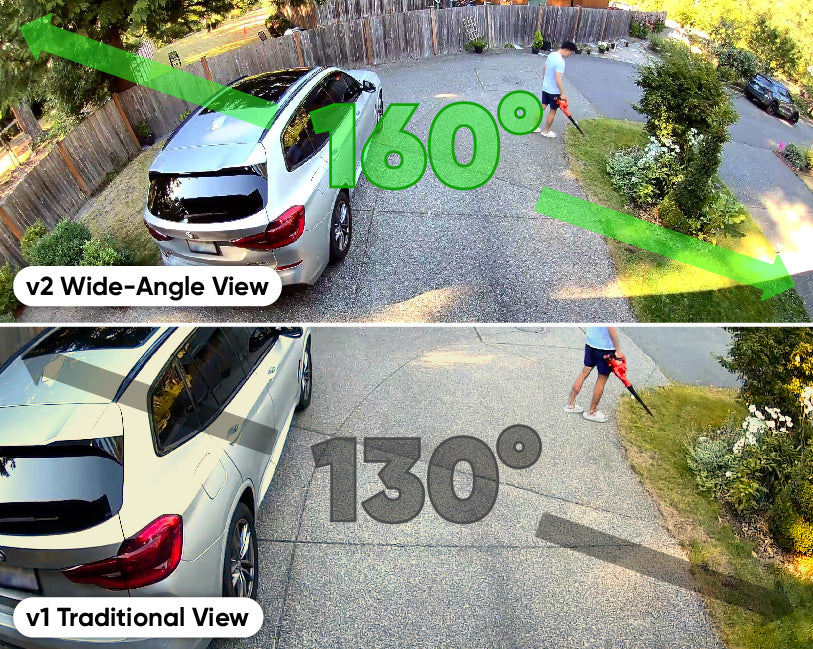
The 160° wide-angle field of view eliminates nearly all blind spots, ensuring comprehensive surveillance for your peace of mind.

Access Point setup lets you use a Wi-Fi hotspot to connect to your mobile device during setup. This saves you the hassle of climbing up a ladder to scan the QR code.

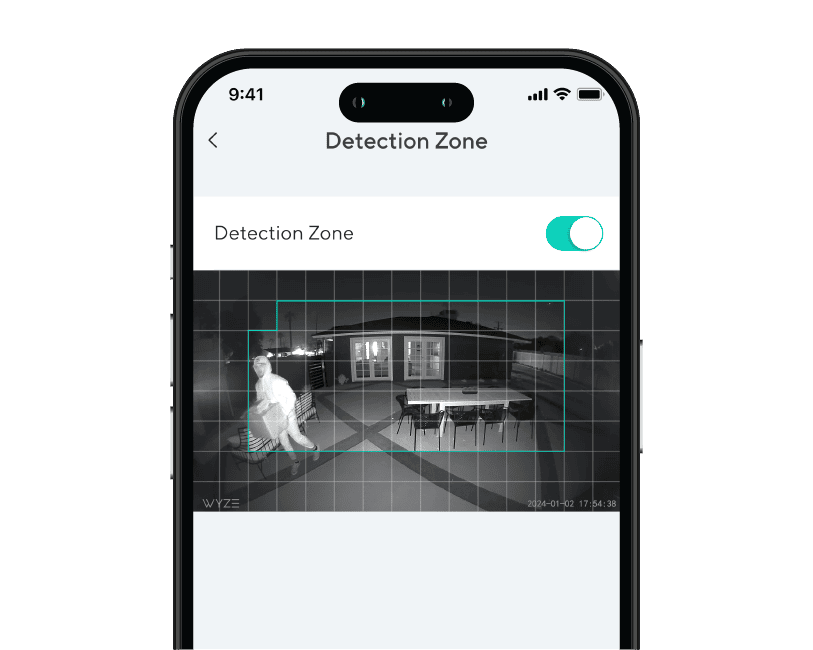
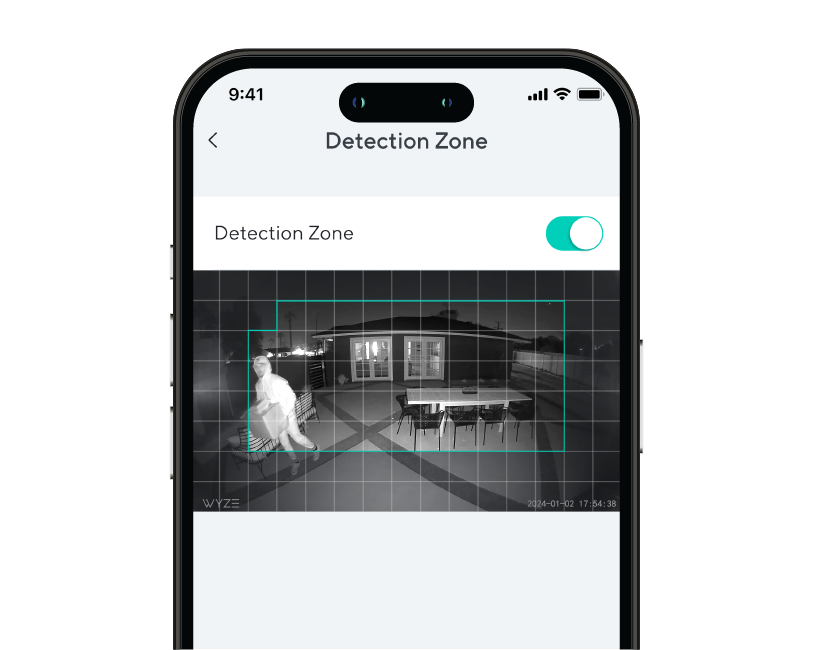
The floodlight can detect motion up to 30 feet away, with a customizable Detection Zone.

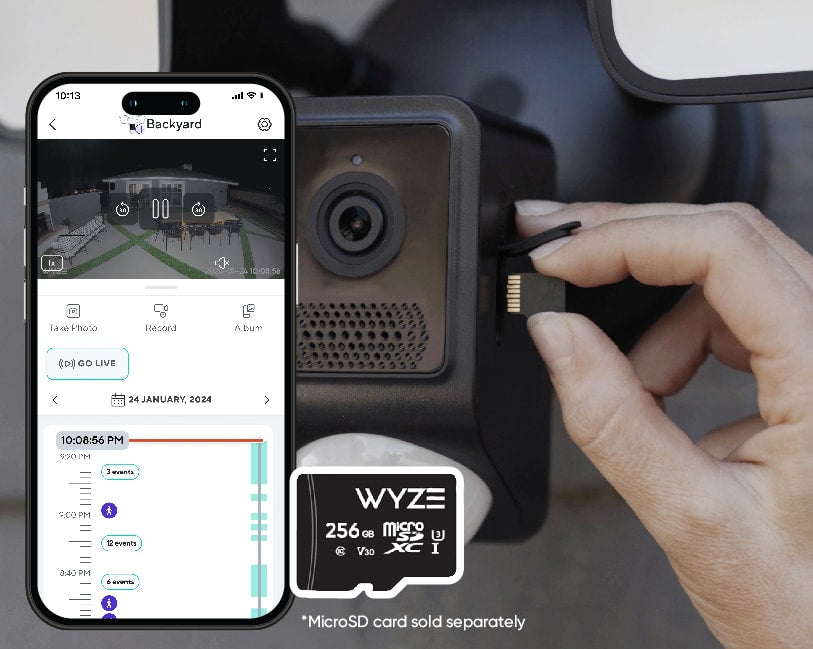
Yes, Wyze Cam Floodlight v2 has a microSD card slot in the camera that allows you to record 24/7 and store videos locally. The microSD card slot supports up to 265 GB (exFAT and FAT32 formats).

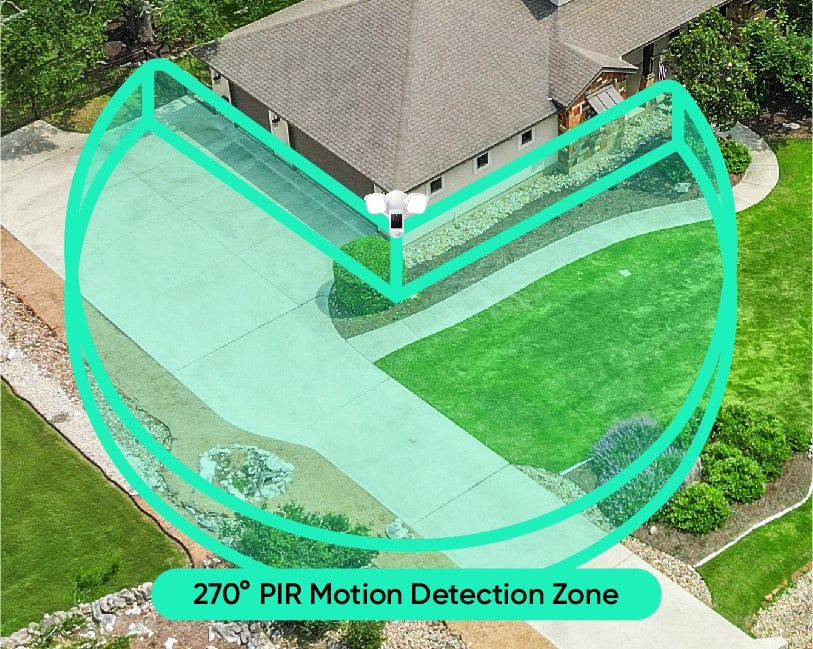
When motion is detected by the 270° PIR sensor, the floodlight turns on for a select period of time then turns off. This feature is enabled by default, but can be disabled in the floodlight's settings.

Ambient Light Mode allows the floodlight's LEDs turn on and stay on at a lower brightness level, to provide exterior lighting. Use the Wyze app to schedule when Ambient Light Mode is on and off, and to set the brightness level.

Motion Warning is a security feature to warn and deter intruders. When a person is detected, the floodlight's camera will sound "Hi, you're currently being recorded." You can customize the voice clip and play interval in the floodlight's settings.

No, the color temperature is 5000K and is not customizable.

Yes, the floodlight's LEDs are dimmable. The maximum brightness is 2800 lumens.

No, Wyze Cam Floodlight v2 does not have a battery and must be hardwired.

Yes, Wyze Cam Floodlight v2 needs to be hardwired either where another floodlight is installed or by using a junction box. Please ask a licensed electrician if you do not have a junction box set up yet.

No, it only supports 2.4 GHz networks.

Yes, it is IP65 rated.

With the Wyze Cam Floodight v2 you are bringing the power of 2,800 lumens to light up any area around your home or business and is motion activated. Additionally there are smart features to setup automations throughout your day and connect it to other smart home technologies such as Alexa, Google Assistant, and IFTTT.

Yes, from the app you are able to customize when your camera activates based on motion in your watched area.

Disfrute de una resolución 2K nítida.

La impecable calidad de imagen 2K te permite capturar eventos con más detalle que nunca, especialmente de noche. Porque todos sabemos que el diablo está en los detalles. O quizás fue solo Brad, el hipersensible presidente de la asociación de propietarios.

A person is standing in front of a car.
A side-by-side comparison of a traditional view and a wide-angle view of a Wyze Cam Floodlight v2.

Vea más, preocúpese menos.

Una vista gran angular de 160° te brinda el doble de visibilidad que la generación anterior. Las mamás de todo el mundo se preguntan si esto se puede aplicar a la genética.

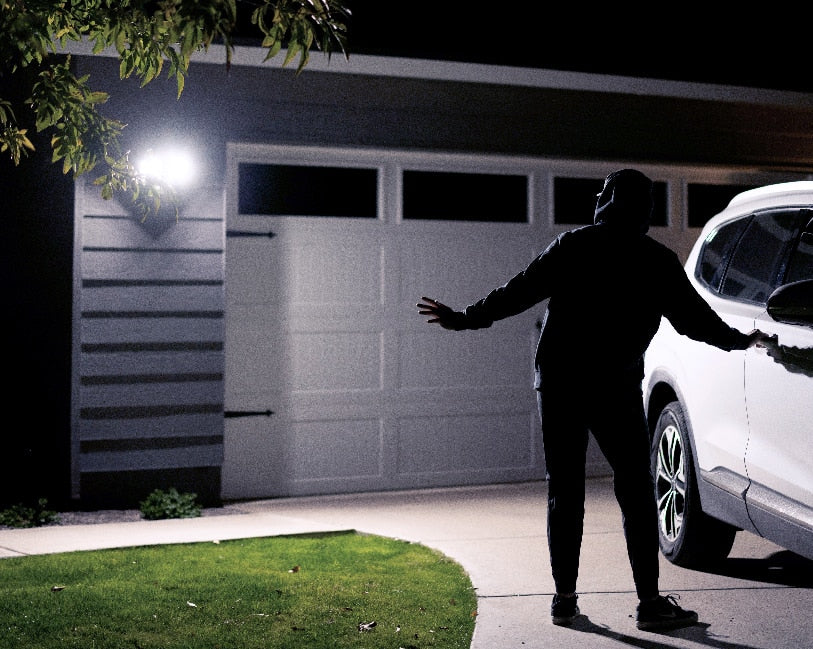
A man standing in front of a garage door with a white car.

La oscuridad no tiene ninguna oportunidad.

Convierta la noche en día con dos luces LED de 2800 lúmenes, ajustables y activadas por movimiento que iluminan su camino y mantienen a raya a los intrusos.

Ambient Light Mode.

Cuando está activada, proporciona una luz tenue constante y aumenta automáticamente el brillo al detectar movimiento. Es como una luz nocturna invertida para ladrones y enanos.

A Wyze Cam Floodlight v2 mounted on a wall. The light is turned on, providing motion-activated illumination.
Wyze Cam Floodlight v2 PDP Artboard 14.
A person is inserting a microSD card into a Wyze security cam. The phone in front is displaying a live feed.

Grabación local 24/7 con tarjeta microSD.

No te pierdas nada con la grabación local continua en una tarjeta microSD de hasta 256 GB. Sin suscripción.

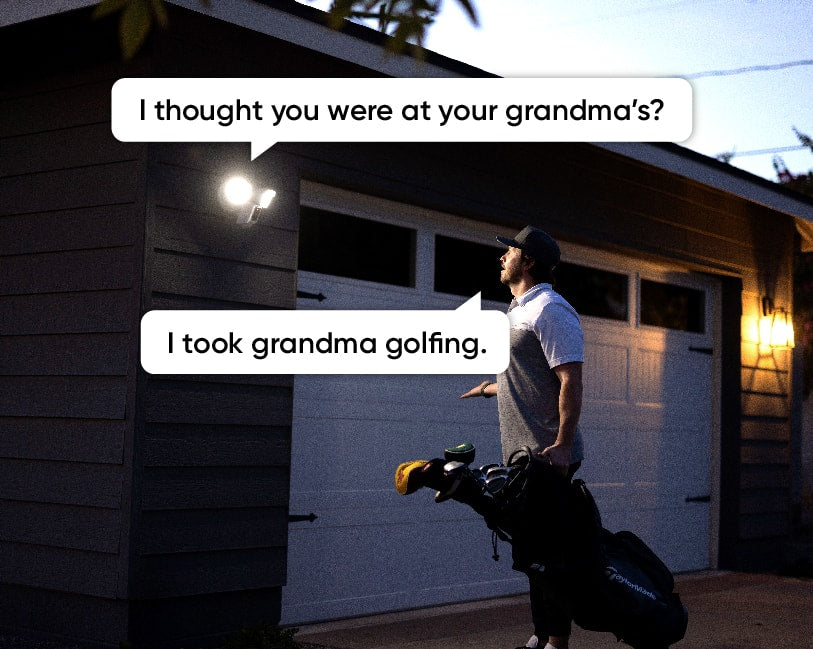
Man holding a golf bag and talking to someone through a Wyze Cam Floodlight v2.

Charla bidireccional + sirena fuerte.

Responde a visitantes y familiares tocando el ícono del micrófono en la app Wyze. ¿Aún no recibes el mensaje? Activa la sirena de 105 dB para mayor disuasión.

A green circle with the text "270 PIR Motion Detection Zone" in white.

¡Adiós, puntos ciegos!

Elimina los puntos ciegos y activa las luces más rápido que nunca con un área de detección de movimiento PIR de 270°.

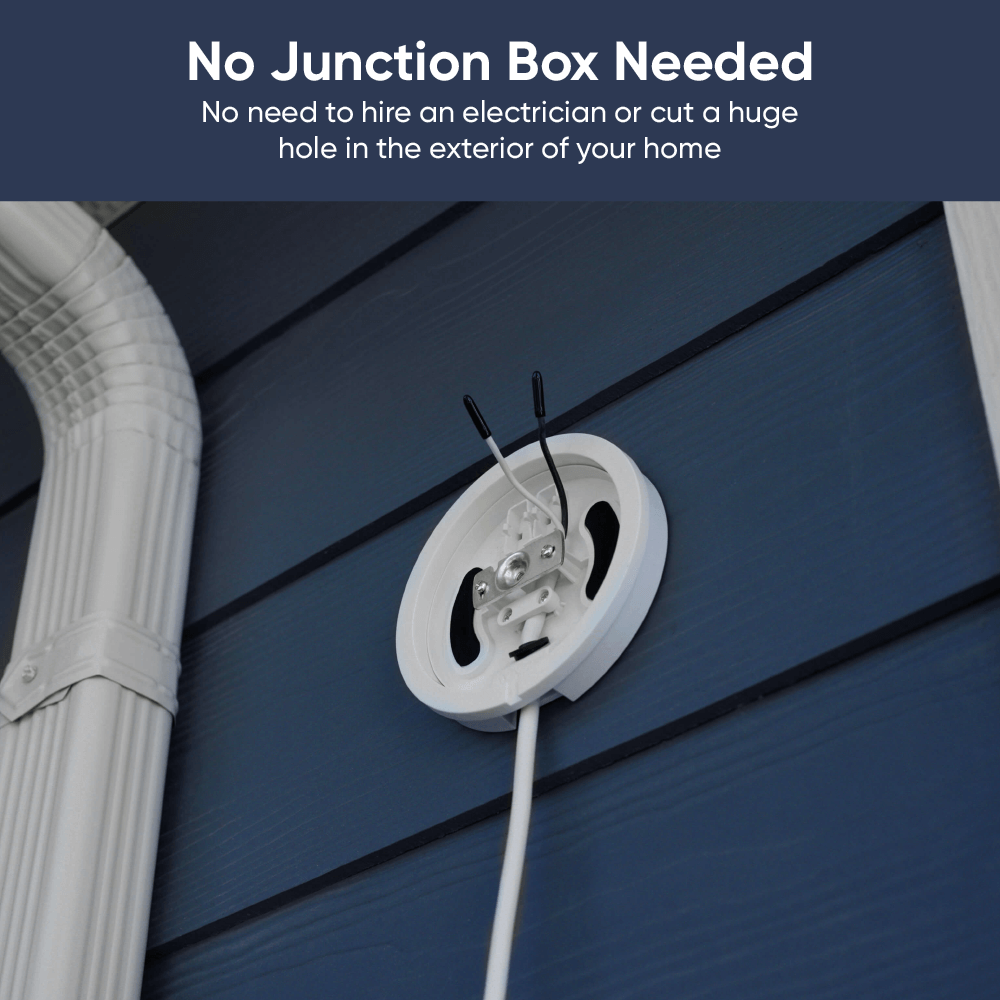
No junction box needed.

Agregue un soporte enchufable para reflector si prefiere una toma de corriente.

¡Evita la cita con el electricista! Siguiendo unas sencillas instrucciones, puedes instalar una cámara de luz por tu cuenta. Olvídate de una caja de conexiones o cables eléctricos molestos. Más información .

Perfecto para quienes tienen una toma de corriente exterior práctica abierta y para inquilinos.

Además, todas las funciones familiares que te encantan.

A bright light on a brick wall.

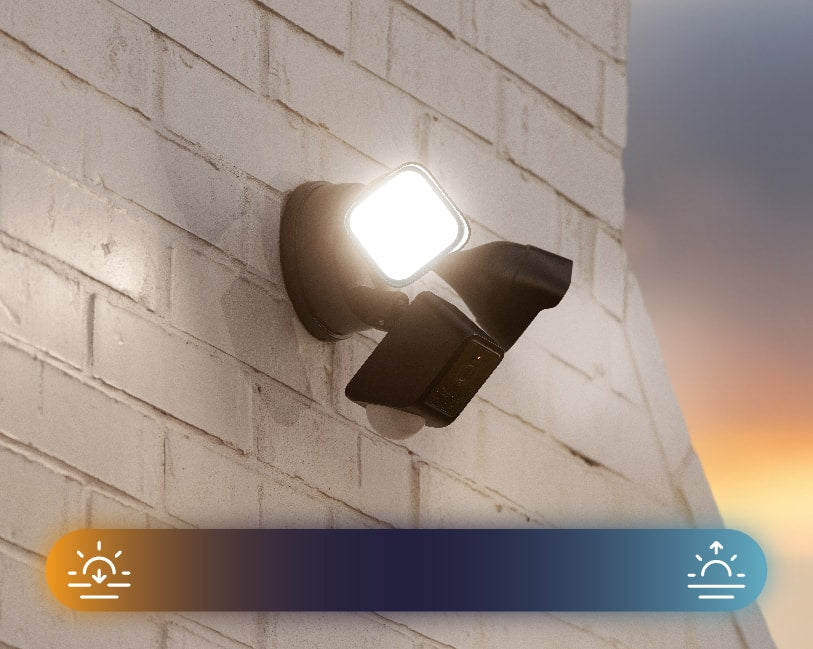
Automatización desde el anochecer hasta el amanecer.

El reflector sabe cuándo se pone y cuándo vuelve a salir el sol. No es necesario encenderlo ni apagarlo manualmente.

A black security camera with two floodlights attached, mounted to a wall.

Resistente a la intemperie IP65.

Clasificado para soportar cualquier clima. Especialmente, el tipo de clima en el que "llueve paquetes, lo que significa que mi pareja agotó el AMEX otra vez". Ese es el peor clima.

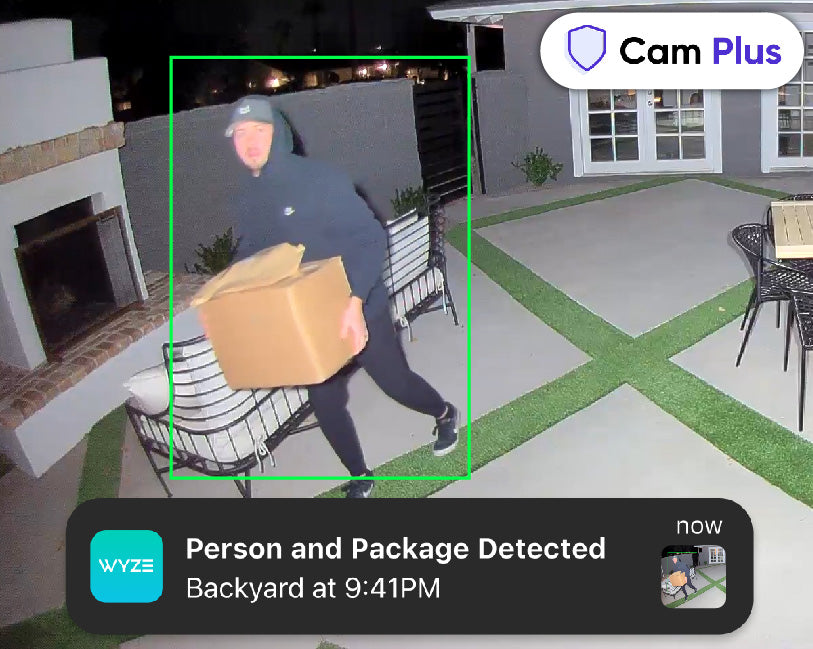
Man carrying packages away from the house during the night with the lights shining directly at him.

Obtenga detecciones de IA con Cam Plus.

Obtén detección de personas y paquetes, y mucho más con Cam Plus. Además, disfruta de almacenamiento ilimitado de videos en la nube y notificaciones más inteligentes.

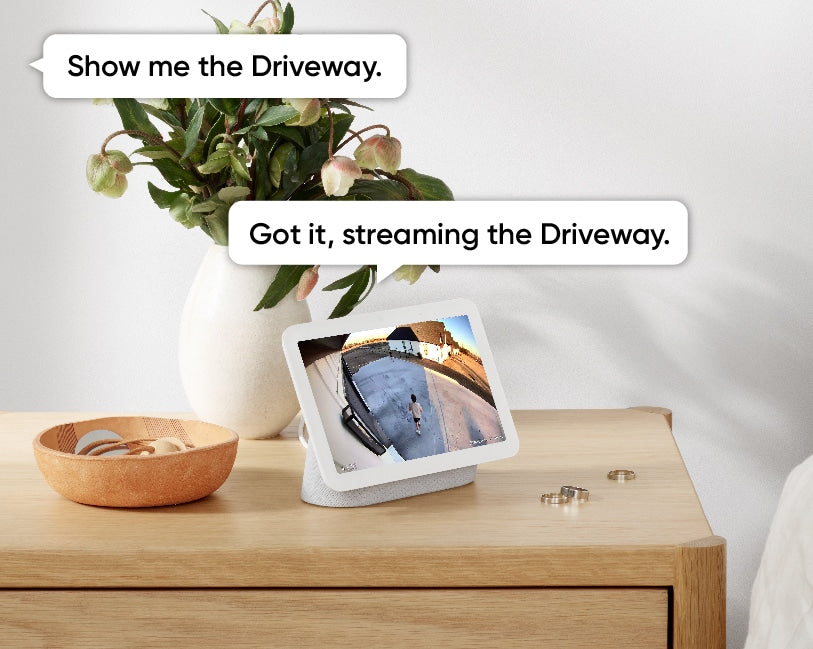
A tablet displaying a live video feed from a security camera mounted outside.
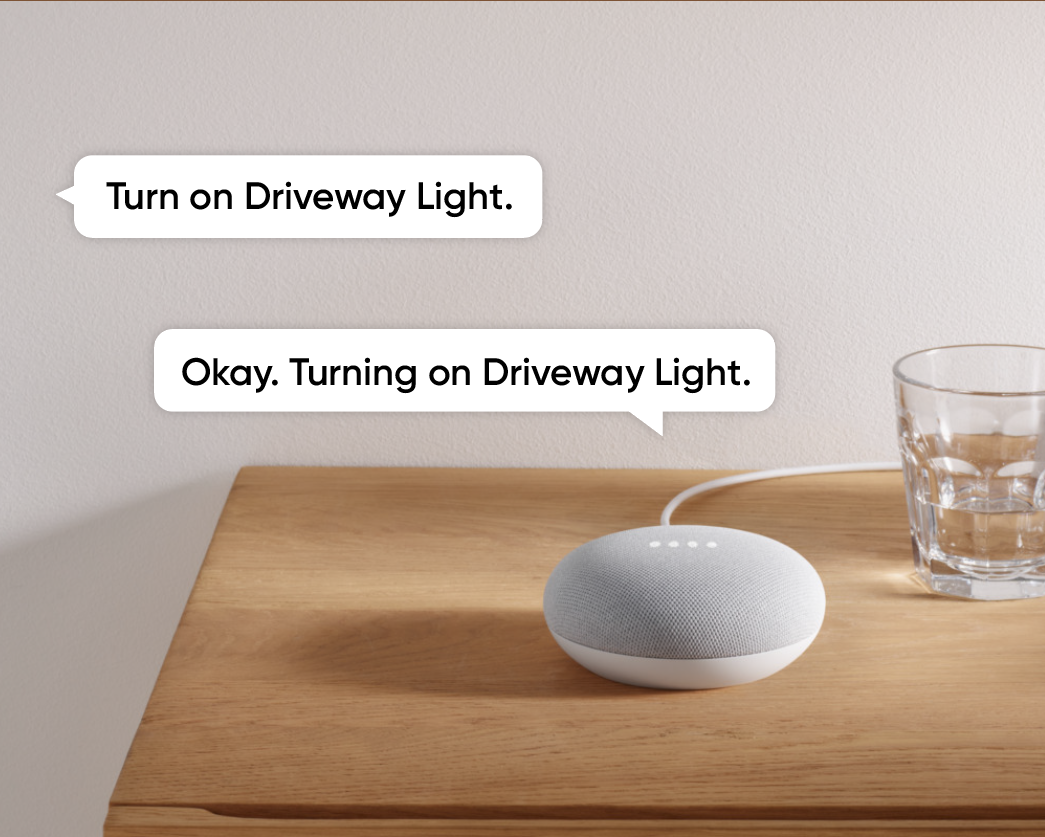
A smart speaker on a table.
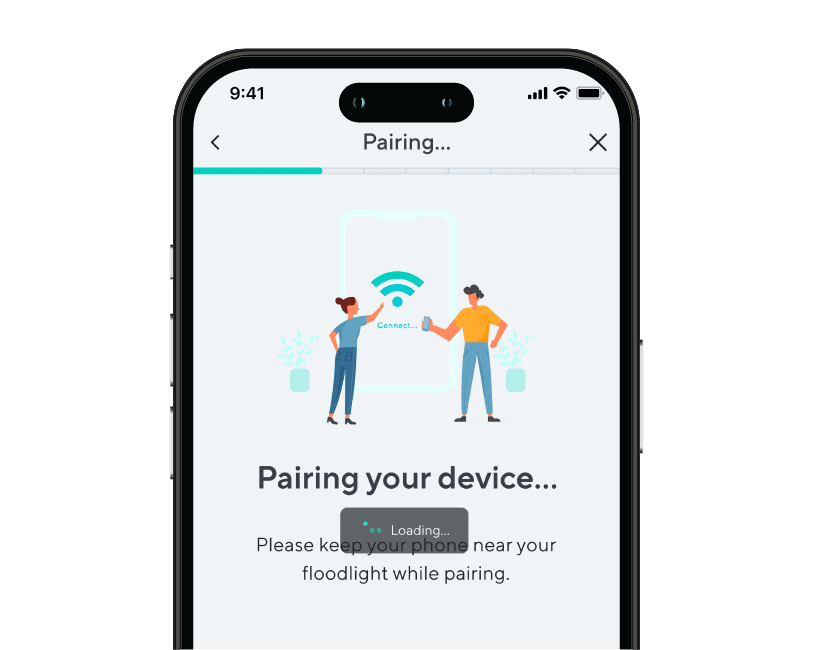
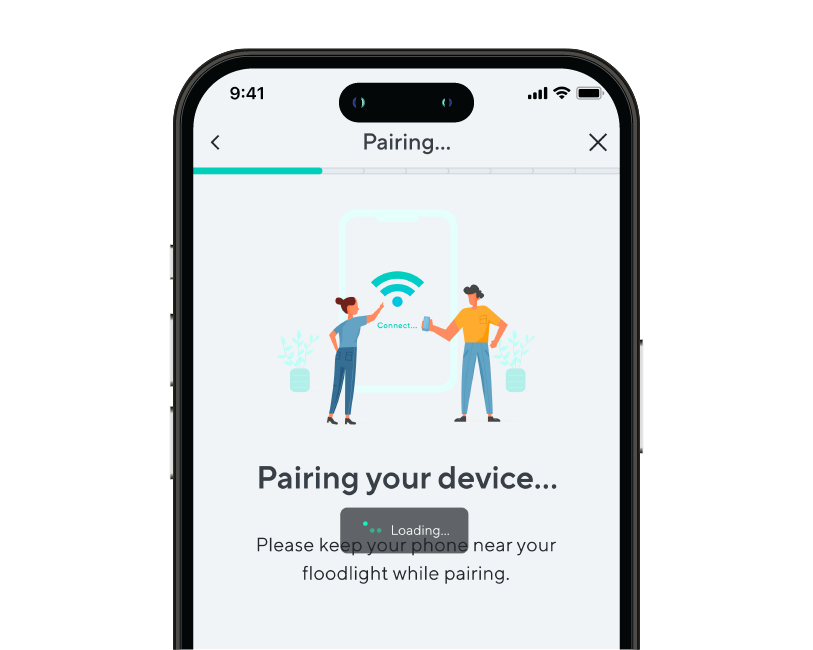
A phone screen showing a step of device pairing during onboarding.
A phone screen with a message about pairing a device.
Wyze Cam Floodlight v2 PDP Artboard 12.
Wyze Cam Floodlight v2 PDP 12

Configuración súper sencilla.

Usa tus dispositivos Amazon Echo, Alexa y Google Home para ver las transmisiones en vivo de la cámara del foco. Recibe alertas inteligentes cuando se detecta a una persona con Cam Plus.

La configuración de Wi-Fi del punto de acceso le permite emparejar Wyze Cam Floodlight v2 con
la aplicación Wyze sin tener que subir una escalera para escanear un código QR.

Set custom detection areas so you only receive motion notifications from areas of interest.

¡Es hora de brillar!

A continuación te mostramos un resumen elegante de por qué Wyze Cam Floodlight v2 está cambiando el juego.

Comparar focos

Swipe to compare more products →
Comparar focos
Proyector Wyze Cam Pro
from $124.98 $149.98
Foco Wyze Cam v2
Foco Wyze Cam v2
from $99.98
Reflector de cámara Wyze
from $79.99 $93.99
Resolución de la cámara
2.5K
2 mil
1080p
Campo de visión
180°
160°
130°
Lúmenes
3000 lm
2800 lm
2600 lm
Cabezales de Proyector
3
2
2
Temperatura de color
5000K
5000K
5000K
Conectividad Wi-Fi
Doble banda 2.4/5 GHz
2,4 GHz
2,4 GHz
Control de iluminación por visión con IA
With Cam Plus Subscription
Motion Detection
IA de visión
PIR
PIR
Sirenas
105 dB
105 dB
105 dB
Modo de luz ambiental
Advertencia de movimiento
Modo de configuración del dispositivo
Bluetooth®
Wi-Fi
Código QR
IR Lights
12 x 850 nm
6 x 850nm
4 x 850 nm, 4 x 940 nm
Compatibilidad de tarjetas MicroSD
Hasta 256 GB
Hasta 256 GB
Hasta 256 GB
Fuente de alimentación
Cableado de 110-120 V
Integraciones inteligentes
Amazon Alexa, Asistente de Google, IFTTT
Certificaciones
FCC, UL, CE, IC, IP65
View
View
View

Support Articles

Follow the steps in this article to set up your new Wyze Cam Floodlight v2. ⚡️

Before you begin setup, use our Wyze Cam Floodlight v2 Installation Guide to install the floodlight.

To set up your Wyze Cam Floodlight v2:

  1. After completing the installation process in the Wyze app, tap Begin Setup. Floodlight not installed, with power? Follow the steps listed in our Wyze Cam Floodlight v2 Installation Guide before beginning setup.
  2. The status light should begin flashing red. If the light is flashing red, check the box next to Light is flashing red, then tap Next. If the light does not turn on, press and hold the SETUP button on the side of the camera to reboot the camera.
  3. Wait for the voice prompt to say "ready to connect." After the prompt, check the box next to It said, "Ready to connect", then tap Next. If there is no voice prompt, press and hold the SETUP button for 10 seconds to reboot the camera, then try again.
  4. Give location permissions for the floodlight's Dusk to Dawn setting. Tap Next.
  5. Your floodlight will pair to the Wyze app - stay nearby.
  6. Select your 2.4 GHz Wi-Fi network and enter your network password. Tap Next. Tap the icon in the password field to display the password to ensure it was entered correctly.
  7. Your floodlight will connect to your Wi-Fi network. If connection fails, wait for the voice prompt and try again.
  8. Name your Wyze Cam Floodlight v2 using the text field, or by choosing a suggestion. Tap Finish when done.
  9. You may have a prompt for a free trial of Cam Plus. Tap Continue.
  10. Set up some automations on the Things to Try* page, or tap Skip.
  11. You are all set! Your floodlight is set up and ready to go. Tap Done.

Things to Try: Tap Create or edit a device group, Share this device, Automate your device, or Skip. These are quick ways to set up a few automations before you finish setup. When you complete a task, it'll display a green checkmark ✅. You can move on from this page by tapping Skip.

Installing your Wyze Cam Floodlight v2 is as simple as replacing your existing floodlight by connecting it to a junction box. As long as you have a junction box and neutral wiring, and self-installation is legal in your area, this process should take about 30 minutes.

-> You must have an existing junction box and a neutral wire to use Wyze Cam Floodlight v2.
-> At the electrical panel, shut off power to your junction box before proceeding.

Before you begin installation:

Check your local laws and building codes before doing any performing any electrical work. Your may live in an area that requires a permit and professional installation.

What’s in the box?

  • 1x Wyze Cam Floodlight v2 (Assembled)
  • 1x Mounting Accessory Kit 6x Bracket Screws 2x #62x #82x #10 1x Ground Wire Screw1x Floodlight Screw1x Rubber Stopper1x Mounting Bracket2x Wire Nuts1x Hook
  • 1x Quick Start Guide

Required tools:

  • Phillips Screwdriver
  • Ladder

To install your Wyze Cam Floodlight v2:

  1. In the Wyze app, tap the +plus sign then Device > Cameras > Floodlight Camera> Wyze Cam Floodlight v2.
  2. Read the High Voltage warning before tapping Got it!
  3. Are you replacing an existing floodlight? If yes, tap I'm replacing an existing floodlight. At your electrical panel, turn off power to your floodlight. Tap Next.Carefully remove your existing floodlight. Tap Next. If no, tap I don't have a floodlight to replace. Do you have an existing junction box? If yes, tap Next. Check that your junction box is at least 10 feet off the ground. Tap Next. If no, your wiring is not compatible with Wyze Cam Floodlight v2. Stop the installation process and contact a licensed electrician for assistance. Tap Check Your Wi-Fi Signal Strength in the Wyze app. If your signal is Out of Range or Poor Connection, contact your ISP for options.Tap Continue Setup. Tap Start Installation.

Continue below, following along in the Wyze app to wire your floodlight.

  1. Review the Installation page for what You Will Need for installation, and what's In the Box.
  2. Confirm that you have the required tools and items. Tap Next.
  3. IMPORTANT: At your electrical panel, double-check that you've shut off power to your floodlight or junction box. Tap Next.
  4. Follow along in the Wyze app to wire your Wyze Cam Floodlight v2.
  5. Once installation is complete, turn on power at your breaker when prompted.
  6. Tap Begin Setup, then continue to Wyze Cam Floodlight v2 Setup Guide.

Problem

Your Wyze Cam Floodlight v2 is unable to be set up.

Troubleshooting

  1. Confirm your Wyze app is up to date. In your Wyze app, navigate to the Account tab > tap About.Your current app version will be listed beneath the Wyze logo. Compare your app version to the latest app version listed on our Release Notes & Firmware page.If you find that your Wyze app is out of date, head over to your mobile device’s app store, and update the Wyze app.
  2. Power off the floodlight by switching the breaker to the off position.
  3. Check all wiring to make sure it is secure.
  4. Make sure that Wyze Cam Floodlight v2 was installed properly by following the steps in our Wyze Cam Floodlight v2 Installation Guide. If you’re ever unsure when dealing with wiring, we recommend reaching out to a licensed electrician at your discretion.
  5. Power on the floodlight by switching the breaker back to the on position.
  6. Confirm whether the status light is on after powering up the floodlight. If not, follow the steps in My Wyze Cam Floodlight v2 won’t power on.
  7. Check that BluetoothⓇ is enabled for the Wyze app in your phone/tablet settings. Toggle BluetoothⓇ off/on.
  8. Verify that Location Permissions are enabled for the Wyze app in your phone/tablet settings. Make sure that it is set to Always or While Using the App.For iOS users, make sure that Precise Location is turned on.
  9. If possible, temporarily disable any VPNs on your mobile device or Wi-Fi router.
  10. Ensure that you are following the setup process outlined in the Wyze app. After tapping Begin Setup, make sure that you hear the “ready to connect” voice prompt and check the box for It said, “Ready to connect”. Tap Next to see a Connecting to device pop-up, then tap Connect.If pairing fails, you will see a “Pairing Failed” screen. Tap Pair Device Wi-Fi Manually, then tap Choose Wi-Fi.You will be taken to your mobile device’s Wi-Fi settings. Tap floodlight_ap to connect to the floodlight’s network, then navigate back to the Wyze app.In the Wyze app on the Select your network step, select and enter the password for your Wi-Fi network. Tap Next to continue with setup.
  11. Ensure your phone/tablet is connected to the same 2.4 GHz network that you’re entering at the Select your network step and that you’re entering the SSID (Wi-Fi name) correctly. Wyze Cam Floodlight v2 is not compatible with 5 GHz Wi-Fi networks.The SSID is case-sensitive and there should be no space before or after the SSID.The SSID should automatically populate if you’re connected to Wi-Fi. If it does not auto-populate, it can indicate the phone/tablet that is being used for setup is not connected to Wi-Fi.
  12. Check that you’re entering the Wi-Fi password correctly. Tap on the eye icon to view the password you’re entering.
  13. Power cycle Wyze Cam Floodlight v2. Switch the breaker to the off position.Wait 5-10 seconds.Switch the breaker back to the on position.
  14. Factory reset Wyze Cam Floodlight v2. Remove any microSD card inserted into the floodlight.With the floodlight powered on, press and hold the setup button on the side of the camera for 10 seconds until the status light on the front of the camera turns solid red.Once the status light starts flashing red, set up the floodlight like new.
Added to your cart
Envío GRATIS en pedidos de $59+
Subtotal
$0.00
View cart