Skip to product information
1 of 15

Wyze Duo Cam Battery Doorbell

Wyze Duo Cam Battery Doorbell

Battery 2K Doorbell with Dual Cameras

Expert Pick
Recommended by Pros
Color
Style
Add ons
SALE
$138.98 $142.97SAVE 2%
In stock
Get it as soon as
30-day hassle-free returns.
In stock
$0.00 FREE / 1 month
14-Day Cloud Storage
Smart Detections & Notifications
Subscriber Discount

*Cam Plus subscription auto renews at $2.99/month/cam after the first month. No commitment, cancel anytime. Plan is not compatible with existing Cam Plus Unlimited plans.

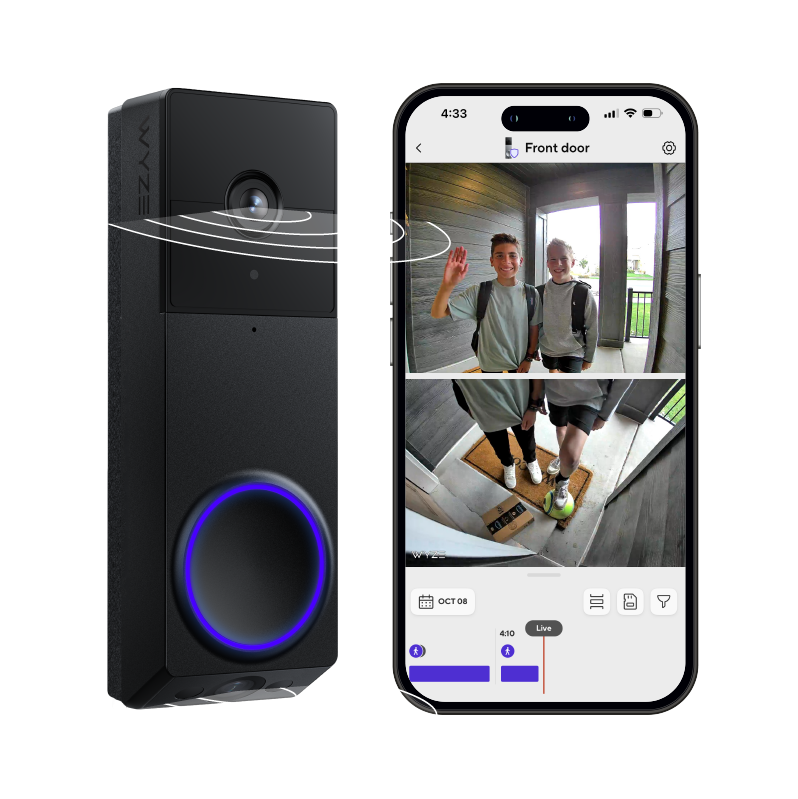
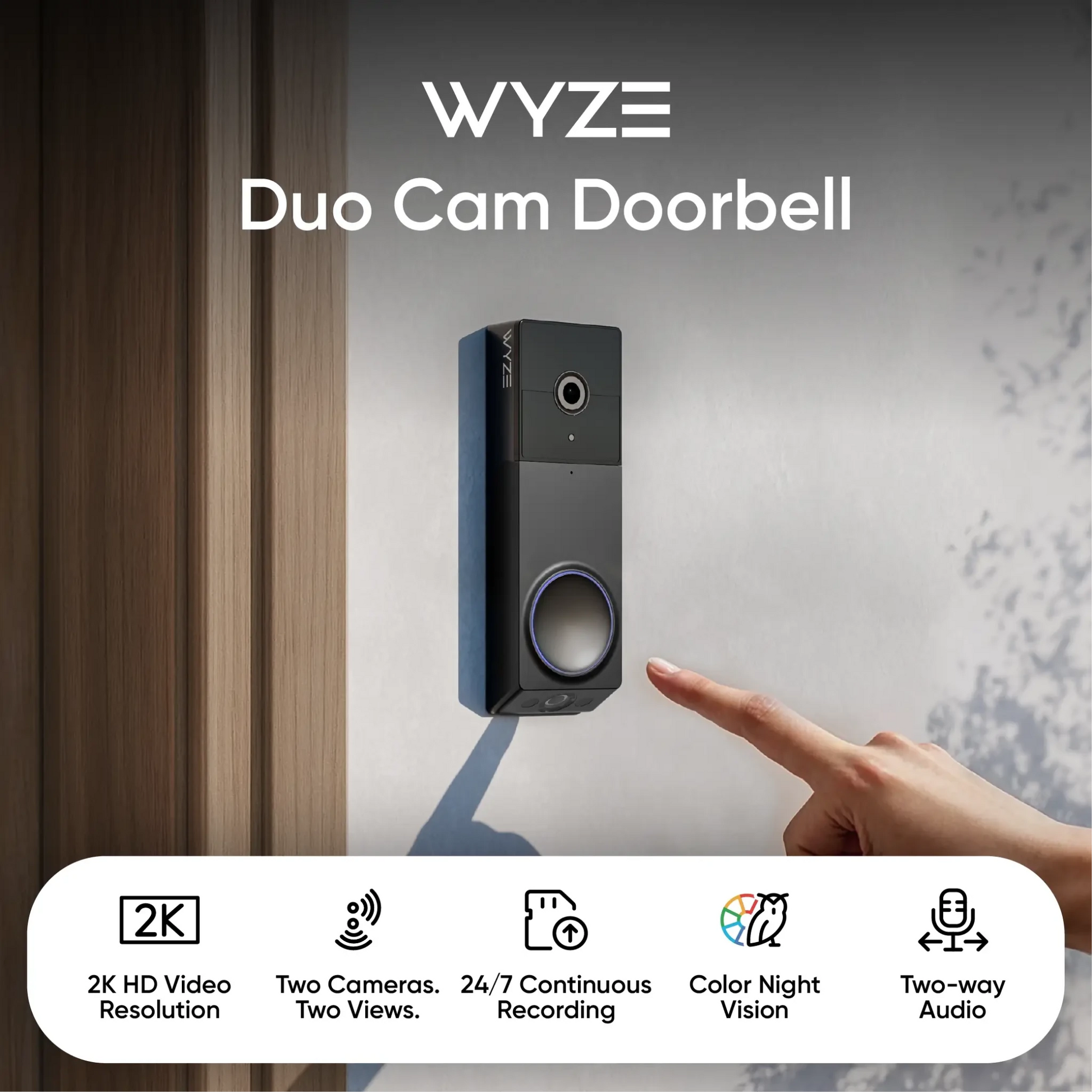
Two Cameras. Two Views.

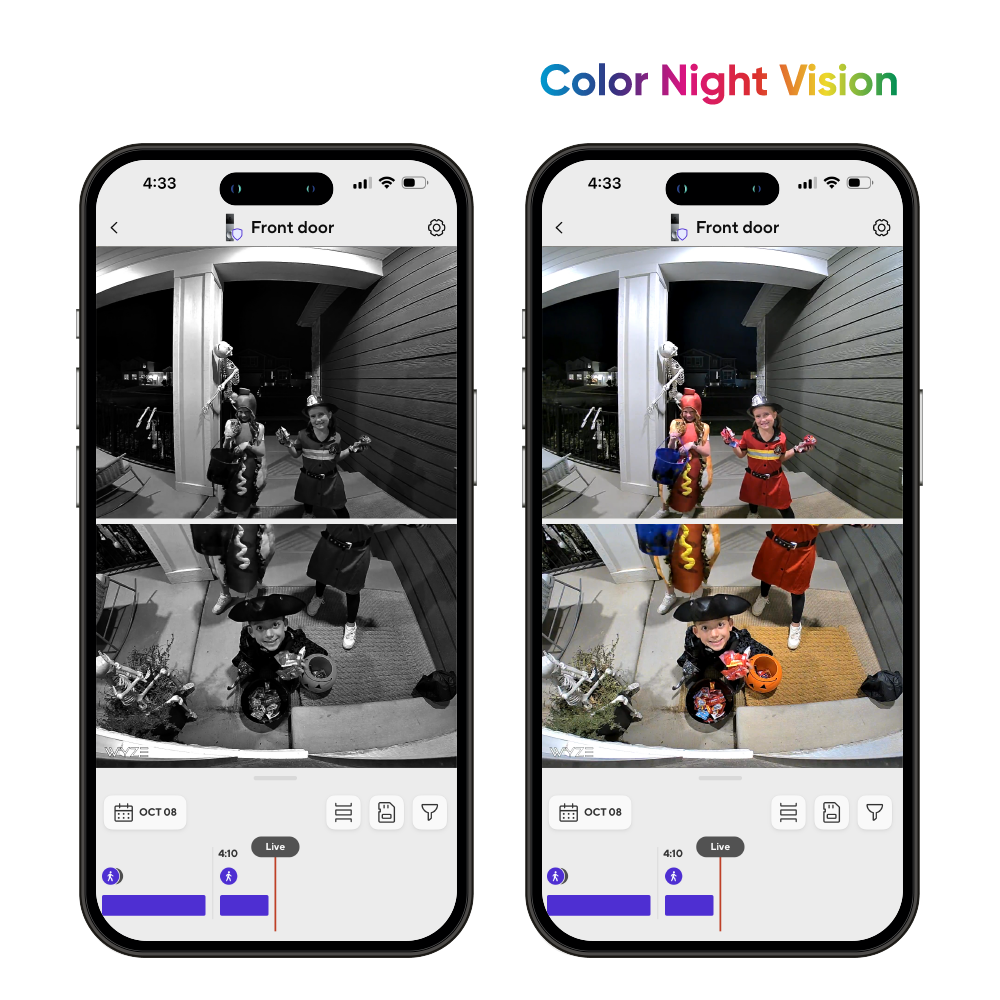
2K Color Night Vision

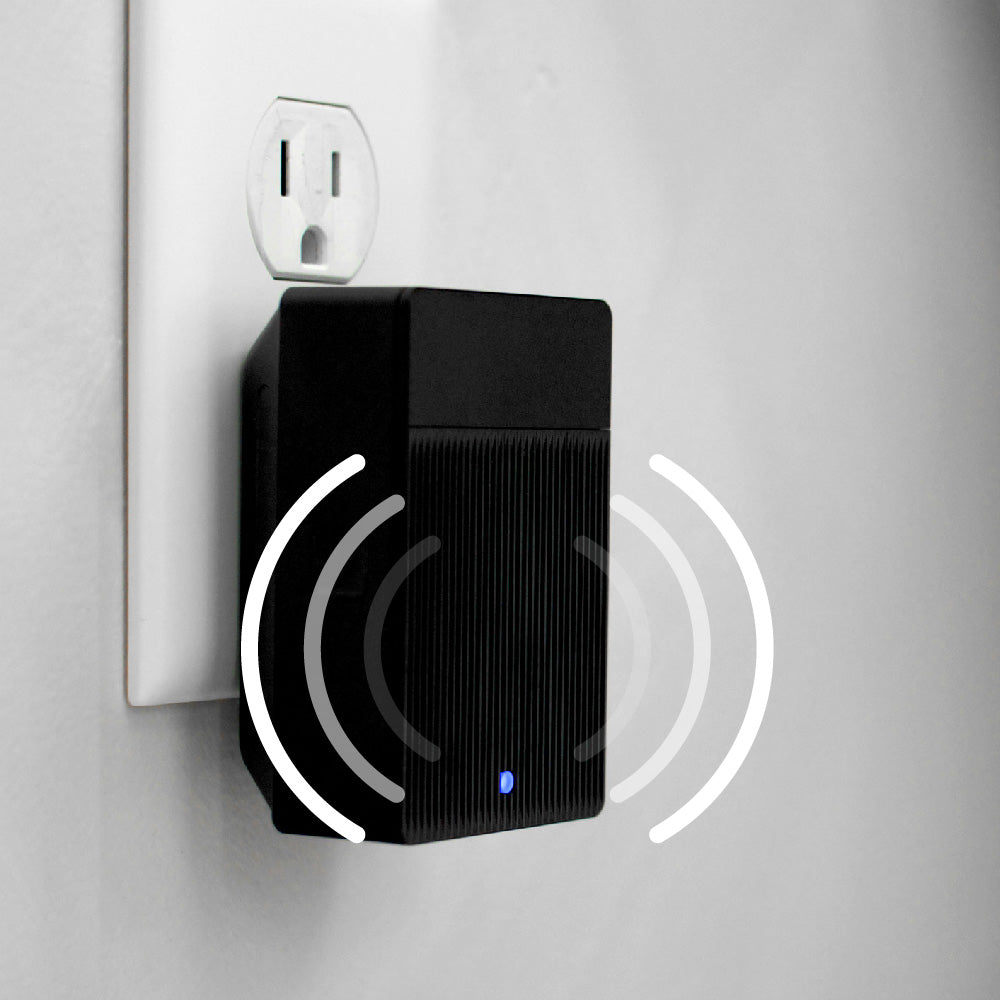
Wi-Fi Chime Included

Battery-powered or Hardwired

A blue and white logo for Wyze.
Wyze.com Exclusive BENEFITS
18-month extended warranty

Get an 18-mo extended warranty when you buy this product on wyze.com. Also get special bundles, unique promos, + rewards with each order

View full details
  • A black background with no visible text or objects.

    Two Cameras. Two Views.

    One camera sees people, and another focuses on the doorstep for clearer package detection.

  • A colorful logo for a company.

    2K HD Resolution + Color Night Vision

    Our award-winning starlight sensor amplifies low light for color images even at night.

  • A black and white image of a bell.

    Wi-Fi Chime Included

    Receive notifications anywhere in your home. Compatible with all Wyze Cams and doorbells.

  • Battery

    Battery-powered or Hardwired

    Eliminate downtime with a removeable and rechargeable battery that lasts up to 6 months.

Wyze Duo Cam Doorbell Specs

Color & Materials
  • Colors: Black/Silver
  • Materials: Plastic body, resin lens
Dimensions
  • 5.90in x 1.88in x 1.18in (150mm x 48mm x 30mm)
Weight
  • 0.92 lbs (416 g)

Video

Video Resolution
  • Front: 2K (2048 x 1536)
  • Bottom: 1920 x 1080
  • Frame Rate: Daytime: 20 FPS / Nighttime: 15 FPS
  • Digital Zoom: 8x
Camera FOV
  • Front camera - Horizontal: 132°,Vertical:100°
  • Bottom camera - Horizontal: 121°,Vertical: 60°

Audio

  • Siren: 90 dB
  • Audio: Two-Way Talk, simultaneous
  • Mic Sensitivity: -42 ± 3 dB
  • Motion Warning: “Hi, you’re currently being recorded.”

Additional Specs

Lighting
  • IR light: 6x 850 nm
Power
  • Port: Micro USB
  • Power: Battery or AC (10-24V AC, 60 HZ)
Storage
  • Local Storage: Supports up to 256 GB microSD in exFAT format
  • Cloud Storage: Stored in the AWS Cloud

Wyze Removable Battery

  • Battery Capacity: 22.94 Wh, 6200 mAh
  • Battery Type: Lithium-ion
  • Output Voltage: 3.6 V
  • Input Voltage: 5 V DC
  • Charging Port: USB-C
  • Compatibility: Wyze Battery Cam Pro, Wyze Battery Charging Dock, Wyze Duo Cam Doorbell

Connectivity & Compatibility

  • Wi-Fi: IEEE 802.11 a/b/g/n 2.4 GHz & 5 GHz Wi-Fi
  • Bluetooth® 5.0
  • Phone Compatibility: Android 9.0+, iOS 15.0+
  • Integrations: Alexa, Google Assistant, IFTTT

Weather & Temperature

  • Operating Temperature: -4°F-122°F (-20°C-50°C)
  • Storage Temperature: -40°F-158°F (-40°C-70°C)
  • Weather Resistance: Indoor and Outdoor (IP65)

Certifications

  • FCC, IC, UL, IP65

Warranty

  • 1-year
  • 1x Wyze Duo Cam Doorbell
  • 1x Wyze Wi-Fi Chime
  • 1x Back Plate
  • 1x Corner Kit
  • 1x USB-C Charging Cable
  • 3x Wire Nuts
  • 1x Jump Wire
  • 2x Extension Wires
  • 3x Long Screws
  • 3x Short Screws
  • 3x Expansion Tubes
  • 1x Adhesive Tape
  • 1x Doorbell Detaching Pin
  • 1x Removable Battery Pack
  • 1x Quick Start Guide

It takes ~30 seconds to use the included 3M adhesive to mount the doorbell. Using the included screws to mount it on a door frame takes <1 minute.

No technician is required for installation, even if you choose to use the included hardwired option for your existing doorbell wiring.

Yes, with a microSD card and AC power.

You can enable 24/7 local recording on your Wyze Duo Cam Doorbell as long as you have a microSD card installed, and your doorbell is hardwired. No subscription required! Learn more.

Anywhere near your front door is a great choice since no wires are needed when you go fully wire-free. Make sure the height you choose is comfortable for visitors to press the button on your new doorbell.

Yes, Wyze Duo Cam Doorbell is powered by a removable battery pack. The battery life is 3-6 months with normal use.

Yes, the Wyze Duo Cam Doorbell can be used with Cam Plus, Cam Unlimited, or Cam Unlimited Pro subscriptions. For more information about what these subscriptions unlock, check it out here.

Yes, compatible wiring will allow the doorbell to charge while it’s mounted. Having constant external power will also allow your doorbell to record an additional 3-6 seconds of pre-roll video before an event, allowing you to get the whole picture.

Yes, one Wyze Wi-Fi Chime is included.

Yes, Wyze Duo Cam Doorbell is is IP65-rated for outdoor installation. This means that it is "dust-tight" and protected against water sprays from any angle.

You can adjust the chime sound or volume in the Wyze app.

Two Cameras. Two Views. Double the Porch Protection.

Some is good. More is better. And Wyze Duo Cam Doorbell with TWO cameras and full porch coverage is the punch that'll send porch pirates packing!

Color Night Vision

2K Video Resolution with Color Night Vision

Capture all porch arrivals and departures in greater detail. Our award-winning starlight sensor amplifies low light for vivid color images even at night.

A black and white image of a doorbell camera.

Wi-Fi Chime Included

Ding dong from anywhere. Hear alerts exactly where you want in your home. Built-in Wi-Fi enables you to trigger audio alerts with all Wyze Cams and Doorbells.

If you are interested in using Duo Cam Doorbell with your existing mechanical or digital chime, check out Wyze Chime Controller for compatibility.

Take your doorbell to the next level with Cam Unlimited.

A Doorbell Cam Built for AI ✨

A black and blue doorbell camera with a picture of a man on the screen.

Person Detection + Facial Recognition 🧑

One camera sees people to clearly capture every visitor. Get next-level notifications with Facial Recognition so you know when it's your best friend or if it's mom.

Learn more

Package Detection 📦

Another camera looks directly down at your doorstep. And we will tell you the moment your latest package of [REDACTED] arrives, but we can't remove the shame of your subscription.

Learn more

Pet Detection 🐶

Unless your pet is a llama, you know they won’t always show up on your doorbell cam. Now you can spot the furball when they make their way to your front porch. See everything from your door to doormat to doggo.

Learn more

Vehicle Detection 🚗

Utilize the top cam to record each vehicle that stops at your residence. You can monitor a delivery driver from the moment they park in front of your house to when they drop off the package.

Learn more

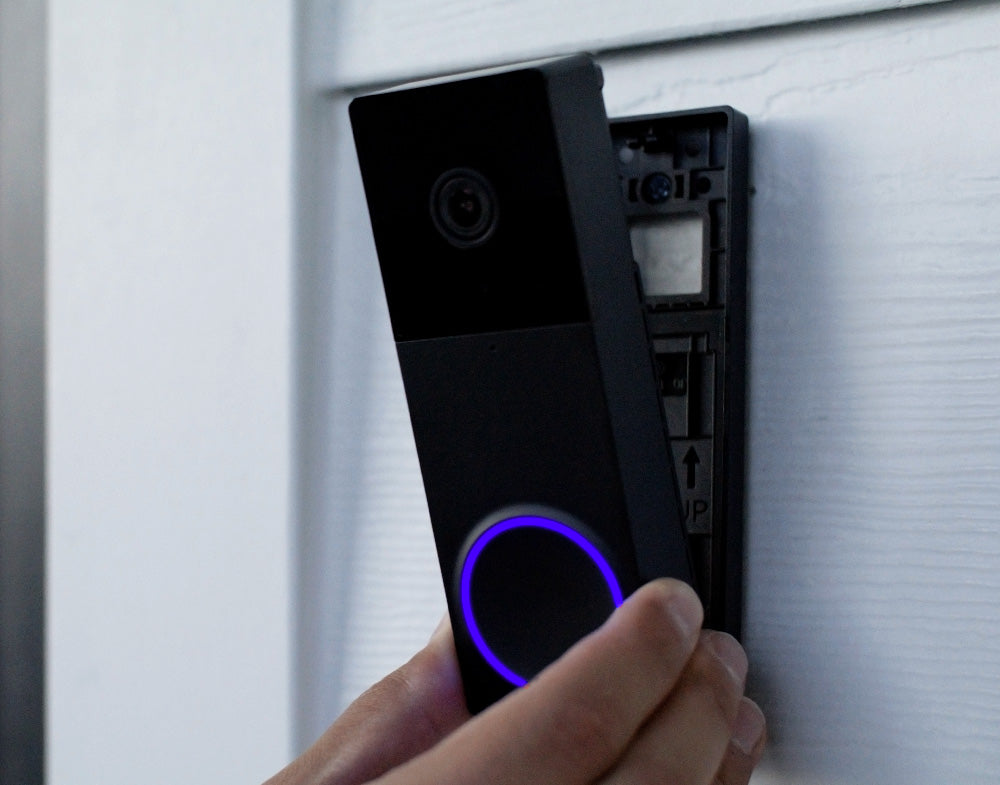
A person is holding a Wyze Duo Cam Doorbell.

Easy 1-Minute Install

Mount it in two shakes of a dog's tail with the included adhesive strips. No wires or screws. I'm paw-sitively certain you'll have it up in no time. You can also wire it if you really want to.

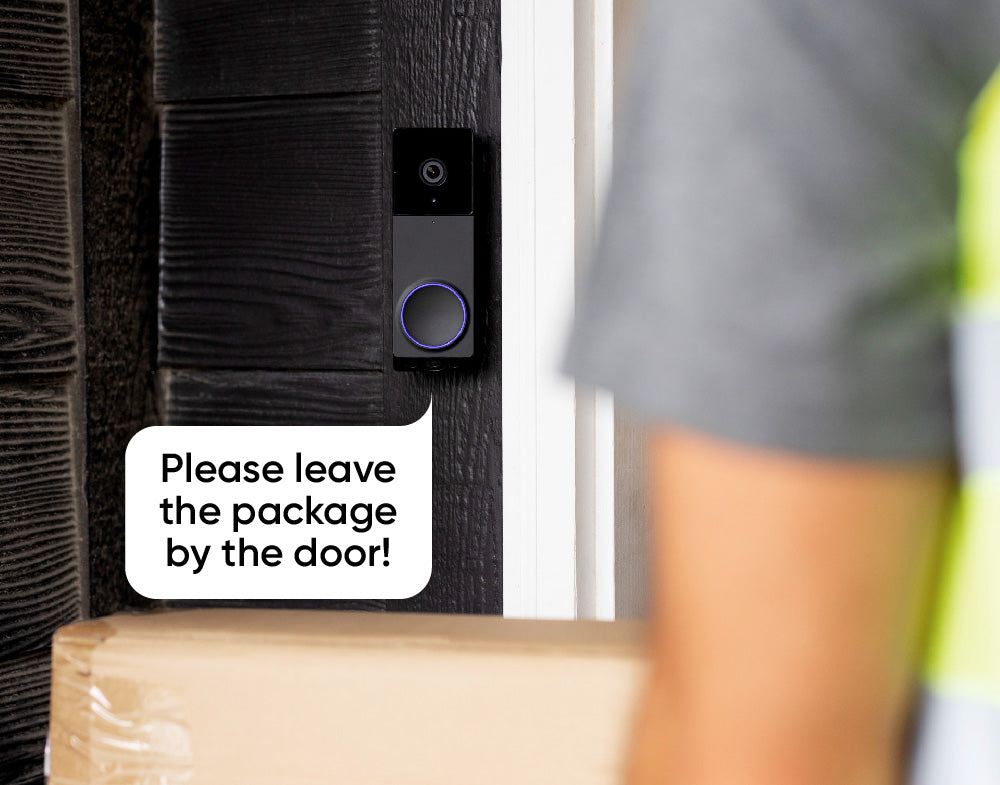
A sign on a door that says "Please leave the package by the door!

Two-Way Audio

Act like a celestial messenger who knows neither time nor space and answer your door from anywhere. Somehow "Please leave my curly fries right there" feels more dignified when replying via the Wyze app.

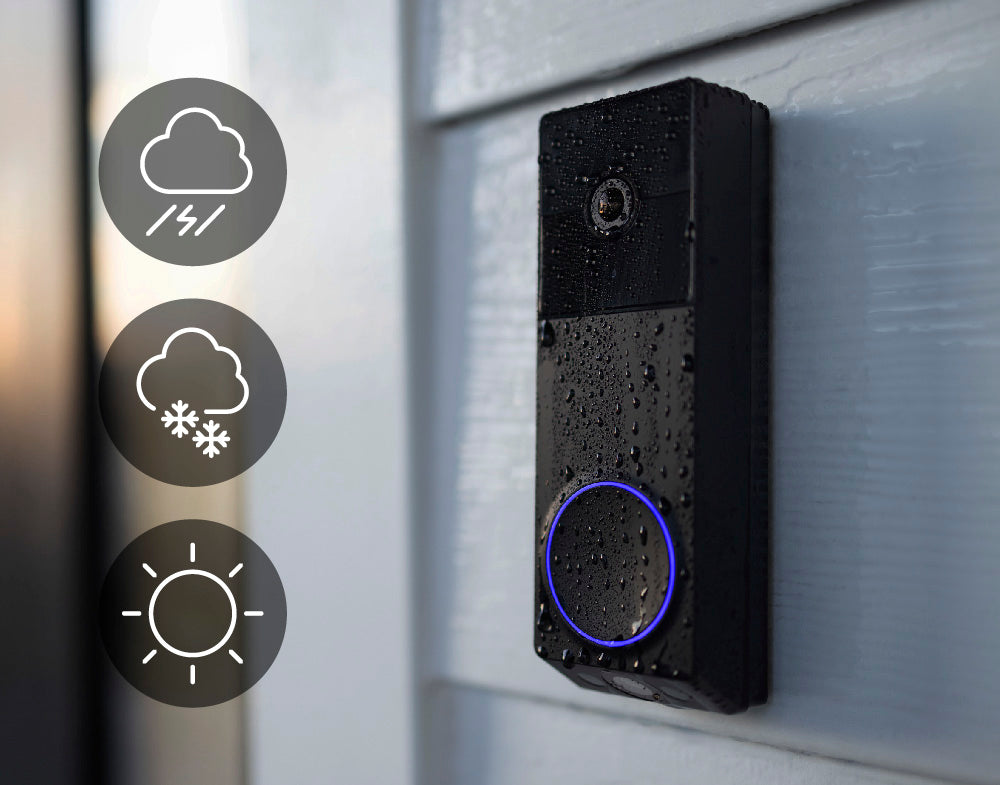
A Wyze Duo Cam Doorbell is shown on a white wall.

IP65 Weather Resistant

It's rated to withstand all the elements. Even the element of surprise. In fact, it's basically impossible to sneak up on this thing. Did we mention it has TWO cameras?

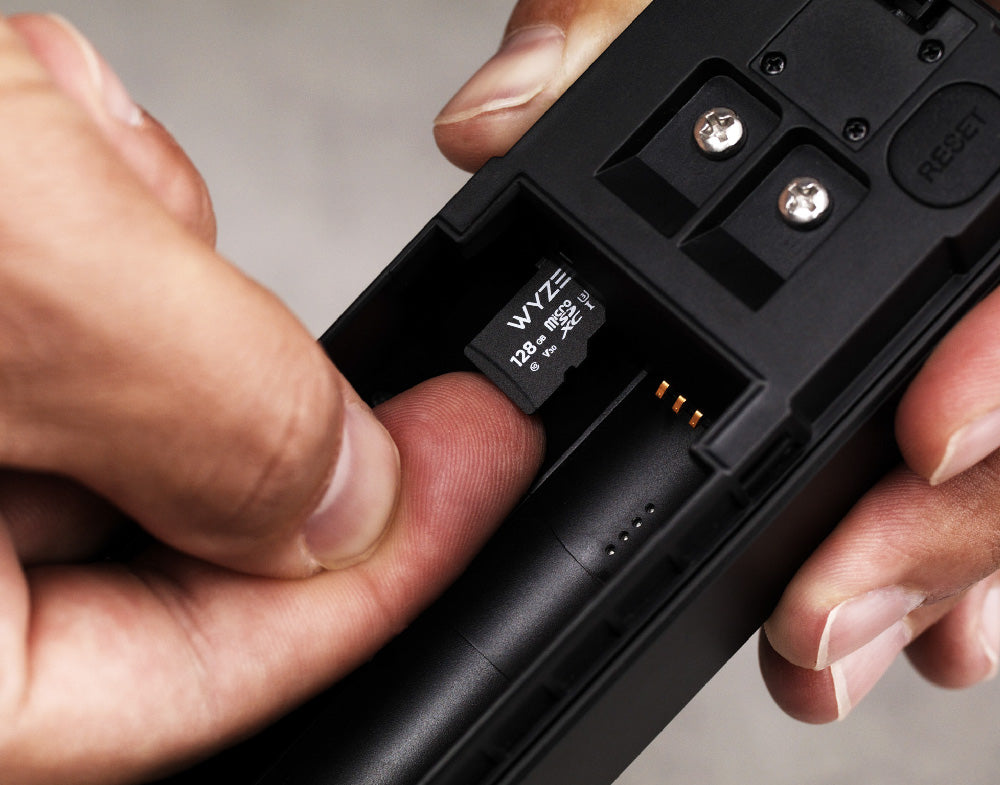
A person holding a Wyze Duo Cam Doorbell.

Local Recording with microSD

See what happened start to finish with local recording. MicroSD card sold separately.

⚠️ To enable 24/7 local recording you must add a microSD card and hardwire the doorbell cam.

  • 5.5 GHz WiFi

    Dual-Band Wi-Fi

    Connects to 2.4 GHz or 5 GHz Wi-Fi networks.

  • A person in motion.

    Motion & Sound Notifications

    Get instant notifications sent to your phone for any visitor or package delivery.

  • A black and white image of a 30 degree angle.

    30° Corner Kit Included

    An angled mounting wedge is included with every doorbell to help you achieve the perfect view.

  • Show me the front door.

    Alexa, Google Assistant, IFTTT Support

    Works with your favorite smart assistant. Use Wyze Automations for more control.

1 of 4

Compare Doorbells

Swipe to compare more products →
Compare Doorbells
A white camera next to a phone.
Wyze Video Doorbell Pro
from $99.98 $173.98
Resolution
1563 x 1563 (HD+)
Front: 2048 x 1536 (2K) / Bottom: 1920 x 1080
1440 x 1440
2048 x 1536 (2K)
Field-of-View
H: 150°, V: 150°
Front H: 132°, V: 100° / Bottom H: 121°, V: 60°
H: 150°, V: 150°
H: 135°, V: 103°
Chime
Existing + Auxiliary
Existing
Auxiliary
Existing
Power Option
Battery + Wired
Battery + Wired
Battery + Wired
Wired Only
3P Integration
Amazon Alexa, Google Home
Storage
Local & Cloud
Local & Cloud
Cloud Only
Local & Cloud
View
View
View
View

Support Articles

Follow the steps in the Wyze Duo Cam Doorbell Setup Guide to get your doorbell ready for installation.

Make sure you have these in the box:

Required Tools

  • 1x Phillips Screwdriver
  • 1x Doorbell Detaching Pin (in the box)

Voltage Requirement

  • Your existing circuit must have a minimum voltage of 16V and power output of 10VA.

To install your Wyze Duo Cam Doorbell:

  1. Using the Wyze app, complete steps 1-11 in the Wyze Duo Cam Doorbell Setup Guide.
  2. Tap Next for Step 11 so you do not skip the installation tutorial.
  3. In the Wyze app, the screen will say "Do you already have a doorbell that uses AC wiring" Tap No,... if you don't have AC wiring and/or you don't want to hardwire it.Tap Yes,... if you want to use your AC wiring to hardwire your doorbell.

Wireless Installation:

If you selected No above, follow along in the app to mount your doorbell:

  1. Choose how you want to position your doorbell. Straight ahead to mount your doorbell flat against the wall. At an angle to mount your doorbell with the Corner Kit, or wedge.
  2. Decide how you want to mount your doorbell. Use 3M Tape if positioning straight ahead and you don't want to use screws.Use Screws if you want to use screws with either position.
  3. Tap Next.

Use 3M if you don't want to drill any holes.

  1. Remove the adhesive backing from the back plate, then stick the back plate to the wall.
  2. With the battery installed, mount it to the back plate. Start from the bottom up!
    If you place it from the top first, use the Doorbell Detaching Pin to remove it and try again.
  3. You're all set!

Use Screws if you want to use a screw mount for your doorbell:

  1. Follow along in the app to screw in your Corner Kit and/or Back Plate. Your combination may vary, depending on if you're mounting the doorbell directly to the wall (Back Plate only) or adding a Corner Kit first to change the viewing angle.
  2. Attach your doorbell to the Back Plate.
  3. With the battery installed, mount it to the back plate. Start from the bottom up! (See above) If you place it from the top first, use the Doorbell Detaching Pin to remove it and try again.

Wired Installation:

If you selected Yes above, follow these steps to hardwire and mount your doorbell:

  1. Turn off power to your current mechanical doorbell at your electrical panel. Related article: Which switch in the electrical panel controls my doorbell? If you are not comfortable testing your electrical panel, stop. Call your local electrician for help.
  2. Open your chime box and take a photo of the current configuration. Don't know where the chime box is? Ring your existing doorbell and listen for the chime.
  3. Follow the in-app instructions to use the jump wire to bypass your existing chime*. You can use the same wiring instructions from Wyze Video Doorbell v1.
  4. Please follow the in-app instructions to locate the Front and Trans terminals.
  5. Remove your current doorbell and disconnect the wires.
  6. Install the wall plate or corner kit to the wall.
  7. Install the battery into your doorbell. Even if you're not using the battery for power, you must install the battery.
  8. Attach the extension wires included in the box to your new doorbell. Use your screwdriver to loosen the screws on the back of your doorbell.Attach the forked part of the first wire to the first screw.Do the same with the second wire and second screw.Tighten the screws again.
  9. Connect the wires from your new doorbell to the wires in the wall. Pair each end, twist them together, then cover and twist with the wire caps.
  10. Return to your electrical panel and switch on the breaker to your doorbell.
  11. Check that the status light right on the front of your doorbell is flashing blue.
  12. Mount your doorbell to the back plate. Start from the bottom up!
    If you place it from the top first, use the Doorbell Detaching Pin to remove it and try again.

Additional Note:

* Though using your in-house chime is an option (requires a Wyze Chime Controller), using Wyze Wi-Fi Chime with Wyze Duo Cam Doorbell is recommended. These instructions detail how to write your doorbell without using your in-house chime.

This article details how to set up your new Wyze Duo Cam Doorbell. Let's get started!

Heads up! 👋 You need to update your Wyze app to version 3.2 to set up your new Wyze Duo Cam Doorbell.

What's in the Box:

To set up your Wyze Duo Cam Doorbell:

  1. In the Wyze app, tap Home, then tap + plus sign on the top right.
  2. On the Add menu, tap Device.
  3. Tap Cameras > Video Doorbells > Wyze Duo Cam Doorbell.
  4. Insert the battery into the doorbell. The status light ring will flash red. Tap Next in the app.
  5. On the back of the doorbell, press and hold the RESET button until it says “ready to connect” and the status light continues flashing red.The doorbell may say “ready to connect” without pressing the RESET button. If so, continue.
  6. In the app, tap "I heard “ready to connect," then Begin Setup.
  7. If you haven’t already enabled Bluetooth® for the Wyze app, there will be a screen prompting you to do so. Once enabled, tap Next then tap OK.
  8. If you haven’t already enabled Location Permissions for the Wyze app, there will be a screen prompting you to do so. Once enabled, tap Next.
  9. Your doorbell will pair to the Wyze app. Stay nearby.It will say "Networking is connected" when pairing is complete.
  10. Select your 2.4 GHz or 5 GHz Wi-Fi network and enter your network password. Tap Connect.Tap the icon in the password field to display the password to ensure it was entered correctly.
  11. Your doorbell will now connect to Wi-Fi. It will say "Wi-Fi connected."
  12. Now it’s time to install your doorbell. Follow along in the app to complete your battery-powered or hardwired installation. Tap Next. Or, tap Skip the installation tutorial to do it later.
  13. Select if you plan to install/mount your device Straight ahead or At an angle. Tap Next.Note: You will only need to install the corner kit if you selected At an angle.
  14. Install the back plate to the wall using the included 3M tape or the included screws. Tap Next.
  15. If using battery-power, double-check that the doorbell is powered on before attaching it doorbell to the back plate. Tap Next. Important: Note the graphic in the app for how to install the doorbell to the back plate, first securing the bottom, then the top. If you secure the top first, you will not be able to secure the bottom or mount the doorbell at all. You will need to use the Doorbell Detaching Pin and try again.
  16. Ensure the doorbell is securely fastened to the back plate. Tug to check. Then tap Next.
  17. Name your Wyze Duo Cam Doorbell using the text field, or by choosing a suggestion. Tap Finish when done.
  18. You may have a prompt to enable Cam Plus. Tap Continue.
  19. Set up some automations on the Things to Try* page, or tap Skip.
  20. You’re all set! Your doorbell is set up and ready to go.

Things to Try: Tap Create or edit a device group, Share this device, Automate your device, or Skip. These are quick ways to set up a few automations before you finish setup. When you complete a task, it'll display a green checkmark ✅. You can move on from this page by tapping Skip.

Download the Quick Start Guide for Wyze Duo Cam Doorbell in this article.

Below is the Quick Start Guide for Wyze Duo Cam Doorbell, a short manual for how to get started.

This guide is a short user manual with the basics about Wyze Duo Cam Doorbell, including:

  • What's in the box for Wyze Duo Cam Doorbell.
  • How to download the Wyze app.
  • A diagram of Wyze Duo Cam Doorbell and Wyze Wi-Fi Chime..
  • How to set up Wyze Duo Cam Doorbell and Wyze Wi-Fi Chime.
  • How to install Wyze Duo Cam Doorbell and Wyze Wi-Fi Chime.
  • How to read the status lights.
Added to your cart
FREE shipping on orders $59+
Subtotal
$0.00
View cart