Passer aux informations produit
1 de 19

Wyze Palm Lock

Wyze Palm Lock

La clé, c'est la paume de votre main.

Best Selling
Everyone's Top Pick
Add an extra battery?
$129.98
En stock
Get it as soon as
Retours sans tracas sous 30 jours.
En stock

Touchless Palm Scan Unlock

No Downtime With

Dual Battery System

Open your lock with a key

Control Anywhere

with Wi-Fi

A blue and white logo for Wyze.
AVANTAGES exclusifs de Wyze.com
Garantie prolongée de 18 mois

Bénéficiez d'une garantie prolongée de 18 mois à l'achat de ce produit sur wyze.com. Profitez également de lots spéciaux, de promotions uniques et de récompenses à chaque commande

Voir les détails complets
  • A black image of a palm vein.

    Déverrouillage sans contact par scan palmaire

    Il suffit de passer la paume de la main près du lecteur pour que la porte se déverrouille grâce à une technologie biométrique sans contact hautement sécurisée.

  • A black screen with a white logo and text reading "Wifi Control".

    6 modes d'accès + contrôle Wi-Fi

    Déverrouillez avec la paume de votre main, un code, des clés, une application, un assistant vocal ou un loquet. Contrôlez-le à distance via Wi-Fi.

  • A black screen with no visible text or objects.

    Aucun temps d'arrêt grâce au système à double batterie

    La batterie principale offre une autonomie de 6 mois. La batterie de secours prend le relais pendant la recharge.

  • A black and white image of a hammer and wrench.

    Remplace le verrou existant

    Comprend une option de verrouillage manuel et à clé (jeu de clés inclus).

Caractéristiques techniques du Wyze Palm Lock

Couleurs et matériaux
  • Modèle : WPLCK1
  • Finition : mate
  • Couleur : Noir
  • Matériaux du cadre : Alliage d'aluminium et acier
  • Matériau du panneau : Verre trempé
Dimensions
  • Assemblage externe : 6,14 x 2,89 x 1,28 po (156 x 73,5 x 32,5 mm)
  • Assemblage interne : 7,16 po x 2,93 po x 1,18 po (182 mm x 74,5 mm x 30 mm)
Poids
  • 4 livres (64 oz)

Pouvoir
  • Alimentation : batterie amovible Wyze, batterie de secours
  • Autonomie de la batterie : jusqu'à 6 mois en utilisation normale (10 à 20 verrouillages/déverrouillages par jour).
  • Alimentation de secours : port USB-C (câble USB-C non inclus)
Météo et températures de fonctionnement
  • Résistance aux intempéries : IP53

Température de fonctionnement

  • Assemblage extérieur : -4℉ à 122℉ (-20℃ à 50℃)
  • Assemblage intérieur : 32℉-122℉ (0℃-50℃)
  • Température de stockage : -22℉ à 158℉ (-30℃ à 70℃)

Certifications
  • Certifications : FCC ID+IC, TSCA+CA65, ANSI-BHMA, RoHS, REACH, SVHC, PFAS, IEC62133
Connectivité et compatibilité
  • Méthode de communication : Bluetooth® 5.0, Wi-Fi 2,4 GHz, Wi-Fi 6
  • Compatibilité : application Wyze 3.7+, Android 10.0+ ou iOS 16.0+
Compatibilité des portes

Compatible avec la plupart des portes standard américaines. Remplace le verrou à pêne dormant à un seul cylindre existant.

Garantie

1 an

  • 1x Wyze Palm Lock
  • 1x Assemblage extérieur
  • 1x Assemblage intérieur
  • 1 plaque de montage
  • 1x Pêne dormant
  • 1x plaque de frappe
  • 1x Boîte à poussière
  • 1 batterie principale
  • 1 batterie de secours
  • 1 bouchon en silicone
  • 1 gabarit de perçage
  • 1x Guide de démarrage rapide
  • 2 touches mécaniques
  • 4 vis à bois
  • 3 vis pour panneau intérieur
  • 4 vis de fixation

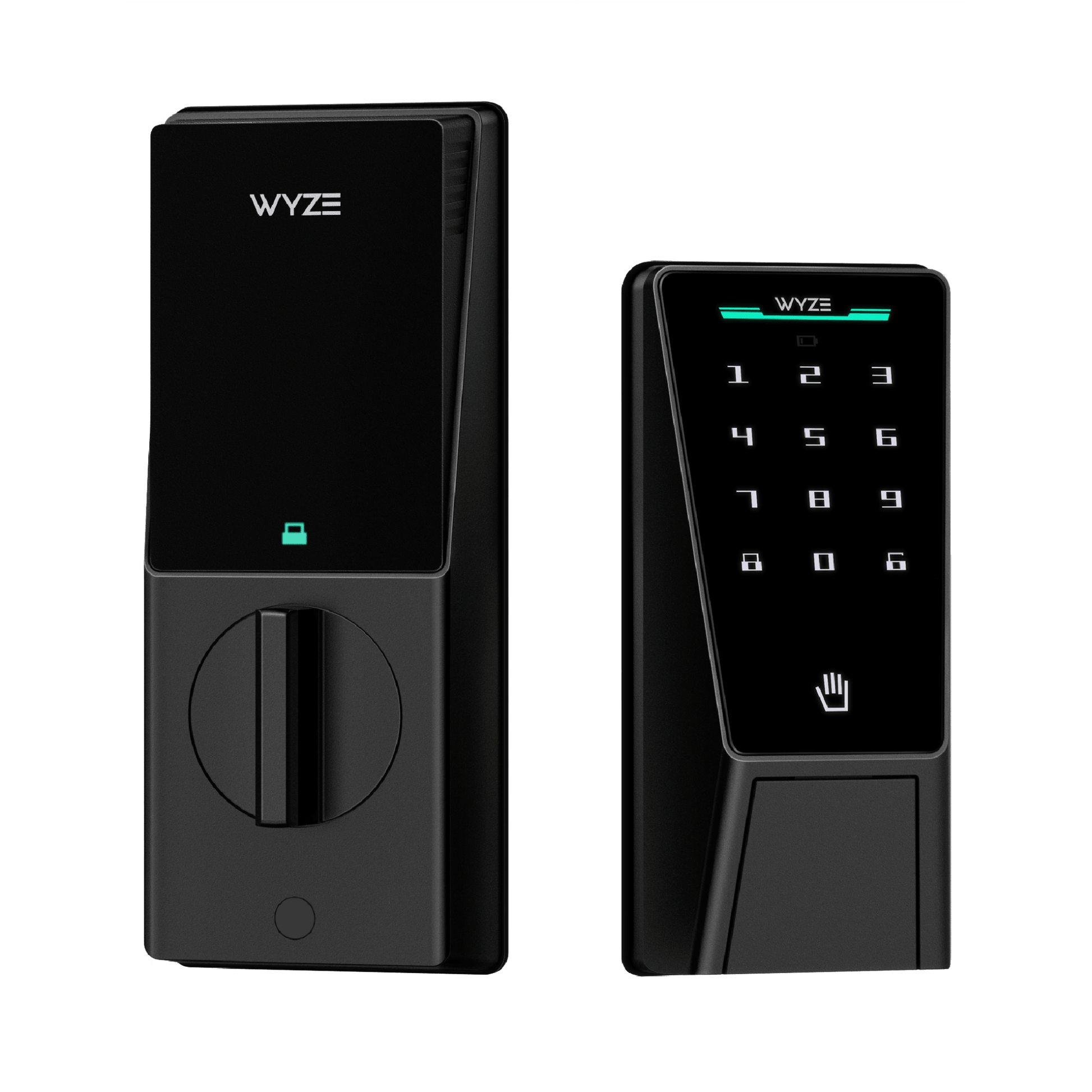
Wyze Palm Lock stands out in virtually every way imaginable, with a sleek new form-factor unlike any other. Wyze Palm Lock uses palm vein recognition for contact-free access, a person-detecting radar for optimized battery life, and it connects to Wi-Fi so you can control it from anywhere using the Wyze app or Alexa/Google Assistant. Yes - you can control the lock with your voice! Wyze Palm Lock also has 2 batteries to ensure your lock is always up and running.

Wyze Palm Lock uses palm vein recognition to securely and touchlessly unlock your door. Simply hold your hand up to the lock screen, and it will unlock automatically.

Palm vein recognition is widely used biometric technology in the security industry. It provides secure authentication and unlocking by identifying the unique features of the user’s palm vein pattern. Palm vein scanning smart locks are highly secure, convenient, and completely contactless.

Wyze Palm Lock scans your vein pattern using infrared light and saves it locally to the device. When unlocking, the lock compares the scan result with your pre-saved vein patterns. If there’s a successful match, the lock will automatically open.

Hold your hand between 3-7 inches from the lock screen, pointed directly at the screen.

Extremely secure. Your palm vein pattern is a unique characteristic of the human body and cannot be copied or forged. Compared to traditional fingerprint recognition or a PIN code, palm vein recognition has a lower false acceptance and rejection rate. Additionally, palm vein features are not affected by growth and aging, or physical damage to the skin. No matter how your palm changes over time, your palm vein pattern remains the same. Finally, your palm scans are stored and encrypted locally on the lock - never exported or uploaded to the cloud.

No, installing your Wyze Palm Lock is the same as any other smart lock, with a standard deadbolt and latch assembly. Contactless palm recognition simply replaces your fingerprint, PIN, or key-based entry, making it convenient and user-friendly.

Even if your palm is slightly injured or scarred, Wyze Palm Lock can still recognize your vein pattern and unlock. If your hand is covered or you’re wearing gloves, simply remove the gloves to use the lock normally. You can also unlock using the Wyze app, PIN, and the included physical keys.

The main battery within the lock has a battery life of up to 6 months, when you average 10 unlocks per day.

Wyze Palm Lock is equipped with a new generation gyroscope, which detects the position of the door and automatically locks the door when it’s closed. The gyroscope ensures that the deadbolt is only extended when the door is completely closed, avoiding door jams and false locks.

With Wyze Palm Lock, you can unlock the door using 5 different methods: Palm scan, with a PIN code using the touchscreen, Wyze app, Alexa & Google Assistant, or by using an included physical key.

There are 5 ways to lock Wyze Palm Lock: Use Auto-Lock to lock the door automatically, tap the lock icon on the touchscreen, tap to lock in the Wyze app, command Alexa & Google Assistant to lock the door, or use the physical key.

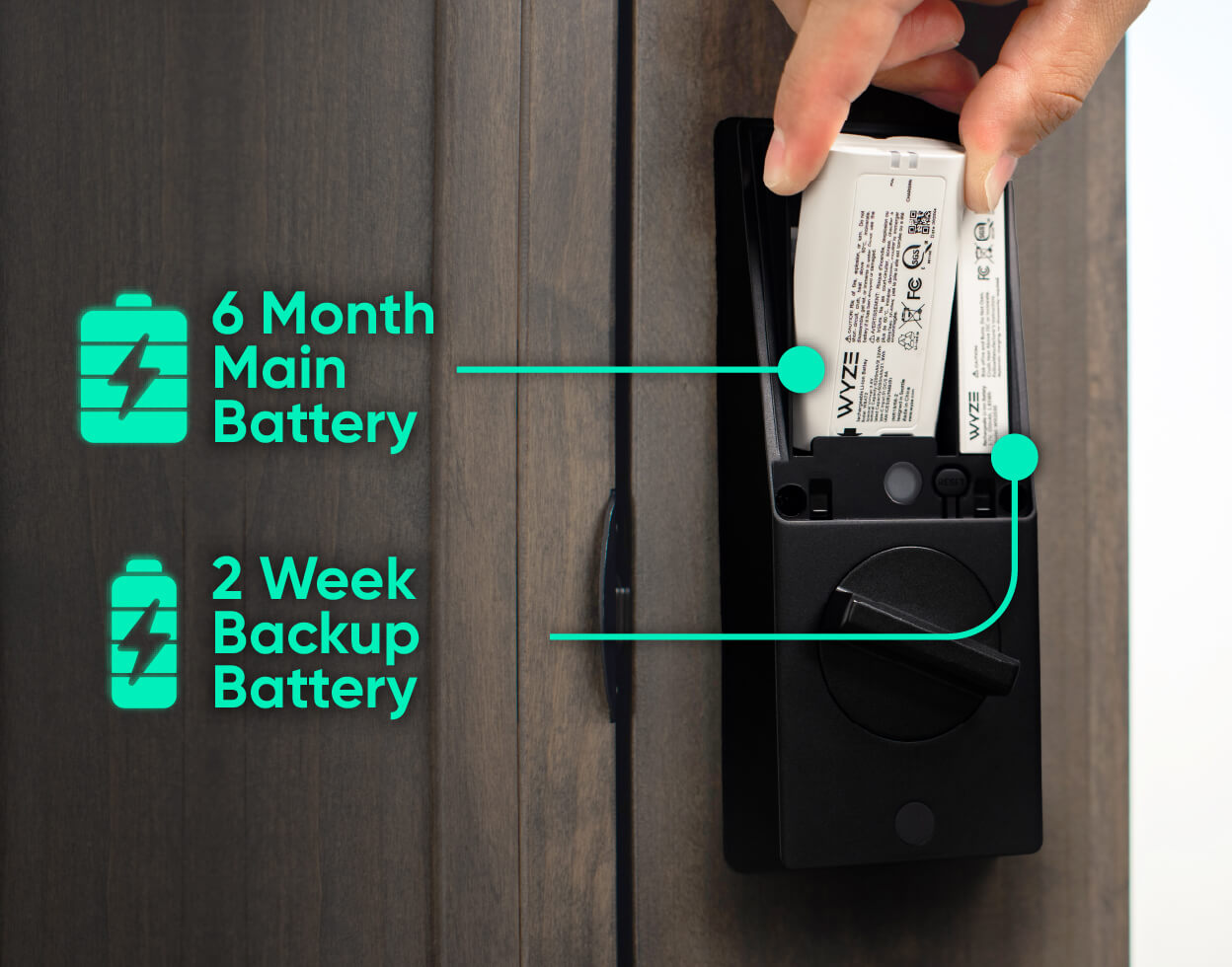
This ensures that when the main battery is removed and being charged, the backup battery keeps your Wyze Palm Lock working normally. If the main battery is removed and not reinstalled within 24 hours, you’ll receive a push notification to do so. Once the main battery is reinstalled, it will automatically re-charge the backup battery.

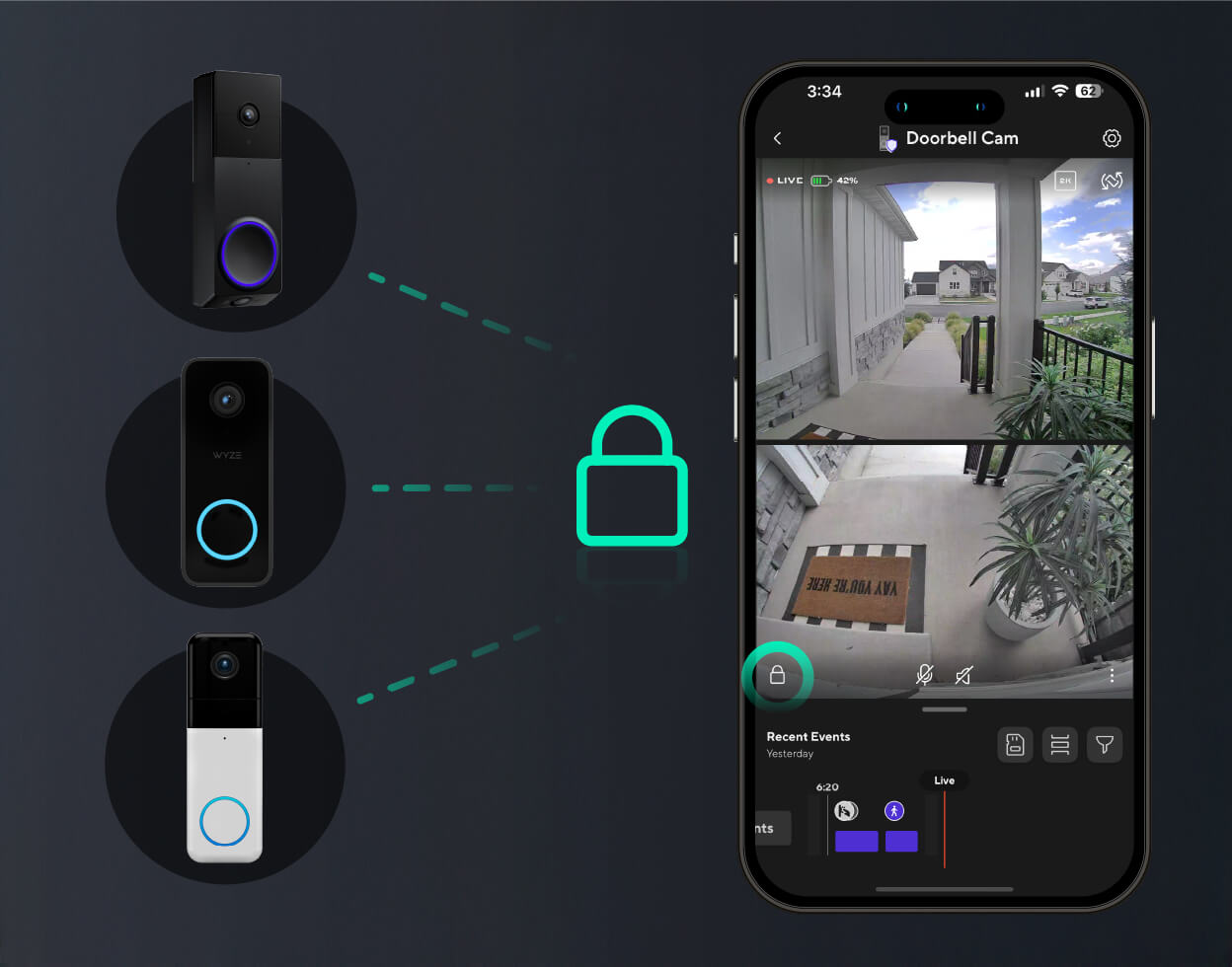
Wyze Palm Lock is compatible with Wyze Video Doorbell v2, Wyze Video Doorbell Pro, and Wyze Duo Cam Doorbell. This lets you lock and unlock the door from your doorbell’s live stream.

La clé est le paume de votre main.

Une technologie biométrique sans contact et ultra-sécurisée vous identifie grâce au réseau veineux unique situé sous la surface de votre paume. Approchez simplement votre paume du lecteur, et voilà, la porte se déverrouille. C'est comme une poignée de main secrète avec votre porte d'entrée.

Déverrouille les appareils pour tous types de mains.

Qu'elle soit jeune, abîmée par les intempéries, humide ou sale, la reconnaissance des veines de la paume est plus précise que celle des empreintes digitales car elle examine ce qui se trouve sous la peau, les conditions de surface n'entravant donc pas les résultats.

A boy is holding up his hand with a thumbs up.
A man holding up a sign that says "5".
  • A person is holding a door handle.

    Scan palmaire

  • A black and grey electronic lock with a green button on the front.

    Codes d'accès

  • A phone with a lock screen that says "Front Lock" and "Wyze Palm Lock Methods 04".

    Contrôle des applications

  • A person is unlocking a device with a key.

    Clé manuelle

  • A black and white image of a cross with a Google logo on it.

    Commande vocale

  • A black lock on a door.

    Verrou manuel

1 de 6

Check for door compatibility.

The Wyze Palm Lock replaces your existing lock bolt and will work on most standard residential doors sized between SPECS. Click to see more details.

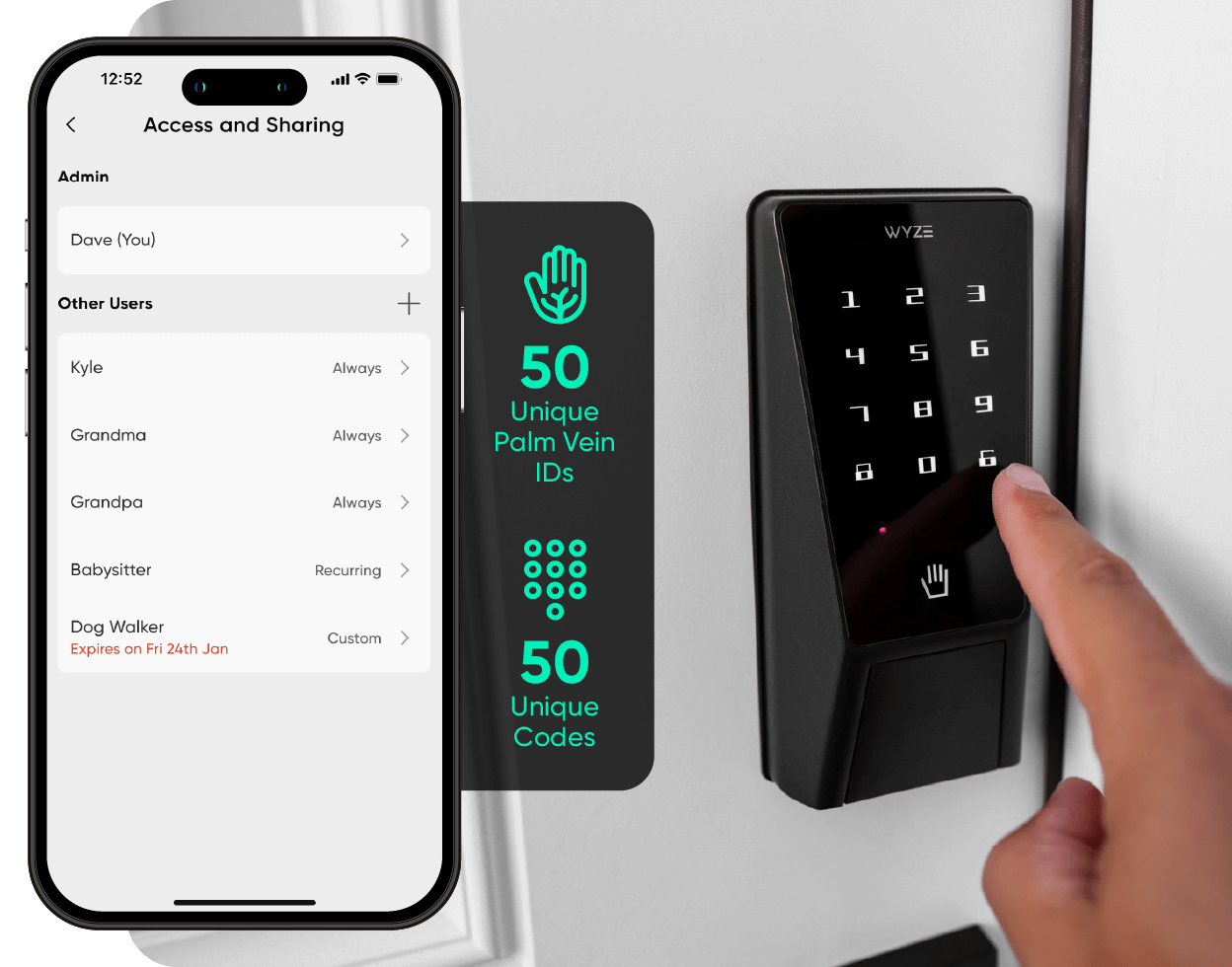
A smartphone displaying a lock screen with the message "Access and Sharing" and a button to unlock the Wyze Palm Lock.

Clavier numérique avec codes d'accès.

Un clavier numérique lumineux s'illumine d'une simple pression. Configurez et enregistrez jusqu'à 50 codes d'accès uniques, ou créez des mots de passe invités à usage unique qui expirent selon une programmation.

A black device with a white label that says "Wyze Palm Lock.

Aucune interruption de service.

Le Wyze Palm Lock utilise un système à double batterie, garantissant une utilisation continue. La batterie principale offre jusqu'à 6 mois d'autonomie, tandis que la batterie de secours assure une autonomie allant jusqu'à deux semaines pendant la recharge de la batterie principale.

La tranquillité d'esprit avec Verrouillage automatique.

Un gyroscope intégré détecte en temps réel l'angle et le mouvement de la porte. Dès qu'il détecte la fermeture de la porte, celle-ci se verrouille automatiquement, évitant ainsi les verrouillages intempestifs ou bloqués.

A black smart lock that can be controlled via a smartphone app.
A black and green lock with the number 15493 on it.

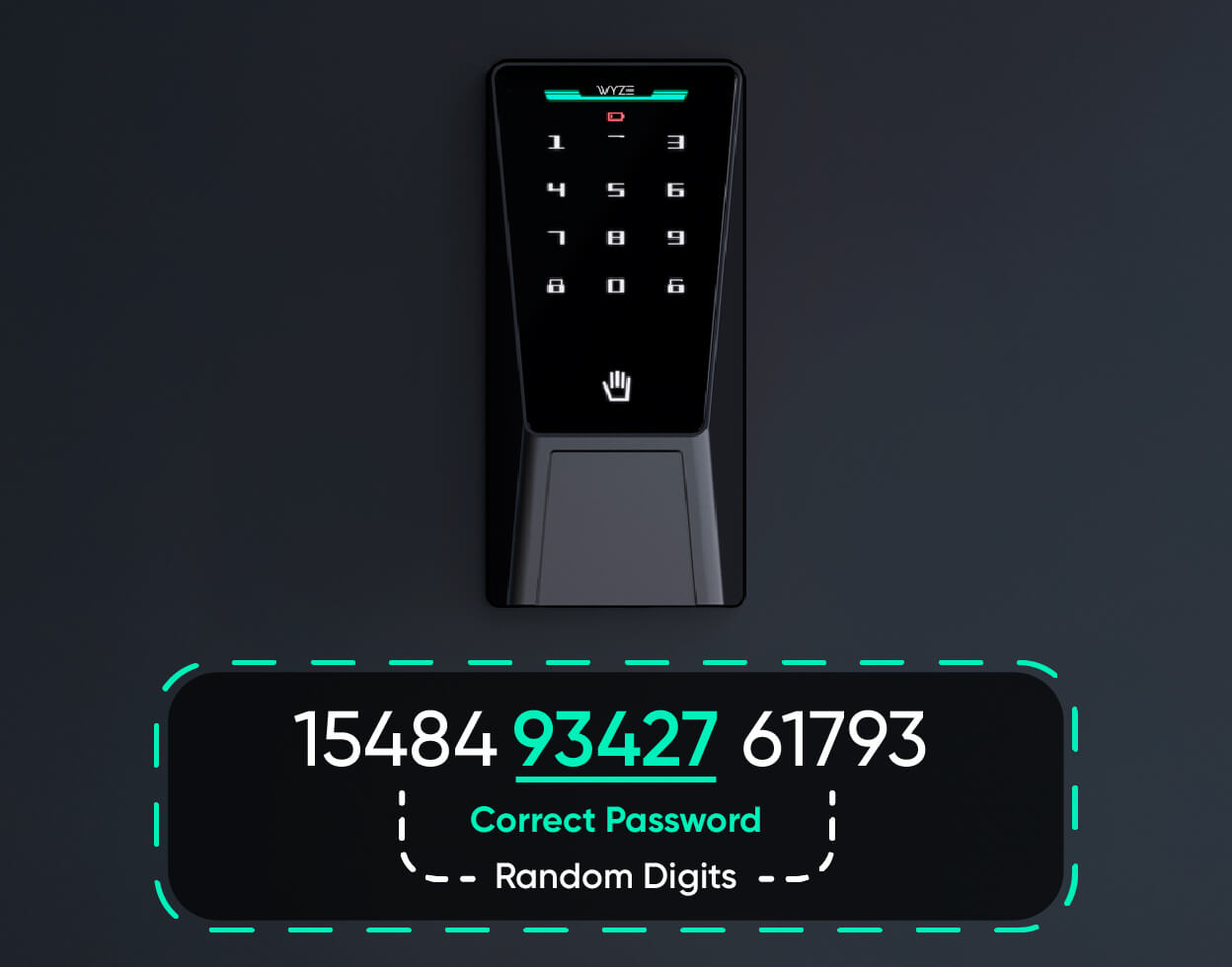
Doté d'une technologie anti-espionnage.

Grâce à sa technologie anti-espionnage, Vous n'avez pas à vous inquiéter si quelqu'un vous observe saisir votre code.

Il vous suffit d'ajouter des chiffres supplémentaires avant ou après votre code, et le Wyze Palm Lock se déverrouillera toujours.

A person is holding a key to a Wyze Palm Lock.

Option discrète de verrouillage manuel à clé.

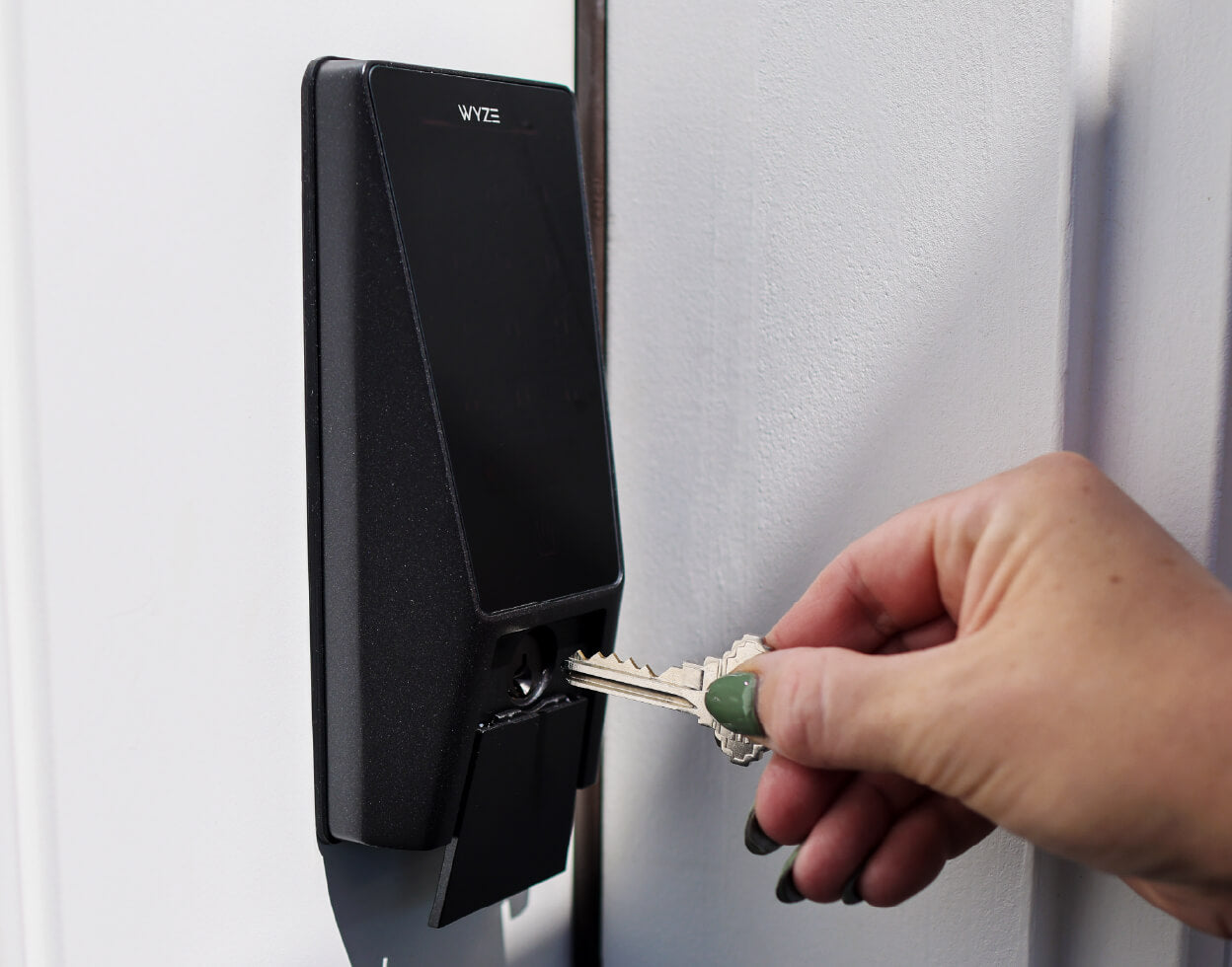
Vous préférez toujours le confort d'une clé traditionnelle ? Nous avons la solution. Il vous suffit de faire glisser le cache-clé vers le bas et de déverrouiller manuellement à l'ancienne (jeu de clés inclus).

Salut Luke, qui est ton papa verrou de sécurité ?

Bon, peut-être vaut-il mieux éviter de lui poser cette question. Voyez plutôt ce que ce Skywalker des temps modernes a répondu à notre question sur Wyze Palm Lock.

A smartphone screen displays a Wyze Palm Lock.

Compatible avec les sonnettes vidéo Wyze.

Verrouillez et déverrouillez directement depuis la vue en direct de votre sonnette vidéo Wyze, sans avoir à changer d'écran, pour ouvrir la porte à votre famille et à vos amis.

A black and wet Wyze Palm Lock Shopify 13.

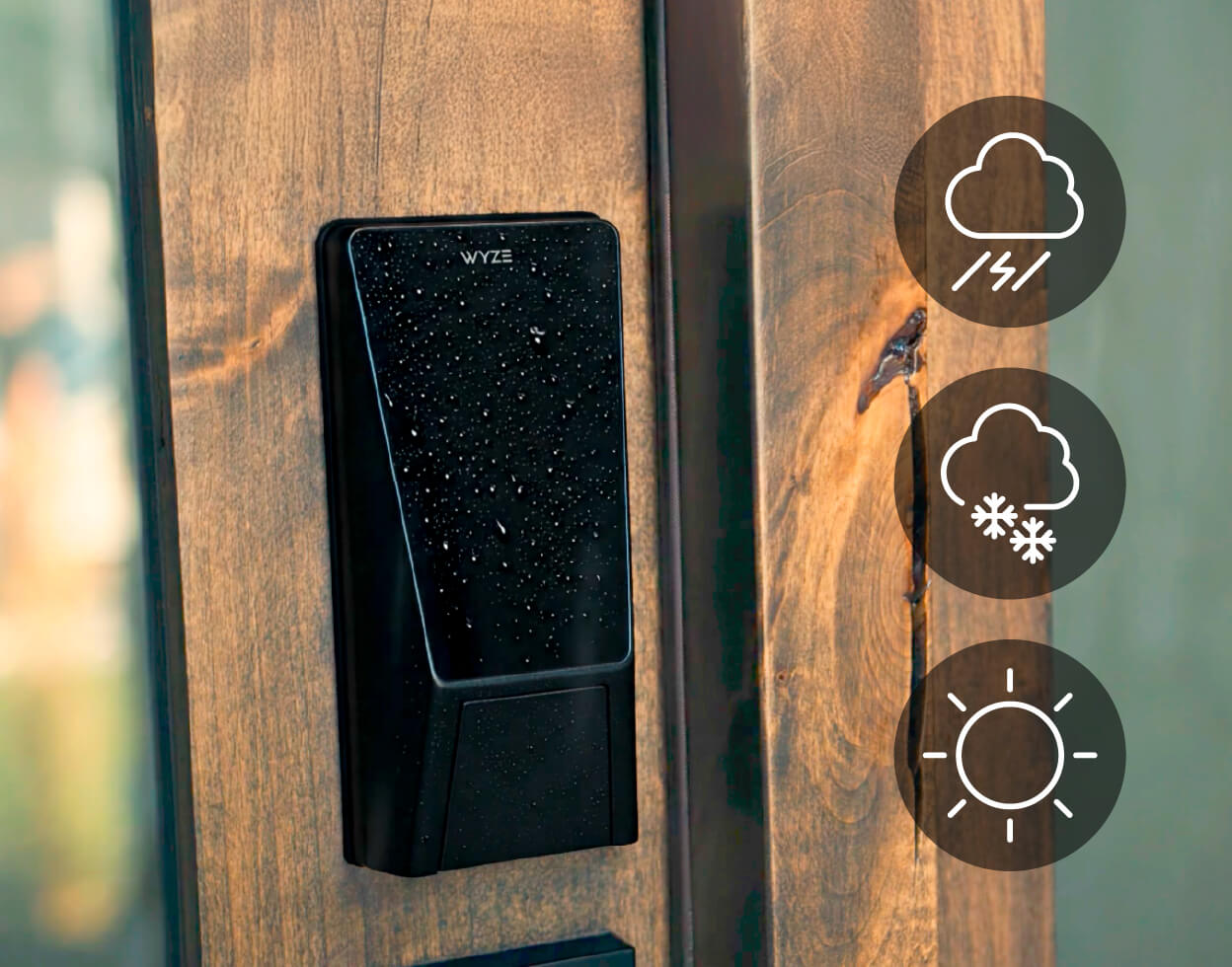
Résistant aux intempéries IP53 et certifié BHMA3.

Approuvé par la Builders Hardware Manufacturers Association, ce verrou a été testé, claqué, tordu et exposé aux éclaboussures des milliers de fois pour garantir sa résistance aux conditions réelles. Il répond à des normes rigoureuses en matière de sécurité, de durabilité et de performance. Il est non seulement intelligent, mais aussi robuste.

Logo BHMA

Bénéficiant des meilleures fonctionnalités de sécurité du secteur.

  • A hand holding a leaf.

    Reconnaissance des veines de la paume

    Contrairement aux empreintes digitales, le réseau veineux de la paume est une caractéristique interne du corps humain et ne peut être ni copié ni falsifié.

  • A lock on a door.

    Cryptage matériel

    Vos paumes et vos codes d'accès sont cryptés et stockés localement sur la serrure afin que personne ne puisse accéder à vos données.

  • A bell icon on a black background.

    Sirène de sécurité et alertes

    Une alarme retentit en cas de tentatives de déverrouillage incorrectes excessives, et si vous laissez la porte ouverte (paramétrable dans l'application Wyze).

1 de 3
A smartphone screen displaying a lock screen with a green circle and the words "Front Lock" and "Locked".
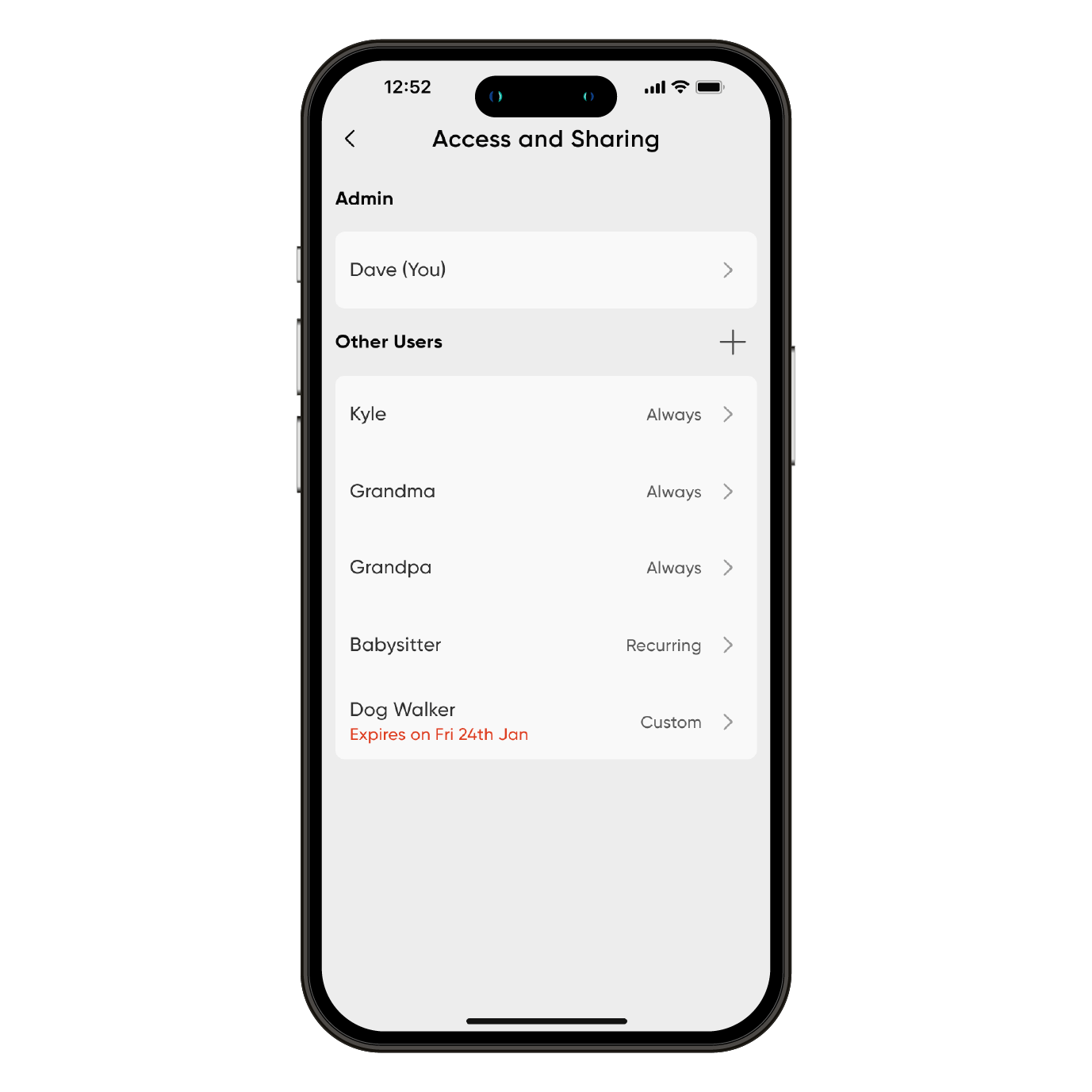
A smartphone screen displaying a list of users and their corresponding names.
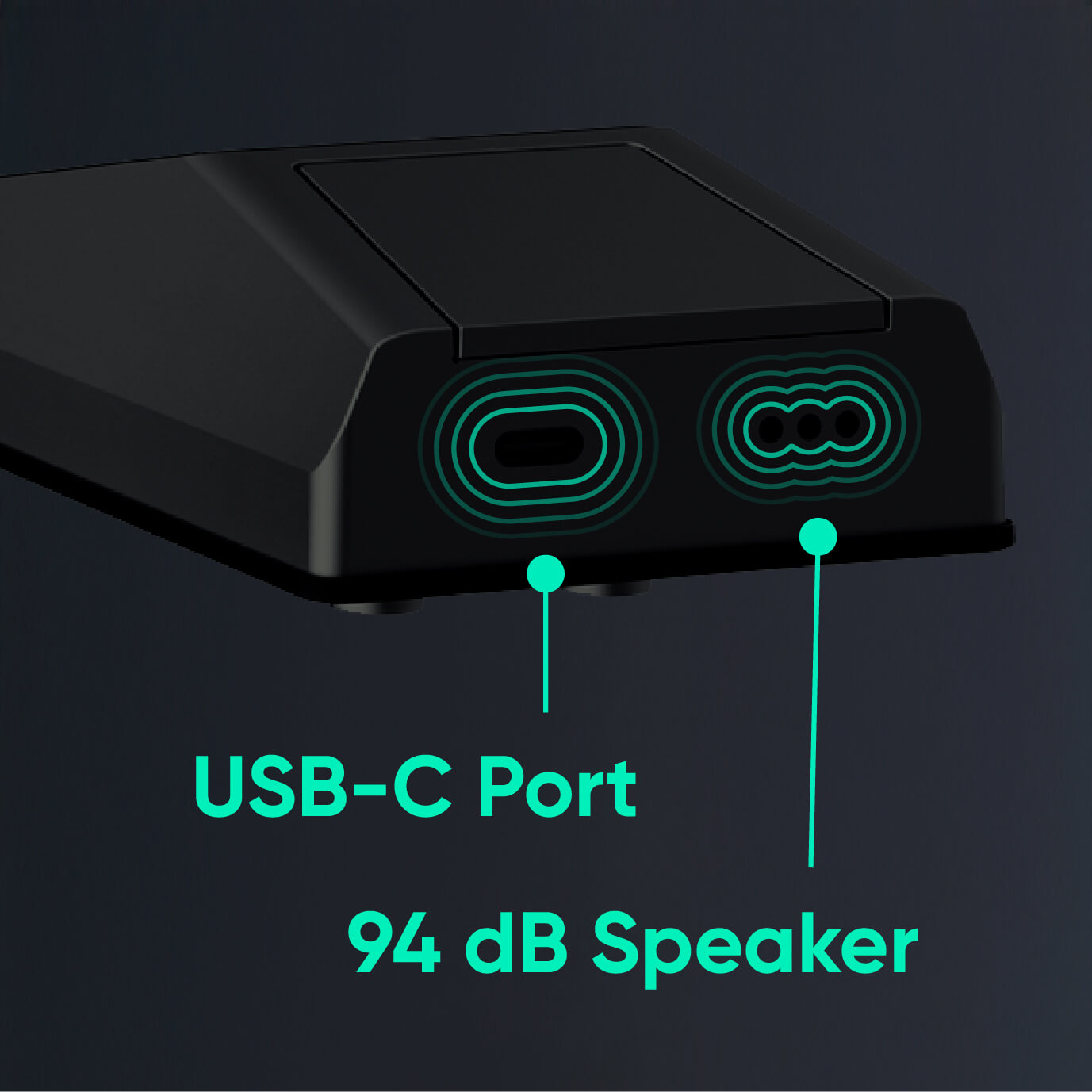
A black device with a green outline and the words "USB-C Port" written on it.
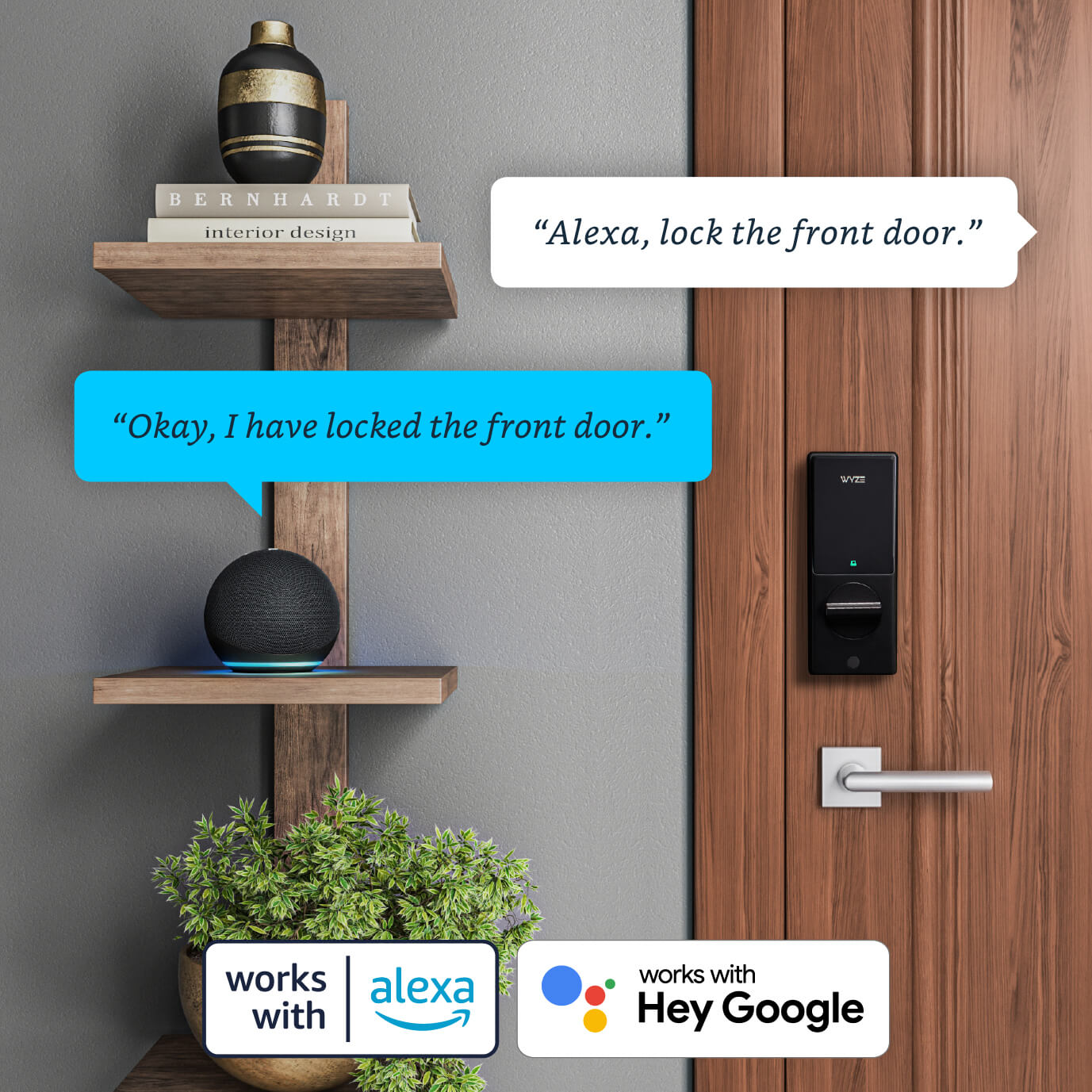
A smart lock on a door with a potted plant next to it.

Découvrez encore plus de bienfaits

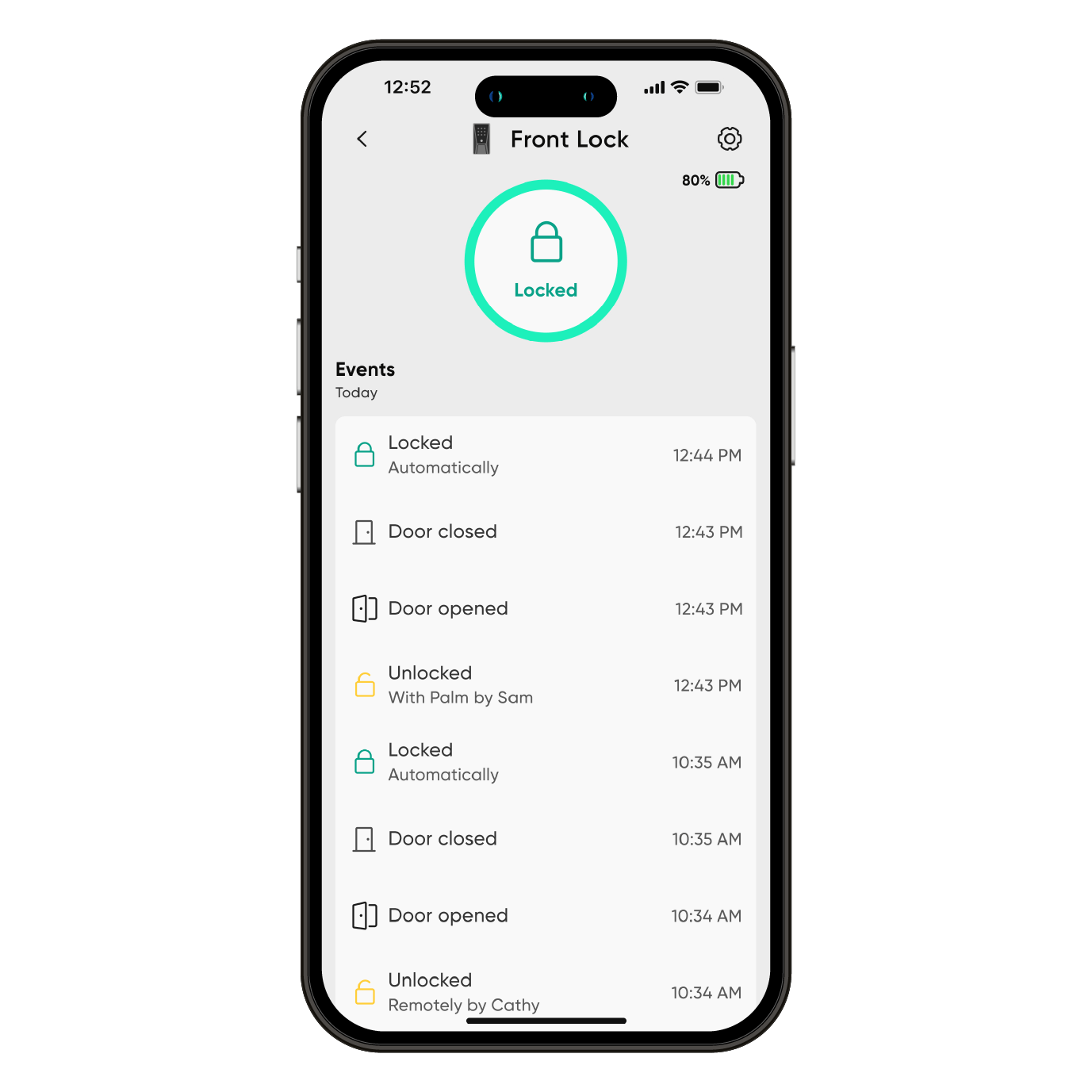
Contrôlez et surveillez l'état de votre serrure à distance, à tout moment, via Wi-Fi. Consultez l'historique complet des accès dans l'application Wyze : mode de déverrouillage, heure précise et éventuels échecs de saisie du code.

Un clavier numérique lumineux s'illumine d'une simple pression. Configurez et enregistrez jusqu'à 50 codes d'accès uniques, ou créez des mots de passe invités à usage unique qui expirent selon une programmation.

Si les batteries se déchargent pendant votre absence, le port USB-C permet de les recharger à partir d'une batterie externe afin que vous puissiez saisir votre code d'accès pour entrer.

Compatible avec les assistants vocaux comme Amazon Alexa et Google Assistant. Utilisez vos commandes vocales pour verrouiller, déverrouiller et vérifier l'état de votre porte. Pour des raisons de sécurité, le déverrouillage par commande vocale nécessite un code PIN.

  • Essayez de dire « Alexa, déverrouille la porte d'entrée ».
  • Essayez de dire « Google, verrouille la porte latérale ».
  • Essayez de demander à Alexa : « Ma porte d'entrée est-elle ouverte ? »
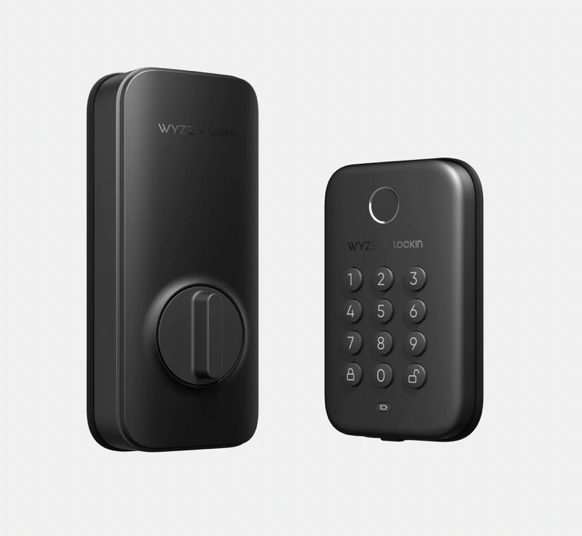
  • A black and silver lock with a green light on the bottom.

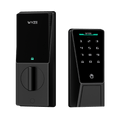
    Verrouillage de paume Wyze NOUVEAU

    Date de sortie : septembre 2025

    Déverrouillez la porte avec votre paume

    Déverrouillage sécurisé par Palm ID

    Il existe 6 façons de déverrouiller l'application, y compris l'application elle-même.

    Automatisations Wyze ou assistance Alexa/Google

    Remplace le verrou existant

    Verrouillage automatique intelligent

    Option de clé manuelle

    Clavier intégré

    Statut : Disponible

    Achetez-le maintenant 
  • A black and silver keypad with a button on the bottom.

    Verrou Wyze

    Date de sortie : 2022

    Déverrouillez la porte avec votre empreinte digitale

    Déverrouillage par empreinte digitale

    Accès à l'application locale uniquement

    Aucune prise en charge des automatisations Wyze ni d'Alexa/Google

    Remplace le verrou existant

    Verrouillage automatique de base

    Déverrouillage automatique désactivé

    Clavier intégré

    Disponibilité : En stock limité

    En savoir plus 
  • A white device with a button on it.

    Verrou Wyze

    Date de sortie : 2020

    Surveillez et accédez à votre porte depuis n'importe où

    Déverrouillage par empreinte digitale impossible

    Accédez à l'application depuis n'importe où

    Automatisations Wyze et assistance Alexa/Google

    Se fixe au pêne dormant existant

    Verrouillage automatique avancé de la position de porte

    Déverrouillage automatique

    Clavier optionnel vendu séparément

    Statut : Non disponible

1 de 3

Observez et apprenez. C'est super facile à installer.

La serrure Wyze Palm Lock est compatible avec la quasi-totalité des portes extérieures et remplace votre verrou existant en une vingtaine de minutes. Découvrez notre démonstration de déballage et d'installation ci-dessous.


Avis important : avant d’acheter votre serrure Wyze Palm Lock, veuillez prendre quelques minutes pour consulter notre article d’assistance sur la compatibilité des portes .

Support Articles

Installing your Wyze Palm Lock is just like any other super-smart lock; you remove your existing lock, put your new lock in place, then set it up in the Wyze app.

To install Wyze Palm Lock:

  1. In the Wyze app, tap Home, then tap the plus sign + in the top right hand corner.
  2. On the Add screen, tap Device.
  3. Tap Home > Wyze Palm Lock.
  4. Verify that you have the necessary tools to install Wyze Palm Lock. Tap Next to begin the in-app installation instructions.If you've already installed your Wyze Palm Lock, tap Skip to begin the setup process.
  5. Remove the existing lock and deadbolt - including the bolt and strike plate. Tap Next.
  6. Check that your door holes are the correct size. You must have the correct hole sizes on your door to continue. Refer to the sizes below. If your setup meets these requirements, tap Yes, Continue and skip to step 10. If not, tap No, Show Me How and continue to the next step.The latch hole diameter must be 1” (25 mm).The backset must be between 2-⅜” (60 mm) and 2-¾” (70 mm) wide.The cross bore diameter must be 2-⅛” (54 mm).
  7. Verify you have the necessary tools to drill holes in the door. Tap Next.
  8. Use the included drilling template to mark the center of the circle on the door face and the center of the door edge. Tap Next.
  9. Use your marks as a guide to drill the holes. Tap Next.Drill a 2-⅛” (54 mm) hole through the door face for the lockset.Drill a 1” (25.4 mm) hole through the edge of the door face for the latch.
  10. Measure and select the length of the backset. You may need to extend the latch based on the length of the backset.If the backset is 2-⅜” (60 mm), continue to step 11.If the backset is 2-¾” (70 mm), extend the latch by twisting it clockwise until it stops. Then twist it counterclockwise until it stops to return to the 2-⅜” (60 mm) backset. Tap Next.
  11. Mount the strike plate and dust box to the door frame using the provided mounting screws. Tap Next.
  12. Mount the deadbolt to the door and ensure the latch hub is centered on the door face hole. Tap Next.
  13. Measure the diameter of the cross bore to determine if you’ll need the lock hole adapter for installation, then select the corresponding measurement.If the diameter is 1-½” (38 mm), install the exterior assembly by removing the protective cover, then install the exterior assembly to the door. Tap Next. If the diameter is 2-⅛” (54 mm), install the exterior assembly by removing the lock hole adapter and the protective cover, then install the exterior assembly to the door. Tap Next.
  14. Pass the cable on the exterior assembly under the deadbolt and through the door. Then align the tailpiece with the center hole of the deadbolt and insert it. Make sure the tailpiece does not touch the sides of the hole. Tap Next.
  15. Position the mounting plate. Separate the mounting plate from the interior assembly, then route the cable through the mounting plate. Then align the tailpiece with the center hole of the mounting plate and insert it. Make sure the tailpiece does not touch the sides of the hole and that the screws do not block the hole. Tap Next.
  16. Install the mounting plate. Separate the mounting plate from the interior assembly, then route the cable through the mounting plate. Measure the door’s thickness to determine which screws to use. Tap Next. If the door thickness is between 1-¾” and 2-3/16” (45 and 55 mm), use the longer mounting screws.If the door thickness is between 1-⅜” and 1-15/16” (35 and 50 mm), use the shorter mounting screws.
  17. Install the interior assembly by connecting the cable into the receiving port in the interior assembly. The red marks should line up. Tap Next.
  18. Determine which direction the deadbolt is facing - the direction of your deadbolt will determine the position of your interior assembly.If the deadbolt is facing left, position the knob vertically and insert the tailpiece into the deadbolt center hole. Then route the cables to ensure they are fully tucked inside the device. Mount the interior assembly to the door. It should fit flat against the door, firmly inside the edges of the mounting plate. Tap Next. If the deadbolt is facing right, position the knob horizontally and insert the tailpiece into the deadbolt center hole. Then route the cables to ensure they are fully tucked inside the device. Mount the interior assembly to the door. It should fit flat against the door, firmly inside the edges of the mounting plate. Tap Next.
  19. Open the door, then turn the thumb latch to lock and unlock it. Tap Next. The deadbolt should fully extend without jamming. If the deadbolt jams or does not fully extend, uninstall the interior assembly and check the mounting plate. The tailpiece should be in the middle of the door hole, and the screws should not block the hole.
  20. Close the door, then turn the thumb latch to lock and unlock it. Tap Next. If the thumb latch jams or doesn’t fully extend, uninstall the metal strike plate on the doorframe, install the new dust box included in the packaging. If the dust box doesn’t fit in your doorframe, widen the mortise hole with a chisel.
  21. Remove the battery cover and check the alignment. Then use the provided screws to install the interior assembly on to the mounting plate. Tap Next. Do not over-tighten the screws.
  22. Insert the main battery and backup battery. Leave the battery cover off. Next, make sure that the interior and exterior assemblies are securely fastened. Tap Next.
  23. Installation complete! Now let’s connect your lock to your Wi-Fi network. Tap Next to proceed with setup.

Do not install the battery cover until after you finish setup and pairing

To set up Wyze Palm Lock:

  1. In the Wyze app, tap Home, then tap the plus sign + in the top right-hand corner.
  2. On the Add screen, tap Device.
  3. Tap Home > Wyze Palm Lock.
  4. If the lock is not already installed, you can tap Next and follow the in-app installation instructions.If you’ve already installed your Wyze Palm Lock, tap Skip.
  5. Now let’s connect your lock to your Wi-Fi network. Tap Next to proceed with setup.Do not install the battery cover until after you finish setup and pairing.
  6. Press and hold the RESET button on the lock for 8 seconds.The status light will pulse red.
  7. In the app, check the box next to I heard, “Ready to connect”, then tap Next.
  8. If Bluetooth® hasn’t already been enabled, you’ll be prompted to allow Bluetooth® and location access. Tap Next.If Bluetooth® and location access have already been enabled, it will skip to the next step.
  9. The app will automatically begin searching for and pairing to your Wyze Palm Lock.
  10. Select your 2.4 GHz Wi-Fi network and enter your network password. Tap Next.Tap the icon in the password field to display the password to ensure it was entered correctly.
  11. Your device will finish pairing. Then it is time to name your Wyze Palm Lock using the text field, or by choosing one of the preset suggestions, then tap Finish.
  12. Setup complete! Now let’s customize and calibrate your Wyze Palm Lock. Tap Next.

Continue onwards to our Wyze Palm Lock Calibration Guide.

You've completed the Wyze Palm Lock Setup Guide. It's now time to calibrate your lock!

Before calibrating:

  • Stand near the lock for the duration of the calibration.
  • Skip to step 3 if you just completed the Wyze Palm Lock Setup Guide.

To calibrate your Wyze Palm Lock.

  1. Open the Wyze app and tap on your Wyze Palm Lock.
  2. Tap the Settings gear, then Calibration.Follow along in the Wyze app to calibrate your Wyze Palm Lock.
  3. Close your door and manually lock the deadbolt.
    Check the box next to "I have turned the thumb latch. ✅The Wyze app will display "Calibrating your device..."
  4. Manually unlock the deadbolt and wait for your Wyze Palm Lock to sound.
    It will say "Please open the door."
  5. Open the door slightly.
  6. Check the box next to "I heard 'Please open the door.'" Tap Next.
  7. Now open the door at the the widest angle it can be opened. Tap Next.
    The Wyze app will display "Calibrating your device..."
  8. Now close the door completely. Tap Next.The Wyze app will display "Calibrating your device..."
  9. Done with calibration!

Next, you'll continue on to set up your access methods - Palm Vein Setup and Access Code Setup.

Additional Notes

  • Calibrating your Wyze Palm Lock is a common troubleshooting step when other features like Auto-Lock and door ajar alarms aren't working properly.
Added to your cart
Livraison GRATUITE pour les commandes de 59 $ et plus
Subtotal
$0.00
View cart