Skip to product information
1 of 15

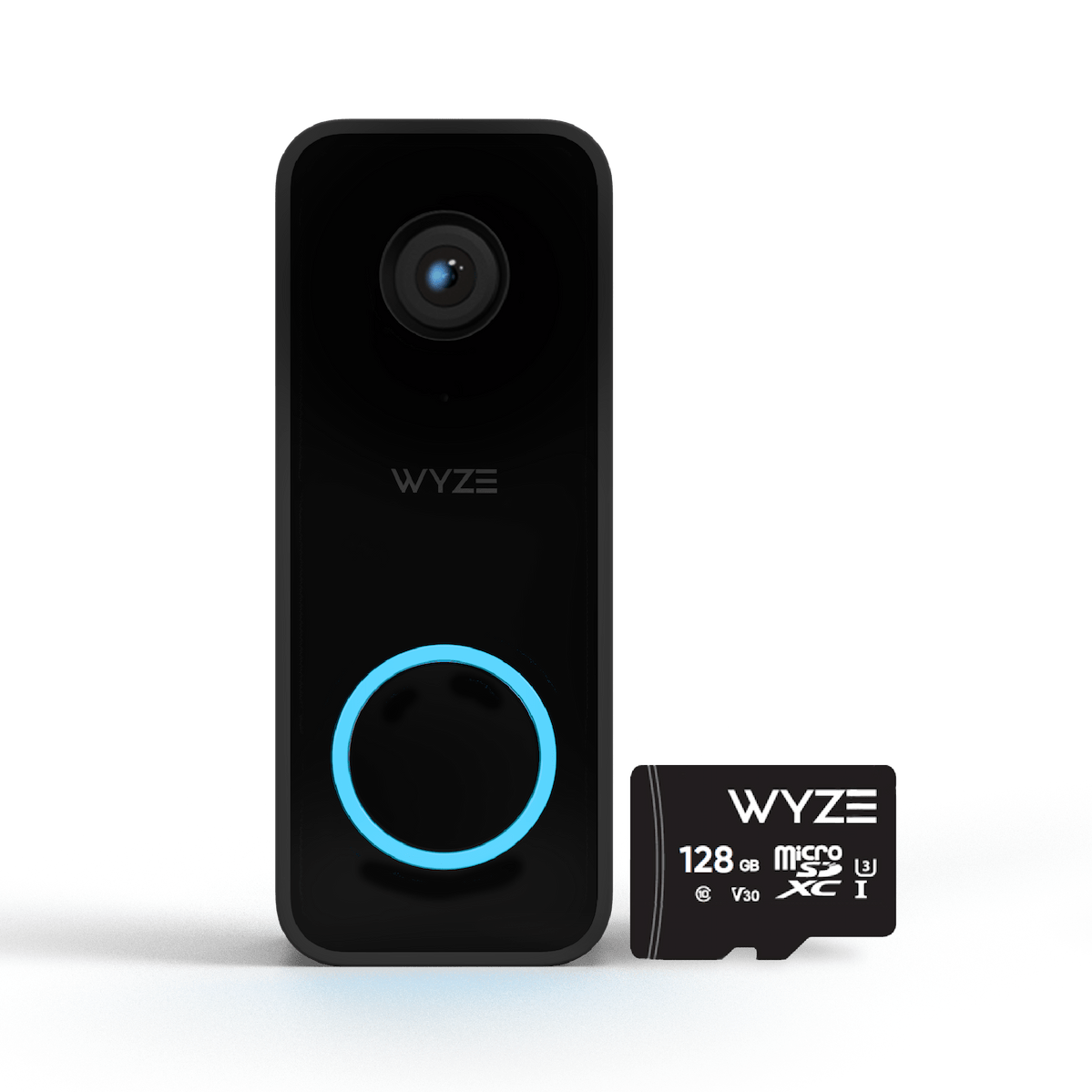
Wyze Video Doorbell v2

Wyze Video Doorbell v2

2K Wired Smart Doorbell

Style
Add ons
$59.98
In stock
Get it as soon as
30-day hassle-free returns.
In stock
$0.00 FREE / 1 month
14-Day Cloud Storage
Smart Detections & Notifications
Subscriber Discount

*Cam Plus subscription auto renews at $2.99/month/cam after the first month. No commitment, cancel anytime. Plan is not compatible with existing Cam Plus Unlimited plans.

A blue and white logo for Wyze.
Wyze.com Exclusive BENEFITS
18-month extended warranty

Get an 18-mo extended warranty when you buy this product on wyze.com. Also get special bundles, unique promos, + rewards with each order

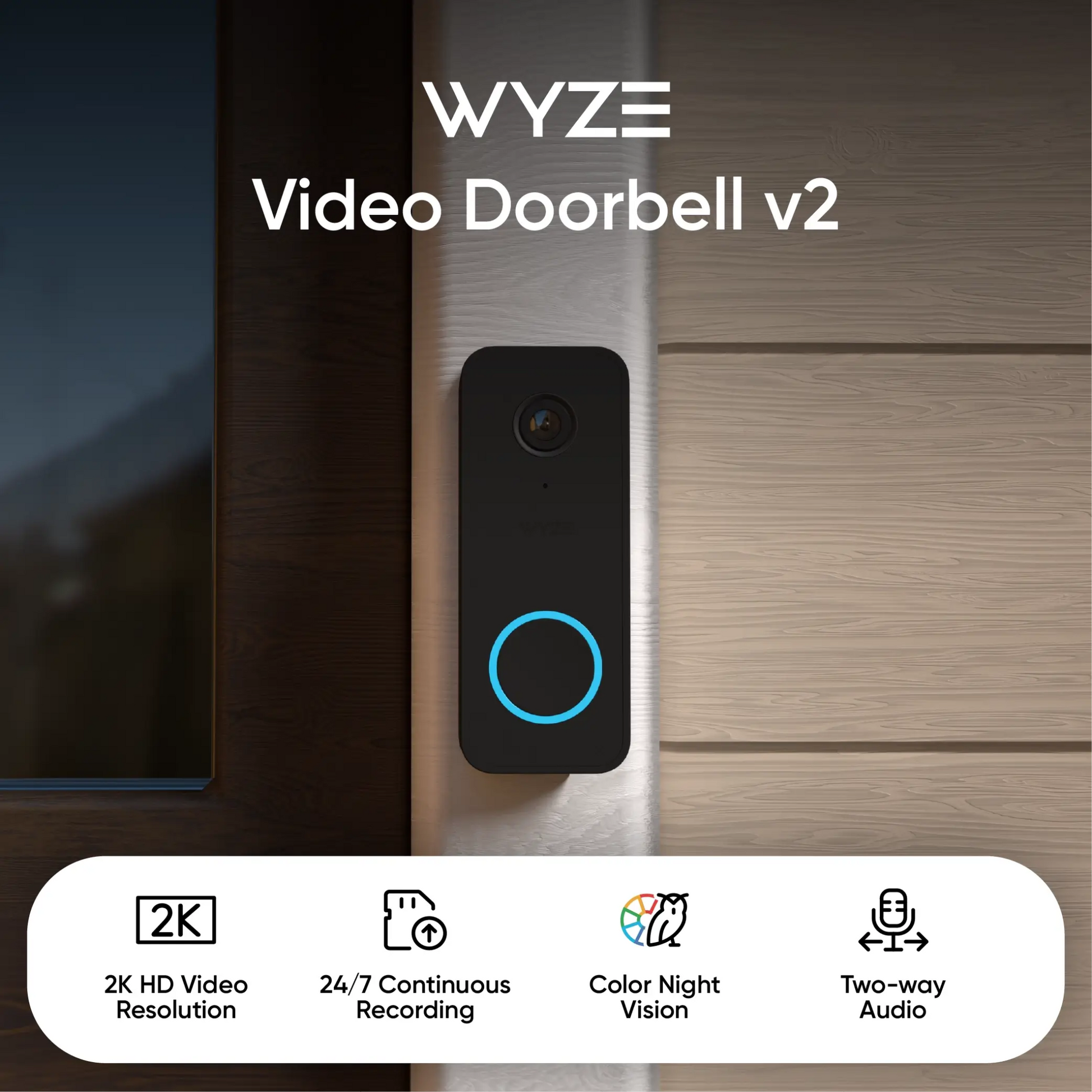
Answer your door from anywhere with our clearest and most capable wired video doorbell yet. Wyze Video Doorbell v2 gives you 2K video and local microSD storage, so you can capture every moment in more detail than ever. Plus, get video doorbell essentials like two-way audio, real-time alerts, and motion-activated voice deterrence.
View full details
  • A colorful logo for a company.

    2K Video Resolution

    Capture all porch arrivals and departures with greater detail than ever.

  • A black and white image of a clock with a small arrow pointing upwards.

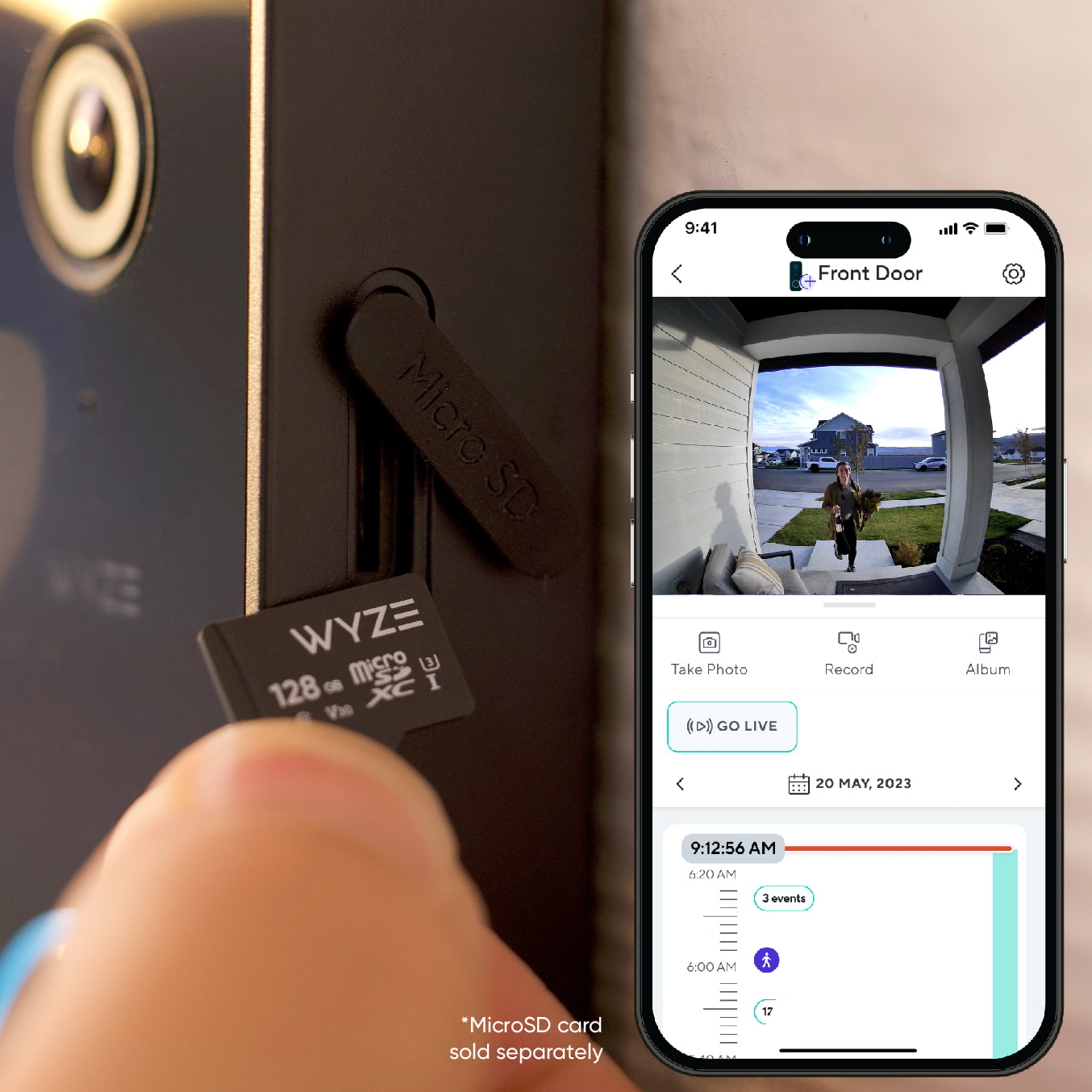
    24/7 Recording with MicroSD

    Don't miss a thing with continuous local recording.

  • A black and white image of a bell.

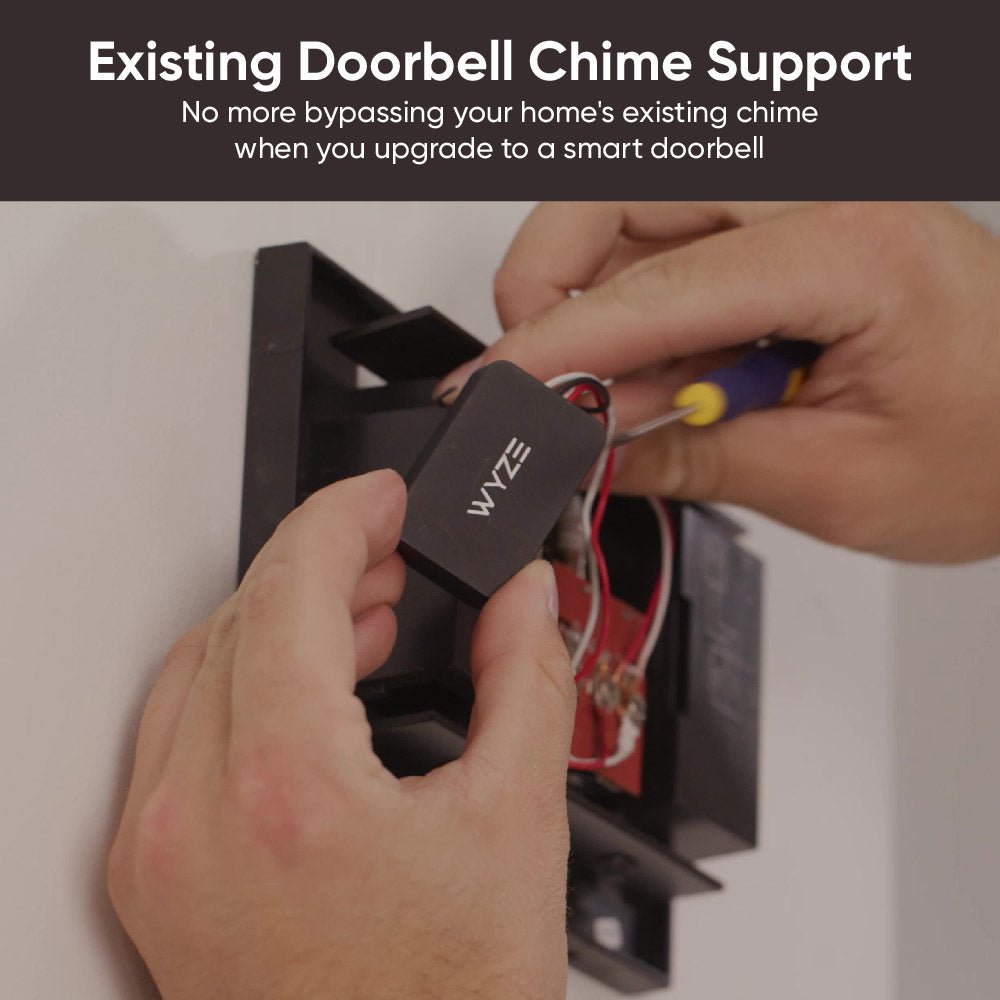
    Works with Existing Doorbell Chime

    No more bypassing your home's existing chime when you upgrade to a smart doorbell.

  • A black screen with no visible content.

    Motion-Activated Voice Prompt

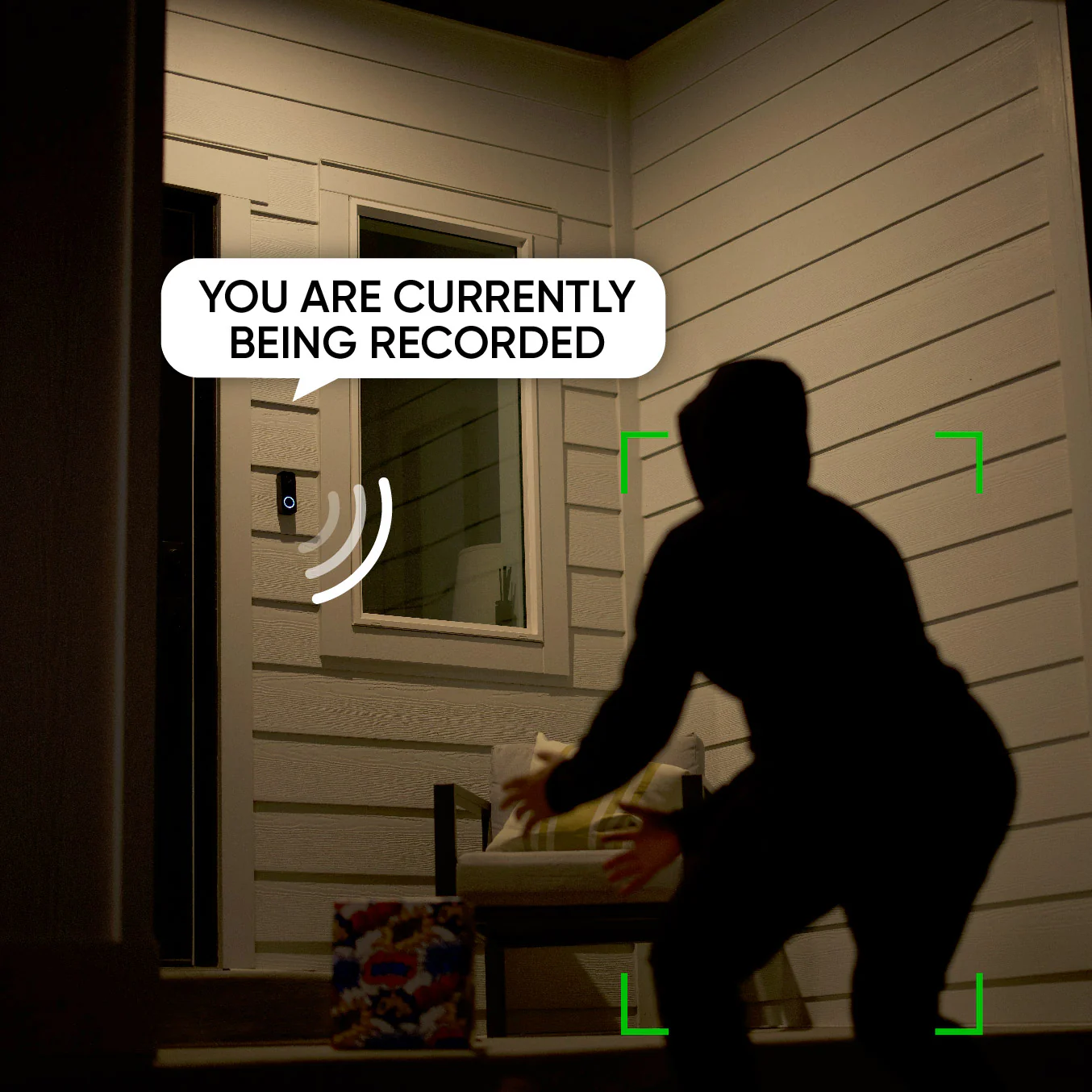
    When enabled, a voice prompt plays to alert visitors that they're being recorded.

    Note: Cam Plus or Cam Protect subscription is required for this feature.

Wyze Video Doorbell v2 Specs

Color & Materials

  • Color: Black
  • Body: Polycarbonate
  • Lens: Resin
  • Sensor: CMOS Starlight Sensor

Dimension

  • 4.3in x 1.7in x .9in (110mm x 44mm x 24mm)

Video

  • Resolution: 2K (2048 x 1536)
  • Video Format: H.264
  • Sensor Size: 1/2.8"
  • Aperture: F2.0
  • Focal Length: 2.1mm
Frame Rate
  • Day: 20FPS, Night: 15FPS
Field-of-View
  • Horizontal: 135°, Vertical: 103°, Diagonal: 166.8°

Power

  • 16V-24V AC,≥10VA

Audio

  • Microphone: ECM (Electric Condenser)
  • Speaker: 8Ω 1W,Box

Additional Details

  • Zoom: Digital Zoom
  • Flash: 16MB
  • Memory: 128MB
  • CPU Clock Frequency: 1.5GHz
  • IR Light: 6 x 940nm IR lights

Storage

  • MicroSD card: Up to 256G in FAT32 format
  • Cloud: When paired with a Wyze Security Plan

Important Note

  • A 16V 10VA transformer sits at the lower end of the power supply spectrum. Aging and wiring conditions could affect its efficiency in powering the Video Doorbell v2 or ringing a mechanical chime. Please check your transformer and wiring before purchasing.

Connectivity & Compatibility

  • IEEE802.11 b/g/n. Wi-Fi 2.4G b/g/n
  • Phone Compatibility: Android 9.0+, iOS 15.0+
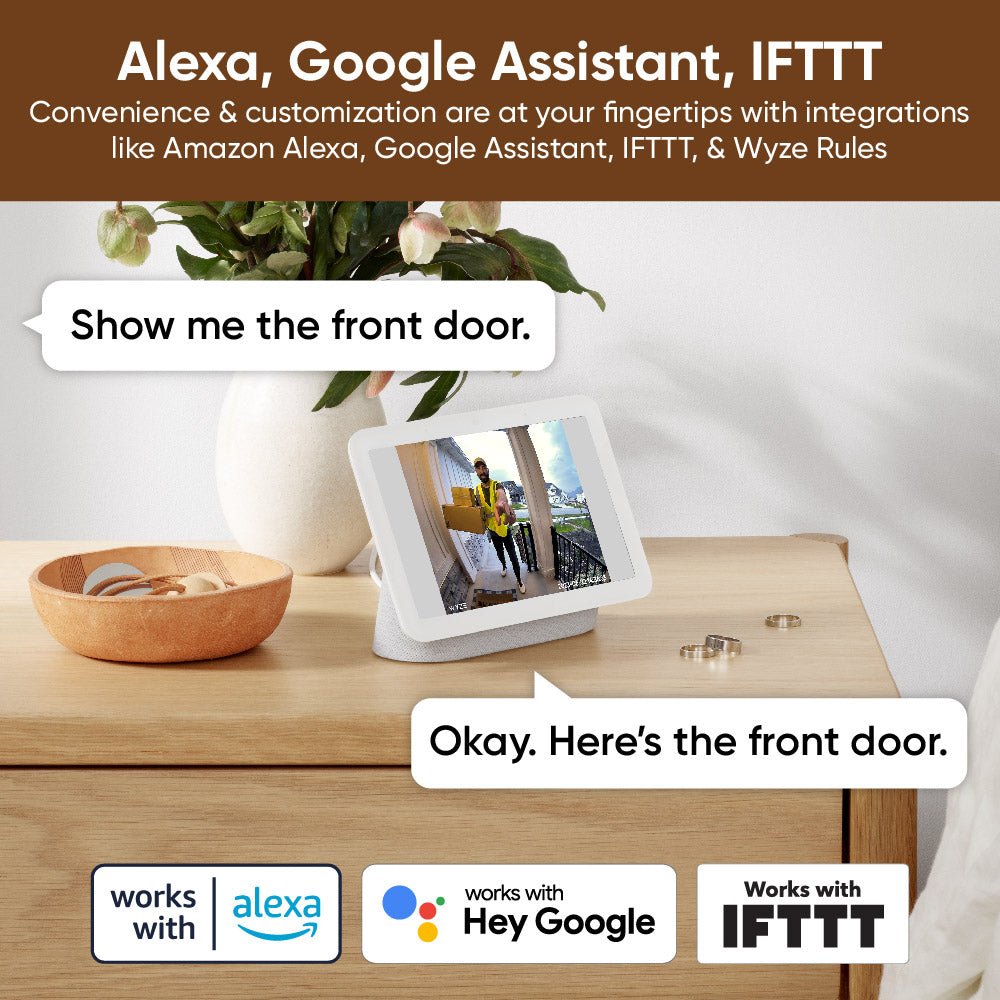
  • Integrations: Alexa, Google Assistant, IFTTT
  • Chime compatibility checker

Weather & Temperature

  • IP65 weather resistant
  • Operating temp: -4°F - 122°F (-20°C - 50°C)
  • Storage temp: -40°F - 176°F (-40°C - 80°C)

Certifications

  • FCC, IC, UL, CA65, ROHS, REACH, and IP65 Certified

Languages

  • English

Warranty

  • 1-Year
  • 1x Wyze Video Doorbell v2
  • 1x Wyze Chime Controller Unit (Click here to check compatibility)
  • 1x Wall Plate
  • 1x Wedge (30°)
  • 1x Installation Kit
  • 3x Wire Caps
  • 2x Extension Wires
  • 1x Screw Kit
  • 2x Long Screws
  • 2x Short Screws
  • 2x Wall Anchors
  • 1x Quick Start Guide

Wyze Video Doorbell v2 is a true upgrade from our original wired doorbell, delivering some of our most requested features in a new, shiny black package. It comes with cloud and local storage (up to 256 GB) for 24/7 continuous recording, 2K resolution with an even larger diagonal FOV of 166.8º, and it now supports your own in-house chime.

Don't forget to remove your old device and the fuse wire inside your chime box before installing your new Wyze Video Doorbell v2. Otherwise, your chime may not ring!

No, Wyze Video Doorbell v2 is hardwired and does not use batteries.

Yes, Wyze Video Doorbell v2 works with most in-house mechanical chimes! However some custom, vintage, and high-end chime kits may not be compatible.

Yes, you can still use this doorbell without an in-house chime. Though even without a functioning chime, we highly recommend installing the included Wyze Doorbell Chime Controller to keep your new doorbell running smoothly.

When enabled, a voice prompt plays to alert visitors that they're being recorded. You will need either a Cam Plus or Cam Protect license to be able to use this feature. Open the Wyze app > Home > Select your Video Doorbell v2 device > Settings (cog icon) > Detection Settings > Motion Warning. You will not see this functionality if your camera does not have a Cam Plus or Cam Protect license attached to it.

The FOV is 135° horizontal, 103° vertical and 166.8° diagonal.

No, Wyze Video Doorbell v2 comes with a Chime Controller, which works with your existing in-house chime.

No, the original Wyze Chime does not work with Wyze Video Doorbell v2.

Wyze Video Doorbell v2 provides 12-second video clips when the doorbell is pressed, and if the microSD card is ejected unexpectedly. All other events will generate a snapshot. For full-length event videos, and so much more, subscribe to Cam Plus or Cam Protect.

Yes! Use your smart hubs to view live video feeds of people at the door on your Echo Show and Google Home devices. For a complete breakdown of what functionality is available with Alexa or Google please take a look at this support article.

Of course! We have a range of installation and setup articles for the Video Doorbell v2 over on our support site

While we try to make sure the overall installation of Wyze Video Doorbell v2 is easy we understand that it's complex and there are many elements to consider between the camera unit, controller, chime box, and transformer. Troubleshooting can be frustrating but please take a look at our support articles for common issues and suggested solutions over on our support site.

Enjoy crystal-clear 2K video.

Head-to-toe viewing and immaculate 2K resolution means you can capture all porch arrivals and departures in more detail than ever.

A man in a yellow vest is holding a box.
A person is holding a video doorbell.

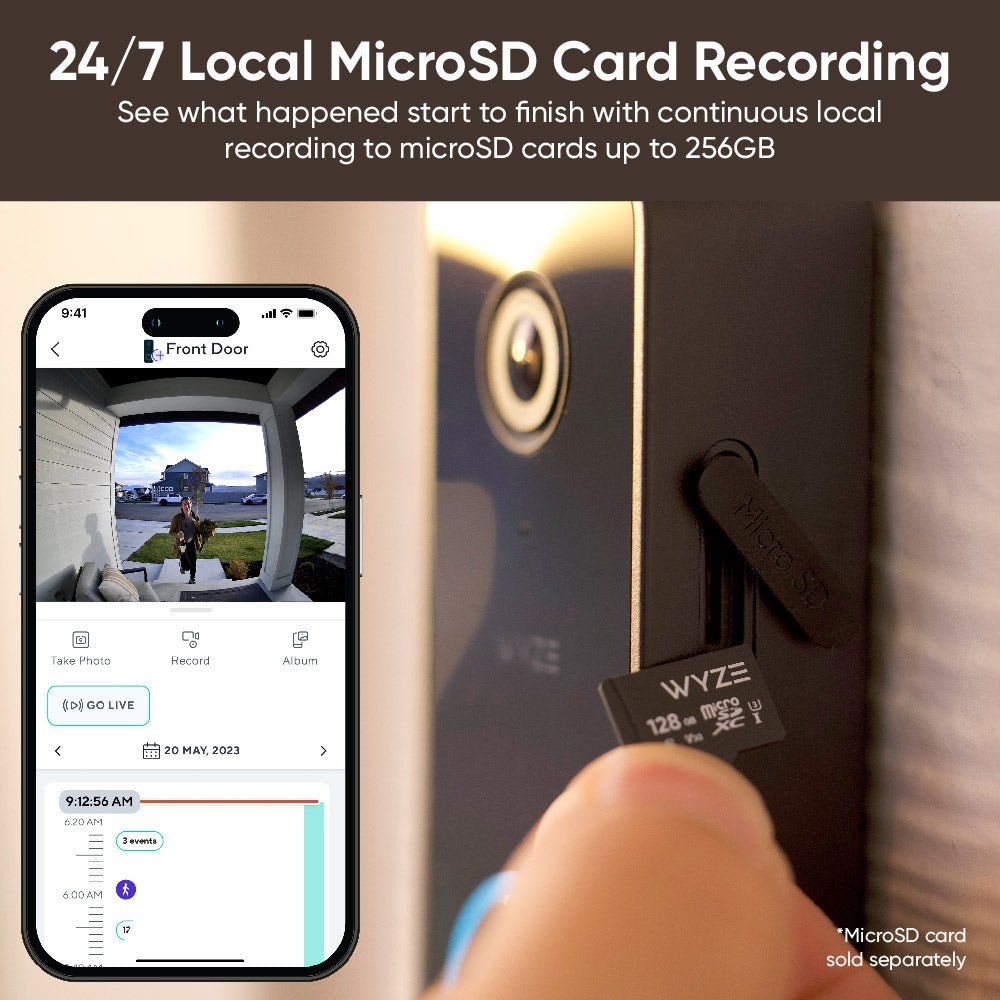
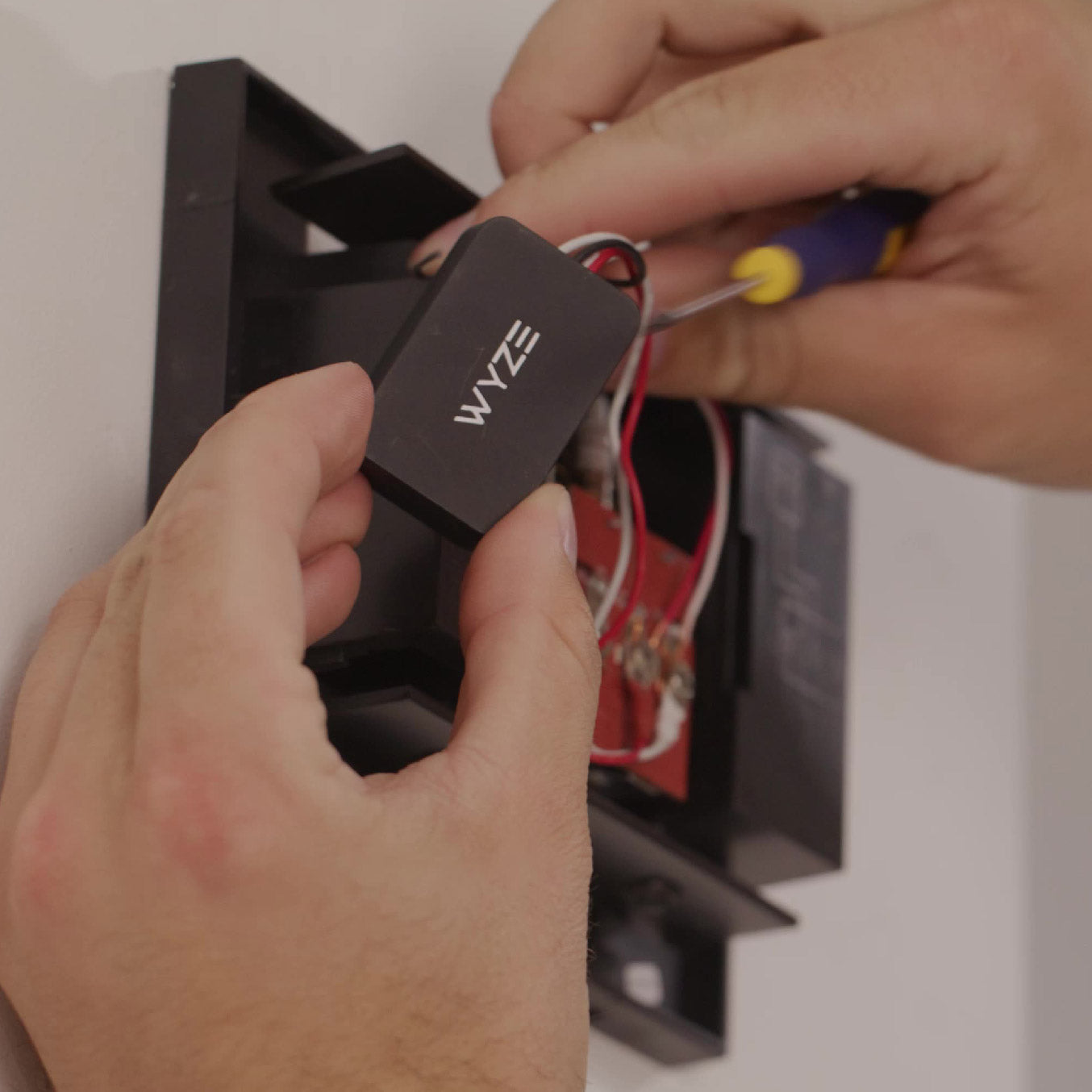
24/7 local recording with microSD card.

The first-of-its-kind onboard microSD card slot allows for continuous local recording. So you can stop wondering what happened before or after the doorbell press.

A person is holding a black device with the word "WYZE" on it.

Works with your home's existing chime.

No more bypassing the existing chime when you upgrade to a smart doorbell. A chime controller is included so you can keep ding-donging the old fashioned way.

Learn more with our chime compatibility check.

Two-way talk.

Quickly respond to visitors by pressing the "talk" button in the Wyze app.

A video doorbell is attached to a white door.
A person is standing in front of a doorbell.

Motion-activated voice deterrence.

Nothing says, "Don't try any funny business" quite like an automated voice prompt that alerts visitors they're being recorded. Simply enable this feature in the Wyze app.

Note: Cam Plus or Cam Protect subscription is required for this feature.

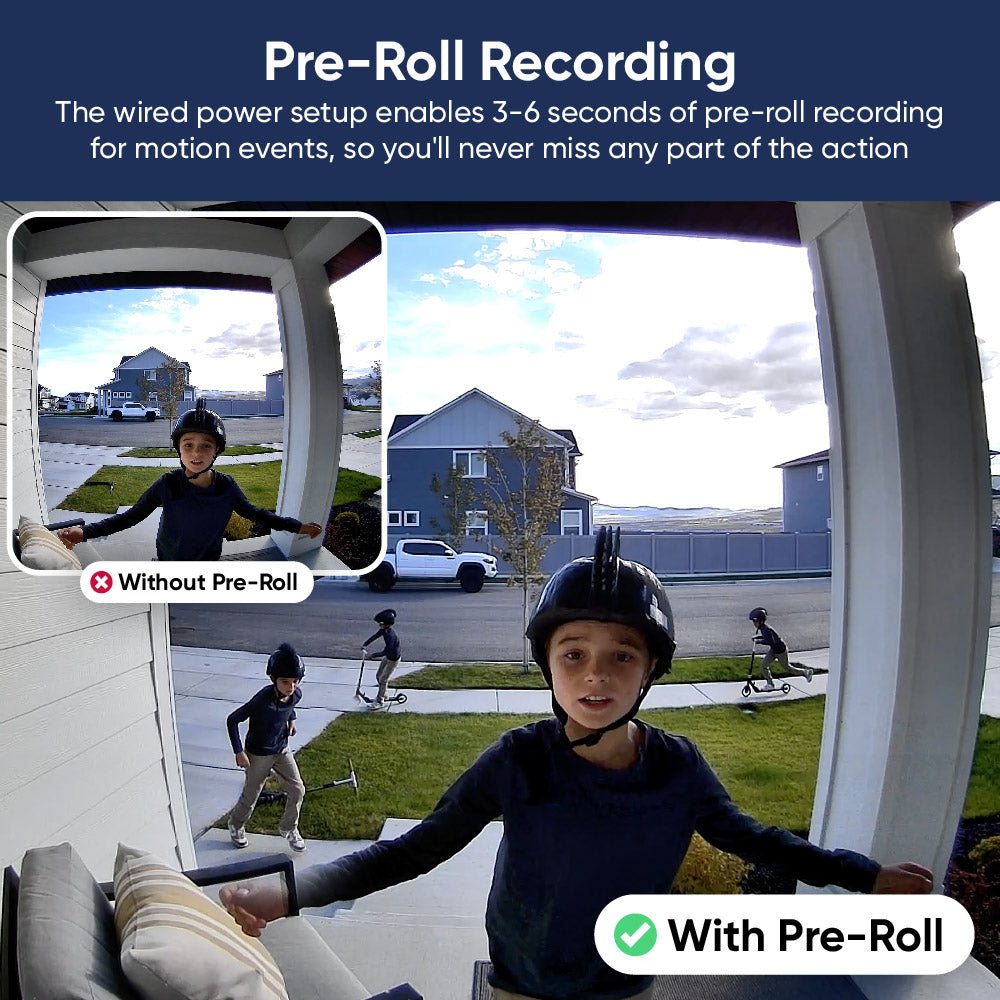
A boy wearing a helmet is skateboarding in front of a house.

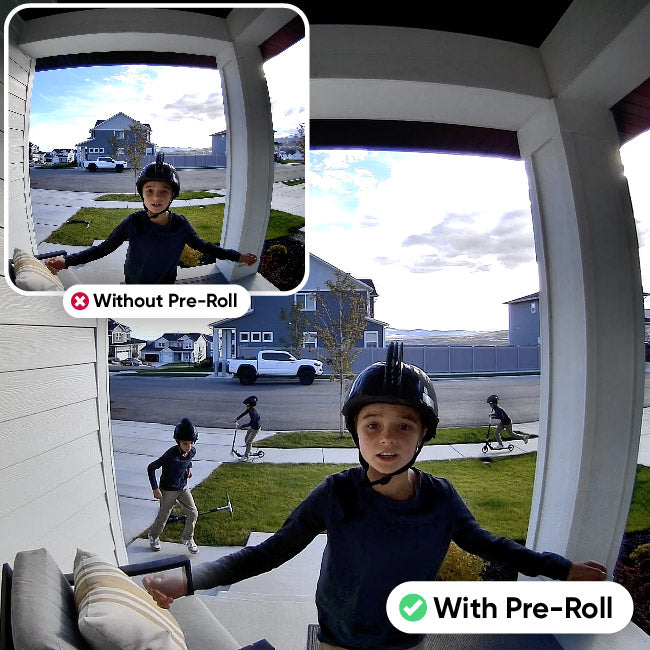
Pre-roll motion recording.

The wired power setup enables 3-6 seconds of pre-roll recording for motion events, so you'll capture the scene before the motion starts.

Plus, all the familiar features you love.

A man is holding a box in front of a doorbell.

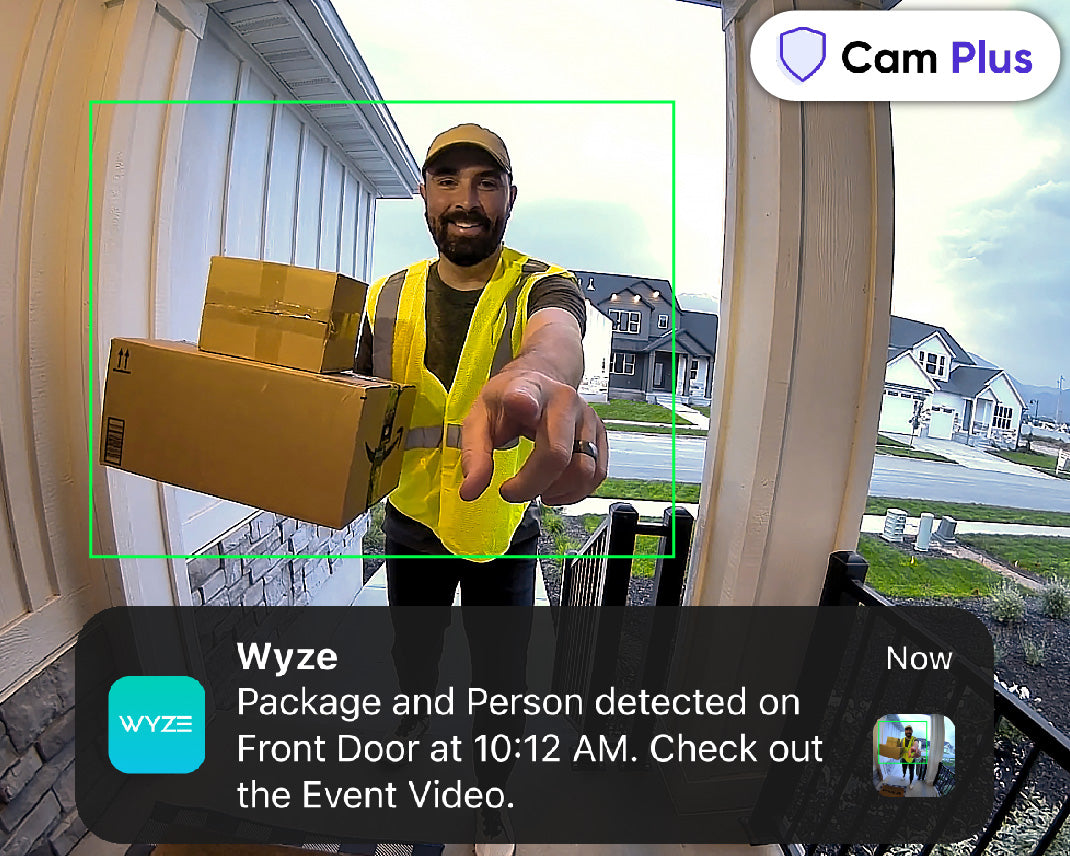
Get AI detections with Cam Plus.

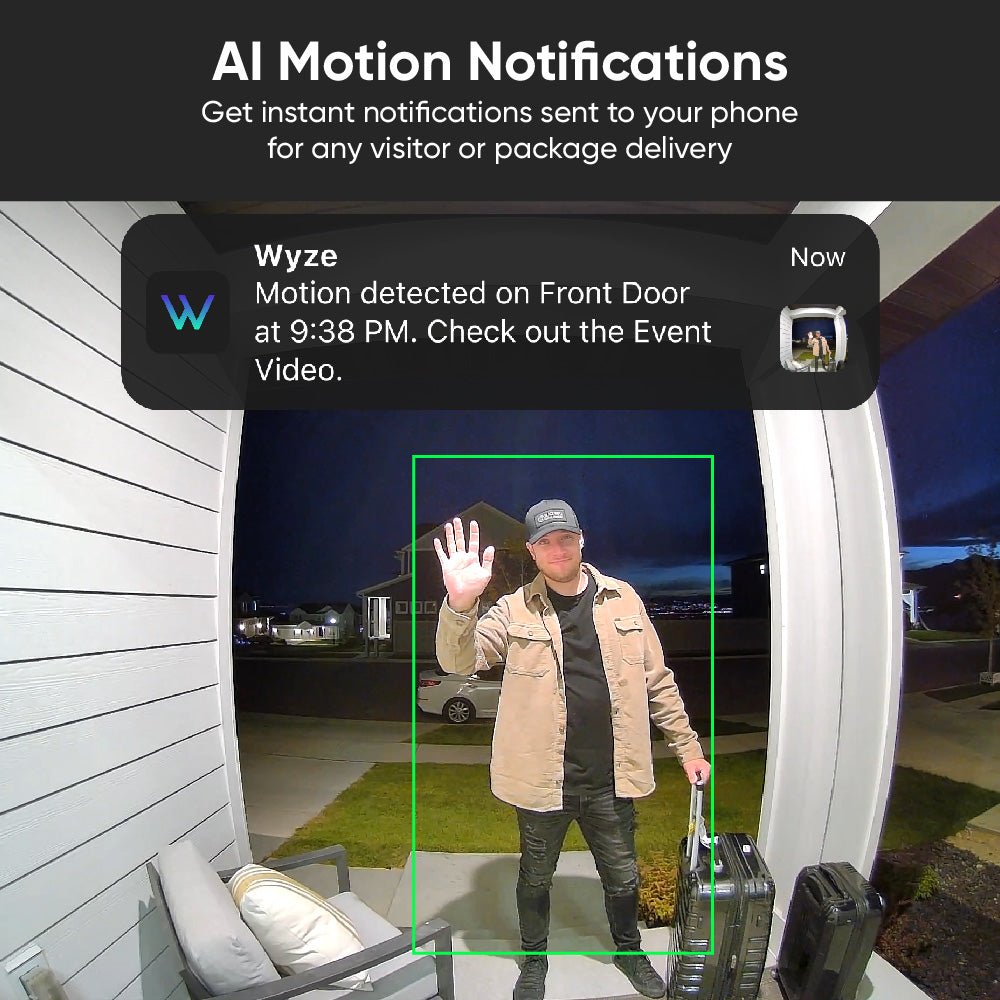
Get Person and Package Detection, and more with Cam Plus. Also enjoy unlimited cloud video storage and smarter notifications.

A black smartphone with a blue circle on the front.

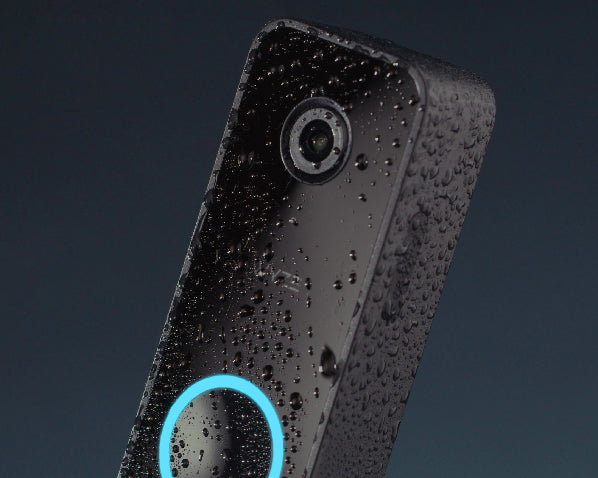
IP65 weatherproof.

Rated to withstand any weather. Especially, the "it's raining packages which means my partner maxed out the AMEX again" type of weather. That's the worst weather.

A man wearing a hoodie is standing on a porch holding a box.

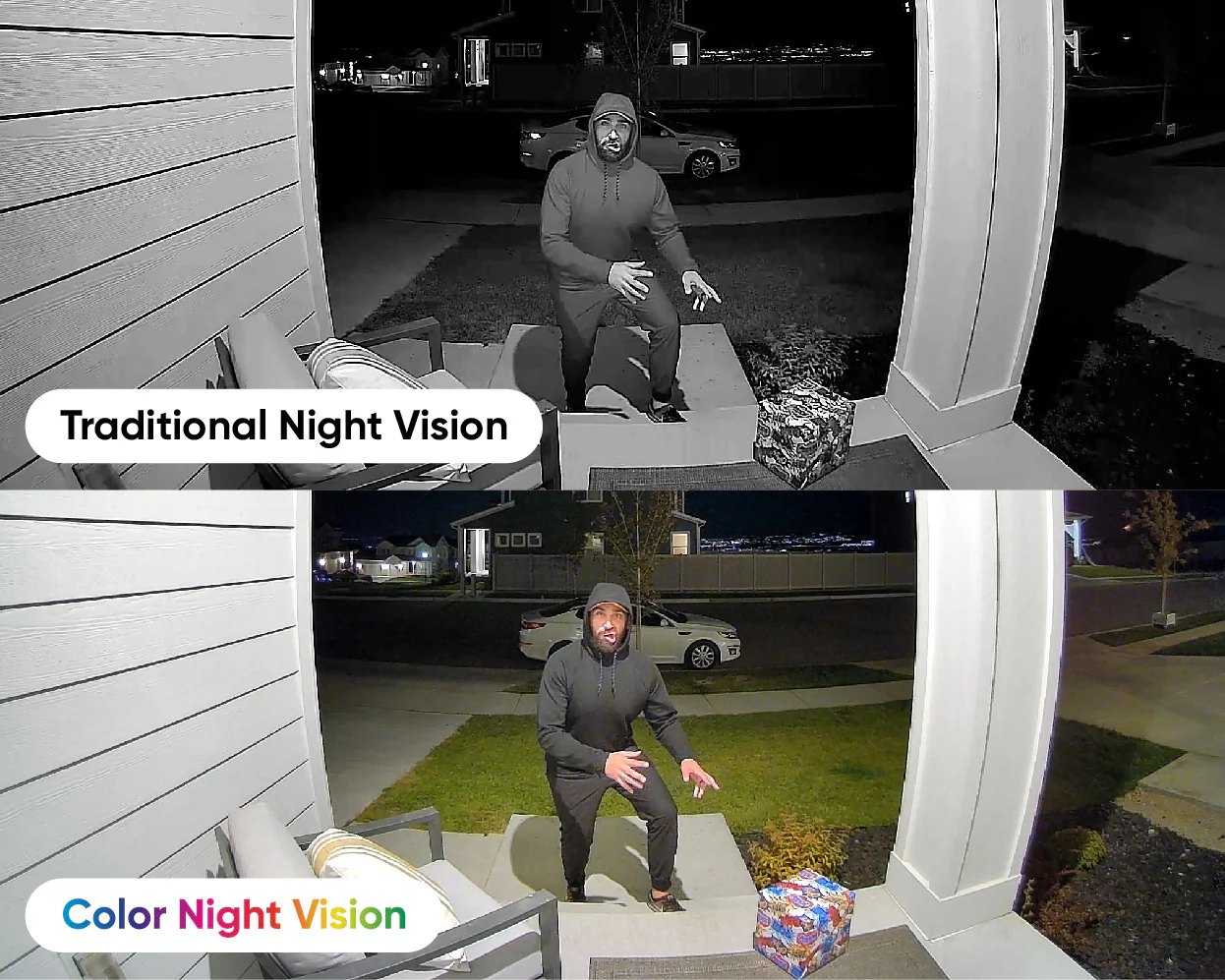
Night as clear as day.

Equipped with our award-winning starlight sensor for incredible Color Night Vision. You know what else won an award? That guy's face. For looking like the human version of a car wreck.

A white doorbell with a picture of a person on it.

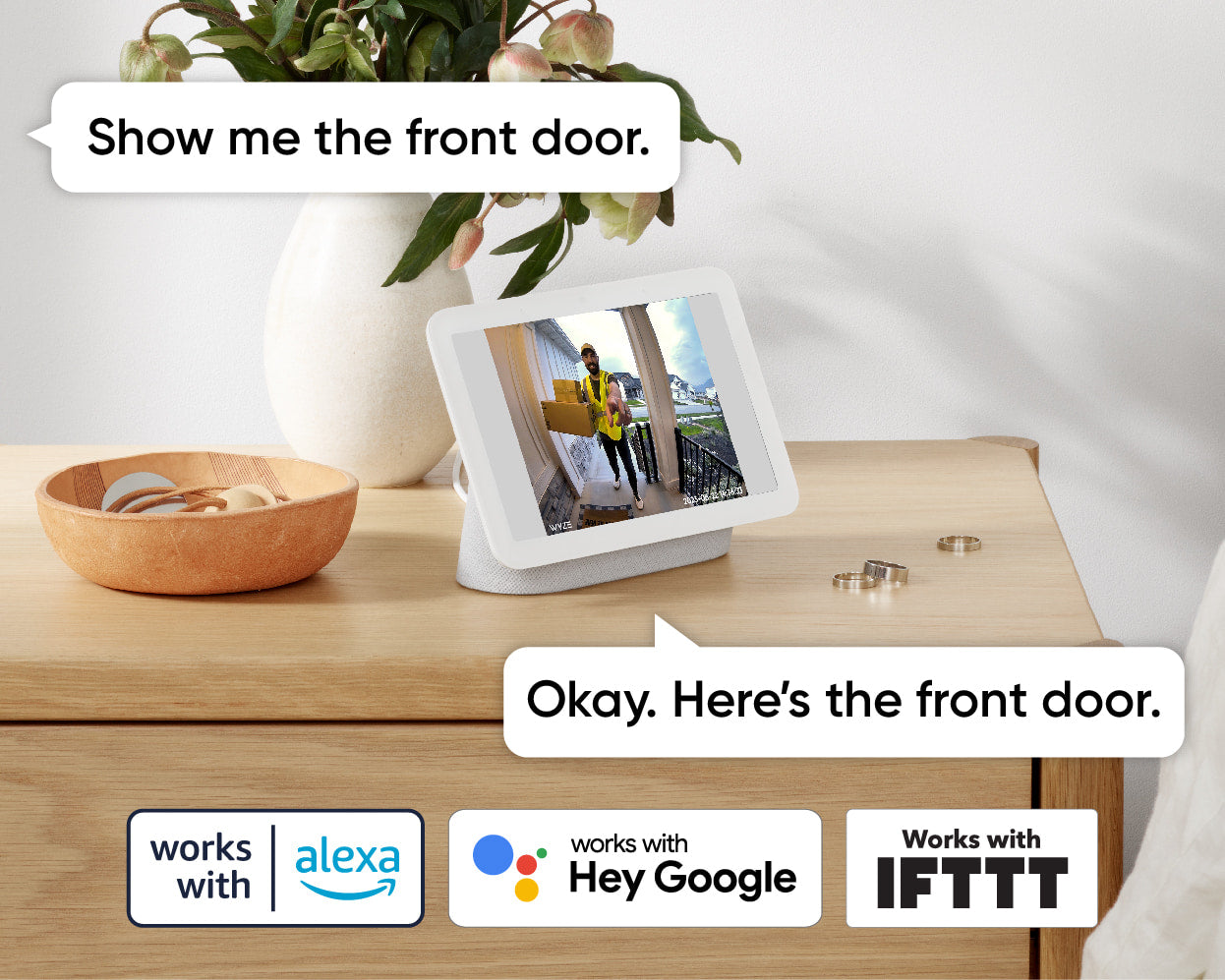
Works with Alexa and Google Home.

Use your Amazon Echo, Alexa, and Google Home devices to view live feeds of your doorbell. Even get smart alerts when a person is detected at your door, with Cam Plus.

A black video doorbell with a blue circle on the front.
A smartphone app with a video doorbell.
A smartphone screen displaying a video doorbell.

An angled mounting wedge is included with every doorbell to help you achieve the perfect view.

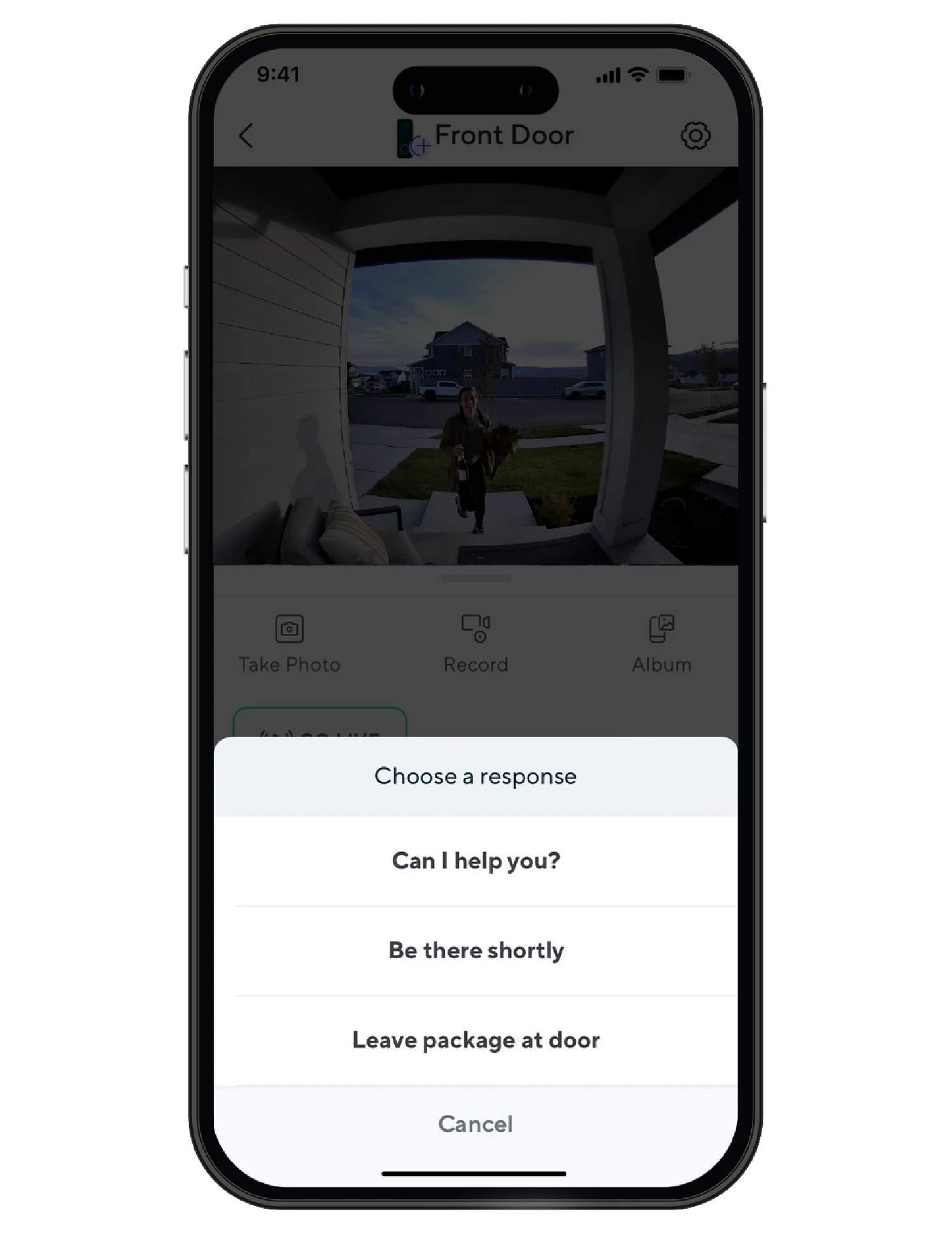
Use preset quick responses to have the doorbell say things like: "Be there shortly" or "Leave the package at the door."

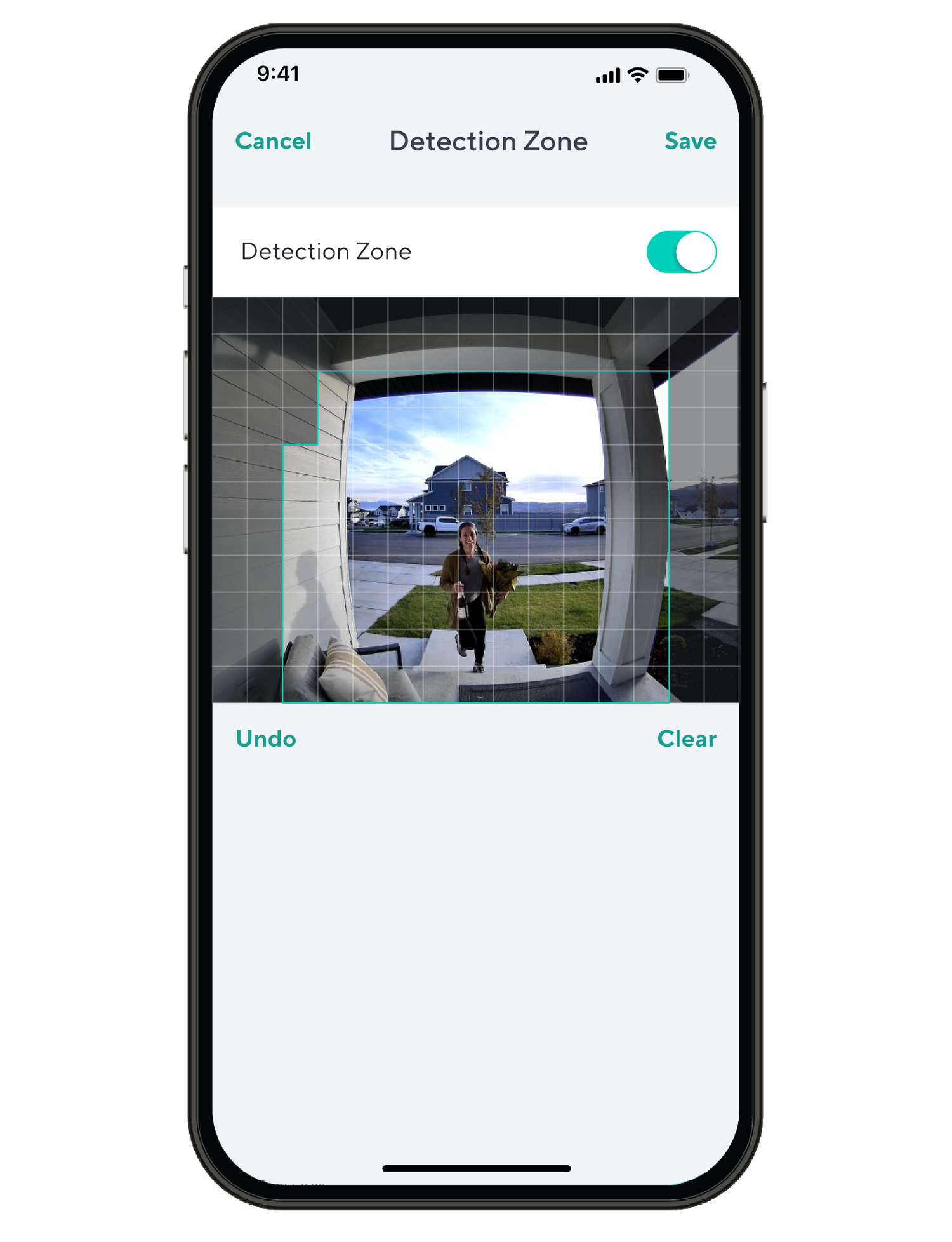
Set custom detection areas so you only receive motion notifications from areas of interest.

Leave no dong un-dinged.

Here's a fancy pants recap of why Wyze Video Doorbell v2 is the best smart video doorbell around.

Compare Doorbells

Swipe to compare more products →
Compare Doorbells
Wyze Video Doorbell Pro
from $99.98 $173.98
Resolution
1563 x 1563 (HD+)
Front: 2048 x 1536 (2K) / Bottom: 1920 x 1080
1440 x 1440
2048 x 1536 (2K)
Field-of-View
H: 150°, V: 150°
Front H: 132°, V: 100° / Bottom H: 121°, V: 60°
H: 150°, V: 150°
H: 135°, V: 103°
Chime
Existing + Auxiliary
Existing
Auxiliary
Existing
Power Option
Battery + Wired
Battery + Wired
Battery + Wired
Wired Only
3P Integration
Amazon Alexa, Google Home
Storage
Local & Cloud
Local & Cloud
Cloud Only
Local & Cloud
View
View
View
View

Support Articles

Before you begin setup

An existing wired mechanical doorbell is required to use Wyze Video Doorbell v2. The existing circuit must have a minimum voltage of 16V-24V and power output of 10VA.

Important: A 16V 10VA transformer is at the low end of the power supply spectrum. Wire age and other wiring conditions can affect how well it powers your Wyze Video Doorbell v2 or rings your mechanical chime. Please consider your wiring and transformer before continuing.

An existing in-house mechanical chime is also required, though it is not required to be functional.

What’s in the box?

Required

  • 1x Phillips Screwdriver
  • Existing wired doorbell and chime

To set up your Wyze Video Doorbell v2:

  1. In the Wyze app, tap Home, then tap + plus sign on the top right.
  2. On the Add menu, tap Device.
  3. Tap Cameras > Video Doorbells > Wyze Video Doorbell v2.
  4. If you’ve already installed your new doorbell, tap Click here to skip the installation tutorial. If not, tap Next and walk through installing the chime controller and doorbell or check out our Wyze Video Doorbell v2 Installation Guide.
  5. On the back of the doorbell, press and hold the SETUP button until it says “ready to connect” and the status light starts flashing orange. The doorbell may say “ready to connect” without pressing the SETUP button. If so, continue.
  6. In the app, tap I heard "ready to connect."
  7. If you haven’t already enabled Location Permissions for the Wyze app, you will see a screen prompting you to do so. Once enabled, tap OK.
  8. Select your 2.4 GHz Wi-Fi network and enter your network password. Tap Next.
  9. Scan the QR code displayed in the app with your doorbell. Hold your phone screen with the QR code displaying up to your doorbell. It will say “QR code scanned, please wait” then “setup completed”.
  10. In the app, check the box next to I heard, ‘QR code scanned’. Tap Next.
  11. You’re set up, it’s time to name your device. Name your Wyze Video Doorbell v2 using the text field, or by choosing a suggestion. Tap Finish when done.
  12. Choose between the Basic plan (no subscription) or Cam Plus. Tap Continue.
  13. Set up some automations on the Things to Try* page, or tap Skip.
  14. Verify that your doorbell’s status light is solid blue, then tap Next.
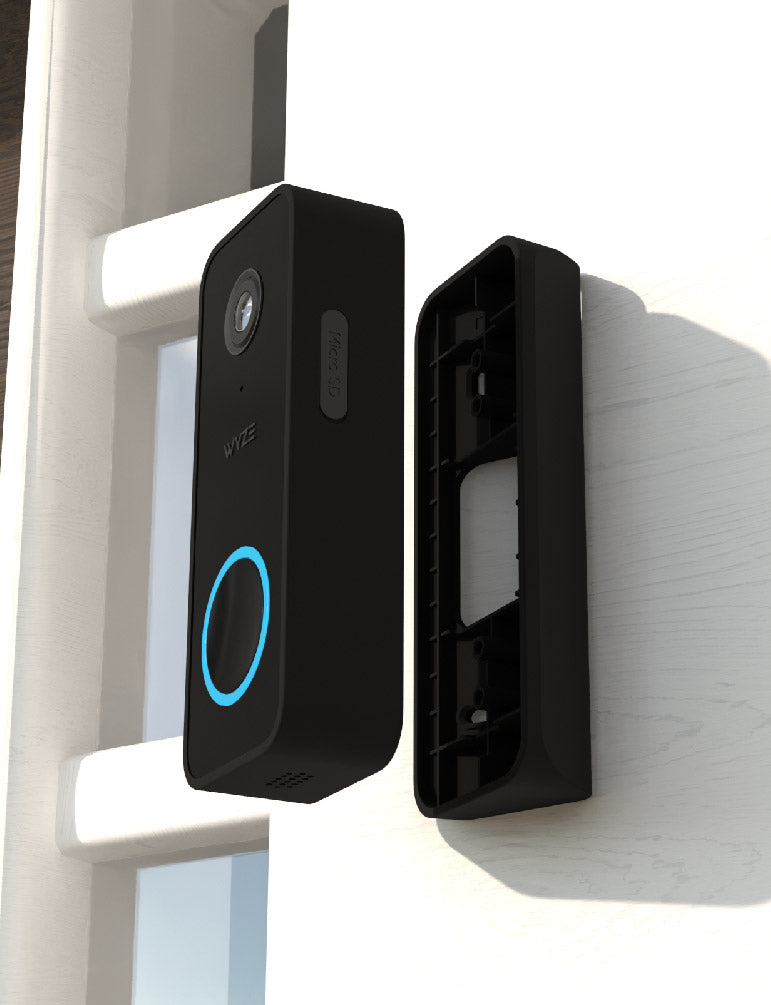
  15. Attach your doorbell to the wall plate. Place your doorbell onto the wall plate while aligning the holes on the back of the doorbell with the ridges on the plate. Then slide the doorbell downward to lock it into place. Tap Next.
  16. You’re all set! Tap Finish and enjoy your new Wyze device!

Things to Try: Tap Create or edit a device group, Share this device, Automate your device, or Skip. These are quick ways to set up a few automations before you finish setup. When you complete a task, it'll display a green checkmark ✅. You can move on from this page by tapping Skip.

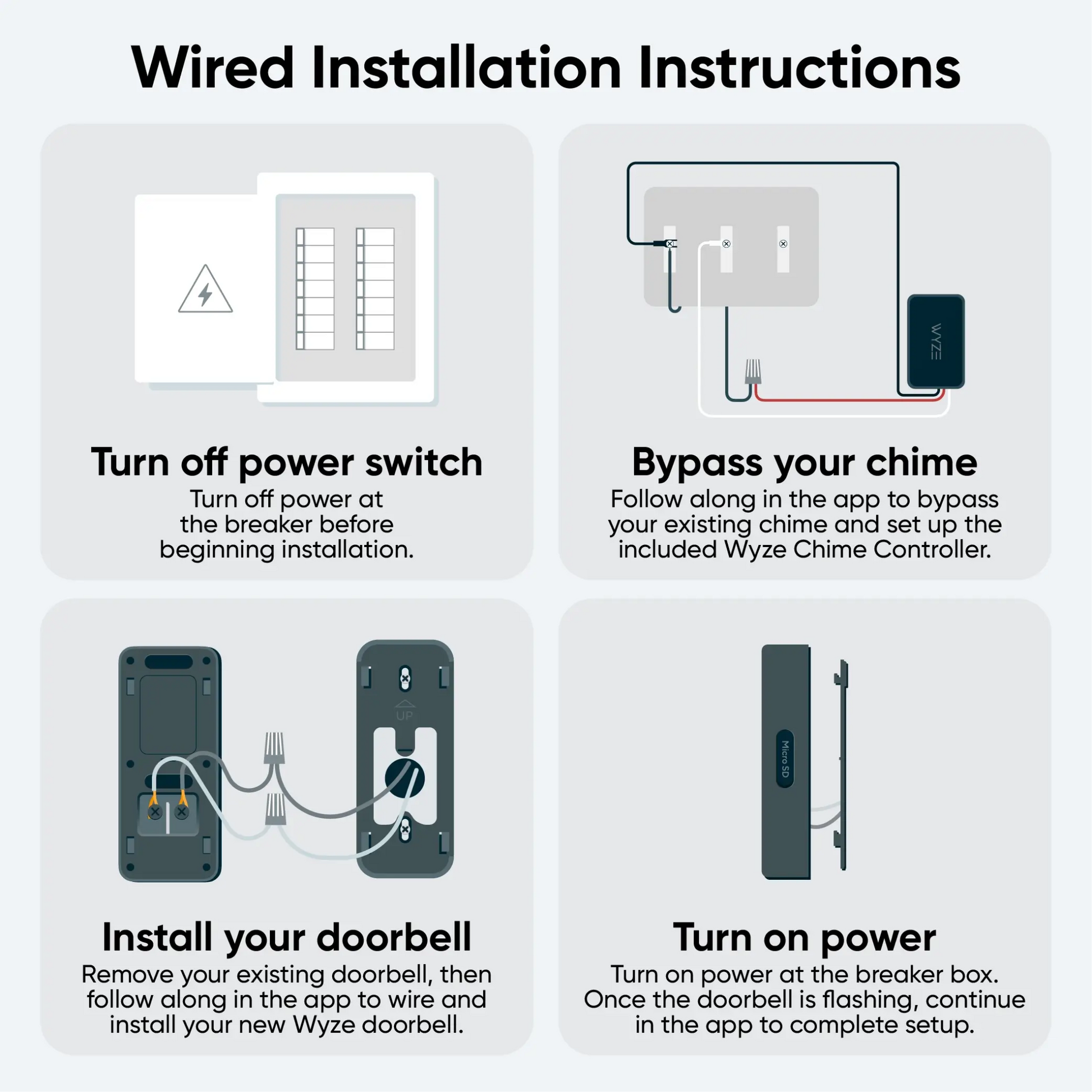
Installing your Wyze Video Doorbell v2 starts with connecting the chime controller to your existing chime. Then, simply connect your doorbell to power and mount it!

⚡️ An existing wired mechanical doorbell and chime is required to install Wyze Video Doorbell v2. The existing circuit must have a minimum voltage of 16V-24V and power output of 10VA.

What’s in the box?

To install your Wyze Video Doorbell v2:

In the Wyze app, complete steps 1-2 in the Wyze Video Doorbell v2 Setup Guide.

Continue below, following along in the Wyze app to wire your chime controller.

  1. In the Wyze app, tap Home, then tap the plus sign + on the top right.
  2. On the Add menu, tap Device.
  3. Tap Cameras > Wyze Video Doorbell v2.
  4. Tap Next.
  5. Check the box next to "I have a screwdriver and existing wired doorbell." Tap Next.
  6. Verify that you have all of the items required for installation. Tap Next.
  7. Verify once more that you have the items required for this step, then tap Next.
  8. Press your existing doorbell button to check that it works as expected. Tap Next.
  9. Turn off power to your existing mechanical doorbell at your electrical panel.
  10. Press the doorbell button again to check that the power is turned off. Tap Next.
  11. Open your chime box and take a photo of your current wiring. Tap Next in the app.
  12. Select the option in the Wyze app that best matches your chime's wiring setup and follow along in the app to connect the wires to the correct terminals. Typically, homes with 1 doorbell have 2 wires, homes with 2 doorbells have 3 wires, etc.
  13. Your Wyze Doorbell Chime Controller installation is complete! Close the chime box and prepare to install the doorbell. Tap Next.
  14. Verify that you have all of the items needed to install your doorbell, then tap Next.
  15. Gently remove your old doorbell and disconnect the wires. Tap Next.
  16. Specify where your doorbell is located in relation to your door. Tap Perpendicular or Parallel.
  17. Use the in-app graphic to determine if your setup would work best with or without a wedge. If a flat/straight view would work best, select Wall Plate and tap Next.If an angled view would work best, select Wedge and tap Next.
  18. Place the wall plate at your desired mounting location and mark the screw holes. Remove the wall plate then drill the screw holes and insert the wall anchors. Tip: We recommend installing 4.3 feet (1.2 meters) from the ground.
  19. Pass the wires from the wall through the middle of the wall plate. Then screw the wall plate to the wall.
  20. Use the screwdriver to loosen the screws on the back of your doorbell and attach the forked end of the extension wires to the screws. Then tighten the screws.
  21. Pair the loose wire ends, cover them with the provided wire caps, and twist the caps to fasten them securely. Tap Next. Note: If you can’t use the extension wires due to space limitations, connect the wires from the wall directly to the screw terminals on the doorbell.
  22. Press the doorbell against the wall plate and slide down to secure in place. To remove the doorbell, press the doorbell and slide it up before pulling away from the wall plate.
  23. Turn on the power to your new doorbell and wait for it to flash orange before continuing.
  24. Hooray! You’re ready to finish setting up your Wyze Video Doorbell v2.

Return to the Wyze Video Doorbell v2 Setup Guide to complete doorbell setup.

Note: Wyze Video Doorbell v2's back plate screw slots have a center distance of about 3 inches with ~0.5-inch tolerance based on the slot length.

Wyze Video Doorbell v2 is compatible with nearly every mechanical chime out there, even broken ones. But here's how to double-check if your existing chime is compatible with this doorbell.

1. Check your Transformer and Voltage

Wyze Video Doorbell v2 requires a power input of 16-24V AC. If your chime is battery-powered, then it is NOT compatible with this doorbell.

If your chime is AC-powered, please check your transformer (near your chime box) to see if the power output is within the required range. If it is not, your chime system is NOT compatible with this doorbell.

If you cannot find a transformer, your house may have an Integrated Chime system. This means the device is integrated Chime & Transformer into one part. Though some of these systems will also provide low output voltage within the required range. Due to complicated circuit designs, they are still NOT compatible with DBV2.

Integrated chime systems take an 110V input directly. Please DO NOT make any changes to it without a license/permit.

2. Check your Chime Box Terminal

When checking your chime box, you will typically find 2 or 3 screws connected to wires labeled “FRONT”, “BACK/REAR”, and “TRANS” (or simply “F”, “R”,” T”). These are called terminals.

If your terminals have different labels (“0”,”1”,”2”), please check the Wyze Video Doorbell v2 Quick Start Guide to identify the wires and set up your chime in the Wyze app.

If you chime has terminals labeled “Computer” or“COM," this means the chime could be a chip-controlled chime system and will be NOT compatible with Wyze Video Doorbell v2.

3. Check your Chime Striking Type

Mechanical chimes have a chime sound caused by a mechanical movement, typically by a striking metal reed. If your chime makes a short "ding" or "ding-dong" sound, then it's a typical mechanical chime and should be compatible with Wyze Video Doorbell v2.

However, some older chimes make a long or slow series of striking sounds like “ding... ding... ding... ding." In these chimes, the striking parts move multiple times while chiming, instead of one short burst. Due to this different powering and cut off mechanism, these chimes are NOT compatible with Wyze Video Doorbell v2.

Wyze Video Doorbell v2 and its Wyze Doorbell Chime Controller are not compatible with:

If you have one of the chime types shown above, we suggest picking up our Wyze Video Doorbell Pro. Wyze Video Doorbell Pro bypasses your existing chime, and pairs with its own chime via Bluetooth®.

Added to your cart
FREE shipping on orders $59+
Subtotal
$0.00
View cart