

Subtotal
$0.00


Experience the all new
Wyze App 3.0 was designed to streamline device management and accessibility.

You can now resize your camera cards to be more compact! That means you can squeeze more cards on your customized Favorites tab and save on load time.

Event playback has been revamped for better viewing with easy-to-manage smart tags, a menu on the right, and swipe functionality to switch between videos faster.


Add a microSD for local 24/7 video recordings

Capture magical moments with a timelapse video

Every user has access to motion detections and alerts

Add smart home automations for daily routines

Works with Alexa, Google Home, and IFTTT

Aye aye captain
Hand-pick a roster of your favorite cameras, smart devices, and automations to show on your new Home tab.

drag n drop
You can tap, hold, and drag all of the elements on the Favorites tab to move your shortcuts and Live streams right where you want them.


Subscription plans
Get a license for a lone cam or the whole gang.


Alerts for person, vehicle, pet, and packages

14-day rolling cloud storage

Get access to an exclusive app shop

Wyze knows the difference between mom and a stranger

Get help sent directly to your home
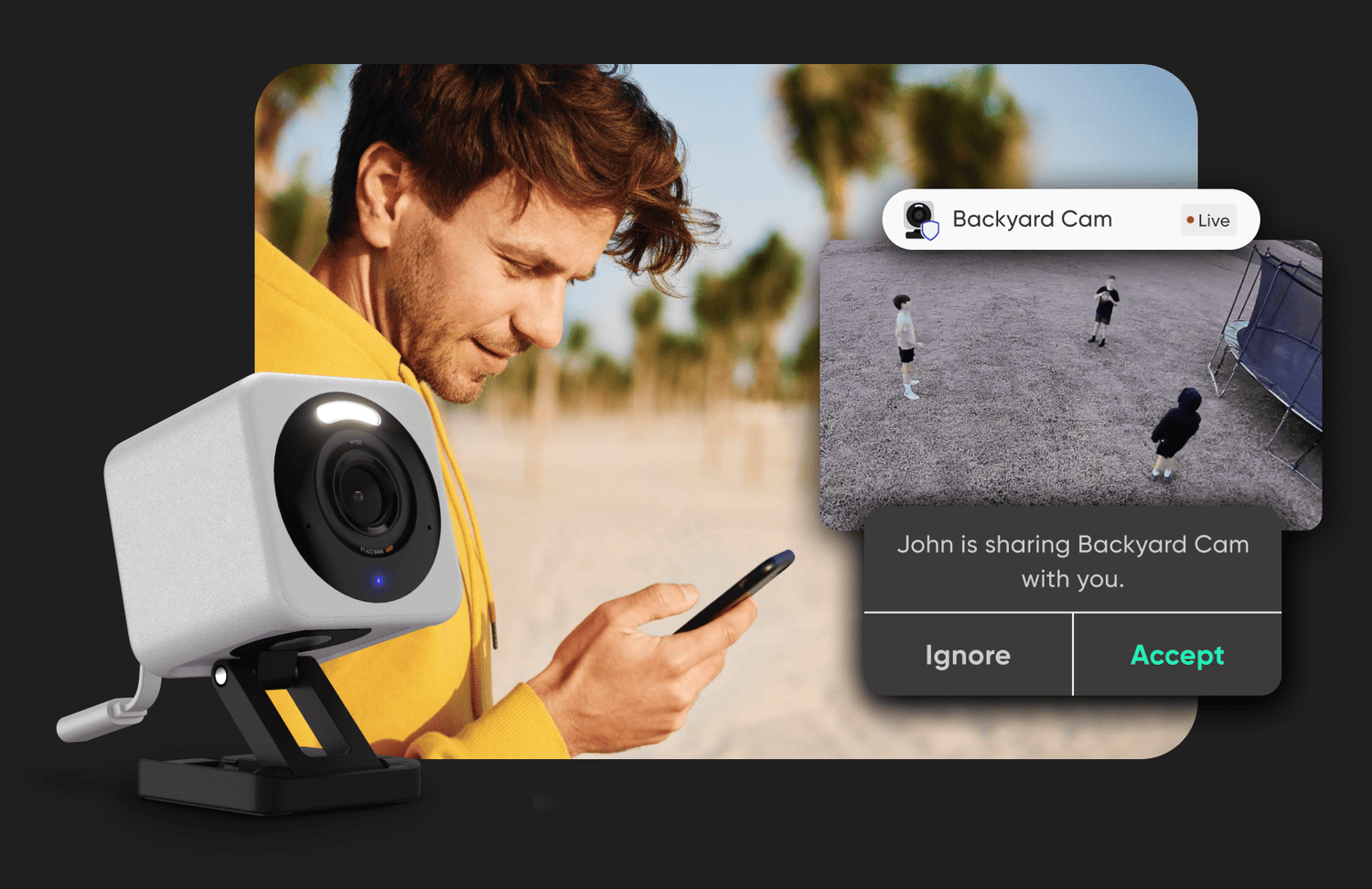
Invite family members or friends to access specific camera feeds at no cost.

Make everything a little smarter
Automations (formerly Rules) has a nice refresh as well. You can favorite your shortcuts, view history logs, and access preset automations to get the most out of your smart devices.
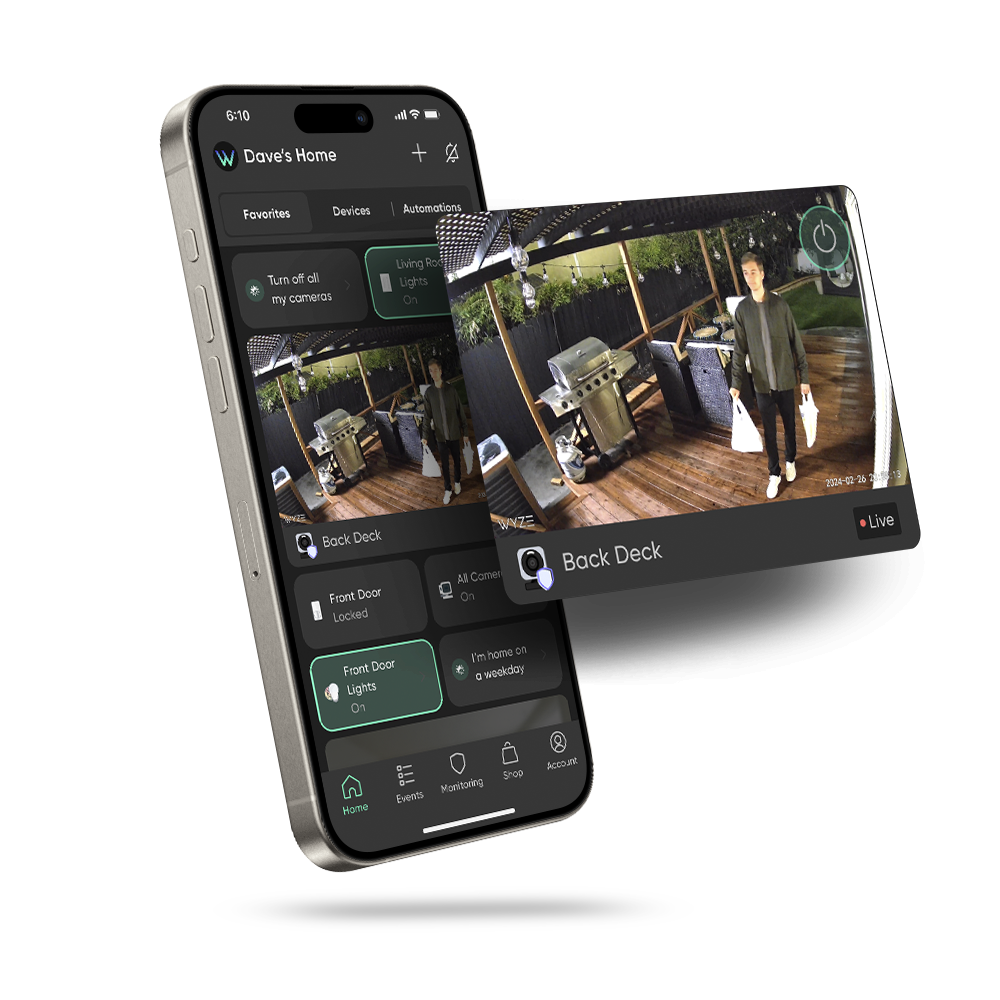
Quick & Easy Monitoring
Check the Live streams of your favorite Wyze Cams at a glance, and manage other devices, groups and automations all on one page.
Smart home devices
Find everything from smart cameras to plugs and bulbs.


Wyze App 3.0 requires iOS 15.0+ or Android 9.0+. If you're on an older OS, your most up-to-date app version is Wyze App 2.50.
There's a lot! We're really excited about the new Home page, which now has three tabs: Favorites, Devices, and Automations (formerly Rules). There's also a new onboarding flow for you to check out, and some of your favorite icons have new homes.
Check the Wyze app badge. If the background is black with a blue gradient W, you're on the latest!
Don't fret! We're releasing the app in batches over the next 1-2 weeks to not overwhelm our support folks. It'll be in your app store soon!
Nope, no subscription needed. Every Wyze user with a compatible phone or tablet can download the latest app and access this new interface and experience. You can be a free (plan-less) user or a Cam Unlimited subscriber; we're giving everyone the best experience. (link to: Cam unlimited page)
To get you started, Wyze App 3.0 will automatically add your 5 most-used devices and groups to your Favorites list. You can add to this list by tapping the star icons on the Devices or Automations tabs. You can also sort your Favorites by tapping and dragging items where you want them.
You can view the Live stream of any Wyze Cam by adding it to your Favorites list. Once added, the live stream for those cams will play automatically when you open the app. Note: To preserve battery life, our battery-powered cams must be launched first to view the live stream.
Yes, Wyze App 3.0 introduces even more support for dark mode! Dark mode is now available on the Home tab, the new onboarding flow, and more pages for a sleek a modern look that's easy on the eyes. While dark mode is not yet support on all existing pages, we are committed to ongoing improvements and will continue to work on expanding dark mode throughout the app.
Yes, all of your existing settings, data, and device configurations will be retained after updating to Wyze App 3.0. The update is designed to enhance your experience without disrupting your current setup.
*Friendly Faces, aka facial recognition, is only available for the Cam Unlimited/PRO plans.
**Emergency Dispatch services is only available for Cam Unlimited PRO and Home Monitoring Services.
BETA TEST FEATURES
Currently we have a limited beta running inside of Wyze App for our new AI Garage Door feature. Please fill out the form below if you're interested. Eligible users must have: A Wyze Cam v3 Pro/v4 and an active Wyze Subscription Plan.
