Skip to product information
1 of 8

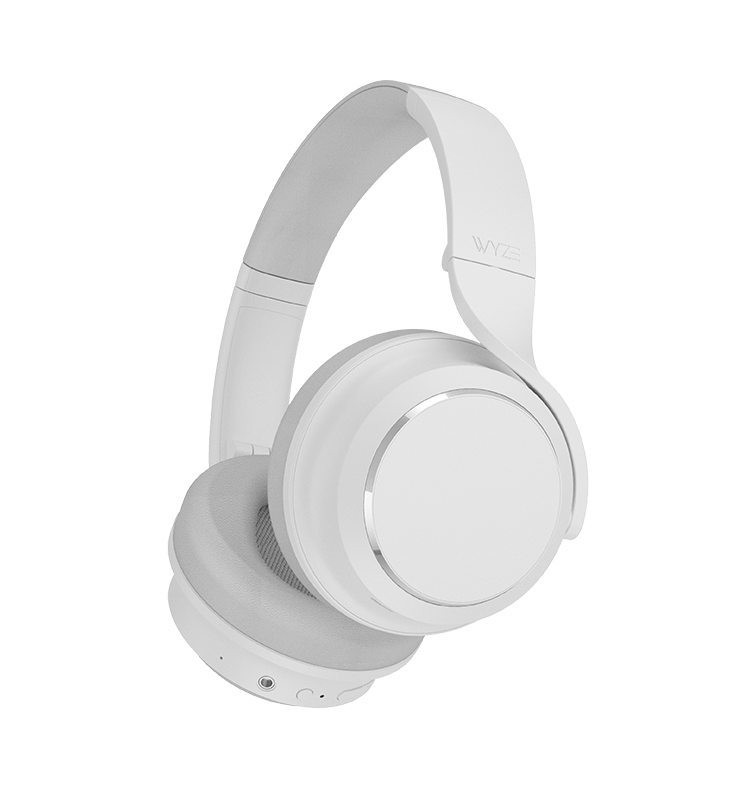
Wyze Noise-Cancelling Headphones

Wyze Noise-Cancelling Headphones

Wireless Headphones with 20‑Hour Battery

Color
Style
SALE
$29.99 $89.99SAVE 67%
Out of stock
Get it as soon as
30-day hassle-free returns.
Out of stock
A blue and white logo for Wyze.
Wyze.com Exclusive BENEFITS
18-month extended warranty

Get an 18-mo extended warranty when you buy this product on wyze.com. Also get special bundles, unique promos, + rewards with each order

Like a symphony playing just for you.
View full details
  • Noise cancelling headphones icon.

    Hybrid Active Noise Cancellation

    40 dB hybrid active noise cancellation with Transparency Mode.

  • A black and white image of a head with a phone icon in the center.

    Fatigue-Free Fit

    20mm memory foam and oblong earpads for all-day comfort.

  • A microphone icon with the text "Wyze Noise Cancelling Headphones.

    Voice-Isolating Microphones

    Dedicated mics isolate your voice in a room full of chatter.

  • A black and white image of a battery with the text "Wyze Noise Cancelling Headphones.

    Wireless with 20-Hour Battery Life

    Listen for up to 20 hours per charge. 10 minutes on the charger gets you 4 more hours.

Headphones Weight and Materials

  • Weight: 9.9oz
  • Headband material: Multilayer composite of stainless steel, EVA foam, and plastic, covered in protein leather
  • Earcup cover material: ABS plastic and PC with special coating for touch gestures
  • Ear cushion material: Memory foam covered in protein leather

Bluetooth Specification

  • Bluetooth range: 33 ft (10 m)
  • Bluetooth version: Bluetooth 5.0
  • Bluetooth codec: SBC, AAC
  • Multiple device connection: Supports two device connections at the same time

Speaker

  • Driver dimensions: 40 mm dome type driver (copper wire voice coil)
  • Magnet material: Neodymium
  • Diaphragm: High transient dual TPU composite diaphragm
  • Frequency response over Bluetooth: 20 - 20,000 Hz (44.1 kHz sampling rate)
  • Frequency response over line-in: 20 - 38,000 Hz
  • Sensitivity: 113 dB/mW @1 kHz
  • Total harmonic distortion: <0.5% 1 mW/1kHz
  • Impedance: 32 Ω

Battery

  • Charging method: USB Type-C
  • Battery life: Up to 20 hours of music or call with high noise cancellation
  • Charging time: Around 2 hours
  • 10-Minute quick charge: Up to 4-hour playback time
  • Charging temperature: 41 - 95 ºF (5 - 35 ℃)
  • Battery type: Lithium-ion rechargeable battery
  • Battery capacity: 1,000 mAh DC 3.7V

Microphones

6 total microphones
  • 4 microphones for active noise cancellation
  • 2 microphones for voice pickup
  • Voice microphones
  • Sensitivity: -32 dB at 1kHz
  • Directivity: Omnidirectional
  • SNR: 74
  • Frequency response: 50 - 10,000 Hz
  • Impedance: 2.2 kΩ

Control Input

  • Power/Bluetooth button
  • Single press to turn on and off
  • Press and hold to enter pairing mode
  • Noise cancellation button
  • Single press to switch between noise cancellation modes
  • Volume +/- buttons
  • Single press to adjust volume
  • Play/Pause button
  • Music playback: single press to play/pause, double-press to skip forward, triple-press to skip backward
  • Call: single press to start/end the call, press and hold to reject a call
  • Voice assistant: press and hold to activate voice assistant
  • Touchpad
  • Double-tap to activate the voice assistant, or mute and unmute in calls
  • Cover to enable Quick Conversation mode

Environment

  • Operating environment: 31 - 104ºF (0 - 40℃), humidity < 95%
  • Storage and transporting environment: -4 - 140ºF (-20 - 60℃), humidity < 95%

No Travel Case

  • Wyze Headphones x1
  • Soft Carrying Pouch x1
  • USB Type-C Cable x1
  • Audio Cable x1
  • Quick Start Guide x1

With Travel Case

  • Wyze Headphones x1
  • Hard Case x1
  • USB Type-C Cable x1
  • Audio Cable x1
  • Quick Start Guide x1

Please check the help center and see if we’ve got what you need. Alternatively, you may also find the list of related parts here.

Up to 20 hours of music playback and call time.

Yes, all you need is a Bluetooth connection to use the headphones. If you want to use more advanced features, like touch controls and the equalizer, you will need the Wyze app.

Yes! Wyze Headphones are wireless and connect via Bluetooth, but can also be used with the included 3.5mm headphone jack.

Download the Wyze app, and click the plus sign + > Add Device > Wyze Headphones. Follow the setup instructions.

Yes, they include a cloth carrying pouch.

Yes, you can control the bass, mids, highs, and more using the equalizer in the Wyze app.

Hybrid active noise canceling through 2 feedback microphones and 2 feed-forward microphones, with a 40dB noise reduction depth.

Yes, you can switch between High ANC, Low ANC, and Transparency mode in the Wyze app and on the headphones.

Wyze Headphones produce stereo sound.

A DC 1000mAh lithium ion battery.

Yes, Wyze Headphones can connect to Bluetooth-capable devices like gaming consoles and computers.

See how real people react to Wyze Headphones

A woman wearing headphones and standing on a train platform.

You’ll think the rest of the world is standing still.

40dB Quick On/Off Hybrid Active Noise Cancellation (ANC).

Equipped with four noise-cancelling microphones and an ultra-fast processor, outside noise is reduced to a whisper so you can stay focused while the world buzzes around you.

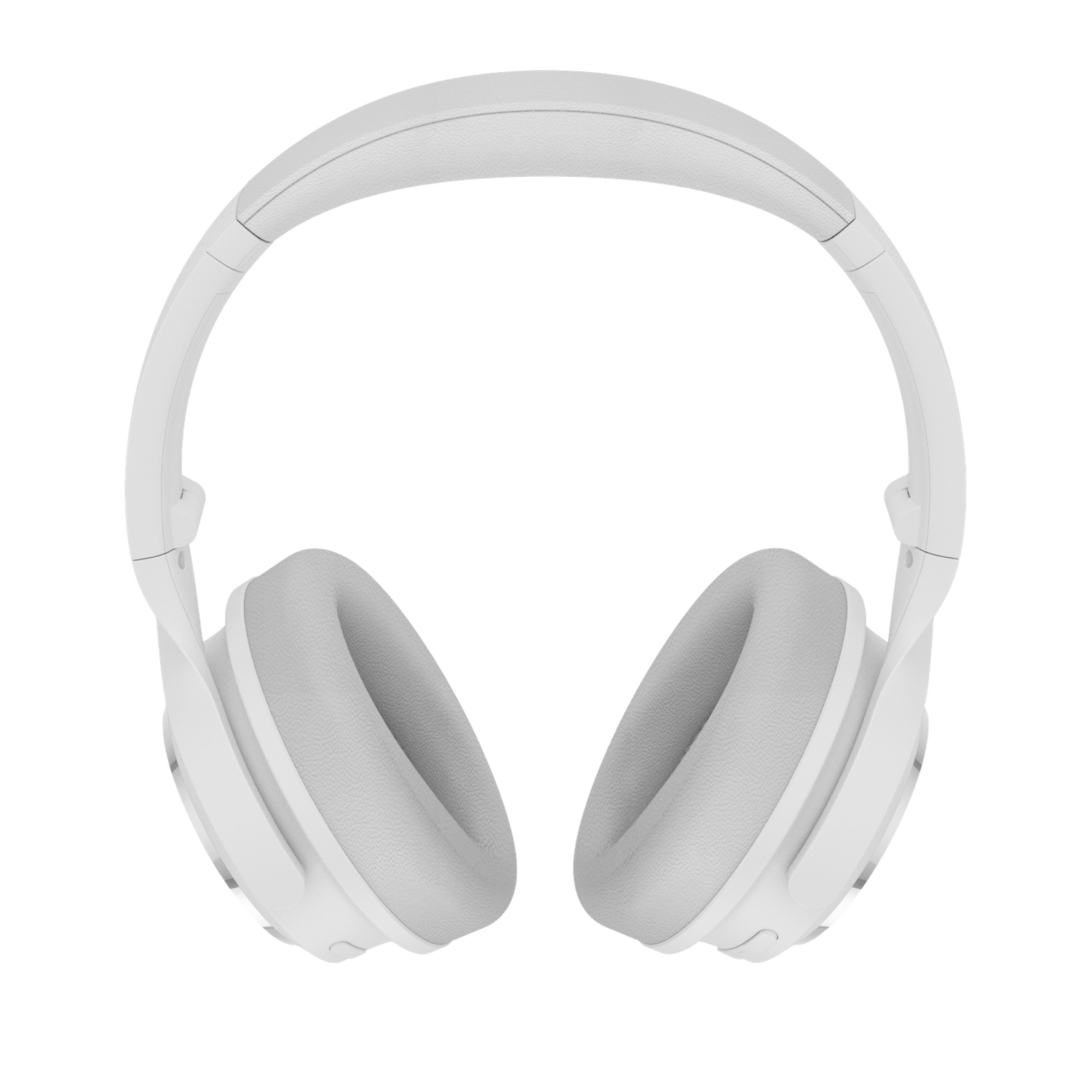
White Wyze Noise-Cancelling Headphones.

For when you want to break the silence.

Transparency Mode

Outside sounds are amplified through your headphones with just a touch so you can listen for your coffee order while enjoying music.

Wear Detection

Audio automatically pauses when your headphones are removed and resumes when they’re put back on saving your spot in the song and battery.

Quick Conversations

Gently touching your right earcup pauses audio and enables Transparency Mode allowing you to join a conversation at a moment’s notice without taking your headphones off.

Your own private symphony.

World-class engineering and proprietary AI meets precision-tuned premium hardware. Prepare for an audio experience normally reserved for the “top shelf” brands.

A woman wearing headphones and dancing in front of a colorful mural.
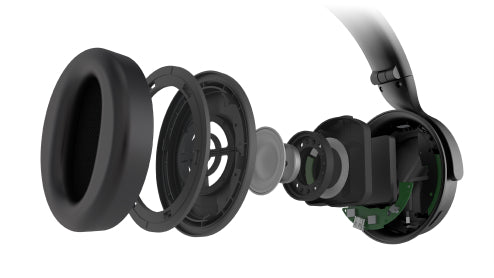
Wyze Noise Cancelling Headphones show internal components.

Dual TPU Composite Diaphragm Drivers.

Deep bass, stable mids, and crisp highs brought to you by dual 40mm drivers and a range of frequencies up to 38kHz transport you to the front row of your favorite concert.

In short, these headphones mean business.

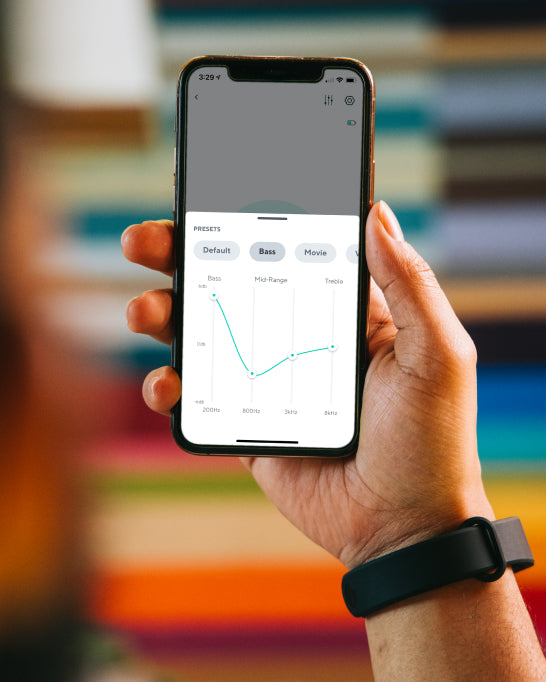
A person holding a phone with a Wyze Noise Cancelling Headphones banner on the screen.

Customize the perfect listening experience in the Wyze app.

Create and save your own adjustments and custom preferences or choose from premade selections optimized for music, movies, gaming, and more.

Man wearing headphones and reading a book.

So comfy you'll forget you're wearing them.

Responsive memory foam and elongated earpads delicately embrace the ear for a superior, fatigue-free fit.

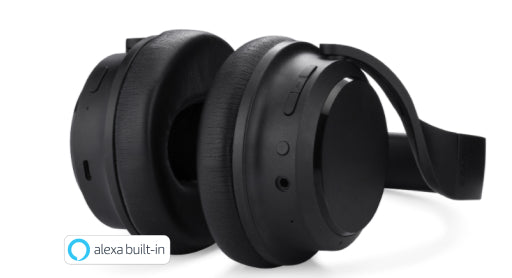
Wyze Noise Cancelling Headphones with Alexa built in.

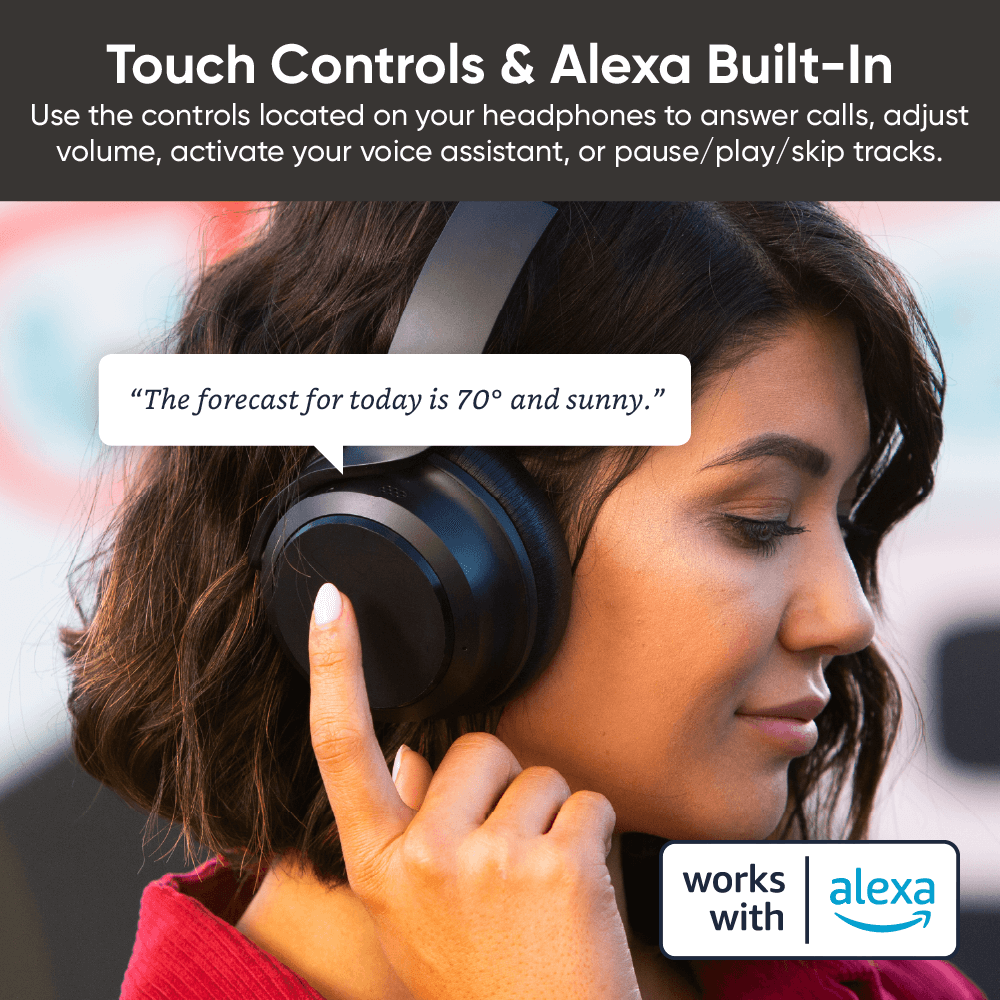
Intuitive touch and tap.

Use the controls located on your headphones to answer calls, adjust volume, activate your voice assistant, or pause/play/skip tracks.

Man wearing headphones and laughing.
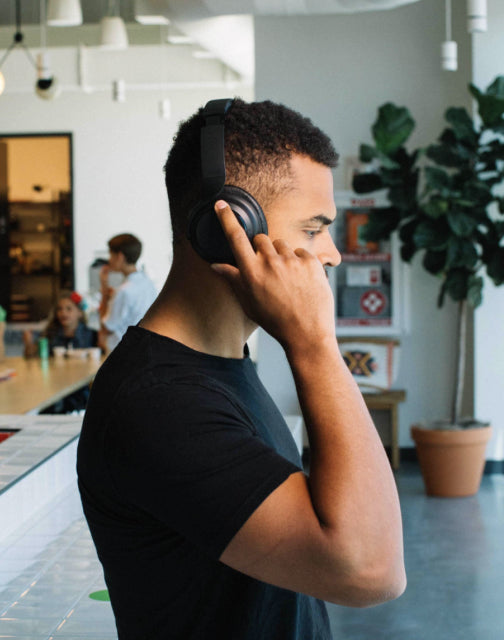
Man wearing black shirt and headphones.
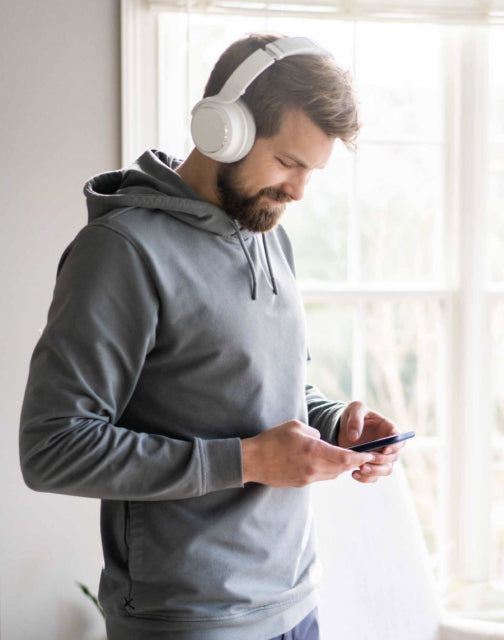
Man wearing headphones and looking at his phone.

Your voice is now your light switch. Command your lights with your voice by asking Alexa or Google Assistant to turn them on/off, adjust brightness, or change color.

Dual voice-isolating microphones. Dedicated microphones isolate your voice from surrounding chatter so your voice is crystal clear on calls.

With Bluetooth 5.0 and two connected devices at once. Roam around your home or office with fully wireless headphones that can connect to two devices at once. Jump from music on your laptop to incoming calls on your phone without resetting your Bluetooth connection.

Access music, weather, and more with voice assistants

Use Amazon Alexa built-in or your device’s native voice assistant (Siri, Google Assistant, Bixby).Leave your phone in your pocket and ask Alexa or your phone’s native voice assistant to access information, set reminders, play music, and more all with your voice.

A woman wearing headphones and touching the side to ask a question.

Support Articles

Wyze Headphones are the quickest and easiest Wyze device to set up. As long as you're connected to Bluetooth, you're only a few taps away from being set up in the app.

Related article: Do the headphones work without the Wyze app?

To set up your Wyze Headphones:

  1. In the Wyze app, tap Home, then tap the plus sign + on the top right.
  2. On the Add menu, tap Device.
  3. Tap Lifestyle > Wyze Headphones.
  4. Your Wyze app will automatically begin searching for the headphones to pair via Bluetooth. If they’re already turned on and in pairing mode, the app should find them in a few seconds.If they’re not already turned on, briefly press the power button on the bottom of the right ear cup. Once the Headphones’ light turns blue, press and hold the power button until the light begins flashing blue/red. If you're wearing the headset during this process, you should hear a brief “Pairing” voice prompt.
  5. Once paired, the Wyze app will prompt you to cover the right ear cup with your hand. The app will proceed to the Wyze Headphones product page. You're all set!
  6. If the app doesn't automatically proceed at this point, tap Skip in the app to complete set up.

Download the Quick Start Guide for Wyze Headphones in this article.

Below is the Quick Start Guide for Wyze Headphones a short manual for how to get started.

This guide is a short user manual with the basics about Wyze Headphones including:

  • What's in the box for Wyze Headphones.
  • How to download the Wyze app.
  • How to set up Wyze Headphones.
  • How to use the controls on Wyze Headphones.
  • FAQs for Wyze Headphones.

Download the Quick Start Guide for Wyze Band here.

Below is the Quick Start Guide for Wyze Band, a short manual for how to get started.

This guide is a short user manual with the basics about Wyze Band including:

  • What's in the box for Wyze Band.
  • How to download the Wyze app.
  • How to set up Wyze Band.
  • How to use the controls on Wyze Band. Download the Quick Start Guide for Wyze Band here. Below is the Quick Start Guide for Wyze Band, a short manual for how to get started. This guide is a short user manual with the basics about Wyze Band including: What's in the box for Wyze Band.How to download the Wyze app.How to set up Wyze Band. How to use the controls on Wyze Band. Download the Quick Start Guide for Wyze Band here. Below is the Quick Start Guide for Wyze Band, a short manual for how to get started. This guide is a short user manual with the basics about Wyze Band including: What's in the box for Wyze Band.How to download the Wyze app.How to set up Wyze Band. How to use the controls on Wyze Band. Download the Quick Start Guide for Wyze Band here. Below is the Quick Start Guide for Wyze Band, a short manual for how to get started. This guide is a short user manual with the basics about Wyze Band including: What's in the box for Wyze Band.How to download the Wyze app.How to set up Wyze Band. How to use the controls on Wyze Band. Download the Quick Start Guide for Wyze Band here. Below is the Quick Start Guide for Wyze Band, a short manual for how to get started. This guide is a short user manual with the basics about Wyze Band including: What's in the box for Wyze Band.How to download the Wyze app.How to set up Wyze Band. How to use the controls on Wyze Band. Download the Quick Start Guide for Wyze Band here. Below is the Quick Start Guide for Wyze Band, a short manual for how to get started. This guide is a short user manual with the basics about Wyze Band including: What's in the box for Wyze Band.How to download the Wyze app.How to set up Wyze Band.How to use the controls on Wyze Band.

Problem

Your Wyze Headphones show offline in the Wyze app, load slowly, or disconnect frequently.

Troubleshooting

  1. Confirm that your Wyze app is up to date.In your Wyze app, navigate to the Account tab > tap About.Your current app version will be listed beneath the Wyze logo.Compare your app version to the latest app version listed on our Release Notes & Firmware page.If you find that your Wyze app is out of date, head over to your mobile device’s app store and update the Wyze app.
  2. Make sure the headphones are fully charged and turned on.If your Wyze Headphones aren’t charged, fully charge them, then make sure they are on and the status light is on.Short on time? You can do a Quick Charge by charging your headphones for 10 minutes.
  3. Check the Bluetooth® connection.In your phone’s settings, toggle Bluetooth® off and then back on.Ensure your headphones are within Bluetooth® range of your phone.This distance varies by device but is generally about 30 feet. If the headphones were previously connected, forget them in the Bluetooth® settings and then pair them again.Note: If your headphones were previously connected to other phones/tablets, you’ll need to unpair them from those devices as well. If there are other devices connected to your phone via Bluetooth® or other apps currently using Bluetooth® that may be causing interference, unpair the devices or close the apps.
  4. Verify that Location Permissions are enabled for the Wyze app in your phone/tablet settings.Make sure that it is set to Always or While Using the App.For iOS users, make sure that Precise Location is turned on.
  5. If possible, check that your Wyze Headphones firmware is up to date.You can check this by going to the Account tab > Firmware Update.If there is an update available for the headphones, please move forward with updating them.
  6. Force close the Wyze app.
  7. Restart your phone.
  8. Power cycle the headphones.Single-press the power button on the right ear cup. You should hear a “power off” voice prompt.Wait 10 seconds, then single-press the power button again. You should hear a “power on” voice prompt.
  9. Delete the headphones from the Wyze app and set them up like new.
  10. Try a different phone if possible.
Added to your cart
FREE shipping on orders $59+
Subtotal
$0.00
View cart