Looking for the [suggested_country] site?

Some offers and content vary by region. You're currently browsing the United States site.

Skip to product information

Solar Cam Pan 2K + Cam Unlimited Bundle

Solar Cam Pan 2K + Cam Unlimited Bundle

Loading bundle…
A blue and white logo for Wyze.
Wyze.com Exclusive BENEFITS
18-month extended warranty

Get an 18-mo extended warranty when you buy this product on wyze.com. Also get special bundles, unique promos, + rewards with each order

View full details
  • Maintenance-Free Solar Power

    Maintenance-Free Solar Power

    An integrated solar panel delivers continuous power to the battery with just one hour of sunlight per day.

  • 360° Pan/Tilt Coverage + 2K HD

    360° Pan/Tilt Coverage + 2K HD

    See every detail with no blind spots. Secure an entire space with pan and tilt coverage.

  • AI-Powered Person Tracking

    AI-Powered Person Tracking

    Detects and locks on to people, following them wherever they go.

  • Quick, Easy Mounting + Setup

    Quick, Easy Mounting + Setup

    Mount anywhere and snap into place in minutes. Enjoy hassle-free setup with Bluetooth®.​

Wyze Cam + The Sun. Love at first light.

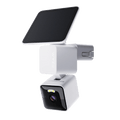
Let the sun do the work. ☀️ An integrated high-efficiency ETFE solar panel delivers continuous power to the battery with one hour of sunlight per day.

360° pan/tilt coverage with AI-powered person tracking.

Edge AI detects and locks on to people, following them wherever they go. Secure an entire space with pan and tilt coverage. Control remotely via the Wyze app to see exactly what you want.

Flexible solar panel mounting.

Connect the solar panel on top of the camera for a tidy install. Or place it separately where the sunlight’s strongest for maximum charging power. The choice is yours.

Cloudy days? No sweat.

Does the sun like to hideout for a while where you live? No worries. The built-in 6400mAh lithium-ion battery provides up to 6-months of standalone power.

2K HD Resolution with WDR

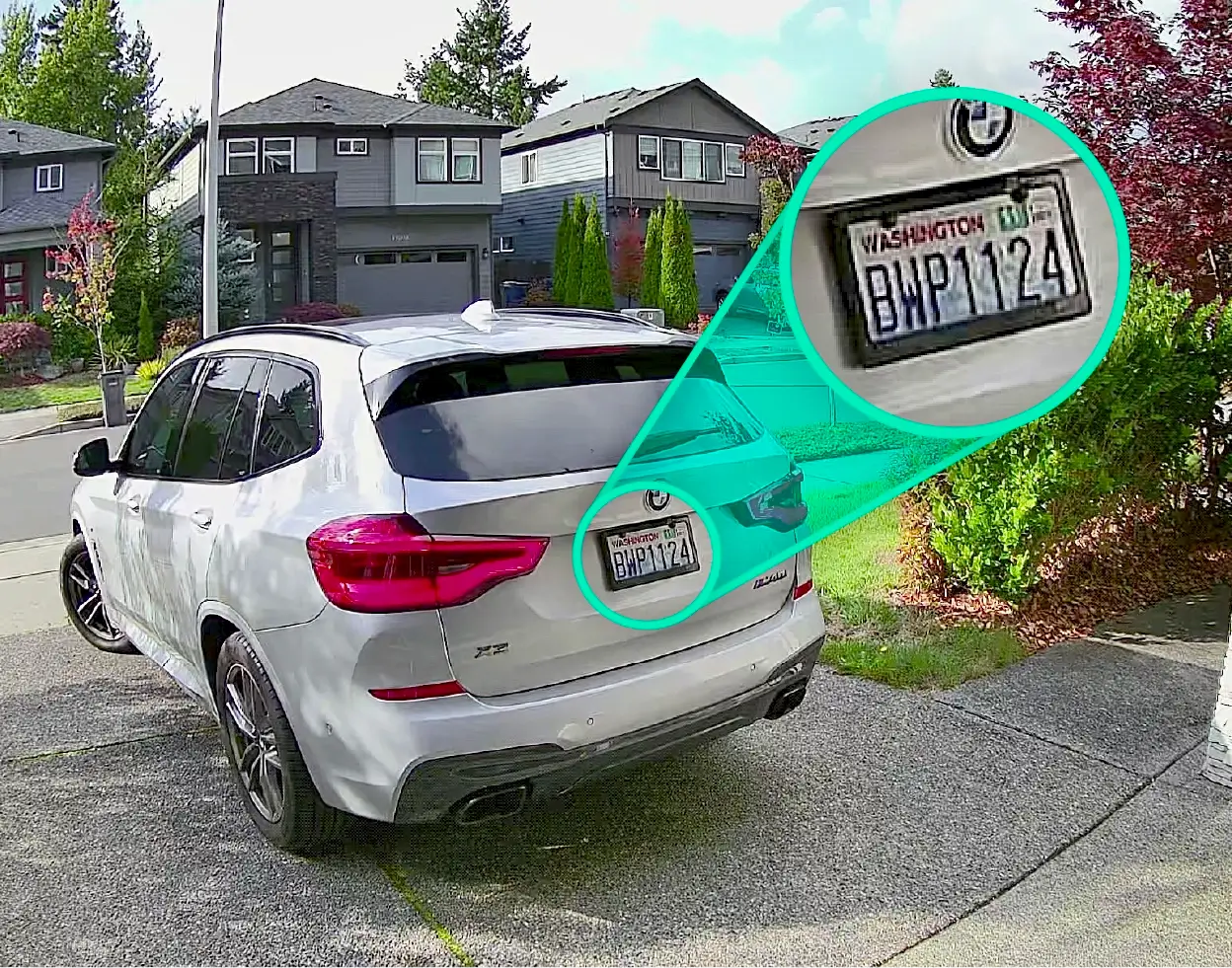
Crystal-clear video recording with a wide field-of-view captures every detail, day or night. Wide Dynamic Range (WDR) evens out the brightest highlights and the darkest shadows so nothing gets lost.

Motion-activated spotlight & siren.

Deter intruders or light your way home with a motion-activated spotlight. Activate the loud 105dB siren for extra security.

IP65 weather resistance.

Drip. Splash. Plop. No matter the weather, this camera cannot be stopped. Built tough to handle the elements outdoors. Designed with style to blend into your home indoors.

  • Two-Way Audio

    Hear sound and speak through the camera from anywhere with the Wyze app.

  • Detection Features

    Get notified on your smartphone when motion is detected. 

  • AI Notifications and Descriptive Alerts

    Customize your detections and notifications. Get a detailed alert of what's happening with Descriptive Alerts, available with Cam Unlimited Pro. Click to learn more.

  • Wi-Fi 6 Support

    Maintain a strong and reliable connection with Wi-Fi 6 support (Wi-Fi 6 router required), resulting in smoother livestreaming.

More to Love

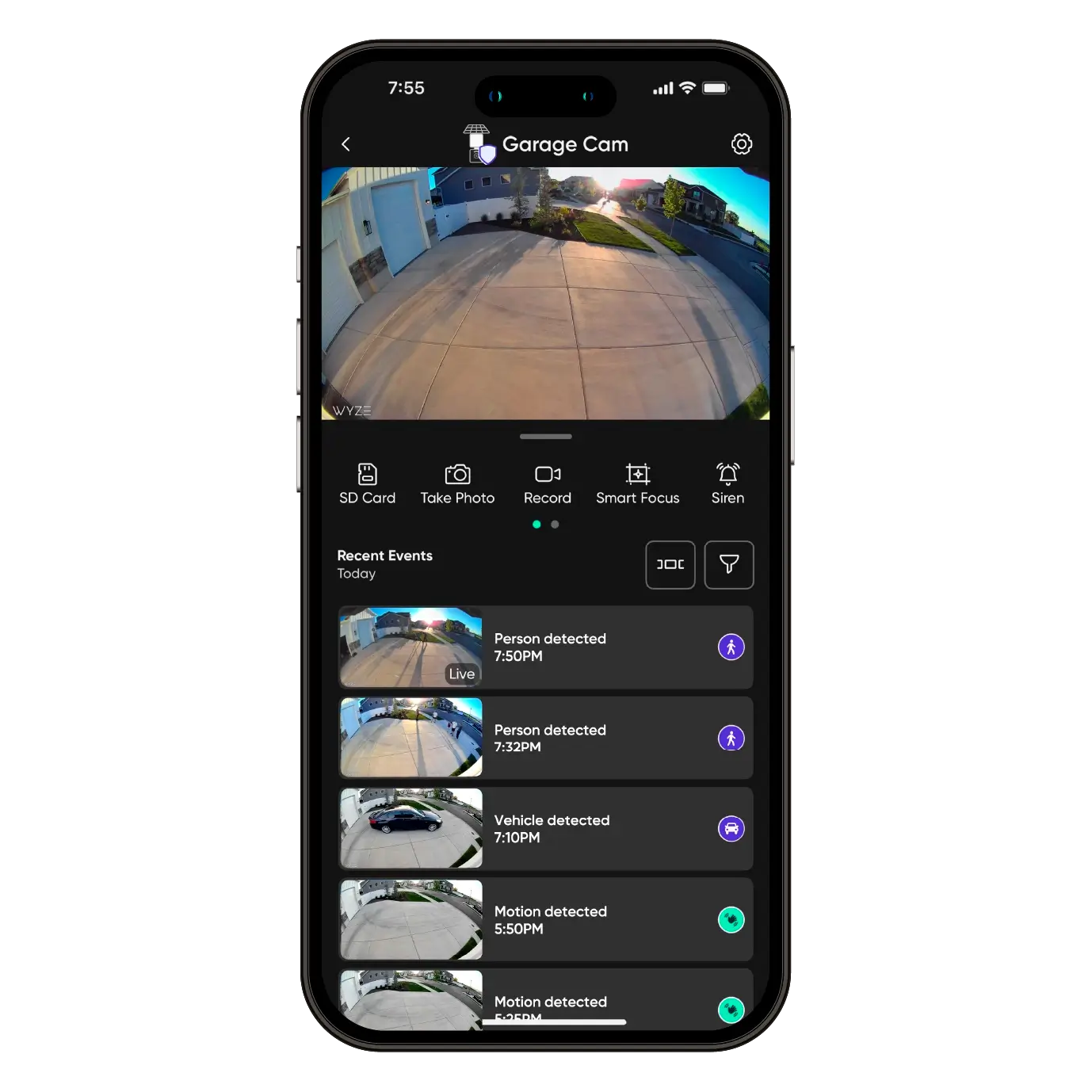
Missed something? Of you course you didn't. Because you're using a camera that's backed by the world's best smart home app. Just tap to review recorded events from wherever you are.

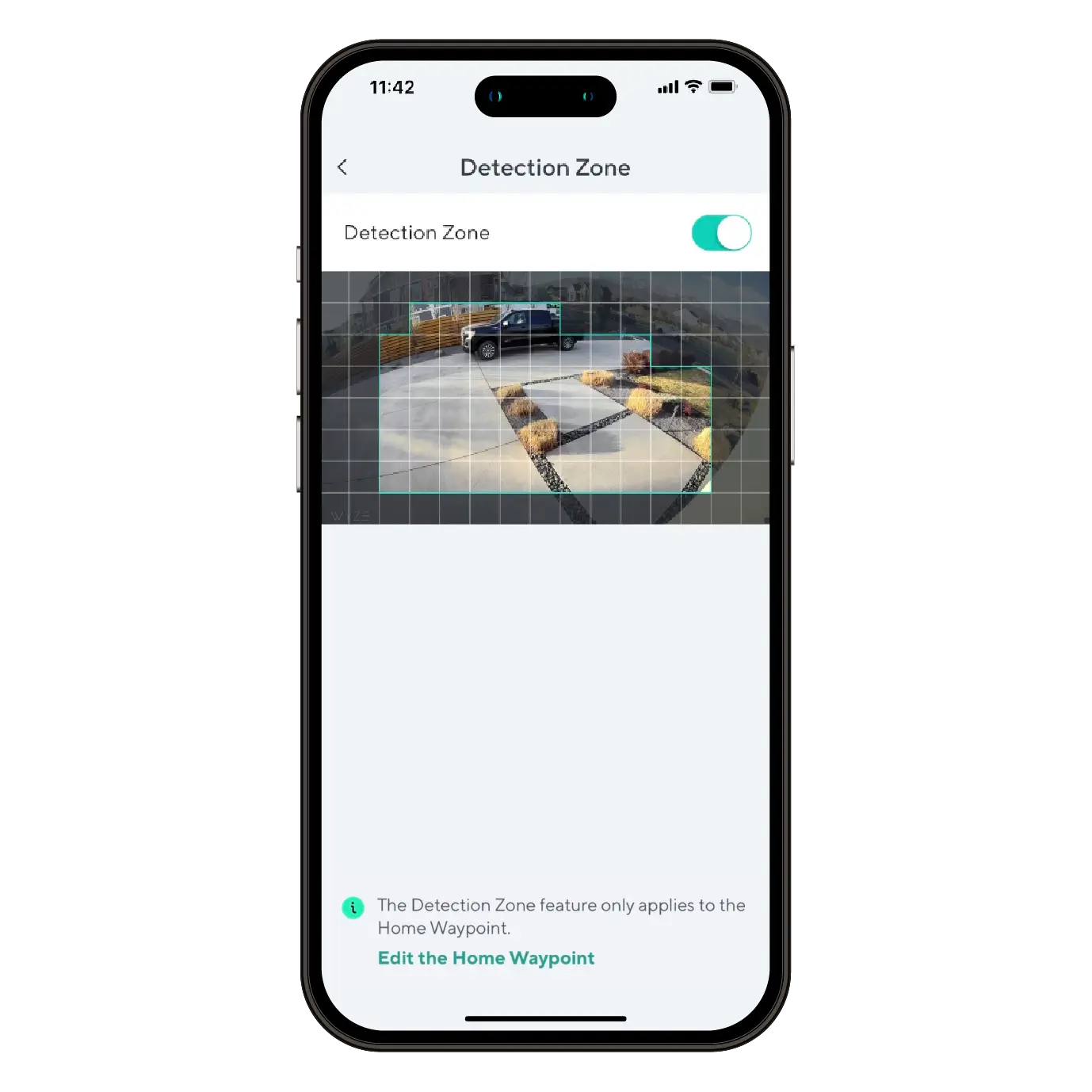
Monitor specific areas for motion so you only receive notifications when it matters.

Convenience and customization at your fingertips with integrations like Amazon Alexa, Google Assistant, IFTTT, and Wyze Rules. 

See our unique design in action.

How to Setup Wyze Solar Cam Pan

While following the Wyze Solar Cam Pan 2K Setup Guide, you'll be prompted to install your camera. Follow along with this video and article to install your Wyze Solar Cam Pan 2K.

What's in the box?

Note: A 5V/2A power adapter is required to charge Wyze Solar Cam Pan 2K using an outlet.

  1. Follow along in the Wyze Solar Cam Pan 2K Setup Guide. Once successfully paired, tap Next.
  2. Ensure you have the required tools. Tap Next.You will need a ladder and a Philips-head screwdriver.
  3. Review the series of installation tips, tapping Next on each.Avoid pointing the camera at trees and busy roads.Position your camera for better motion detection.Mount the camera 7-10 feet up, angled 30° down.
  4. Check your Wi-Fi Strength. Tap Next.
  5. If you have a strong connection, tap Next.
  6. Choose how you'd like to install your Wyze Solar Cam Pan 2K and solar panel.Tap Install Together to attach the solar panel to the camera before mounting.Tap Install Separately to mount the solar panel and camera separately.
  7. Once installation is complete, follow the in-app instructions to complete setup.
  8. You're all set! Tap Done.

Before you begin setup:

  1. Download the Wyze app on your smartphone or tablet.
  2. Connect your device to a 2.4 GHz Wi-Fi network, and enable BluetoothⓇ.
  3. Unpack your Wyze Solar Cam Pan 2K box, removing all plastic and packing materials.Be sure to remove the plastic film from the lens.
  4. Plug the camera into power using the provided Type-C cable, and a 5V/2A adapter (not included).You must fully charge Wyze Solar Cam Pan 2K before setup and installation.The camera’s status light will turn solid red while charging, and solid blue when charging is complete.

To set up your Wyze Solar Cam Pan:

  1. In the Wyze app, tap Home, then tap + plus sign on the top right.
  2. On the Add menu, tap Device.
  3. Tap Cameras > Pan and Tilt Camera > Wyze Solar Cam Pan 2K.
  4. Ensure that your camera is fully charged. Tap Begin Setup.The camera's status light will be solid red when charging, and solid blue when fully charged.
  5. Single-press SETUP on top of the camera. The camera will say "ready to connect." In the app, check the box next to It said, Ready to connect".
  6. Tap Next.
  7. If BluetoothⓇ hasn't been enabled, you will be prompted to allow BluetoothⓇ and location access. Tap Next.If BluetoothⓇ and location access has already been enabled, it will skip to the next step.
  8. The app will automatically begin searching for and pairing with your Wyze Solar Cam Pan.If you have multiple Wyze Solar Cam Pans, select the correct camera by tapping the MAC address that matches the address on the top of the camera.
  9. Select your 2.4 GHz Wi-Fi network and enter your network password. Tap Next.Tap the icon in the password field to display the password to ensure it was entered correctly.
  10. Your device will continue pairing. Once paired, tap Next.
  11. Once connected, the app will show an installation guide with placement tips.
    Check out: Wyze Solar Cam Pan 2K Installation GuideIf you want to use the installation guide now, tap Next.If not, tap Skip.
  12. Now it's time to set up your Home Waypoint, your cam's default view. Tap Continue.The Home Waypoint is required for this initial setup.Once your camera connects to the live stream, the camera will automatically calibrate for accurate positioning.
  13. Use the arrows in the app to pan/tilt your camera until you reach your desired Home position. Tap Set and then tap Next.Camera mounted upside down? Tap Rotate 180° to flip the live stream.
  14. Name your camera using the text field, or by choosing a suggestion. Tap Next.
  15. You may be prompted to try a Wyze security plan, if you're not already a subscriber. Tap Continue.
  16. Set up some automations on the Things to Try page, or tap Skip then Done.
  17. Enjoy your new Wyze device!

You’ll find the status light on the front of Wyze Solar Cam Pan / 2K, to the right of the lens. The charging indicator light is on the back of the camera.

⚡️ All Wyze devices have a handy status light that helps determine what state the device is in.

Wyze Solar Cam Pan 2K Status Light Guide

Wyze Solar Cam Pan 2K Status Lights:

  • Flashing red – The device is ready to set up.
  • Flashing red and blue – The device is connecting to the network.
  • Solid red – The device has detected motion or is live streaming.
  • Solid blue – Setup was successful; the device is powered and fully connected.

Wyze Solar Cam Pan 2K Charging Indicator Lights:

  • Solid red – The device is charging.
  • Solid blue – The device is fully charged.

Keeping your Solar Cam Pan 2K charged through winter

Shorter days and low winter sun mean less charging time. Solar Cam Pan 2K is built for this — here's how to get the most out of it.

How the two batteries work — Your camera has two. The solar panel's detachable battery is the main power source and needs roughly 1 hour of direct sunlight a day to stay topped up. Inside the camera is a built-in backup battery that isn't removable and carries you through cloudy stretches.

Give the panel the best light — Face the panel south where you can, angled to catch the low winter sun. Keep it clear of roof overhangs, branches and anything that throws shade at midday. Brush off snow, ice and leaves — even a thin layer cuts charging sharply.

Ease the load in short-daylight months — Trim detection sensitivity and set activity zones so the camera wakes for what matters. Shorten event recording length. Turn down spotlight and siren use, which draw heavily in cold weather.

If the charge runs low — Detach the solar panel battery and charge it indoors with USB-C, then refit it. The built-in backup keeps the camera running meanwhile.

Added to your cart
FREE shipping on orders $59+
Subtotal
$0.00
View cart