
Passer aux informations produit
1 de 4

Panneau solaire Wyze

Panneau solaire Wyze

Chargeur solaire 12W pour caméras extérieures

Add ons
$28.98
En stock
Retours sans tracas sous 30 jours.
En stock

Enregistrez plus longtemps. Fixez un panneau solaire à votre Wyze Battery Cam Pro pour prolonger l'autonomie de sa batterie. Conçu pour résister aux intempéries et pouvoir être installé partout.

Compatible avec les caméras Wyze Cam Outdoor v1/v2 et Wyze Battery Cam Pro.

Voir les détails complets
  • Weather-resistant page.

    Résistance aux intempéries IP65

  • A black background with a streamlined icon of a hammer and wench.

    Support facile à 360°

  • WyzeCam Floodlight Icon 4

    Fonctionne à l'énergie solaire

  • WyzeCam Floodlight Icon 5

    Câble d'alimentation de 13 pieds

Détails du panneau solaire Wyze

Couleur
  • Cadre et passe-partout blancs
  • Cellules solaires noires
Dimensions
  • 173 mm x 120 mm x 17 mm
puissance solaire
  • 2,5 W, 5 V CC
longueur du câble micro USB
  • 13 pieds (4 m)
Niveau d'étanchéité
  • IP65
  • La fréquence de recharge des Wyze Cam Outdoor et Wyze Battery Pro varie en fonction des paramètres de l'appareil, des notifications de mouvement et de l'exposition au soleil dans la zone d'installation.
  • Pour une exposition maximale au soleil, positionnez votre panneau solaire Wyze de manière à ce qu'il soit orienté vers le sud et incliné vers le haut à un angle de 30°.
  • Veillez à ce qu'il ne soit pas installé dans une zone ombragée et évitez de le placer directement sous un arbre. La sève, les feuilles mortes et les ombres importantes peuvent considérablement réduire l'efficacité du panneau solaire.
  • panneau solaire x1
  • Support mural x1
  • câble adaptateur micro USB x1
  • câble adaptateur USB-C x1
  • 3 vis
  • 3 chevilles murales
  • Guide de démarrage rapide x1

The solar panel converts sunlight into electrical energy to charge Wyze Cam Outdoor or Wyze Battery Cam Pro.


The maximum power output is 2.5 watts.


Mount the solar panel where you get the most sunlight during the day. Make sure it’s not in a shaded area and avoid placing it directly under a tree. Tree sap, falling leaves, and large shadows can greatly reduce the solar panel’s efficiency.

For the most sunlight, position your Wyze Solar Panel so that it’s facing south and is tilted upward at a 30º angle.


No, we do not recommend using Wyze Solar Panel with other Wyze cameras. This is only compatible with Wyze Cam Outdoor and Wyze Battery Cam Pro.

Wyze Solar Panel is an accessory for Wyze Cam Outdoor and Wyze Battery Cam Pro to extend its battery life. We do not recommend using it to charge other devices.


Depending on the intensity of the sunlight, the solar panel is unlikely to perform well in cloudy or rainy weather.


Yes, Wyze Solar Panel is IP65 weather resistant and dustproof but is not waterproof.


No, Wyze Solar Panel is an accessory for Wyze Cam Outdoor and Wyze Battery Cam Pro to extend its battery life and is not related to the Base Station. Your Base Station needs a constant power source to keep your Wyze wireless cameras online.


Puissance continue

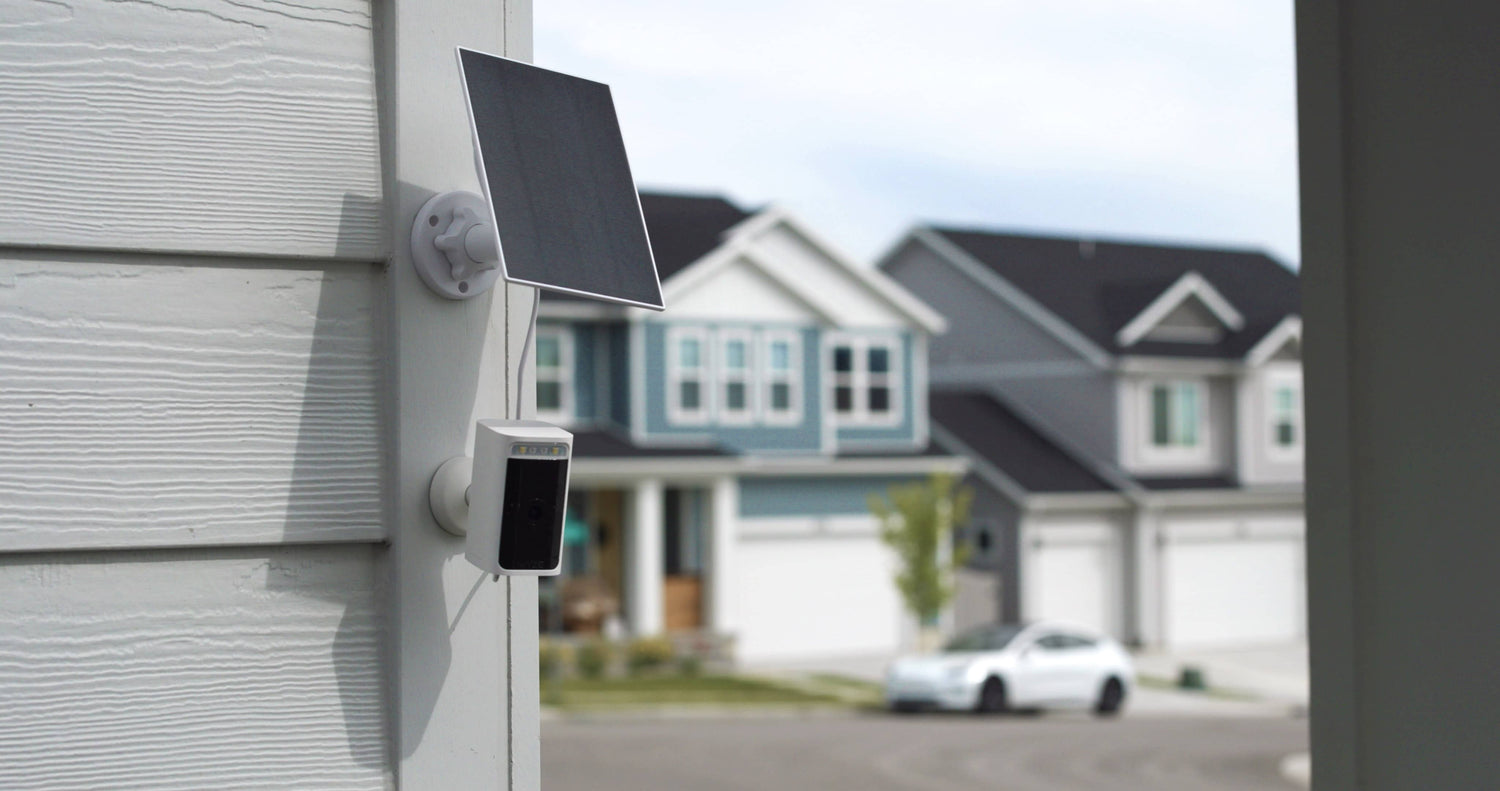
Prolongez la durée pendant laquelle votre caméra Wyze peut enregistrer sans avoir à la ramener à l'intérieur pour la recharger.

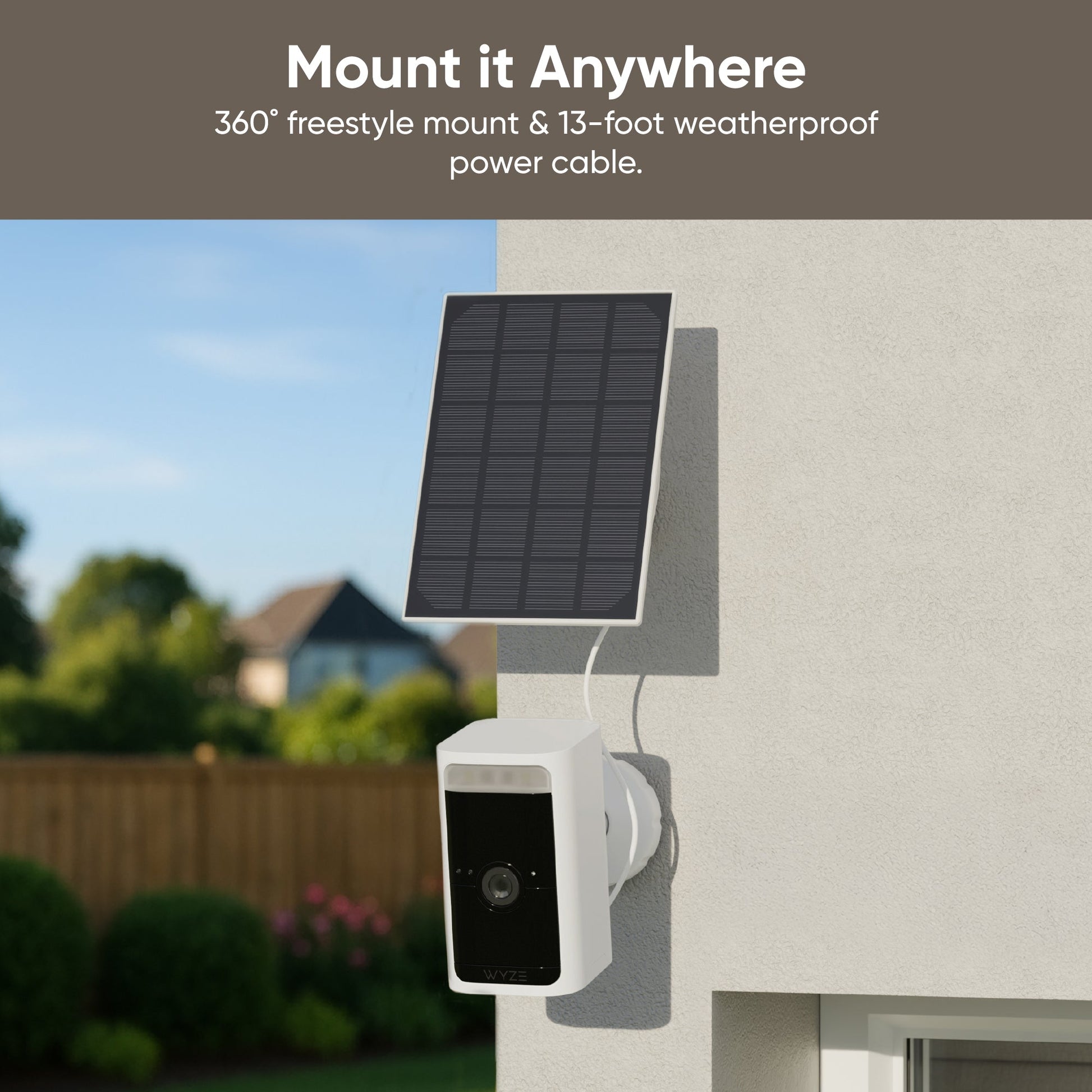
A solar panel is attached to a house.

Support Freestyle 360°

Trouvez l'angle parfait pour une exposition solaire maximale. Résistance aux intempéries IP65 - Résistant aux intempéries et à la poussière.

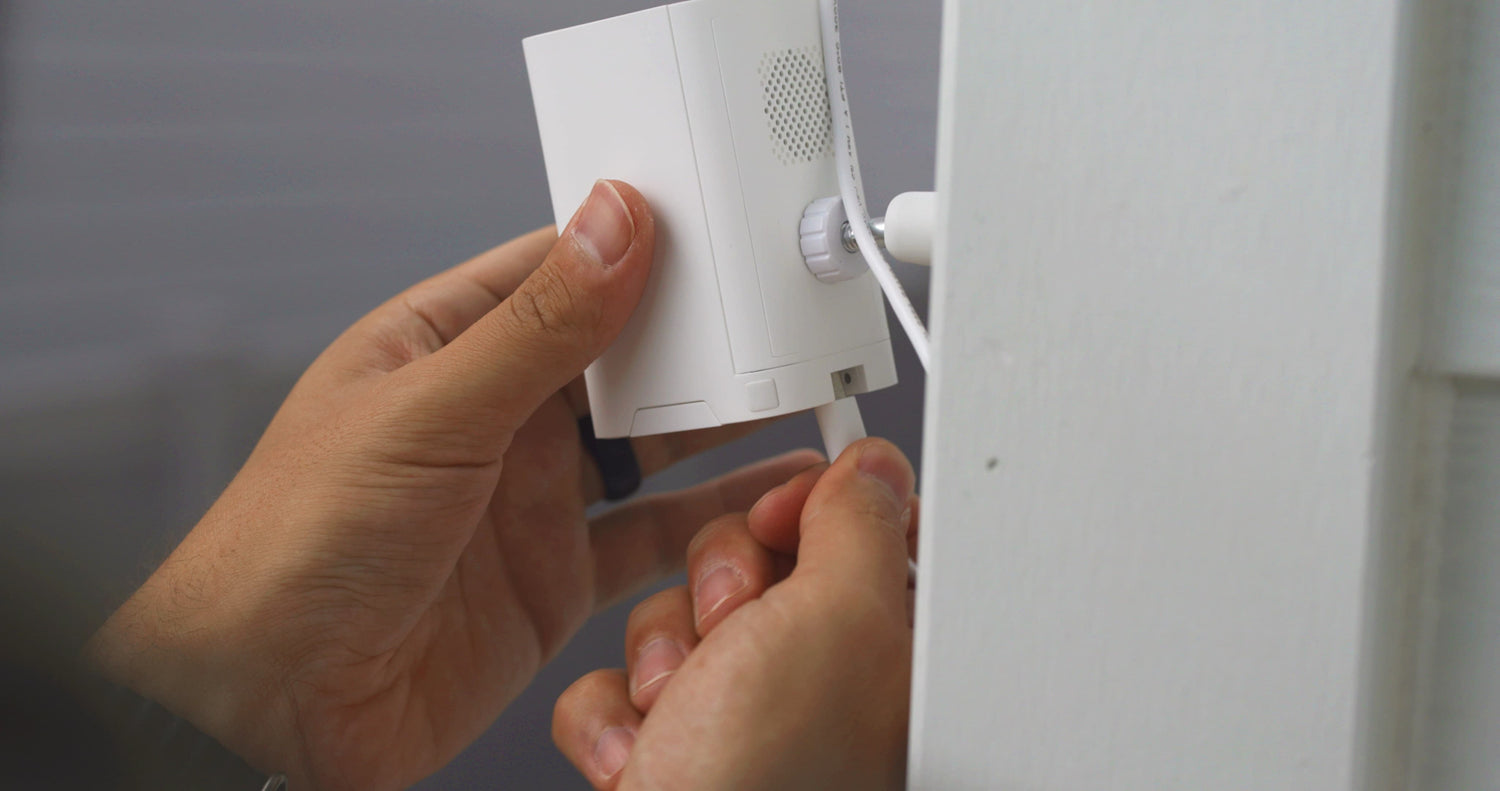
A person is holding a white device that is plugged into a wall outlet.

Câble d'alimentation longue portée

Un câble d'alimentation étanche de 4 mètres offre une flexibilité de montage optimale.

1 de 4

Caméras compatibles avec ce panneau solaire

  • Caméra Wyze Battery Pro
    Prix ​​régulier À partir de $89.98
    Prix ​​régulier $89.98 Accord À partir de $89.98
    Caméra extérieure 2,5K avec projecteur Learn More
    Choose your option
    View Options
  • Wyze Cam Outdoor v2
    Prix ​​régulier À partir de $63.99
    Prix ​​régulier $201.97 Accord À partir de $63.99
    Caméra extérieure sans fil 1080p Learn More
    Choose your option
  • Wyze Cam Outdoor v1
    Prix ​​régulier À partir de $51.99
    Prix ​​régulier Accord À partir de $51.99
    Déplacez-le, fixez-le, enregistrez-le – n'importe où. Sans fil. Learn More
    Choose your option
  • Cartes MicroSD
    Prix ​​régulier À partir de $18.98
    Prix ​​régulier $18.98 Accord À partir de $18.98
    Enregistrement continu et vidéos en accéléré pour les caméras Wyze. Learn More
    Choose your option
    View Options

Support Articles

Download the Quick Start Guide for Wyze Solar Panel here.

Below is the Quick Start Guide for Wyze Solar Panel, a short manual on how to get started.

This guide is a short user manual with the basics about Wyze Solar Panel, including:

  • What's in the box for Wyze Solar Panel.
  • A diagram of Wyze Solar Panel.
  • How to install Wyze Solar Panel.
  • A diagram of Wyze Solar Panel.
  • How to position Wyze Solar Panel.

Mount your Wyze Solar Panel anywhere to keep your Wyze Cam Outdoor or Wyze Battery Cam Pro going longer!

Depending on the location of where you plan to mount your solar panel, a ladder may be required.

What’s in the box?
  • 1x Wyze Solar Panel
  • 1x Adapter Cable (for Wyze Cam Outdoor)
  • 1x Universal Joint
  • 1x Locking Screw Cap
  • 1x Wall Mount Base
  • 3x Screws
  • 3x Wall Anchors
  • 1x Hexalobular Socket Nut
  • 1x Quick Start Guide
To install your Wyze Solar Panel:
  1. Locate where you’d like to install your Wyze Solar Panel.
  2. Use the wall mount base and position the holes where you plan to mount the solar panel.
  3. Use a pencil to mark the holes.
  4. For drywall or a surface too soft for screws, drill pilot holes then insert the drywall anchors into the holes.For harder surfaces like wood posts, trim, etc., skip to the next step.
  5. Screw the wall mount base into the wall using the provided screws.
  6. Slide the locking screw cap over the universal joint, then screw the hexalobular socket nut onto the universal joint as well.
  7. Screw the universal joint into the back of Wyze Solar Panel, then tighten it firmly with the hexalobular socket nut.
  8. On the back of the solar panel, you’ll find a winding board for excess cable. Estimate how much cable you’ll need to attach the solar panel to your camera, and coil the rest behind the board.Connect the solar panel to the wall mount base by screwing the locking screw cap until it is secure.
  9. Securely insert the microUSB cable from the solar panel into the sleeve of the power adapter.For Wyze Cam Outdoor, use the standard adapter that is included with the solar panel.For Wyze Battery Cam Pro, you will need Wyze Solar Panel USB-C Adapter Cable (sold separately). Remove the silicone cover from the charging port on your camera and insert the power adapter until secure.
  10. Mount your Wyze Cam and you’re all set to harness the power of the sun!
  11. Need to adjust the angle of your solar panel? Simple! You can adjust your solar panel up to 90° at the elbow at any time or side to side by loosening the locking screw cap. Make sure the screws are securely tightened again after adjusting the solar panel.

Mounting Tips:

  • Find an area that gets the most direct sunlight throughout the day.
  • Angle the solar panel upward 30°.
  • Point it south if you’re in the northern hemisphere and north if you’re in the southern hemisphere.
Added to your cart
Livraison GRATUITE pour les commandes de 59 $ et plus
Subtotal
$0.00
View cart