Passer aux informations produit
1 de 14

Caméra Wyze Battery Pro

Caméra Wyze Battery Pro

Caméra extérieure 2,5K avec projecteur

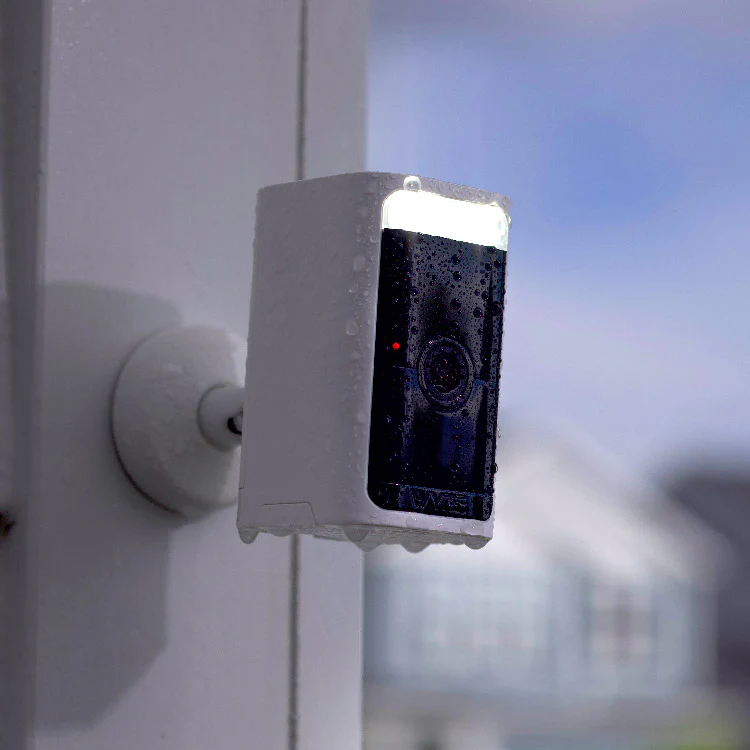
Pas besoin de prise électrique ni d'électricien. Transformez cette caméra sans fil en caméra de sécurité solaire en ajoutant un panneau solaire Wyze.

Couleur
Paquet
Accessoire
$89.98
En stock
Get it as soon as
Retours sans tracas sous 30 jours.
En stock
NEW Bird Detection
Great news for Wyze Battery Cam Pro owners. Bird Detection is now available with Wyze Security Plans. Test it with a Cam Plus trial.
A blue and white logo for Wyze.
AVANTAGES exclusifs de Wyze.com
Garantie prolongée de 18 mois

Bénéficiez d'une garantie prolongée de 18 mois à l'achat de ce produit sur wyze.com. Profitez également de lots spéciaux, de promotions uniques et de récompenses à chaque commande
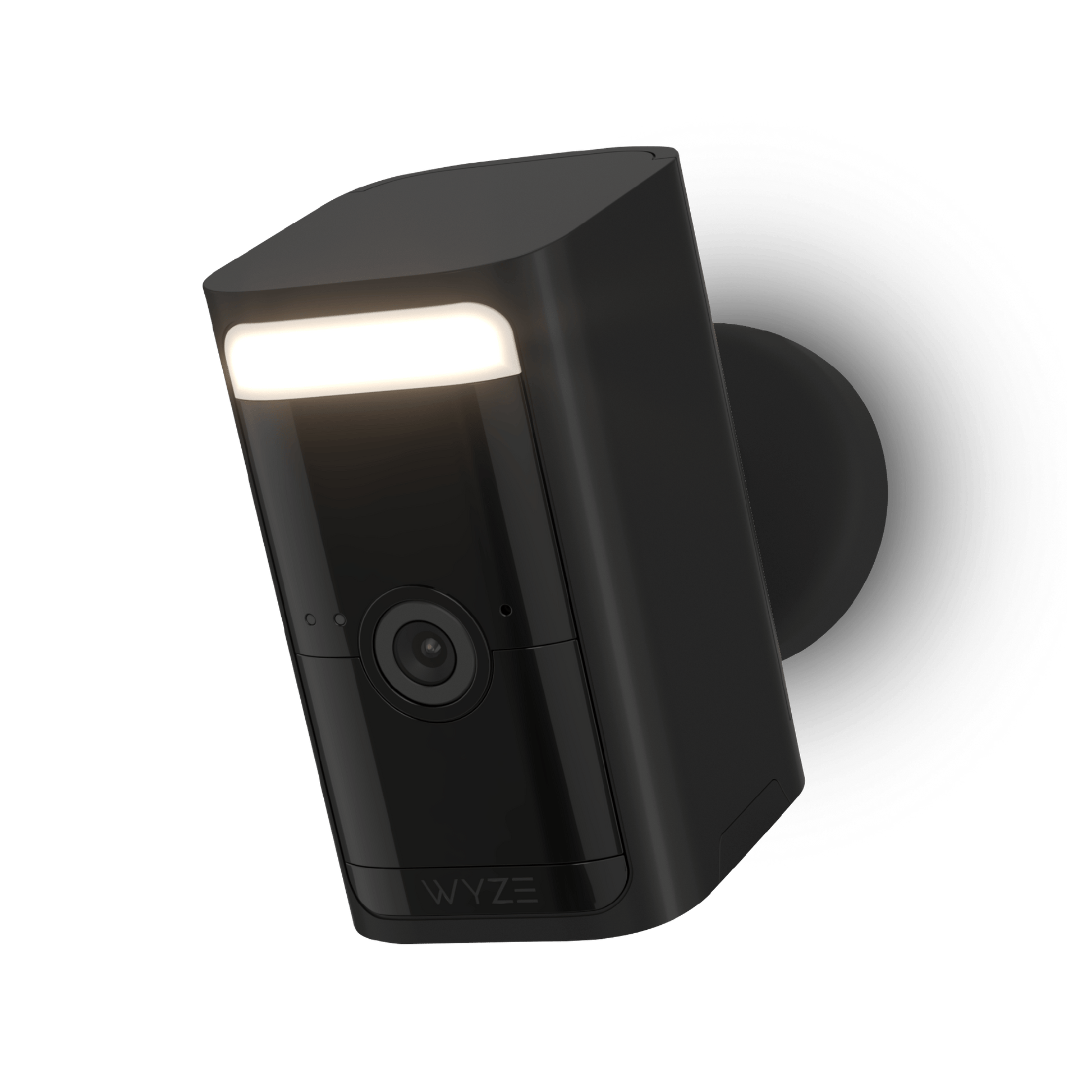
  • Résolution vidéo HDR 2,5K
  • Sans fil, aucun hub requis
  • Projecteur et sirène intégrés
  • Détection de mouvement radar + PIR
  • Blocs-batteries amovibles et rechargeables
  • Étanchéité IP65
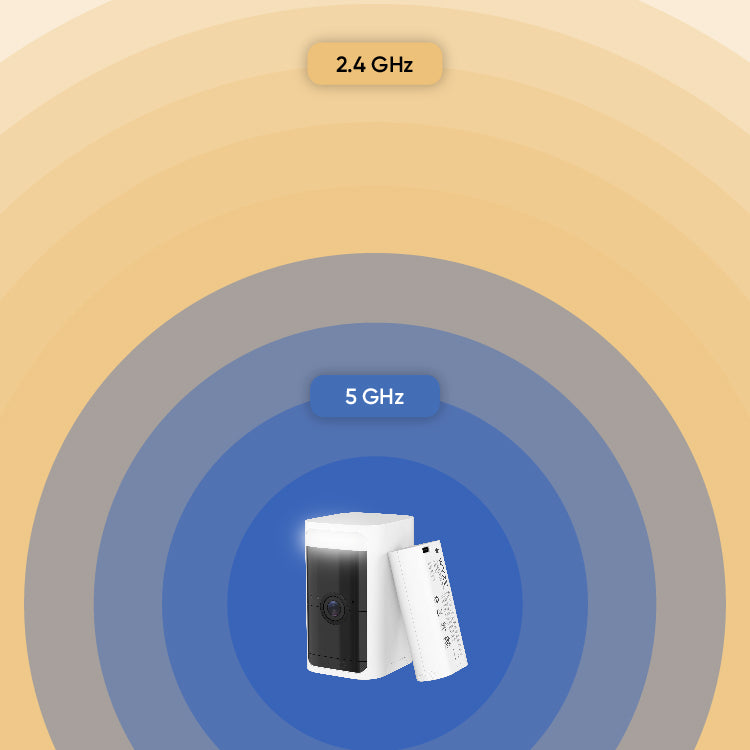
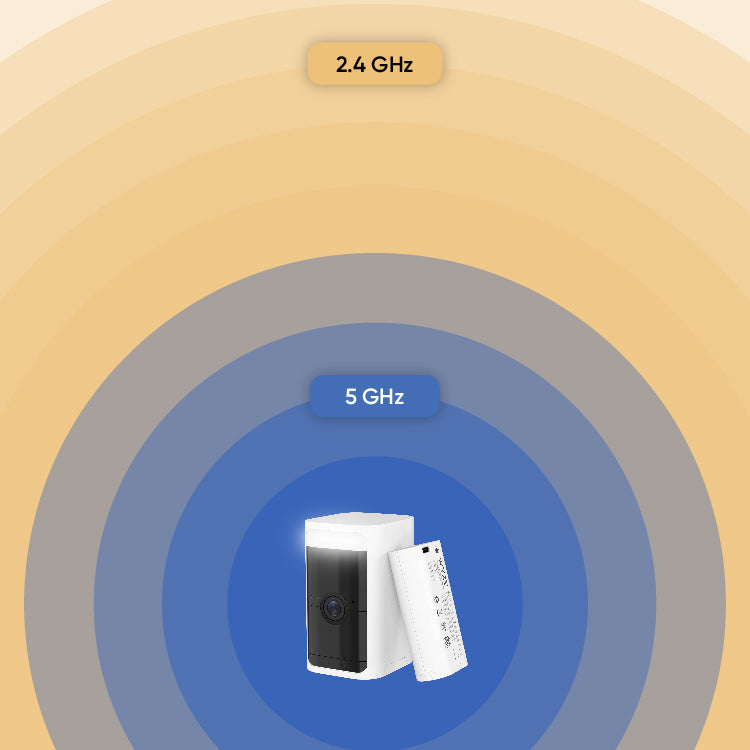
  • Prise en charge du Wi-Fi 2,4 et 5 GHz
Voir les détails complets
  • Wireless page.

    Utilisation extérieure/intérieure. Sans fil. Sans hub.

    Installez-le où vous voulez, sans tracas.

  • A colorful logo of a person holding a shield.

    Vidéo 2K HDR avec vision nocturne couleur

    Capturez plus de détails grâce à la vidéo améliorée.

  • A black screen with no visible text or objects.

    Détection de mouvement radar + PIR

    Doubler le nombre de capteurs pour des détections plus précises.

  • Battery

    Blocs-batteries amovibles

    Échangez et rechargez pour éliminer les interruptions de sécurité.

Couleurs et matériaux

  • Couleur : Blanc
  • Finition : mate
  • Structure mécanique : plastique PC
  • Objectif de l'appareil photo : Verre optique
  • Poids de l'appareil photo (lb) : 0,94
  • Dimensions (pouces) : 2,5 x 1,8 x 3,5

Détails supplémentaires

  • Vitesse du processeur : 500 MHz
  • Mémoire : 128 Mo de RAM
  • Intégrations : Alexa, Google Assistant, IFTTT
  • Méthodes de montage : standard 1/4" - 20
  • Support mural : Inclus (support court)
  • Dimensions du support mural : 5 cm x 5 cm x 5,5 cm
    Poids du support mural : 1,5 oz (44 g)

Certifications :FCC, IC

ancrages pour plaques de plâtre

  • ancrages muraux
  • Longueur : 28,7 mm
  • Largeur : 5,5 mm
  • Diamètre du foret : 7/32

Assemblage à vis

vis cruciformes
  • Longueur : 29,5 ± 1 mm
  • Largeur : 2,9 mm
  • Diamètre du foret : 3/64

Pouvoir

  • Longueur du câble d'alimentation
  • Câble USB-A vers USB-C, 0,5 m
  • Adaptateur secteur : 5 V, 2 A (NON INCLUS)

Bloc-batterie

  • Capacité : 6200 mAh
  • Temps de charge : environ 9 heures
  • Autonomie de la batterie : jusqu'à 6 mois
  • Technologie : Li-ion
  • Connecteur : USB-C

Image

  • Capteur d'image : Capteur CMOS Starlight (2560 x 1440)
  • Objectif : F1.6
  • Zoom numérique : x8
  • Champ de vision : 134° (DFOV), 108° (HFOV), 56° (VFOV)
  • Vision nocturne : 2 LED infrarouges (850 nm), 2 LED blanches (5500 K, 187 lumens)

Vidéo

  • En journée : 15 FPS
  • Nuit : 15 FPS
  • Résolution vidéo : 2560 x 1440 (2,5K)
  • Encodage vidéo : H.264

Connectivité et compatibilité

  • Bluetooth : BLE 5.1
  • Wi-Fi : 2,4 GHz et 5 GHz, 802.11a/n/g/b
  • Compatibilité téléphonique : Android 9.0+, iOS 15.0+

Audio

  • Microphone : Micro numérique MEMS
  • Audio bidirectionnel
  • Haut-parleur et microphone intégrés
  • Suppression du bruit et de l'écho
  • 2 voies simultanées
    Sirène, 100 dB SPL à 0,1 m

Météo et température

  • Résistance aux intempéries : Intérieur et extérieur (IP65)
  • Température de fonctionnement : -20 °C à +50 °C (-4 °F à +122 °F), humidité < 90 %
  • Température de stockage : -40 °C à +50 °C (-40 °F à +122 °F), humidité < 90 %

Stockage

  • Stockage local : Prend en charge les cartes microSD jusqu’à 256 Go
  • Stockage cloud : Enregistrez dans le cloud avec Cam Plus
  • x1 - Caméra Wyze Battery Pro
  • x1 - Support mural
  • x1 - Câble USB-C
  • x1 - Bloc-batterie
  • x3 - Assemblage de vis
  • x1 - Guide de démarrage rapide

Note:Adaptateur secteur non inclus

No, you can set up your camera directly on your 2.4 Ghz or 5 GHz home Wi-Fi network and start using your camera in minutes.

No, it’s not compatible with Wyze Base Station.

With normal use, a battery pack should last up to 6 months before recharging. Alternatively, you can purchase additional battery packs to swap as needed.

You can use the included standard 1/4" - 20 metal wall mount or purchase our Wyze Universal Metal Mount accessory for ceiling mounting. It's not compatible with the magnetic base mount on Wyze Cam Outdoor.

Yes! Continuous or motion-only local recording is available. Keep in mind that these features may greatly shorten battery life. 

Learn more on how to use a MicroSD card with your Battery Cam Pro.

The fusion of radar and PIR eliminates false alarms caused by extreme weather conditions like heavy rain, snow, or intense heat. The radar sensor detects the distance of objects in front of the camera, providing precise information about detected motion to reduce unwanted alerts.

It takes approximately 9 hours to fully charge the battery.

Yes, you can use the camera normally while it's charging.

Yes, you can purchase the Wyze Solar Panel with an included USB-C adapter cable. Alternatively, you can purchase a USB-C cable if you bought the original solar panel on or before May 2023. 

Yes it is.

Yes it is the same battery pack with 6200 mAh capacity.

Fonctionnalité phare : L’enregistrement local (sur carte microSD) est disponible pour la Battery Cam Pro.

Une liberté sans fil à l'épreuve des intempéries pour tous.

Sans fil. Sans hub. C'est la caméra de sécurité domestique ultime, sans fil, portable et offrant une vision complète. Bénéficiez d'une protection professionnelle là où vous en avez le plus besoin.

1 de 5

Découvrez les accessoires pour caméras Wyze Battery Cam Pro

  • Batterie amovible Wyze
    Prix ​​régulier $22.99
    Prix ​​régulier $22.99 Accord $22.99
    Compatible avec la caméra Wyze Battery Cam Pro, la sonnette vidéo Wyze Duo Cam et la serrure connectée Wyze Palm Lock. Learn More
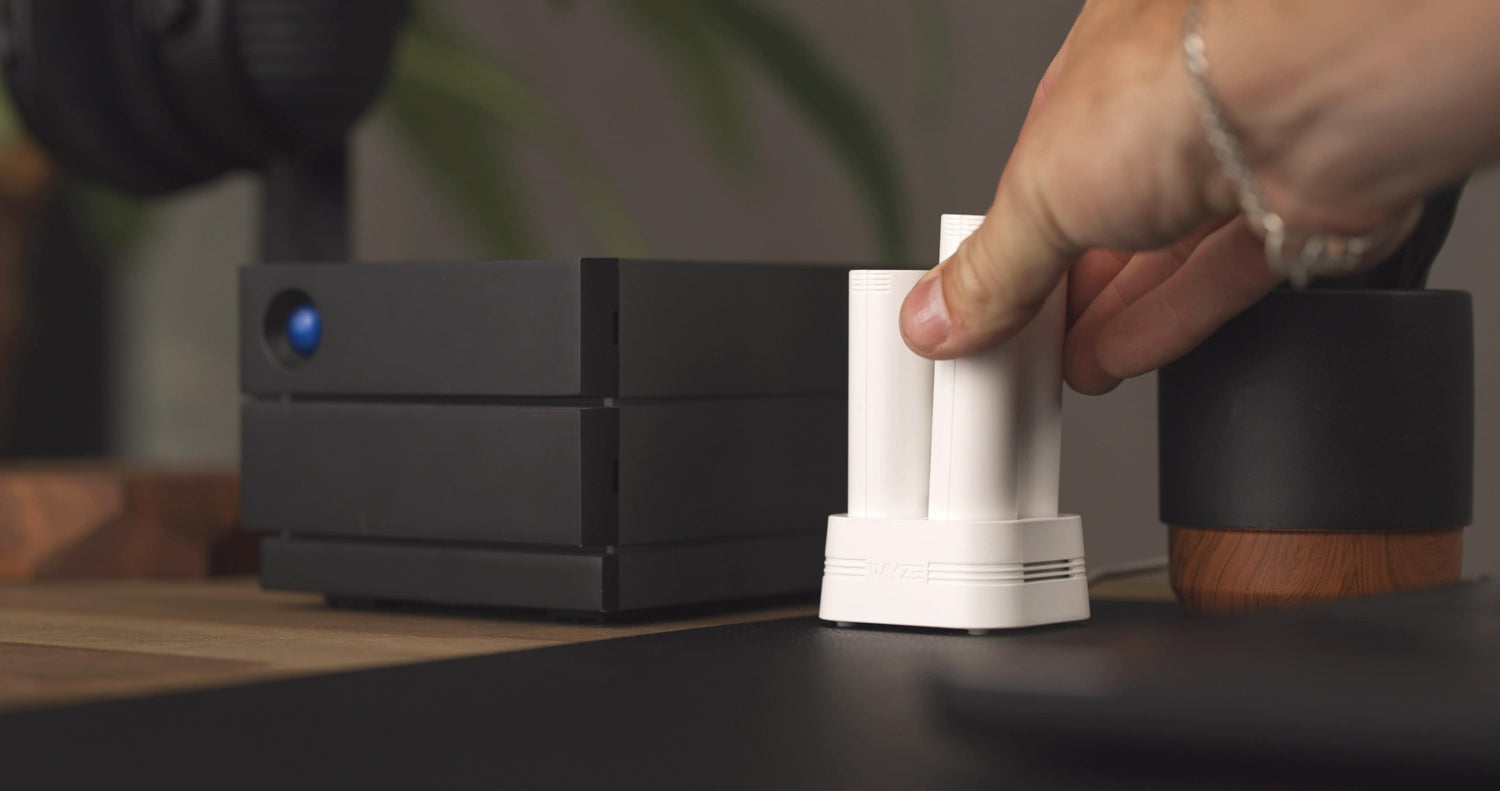
  • Station de recharge pour batterie Wyze
    Prix ​​régulier $23.98
    Prix ​​régulier $23.98 Accord $23.98
    Chargez jusqu'à deux batteries simultanément. Learn More
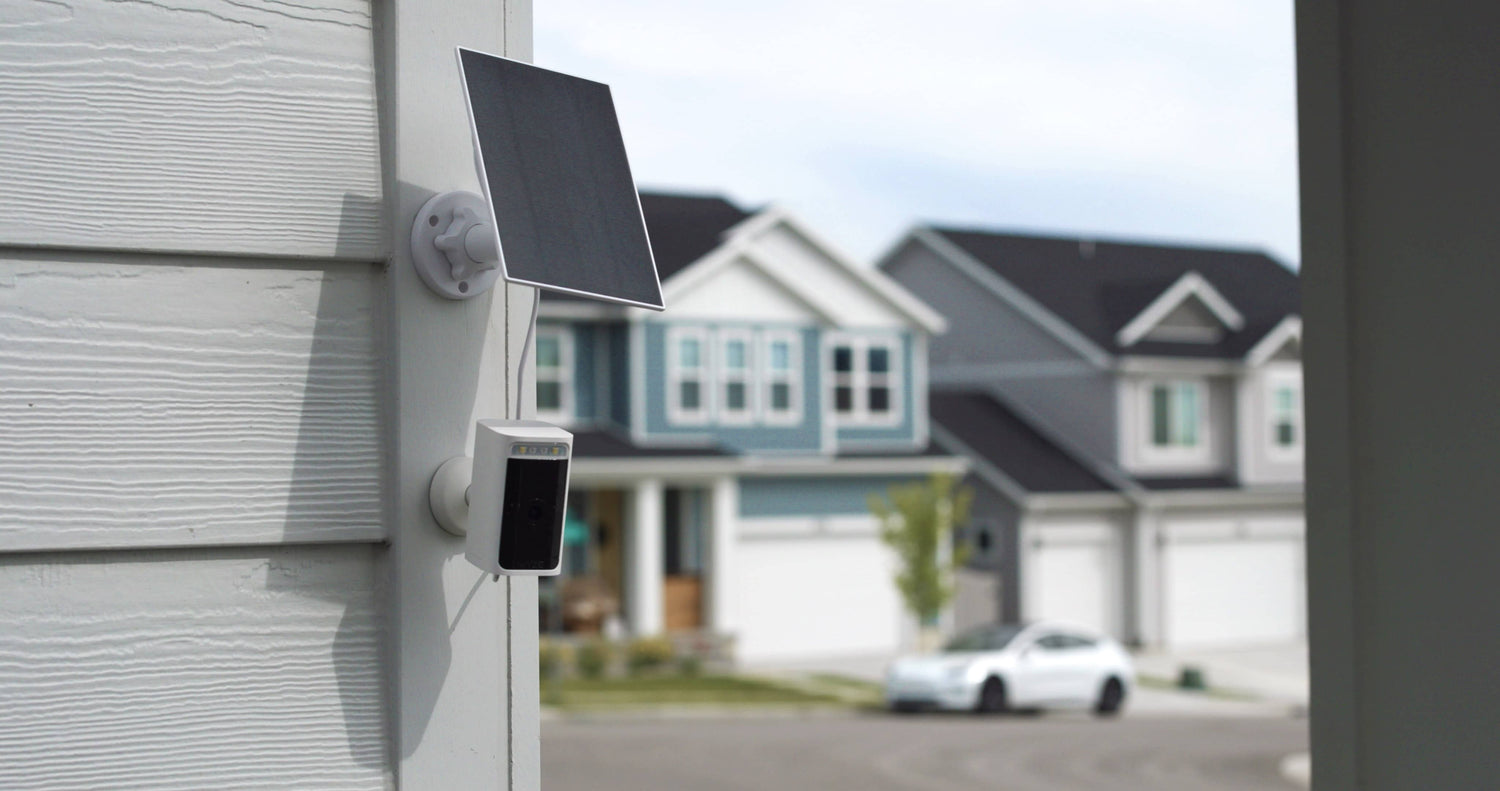
  • Panneau solaire Wyze
    Prix ​​régulier À partir de $5.99
    Prix ​​régulier $28.98 Accord À partir de $5.99
    Chargeur solaire 12W pour caméras extérieures Learn More
    Choose your option
    View Options
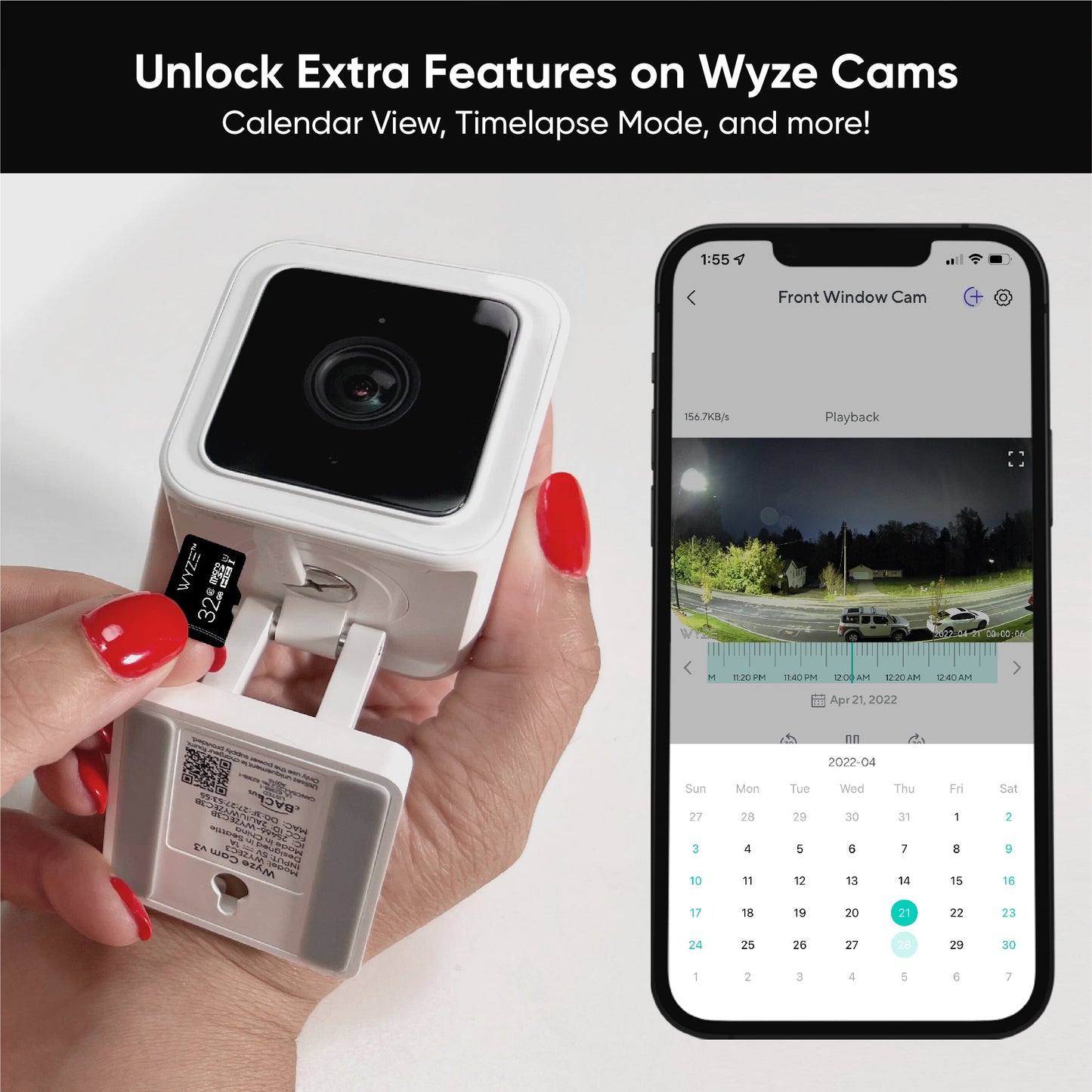
  • Cartes MicroSD
    Prix ​​régulier À partir de $18.98
    Prix ​​régulier $18.98 Accord À partir de $18.98
    Enregistrement continu et vidéos en accéléré pour les caméras Wyze. Learn More
    Choose your option
    View Options
  • Support universel pour caméra Wyze
    Prix ​​régulier $9.99
    Prix ​​régulier Accord $9.99
    Un support robuste avec une tige plus longue. Indispensable pour fixer la Wyze Battery Cam Pro au plafond. Learn More

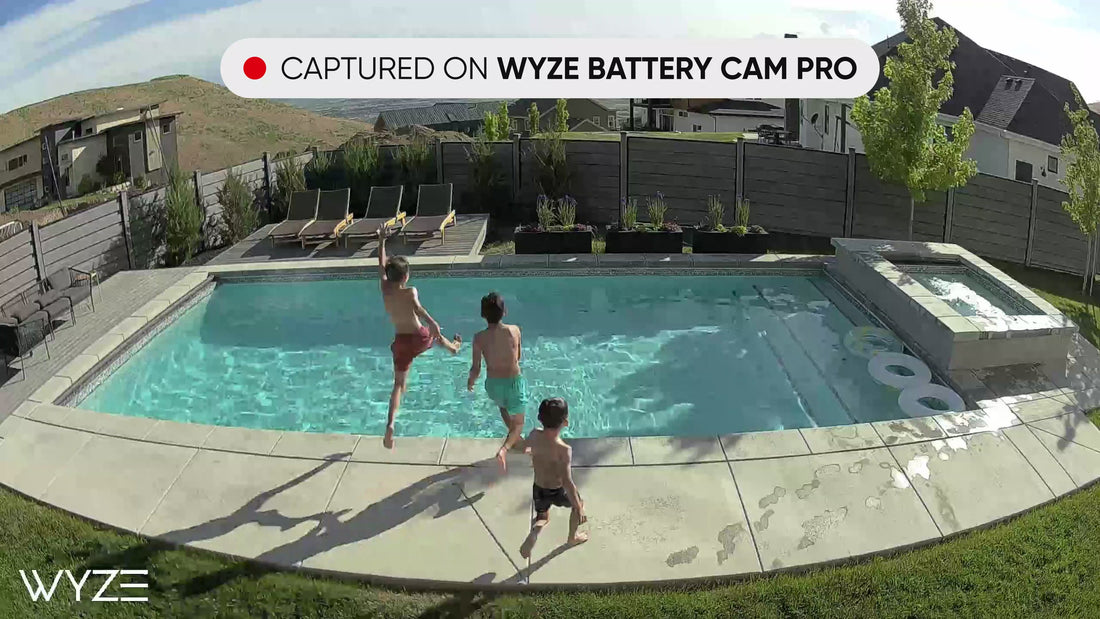
Capturez plus de détails grâce à la technologie HDR 2K et à la vision nocturne couleur.

De jour comme de nuit, chaque détail compte. La Wyze Battery Cam Pro utilise une plage dynamique étendue pour des images équilibrées aux couleurs plus riches.

Éclairage intégré. Vol de l'intrus.

Éclairez les intrus potentiels grâce à une lumière LED de 150 lumens activée par le mouvement. Vous pouvez également contrôler manuellement le projecteur via l'application Wyze pour une sécurité accrue lors de vos promenades nocturnes avec votre chien.

Radar + PIR = La solution idéale pour la détection de mouvement.

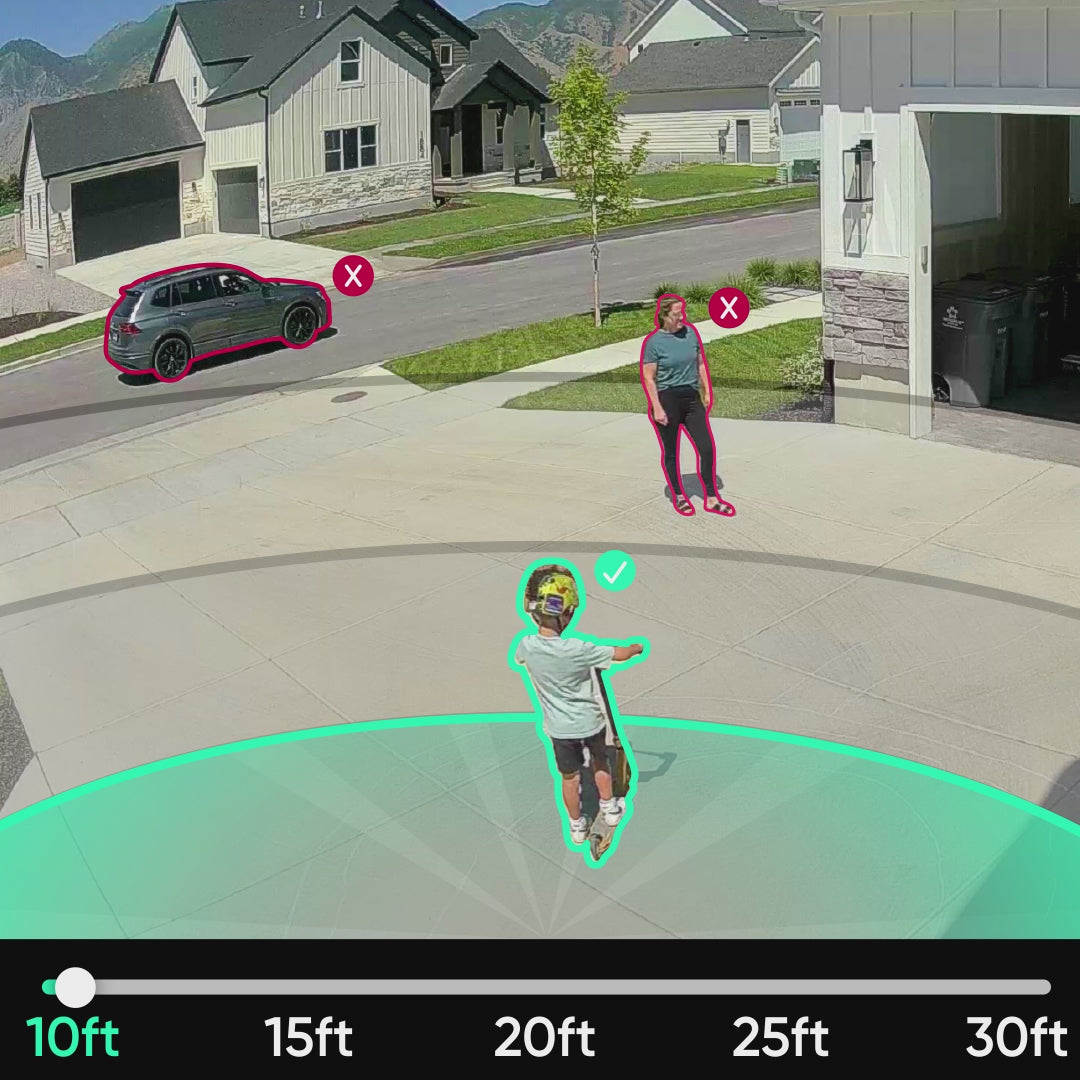
Deux fois plus de capteurs de mouvement, c'est deux fois plus de chances d'être dérangé ! Radar et PIR s'associent pour des détections plus précoces et plus précises. Définissez des zones de détection personnalisées dans l'application Wyze pour recevoir des notifications géolocalisées.

Bénéficiez de détections encore plus intelligentes avec Cam Plus.

Le pouvoir de protéger.

La caméra Wyze Battery Cam Pro offre des options d'alimentation et de montage flexibles.

A white toothbrush with a red button on the side.

Batteries amovibles.

Retirer son appareil photo pour le recharger est aussi fastidieux que de nettoyer les toilettes d'un aéroport. Remplacez facilement les batteries à chaud et éliminez les temps d'arrêt liés à la sécurité.

Ajouter au panier
A person is pressing a button on a black box.

Prêt à l'emploi avec la station de charge de batterie Wyze.

Rechargez jusqu'à deux batteries simultanément avec la station de charge Wyze. Vendue séparément.

Ajouter au panier
A solar panel is attached to a house.

Transformez votre appareil photo en caméra de sécurité solaire en quelques secondes.

Rien n'exprime mieux notre attachement à la planète Terre qu'un panneau solaire. Convertissez les rayons du soleil en énergie et laissez votre appareil photo allumé plus longtemps, en espaçant les recharges.

Ajouter au panier
A white camera with a black background.

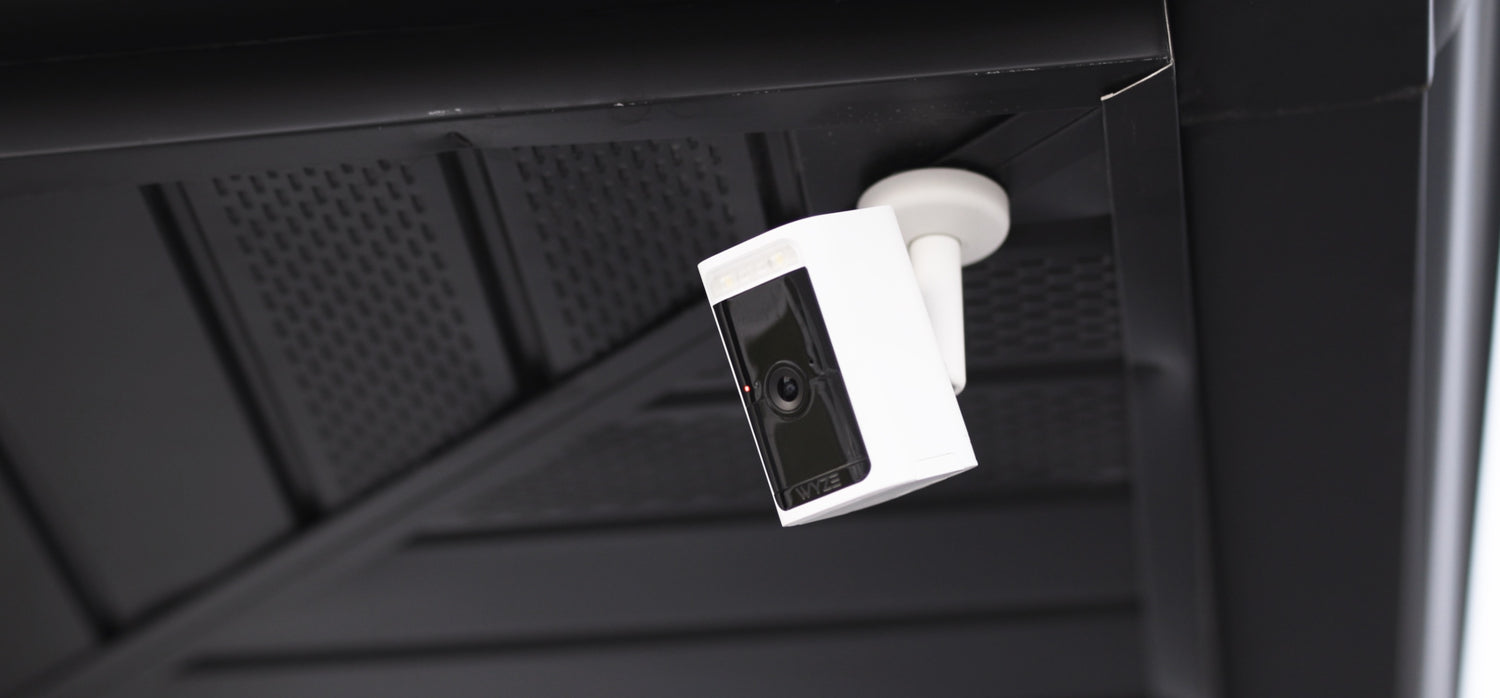
Installation au plafond avec support universel Wyze.

Besoin de surveiller le ciel ? Le support universel Wyze est doté d'une tige plus longue pour une fixation au plafond plus flexible. Indispensable pour installer la caméra Wyze Battery Cam Pro au plafond ou sous un avant-toit.

Ajouter au panier

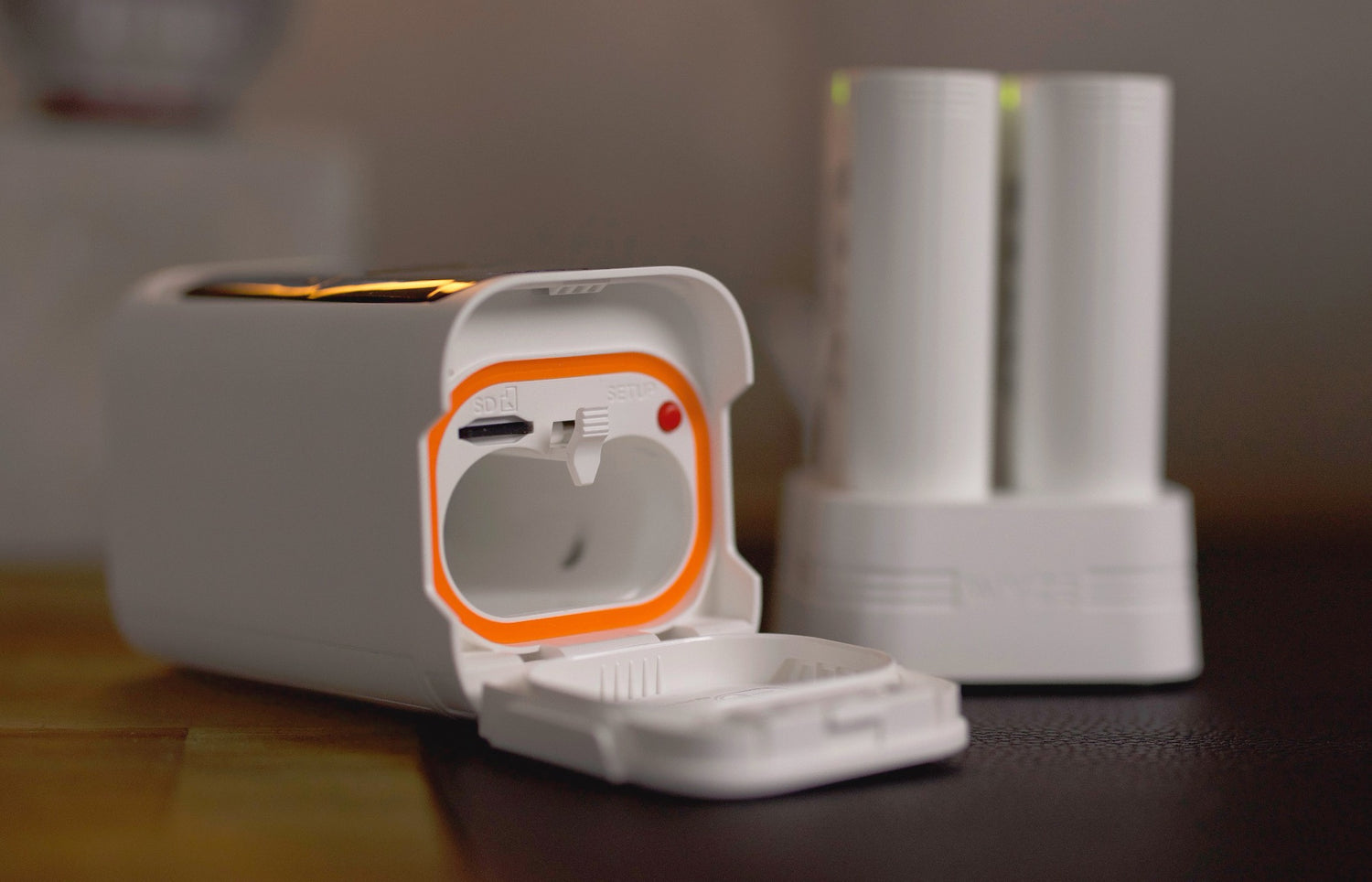
Battery Cam Pro peut enregistrer localement sur une carte microSD.

Ne ratez plus aucun moment et enregistrez les événements de mouvement directement sur une carte microSD, sans abonnement. L'activation de cette fonction a un impact sur l'autonomie de la batterie.

A white camera with a blue light on it.
A white and blue box with a 5GHz label on it.
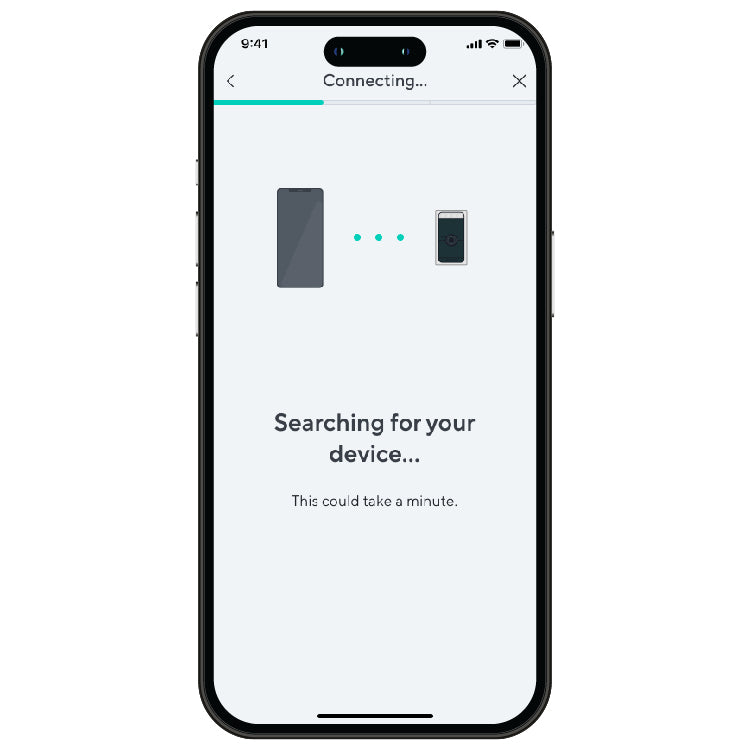
Connecting device
A smartphone screen with a search bar for a device.
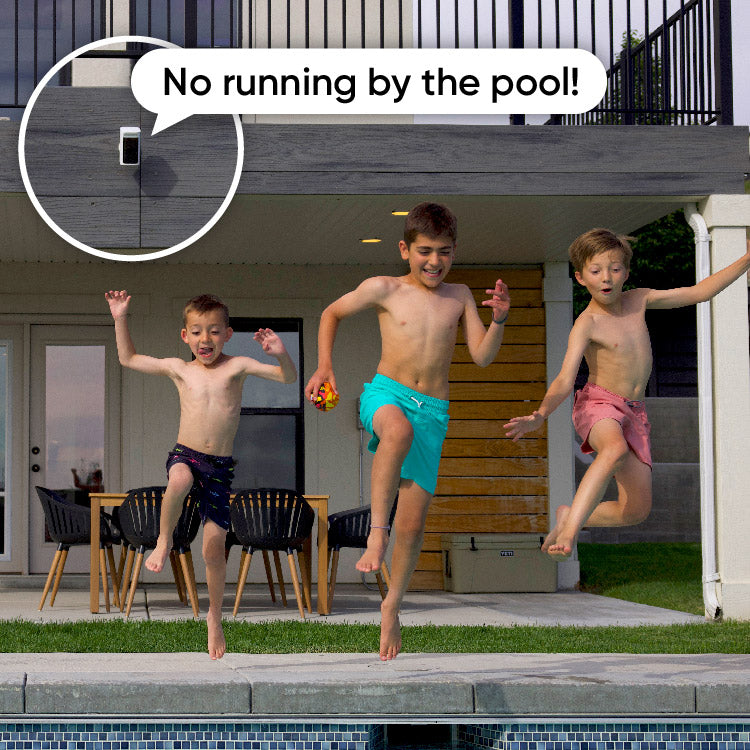
No running by the pool!

Plus de fonctionnalités Pro que vous allez adorer.

Goutte. Éclaboussure. Plouf. Peu importe la météo, rien ne peut arrêter cet appareil photo.

Connecter votre caméra est plus facile et plus rapide que jamais grâce au Wi-Fi double bande qui prend en charge les réseaux 2,4 et 5 GHz.

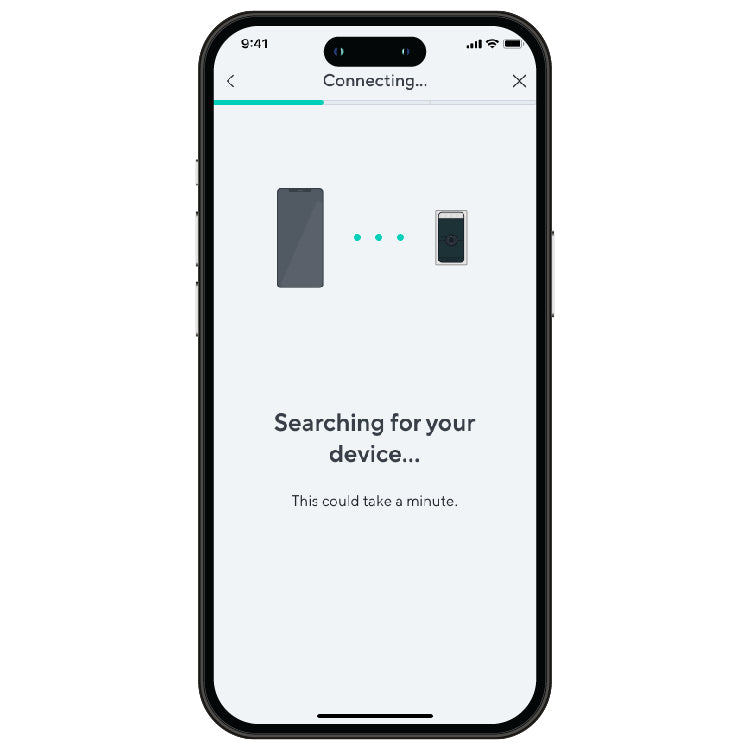
Plus besoin de scanner de code QR. L'installation est rapide et facile grâce à Bluetooth®.

Parlez (ou criez) facilement à n'importe qui grâce au microphone et au haut-parleur intégrés.

Opérationnel et opérationnel en quelques minutes. Regardez comment 👇

Support Articles

Before you begin setup:

  1. Download the Wyze app on your smartphone or tablet.
  2. Connect your smartphone or tablet to a 2.4 GHz or 5 GHz Wi-Fi network.
  3. Unpack your Wyze Battery Cam Pro, removing all plastic and packing materials.Be sure to remove the plastic film from the lens.
  4. Charge the battery pack using the included charging cable.It takes 9 hours to fully charge the battery from 0 to 100%.If the battery pack is charging, there should be one green status light.If the battery pack is fully charged, both status lights should be solid green.

To set up your Wyze Battery Cam Pro:

  1. In the Wyze app, tap Home, then tap + plus sign on the top right.
  2. On the Add menu, tap Device.
  3. Tap Cameras > Battery Camera > Wyze Battery Cam Pro.
  4. Insert the battery pack into the camera.Open the battery compartment on the bottom of the camera, locate the arrow on the battery pack and point it down into the compartment, then push the battery in until it clicks.The camera’s status light will turn solid yellow when powered. When flashing blue and yellow, it’s ready for setup.
  5. Tap Begin Setup.
  6. Under the battery door, press and hold the SETUP button. It will say “ready to connect”. The camera may say “ready to connect” without pressing the SETUP button. If so, continue.
  7. In the app, check the box next to It said, “Ready to connect”. Then tap Next.
  8. If BluetoothⓇ hasn’t already been enabled, you’ll be prompted to allow BluetoothⓇ access. Tap Okay.If BluetoothⓇ has already been enabled, it will skip to the next step.
  9. The Wyze app will begin searching and pairing to your camera.
  10. Select your 2.4 GHz or 5 GHz Wi-Fi network and enter your network password. Tap Next.
    Tap the icon in the password field to display the password to ensure it was entered correctly.
  11. After the camera is set up and connected, it will say "setup completed".
  12. Success! Your camera is set up and ready to go. Tap Mounting Tips for placement recommendations. Or check out our Wyze Battery Cam Pro Mounting Guide. Or tap Skip if you already have your camera mounted.
  13. Tap Next. You’re set up! It’s time to name your device.
  14. Name your Wyze Battery Cam Pro using the text field, or by choosing a suggestion.
  15. Tap Finish when done.
  16. Choose between the Basic plan (no subscription) or Cam Plus. Tap Continue.
  17. Set up some automations on the Things to Try* page, or tap Skip.
  18. You’re all set. Enjoy your new Wyze device!

Things to Try: Tap Create or edit a device group, Share this device, Automate your device, or Skip. These are quick ways to set up a few automations before you finish setup. When you complete a task, it'll display a green checkmark ✅. You can move on from this page by tapping Skip.

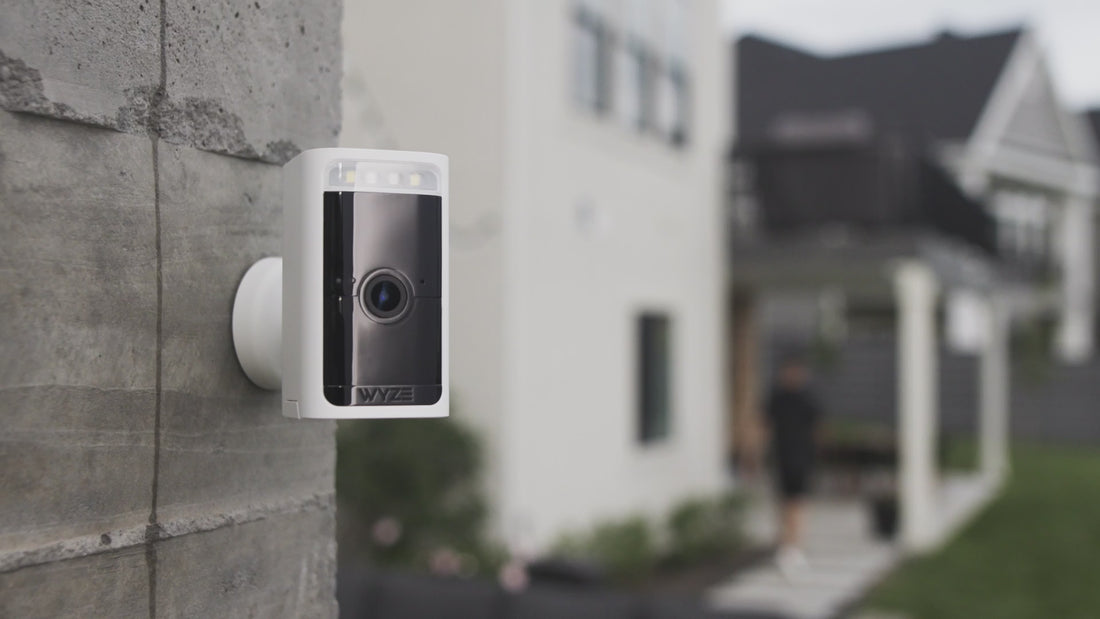
Mount your Wyze Battery Cam Pro anywhere using the included wall mount or Wyze Universal Metal Mount.

Depending on the location of where you plan to mount your camera, a ladder may be required.

What’s in the box?
  • 1x Wyze Battery Cam Pro
  • 1x Wall Mount
  • 1x USB-A to USB-C Cable
  • 1x Battery Pack
  • 3x Screws (29.5 mm x 2.9 mm)Note: Use a 3/64 drill bit
  • 3x Drywall Anchors (28.7 mm x 5.5 mm)Note: Use a 7/32 drill bit
  • 1x Quick Start Guide
To mount your Wyze Battery Cam Pro from the wall:
  1. Remove the wall mount base from the camera mount by rotating the base counterclockwise.
  2. Use the base and position the holes where you plan to mount the camera.
  3. Use a pencil to mark the holes.
  4. For drywall or a surface too soft for screws, drill pilot holes then insert the drywall anchors into the holes.For harder surfaces like wood posts, trim, etc., skip to the next step.
  5. Screw the wall mount base into the wall using the provided screws.
  6. Screw (twist) the wall mount onto the back of your Wyze Battery Cam Pro and tighten the disk.Be sure not to over-screw or screw it too tightly.
  7. Connect the entire assembly to the wall mount base by rotating the wall mount clockwise until snug.
  8. Need to adjust the camera angle? Simply loosen the mount by rotating it counterclockwise and adjust the post angle to the desired position then tighten the mount.
To mount your Wyze Battery Cam Pro from a ceiling, simply follow the above steps, but with Wyze Universal Metal Mount.
Tips:
  • Mount your camera 7 feet above the ground, titled 20° downwards for the best detection distance.
  • You can customize the detection distance up to 30ft in the camera’s Detection Settings.
  • Mount your camera away from direct sunlight to avoid glare, overheating, and poor battery life.
  • Point your camera away from areas with a lot of movement, like busy roads or blowing trees, which can trigger false Event notifications.
  • Avoid placing your camera behind glass, looking out of a window, or installed in a third-party case. Wyze Battery Cam Pro uses a mixture of PIR (temperature changes) and radar (movement) to detect motion. Motion detection will not trigger if the camera is behind glass, looking out of a window, or inside a third-party case.

Your Wyze Battery Cam Pro is compatible with a microSD card, which gives you the ability to record motion events or continuous footage directly to your local microSD card.

Important: Continuous recording will drastically drain the battery.

To use a microSD card with Wyze Battery Cam Pro:

  1. Get a microSD card. * We have tested with cards up to 256 GB when formatted as exFAT. Even larger cards may work, but this has not been tested on our end.
  2. Format the microSD cardIf the microSD card has been used before, we recommend formatting the card when you install it in your Wyze Cam.To do this, tap into your camera’s live stream from the Home tab and tap Settings > Advanced Settings > Manage MicroSD Card > Format. ⚡️Heads up! Formatting the card will erase all of the existing content, so be sure to back up your files if there are any you want to save.
  3. Record to the microSD card
  4. View local recordings from the Live stream:In the Wyze app, tap into your camera's Live stream.Tap the SD Card button next to Take Photo.Tap and drag the timeline to view the recorded video for a specific point in time.Available footage will be highlighted in the timeline.Pinch and zoom on the timeline to select a specific point in time.
  5. View local recordings on your computer:In the Wyze app, tap into your camera's Live stream.Tap Settings > Advanced Settings > Manage MicroSD Card > Eject MicroSD Card.Remove the microSD card from your Wyze Cam.Insert it into a computer with a microSD card slot to view the raw video files (mp4 format).

More about Continuous and Events Only Recording

Recording Resolution

The recording resolution of Cam Plus cloud events and local recordings is controlled by the Recording Resolution setting in Advanced Settings.

  1. In the Wyze app, tap into your camera's Live stream.
  2. Tap Settings > Advanced Settings.
  3. Tap Recording Resolution.
  4. Choose 2K or HD.
Continuous Recording
  1. The camera will stop entering Sleep/Power Saving Mode when set to continuous local recording.
  2. We strongly recommend connecting Wyze Battery Cam Pro to a 5V 2A AC power source for continuous recording. We do not recommend to use it with battery only or battery + solar panel power options because it will drain the battery quickly.
  3. A fully charged battery can last for up to 10 hours of continuous recording. Your camera will continuously record video to the microSD card, giving you the option to have your recording available for playback later - no subscription required.If you have a microSD card inserted and Local recording to microSD card turned on in your settings, the camera will continuously record to that microSD card, even if offline.The cam can still create alert videos that are captured and stored on the cloud based on the camera’s other recording settings.The video length depends on the size of your microSD card and your recording settings. When the microSD card is full, it will overwrite the oldest footage and roll forward.

To view your recorded footage, you can either bring your Wyze Cam back to an area that is covered by the Wi-Fi network it was set up in and use the SD Card Playback feature in the Wyze app, OR remove the microSD card from your Wyze Cam to view the raw video files (mp4 format) on a computer.

When you return the microSD card to your Wyze Battery Cam Pro, it will resume continuous recording. The camera supports up to a 256 GB microSD card, which holds roughly 2-3 days of playback recording.

Events Only Recording

💡Tip: Only recording Events is an excellent way to preserve battery life and space on your microSD card.

  • Your camera will only record video if motion is detected.
  • This feature backs up Cam Plus event videos to local microSD card with customized Recording Cooldown and Max Video Length settings in Event Recording settings. With a Cam Plus license, you can set the camera to record motion events with no cooldown period and up to 5 mins video length. For cameras without a Cam Plus license, the length of the local video will be around 12 seconds with the same recording cooldown period.

Additional Note:

  • Time lapse videos are not supported on Wyze Battery Cam Pro.
Added to your cart
Livraison GRATUITE pour les commandes de 59 $ et plus
Subtotal
$0.00
View cart