Passer aux informations produit
1 de 6

Lampadaire Wyze

Lampadaire Wyze

Mettez en lumière ce qui compte vraiment.

$64.99
En rupture de stock
Get it as soon as
Ce produit n'est pas admissible aux retours.
En rupture de stock
A blue and white logo for Wyze.
AVANTAGES exclusifs de Wyze.com
Garantie prolongée de 18 mois

Bénéficiez d'une garantie prolongée de 18 mois à l'achat de ce produit sur wyze.com. Profitez également de lots spéciaux, de promotions uniques et de récompenses à chaque commande

Mettez en lumière ce qui compte vraiment.
Voir les détails complets
  • 15 lentilles de condenseur individuelles

  • Télécommande Bluetooth pour 11 niveaux de réglage de la luminosité

  • Éclairage directionnel précis à 23°

  • Rendu des couleurs élevé (RA>90)

Pied de lampadaire Wyze

  • Poids : 3,2 kg
  • Dimensions : 11,82 po x 11,82 po x 73,76 po
  • Tension de fonctionnement : 120 V CA 60 Hz 1 A

Ampoule PARB Wyze

  • Forme : PAR30
  • Type de culot : E26
  • Luminosité : 800 lumens
  • Température de couleur : 4000 K Blanc froid
  • Puissance nominale : 9,0 watts
  • Durée de vie : 25 000 heures
  • Version Bluetooth : BLE 5.0
Température de fonctionnement
  • -4°F - 104°F (-20°C - 40°C)
température de stockage
  • -4°F - 131°F (-20°C - 55°C)
Dimensions
  • 3,73 po x 3,73 po x 4,65 po
Tension de fonctionnement
  • 120 V CA 60 Hz

Télécommande Wyze PARB

  • Version Bluetooth : BLE 5.0
  • Pile : AAA/LR03 x1
Température de fonctionnement
  • -4°F - 104°F (-20°C - 40°C)
température de stockage
  • -4°F - 131°F (-20°C - 55°C)
  • Pied de lampadaire Wyze x1
  • Ampoule PARB Wyze x1
  • Télécommande Wyze PARB x1
  • Pile AAA/LR03 x1
  • Guide de démarrage rapide x1
Wyze Floor Lamp uses BLE 5.0 technology. Please make sure your Bluetooth is turned on on your phone when pairing the floor lamp with your Wyze app.

PAR is an acronym for parabolic aluminized reflector. BR stands for bulged reflector. When you put them together, you have a PARB bulb! This is a description for what kind of bulb is in the lamp.

Wyze Floor Lamp is a smart lamp that is embedded with special technology so that the bulb and remote work together with the Wyze app. Other E26 base bulbs, even other Wyze smart bulbs, cannot connect with the remote or Wyze Floor Lamp in the Wyze app. You won’t be able to turn off the light with the cord switch or control it with the remote button. Lastly, the included Wyze PARB Bulb has a minimalist aesthetic design that fits perfectly in the lamp assembly. Other bulbs just can’t compare!

You can control the lamp with the remote up to 50 feet away. This may vary depending on if there are any obstacles in the way.

Yes, the lamp and remote work without the app. You do not need to be connected to the Wyze app to use the basic functions of Wyze Floor Lamp and the remote. However, we encourage you to download and use the Wyze app for advanced features like Schedules, Smart Dimming, and more.

We do not evaluate or test Wyze Floor Lamp as a horticultural luminaire. It may emit light at wavelengths that are good for growing plants, but we suggest that you use it in the environments specified in our Quick Start Guide.

Wyze Floor Lamp’s light does not change colors. The color temperature is 4000K Cool White only.

Shape: PAR30. Base type: E26. Lux: 1400.* Lumens: 800. Color temperature: 4000K Cool White.

* Lux measures luminous flux per unit area; when the bulb is positioned at 4’7” from the surface or object, the center brightness can reach up to 1400lx.

The dimming level range for the bulb is 2%-100% with the Wyze app. The remote provides 11 levels of brightness.

The remote does not work with other devices, including Wyze Bulb and Wyze Bulb Color.

No, Wyze Floor Lamp does not currently support integrations.

The Super Focused 23° Light Beam provides you with a super-focused light for any task or activity. The focused light will shine only for your dedicated work, without disturbing others around you.

The gooseneck can stretch or bend in any direction. Its versatile stretchability lets you easily twist it into any position you need.

The 4100K Cool White color temperature provides excellent lighting for your Instagram videos and photoshoots. It does not, however, replace a professional lighting kit.

A close up of a light bulb with condenser lenses.

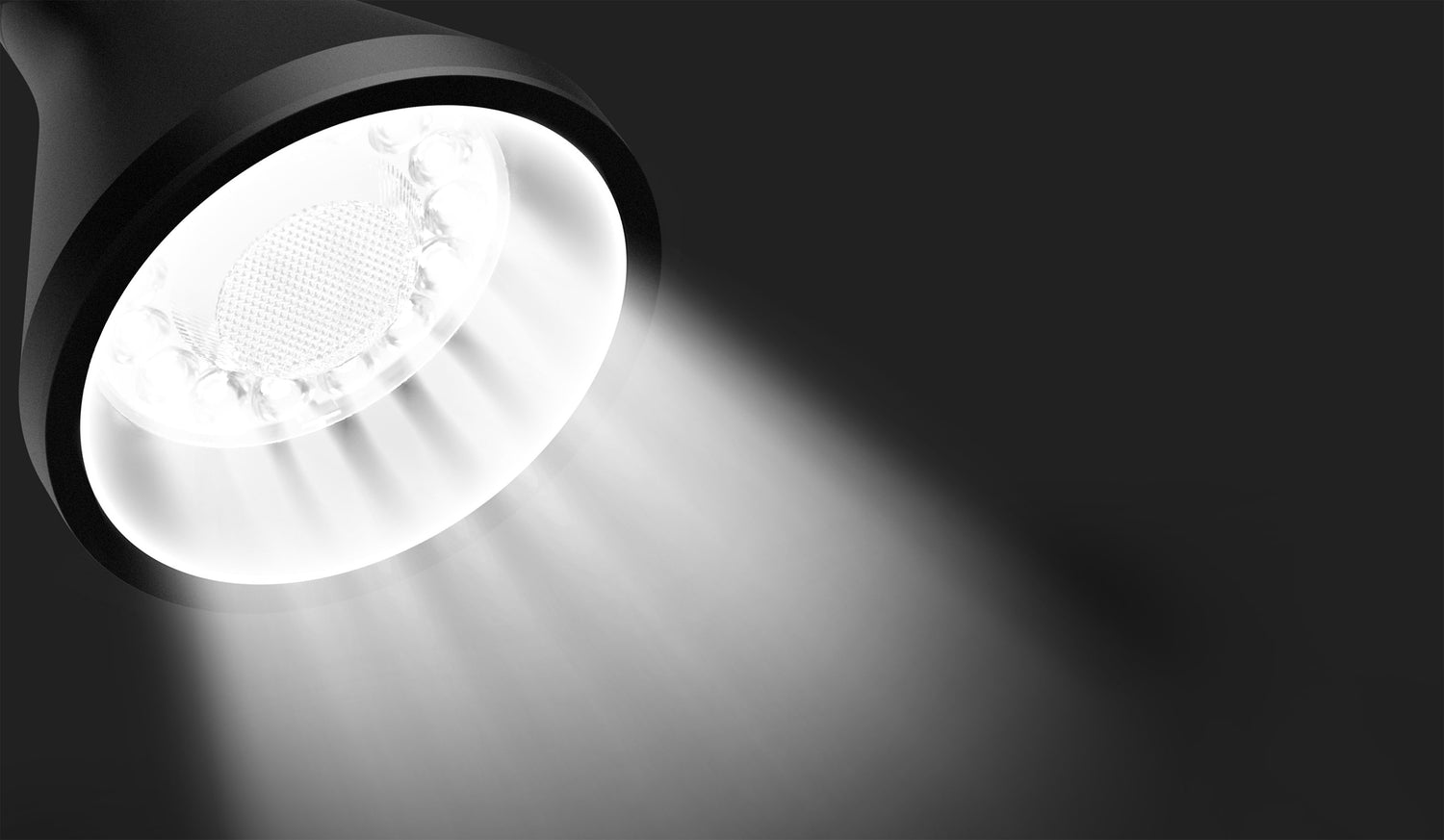
15 lentilles de condensation individuelles offrent une expérience d'éclairage uniforme

Les lampadaires traditionnels présentent souvent des problèmes de dispersion de la lumière, ce qui rend la lecture plus difficile, les couleurs plus difficiles à distinguer et fatigue les yeux. Nous avons résolu ce problème grâce à 15 groupes de lentilles de condensation individuelles qui concentrent la lumière selon un angle précis de 23°, vous offrant ainsi un éclairage uniforme quelle que soit votre activité.

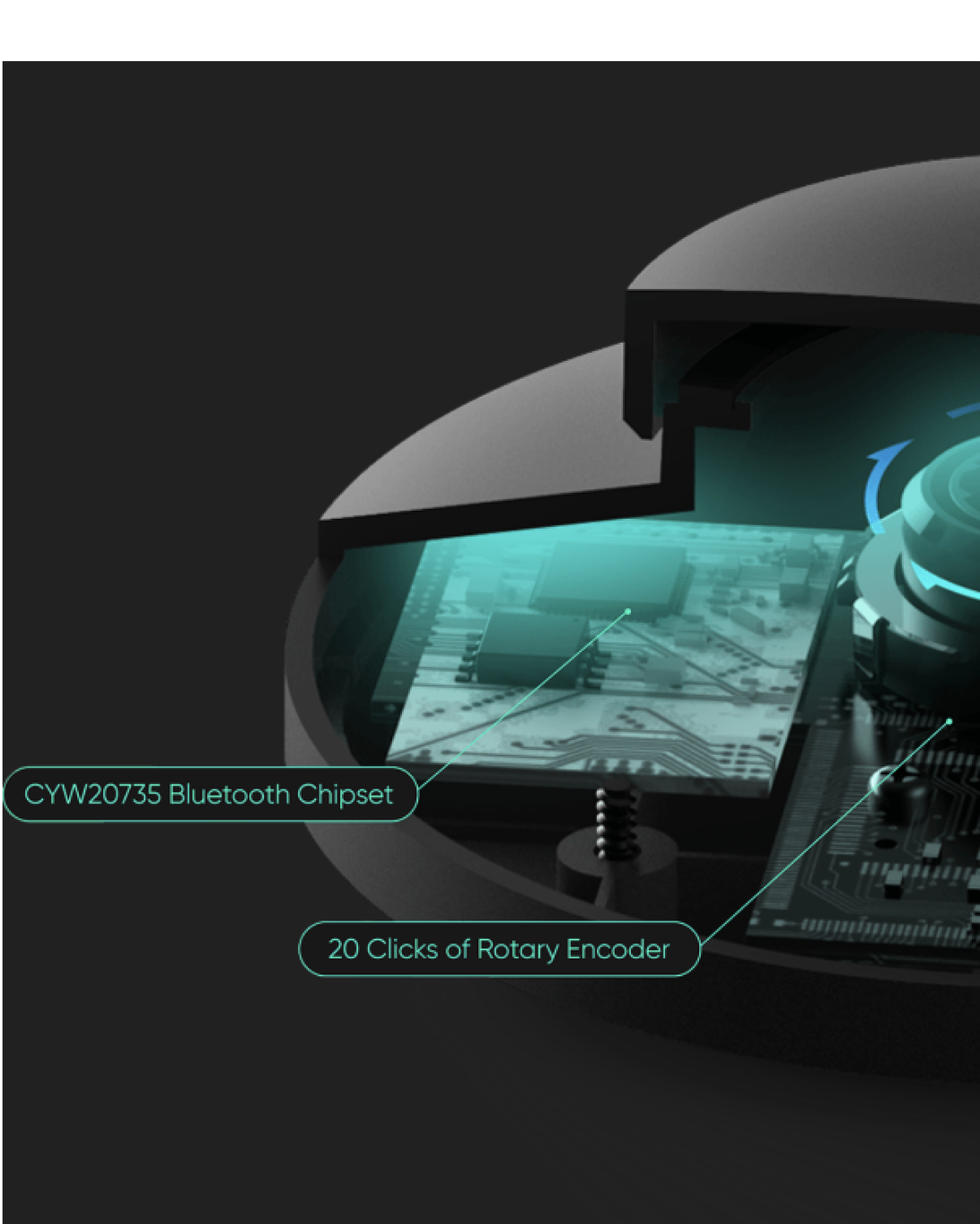
A close-up view of a bluetooth chipset and rotary encoder in a floor lamp.

Réglez la luminosité avec précision grâce à la télécommande Bluetooth et ses 11 niveaux d'éclairage.

Plus vous utilisez la lampe, plus elle apprend vos préférences grâce à l'intelligence artificielle et à l'apprentissage profond. En quelques utilisations seulement, le lampadaire Wyze mémorise vos réglages préférés et s'allume automatiquement au niveau de luminosité souhaité.

Une lumière ultra-concentrée à 23° éclaire votre travail avec précision.

Quinze groupes de lentilles de condensation individuelles font de ce lampadaire le premier à offrir un éclairage véritablement directionnel. Cet éclairage directionnel permet de concentrer la lumière exclusivement sur votre travail sans gêner votre entourage.

A light shining at 23 degrees.

Pied de lampe unique de 1,80 m avec col flexible permettant d'orienter la lumière dans toutes les directions

Nous avons conçu un pied de lampe rare de 1,80 m avec un col flexible de 60 cm pour que vous puissiez facilement éclairer n'importe quel endroit, des canapés et fauteuils inclinables aux postes de travail et aux plafonds.

A floor lamp with a light on in a living room.

Des couleurs plus fidèles et des détails plus fins pour le dessin, le bricolage et les puzzles

Le lampadaire Wyze possède un indice de rendu des couleurs (IRC) exceptionnellement élevé de plus de 90. Associé à un éclairage à 23°, il offre une expérience d'éclairage haut de gamme qui révèle des couleurs plus vives et plus fidèles.

A person is building a floor lamp with legos.

Indice de rendu des couleurs (IRC) supérieur à 90

La luminosité centrale peut atteindre 1 400 lx, soit le niveau de luminosité international A*. *Lorsque l’ampoule est positionnée à 119 cm (47 pouces) de la surface ou de l’objet.

A person is coloring a picture on a piece of paper. A person is coloring a picture with a pencil and a coloring book.

Luminosité d'éclairage normale : 400 lx - 800 lx

Lampadaire Wyze 1400lx

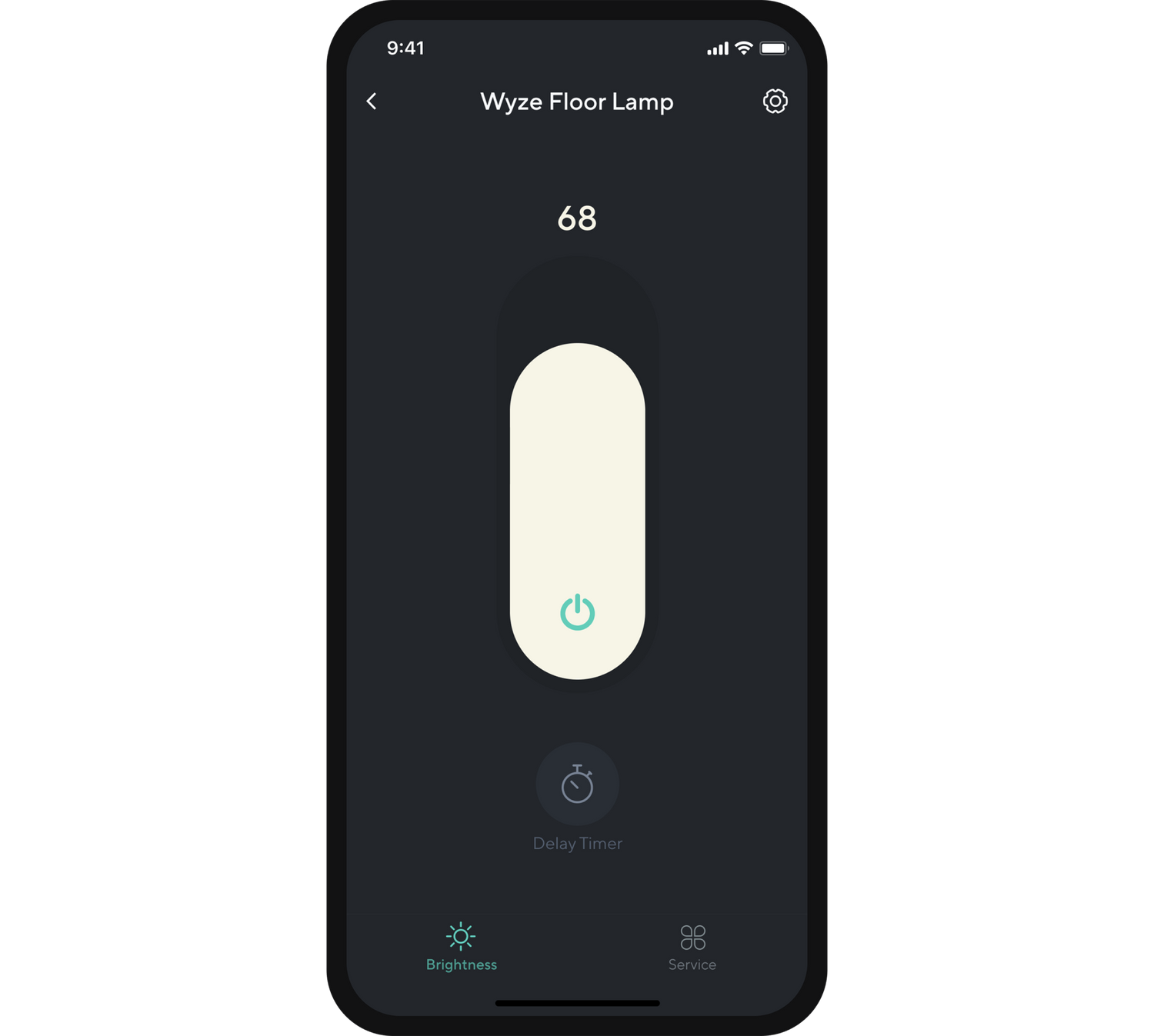
A smartphone app displaying a floor lamp brightness setting.
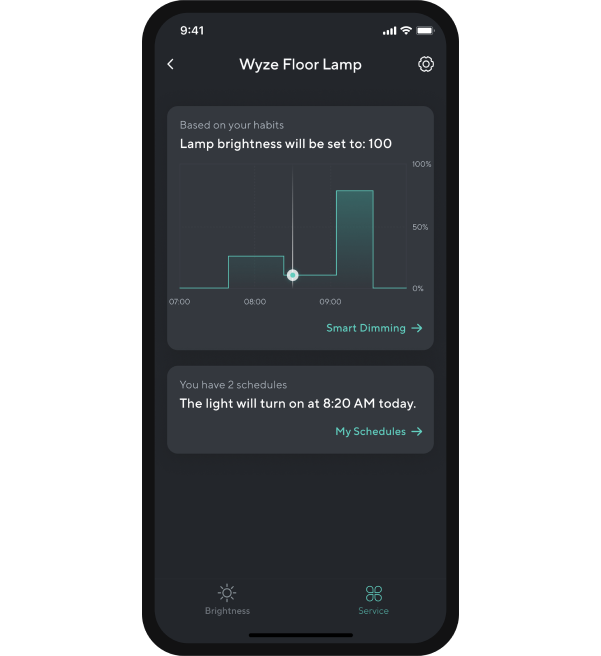
A smartphone app displaying a floor lamp's brightness schedule.
A smartphone app displaying a timer for a Wyze floor lamp.
A smartphone app displaying a floor lamp schedule.

Se connecte à l'application Wyze pour plus d'options d'éclairage intelligent (Bluetooth uniquement).

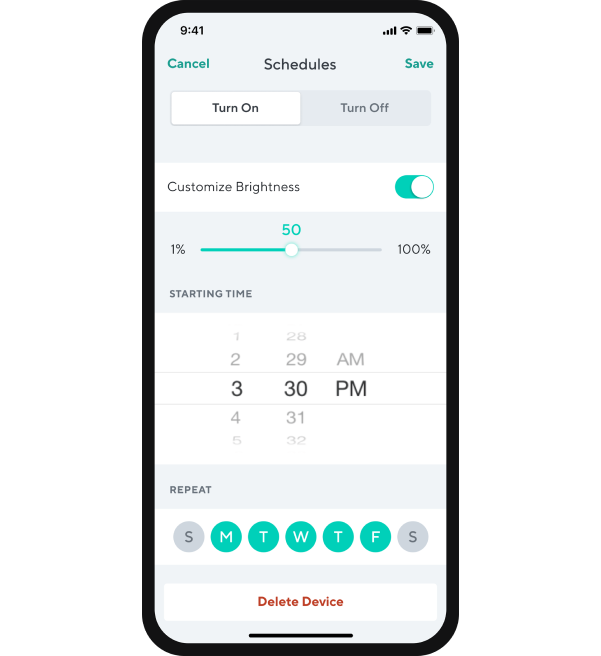
Le lampadaire Wyze peut être connecté via l'application Wyze pour une commande à distance, la programmation de minuteurs, la variation intelligente de l'intensité lumineuse, le mode veille et bien plus encore. Des mises à jour sont disponibles via l'application pour ajouter de nouvelles fonctionnalités et expériences d'éclairage après l'achat.

Contrôle via l'application Wyze pour l'allumage/l'extinction et 100 niveaux de luminosité.

Grâce à l'application Wyze, vous pouvez consulter l'état de votre lampadaire Wyze, notamment votre niveau de luminosité actuel et les prochaines programmations.

Grâce à la minuterie différée de l'application, la lampe sur pied Wyze s'allumera ou s'éteindra automatiquement après un délai défini. Vous pouvez par exemple l'utiliser comme veilleuse.

Grâce aux programmes disponibles dans l'application, la lampe sur pied Wyze s'allumera, s'éteindra ou ajustera automatiquement son niveau de luminosité.

A black floor lamp with a white base.

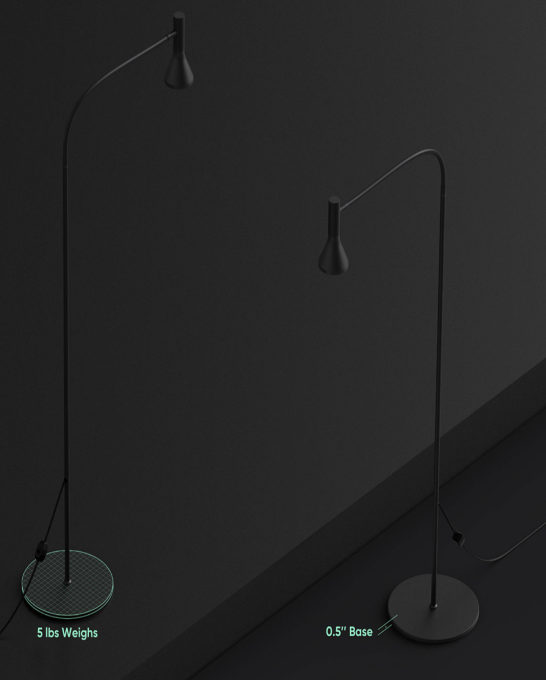
Si discret qu'il est nettoyé par l'aspirateur robot Wyze

Base de 1,27 cm (0,5 po) - Poids : 2,27 kg (5 lb)

A woman taking a selfie in a dimly lit room.

La température de couleur de 4000K (lumière du jour) offre un éclairage de qualité professionnelle pour les portraits.

Réalisez des photos professionnelles ou filmez des vidéos incroyables grâce à un IRC supérieur à 90 et une température de couleur lumière du jour de 4000K, associés au faisceau concentré de la lampe.

Support Articles

Once assembled, Wyze Floor Lamp works right out of the box. Plug the lamp in and toggle the cord switch to turn the light on and off.

To use it with the BluetoothⓇ remote button and the Wyze app, you must set it up using the steps in this article. Trust us - you want to do this to get the most out of your lamp!

Before you begin, download the Wyze app and sign in or create a Wyze account.

In the Box:

  • Wyze Floor Lamp Stand x1
  • Wyze PARB Bulb x1
  • Wyze PARB Remote x1
  • AAA/LR03 Battery x1
  • Quick Start Guide x1

To set up your Wyze Floor Lamp:

  1. Unpack the Wyze Floor Lamp box, including the lamp parts and BluetoothⓇ remote.
  2. Assemble your Wyze Floor Lamp using the Quick Start Guide.
  3. Install the AAA battery into Wyze PARB Remote (the BluetoothⓇ remote).
  4. In the Wyze app, tap Home, then tap the plus sign + on the top right.
  5. On the Add menu, tap Device.
  6. Tap Power & Lighting > Wyze Floor Lamp.
  7. Plug the floor lamp into a power outlet.
  8. Toggle the cord switch to turn the light on. Tap Next in the Wyze app. Move your phone close to the lamp. The Wyze app will finish pairing.
  9. Name your Wyze Floor Lamp or choose from the list of suggestions. Tap Next.
  10. On the sharing screen, tap Maybe Later. In the next steps, you'll pair the BluetoothⓇ remote to your Wyze Floor Lamp. You can share the floor lamp later. Tap Next.
  11. Toggle the cord switch again. Tap Next.
  12. Pop out the side button on the BluetoothⓇ remote to enter pairing mode. Tap Next. The LED light will begin flashing.
  13. Press the big button on the center of the BluetoothⓇ remote. Tap Next. The lamp's lightbulb will pulse while pairing. It will steady when pairing is complete.
  14. Press the side button on the BluetoothⓇ remote to exit pairing mode.
  15. Test the remote by rotating the big button. If the brightness changes, pairing was successful. Tap Done.
  16. Enjoy your new Wyze device!

Download the Quick Start Guide for Wyze Floor Lamp in this article.

Attached is the Quick Start Guide for Wyze Floor Lamp, a short manual for how to get started.

This guide is a short user manual with the basics about Wyze Floor Lamp including:

  • What's in the box for Wyze Floor Lamp.
  • How to download the Wyze app.
  • How to assemble your Wyze Floor Lamp.
  • How to use your Wyze Floor Lamp
  • How to use the remote for Wyze Floor Lamp.
  • How to troubleshoot your Wyze Floor Lamp.

Assembling your Wyze Floor Lamp should only take a few moments. Most parts are already assembled and just need to be twisted to tighten!

To assemble your Wyze Floor Lamp:

  1. Remove all lamp parts from the packaging.
  2. Pull the cord through the base to tighten the pole connections.
  3. Screw the upper pole into the gooseneck.
  4. Screw the upper pole into the lower pole.
  5. Screw the lower pole into the base.
  6. Screw the bulb assembly into the gooseneck.
  7. Insert plug into the power outlet.

Here's a Wyze Floor Lamp diagram of the how the base, poles, gooseneck, bulb assembly, and cord switch should be put tightened.

Added to your cart
Livraison GRATUITE pour les commandes de 59 $ et plus
Subtotal
$0.00
View cart