Ir directamente a la información del producto
1 de 7

Wyze Cam Pan v3

Wyze Cam Pan v3

Cámara 360° 1080p con visión nocturna

Color
Embalar
Add ons
$44.98
En existencias
Get it as soon as
Devoluciones sin problemas de 30 días.
En existencias
$0.00 FREE / 1 month
14-Day Cloud Storage
Smart Detections & Notifications
Subscriber Discount

*Cam Plus subscription auto renews at $2.99/month/cam after the first month. No commitment, cancel anytime. Plan is not compatible with existing Cam Plus Unlimited plans.

A blue and white logo for Wyze.
VENTAJAS Exclusivas de Wyze.com
Garantía extendida de 18 meses

Obtenga una garantía extendida de 18 meses al comprar este producto en wyze.com. También obtenga paquetes especiales, promociones únicas y recompensas con cada pedido

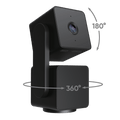
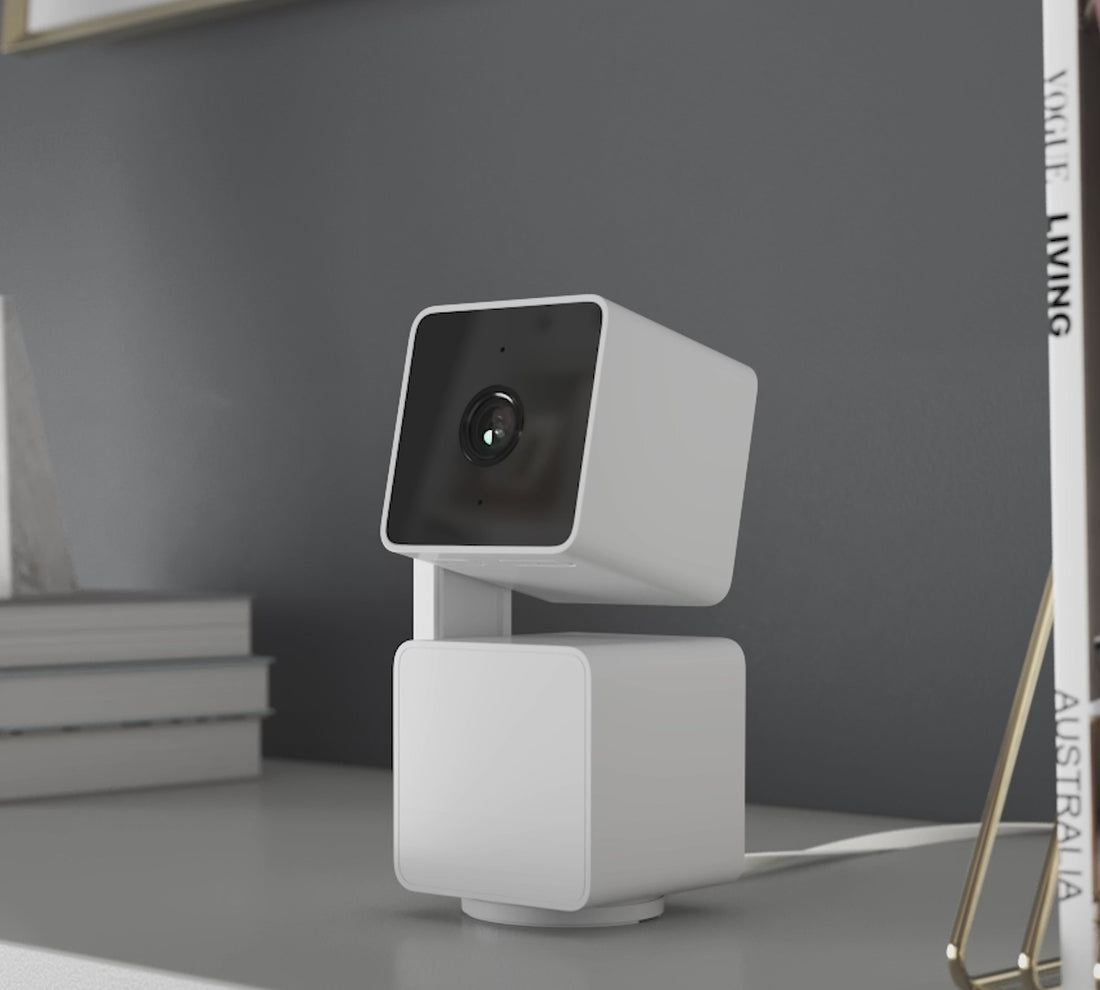
Wyze Cam Pan v3 es una cámara de seguridad rediseñada para interiores y exteriores, con giro de 360° e inclinación de 180° y es totalmente resistente a la intemperie con certificación IP65.

*Para un uso seguro en exteriores, Pan v3 requiere un adaptador de corriente para exteriores Wyze (se vende por separado).

Ver todos los detalles
  • Weather-resistant camera lens.

    Resistente a la intemperie IP65 para interiores y exteriores

  • WyzeCam Pan V2 Icon.

    Gira 360°/se inclina 180° de forma remota

  • Fast motion icon.

    Automatic Motion-Tracking

  • A black background with a white logo for Streamline HQ Technology.

    Modo de privacidad

Especificaciones de la Wyze Cam Pan v3

Color y materiales

  • Color: Blanco
  • Acabado: Mate
  • Cuerpo: policarbonato
  • Lente: Vidrio + plástico
  • Procesador: 1,5 GHz
  • Sensor de imagen: CMOS de 1/2,9''
  • Indicador LED: Delantero. Rojo + Azul
  • Visión nocturna: 4 LED IR (850 nm)

Dimensiones y peso

  • 124 mm (alto) x 60 mm (ancho) x 63 mm (profundidad)
  • 11,29 onzas (320 g)

Video

  • Codificación de vídeo: H.264
  • Vídeo FPS: Diurno - 20 fps; Nocturno - 15 fps
  • Resolución de vídeo: 1920 x 1080 (1080p)

Rango de visión

  • 360° horizontales, 180° verticales

Campo de visión

  • Campo de visión de 120°

Detalles adicionales

  • Zoom digital: 8x
  • Montaje: Tornillo 1/4" - 20
  • Base circular: diámetro 1,69" (43 mm)
  • Puertos: 1 micro USB
  • Memoria: 128 Mb
  • Velocidad de rotación: hasta 110° por segundo
  • Audio: Altavoz y micrófono integrados; audio bidireccional; cancelación de ruido y eco
  • Alertas: Notificaciones push
  • Visión nocturna y visión nocturna en color

Fuerza

  • Longitud del cable de alimentación: 6" (1,8 m)
  • Entrada del adaptador de corriente: 110-240 V (CA/CC)
  • Salida del adaptador de corriente: 5 V/2000 mA

Conectividad y compatibilidad

  • 802.11 b/g/n, 2,4 GHz (no compatible con Wi-Fi de 5 GHz)
  • Compatibilidad del teléfono: Android 9.0+, iOS 15.0+
  • Integraciones: Alexa, Asistente de Google, IFTTT
  • Velocidad de carga 1,0 Mbps para SD, 1,5 Mbps para HD

Almacenamiento

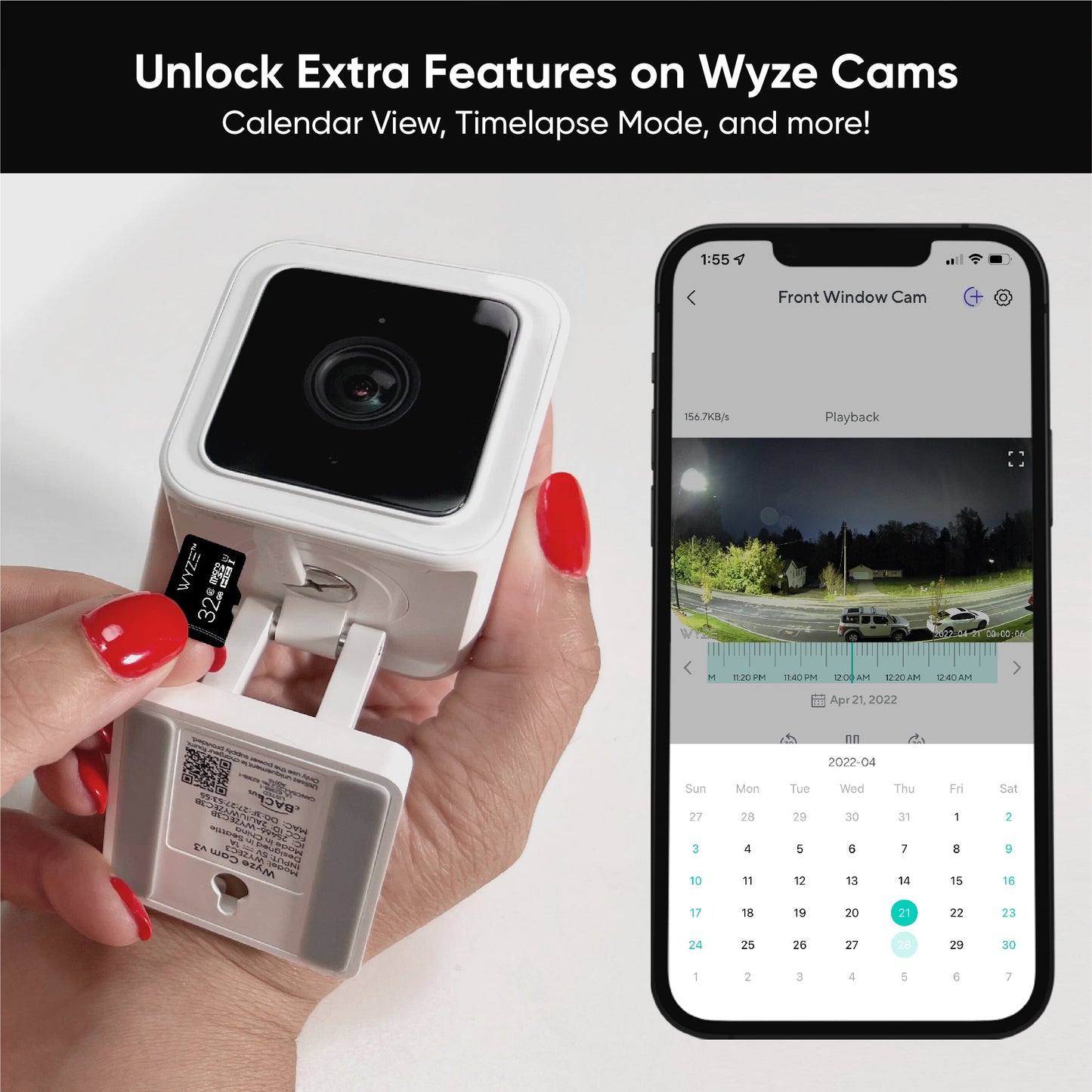
  • Admite hasta 256 GB microSD en formato ExFAT

Clima y temperatura

  • Temperatura de funcionamiento: -20 °C - 50 °C (-4 °F - 122 °F)
  • Resistencia al agua IP65

Certificaciones

  • FCC, IC, UL, TSCA, IP65

Idioma

  • Inglés

Garantía

  • 1 año

Nota importante

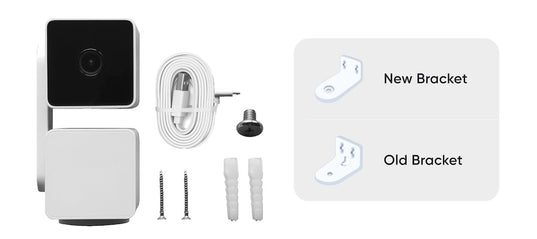
  • Wyze Cam Pan v3 viene con una de dos versiones del kit de montaje, como se muestraaquíEl kit de montaje que aparece en el empaque del producto es del diseño original, pero podría incluir el nuevo. Ambos soportes permiten instalar la Pan v3 boca abajo.
A white cord plugged into a device.
  • Cámara panorámica Wyze Cam v3
  • Cable micro USB de 6'
  • Adaptador de corriente
  • Kit de montaje (Tenga en cuenta:Se ha producido un cambio en el diseño de nuestro soporte de montaje. Los clientes pueden elegir cualquiera de los dos diseños, independientemente del que aparezca en el embalaje. Sin embargo, esto no debería afectar la funcionalidad.Obtenga más información aquí.)
  • Guía de inicio rápido

Please check the help center and see if we’ve got what you need. Alternatively, you may also find the list of related camera parts here.

Wyze Cam Pan v3 has an entirely new, innovative design that doubles the total tilt range to 180º and produces 52% less dBA noise when rotating. It is also our first IP65-rated weather-resistant pan camera, ready to be used outdoors with the included mounting kit that lets you mount it literally anywhere - even upside-down. Lastly, it has Privacy Mode which points the camera lens down towards the camera body and obstructs any view.

No, Wyze Cam Pan v3 is powered via a 1.8 m USB cable.

1920 x 1080p Full HD.

Yes, it will return to its previous position. 

Yes, Wyze Cam Pan v3 is IP65-rated and can be used both indoors and outdoors. Just be sure to cover the SD card slot to avoid water damage. Wyze Outdoor Power Adapter v2 is required for outdoor use.

No, Wyze Cam Pan v3 is powered via a 1.8 m USB cable.

Day: 20 frames per second (fps); Night: 15 fps.

No, Wyze Cam Pan v3 only supports 2.4 GHz networks.

Yes, Wyze Cam Pan v3 supports Wyze Web View. (Requires subscription to Cam Plus or Cam Protect) (https://view.wyze.com/)

No, it does not. Cam Plus Lite is only available on cameras released before April 2022.

Wyze Cam Pan v3 is equipped with a starlight sensor that allows the camera to see color in extremely low light conditions, allowing you to see full color at night. To use it, turn off Night Vision in low light conditions.

There has a been change in our mounting bracket's design. Customers may get either design regardless of the design on the packaging. However, this shouldn't affect functionality. Please check our support site if you need more details.

Lleve la Wyze Cam Pan v3 al exterior.

Ya no es solo un gato de interior. Con resistencia al agua IP65*, puedes patrullar tu propiedad automáticamente en cualquier clima.

A white camera with a black lens.

Seguimiento automático de movimiento.

Esas latas nunca supieron qué las golpeó, pero Pan v3 sí. Esto se debe a que detecta movimiento, lo sigue y lo graba automáticamente. Su motor de rastreo mejorado es más silencioso que un ratón de iglesia chismoso, así que no despertará a los bebés que duermen la siesta ni asustará a las mascotas.

...espera hasta el final 😂

Vea toda la habitación con una panorámica de 360° y una inclinación de 180°.

Ahora con el doble de cobertura de inclinación, Pan v3 puede ver directamente de arriba a abajo. Igual que mi profesor de gimnasia de secundaria, pero mucho menos crítico. Fue una época incómoda para mí, ¿vale?

Modo de privacidad.

Acabas de sentarte a ver esa serie sin parar. Además, decidiste que hoy los pantalones eran opcionales.

Entonces, activas el Modo de Privacidad en la app Wyze y Pan v3 gira y apunta 180° hacia abajo, eliminando su campo de visión y apagándose. Relájate. Pulsas "Reproducir".

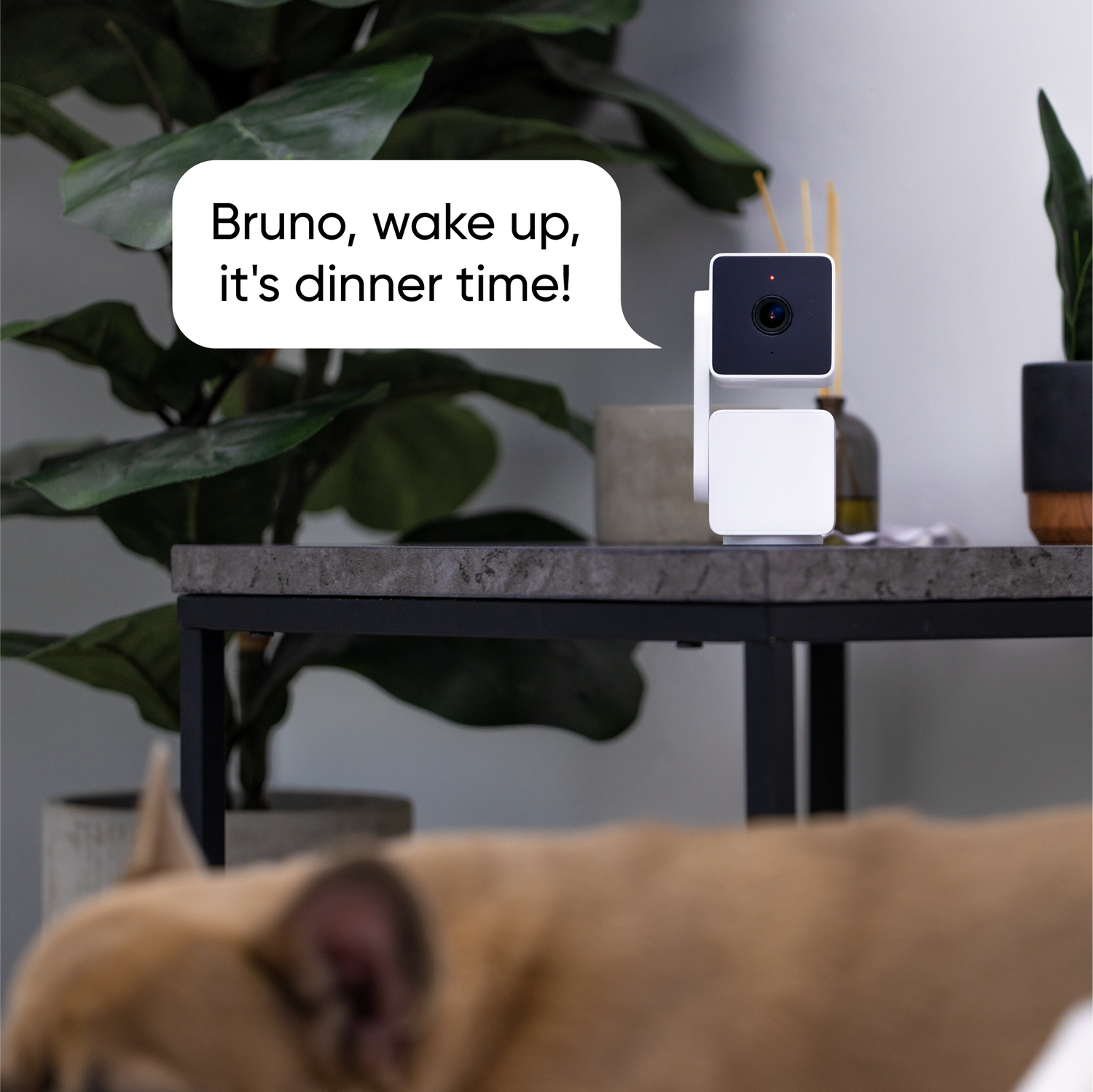
A dog with a speech bubble that says "Bruno, wake up, it's dinner time!

Audio bidireccional.

Los datos muestran que solo el 10% de los usuarios se desplazan hasta aquí en la página, y suponemos que aún menos leen este texto.

Probablemente ya sepas qué es el audio bidireccional, pero básicamente puedes hablar a través de la app Wyze y el sonido saldrá de la cámara. Puedes escuchar a la gente hablar a la cámara, y ese sonido viaja a través de un agujero negro que se formó cuando Marty McFly besó a la versión de su madre del instituto, y luego sale de tu teléfono.

Seguridad detallada con visión nocturna en color

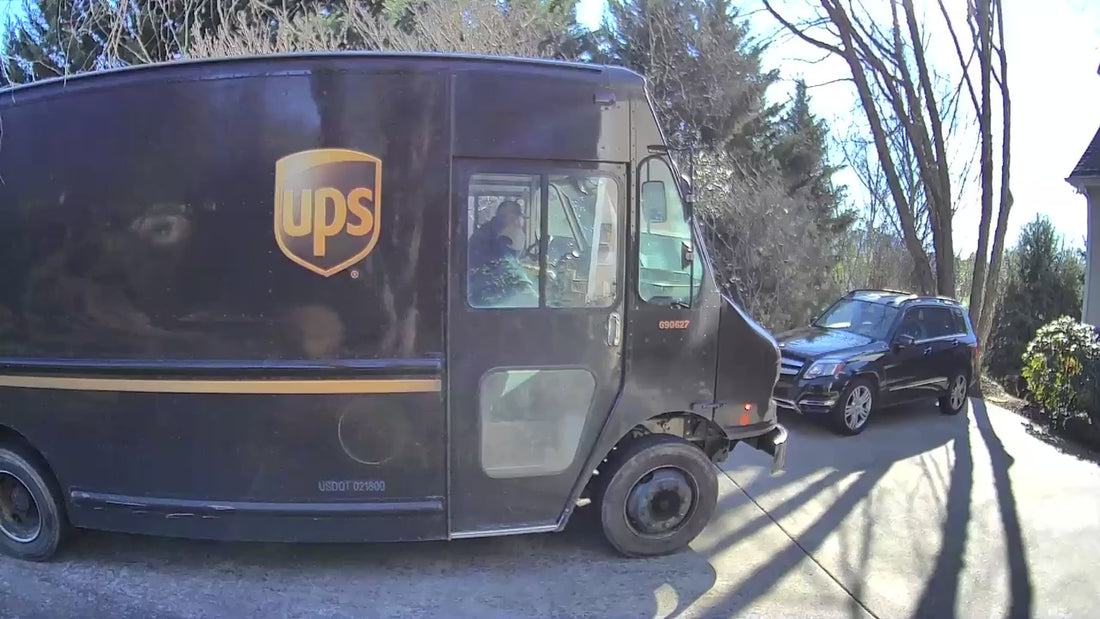
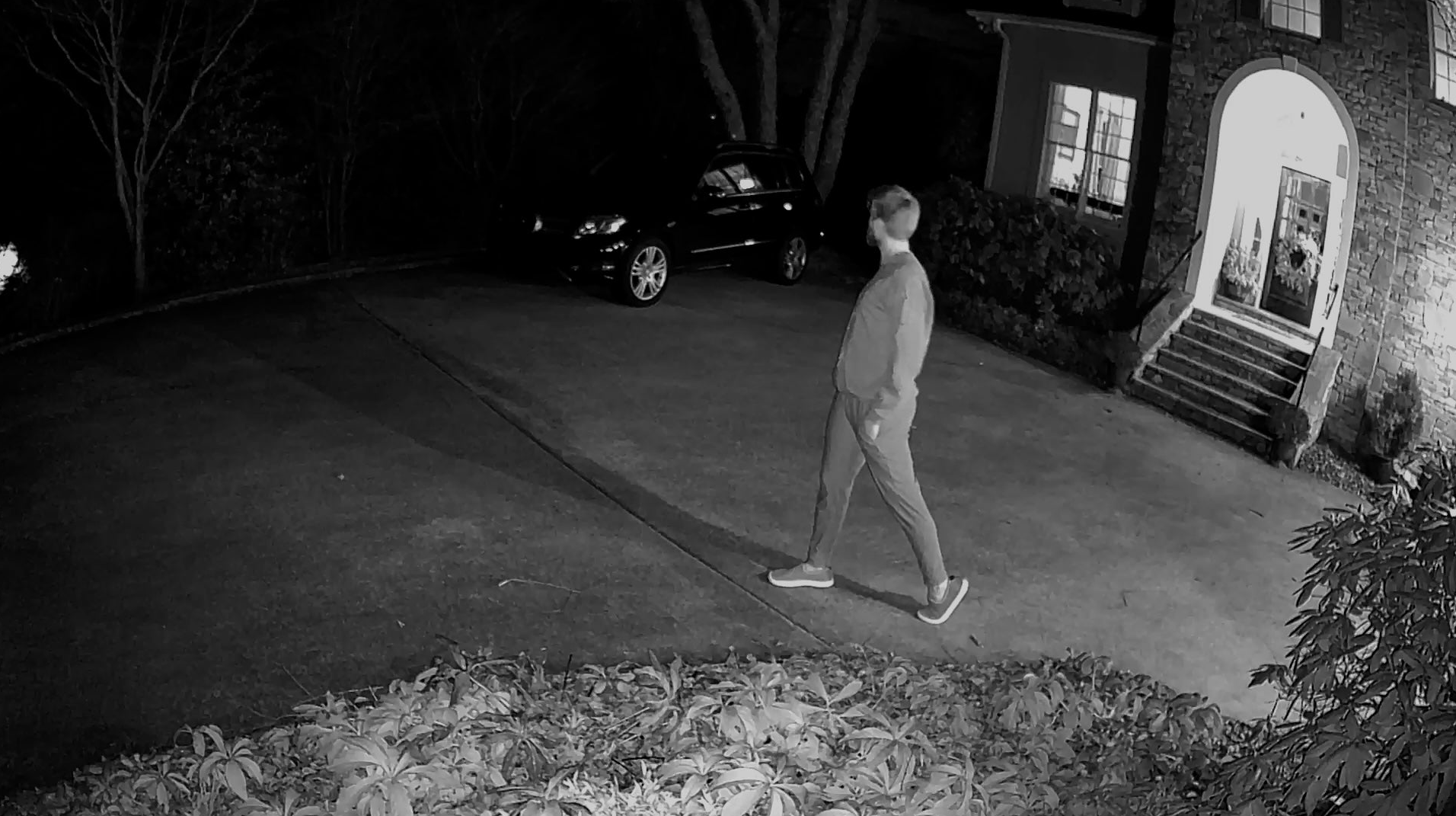
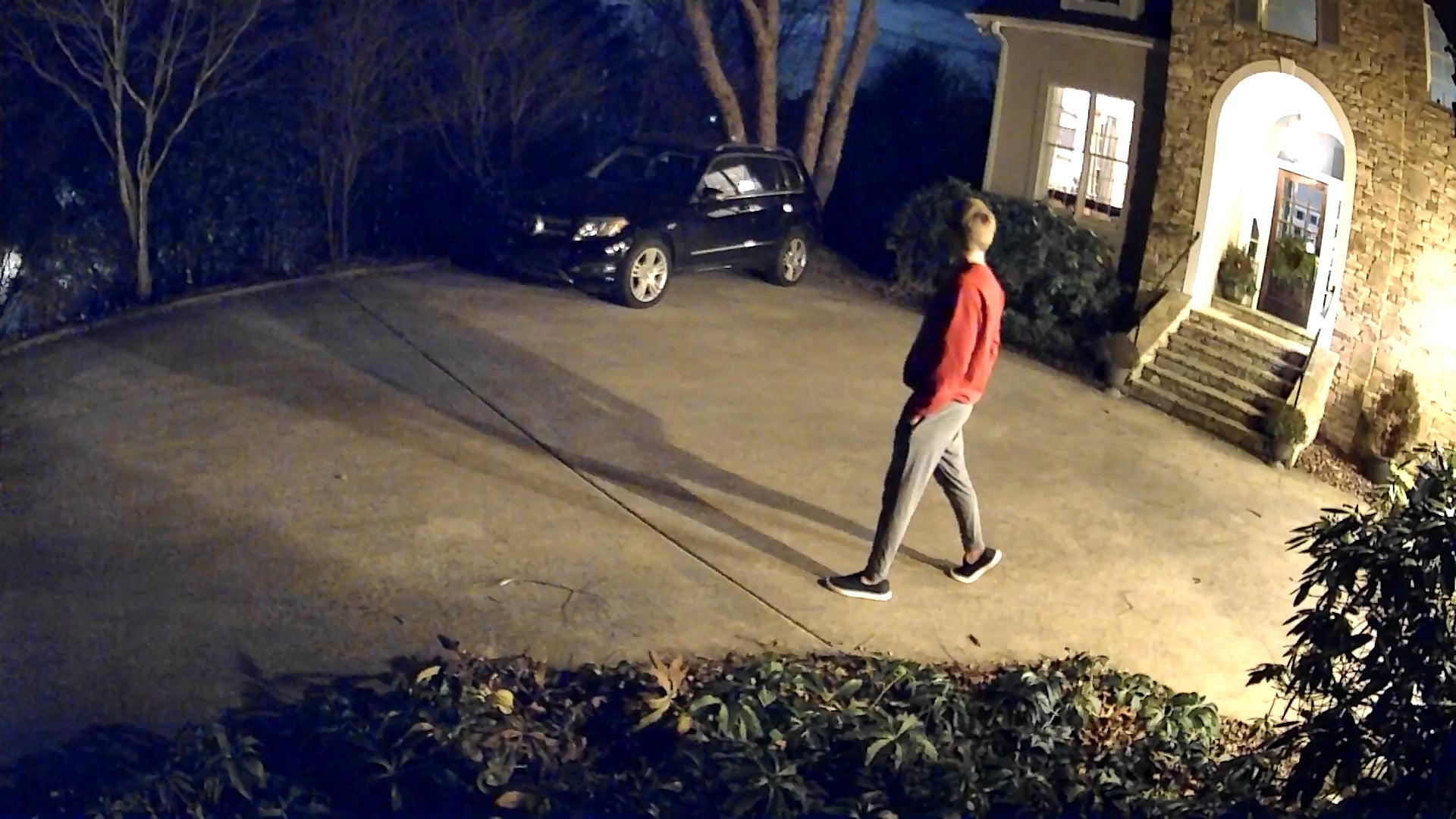
¿Has visto una película en blanco y negro últimamente? Nosotros tampoco, porque cada detalle importa. Por eso, hemos incorporado la Visión Nocturna a Color de serie en todas nuestras cámaras de seguridad con sensor Starlight.

  • A man walking on a sidewalk at night.

    Cámara de la competencia de $150

  • A man walking in front of a car.

    Wyze Cam Pan v3

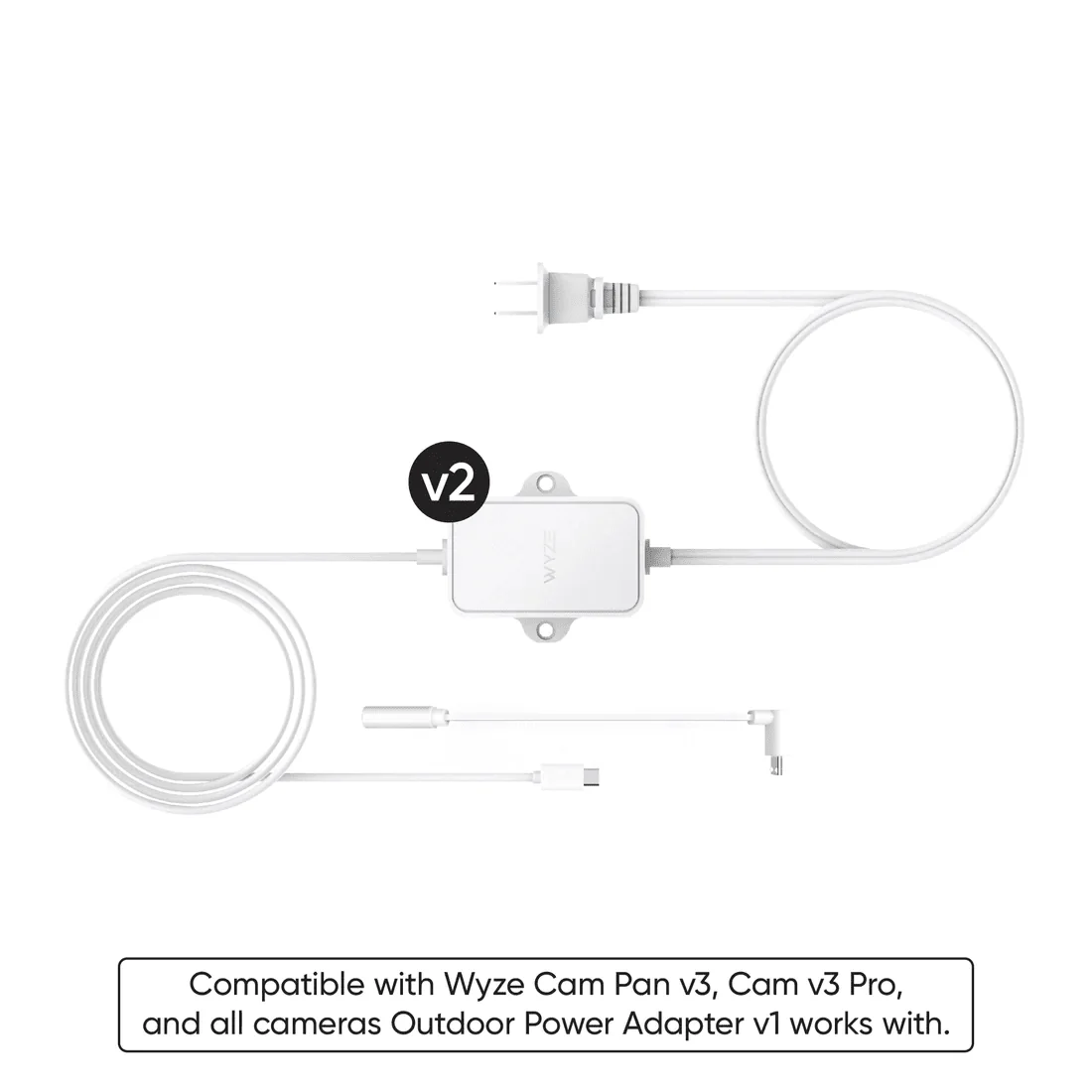
Wyze Cam Power Adapter v2 laid out against a white background.

Agregue un adaptador de corriente Wyze Outdoor + MicroUSB en forma de L

Listo para la lluvia, la nieve o el sol. Conecta tu cámara con un adaptador para exteriores. El adaptador de corriente Wyze Outdoor con microUSB en forma de L está diseñado para funcionar con la Wyze Cam Pan v3.

Aprende más

Genial desde el primer momento. Aún mejor con Cam Plus.

Biscuits AND gravy. Rainbows AND unicorns. Jay-Z AND Beyonce. Local storage AND smarter security options. 👇

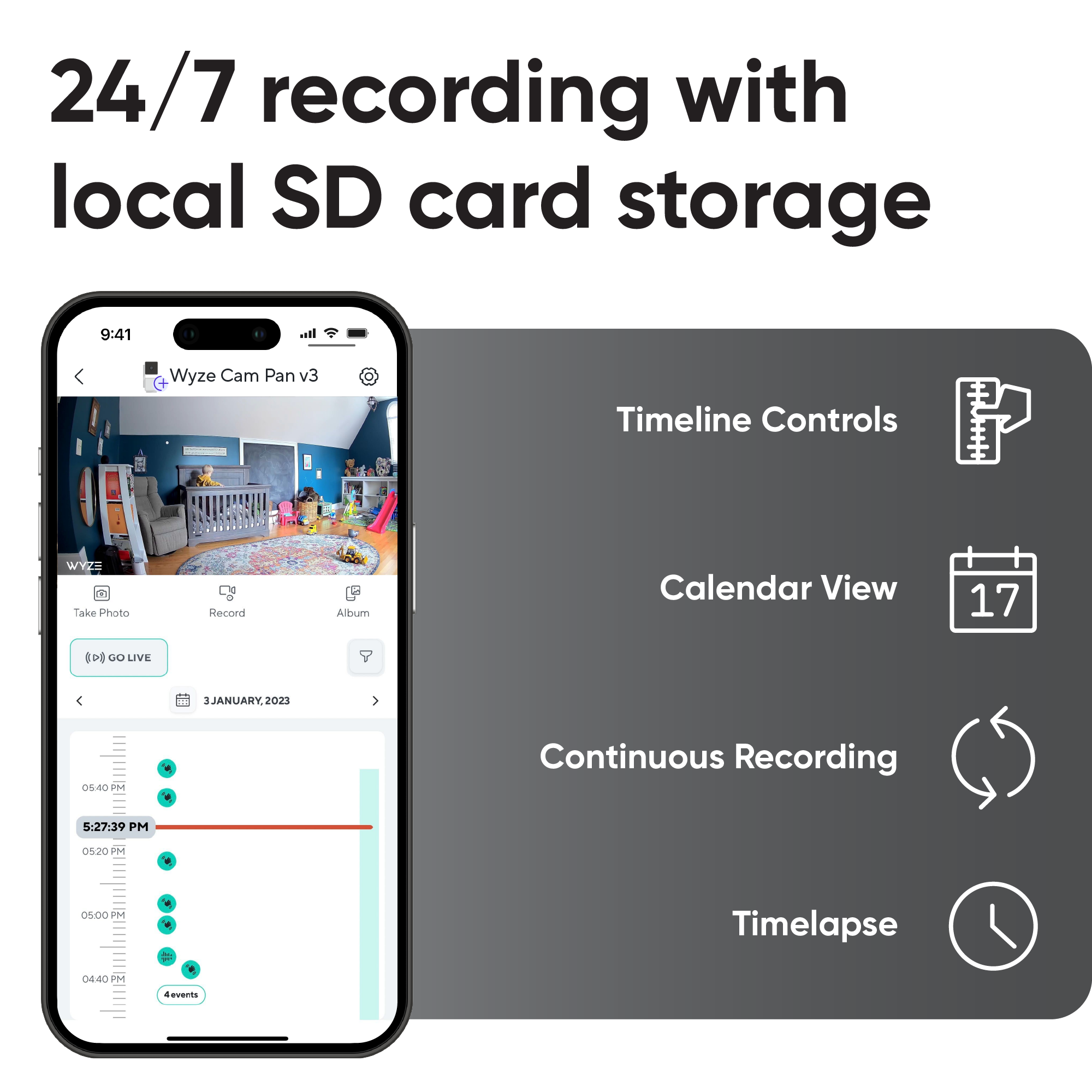
  • 24/7 recording with local SD card storage.
  • Get smarter security with Cam Plus.
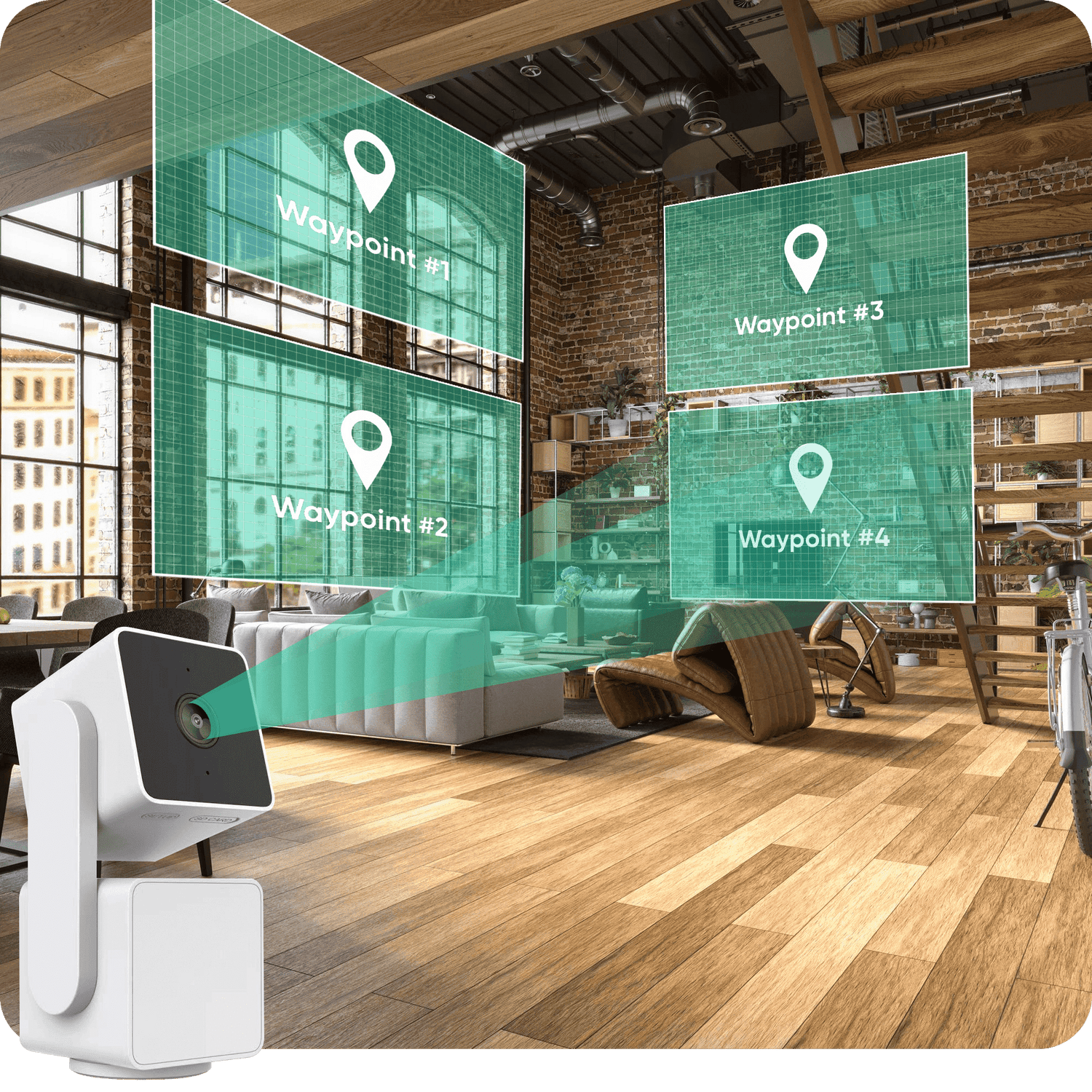
A Wyze device is displayed in a living room with a waypoint map.
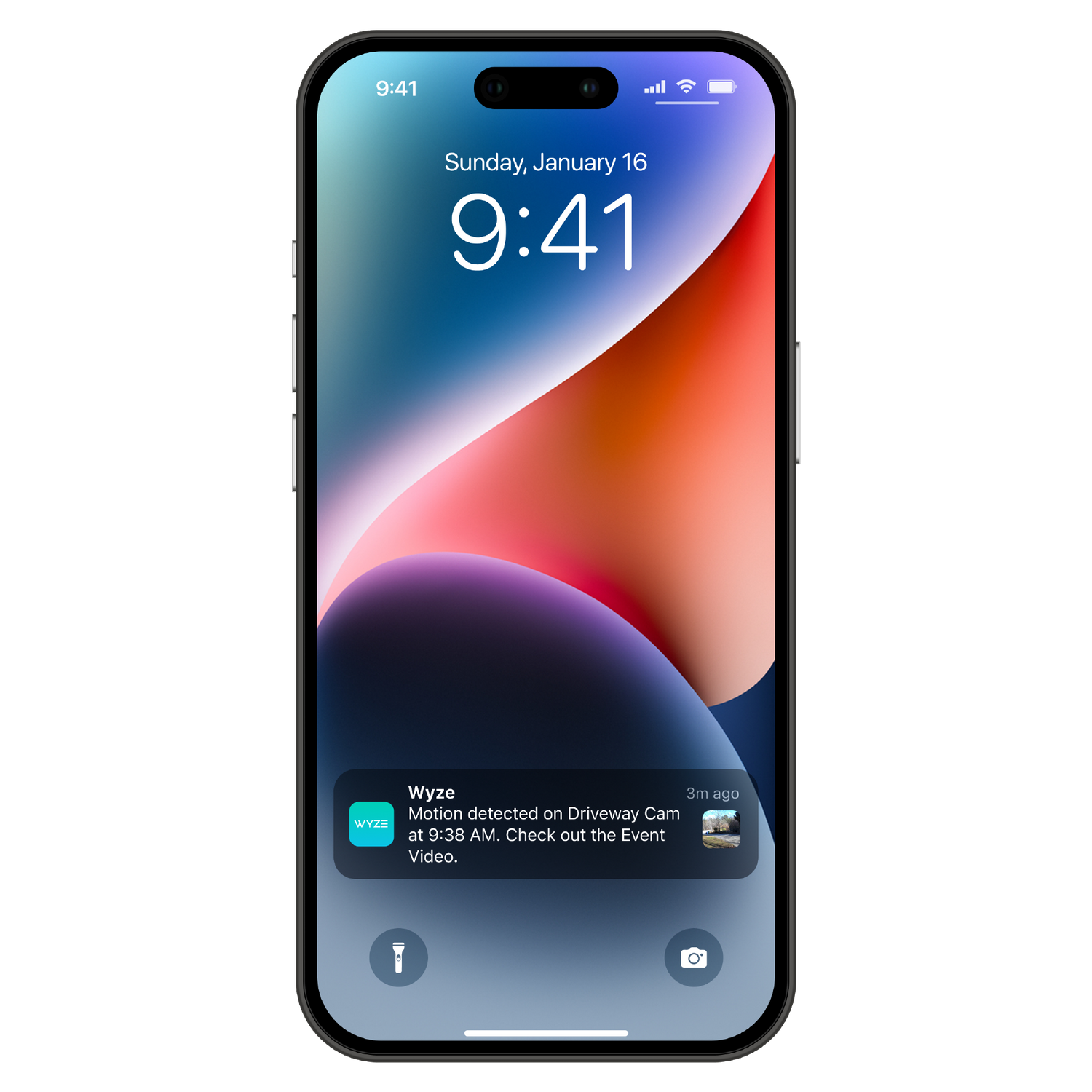
A smartphone with a Wyze notification on the lock screen.
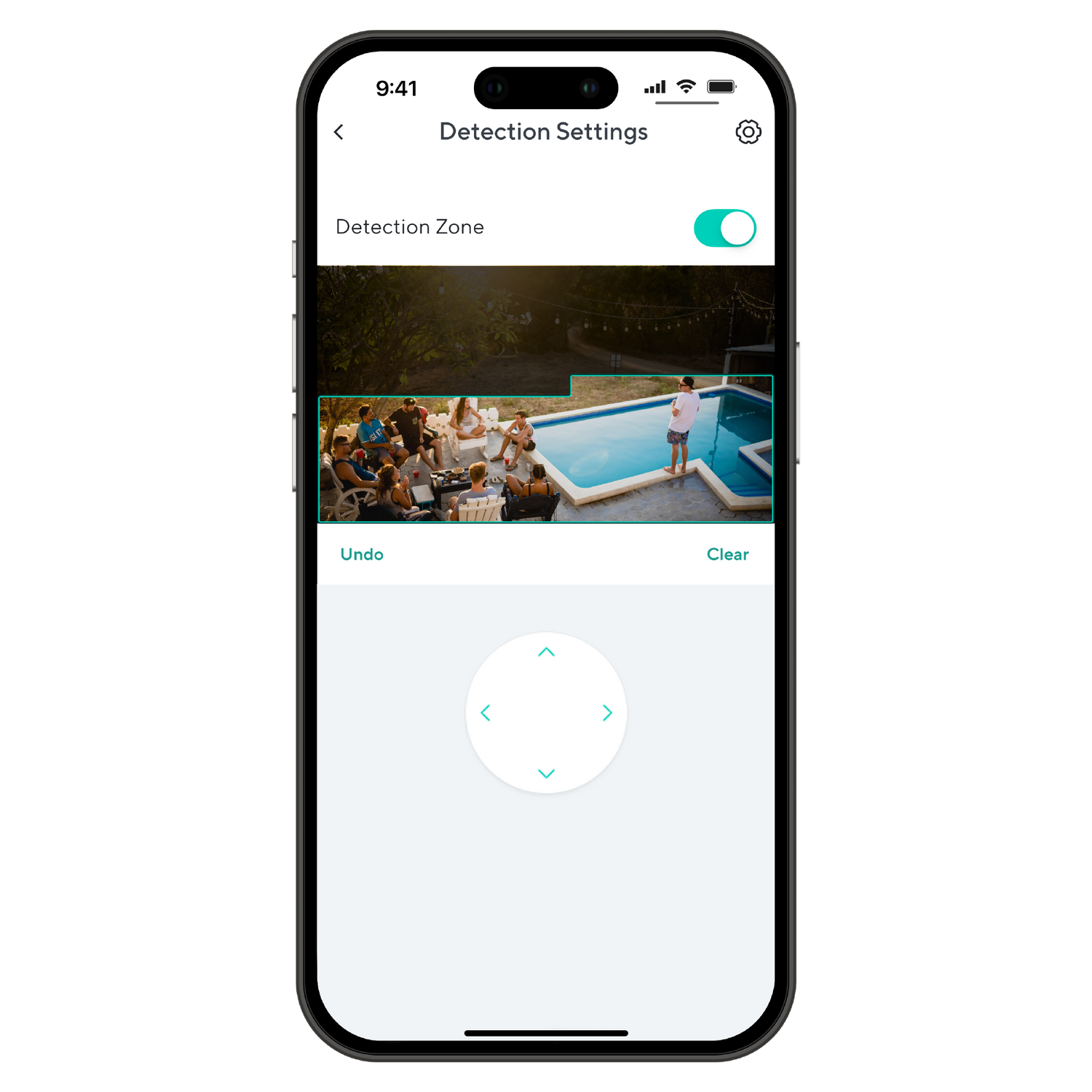
A smartphone screen displaying a detection zone.
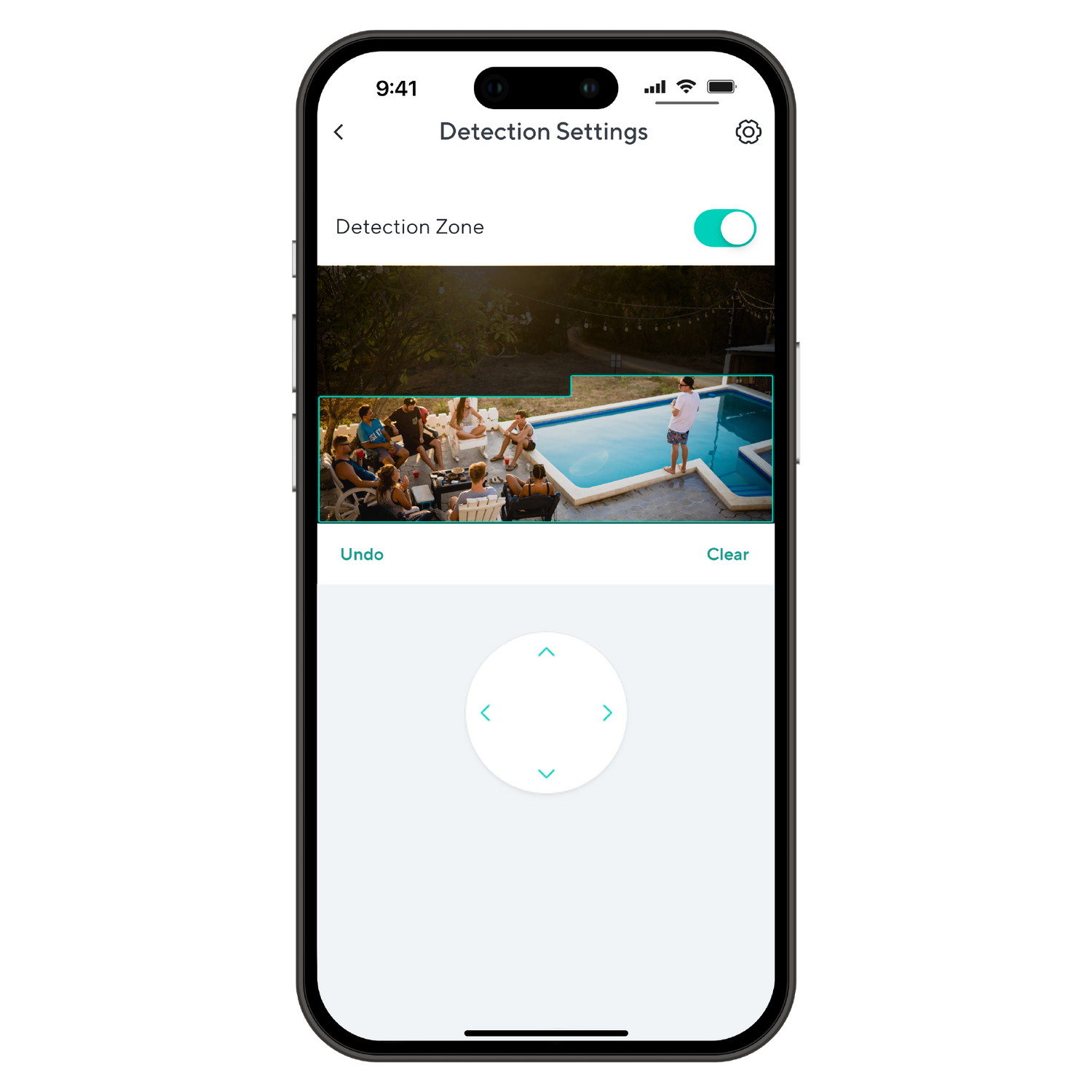
A smartphone screen displaying a picture of a pool area with people in it.
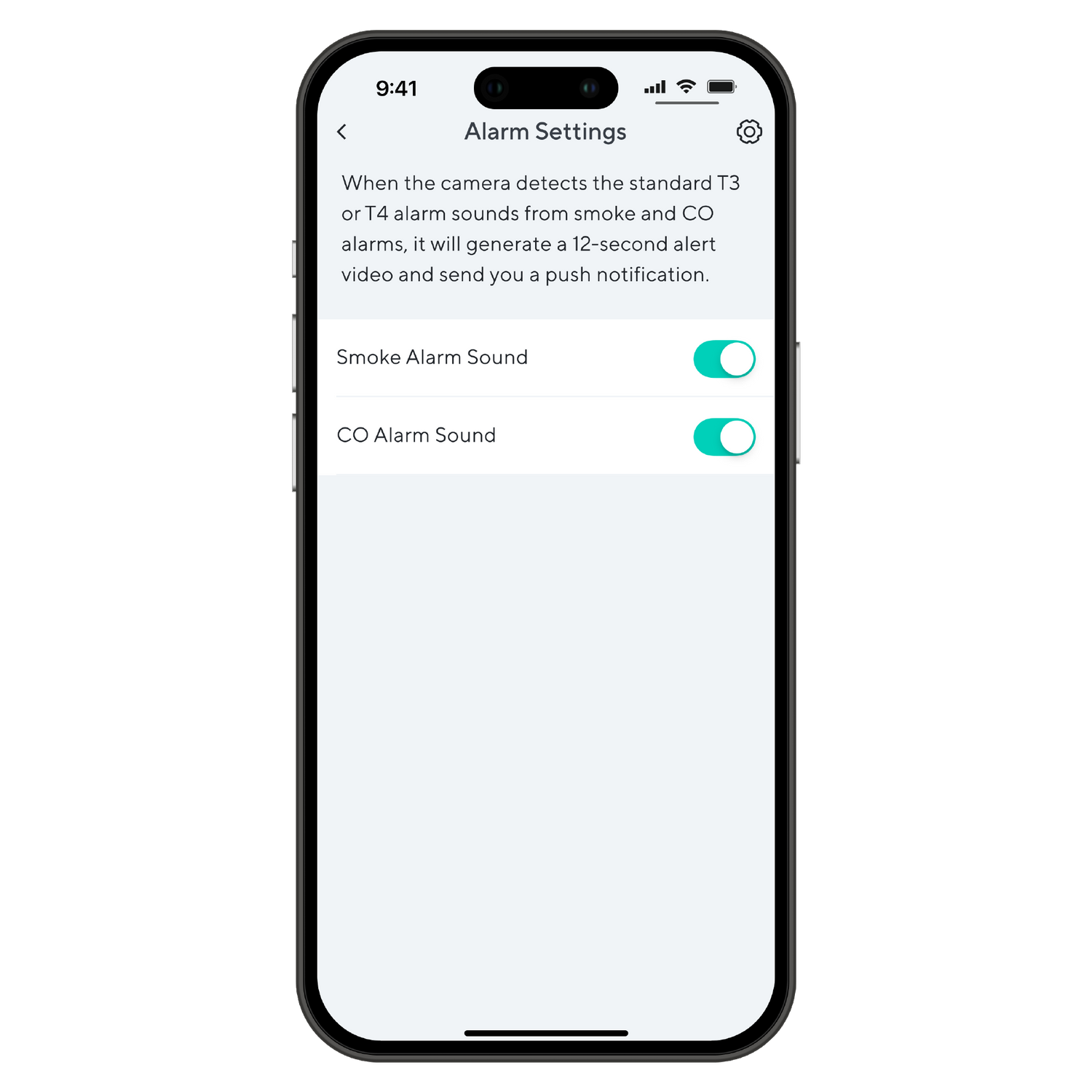
A smartphone screen displaying an alarm settings page with options to toggle notifications for Smoke Alarm Sound and CO.

Packed with app features.

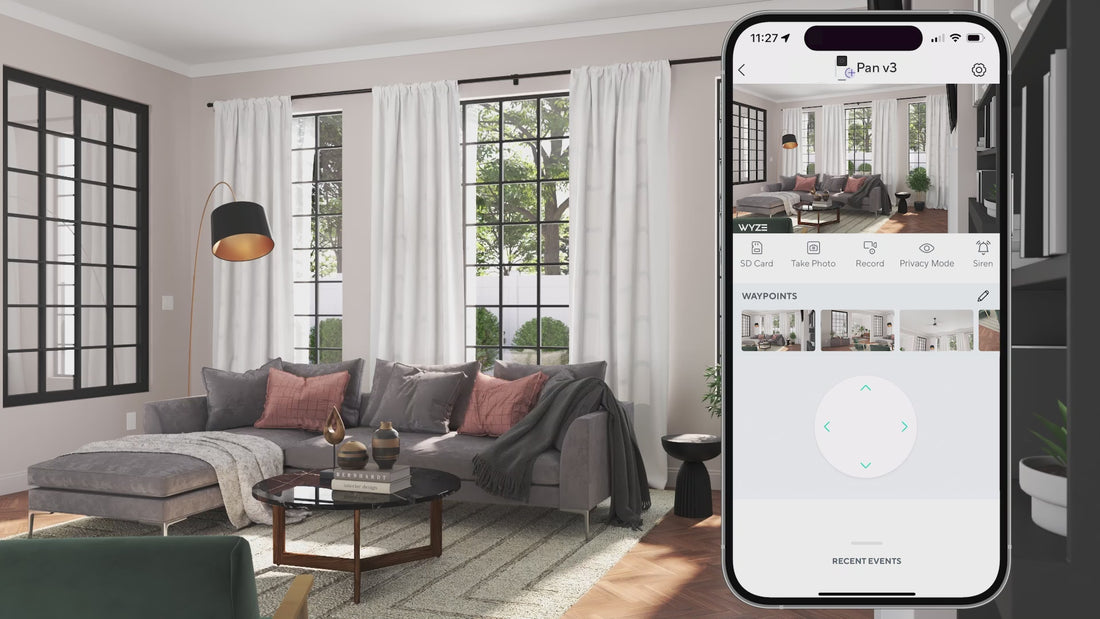
Patrol your room with Pan Scan™. Set the camera’s patrol route with up to 4 custom waypoints.

Wyze Cam Pan v3 sends your phone instant alerts when either motion or sound is detected. With Cam Plus, you can get advanced notifications, like if Wyze Cam hears a crying baby or a barking pet.

Set custom detection areas so you only receive motion notifications from areas of interest.

Receive an alert the moment Wyze Cam hears a Smoke or CO alarm go off, so even if you're not at home, you'll know if an alarm is sounding.

*Requires Wyze Outdoor Power Adapter + L-shaped MicroUSB (sold separately) for outdoor use.

Support Articles

Before you begin setup:

  1. Download the Wyze app on your smartphone or tablet.
  2. Connect your device to a 2.4 GHz Wi-Fi network.
  3. Unpack your Wyze Cam Pan v3 box, removing all plastic and packing materials.Be sure to remove the plastic film from the lens.
  4. Plug the camera into power using the included USB cable and power adapter.The camera’s status light will turn solid red when powered. When flashing, it’s ready for setup.

To set up your Wyze Cam Pan v3:

  1. In the Wyze app, tap Home, then tap + plus sign on the top right.
  2. On the Add menu, tap Device.
  3. Tap Cameras > Pan and Tilt Camera > Wyze Cam Pan v3.
  4. With your camera plugged into an outlet, tap Next in the app.
  5. Select your 2.4 GHz Wi-Fi network and enter your network password. Tap Next.Tap the icon in the password field to display the password to ensure it was entered correctly.
  6. Under the camera lens, single-press the SETUP button. It will say “ready to connect”.The camera may say “ready to connect” without pressing the SETUP button. If so, continue with setup. Note: Single-pressing the SETUP button does not factory reset, clear data or unbind your Wyze Cam Pan v3.
  7. In the app, check the box next to I heard, “Ready to connect”.
  8. Tap Next.
  9. Scan the QR code on the Wyze app.Hold your camera up to your phone screen with the QR code displaying. It will say “QR code scanned, please wait” then “setup completed”.
  10. In the app, check the box next to I heard, “QR code scanned”.
  11. After the camera is set up and connected, it will say "setup completed".
  12. Tap Next. You’re set up, it’s time to name your device.
  13. Name your Wyze Cam Pan v3 using the text field, or by choosing a suggestion.
  14. Tap Finish when done.
  15. You may have a prompt to a free trial of Cam Plus. Tap Continue.
  16. Set up some automations on the Things to Try* page, or tap Skip.
  17. Enjoy your new Wyze device!

Things to Try: Tap Create or edit a device group, Share this device, Automate your device, or Skip. These are quick ways to set up a few automations before you finish setup. When you complete a task, it'll display a green checkmark ✅. You can move on from this page by tapping Skip.

Additional Notes:

  • Wyze Cam Pan v3 only works on 2.4 GHz Wi-Fi networks. If you are connected to a 5 GHz network, switch to a 2.4 GHz network before setting up your device.
  • Having trouble scanning your QR code? A few tips to help:Hold your camera 6-10 inches away from your phone screen.Slowly move the QR code on the screen away from the camera, then closer.Tilt your phone screen slightly in case there's a glare.Turn your phone upside down. If you're on iOS, turn off "Invert Colors". Make sure the QR code isn't distorted.If you have an older device, the screen may be too small. Try a different device.If your screen is cracked or scratched, the code may be distorted. Try a different device.If you're using a beta version of the Wyze app, make sure the cursor is not on the QR code.

Haven't set up your Wyze Cam Pan v3 yet? Check out Wyze Cam Pan v3 Setup Guide before installing.

You can set your Wyze Cam Pan v3 anywhere. But if you want it up higher, you'll need to mount it with the included Mounting Kit*.

Wyze Cam Pan v3 mounted with Mounting Kit Version B.

To mount your Wyze Cam Pan v3: with Version A:

  1. Place the Mounting Bracket included in your Mounting Kit to the wall.Rotate the bracket if you're mounting the camera near the ceiling and want it upside down.Make sure your bracket has at least 150 mm of space above and below it, and 30 mm around.
  2. Mark your drill holes with a pencil.
  3. Use a 6mm drill to drill holes at the pencil marks.
  4. Drill the bracket screws into the wall or anchors.Your bracket screws should be exactly 21 mm apart.
  5. Insert the power cable into the camera, then plug the USB end into the adapter.When powered, the status light on the camera will light up.
  6. Align the hole at the bottom of the camera to the bracket and attach with the included screw.
  7. Hang the bracket from the two screws upside down, like this:

To mount your Wyze Cam Pan v3: with Version B:

  1. Place the Mounting Bracket included in your Mounting Kit to the wall.Rotate the bracket if you're mounting the camera near the ceiling and want it upside down.Make sure your bracket has at least 150 mm of space above and below it, and 30 mm around.
  2. Mark your drill holes with a pencil.
  3. Use a 6mm drill to drill holes at the pencil marks.
  4. Drill the bracket screws into the wall or anchors until halfway inserted.
  5. Place the mounting bracket over your screws, and finish drilling in the screws until the bracket is firmly attached to the wall.
  6. Pass the included power cable through the hole in the mounting bracket, and insert the cable into the bottom of your camera.When powered, the status light on the camera will light up.
  7. Using your screwdriver and the binding screw, attach the bottom of your camera the mounting bracket, like this:

Problem

You're using the Wyze app to position your Wyze Cam Pan v3, but it isn't moving as expected. It may not be rotating, or can only turn in one direction.

Note: This is usually caused by manually bumping or adjusting your Wyze Cam Pan v3, which causes it to lose track of its position. All you need to do is recalibrate the camera position and try again.

Troubleshooting

  1. Recalibrate the position of your Wyze Cam Pan v3. In the Wyze app, tap Wyze Cam Pan v3 > Settings > Advanced Settings> Motor Controls > Reset Position > Reset.
  2. Confirm your Wyze app is up to date. In your Wyze app, go to the Account tab > tap About.Your current app version is under the Wyze logo. Compare your app version to the latest app version listed here on our Release Notes & Firmware page.If you find that your Wyze app is out of date, head over to your mobile device’s app store, and update the Wyze app.
  3. Check that your Wyze Cam Pan v3’s firmware is up to date. You can check this by going to the Account tab > Firmware Update.If there is an update available for the camera, please move forward with updating it.
  4. Ensure there is nothing blocking the camera’s ability to move.
  5. Toggle Privacy Mode off/on from underneath the camera’s live stream.
Added to your cart
Envío GRATIS en pedidos de $59+
Subtotal
$0.00
View cart