Passer aux informations produit
1 de 13

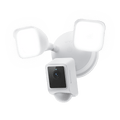
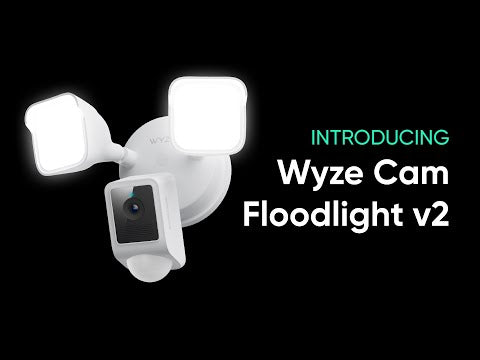
Wyze Cam Floodlight v2

Wyze Cam Floodlight v2

Caméra 2K avec éclairage de 2800 lumens

Highly Recommended
By Trusted Reviewers
Couleur
30+ added to cart in the last 24 hours
Add ons
$99.98
En stock
Get it as soon as
Retours sans tracas sous 30 jours.
En stock

160 Degree View

Eliminate Blind Spots

2K HD Video

270 Degree

Motion Detection

2K Color Night Vision

A blue and white logo for Wyze.
AVANTAGES exclusifs de Wyze.com
Garantie prolongée de 18 mois

Bénéficiez d'une garantie prolongée de 18 mois à l'achat de ce produit sur wyze.com. Profitez également de lots spéciaux, de promotions uniques et de récompenses à chaque commande

Dominez l'obscurité grâce à ses LED de 2 800 lumens, sa vidéo 2K avec vision nocturne couleur et son grand angle de 160°. Profitez d'un enregistrement local continu, d'un mode lumière ambiante, d'une communication bidirectionnelle et d'un contrôle intelligent de la luminosité. Ajoutez à cela l'automatisation du crépuscule à l'aube, la résistance aux intempéries IP65 et une intégration fluide avec votre assistant vocal préféré : la Wyze Cam Floodlight v2 ouvre la voie à une sécurité domestique plus intelligente.

Voir les détails complets
  • A colorful logo for a company.

    Résolution 2K HD et vision nocturne couleur

    Capturez plus de détails.

  • A black image with a wide angle lens.

    Champ de vision de 160° + détection de mouvement PIR à 270°

    Éliminer les angles morts.

  • A sun icon with a black background.

    2800 LED ultra-lumineuses

    Intensité variable et réglable.

  • A black screen with a message about syncing a microSD card.

    Enregistrement 24h/24 et 7j/7 avec carte microSD

    Aucun abonnement requis.

Caractéristiques de la Wyze Cam Floodlight v2

Couleurs et matériaux

  • Couleur : Blanc ou Noir
  • Finition : mate
  • Montage : Mural/Plafond
  • Corps : Polycarbonate
  • Lentille : Verre + Plastique

Dimensions

  • 9,5 po x 7,7 po x 7,0 po (24,13 cm x 19,56 cm x 17,78 cm)

Poids

  • 2,76 lbs (1,25 kg)

Éclairage

  • 2 panneaux lumineux LED à intensité variable
  • 2800 lumens de luminosité totale
  • Température de couleur de 5000K
  • Intensité variable : Oui

Alimentation

  • Alimentation câblée 110-120 V CA

Qualité d'image

  • 2K (2304 x 1296)
  • Vision nocturne
  • Vision nocturne couleur
  • 20 FPS le jour et 15 FPS la nuit

Champ de vision

  • Diagonale de 160°

Sirène

  • 105 dB

Spécifications supplémentaires

  • Audio : Haut-parleur et microphone intégrés ; audio bidirectionnel
  • Stockage local : Prend en charge les cartes microSD jusqu’à 256 Go au format ExFAT

Connectivité et compatibilité

  • 802.11 b/g/n, 2,4 GHz
  • Téléphone : Android 9.0+ et iOS 15.0+
  • Intégrations : Alexa, Google Assistant, IFTTT

Météo et température

  • -4°F - 140°F (-20°C - 60°C)
  • Résistance à l'eau IP65
  • Sans danger pour une utilisation en extérieur

Certification

  • FCC/IC, Proposition 65 de Californie, IP65, RoHS, REACH

Garantie

  • 1 an
  • x1 - Wyze Cam Floodlight v2 (assemblée)
  • x1 - Guide de démarrage rapide
  • x1 - Kit d'accessoires de montage
  • x2 - Vis de fixation (n° 6, n° 8 et n° 10)
  • x1 - Vis de mise à la terre
  • x1 - Vis pour projecteur
  • x1 - Bouchon en caoutchouc
  • x1 - Support de montage
  • x2 - Connecteurs de fils
  • x1 - Crochet x

Wyze Cam Floodlight v2 is a 2K HD camera featuring a 160-degree super-wide angle view for extra coverage, upgraded floodlights with 2800 lumens of light, and Ambient Light Mode for additional exterior lighting. All that in a more rugged and robust build, with our new Access Point feature for ladder-free camera setup, and the Motion Warning feature that alerts intruders that they're being recorded.

The 160° wide-angle field of view eliminates nearly all blind spots, ensuring comprehensive surveillance for your peace of mind.

Access Point setup lets you use a Wi-Fi hotspot to connect to your mobile device during setup. This saves you the hassle of climbing up a ladder to scan the QR code.

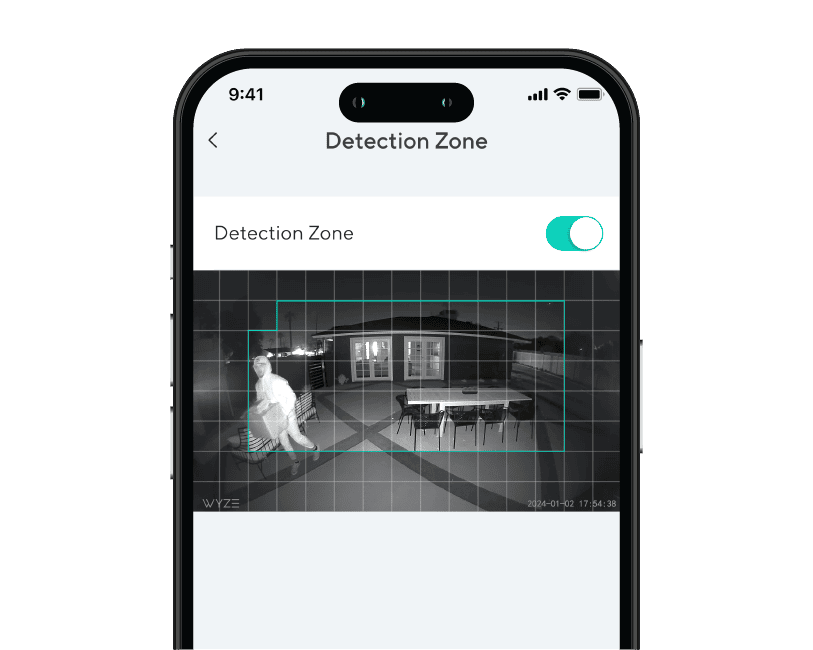
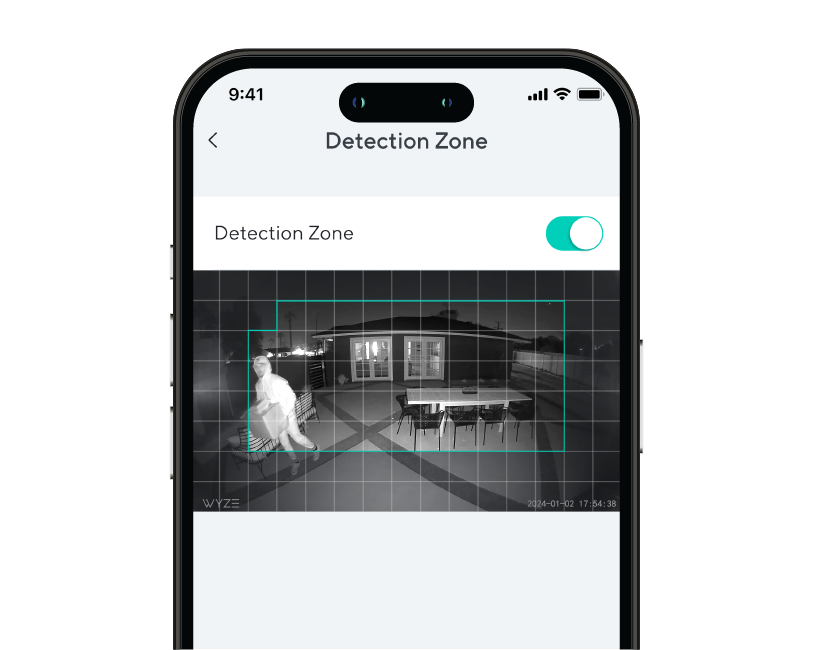
The floodlight can detect motion up to 30 feet away, with a customizable Detection Zone.

Yes, Wyze Cam Floodlight v2 has a microSD card slot in the camera that allows you to record 24/7 and store videos locally. The microSD card slot supports up to 265 GB (exFAT and FAT32 formats).

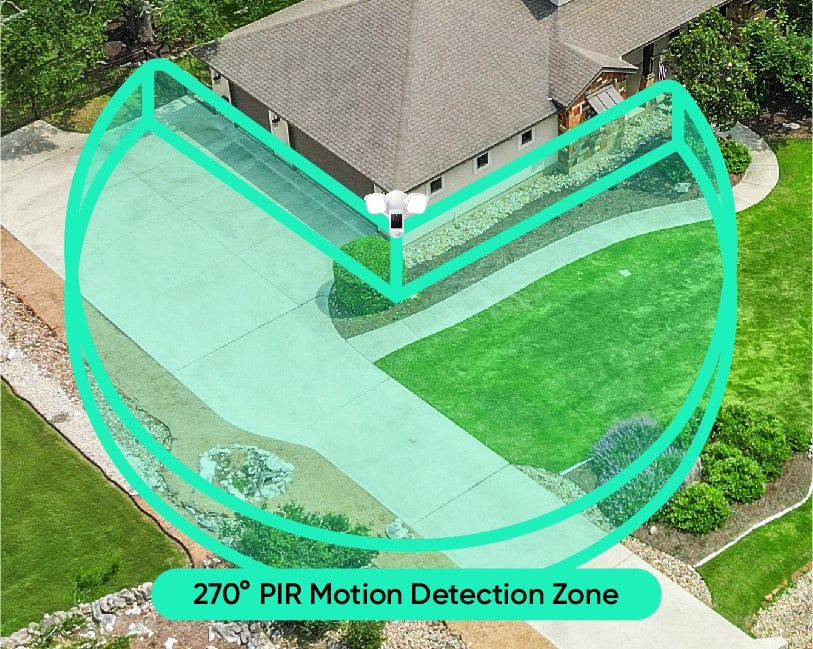
When motion is detected by the 270° PIR sensor, the floodlight turns on for a select period of time then turns off. This feature is enabled by default, but can be disabled in the floodlight's settings.

Ambient Light Mode allows the floodlight's LEDs turn on and stay on at a lower brightness level, to provide exterior lighting. Use the Wyze app to schedule when Ambient Light Mode is on and off, and to set the brightness level.

Motion Warning is a security feature to warn and deter intruders. When a person is detected, the floodlight's camera will sound "Hi, you're currently being recorded." You can customize the voice clip and play interval in the floodlight's settings.

No, the color temperature is 5000K and is not customizable.

Yes, the floodlight's LEDs are dimmable. The maximum brightness is 2800 lumens.

No, Wyze Cam Floodlight v2 does not have a battery and must be hardwired.

Yes, Wyze Cam Floodlight v2 needs to be hardwired either where another floodlight is installed or by using a junction box. Please ask a licensed electrician if you do not have a junction box set up yet.

No, it only supports 2.4 GHz networks.

Yes, it is IP65 rated.

With the Wyze Cam Floodight v2 you are bringing the power of 2,800 lumens to light up any area around your home or business and is motion activated. Additionally there are smart features to setup automations throughout your day and connect it to other smart home technologies such as Alexa, Google Assistant, and IFTTT.

Yes, from the app you are able to customize when your camera activates based on motion in your watched area.

Profitez d'une résolution 2K d'une netteté exceptionnelle.

La qualité d'image 2K impeccable vous permet de capturer les événements avec une précision inégalée, surtout de nuit. Car, comme chacun sait, le diable se cache dans les détails. Ou peut-être était-ce simplement Brad, le président de la copropriété, un peu trop susceptible.

A person is standing in front of a car.
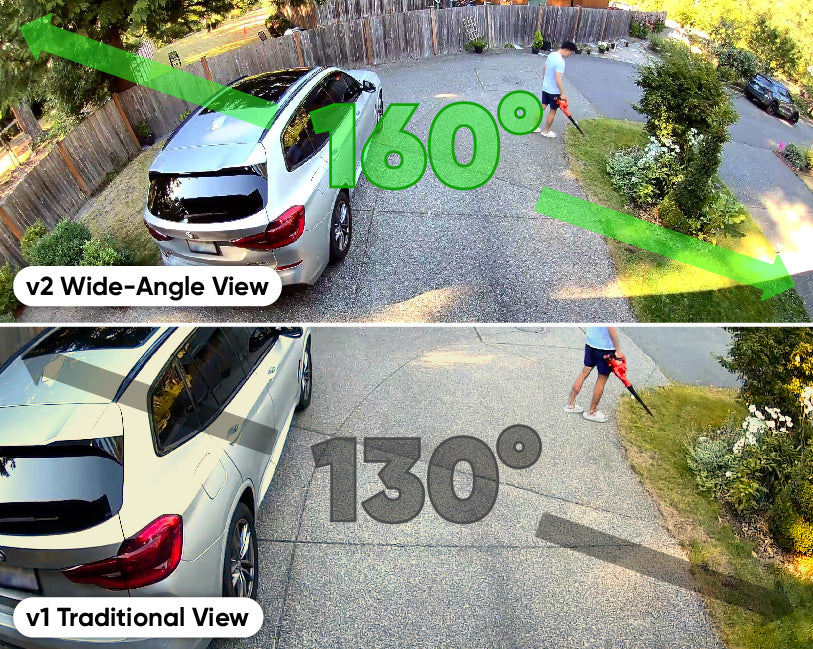
A side-by-side comparison of a traditional view and a wide-angle view of a Wyze Cam Floodlight v2.

Voir plus, s'inquiéter moins.

Un champ de vision grand angle de 160° offre une visibilité deux fois supérieure à celle de la génération précédente. De nombreuses mamans se demandent si ce principe pourrait s'appliquer à la génétique.

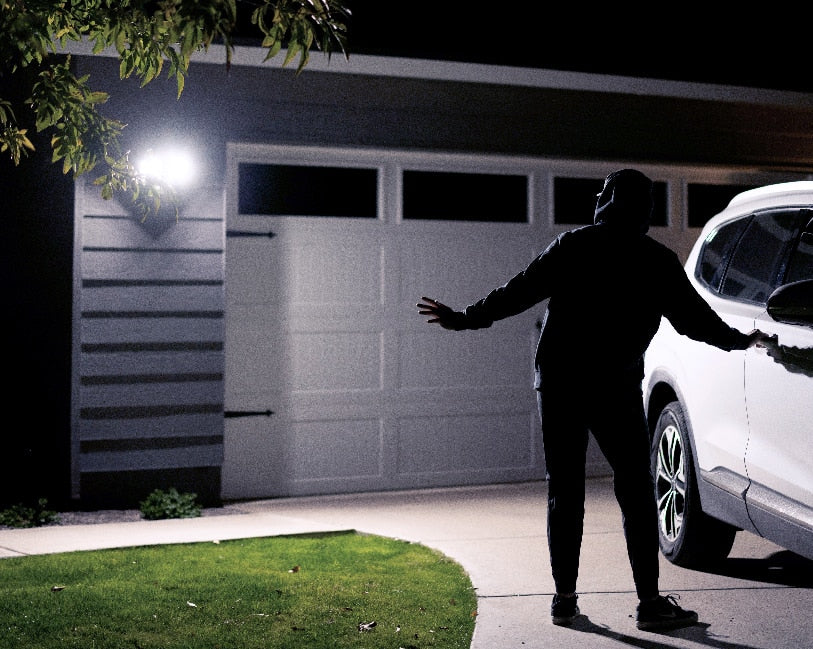
A man standing in front of a garage door with a white car.

L'obscurité n'a aucune chance.

Transformez la nuit en jour grâce à deux lampes LED de 2800 lumens, réglables et activées par le mouvement, qui éclairent votre chemin et tiennent les intrus à distance.

Mode lumière ambiante.

Une fois activée, elle diffuse une lumière douce et constante, et passe automatiquement en mode éclairage intense dès qu'un mouvement est détecté. C'est un peu comme une veilleuse inversée pour les cambrioleurs et les rôdeurs.

A motion-activated floodlight mounted on a wall.
Wyze Cam Floodlight v2 PDP Artboard 14.
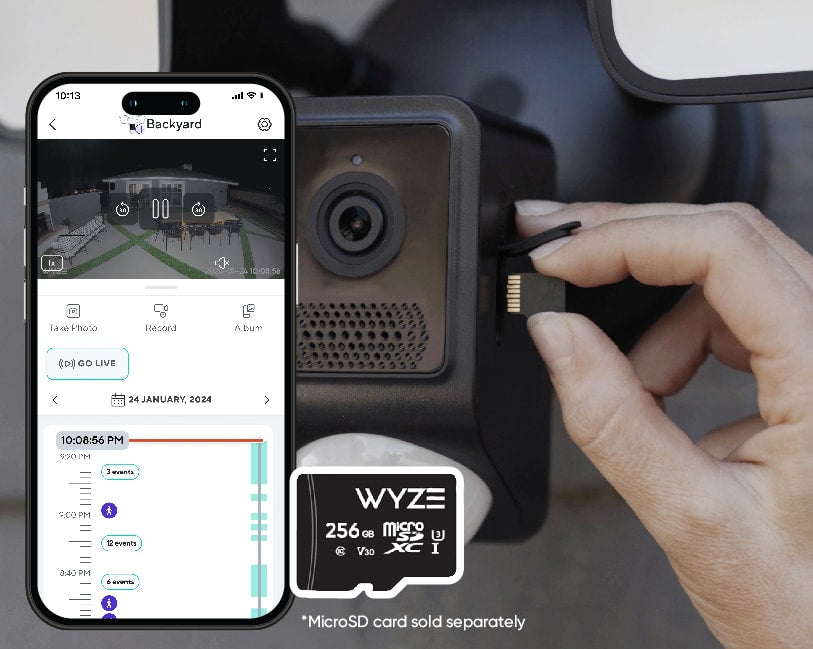
A person is inserting a microSD card into a Wyze security cam.

Enregistrement local 24h/24 et 7j/7 sur carte microSD.

Ne manquez rien grâce à l'enregistrement local continu sur carte microSD jusqu'à 256 Go. Aucun abonnement requis.

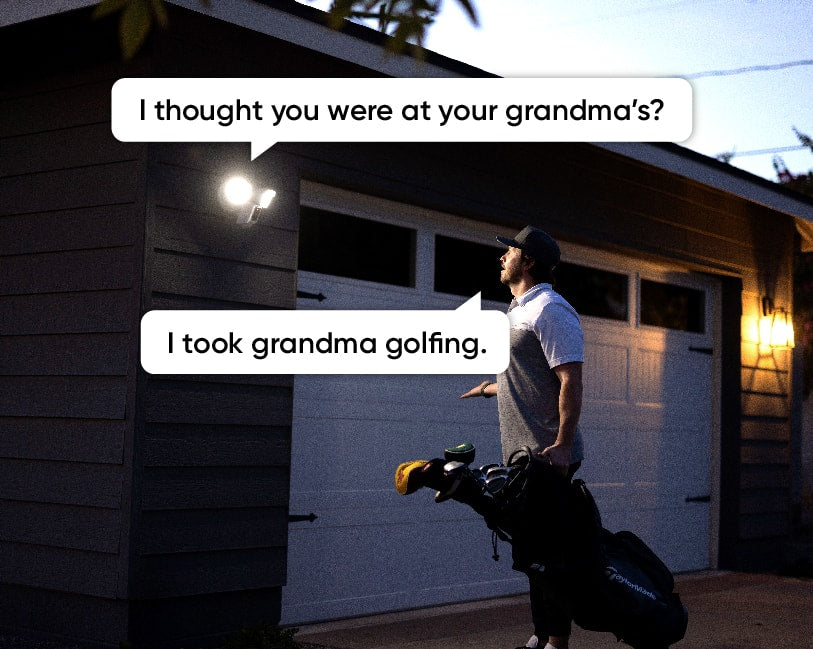
A man holding a golf bag and talking to someone through a Wyze Cam Floodlight v2.

Communication bidirectionnelle + sirène puissante.

Répondez aux visiteurs et aux proches en appuyant sur l'icône du micro dans l'application Wyze. Vous n'avez toujours pas compris ? Déclenchez la sirène de 105 dB pour un effet dissuasif renforcé.

A green circle with the text "270 PIR Motion Detection Zone" in white.

Adieu, angles morts !

Éliminez les angles morts et déclenchez les lumières plus rapidement que jamais grâce à une zone de détection de mouvement PIR à 270°.

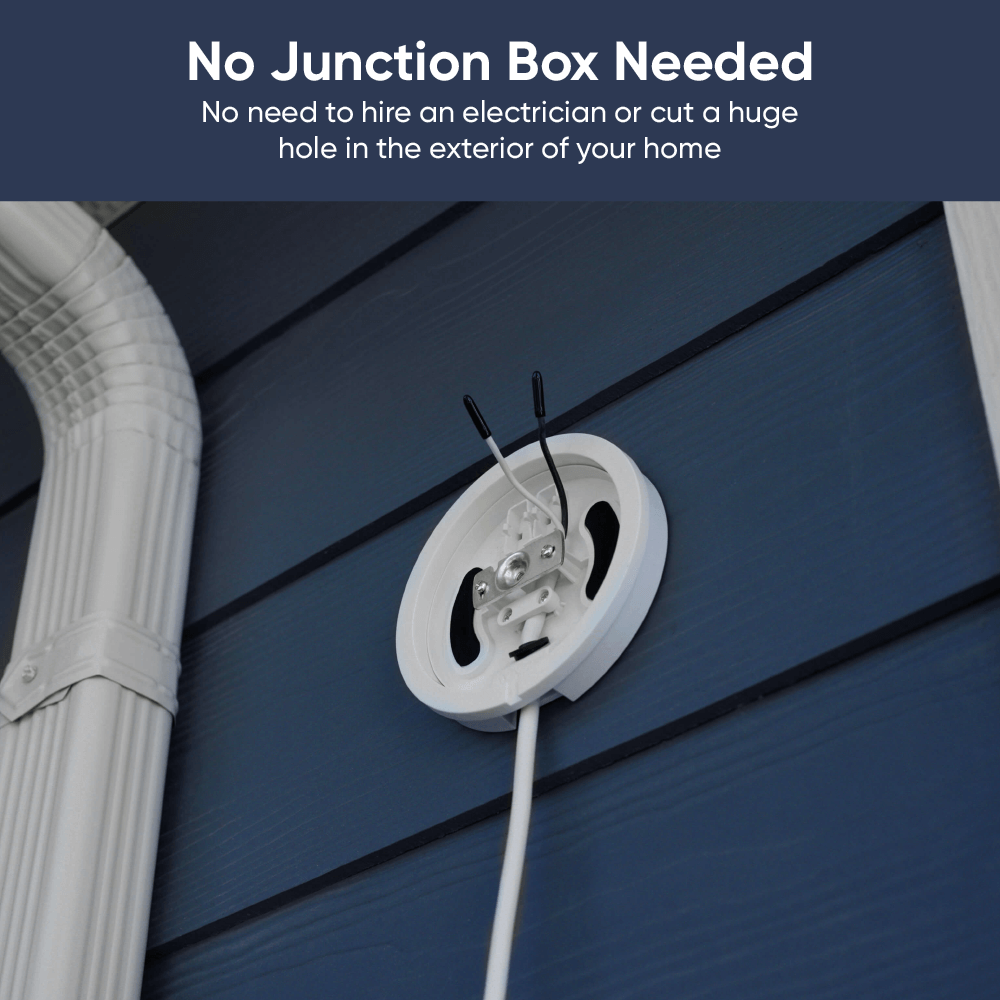
Aucune boîte de joint n'est nécessaire.

Ajoutez un support de projecteur à brancher si vous préférez une prise de courant.

Plus besoin de faire appel à un électricien ! En suivant quelques instructions simples, vous pouvez désormais installer vous-même une caméra avec projecteur. Ni boîte de jonction, ni câbles électriques encombrants ne sont nécessaires. En savoir plus .

Idéal pour ceux qui ont une prise extérieure pratique et pour les locataires.

De plus, toutes les fonctionnalités que vous appréciez.

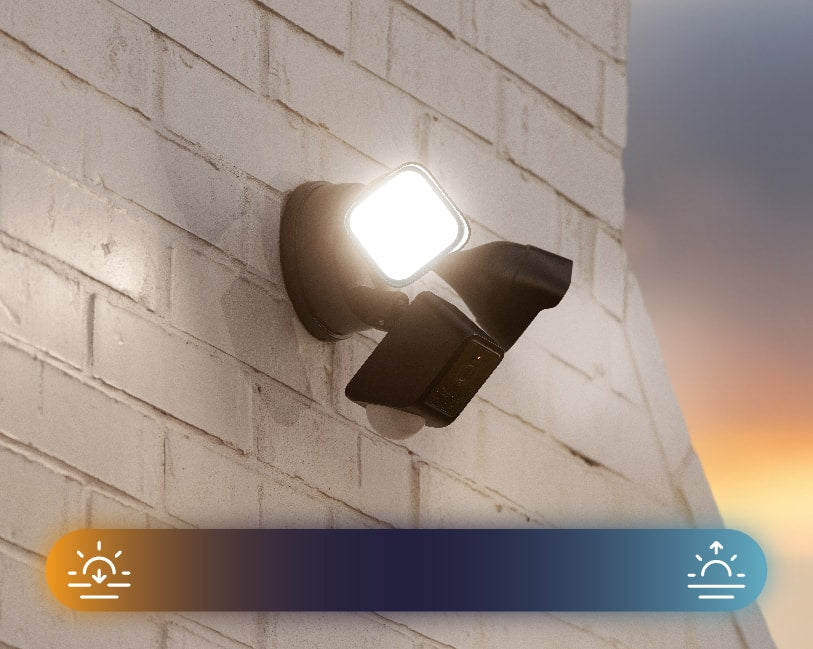
A bright light on a brick wall.

Automatisation du crépuscule à l'aube.

Le projecteur détecte automatiquement le coucher et le lever du soleil. Plus besoin de l'allumer et de l'éteindre manuellement.

A black security camera with two floodlights attached, mounted to a wall.

Étanchéité IP65.

Conçu pour résister à toutes les intempéries. Surtout aux intempéries du genre « il pleut des colis, ce qui signifie que mon partenaire a encore explosé sa carte AMEX ». C'est le pire des temps.

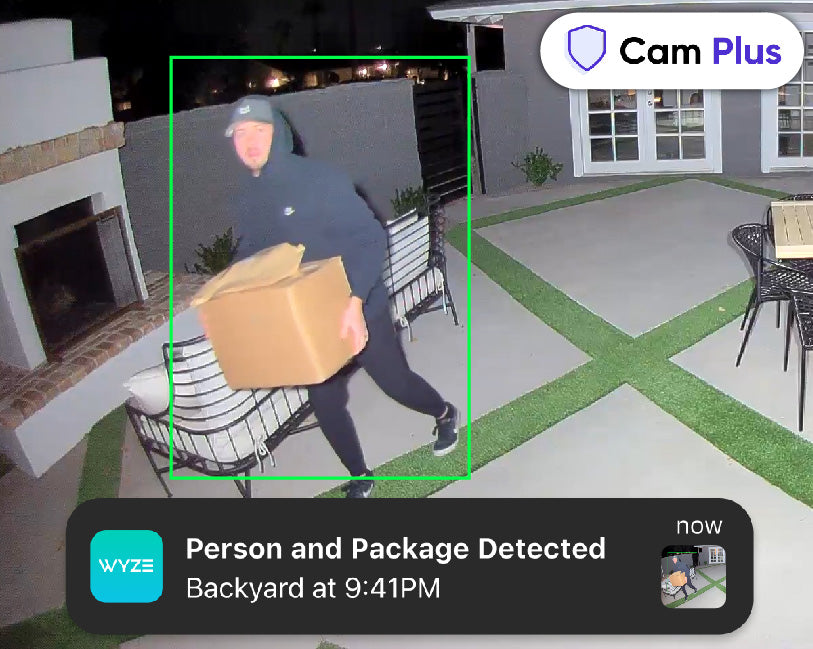
Man carrying packages away from the house during the night with the lights shining directly at him.

Bénéficiez de la détection par IA avec Cam Plus.

Détection de personnes et de colis, et bien plus encore avec Cam Plus. Profitez également d'un stockage vidéo illimité dans le cloud et de notifications plus intelligentes.

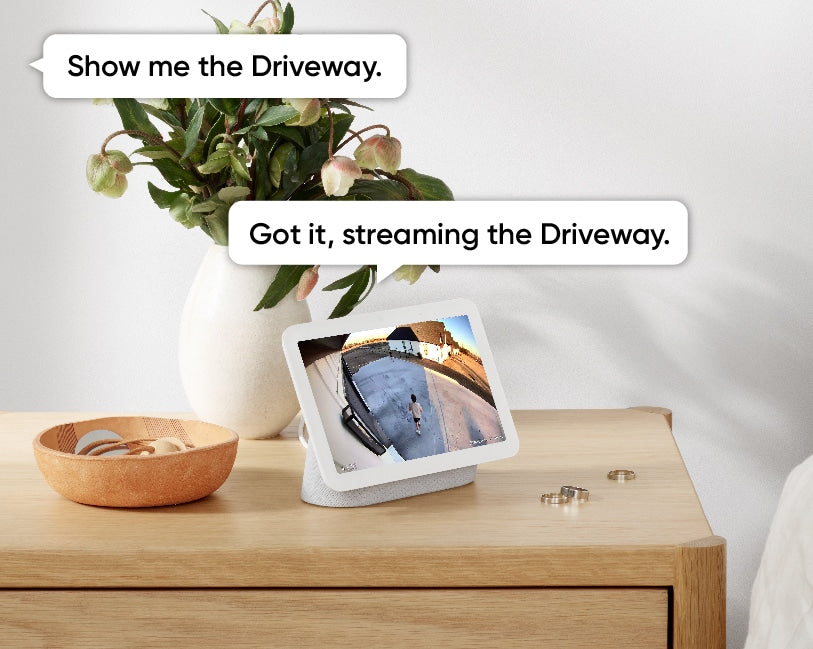
A tablet displaying a live video feed from a security camera mounted outside.
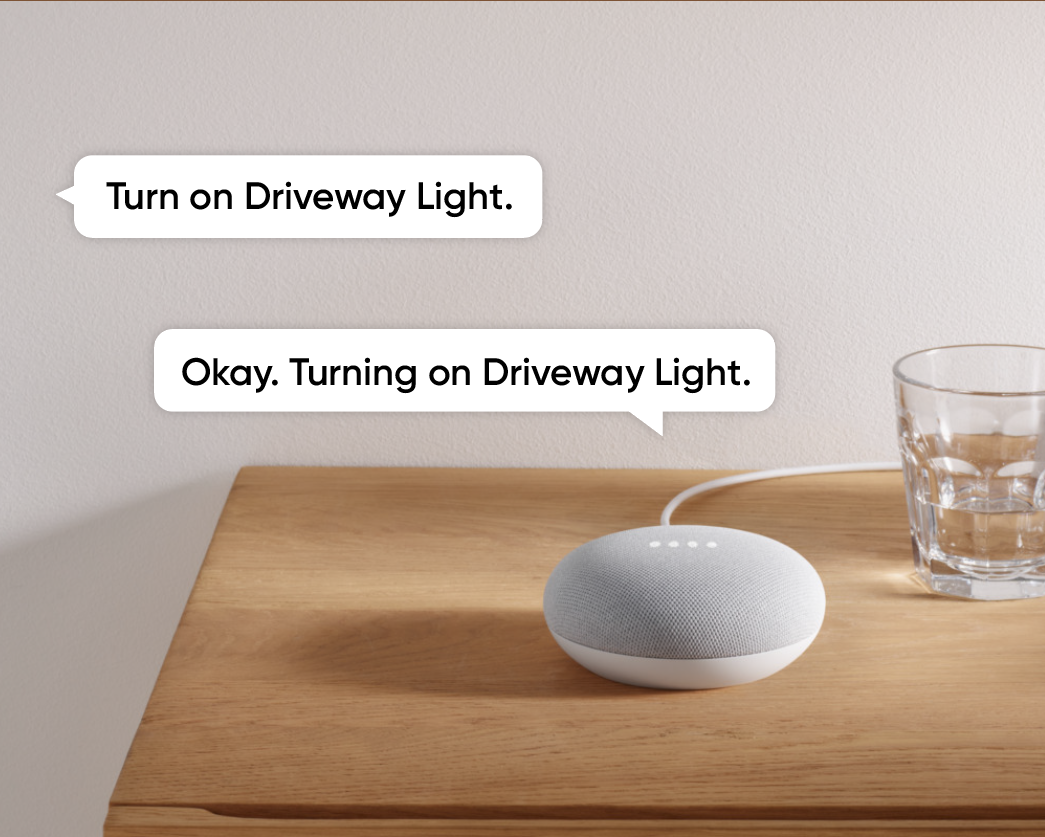
A smart speaker on a table.
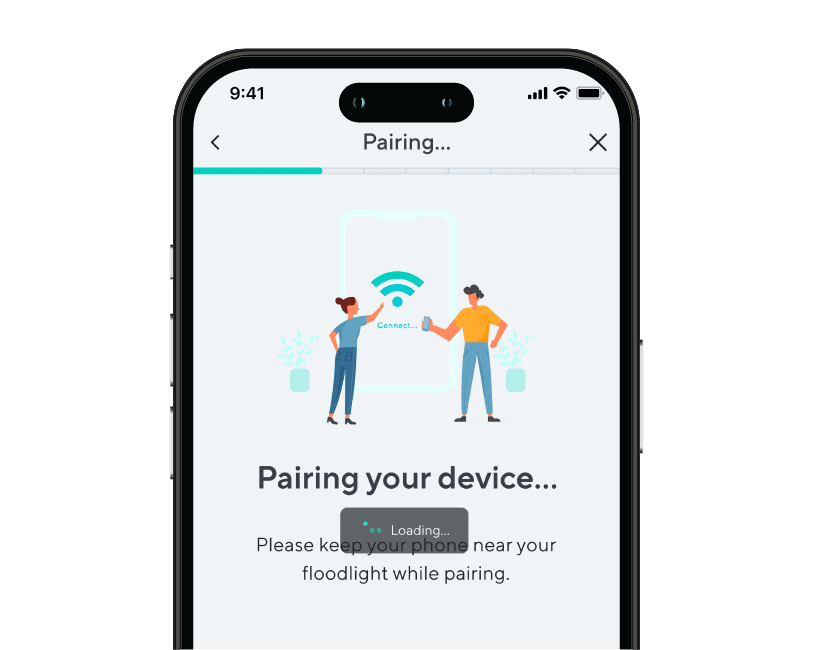
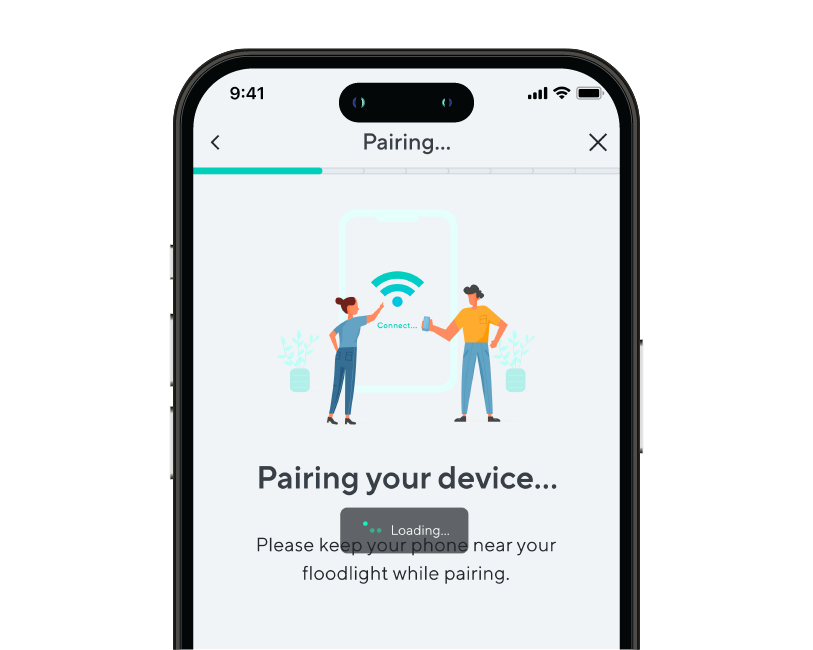
A phone screen showing a step of device pairing during onboarding.
A phone screen with a message about pairing a device.
Wyze Cam Floodlight v2 PDP Artboard 12.
Wyze Cam Floodlight v2 PDP 12

Installation ultra simple.

Utilisez vos appareils Amazon Echo, Alexa et Google Home pour visionner les flux vidéo en direct de la caméra d'éclairage. Recevez même des alertes intelligentes lorsqu'une personne est détectée grâce à Cam Plus.

La configuration Wi-Fi du point d'accès vous permet d'associer la Wyze Cam Floodlight v2 à
L'application Wyze sans avoir à monter à une échelle pour scanner un code QR.

Définissez des zones de détection personnalisées afin de ne recevoir des notifications de mouvement que dans les zones qui vous intéressent.

C'est le moment de briller !

Voici un résumé détaillé expliquant pourquoi la Wyze Cam Floodlight v2 change la donne.

Comparer les projecteurs

Swipe to compare more products →
Comparer les projecteurs
Wyze Cam Floodlight Pro est une caméra 2.5K QHD avec un objectif à large angle 180 et une lumière de 3000 lumens.
Wyze Cam Floodlight Pro
from $124.98 $149.98
Wyze Cam Floodlight v1 - Une puissante solution de sécurité extérieure avec une ampoule intégrée pour une visibilité accrue.
Wyze Cam Floodlight v1
from $79.99 $93.99
Résolution de la caméra
2,5K
2K
1080p
Champ de vision
180°
160°
130°
Lumens
3 000 lm
2800 lm
2 600 lm
Têtes de projecteur
3
2
2
Température de couleur
5000K
5000K
5000K
Connectivité Wi-Fi
Bandes de fréquence doubles 2,4/5 GHz
2,4 GHz
2,4 GHz
Commande d'éclairage Vision IA
Avec l'abonnement Cam Plus
Détection de mouvement
IA visuelle
PIR
PIR
Sirènes
105 dB
105 dB
105 dB
Mode lumière ambiante
Alerte mouvement
Mode de configuration de l'appareil
Bluetooth®
Wi-Fi
Code QR
Lumières infrarouges
12 x 850 nm
6 x 850 nm
4 x 850 nm, 4 x 940 nm
Compatibilité des cartes MicroSD
Jusqu'à 256 Go
Jusqu'à 256 Go
Jusqu'à 256 Go
Alimentation électrique
Câblé 110-120V
Câblé 110-120V
Câblé 110-120V
Intégrations intelligentes
Amazon Alexa, Google Assistant, IFTTT
Certifications
FCC, UL, CE, IC, IP65
View
View
View

Support Articles

Follow the steps in this article to set up your new Wyze Cam Floodlight v2. ⚡️

Before you begin setup, use our Wyze Cam Floodlight v2 Installation Guide to install the floodlight.

To set up your Wyze Cam Floodlight v2:

  1. After completing the installation process in the Wyze app, tap Begin Setup. Floodlight not installed, with power? Follow the steps listed in our Wyze Cam Floodlight v2 Installation Guide before beginning setup.
  2. The status light should begin flashing red. If the light is flashing red, check the box next to Light is flashing red, then tap Next. If the light does not turn on, press and hold the SETUP button on the side of the camera to reboot the camera.
  3. Wait for the voice prompt to say "ready to connect." After the prompt, check the box next to It said, "Ready to connect", then tap Next. If there is no voice prompt, press and hold the SETUP button for 10 seconds to reboot the camera, then try again.
  4. Give location permissions for the floodlight's Dusk to Dawn setting. Tap Next.
  5. Your floodlight will pair to the Wyze app - stay nearby.
  6. Select your 2.4 GHz Wi-Fi network and enter your network password. Tap Next. Tap the icon in the password field to display the password to ensure it was entered correctly.
  7. Your floodlight will connect to your Wi-Fi network. If connection fails, wait for the voice prompt and try again.
  8. Name your Wyze Cam Floodlight v2 using the text field, or by choosing a suggestion. Tap Finish when done.
  9. You may have a prompt for a free trial of Cam Plus. Tap Continue.
  10. Set up some automations on the Things to Try* page, or tap Skip.
  11. You are all set! Your floodlight is set up and ready to go. Tap Done.

Things to Try: Tap Create or edit a device group, Share this device, Automate your device, or Skip. These are quick ways to set up a few automations before you finish setup. When you complete a task, it'll display a green checkmark ✅. You can move on from this page by tapping Skip.

Installing your Wyze Cam Floodlight v2 is as simple as replacing your existing floodlight by connecting it to a junction box. As long as you have a junction box and neutral wiring, and self-installation is legal in your area, this process should take about 30 minutes.

-> You must have an existing junction box and a neutral wire to use Wyze Cam Floodlight v2.
-> At the electrical panel, shut off power to your junction box before proceeding.

Before you begin installation:

Check your local laws and building codes before doing any performing any electrical work. Your may live in an area that requires a permit and professional installation.

What’s in the box?

  • 1x Wyze Cam Floodlight v2 (Assembled)
  • 1x Mounting Accessory Kit 6x Bracket Screws 2x #62x #82x #10 1x Ground Wire Screw1x Floodlight Screw1x Rubber Stopper1x Mounting Bracket2x Wire Nuts1x Hook
  • 1x Quick Start Guide

Required tools:

  • Phillips Screwdriver
  • Ladder

To install your Wyze Cam Floodlight v2:

  1. In the Wyze app, tap the +plus sign then Device > Cameras > Floodlight Camera> Wyze Cam Floodlight v2.
  2. Read the High Voltage warning before tapping Got it!
  3. Are you replacing an existing floodlight? If yes, tap I'm replacing an existing floodlight. At your electrical panel, turn off power to your floodlight. Tap Next.Carefully remove your existing floodlight. Tap Next. If no, tap I don't have a floodlight to replace. Do you have an existing junction box? If yes, tap Next. Check that your junction box is at least 10 feet off the ground. Tap Next. If no, your wiring is not compatible with Wyze Cam Floodlight v2. Stop the installation process and contact a licensed electrician for assistance. Tap Check Your Wi-Fi Signal Strength in the Wyze app. If your signal is Out of Range or Poor Connection, contact your ISP for options.Tap Continue Setup. Tap Start Installation.

Continue below, following along in the Wyze app to wire your floodlight.

  1. Review the Installation page for what You Will Need for installation, and what's In the Box.
  2. Confirm that you have the required tools and items. Tap Next.
  3. IMPORTANT: At your electrical panel, double-check that you've shut off power to your floodlight or junction box. Tap Next.
  4. Follow along in the Wyze app to wire your Wyze Cam Floodlight v2.
  5. Once installation is complete, turn on power at your breaker when prompted.
  6. Tap Begin Setup, then continue to Wyze Cam Floodlight v2 Setup Guide.

Problem

Your Wyze Cam Floodlight v2 is unable to be set up.

Troubleshooting

  1. Confirm your Wyze app is up to date. In your Wyze app, navigate to the Account tab > tap About.Your current app version will be listed beneath the Wyze logo. Compare your app version to the latest app version listed on our Release Notes & Firmware page.If you find that your Wyze app is out of date, head over to your mobile device’s app store, and update the Wyze app.
  2. Power off the floodlight by switching the breaker to the off position.
  3. Check all wiring to make sure it is secure.
  4. Make sure that Wyze Cam Floodlight v2 was installed properly by following the steps in our Wyze Cam Floodlight v2 Installation Guide. If you’re ever unsure when dealing with wiring, we recommend reaching out to a licensed electrician at your discretion.
  5. Power on the floodlight by switching the breaker back to the on position.
  6. Confirm whether the status light is on after powering up the floodlight. If not, follow the steps in My Wyze Cam Floodlight v2 won’t power on.
  7. Check that BluetoothⓇ is enabled for the Wyze app in your phone/tablet settings. Toggle BluetoothⓇ off/on.
  8. Verify that Location Permissions are enabled for the Wyze app in your phone/tablet settings. Make sure that it is set to Always or While Using the App.For iOS users, make sure that Precise Location is turned on.
  9. If possible, temporarily disable any VPNs on your mobile device or Wi-Fi router.
  10. Ensure that you are following the setup process outlined in the Wyze app. After tapping Begin Setup, make sure that you hear the “ready to connect” voice prompt and check the box for It said, “Ready to connect”. Tap Next to see a Connecting to device pop-up, then tap Connect.If pairing fails, you will see a “Pairing Failed” screen. Tap Pair Device Wi-Fi Manually, then tap Choose Wi-Fi.You will be taken to your mobile device’s Wi-Fi settings. Tap floodlight_ap to connect to the floodlight’s network, then navigate back to the Wyze app.In the Wyze app on the Select your network step, select and enter the password for your Wi-Fi network. Tap Next to continue with setup.
  11. Ensure your phone/tablet is connected to the same 2.4 GHz network that you’re entering at the Select your network step and that you’re entering the SSID (Wi-Fi name) correctly. Wyze Cam Floodlight v2 is not compatible with 5 GHz Wi-Fi networks.The SSID is case-sensitive and there should be no space before or after the SSID.The SSID should automatically populate if you’re connected to Wi-Fi. If it does not auto-populate, it can indicate the phone/tablet that is being used for setup is not connected to Wi-Fi.
  12. Check that you’re entering the Wi-Fi password correctly. Tap on the eye icon to view the password you’re entering.
  13. Power cycle Wyze Cam Floodlight v2. Switch the breaker to the off position.Wait 5-10 seconds.Switch the breaker back to the on position.
  14. Factory reset Wyze Cam Floodlight v2. Remove any microSD card inserted into the floodlight.With the floodlight powered on, press and hold the setup button on the side of the camera for 10 seconds until the status light on the front of the camera turns solid red.Once the status light starts flashing red, set up the floodlight like new.
Added to your cart
Livraison GRATUITE pour les commandes de 59 $ et plus
Subtotal
$0.00
View cart