Ir directamente a la información del producto
1 de 8

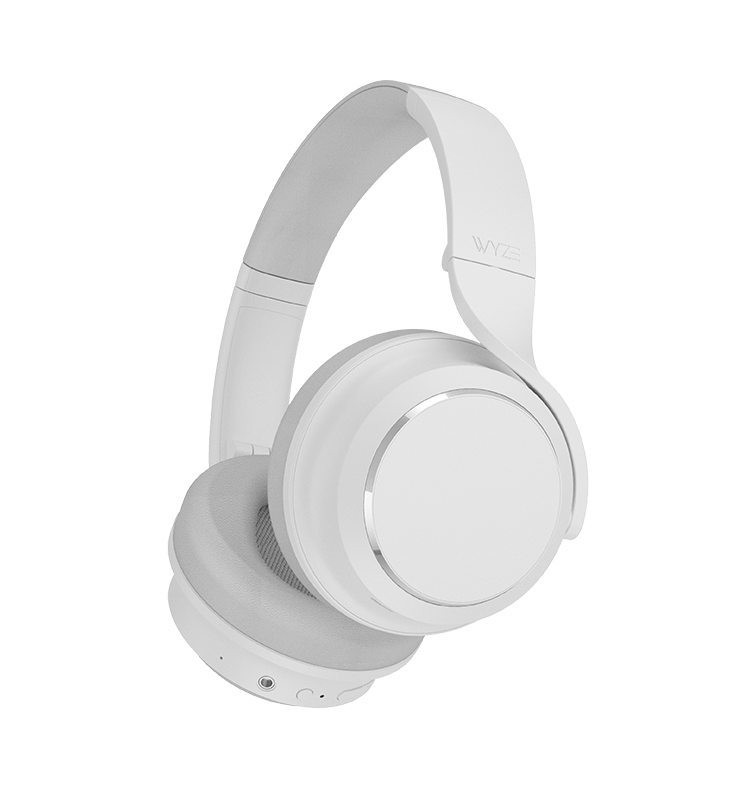
Auriculares con cancelación de ruido Wyze

Auriculares con cancelación de ruido Wyze

Auriculares inalámbricos con batería de 20 horas

Color
Estilo
SALE
$29.99 $89.99SAVE 67%
Agotado
Get it as soon as
Devoluciones sin problemas de 30 días.
Agotado
A blue and white logo for Wyze.
VENTAJAS Exclusivas de Wyze.com
Garantía extendida de 18 meses

Obtenga una garantía extendida de 18 meses al comprar este producto en wyze.com. También obtenga paquetes especiales, promociones únicas y recompensas con cada pedido

Como una sinfonía tocando solo para ti.
Ver todos los detalles
  • Noise cancelling headphones icon.

    Cancelación activa de ruido híbrida

    Cancelación activa de ruido híbrida de 40 dB con modo transparencia.

  • A black and white image of a head with a phone icon in the center.

    Ajuste sin fatiga

    Espuma viscoelástica de 20 mm y almohadillas oblongas para mayor comodidad durante todo el día.

  • A microphone icon with the text "Wyze Noise Cancelling Headphones.

    Micrófonos con aislamiento de voz

    Los micrófonos dedicados aíslan tu voz en una sala llena de parloteo.

  • Wyze Noise Cancelling Headphones.

    Inalámbrico con batería de 20 horas de duración

    Escuche hasta 20 horas por carga. 10 minutos en el cargador le brindan 4 horas más.

Peso y materiales de los auriculares

  • Peso: 9.9oz
  • Material de la diadema: compuesto multicapa de acero inoxidable, espuma EVA y plástico, recubierto de cuero proteico.
  • Material de la cubierta del auricular: plástico ABS y PC con revestimiento especial para gestos táctiles
  • Material de la almohadilla para los oídos: espuma viscoelástica recubierta de cuero proteico

Especificación de Bluetooth

  • Alcance de Bluetooth: 33 pies (10 m)
  • Versión de Bluetooth: Bluetooth 5.0
  • Códec Bluetooth: SBC, AAC
  • Conexión de varios dispositivos: admite dos conexiones de dispositivos al mismo tiempo

Vocero

  • Dimensiones del controlador: controlador tipo domo de 40 mm (bobina móvil de cable de cobre)
  • Material del imán: Neodimio
  • Diafragma: Diafragma compuesto de TPU dual de alta transitorios
  • Respuesta de frecuencia a través de Bluetooth: 20 - 20 000 Hz (frecuencia de muestreo de 44,1 kHz)
  • Respuesta de frecuencia sobre la entrada de línea: 20 - 38.000 Hz
  • Sensibilidad: 113 dB/mW a 1 kHz
  • Distorsión armónica total: <0,5 % 1 mW/1 kHz
  • Impedancia: 32 Ω

Batería

  • Método de carga: USB Tipo-C
  • Duración de la batería: hasta 20 horas de música o llamadas con alta cancelación de ruido
  • Tiempo de carga: alrededor de 2 horas
  • Carga rápida de 10 minutos: hasta 4 horas de tiempo de reproducción
  • Temperatura de carga: 41 - 95 ºF (5 - 35 ℃)
  • Tipo de batería: Batería recargable de iones de litio
  • Capacidad de la batería: 1.000 mAh CC 3,7 V

Micrófonos

6 micrófonos en total
  • 4 micrófonos para cancelación activa de ruido
  • 2 micrófonos para captación de voz
  • micrófonos de voz
  • Sensibilidad: -32 dB a 1 kHz
  • Directividad: Omnidireccional
  • Relación señal-ruido: 74
  • Respuesta de frecuencia: 50 - 10.000 Hz
  • Impedancia: 2,2 kΩ

Entrada de control

  • Botón de encendido/Bluetooth
  • Una sola pulsación para encender y apagar
  • Mantenga presionado para ingresar al modo de emparejamiento
  • Botón de cancelación de ruido
  • Presione una vez para cambiar entre los modos de cancelación de ruido
  • Botones de volumen +/-
  • Una sola pulsación para ajustar el volumen
  • Botón de reproducción/pausa
  • Reproducción de música: presione una vez para reproducir/pausar, presione dos veces para avanzar, presione tres veces para retroceder
  • Llamada: presione una vez para iniciar/finalizar la llamada, presione y mantenga presionado para rechazar una llamada
  • Asistente de voz: mantenga presionado para activar el asistente de voz
  • Panel táctil
  • Toca dos veces para activar el asistente de voz o silenciar y activar el sonido en las llamadas.
  • Cubrir para habilitar el modo de conversación rápida

Ambiente

  • Entorno de funcionamiento: 31 - 104 °F (0 - 40 °C), humedad < 95 %
  • Entorno de almacenamiento y transporte: -4 - 140 °F (-20 - 60 °C), humedad < 95 %

Sin estuche de viaje

  • Auriculares Wyze x1
  • Bolsa de transporte blanda x1
  • Cable USB tipo C x1
  • Cable de audio x1
  • Guía de inicio rápido x1

Con estuche de viaje

  • Auriculares Wyze x1
  • Estuche rígido x1
  • Cable USB tipo C x1
  • Cable de audio x1
  • Guía de inicio rápido x1

Please check the help center and see if we’ve got what you need. Alternatively, you may also find the list of related parts here.

Up to 20 hours of music playback and call time.

Yes, all you need is a Bluetooth connection to use the headphones. If you want to use more advanced features, like touch controls and the equalizer, you will need the Wyze app.

Yes! Wyze Headphones are wireless and connect via Bluetooth, but can also be used with the included 3.5mm headphone jack.

Download the Wyze app, and click the plus sign + > Add Device > Wyze Headphones. Follow the setup instructions.

Yes, they include a cloth carrying pouch.

Yes, you can control the bass, mids, highs, and more using the equalizer in the Wyze app.

Hybrid active noise canceling through 2 feedback microphones and 2 feed-forward microphones, with a 40dB noise reduction depth.

Yes, you can switch between High ANC, Low ANC, and Transparency mode in the Wyze app and on the headphones.

Wyze Headphones produce stereo sound.

A DC 1000mAh lithium ion battery.

Yes, Wyze Headphones can connect to Bluetooth-capable devices like gaming consoles and computers.

Vea cómo reaccionan las personas reales a los auriculares Wyze

A woman wearing headphones and standing on a train platform.

Pensarás que el resto del mundo sigue en pie.

Cancelación activa de ruido híbrida (ANC) de encendido y apagado rápido de 40 dB.

Equipado con cuatro micrófonos con cancelación de ruido y un procesador ultrarrápido, el ruido exterior se reduce a un susurro para que puedas mantenerte concentrado mientras el mundo zumba a tu alrededor.

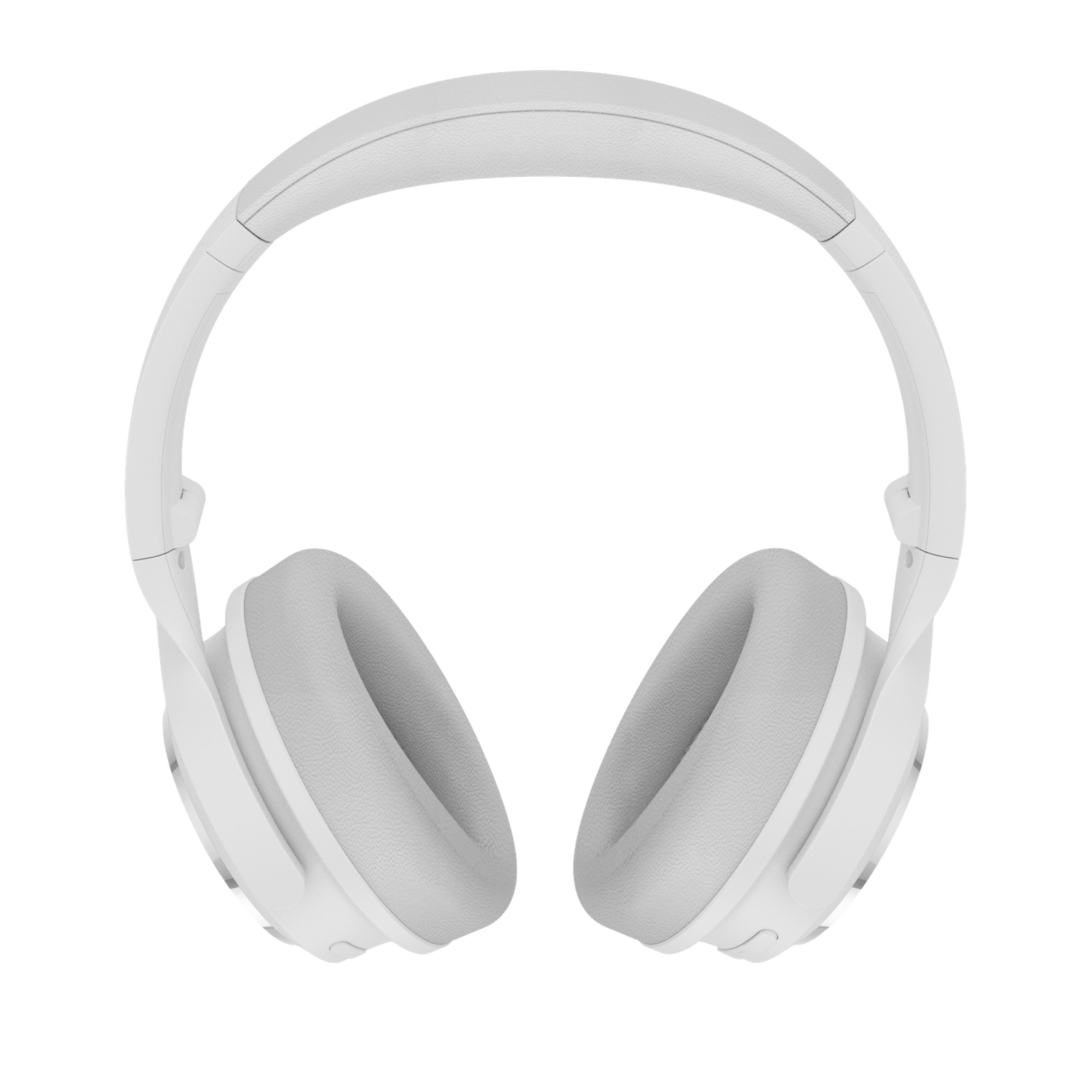
White Wyze Noise-Cancelling Headphones.

Para cuando quieras romper el silencio.

Modo de transparencia

Los sonidos del exterior se amplifican a través de tus auriculares con solo un toque para que puedas escuchar tu pedido de café mientras disfrutas de la música.

Detección de desgaste

El audio se pausa automáticamente cuando te quitas los auriculares y se reanuda cuando te los vuelves a poner, guardando tu lugar en la canción y la batería.

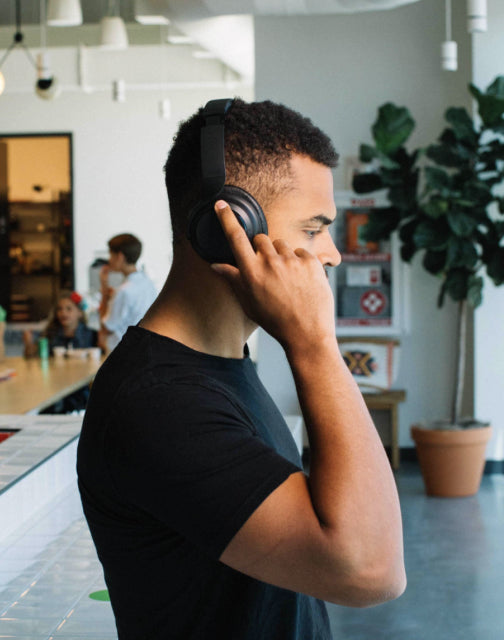
Conversaciones rápidas

Al tocar suavemente el auricular derecho se pausa el audio y se activa el modo Transparencia, lo que le permite unirse a una conversación en cualquier momento sin quitarse los auriculares.

Tu propia sinfonía privada.

Ingeniería de primera clase e inteligencia artificial patentada se combinan con hardware premium de precisión. Prepárese para una experiencia de audio normalmente reservada para las marcas más prestigiosas.

A woman wearing headphones and dancing in front of a colorful mural.
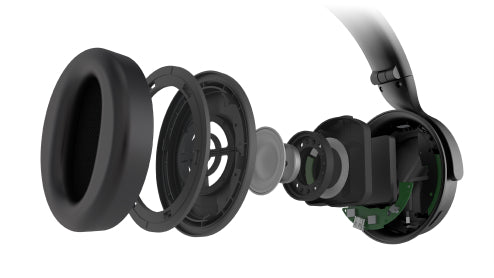
Wyze Noise Cancelling Headphones show internal components.

Controladores de diafragma compuesto doble de TPU.

Graves profundos, medios estables y agudos nítidos, cortesía de los dos controladores de 40 mm y un rango de frecuencias de hasta 38 kHz, te transportan a la primera fila de tu concierto favorito.

En resumen, estos auriculares son de lo mejor.

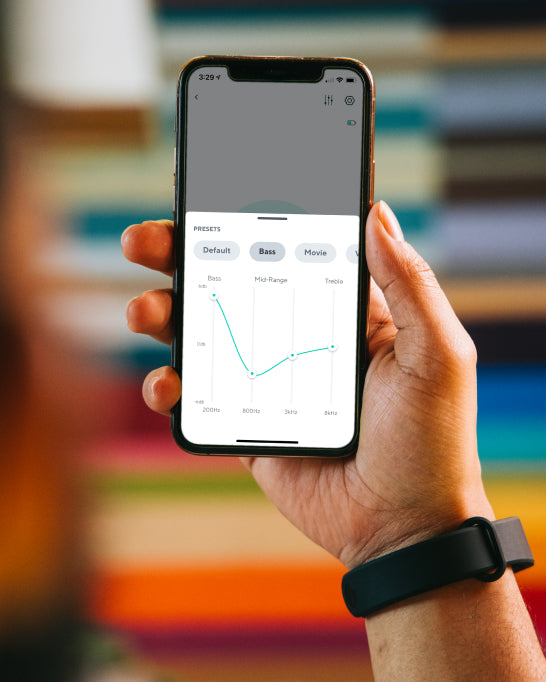
A person holding a phone with a Wyze Noise Cancelling Headphones banner on the screen.

Personaliza la experiencia auditiva perfecta en la aplicación Wyze.

Cree y guarde sus propios ajustes y preferencias personalizadas o elija entre selecciones predefinidas optimizadas para música, películas, juegos y más.

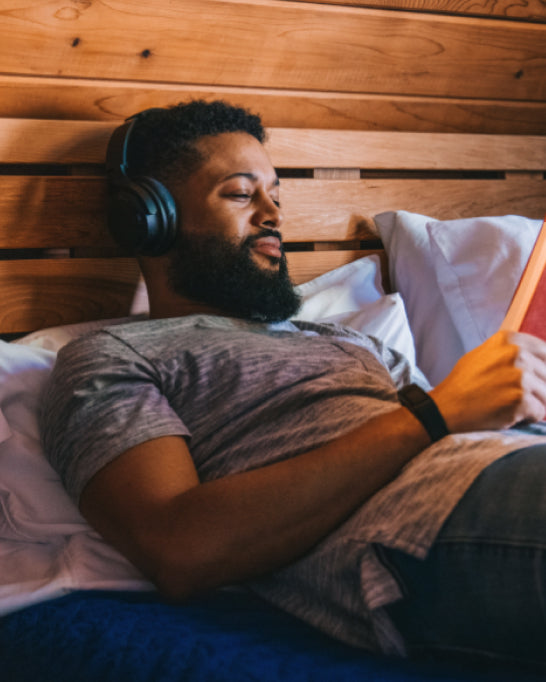
Man wearing headphones and reading a book.

Tan cómodos que olvidarás que los llevas puestos.

La espuma viscoelástica sensible y las almohadillas alargadas abrazan delicadamente la oreja para un ajuste superior y sin fatiga.

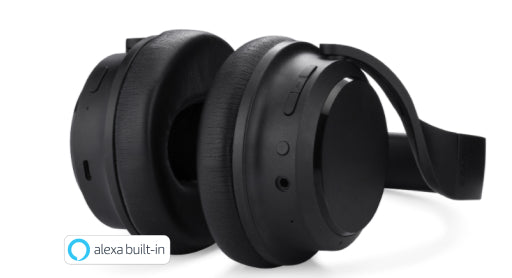
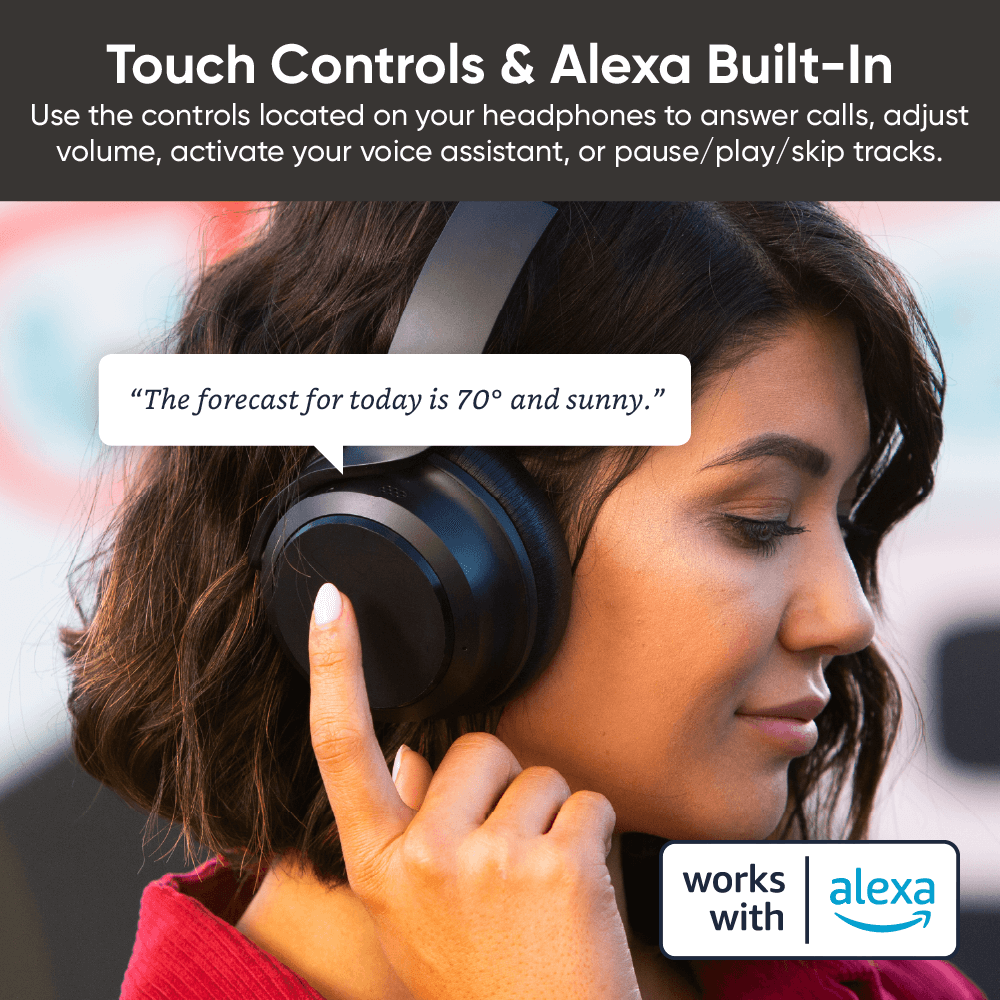
Wyze Noise Cancelling Headphones with Alexa built in.

Toque y toque intuitivo.

Utilice los controles ubicados en sus auriculares para responder llamadas, ajustar el volumen, activar su asistente de voz o pausar/reproducir/saltar pistas.

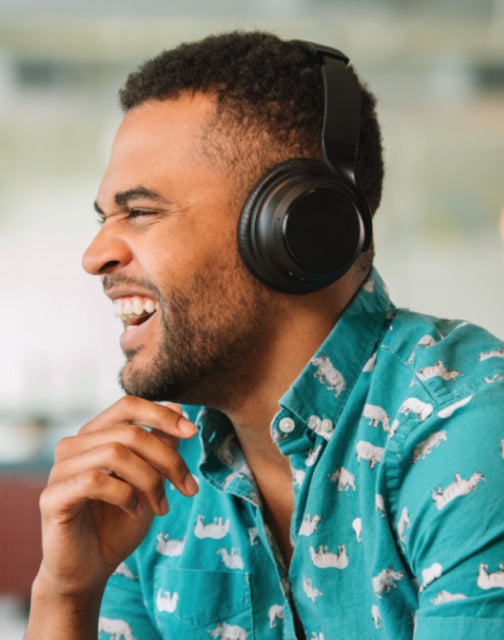
Man wearing headphones and laughing.
Man wearing black shirt and headphones.
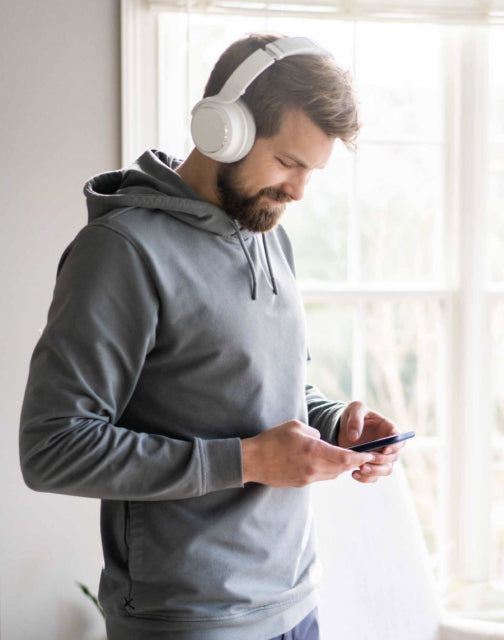
Man wearing headphones and looking at his phone.

Tu voz ahora es tu interruptor de luz. Controla tus luces con tu voz pidiéndole a Alexa o al Asistente de Google que las enciendan o apaguen, ajusten el brillo o cambien de color.

Micrófonos duales con aislamiento de voz. Los micrófonos dedicados aíslan tu voz del ruido ambiental para que se escuche con total claridad durante las llamadas.

Con Bluetooth 5.0 y dos dispositivos conectados a la vez. Muévete por tu casa u oficina con auriculares totalmente inalámbricos que se conectan a dos dispositivos a la vez. Pasa de la música de tu portátil a las llamadas entrantes de tu teléfono sin tener que reiniciar la conexión Bluetooth.

Accede a música, clima y más con asistentes de voz

Utilice Amazon Alexa integrado o el asistente de voz nativo de su dispositivo (Siri, Google Assistant, Bixby). Deje su teléfono en su bolsillo y pídale a Alexa o al asistente de voz nativo de su teléfono que acceda a la información, configure recordatorios, reproduzca música y más, todo con su voz.

A woman wearing headphones and touching the side to ask a question.

Support Articles

Wyze Headphones are the quickest and easiest Wyze device to set up. As long as you're connected to Bluetooth, you're only a few taps away from being set up in the app.

Related article: Do the headphones work without the Wyze app?

To set up your Wyze Headphones:

  1. In the Wyze app, tap Home, then tap the plus sign + on the top right.
  2. On the Add menu, tap Device.
  3. Tap Lifestyle > Wyze Headphones.
  4. Your Wyze app will automatically begin searching for the headphones to pair via Bluetooth. If they’re already turned on and in pairing mode, the app should find them in a few seconds.If they’re not already turned on, briefly press the power button on the bottom of the right ear cup. Once the Headphones’ light turns blue, press and hold the power button until the light begins flashing blue/red. If you're wearing the headset during this process, you should hear a brief “Pairing” voice prompt.
  5. Once paired, the Wyze app will prompt you to cover the right ear cup with your hand. The app will proceed to the Wyze Headphones product page. You're all set!
  6. If the app doesn't automatically proceed at this point, tap Skip in the app to complete set up.

Download the Quick Start Guide for Wyze Headphones in this article.

Below is the Quick Start Guide for Wyze Headphones a short manual for how to get started.

This guide is a short user manual with the basics about Wyze Headphones including:

  • What's in the box for Wyze Headphones.
  • How to download the Wyze app.
  • How to set up Wyze Headphones.
  • How to use the controls on Wyze Headphones.
  • FAQs for Wyze Headphones.

Download the Quick Start Guide for Wyze Band here.

Below is the Quick Start Guide for Wyze Band, a short manual for how to get started.

This guide is a short user manual with the basics about Wyze Band including:

  • What's in the box for Wyze Band.
  • How to download the Wyze app.
  • How to set up Wyze Band.
  • How to use the controls on Wyze Band. Download the Quick Start Guide for Wyze Band here. Below is the Quick Start Guide for Wyze Band, a short manual for how to get started. This guide is a short user manual with the basics about Wyze Band including: What's in the box for Wyze Band.How to download the Wyze app.How to set up Wyze Band. How to use the controls on Wyze Band. Download the Quick Start Guide for Wyze Band here. Below is the Quick Start Guide for Wyze Band, a short manual for how to get started. This guide is a short user manual with the basics about Wyze Band including: What's in the box for Wyze Band.How to download the Wyze app.How to set up Wyze Band. How to use the controls on Wyze Band. Download the Quick Start Guide for Wyze Band here. Below is the Quick Start Guide for Wyze Band, a short manual for how to get started. This guide is a short user manual with the basics about Wyze Band including: What's in the box for Wyze Band.How to download the Wyze app.How to set up Wyze Band. How to use the controls on Wyze Band. Download the Quick Start Guide for Wyze Band here. Below is the Quick Start Guide for Wyze Band, a short manual for how to get started. This guide is a short user manual with the basics about Wyze Band including: What's in the box for Wyze Band.How to download the Wyze app.How to set up Wyze Band. How to use the controls on Wyze Band. Download the Quick Start Guide for Wyze Band here. Below is the Quick Start Guide for Wyze Band, a short manual for how to get started. This guide is a short user manual with the basics about Wyze Band including: What's in the box for Wyze Band.How to download the Wyze app.How to set up Wyze Band.How to use the controls on Wyze Band.

Problem

Your Wyze Headphones show offline in the Wyze app, load slowly, or disconnect frequently.

Troubleshooting

  1. Confirm that your Wyze app is up to date.In your Wyze app, navigate to the Account tab > tap About.Your current app version will be listed beneath the Wyze logo.Compare your app version to the latest app version listed on our Release Notes & Firmware page.If you find that your Wyze app is out of date, head over to your mobile device’s app store and update the Wyze app.
  2. Make sure the headphones are fully charged and turned on.If your Wyze Headphones aren’t charged, fully charge them, then make sure they are on and the status light is on.Short on time? You can do a Quick Charge by charging your headphones for 10 minutes.
  3. Check the Bluetooth® connection.In your phone’s settings, toggle Bluetooth® off and then back on.Ensure your headphones are within Bluetooth® range of your phone.This distance varies by device but is generally about 30 feet. If the headphones were previously connected, forget them in the Bluetooth® settings and then pair them again.Note: If your headphones were previously connected to other phones/tablets, you’ll need to unpair them from those devices as well. If there are other devices connected to your phone via Bluetooth® or other apps currently using Bluetooth® that may be causing interference, unpair the devices or close the apps.
  4. Verify that Location Permissions are enabled for the Wyze app in your phone/tablet settings.Make sure that it is set to Always or While Using the App.For iOS users, make sure that Precise Location is turned on.
  5. If possible, check that your Wyze Headphones firmware is up to date.You can check this by going to the Account tab > Firmware Update.If there is an update available for the headphones, please move forward with updating them.
  6. Force close the Wyze app.
  7. Restart your phone.
  8. Power cycle the headphones.Single-press the power button on the right ear cup. You should hear a “power off” voice prompt.Wait 10 seconds, then single-press the power button again. You should hear a “power on” voice prompt.
  9. Delete the headphones from the Wyze app and set them up like new.
  10. Try a different phone if possible.
Added to your cart
Envío GRATIS en pedidos de $59+
Subtotal
$0.00
View cart