Ir directamente a la información del producto
1 de 11

Cámara panorámica Wyze Duo

Cámara panorámica Wyze Duo

Dos cámaras. Dos vistas. Cero puntos ciegos.

Most Popular
Best-Selling Model
Embalar
Add ons
$69.98
En existencias
Get it as soon as
Devoluciones sin problemas de 30 días.

Two Cameras. Two Views.

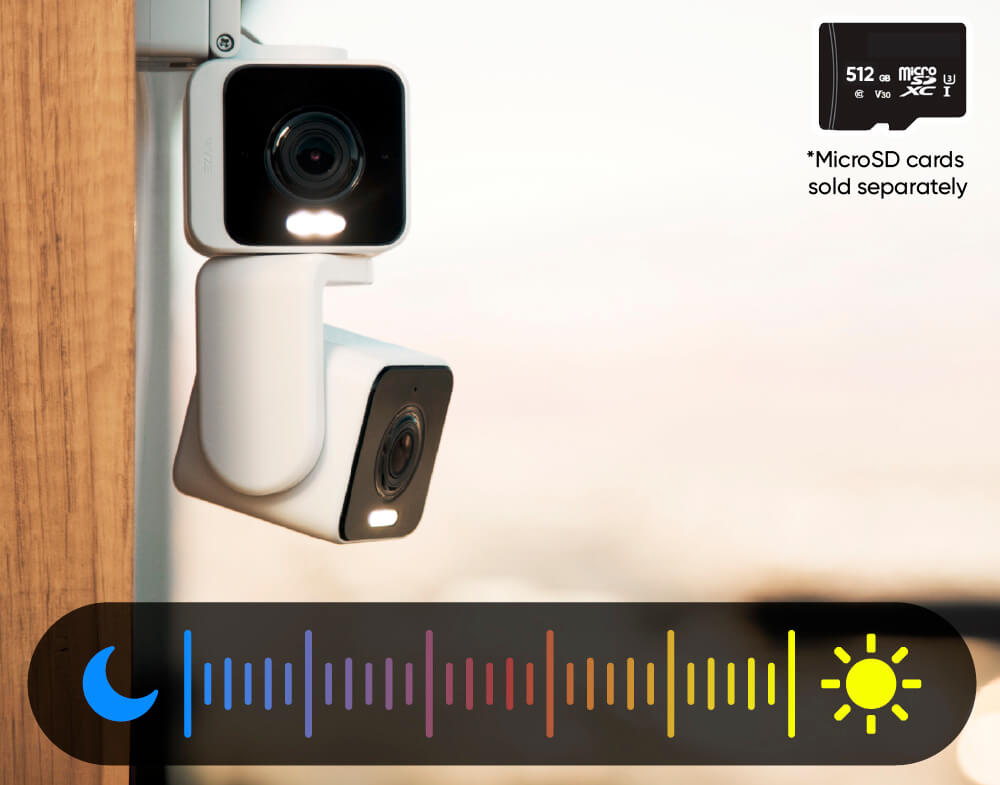
2K Color Night Vision

Built-in Spotlight

More Safety at Night

AI-Powered

Motion Tracking

A blue and white logo for Wyze.
VENTAJAS Exclusivas de Wyze.com
Garantía extendida de 18 meses

Obtenga una garantía extendida de 18 meses al comprar este producto en wyze.com. También obtenga paquetes especiales, promociones únicas y recompensas con cada pedido

Wyze Duo Cam Pan ofrece dos cámaras 2K en un solo dispositivo para una cobertura completa. Una se mantiene fija en la vista prioritaria mientras la otra se mueve horizontal y verticalmente para seguir el movimiento. Además, cuenta con visión nocturna a color, focos, sirena y versatilidad para interiores y exteriores.

El uso en exteriores requiere el adaptador de corriente universal para exteriores Wyze .

Ver todos los detalles
  • A black background with no visible text or objects.

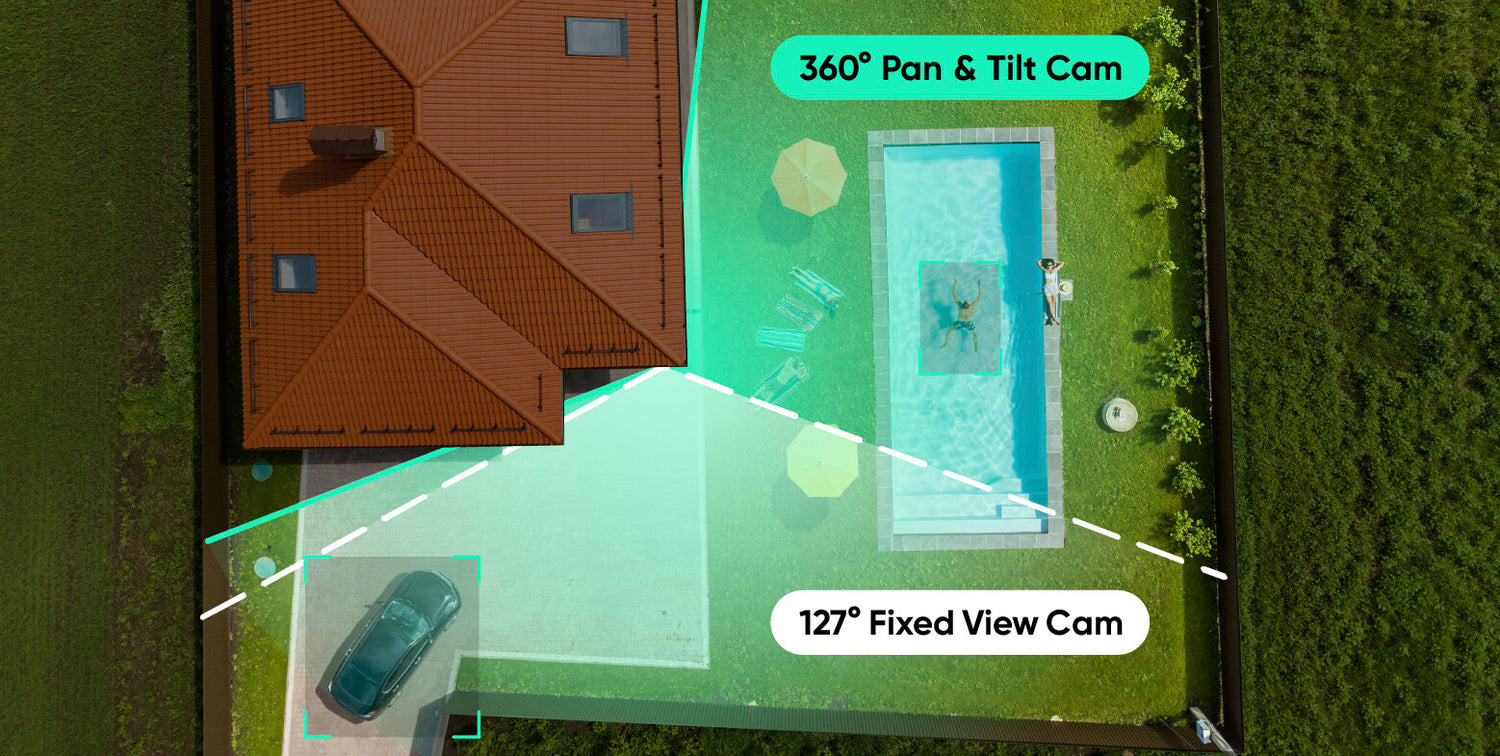
    Dos cámaras. Dos vistas.

    Una leva fija y una leva panorámica e inclinable eliminan los puntos ciegos.

  • A colorful logo for a company.

    Resolución HD 2K + Visión nocturna en color

    Vea cada detalle claramente en colores vibrantes, de día o de noche.

  • An icon for the IP65 page.

    Seguridad interior/exterior

    Colóquelo en cualquier lugar con resistencia a la intemperie IP65.

  • A black background with a white spotlight icon.

    Dos focos activados por movimiento

    Activa automáticamente la luz LED y la indicación de voz para mayor seguridad.

Especificaciones técnicas de Wyze Duo Cam Pan

Colores y materiales
  • Colores: Blanco
  • Acabado: Mate texturizado
  • Cuerpo: policarbonato
  • Lente: Vidrio + Plástico
  • Campo de visión (FOV) de la lente: DFOV 127,5°, HFOV 106°, VFOV 56,5° (fijo), DFOV 127,5°, HFOV 106°, VFOV 56,5° (PT)
  • Sensor de imagen: CMOS de 1/2,8'' (fijo)
  • CMOS de 1/2,8'' (PT)
  • Indicador LED: Frontal. Rojo + Azul.
Dimensiones y peso
  • 2,36 pulgadas x 2,16 pulgadas x 5,26 pulgadas (64 mm x 54,9 mm x 133,5 mm)
  • 0,66 libras (300 g)
Montaje
  • Soporte, montaje en pared, montaje en techo.
Rango de visión
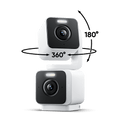
  • 360° horizontales, 180° verticales
Fuerza
  • Adaptador de corriente: Entrada 110-240 V (CA/CC), Salida 5 V/1,5 A
  • Adaptador de corriente para exteriores compatible (se vende por separado y estará disponible próximamente)
  • Cable: Tipo-C plano de 6 pies a USB-A
Video
  • Resolución: 2K (2304*1296)+ 2K (2304*1296)
  • Amplio rango dinámico (WDR): Sí
  • Luces infrarrojas: 4x850 nm
  • Visión diurna/nocturna: Sí
  • Visión nocturna: 4 LED IR (850 nm) + 4 LED de foco blanco (80 lúmenes)
  • Visión nocturna en color: Sí
  • Codificación de vídeo: H.264
  • Vídeo FPS: Diurno 20 FPS / Nocturno 15 FPS
Audio
  • Altavoz: 100dB, resistente al agua
  • Conversación bidireccional simultánea: Sí
  • Sirena incorporada: Sí
  • Cancelación de ruido y eco: Sí
Conectividad y compatibilidad
  • Bluetooth® 5.0
  • Wi-Fi: Wi-Fi de 2,4 GHz, Wi-Fi 6
  • Compatibilidad del teléfono: Android 10+ y iOS 16+
  • Integraciones: Alexa, Asistente de Google, IFTTT
Almacenamiento
  • Local (se requiere tarjeta microSD)
  • Tarjeta MicroSD hasta 512 GB
  • Nube (con plan de suscripción)
Clima y temperatura
  • Resistente a la intemperie IP65
  • Temperatura de funcionamiento: -4ºF - 113ºF (-20ºC - 45ºC)
  • Temperatura de almacenamiento: -22 °F - 158 °F (-30 °C - 70 °C)
Idioma
  • Inglés
Garantía
  • 1 año
  • Cámara panorámica Wyze Duo Cam x1
  • Guía de inicio rápido x1
  • Kit de montaje x1
  • Cable USB-C a USB-A (1,8 metros, plano) x1
  • Adaptador de corriente para interiores (5 V, 1,5 A) x1

Yes! It's compatible. Check out Wyze Lamp Socket v2.

Two cameras combined as one camera. One of the cameras is stationary. The other camera is a pan and tilt camera.

No, Wyze Duo Cam Pan is powered via a 1.8m USB cable.

Yes, Wyze Duo Cam Pan is IP65-rated and can be used both indoors and outdoors. Just be sure to cover the SD card slot to avoid water damage. Wyze Universal Outdoor Power Adapter is required for outdoor use. Sold separately. Click to learn more.

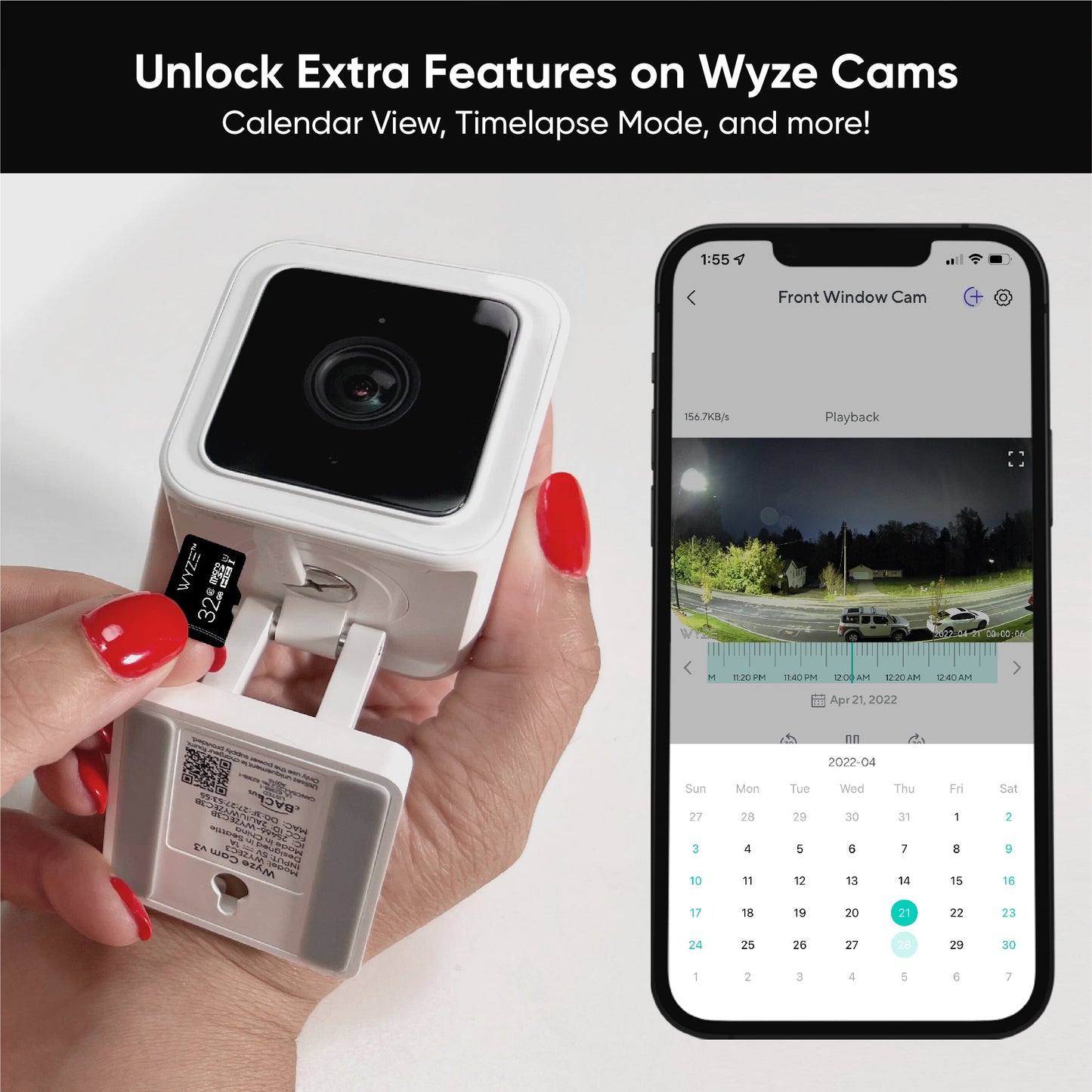
Yes! Wyze Duo Cam Pan has a microSD card slot for local storage, and you can record 24/7 and store videos locally.

No, Wyze Duo Cam Pan is compatible with Wi-Fi 6, but it is not required.

No, Wyze Duo Cam Pan only supports 2.4 GHz networks.

Yes, Wyze Duo Cam Pan is supported in Wyze Web View (requires an active security plan).

No, Privacy Mode is not a feature on Wyze Duo Cam Pan. Because the camera has two lenses and one is stationary, a truly physical Privacy Mode is not an option.

The top and bottom cameras are nearly identical, sharing most of the same features, like field-of-view and a spotlight. However, the bottom camera is fixed and has a speaker and mic, while the top camera moves and has the status light. Can I use Wyze Duo Cam Pan outdoors? Yes, Wyze Duo Cam Pan is IP65-rated and can be used both indoors and outdoors. Just be sure to cover the SD card slot to avoid water damage.

Dos cámaras. Dos vistas.

Uno se mantiene estable mientras el otro se mueve. Cubre dos áreas con un solo dispositivo para una cobertura máxima.

Mantén la cabeza en movimiento con Panorámica de 360° e inclinación de 180°.

No te pierdas la acción con el seguimiento automático de movimiento. La nitidez 2K en ambas cámaras captura cada detalle.

A black door with a light switch on it.

Focos integrados + Sirena

Más seguridad durante la noche.

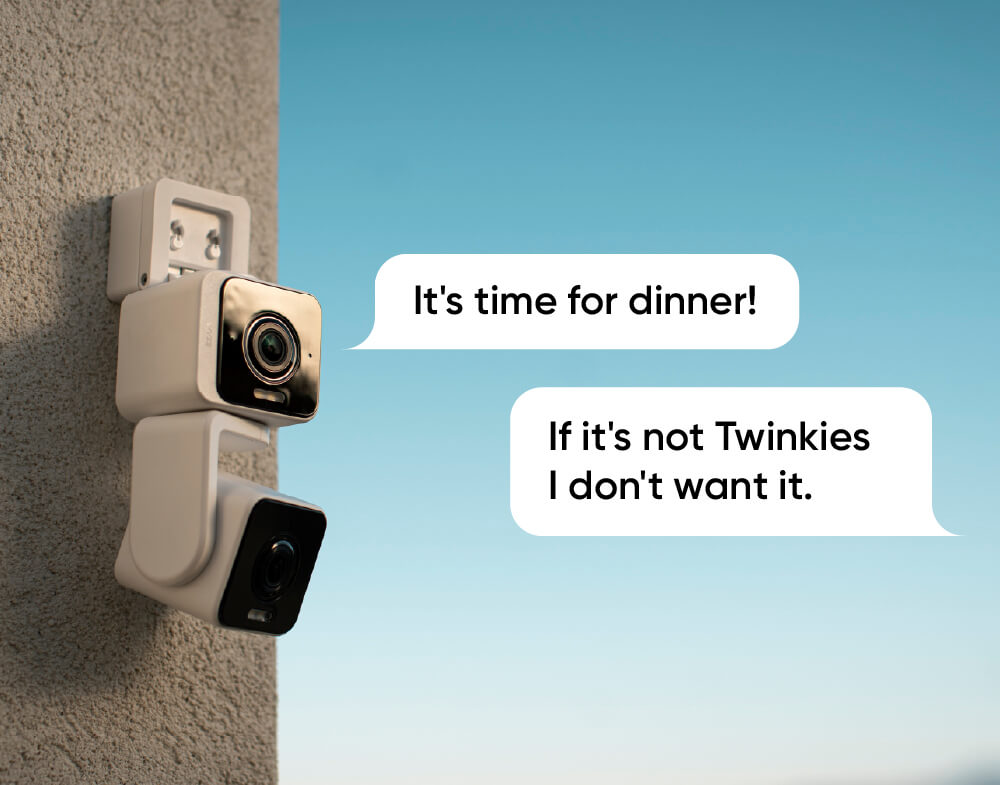
Disuade a los intrusos o ilumina tu camino a casa con un foco activado por movimiento. Activa la sirena para un sonido potente y un aviso de "¡Sal de aquí!".

resistencia a la intemperie ip65

Colóquelo en cualquier lugar.

Wyze Duo Cam Pan es resistente a la intemperie con clasificación IP65, por lo que puede funcionar en cualquier clima.

Nota: El uso en exteriores requiere el adaptador de corriente universal para exteriores Wyze Cam (se vende por separado, obtenga más información ).
A Wyze Duo Cam is mounted on a wall.

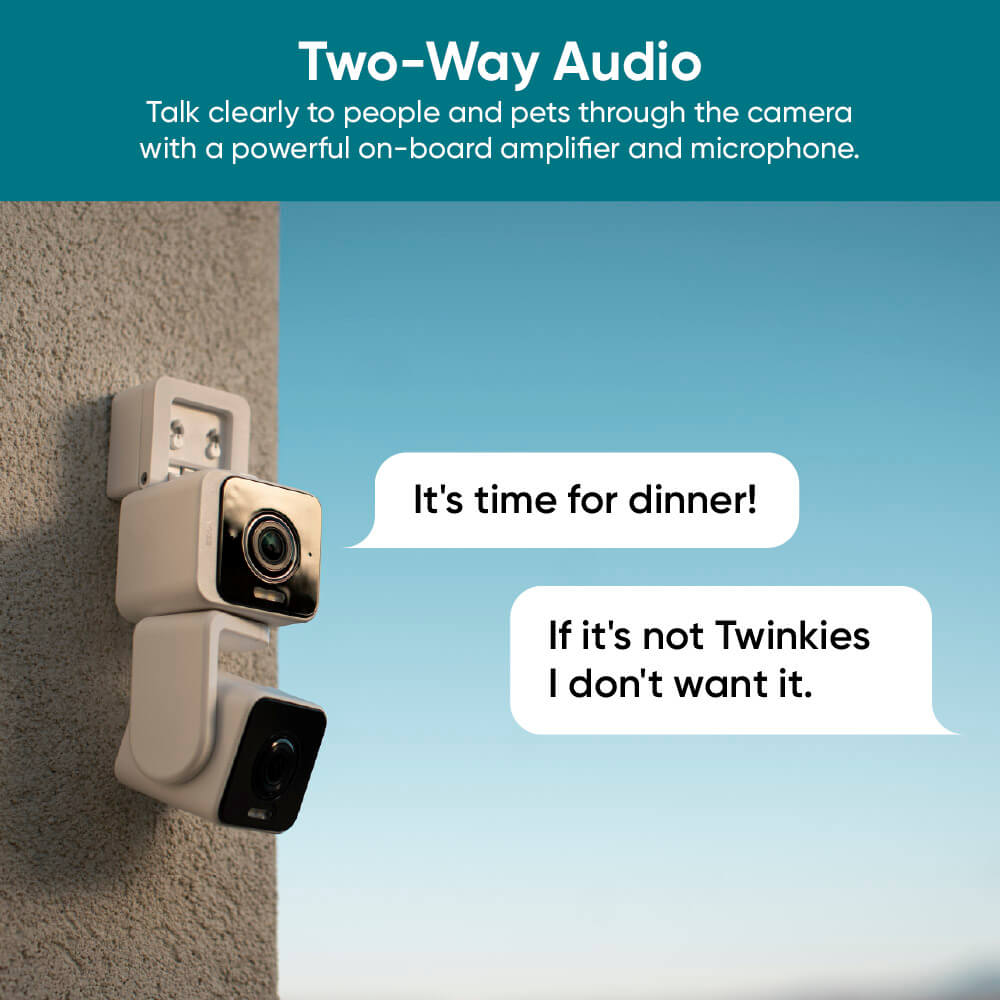
Comunicación bidireccional mejorada

Conversación más clara.

Olvídate de sonar como si hablaras a través de latas. La Codificación de Audio Avanzada (AAC) y un micrófono renovado ofrecen nuestra mejor experiencia de audio hasta la fecha.

A white and black camera with a sun in the background.

Graba cada segundo

Grabación 24/7 con tarjeta MicroSD.

No te pierdas nada con la grabación local continua en una tarjeta microSD de hasta 512 GB. No requiere suscripción. Se vende por separado.

Verlo en acción.

Y mira el vídeo de unboxing para ver más magia.

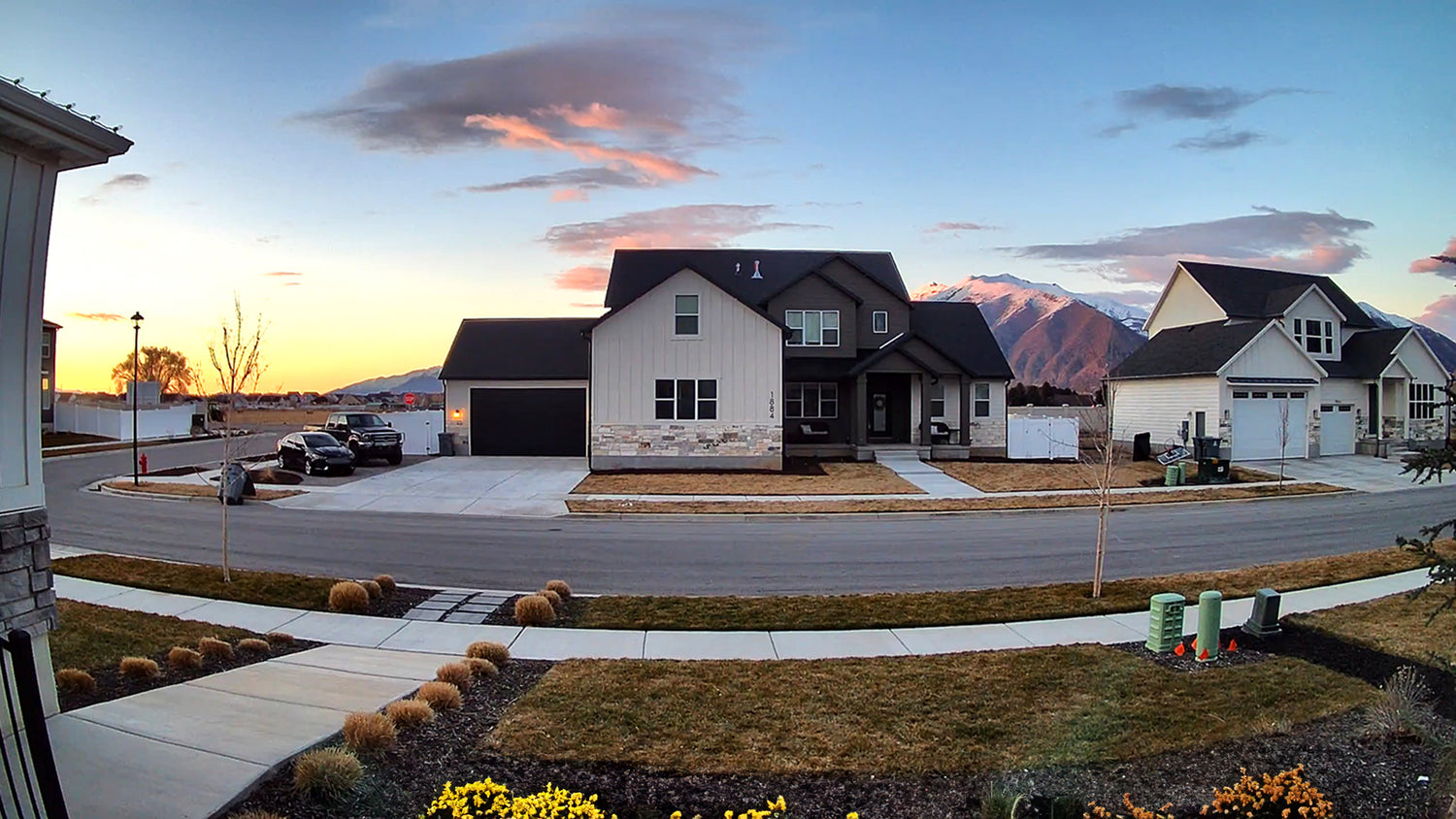
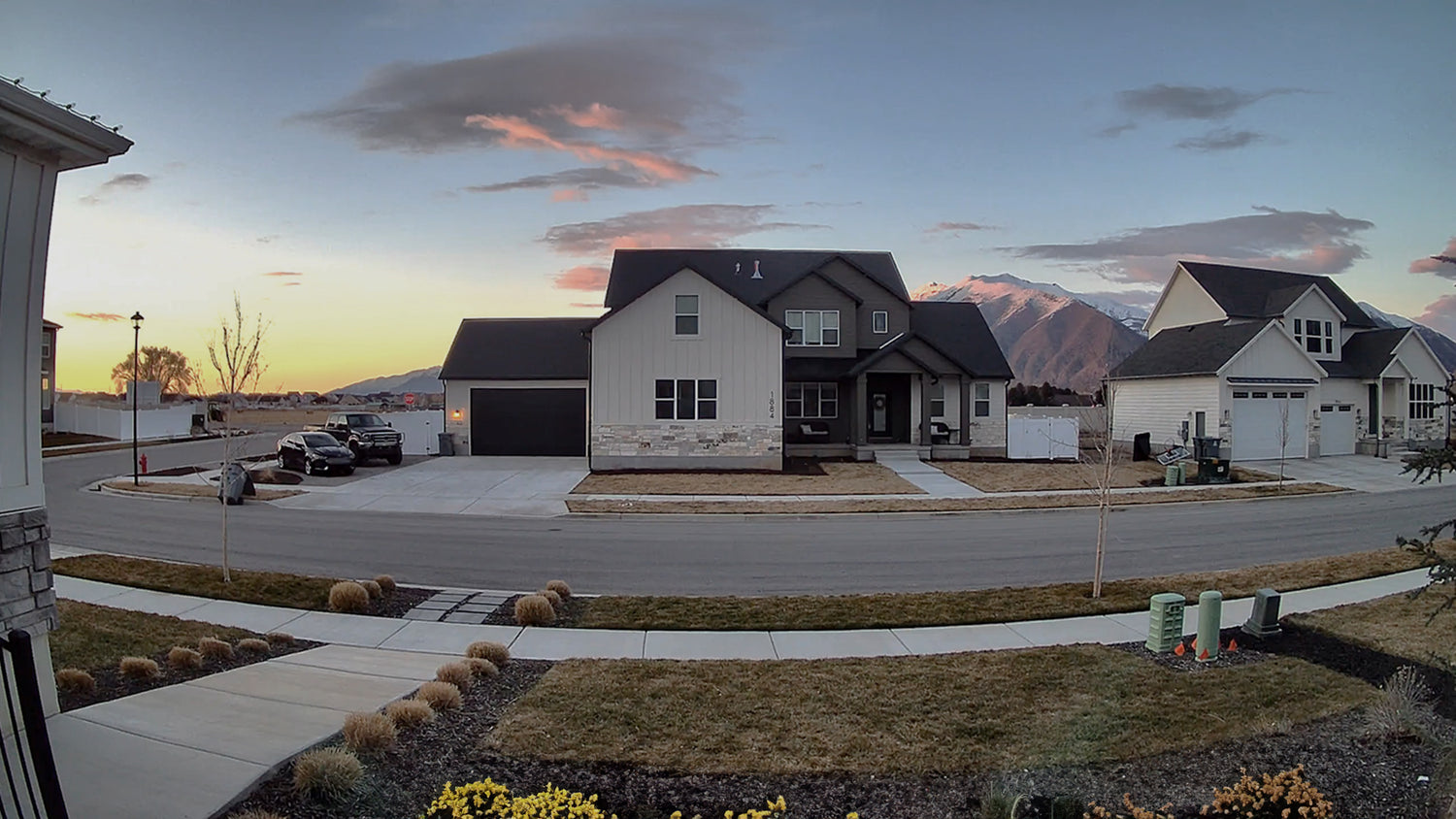
Colores más vibrantes con nuestro mejor rango dinámico.

Un procesador de imagen mejorado permite un amplio rango dinámico (WDR) para obtener colores ricos y vibrantes y una mejor calidad de imagen.

A house with a black roof and white siding. A large house with a black roof and white siding.

Wyze Duo Cam Pan con WDR

Sin WDR

A panoramic camera is mounted on a house.

Cobertura completa

Doble cobertura. Sin puntos ciegos.

Es especialmente efectivo cuando se coloca cerca de una esquina. Vigila la entrada y, al mismo tiempo, sigue la acción si se desplaza al patio trasero.

A woman is holding a smartphone with a home monitoring app on the screen.

Conectar con bluetooth®

Fácil de configurar.

No necesitas escanear códigos QR. Disfruta de una configuración sencilla con Bluetooth®. Lo pondremos en funcionamiento en minutos.

Wyze Duo Cam Pan Shopify 07

Conéctalo y listo

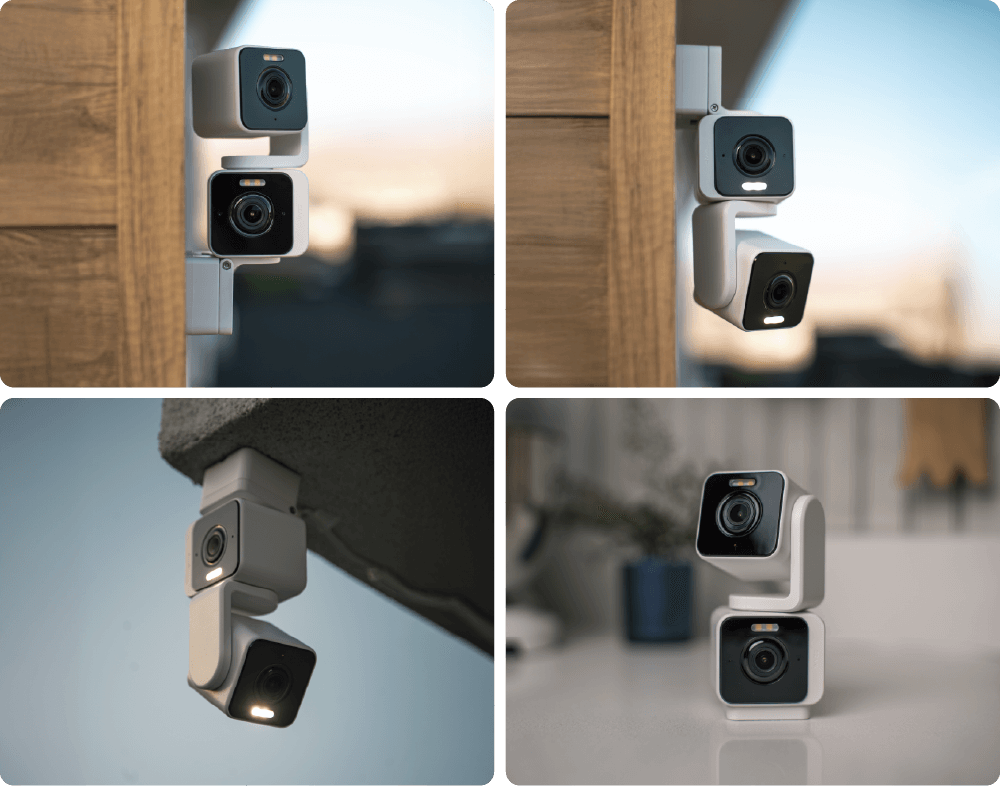
Montaje versátil.

Cuatro opciones de montaje únicas le brindan la flexibilidad de proteger su espacio exactamente como lo necesita.

A Wyze Duo Cam Pan is displayed on a table.

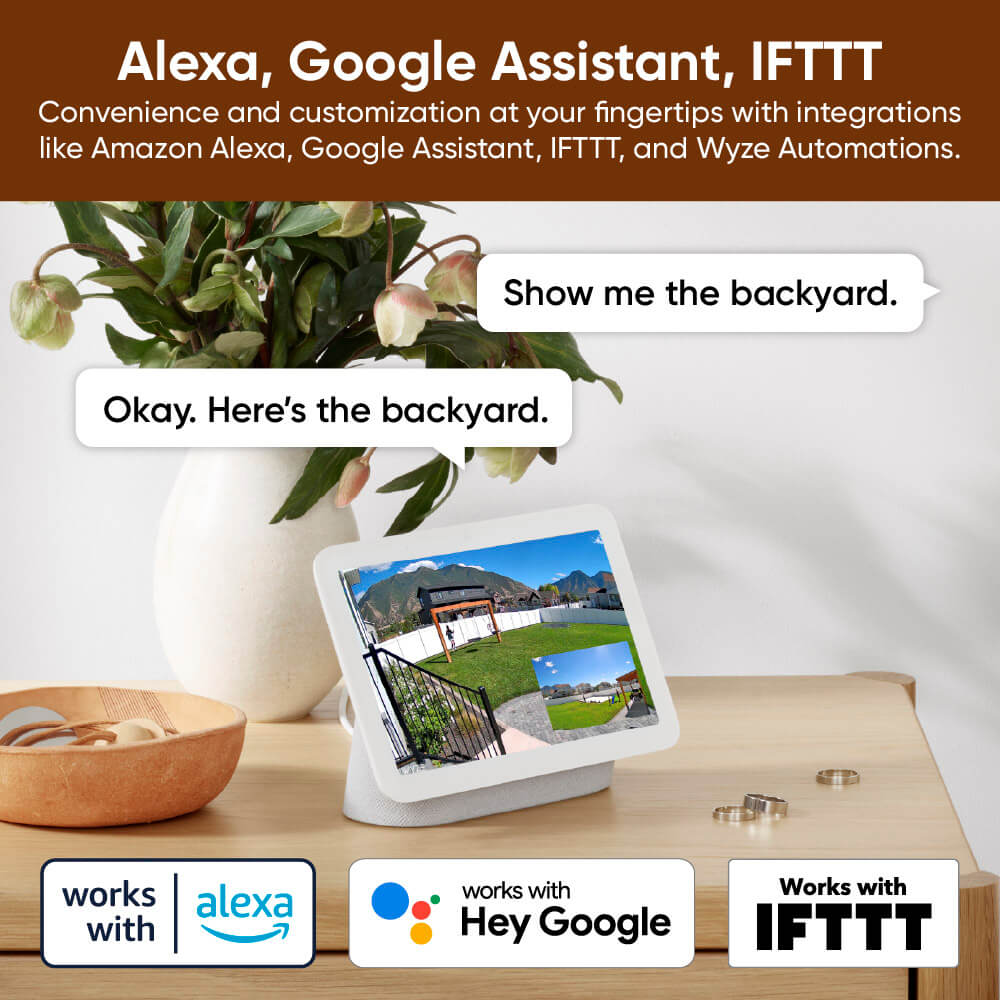
Funciona con asistentes inteligentes

Compatible con Alexa, Asistente de Google y IFTTT.

Comodidad y personalización a tu alcance con integraciones como Amazon Alexa, Google Assistant, IFTTT y Wyze Automation.

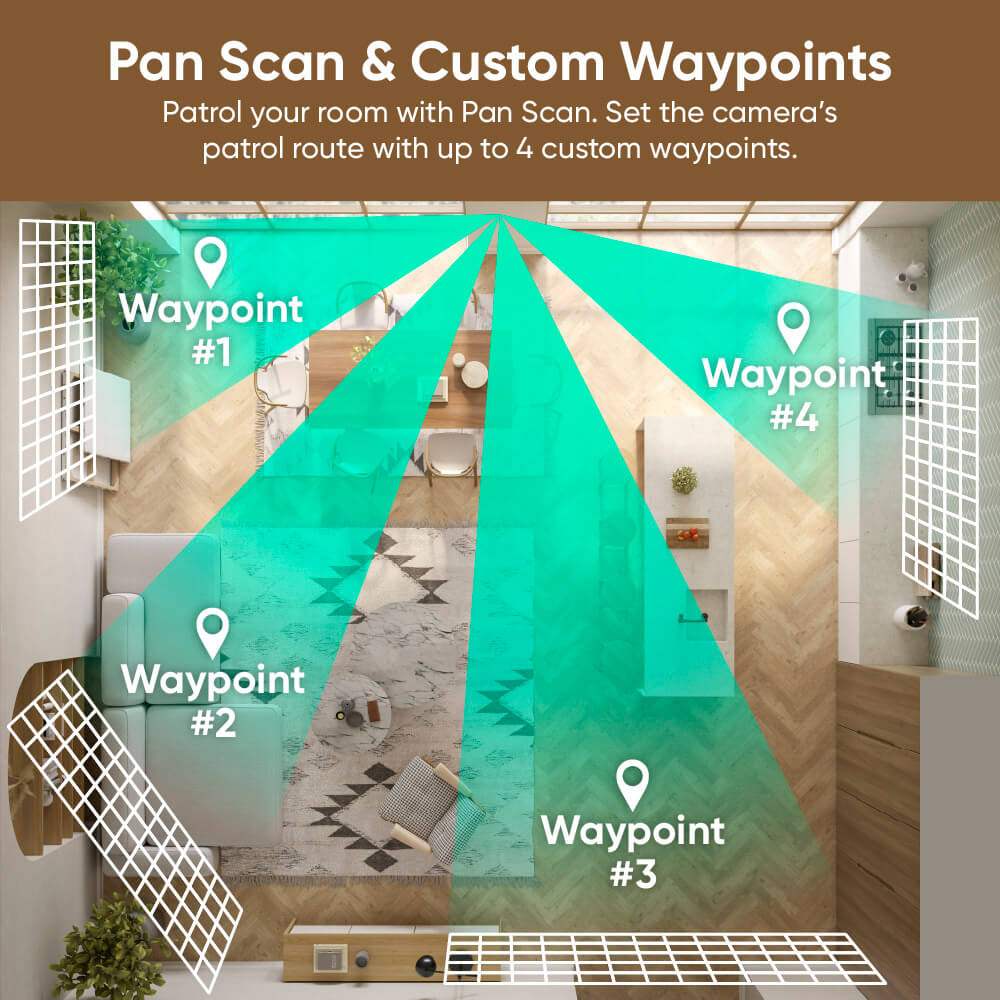
Patrulla tu habitación con Escaneo panorámico.

Establezca la ruta de patrulla de la cámara con hasta 4 puntos de referencia personalizados.

A map of a bathroom with a green arrow pointing to the Waypoint.
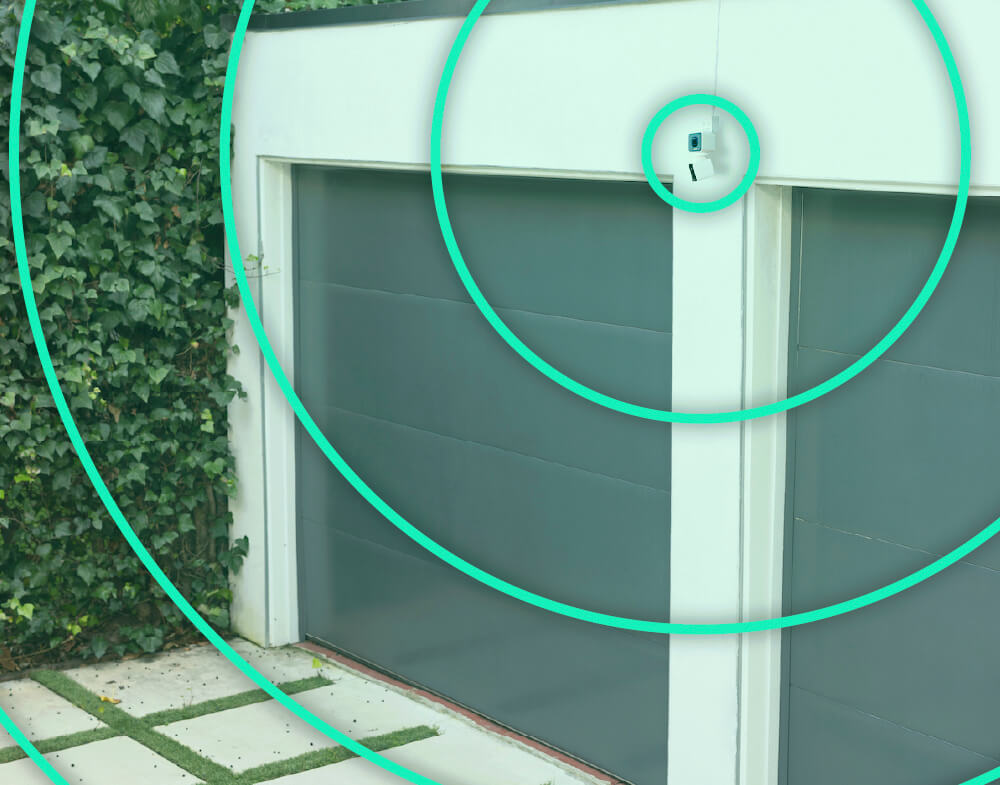
A garage door with a green circle around it.
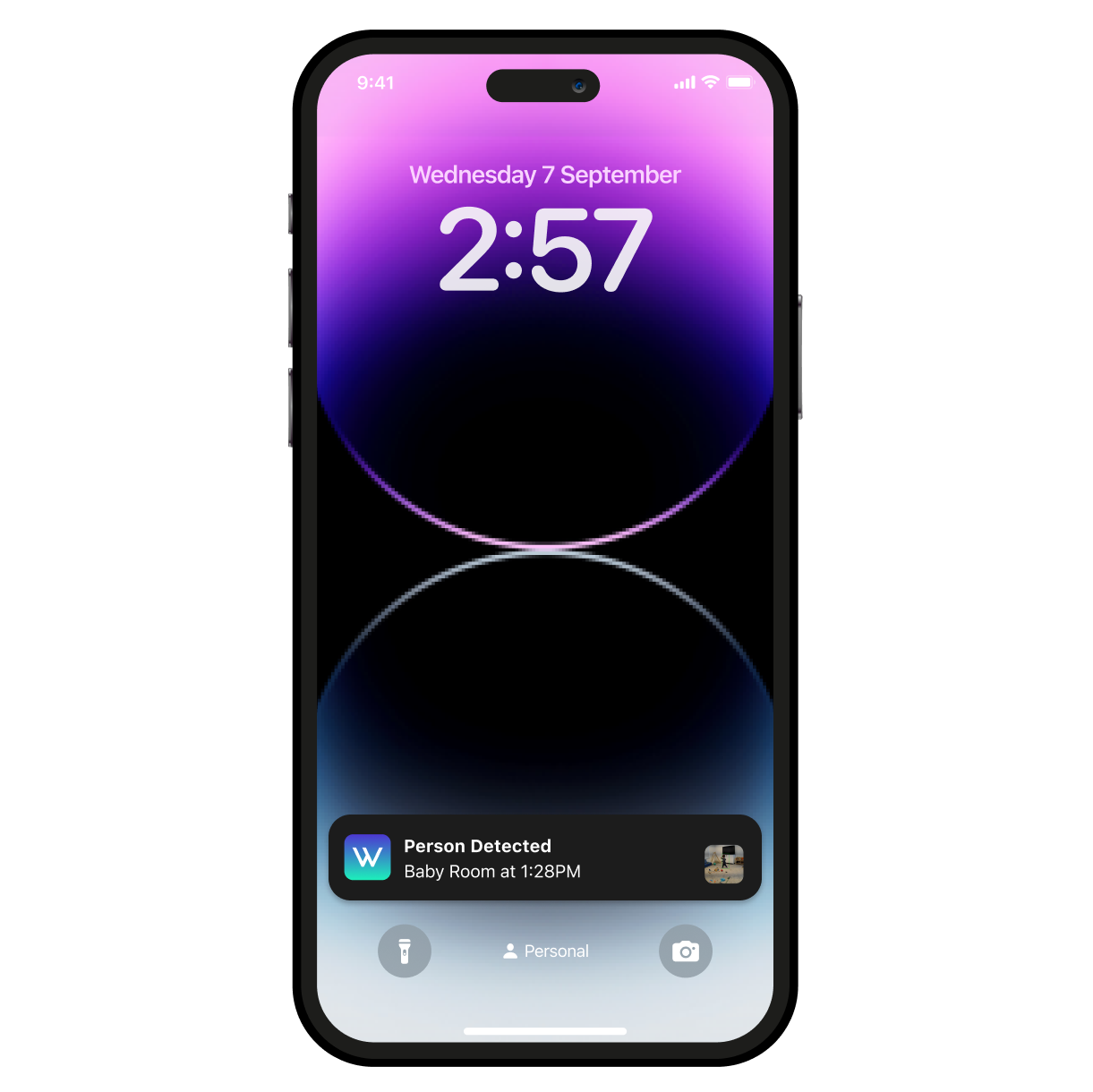
A smartphone with a purple screen displaying a time of 2:57.
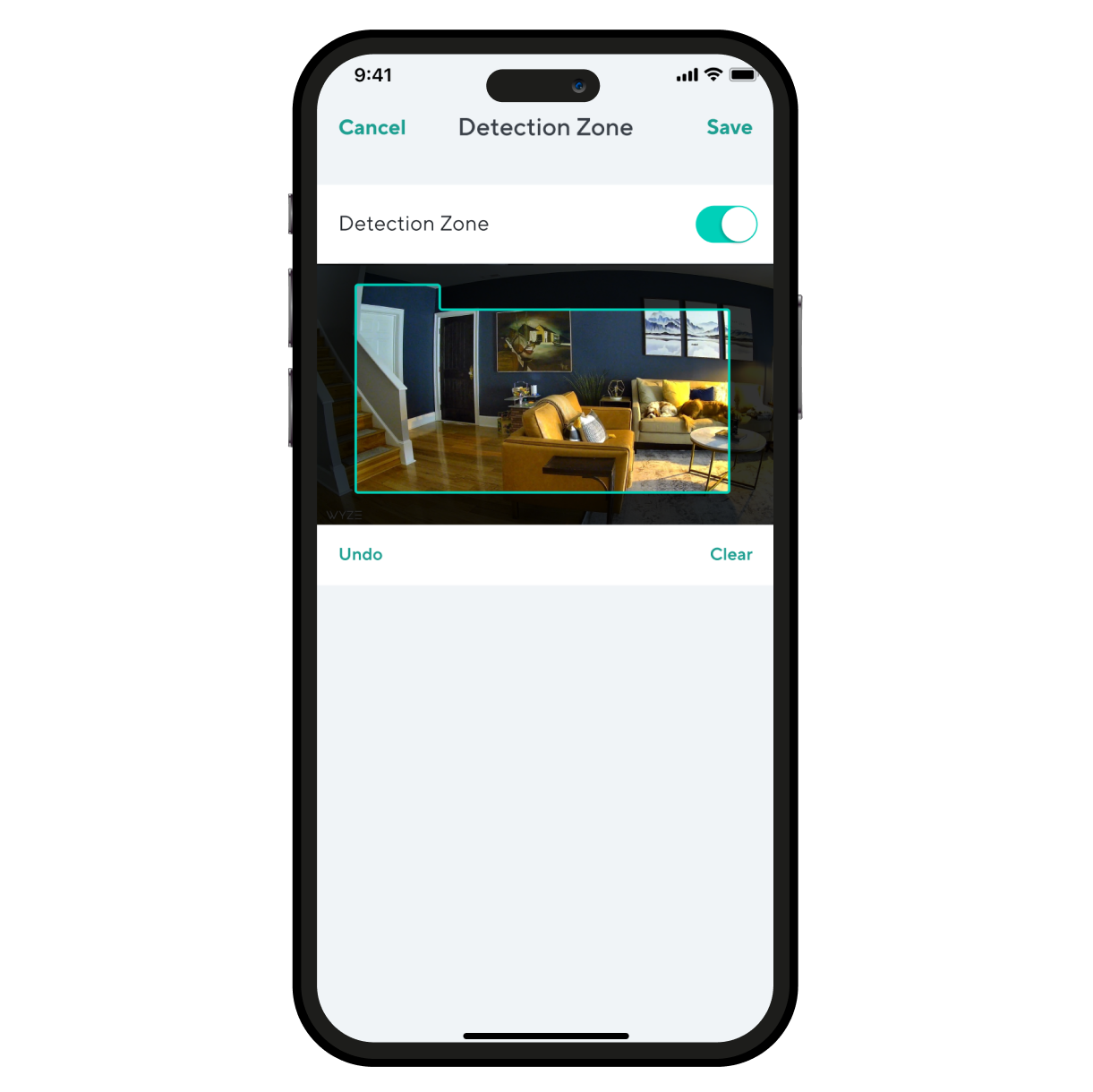
A smartphone screen displaying a room with a couch and a chair.
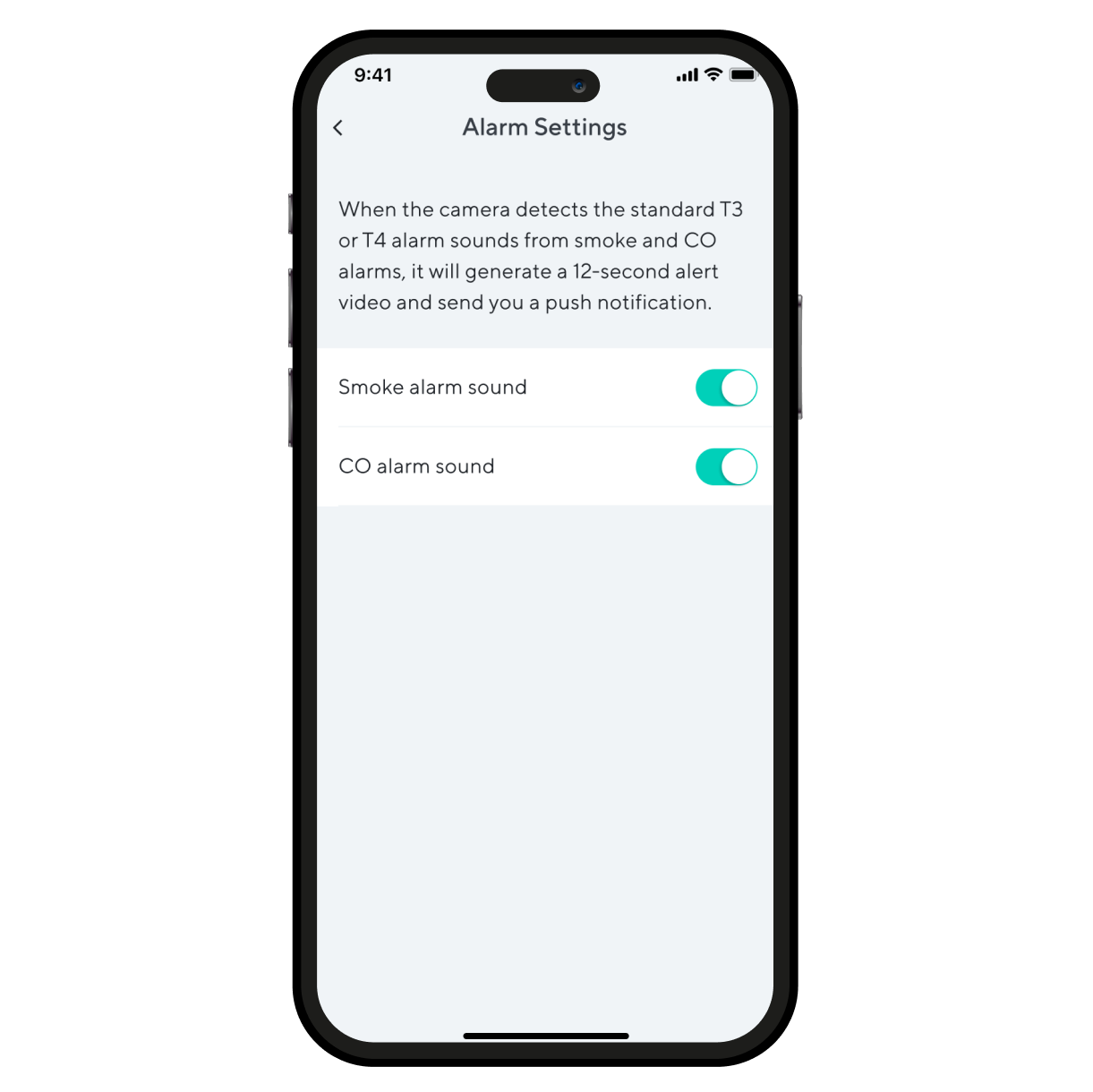
Alarm settings on a smartphone.

Aún más características para amar.

Mantenga una conexión más fuerte y confiable a mayores distancias. Requiere enrutador Wi-Fi 6.

Observa y escucha el movimiento y el sonido. Wyze Duo Cam Pan envía una alerta a tu teléfono y comienza a grabar cuando detecta alguno.

Supervise áreas específicas en busca de movimiento para que solo reciba notificaciones cuando sea importante.

Recibe una alerta en el momento en que Wyze Duo Cam Pan detecta una alarma de humo o CO. Wyze Cam graba un video durante ese tiempo.

Support Articles

Before you begin setup:

  1. Download the Wyze app on your smartphone or tablet.
  2. Connect your device to a 2.4 GHz Wi-Fi network, and enable BluetoothⓇ.
  3. Unpack your Wyze Duo Cam Pan box, removing all plastic and packing materials.Be sure to remove the plastic film from each lens.
  4. Plug the camera into power using the included USB cable and power adapter.The camera’s status light will turn solid red when powered. When flashing, it’s ready for setup.

To set up your Wyze Duo Cam Pan:

  1. In the Wyze app, tap Home, then tap + plus sign on the top right.
  2. On the Add menu, tap Device.
  3. Tap Cameras > Pan and Tilt Camera > Wyze Duo Cam Pan.
  4. With your camera plugged into an outlet, tap Next in the app.
  5. Underneath the camera, single-press the SETUP button. It will say “ready to connect”.
  6. In the app, check the box next to I heard, “Ready to connect”.
  7. Tap Begin Setup.
  8. If BluetoothⓇ hasn't been enabled, you will be prompted to allow BluetoothⓇ access. Tap Okay.If BluetoothⓇ has already been enabled, it will skip to the next step.
  9. Select your 2.4 GHz Wi-Fi network and enter your network password. Tap Next.Tap the icon in the password field to display the password to ensure it was entered correctly.
  10. Your device will begin connecting.
  11. Once connected, you will be prompted to begin mounting.If you want to mount your camera now, tap Begin Mounting and follow along in the app.If not, tap Skip.
  12. Name your camera using the text field, or by choosing a suggestion.
  13. Tap Finish when done.
  14. Choose between the Basic plan (no subscription) or Cam Plus. Tap Continue.
  15. Set up some automations on the Things to Try* page, or tap Skip.
  16. Enjoy your new Wyze device!

👉 Haven't set up your Wyze Duo Cam Pan yet? Check out Wyze Duo Cam Pan Setup Guide before installing.

There are 4 ways to mount your Wyze Duo Cam Pan:

  • On a tabletop or flat surface.
  • On a wall, right-side up.
  • On a wall, upside down.
  • On a ceiling, upside down.

To mount your camera on a flat surface:

  1. Set your camera on a flat surface.The fixed camera must be down, camera right-side up.We recommend mounting it on a horizontal surface, not angled.We recommend mounting it at the edge of the surfaceYou do not need to use the mounting kit.

To mount your camera on a wall:

  1. Place the Mounting Sticker from the Mounting Kit where you want to install your camera.
  2. Mark your drill holes with a pencil.
  3. Use a 6mm drill to drill holes at the pencil marks.The holes must be 1/4 inches and 1 and 3/6 inches deep.
  4. Insert the included expansion tubes into the holes.
  5. Place the Wall Plate over the expansion tubes*, then screw into the expansion tubes to mount the wall plate. To mount right-side up, place the Wall Plate on the tubes with the tab pointing up. To mount upside down, place Wall Plate on the tubes with the tab pointing down. To use the camera, you will have to toggle on Rotate Image 180° in your Advanced Settings.
  6. On the camera, pull the bracket away from the base. If the screws on the camera's bracket are loose, tighten them before continuing. To mount right-side up, place the base onto the wall plate and firmly press down. To mount upside down, place the base onto the wall plate and firmly press up.
  7. Insert the power cable into the camera, then plug the USB end into the adapter.When powered, the status light on the camera will light up.

To mount your camera on the ceiling:

  1. Place the Mounting Sticker from the Mounting Kit where you want to install your camera.
  2. Mark your drill holes with a pencil.
  3. Use a 6mm drill to drill holes at the pencil marks.The holes must be 1/4 inches and 1 and 3/6 inches deep.
  4. Insert the included expansion tubes into the holes.
  5. Place the Wall Plate over the expansion tubes* on the ceiling, then screw into the expansion tubes to mount the wall plate.
  6. Mount the camera base onto the Wall Plate, cameras facing outward.
  7. Because your camera is upside down, you will have to rotate the image in your settings.In the Wyze app, tap on the Settings gear > Advanced Settings > toggle on Rotate Image 180°.
  8. Insert the power cable into the camera, then plug the USB end into the adapter.When powered, the status light on the camera will light up.

Additional Note: We recommend mounting your camera vertically upright or upside down. We do not recommend mounting your camera at an angle or side ways.

You'll find the status light on the top front of your Wyze Duo Cam Pan. No light? Make sure it's properly connected to power.

⚡️ All Wyze devices have a handy status light that helps determine what state the device is in.

Wyze Duo Cam Pan Status Light Guide

  • Solid red - The camera is powered on and initializing, recording an event, or you are watching the live stream.
  • Flashing red - The camera is ready to connect.
  • Flashing red and blue light - Connection is in progress.
  • Flashing blue light - The camera is connected and finishing setup, or updating its firmware.
  • Solid blue light - The camera is powered and fully connected.
Added to your cart
Envío GRATIS en pedidos de $59+
Subtotal
$0.00
View cart