Subtotal
$0.00

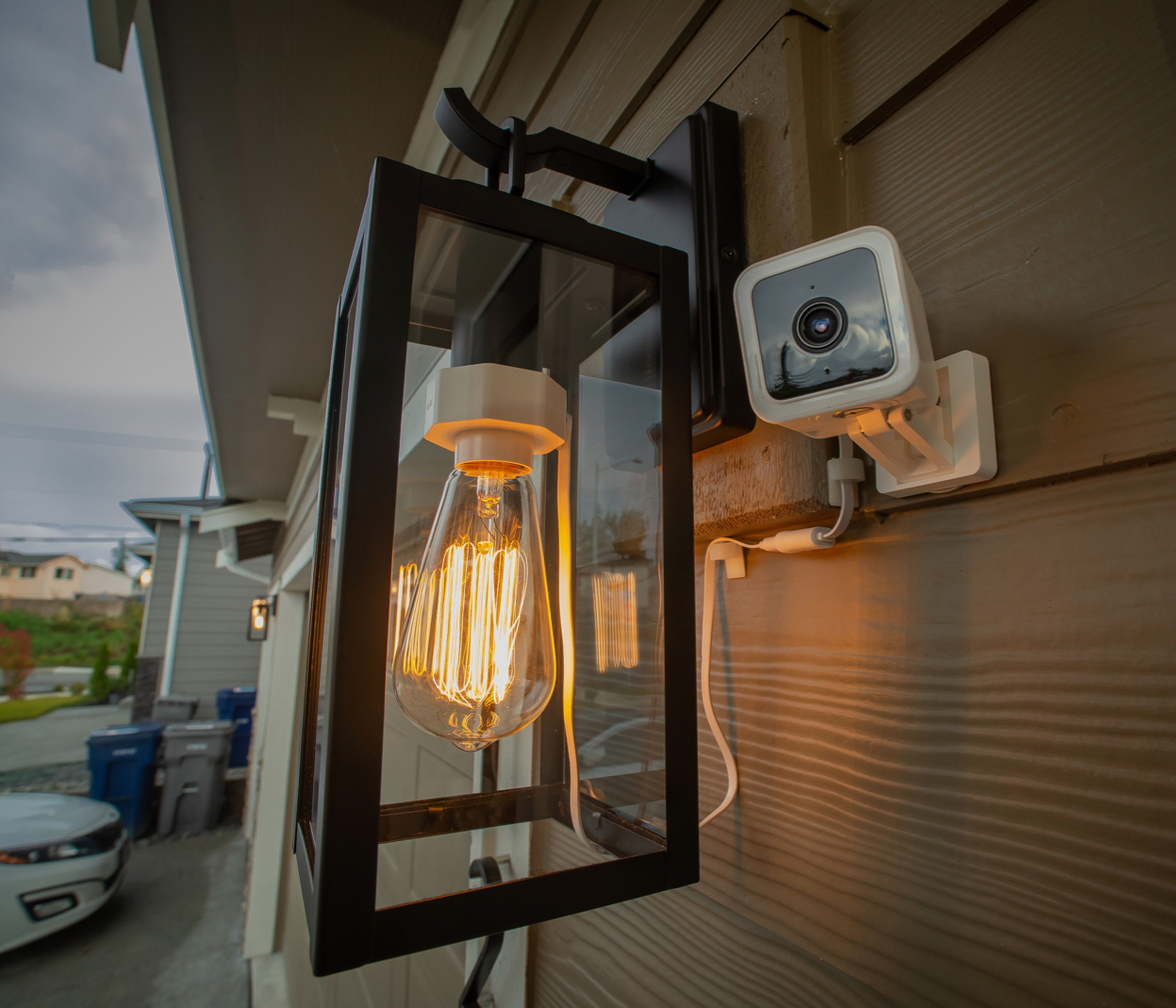


Cualquiera sirve, pero Wyze también tiene una a la venta. Elige el tamaño que quieras (cuanto mayor sea la capacidad de la tarjeta, más tiempo podrás grabar) y haz clic en "Añadir al carrito".


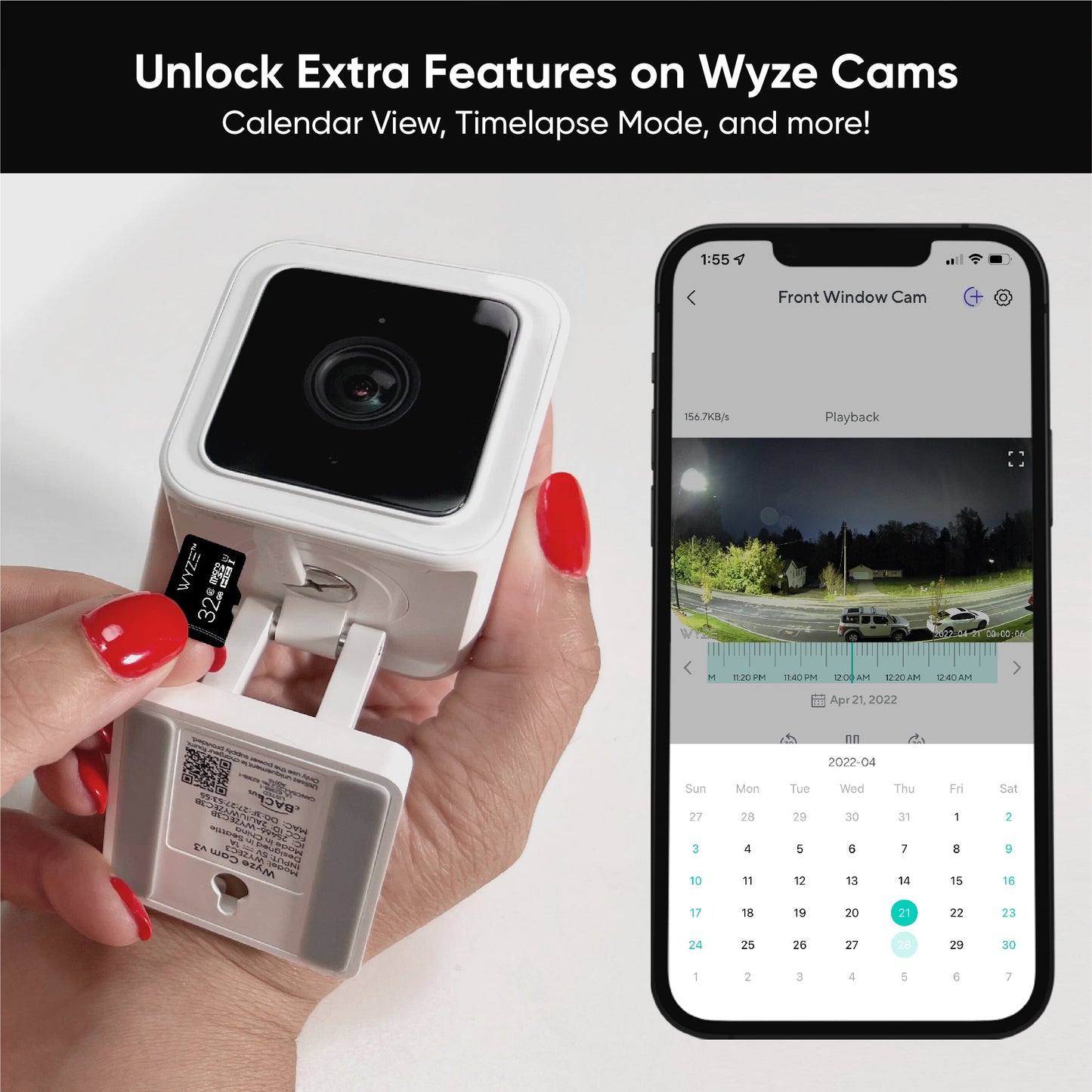
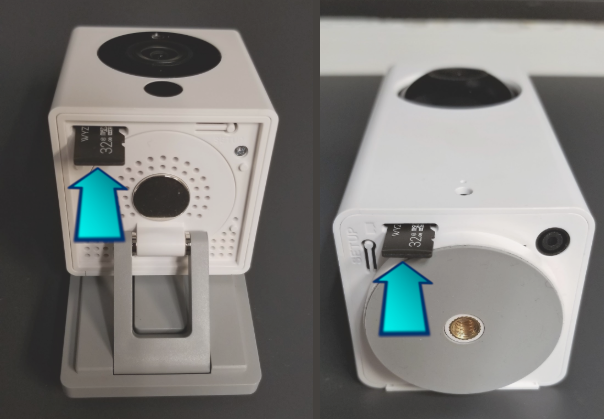
La ranura es ligeramente diferente en cada Wyze Cam. En Wyze Cam v3, está ubicado debajo de una solapa de silicona en la parte inferior de la cámara.
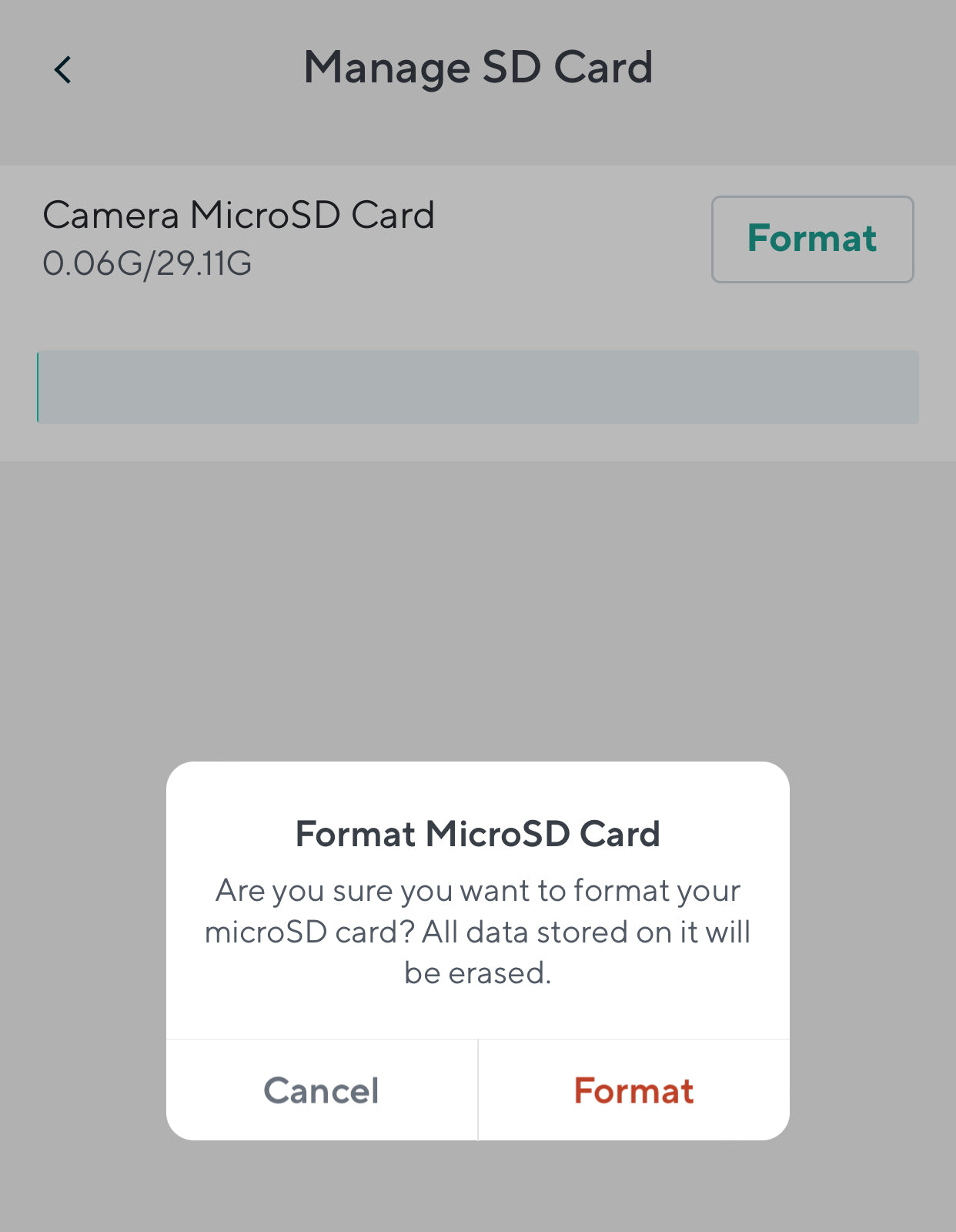
Para hacer esto, toque la transmisión en vivo de su cámara desde la pestaña Inicio y toque Configuración > Configuración avanzada > Administrar tarjeta MicroSD > Formatear .
Tenga en cuenta que esto borrará todo el contenido existente en la tarjeta microSD, así que asegúrese de hacer una copia de seguridad de sus archivos primero.
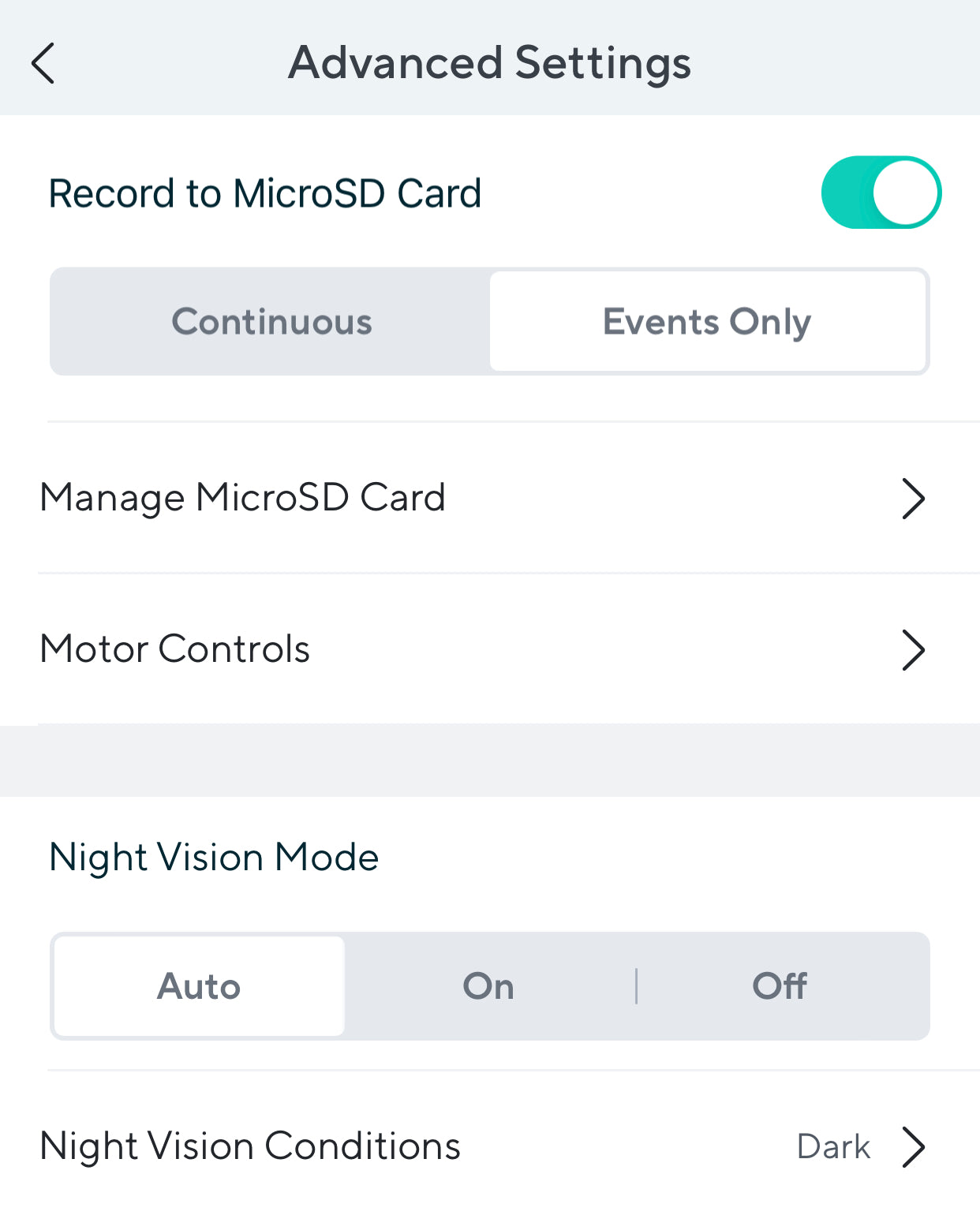
Toque la transmisión en vivo de su cámara desde la pestaña Inicio y toque Configuración > Configuración avanzada . Toca el interruptor junto a Grabar en tarjeta MicroSD .
Desde aquí puede activar la grabación local en su tarjeta microSD. Puede elegir entre grabación continua y solo eventos.
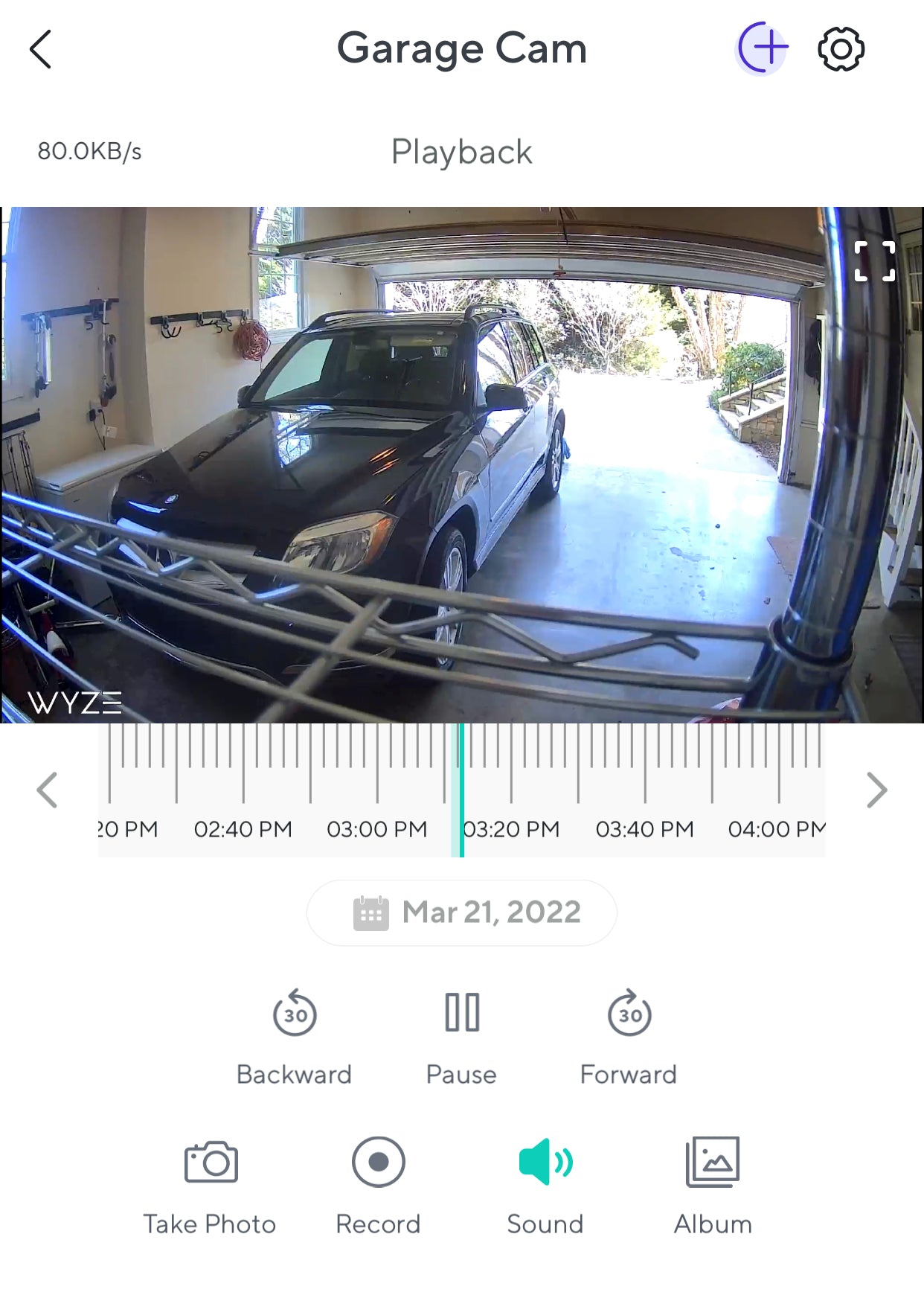
Toque la transmisión en vivo de su cámara desde la pestaña Inicio y toque el botón Ver reproducción .
Toque y arrastre la línea de tiempo para ver el video grabado desde un punto específico en el tiempo. Puede tocar el botón de fecha para seleccionar una fecha específica en la vista de calendario. Los momentos en los que haya secuencias de video disponibles se resaltarán en color en la línea de tiempo.
Pellizque y haga zoom en la línea de tiempo para que sea más fácil seleccionar un punto específico en el tiempo.
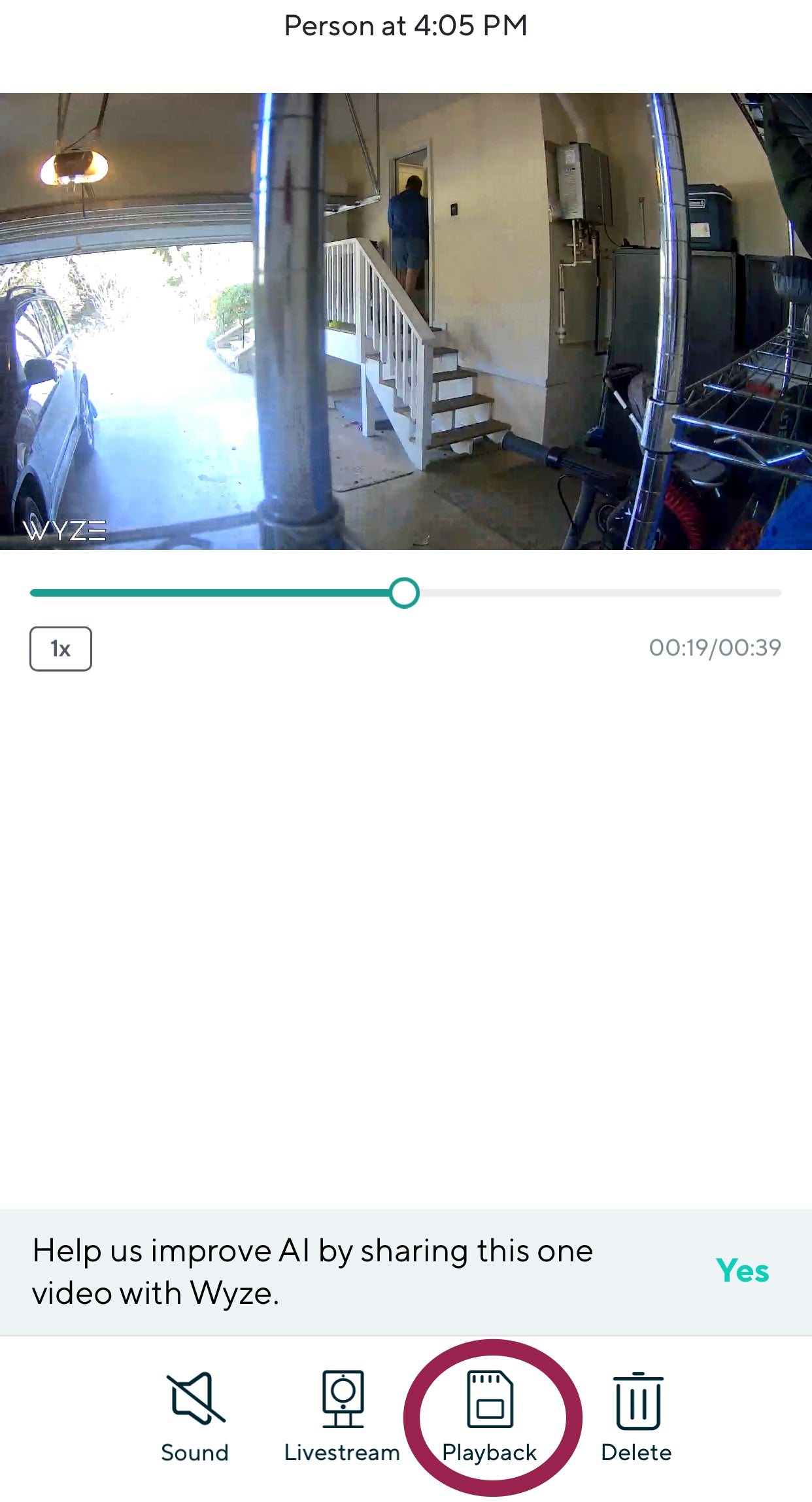
Toque la pestaña Eventos en la aplicación Wyze para seleccionar un evento que le gustaría ver.
Una vez que el evento esté abierto, toque Reproducir para ver la grabación completa desde la tarjeta microSD.
Si tiene preguntas adicionales, visite nuestros artículos de soporte sobre nuestras tarjetas microSD o inicie un chat con nuestro equipo.
Todas las cámaras Wyze tienen una ranura microSD integrada y son compatibles con tarjetas microSD Wyze. Lo mejor es que el almacenamiento local es completamente gratuito para los usuarios de Wyze.
Puedes guardar grabaciones de video de Wyze de dos maneras: 1. Puedes usar una tarjeta microSD compatible para habilitar el almacenamiento local continuo. 2. Puedes suscribirte a Cam Plus (o Cam Protect) para habilitar la detección avanzada de IA, mejores notificaciones y almacenamiento en la nube.
