Passer aux informations produit
1 de 7

Wyze Cam Pan v3

Wyze Cam Pan v3

Caméra 360° 1080p avec vision nocturne

Couleur
Paquet
Add ons
$44.98
En stock
Get it as soon as
Retours sans tracas sous 30 jours.
En stock
A blue and white logo for Wyze.
AVANTAGES exclusifs de Wyze.com
Garantie prolongée de 18 mois
Bénéficiez d'une garantie prolongée de 18 mois à l'achat de ce produit sur wyze.com. Profitez également de lots spéciaux, de promotions uniques et de récompenses à chaque commande
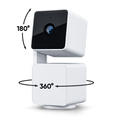
La Wyze Cam Pan v3 est une caméra de sécurité repensée pour une utilisation intérieure/extérieure, avec une rotation à 360° et une inclinaison à 180°, et est entièrement résistante aux intempéries (IP65).

*Pour une utilisation en extérieur en toute sécurité, le Pan v3 nécessite un adaptateur secteur extérieur Wyze (vendu séparément).

Voir les détails complets
  • Weather-resistant camera lens.

    Intérieur/Extérieur IP65 étanche aux intempéries

  • WyzeCam Pan V2 Icon.

    Rotation à distance à 360°/Inclinaison à 180°

  • Fast motion icon.

    Suivi automatique des mouvements

  • A black background with a white logo for Streamline HQ Technology.

    Mode confidentiel

Caractéristiques de la Wyze Cam Pan v3

Couleurs et matériaux

  • Couleur : Blanc
  • Finition : mate
  • Corps : Polycarbonate
  • Lentille : Verre + plastique
  • Processeur : 1,5 GHz
  • Capteur d'image : CMOS 1/2,9''
  • Voyant LED : avant. Rouge + bleu
  • Vision nocturne : 4 LED infrarouges (850 nm)

Dimensions et poids

  • 124 mm (H) x 60 mm (L) x 63 mm (P)
  • 11,29 oz (320 g)

Vidéo

  • Encodage vidéo : H.264
  • Fréquence d'images vidéo : Jour - 20 images/s ; Nuit - 15 images/s
  • Résolution vidéo : 1920 x 1080 (1080p)

Champ de vision

  • 360° horizontal, 180° vertical

Champ de vision

  • Champ de vision de 120°

Détails supplémentaires

  • Zoom numérique : x8
  • Montage : Vis 1/4" - 20
  • Base circulaire : diamètre 1,69" (43 mm)
  • Ports : 1 micro USB
  • Mémoire : 128 Mo
  • Vitesse de rotation : jusqu'à 110° par seconde
  • Audio : Haut-parleur et microphone intégrés ; audio bidirectionnel ; réduction du bruit et de l’écho
  • Alertes : Notifications push
  • Vision nocturne et vision nocturne couleur

Pouvoir

  • Longueur du câble d'alimentation : 6 pouces (1,8 m)
  • Entrée de l'adaptateur secteur : 110-240 V (CA/CC)
  • Sortie de l'adaptateur secteur : 5 V/2000 mA

Connectivité et compatibilité

  • 802.11 b/g/n, 2,4 GHz (Wi-Fi 5 GHz non pris en charge)
  • Compatibilité téléphonique : Android 9.0+, iOS 15.0+
  • Intégrations : Alexa, Google Assistant, IFTTT
  • Vitesse de chargement : 1,0 Mbps pour la SD, 1,5 Mbps pour la HD

Stockage

  • Prend en charge les cartes microSD jusqu'à 256 Go au format ExFAT

Météo et température

  • Température de fonctionnement : -20°C à 50°C (-4°F à 122°F)
  • Résistance à l'eau IP65

Certifications

  • FCC, IC, UL, TSCA, IP65

Langue

  • Anglais

Garantie

  • 1 an

Note importante

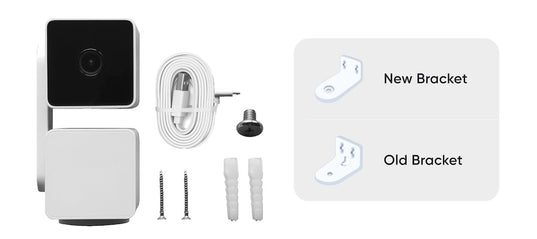
  • La Wyze Cam Pan v3 est livrée avec l'une des deux versions du kit de montage, comme illustré.iciLe kit de montage illustré sur l'emballage du produit correspond actuellement à la conception originale, mais l'emballage pourrait contenir la nouvelle conception. Les deux supports permettent d'installer le Pan v3 à l'envers.
A white cord plugged into a device.
  • Wyze Cam Pan v3
  • Câble micro USB de 1,8 m
  • Adaptateur secteur
  • Kit de montage (Veuillez noter:La conception de notre support de fixation a été modifiée. Les clients peuvent recevoir l'un ou l'autre modèle, indépendamment de celui figurant sur l'emballage. Cela n'affectera toutefois pas la fonctionnalité.Pour en savoir plus, cliquez ici..)
  • Guide de démarrage rapide

Please check the help center and see if we’ve got what you need. Alternatively, you may also find the list of related camera parts here.

Wyze Cam Pan v3 has an entirely new, innovative design that doubles the total tilt range to 180º and produces 52% less dBA noise when rotating. It is also our first IP65-rated weather-resistant pan camera, ready to be used outdoors with the included mounting kit that lets you mount it literally anywhere - even upside-down. Lastly, it has Privacy Mode which points the camera lens down towards the camera body and obstructs any view.

No, Wyze Cam Pan v3 is powered via a 1.8 m USB cable.

1920 x 1080p Full HD.

Yes, it will return to its previous position. 

Yes, Wyze Cam Pan v3 is IP65-rated and can be used both indoors and outdoors. Just be sure to cover the SD card slot to avoid water damage. Wyze Outdoor Power Adapter v2 is required for outdoor use.

No, Wyze Cam Pan v3 is powered via a 1.8 m USB cable.

Day: 20 frames per second (fps); Night: 15 fps.

No, Wyze Cam Pan v3 only supports 2.4 GHz networks.

Yes, Wyze Cam Pan v3 supports Wyze Web View. (Requires subscription to Cam Plus or Cam Protect) (https://view.wyze.com/)

No, it does not. Cam Plus Lite is only available on cameras released before April 2022.

Wyze Cam Pan v3 is equipped with a starlight sensor that allows the camera to see color in extremely low light conditions, allowing you to see full color at night. To use it, turn off Night Vision in low light conditions.

There has a been change in our mounting bracket's design. Customers may get either design regardless of the design on the packaging. However, this shouldn't affect functionality. Please check our support site if you need more details.

Sortez la Wyze Cam Pan v3.

Plus seulement un chat d'intérieur. Grâce à son indice de protection IP65*, il patrouille automatiquement votre propriété par tous les temps.

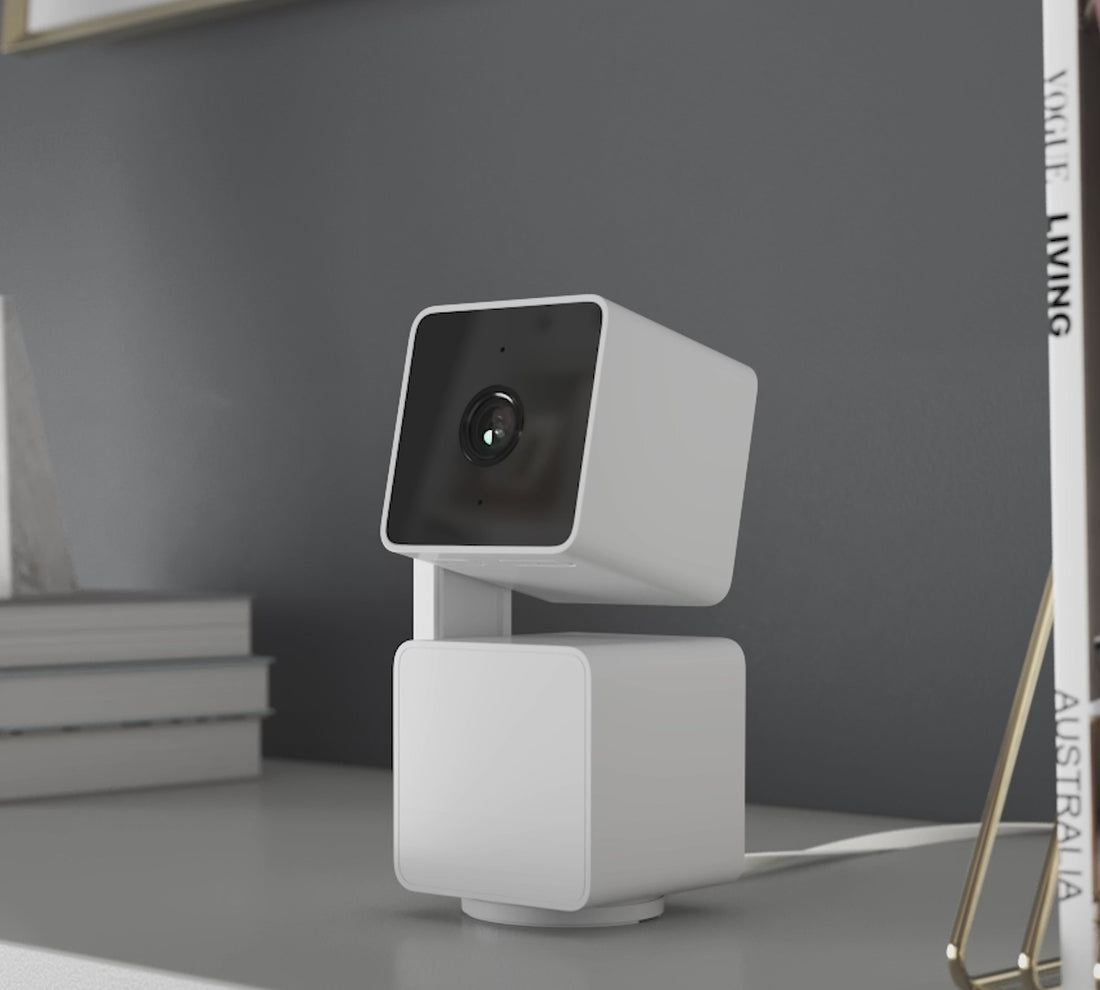
A white camera with a black lens.

Suivi automatique des mouvements.

Ces canettes n'ont rien vu venir, mais Pan v3, si. Grâce à sa détection de mouvement, son suivi et son enregistrement automatiques, la caméra n'a rien vu venir. Son moteur de suivi amélioré est plus silencieux qu'une souris qui babille dans une église : fini les bébés qui font la sieste ou les animaux domestiques qui s'effraient !

...attendez la fin 😂

Visualisez toute la pièce grâce à une rotation panoramique à 360° et une inclinaison à 180°.

Avec une inclinaison deux fois plus importante, Pan v3 peut désormais regarder droit vers le haut et vers le bas. Un peu comme mon prof de gym au collège, mais en beaucoup moins critique. C'était une période gênante pour moi, d'accord ?

Mode privé.

Tu t'es installé·e pour regarder cette série en boucle. Tu as aussi décidé que le pantalon était facultatif aujourd'hui.

Vous activez donc le mode Confidentialité dans l'application Wyze, et la Pan v3 pivote à 180° vers le bas, éliminant son champ de vision et s'éteignant. Vous vous détendez. Vous appuyez sur lecture.

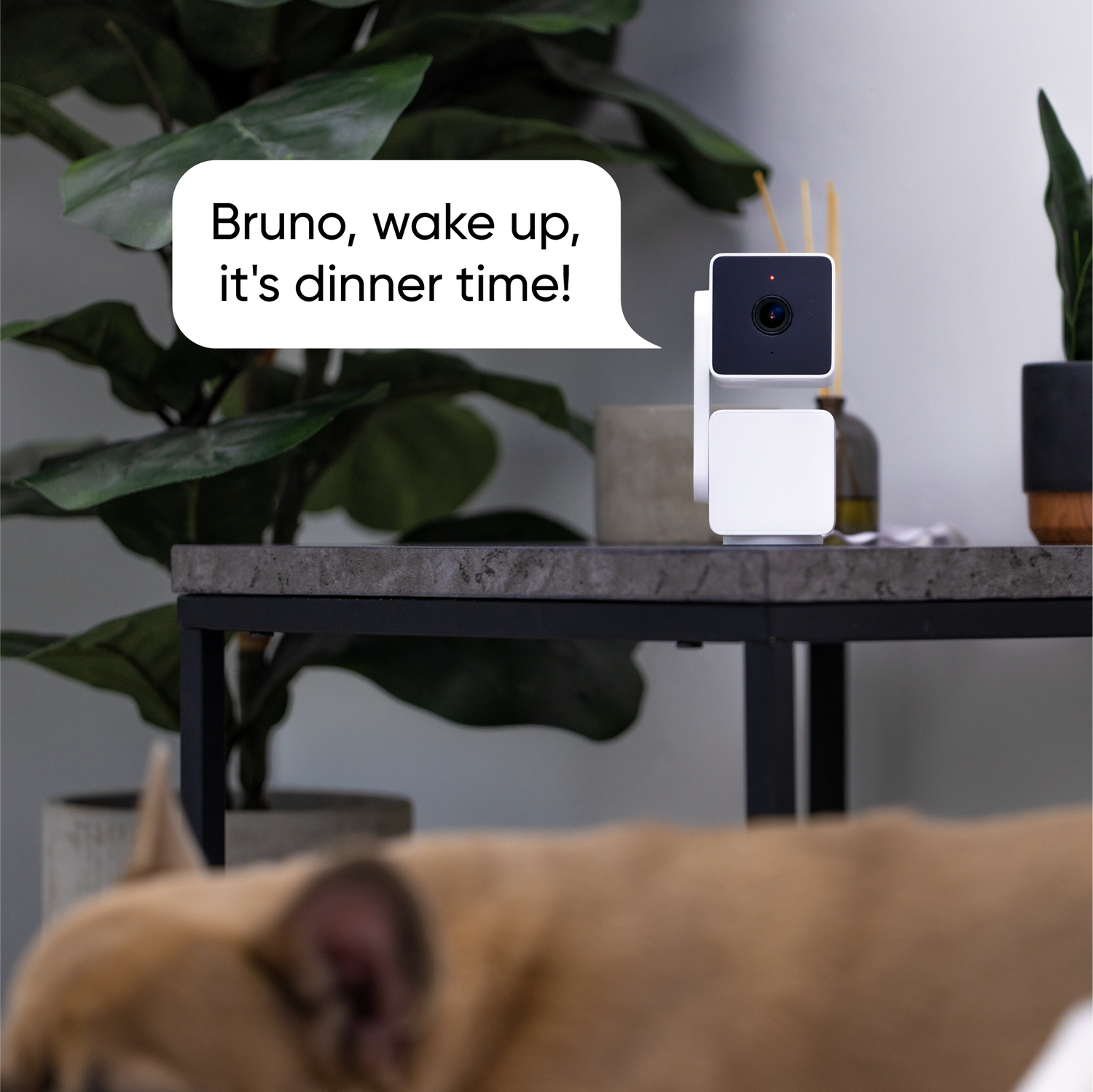
A dog with a speech bubble that says "Bruno, wake up, it's dinner time!

Audio bidirectionnel.

Les données montrent que seulement 10 % des utilisateurs font défiler la page aussi bas, et nous supposons qu'encore moins lisent réellement ce texte.

Vous savez probablement déjà ce qu'est l'audio bidirectionnel, mais en gros, vous pouvez parler via l'application Wyze, et le son sera diffusé par la caméra. Vous pouvez aussi écouter les autres parler à la caméra ; le son traverse un trou noir (formé par un baiser entre Marty McFly et sa mère adolescente) avant de ressortir sur votre téléphone.

Système de sécurité détaillé avec vision nocturne couleur

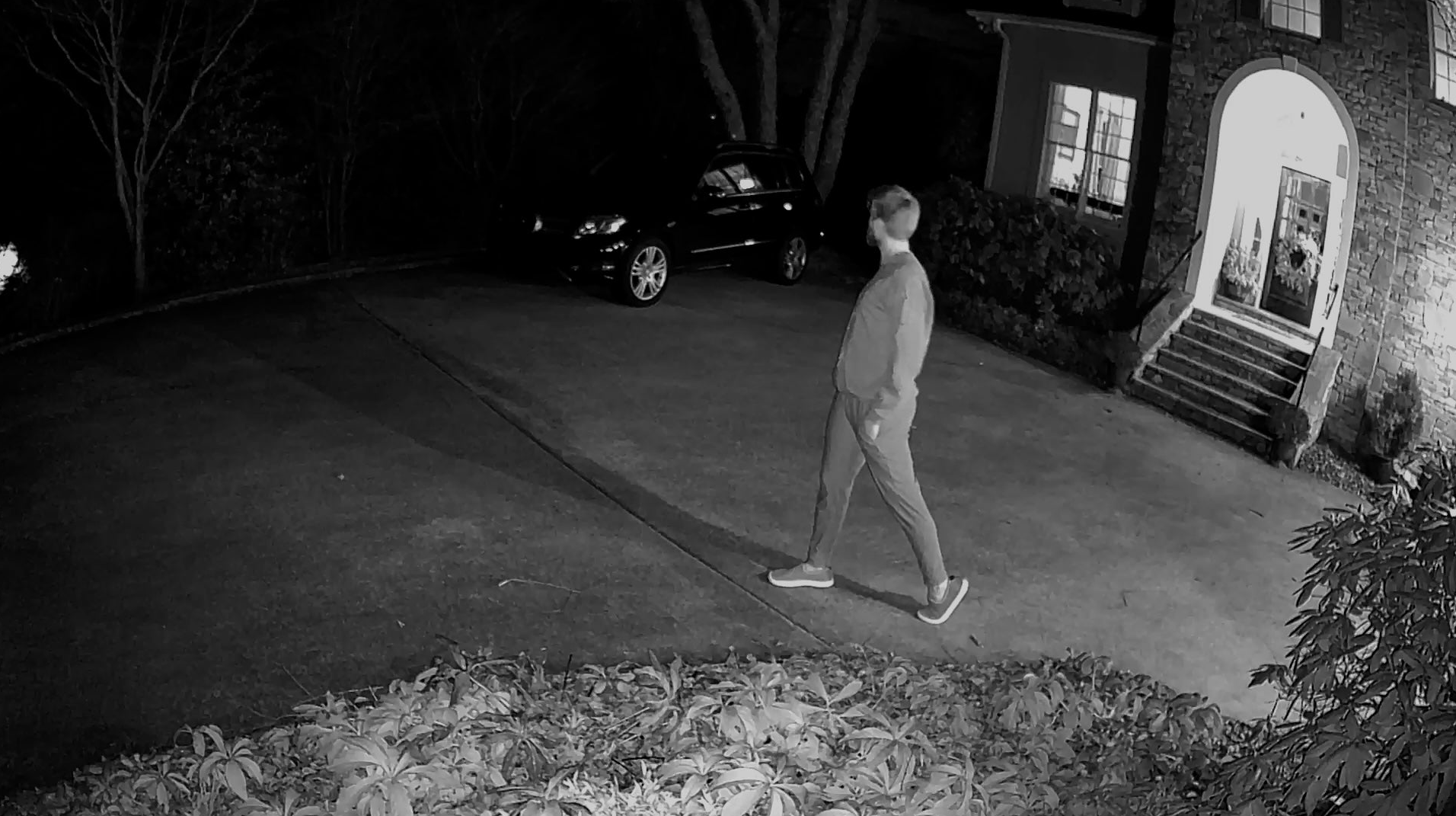
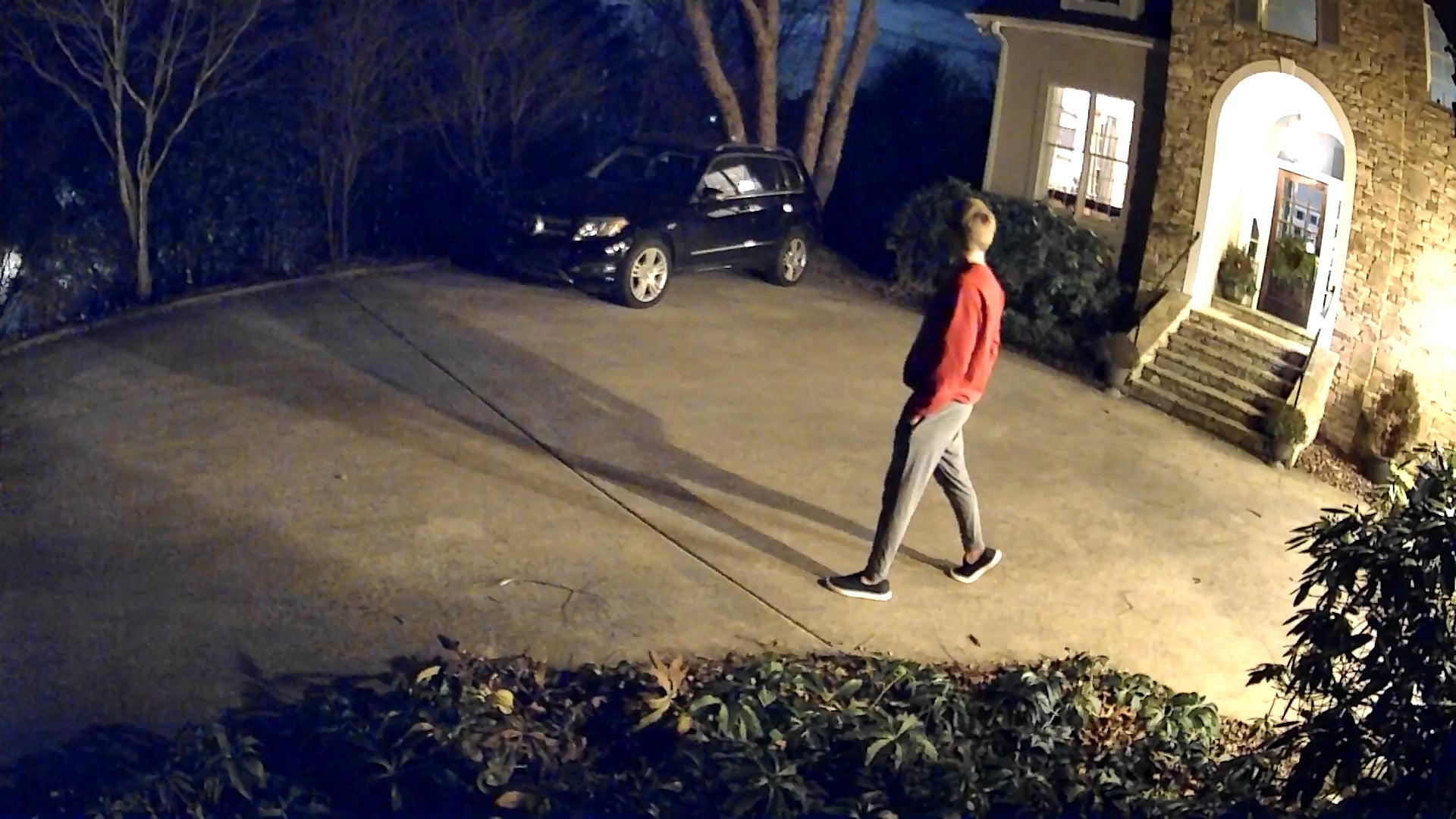
Vous avez regardé un film en noir et blanc récemment ? Nous non plus, car chaque détail compte. C’est pourquoi nous avons intégré la vision nocturne couleur de série sur toutes nos caméras de sécurité équipées du capteur Starlight.

  • A man walking on a sidewalk at night.

    Cam concurrent à 150 $

  • A man walking in front of a car.

    Wyze Cam Pan v3

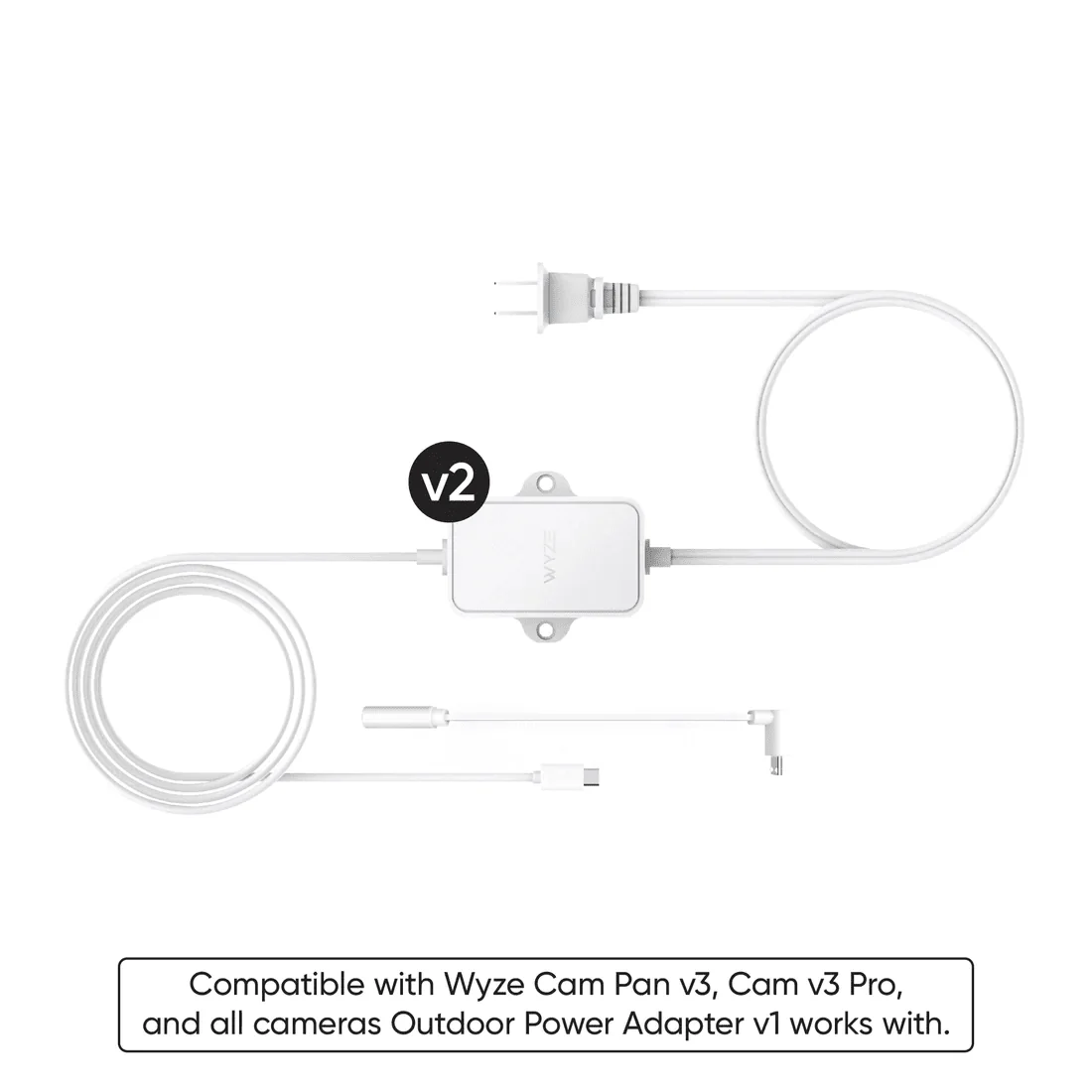
Wyze Cam Power Adapter v2 laid out against a white background.

Ajoutez un adaptateur secteur extérieur Wyze + un câble microUSB en forme de L

Par tous les temps, pluie, neige ou soleil. Associez votre caméra à un adaptateur conçu pour l'extérieur. L' adaptateur secteur extérieur Wyze avec connecteur micro-USB en L est compatible avec la Wyze Cam Pan v3.

En savoir plus

Excellent dès la sortie de la boîte. Encore meilleur avec Cam Plus.

Biscuits et sauce. Arc-en-ciel et licornes. Jay-Z et Beyoncé. Stockage local et options de sécurité plus intelligentes. 👇

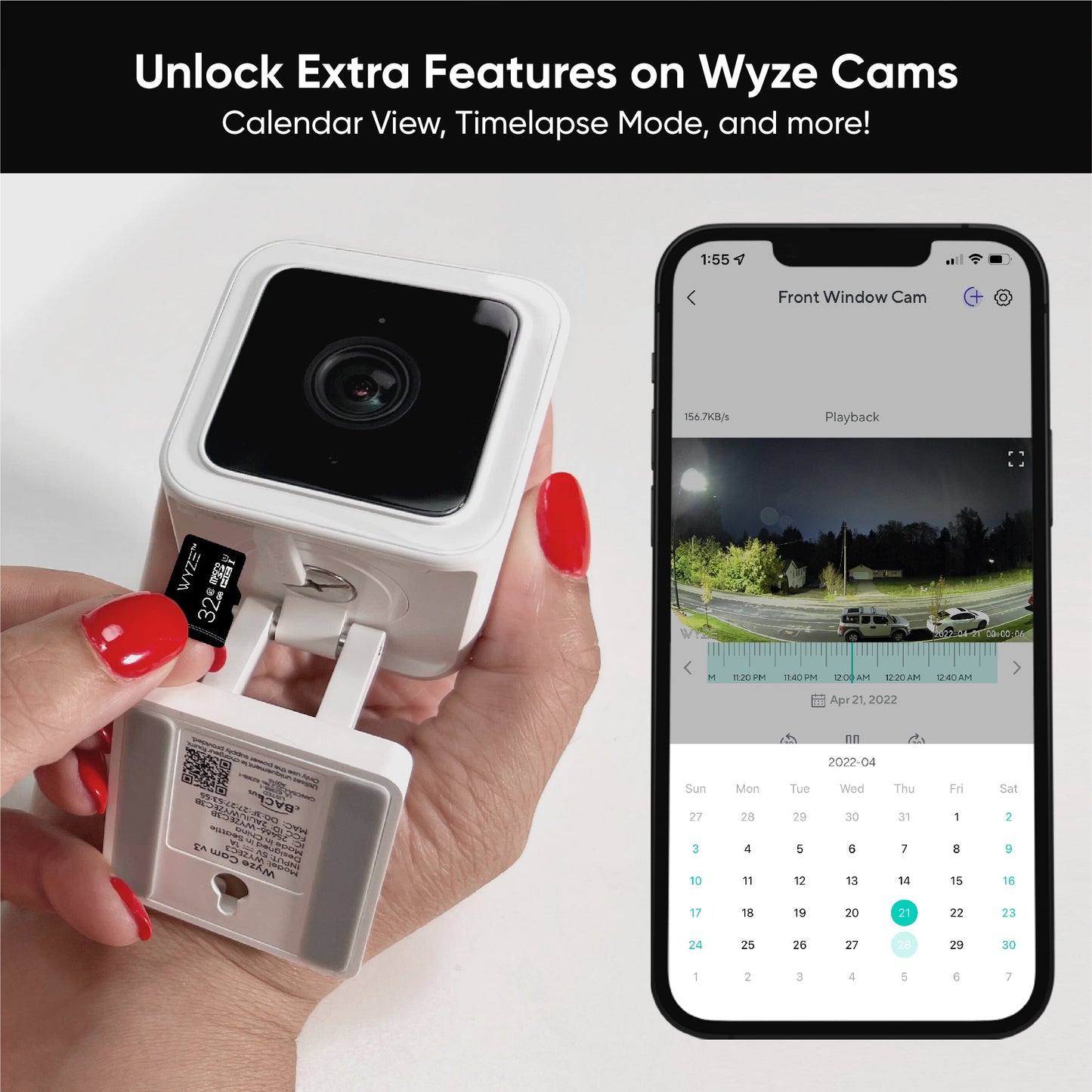
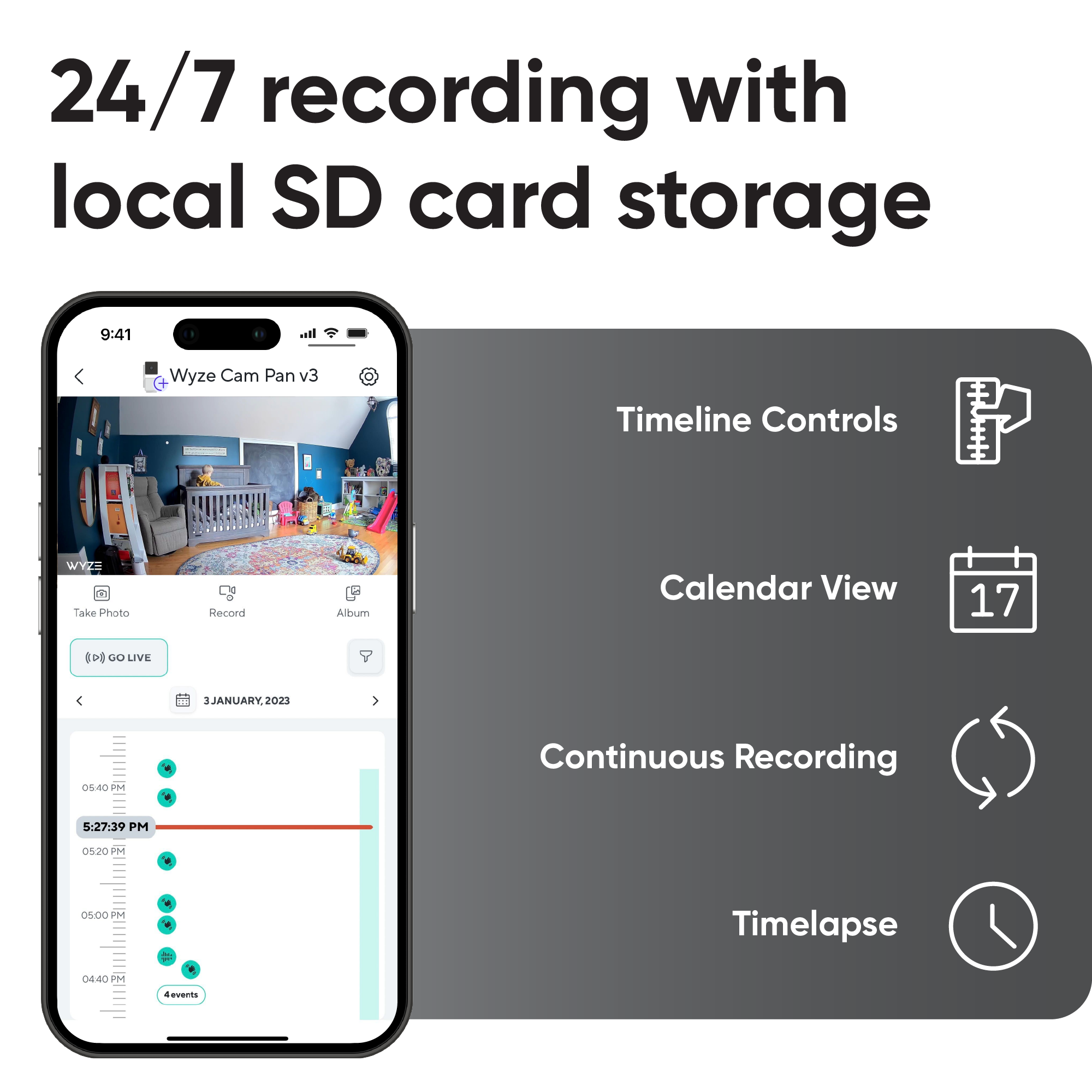
  • 24/7 recording with local SD card storage.
  • Get smarter security with Cam Plus.
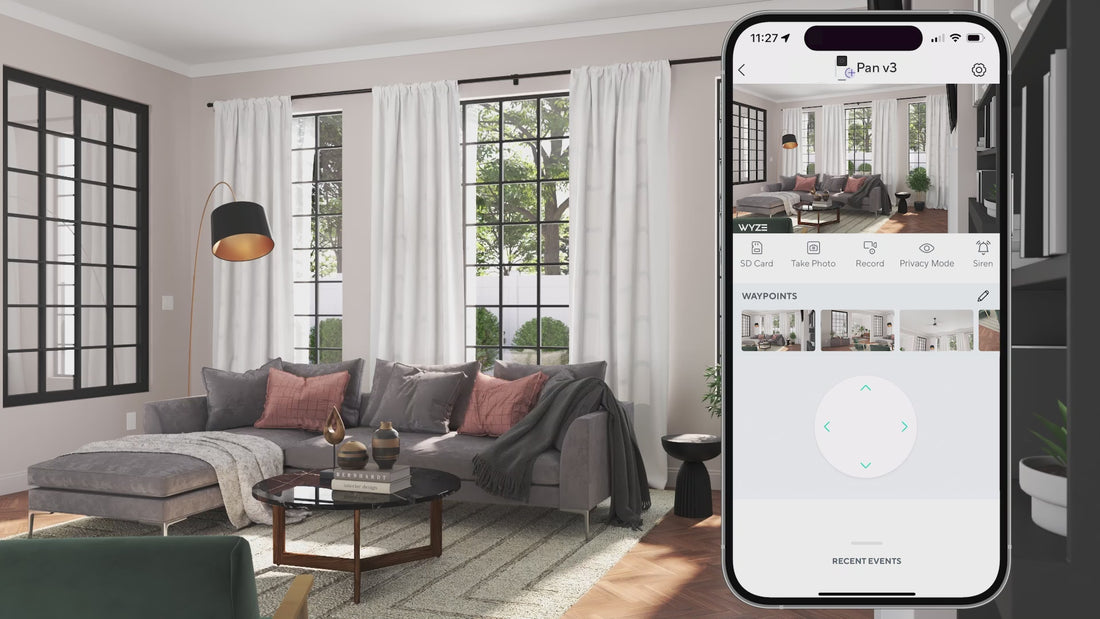
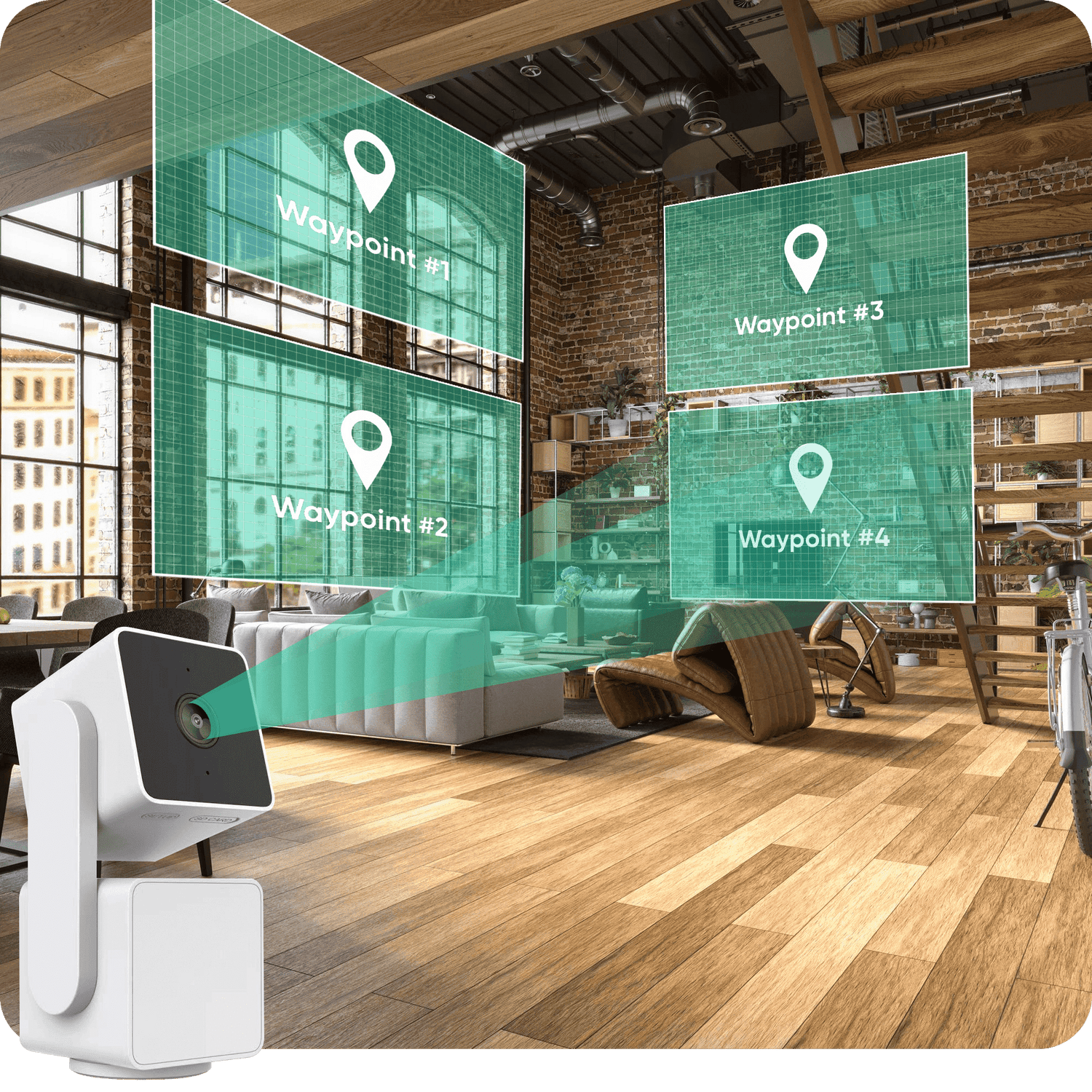
A Wyze device is displayed in a living room with a waypoint map.
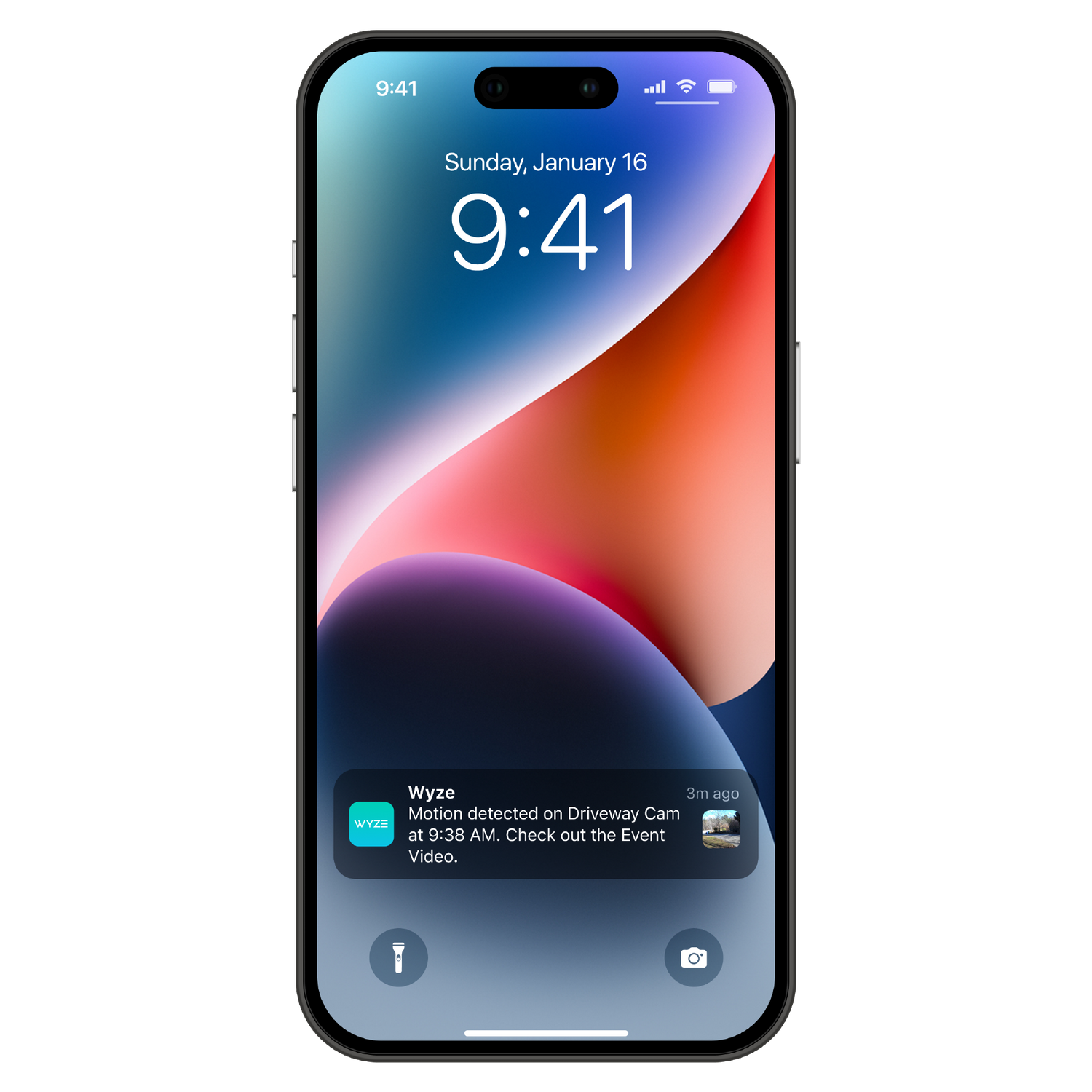
A smartphone with a Wyze notification on the lock screen.
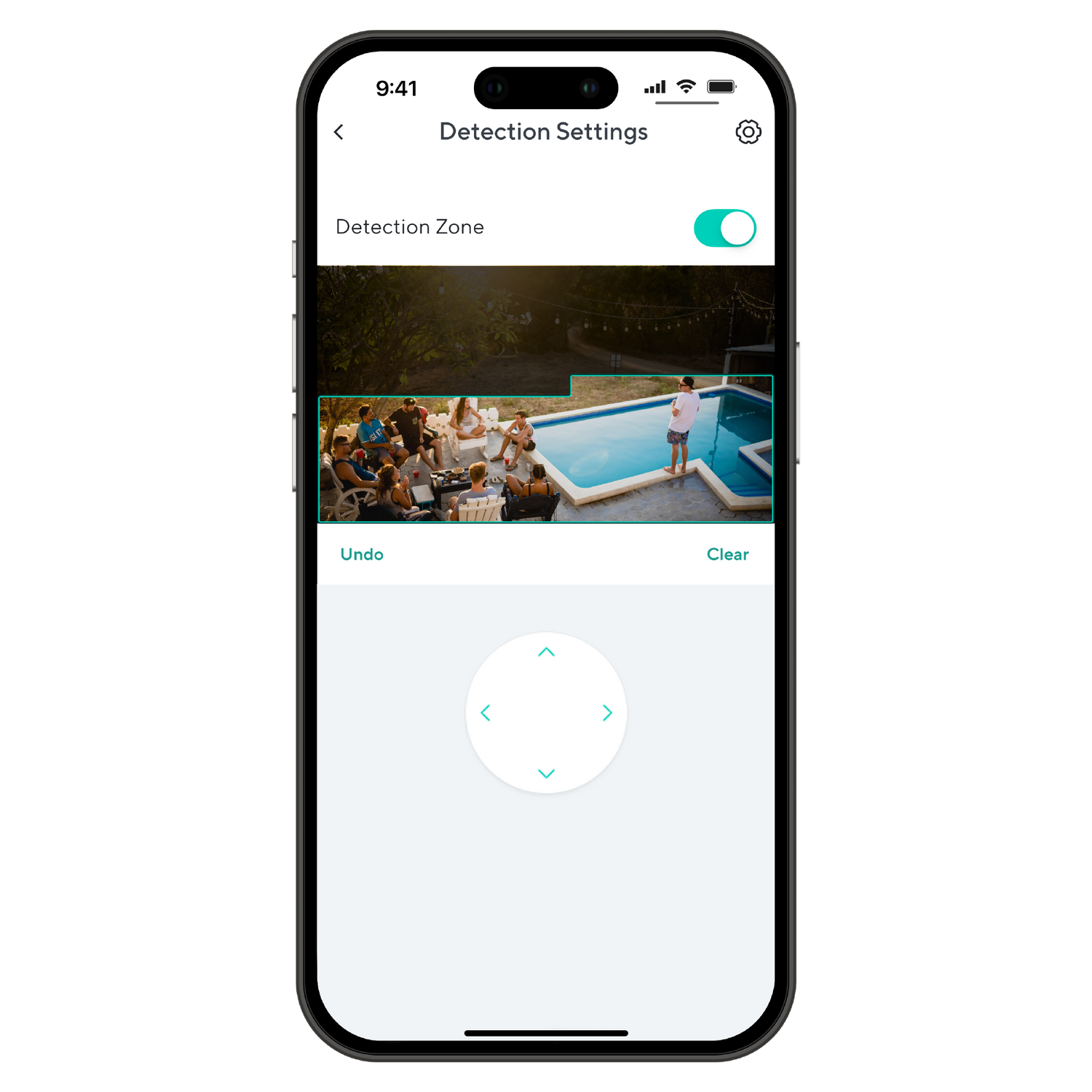
A smartphone screen displaying a detection zone.
A smartphone screen displaying a picture of a pool area with people in it.
A smartphone screen displaying an alarm settings page with options to toggle notifications for Smoke Alarm Sound and CO.

Regorgeant de fonctionnalités d'application.

Surveillez votre chambre avec Pan Scan™. Définissez le parcours de patrouille de la caméra avec jusqu'à 4 points de passage personnalisés.

La Wyze Cam Pan v3 envoie des alertes instantanées à votre téléphone dès qu'un mouvement ou un son est détecté. Avec la Cam Plus , vous recevez des notifications avancées, par exemple si la Wyze Cam détecte les pleurs d'un bébé ou les aboiements d'un animal.

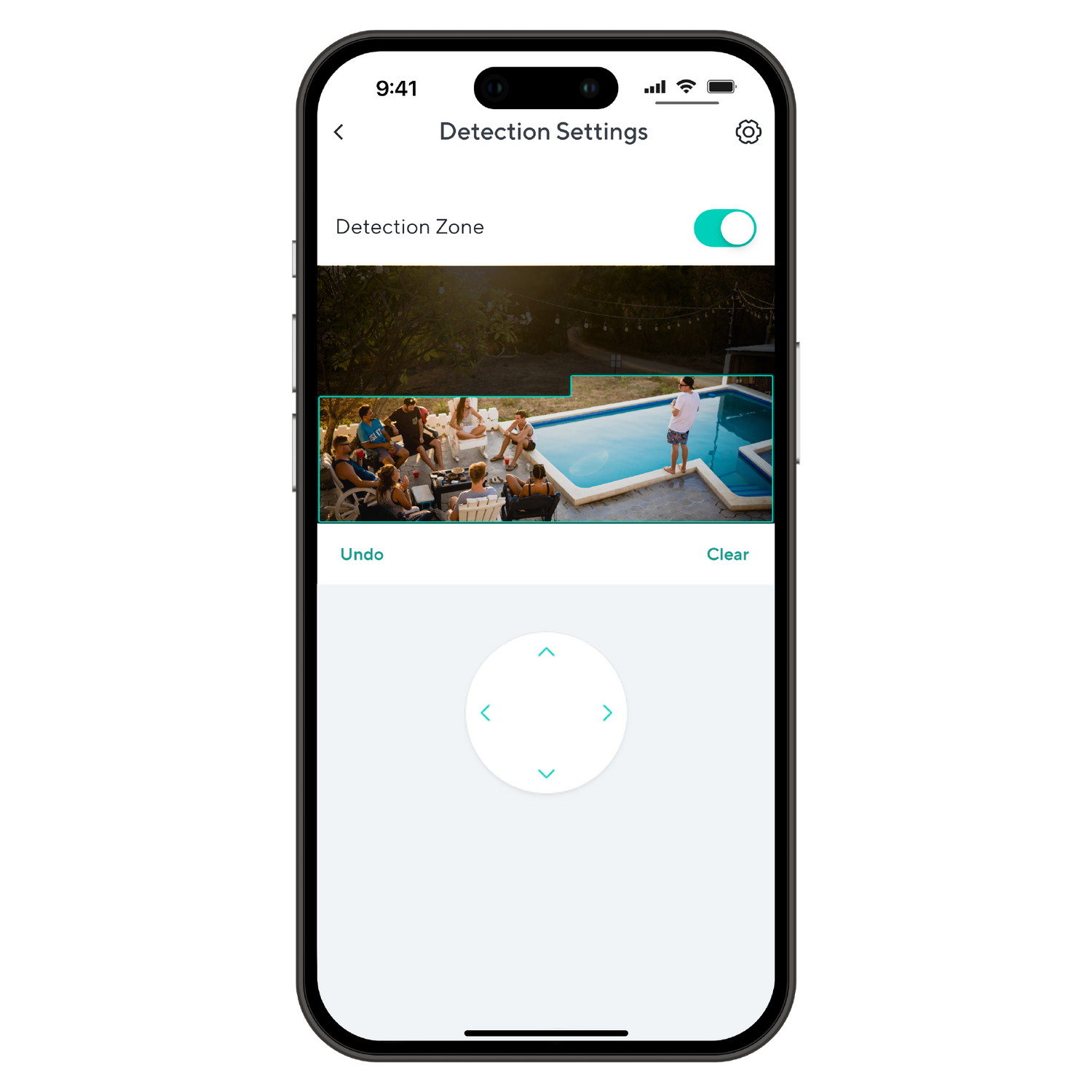
Définissez des zones de détection personnalisées afin de ne recevoir des notifications de mouvement que dans les zones qui vous intéressent.

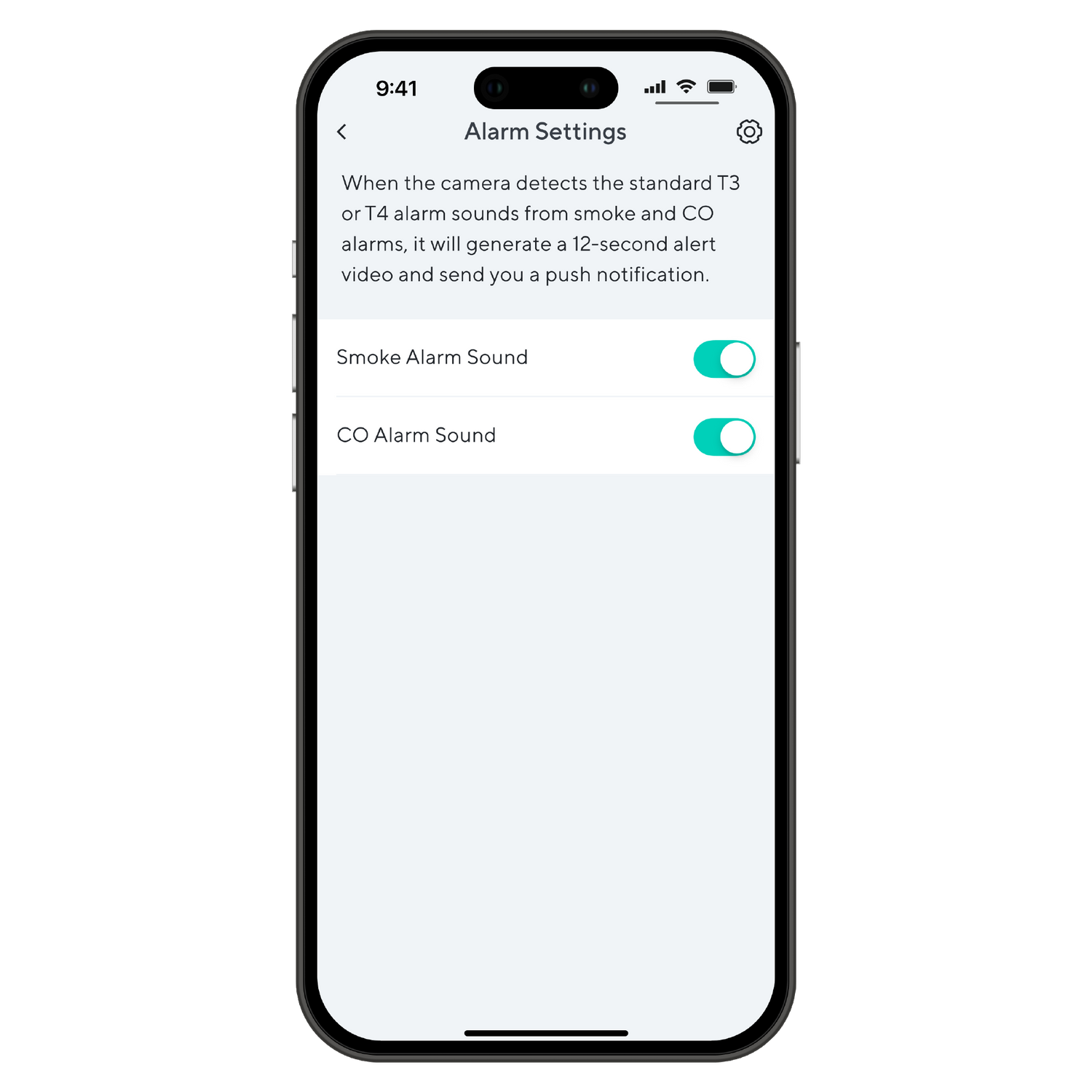
Recevez une alerte dès que votre caméra Wyze Cam détecte le déclenchement d'une alarme incendie ou de monoxyde de carbone. Ainsi, même si vous n'êtes pas chez vous, vous serez informé en cas d'alarme.

*Nécessite un adaptateur secteur extérieur Wyze et un câble microUSB en forme de L (vendus séparément) pour une utilisation en extérieur.

Support Articles

Before you begin setup:

  1. Download the Wyze app on your smartphone or tablet.
  2. Connect your device to a 2.4 GHz Wi-Fi network.
  3. Unpack your Wyze Cam Pan v3 box, removing all plastic and packing materials.Be sure to remove the plastic film from the lens.
  4. Plug the camera into power using the included USB cable and power adapter.The camera’s status light will turn solid red when powered. When flashing, it’s ready for setup.

To set up your Wyze Cam Pan v3:

  1. In the Wyze app, tap Home, then tap + plus sign on the top right.
  2. On the Add menu, tap Device.
  3. Tap Cameras > Pan and Tilt Camera > Wyze Cam Pan v3.
  4. With your camera plugged into an outlet, tap Next in the app.
  5. Select your 2.4 GHz Wi-Fi network and enter your network password. Tap Next.Tap the icon in the password field to display the password to ensure it was entered correctly.
  6. Under the camera lens, single-press the SETUP button. It will say “ready to connect”.The camera may say “ready to connect” without pressing the SETUP button. If so, continue with setup. Note: Single-pressing the SETUP button does not factory reset, clear data or unbind your Wyze Cam Pan v3.
  7. In the app, check the box next to I heard, “Ready to connect”.
  8. Tap Next.
  9. Scan the QR code on the Wyze app.Hold your camera up to your phone screen with the QR code displaying. It will say “QR code scanned, please wait” then “setup completed”.
  10. In the app, check the box next to I heard, “QR code scanned”.
  11. After the camera is set up and connected, it will say "setup completed".
  12. Tap Next. You’re set up, it’s time to name your device.
  13. Name your Wyze Cam Pan v3 using the text field, or by choosing a suggestion.
  14. Tap Finish when done.
  15. You may have a prompt to a free trial of Cam Plus. Tap Continue.
  16. Set up some automations on the Things to Try* page, or tap Skip.
  17. Enjoy your new Wyze device!

Things to Try: Tap Create or edit a device group, Share this device, Automate your device, or Skip. These are quick ways to set up a few automations before you finish setup. When you complete a task, it'll display a green checkmark ✅. You can move on from this page by tapping Skip.

Additional Notes:

  • Wyze Cam Pan v3 only works on 2.4 GHz Wi-Fi networks. If you are connected to a 5 GHz network, switch to a 2.4 GHz network before setting up your device.
  • Having trouble scanning your QR code? A few tips to help:Hold your camera 6-10 inches away from your phone screen.Slowly move the QR code on the screen away from the camera, then closer.Tilt your phone screen slightly in case there's a glare.Turn your phone upside down. If you're on iOS, turn off "Invert Colors". Make sure the QR code isn't distorted.If you have an older device, the screen may be too small. Try a different device.If your screen is cracked or scratched, the code may be distorted. Try a different device.If you're using a beta version of the Wyze app, make sure the cursor is not on the QR code.

Haven't set up your Wyze Cam Pan v3 yet? Check out Wyze Cam Pan v3 Setup Guide before installing.

You can set your Wyze Cam Pan v3 anywhere. But if you want it up higher, you'll need to mount it with the included Mounting Kit*.

Wyze Cam Pan v3 mounted with Mounting Kit Version B.

To mount your Wyze Cam Pan v3: with Version A:

  1. Place the Mounting Bracket included in your Mounting Kit to the wall.Rotate the bracket if you're mounting the camera near the ceiling and want it upside down.Make sure your bracket has at least 150 mm of space above and below it, and 30 mm around.
  2. Mark your drill holes with a pencil.
  3. Use a 6mm drill to drill holes at the pencil marks.
  4. Drill the bracket screws into the wall or anchors.Your bracket screws should be exactly 21 mm apart.
  5. Insert the power cable into the camera, then plug the USB end into the adapter.When powered, the status light on the camera will light up.
  6. Align the hole at the bottom of the camera to the bracket and attach with the included screw.
  7. Hang the bracket from the two screws upside down, like this:

To mount your Wyze Cam Pan v3: with Version B:

  1. Place the Mounting Bracket included in your Mounting Kit to the wall.Rotate the bracket if you're mounting the camera near the ceiling and want it upside down.Make sure your bracket has at least 150 mm of space above and below it, and 30 mm around.
  2. Mark your drill holes with a pencil.
  3. Use a 6mm drill to drill holes at the pencil marks.
  4. Drill the bracket screws into the wall or anchors until halfway inserted.
  5. Place the mounting bracket over your screws, and finish drilling in the screws until the bracket is firmly attached to the wall.
  6. Pass the included power cable through the hole in the mounting bracket, and insert the cable into the bottom of your camera.When powered, the status light on the camera will light up.
  7. Using your screwdriver and the binding screw, attach the bottom of your camera the mounting bracket, like this:

Problem

You're using the Wyze app to position your Wyze Cam Pan v3, but it isn't moving as expected. It may not be rotating, or can only turn in one direction.

Note: This is usually caused by manually bumping or adjusting your Wyze Cam Pan v3, which causes it to lose track of its position. All you need to do is recalibrate the camera position and try again.

Troubleshooting

  1. Recalibrate the position of your Wyze Cam Pan v3. In the Wyze app, tap Wyze Cam Pan v3 > Settings > Advanced Settings> Motor Controls > Reset Position > Reset.
  2. Confirm your Wyze app is up to date. In your Wyze app, go to the Account tab > tap About.Your current app version is under the Wyze logo. Compare your app version to the latest app version listed here on our Release Notes & Firmware page.If you find that your Wyze app is out of date, head over to your mobile device’s app store, and update the Wyze app.
  3. Check that your Wyze Cam Pan v3’s firmware is up to date. You can check this by going to the Account tab > Firmware Update.If there is an update available for the camera, please move forward with updating it.
  4. Ensure there is nothing blocking the camera’s ability to move.
  5. Toggle Privacy Mode off/on from underneath the camera’s live stream.
Added to your cart
Livraison GRATUITE pour les commandes de 59 $ et plus
Subtotal
$0.00
View cart