Ir directamente al contenido
View our Accessibility Statement
Ir directamente a la información del producto
1 de 15

Cámara solar Wyze Pan

Cámara solar Wyze Pan

Cero cables. Cero mantenimiento.

Pan and Tilt

Easy Install

Place it anywhere

Built-in Spotlight

More Safety at Night

2K Color Night Vision

Embalar
$79.98
Quantity: 1
1
2
3
4
5
6
7
8
9
10
Agotado
Get it as soon as
30-day hassle-free returns.
Agotado
$0.00 FREE / 1 month
14-Day Cloud Storage
Smart Detections & Notifications
Subscriber Discount

*Cam Plus subscription auto renews at $2.99/month/cam after the first month. No commitment, cancel anytime. Plan is not compatible with existing Cam Plus Unlimited plans.

Wyze.com Exclusive BENEFITS
18-month extended warranty

Get an 18-mo extended warranty when you buy this product on wyze.com. Also get special bundles, unique promos, + rewards with each order

  • Panel solar integrado de alta eficiencia
  • Cobertura panorámica de 360° y inclinación de 70°
  • Seguimiento de personas mediante IA
  • Resolución HD 2K con WDR
  • Montaje rápido y sencillo
  • Resistencia a la intemperie IP65
Ver todos los detalles
  • Energía solar sin mantenimiento

    Un panel solar integrado suministra energía continua a la batería con solo una hora de luz solar al día.

  • Cobertura panorámica/inclinación de 360° + 2K HD

    Vea cada detalle sin puntos ciegos. Proteja todo el espacio con cobertura panorámica e inclinable.

  • Seguimiento de personas mediante IA

    Detecta y se fija en las personas, siguiéndolas a donde quiera que vayan.

  • Montaje y configuración rápidos y sencillos

    Se instala en cualquier lugar y se ajusta en minutos. Disfruta de una configuración sencilla con Bluetooth®.

Especificaciones

  • Modelo: WYZESCPWH
  • Material del cuerpo: policarbonato
  • Material de la lente: vidrio y plástico
  • Certificaciones: FCC/IC, IP65, RoHS, REACH, CA65

Audio

  • Micrófono: Incorporado, digital
  • Sirena: 105dB
  • Audio bidireccional

Almacenamiento y alertas

  • Alertas: Notificaciones push
  • Almacenamiento en la nube: almacenado en la nube de AWS (se requiere suscripción al servicio Wyze)
  • Almacenamiento local (requiere tarjeta microSD): Admite tarjetas microSD de 8 a 32 GB en formato FAT32. Admite tarjetas microSD de hasta 512 GB en formato exFAT.

Clima y temperatura

  • Resistencia a la intemperie: IP65
  • Temperatura de funcionamiento: -4 °F - 122 °F (-20 °C - 50 °C)
  • Temperatura de almacenamiento: -4 °F - 140 °F (-20 °C - 60 °C)

Imagen

  • Resolución: 2K (3MP)
  • Zoom digital: 8x
  • Campo de visión: Diagonal: 130°, Horizontal: 108°, Vertical: 57°
  • Velocidad de fotogramas: Diurno: 20 FPS, Nocturno: 15 FPS
  • Visión nocturna: Visión nocturna en color, LED IR: 2 x 850 nm
  • Foco: 2x LED blancos (100 lm)
  • Rango de panorámica/inclinación: Horizontal: 360°, Vertical: 70°

Conectividad y compatibilidad

  • Requisitos del sistema operativo: Android 9.0+ o iOS 15.0+
  • Wi-Fi: 802.11 b/g/n/ax 2,4 GHz, Wi-Fi 4/5/6
  • Configuración de Bluetooth®

Fuerza

  • Adaptador de corriente: 5 V/2 A (no incluido)
  • Entrada: 110-240 V
  • Cable: Tipo-C a USB-A (2 pies/0,6 m)
  • Panel solar integrado (1,8 W)
  • Batería: 6400 mAh, batería de iones de litio no extraíble
  • Tiempo de carga: 0-100% en 4-6 horas usando el cable/adaptador
  • Duración de la batería: hasta 6 meses (si no está conectado a la corriente)
  • Cámara solar Wyze x 1
  • Panel solar x 1
  • Soporte de montaje para cámara x 1
  • Soporte de montaje para panel solar x 1
  • Cable de carga (2 pies) x 1
  • Kit de montaje de cámara x 1
  • Kit de montaje de panel solar x 1
  • 1 pegatina guía de perforación para montaje de cámara
  • Guía rápida x1

Wyze Solar Cam Pan is a revolutionary solar-powered, wire-free outdoor security camera with an integrated solar panel, offering 360° pan-and-tilt coverage, AI person tracking, 2K resolution, color night vision, and a motion-activated spotlight.

Unlike other battery-powered Wyze Cams, Wyze Solar Cam Pan comes with an integrated solar panel and a built-in 6400 mAh rechargeable Li-ion battery for truly maintenance-free power. It is our only wireless camera with full 360º pan-and-tilt coverage, smart AI person tracking, and crystal-clear 2K resolution, all designed for outdoor security without the hassle of swapping and charging batteries.

Wyze Solar Cam Pan's high-efficiency ETFE solar panel is designed for maintenance-free performance. With as little as 1 hour of direct sunlight per day, the solar panel can generate enough energy to keep the camera running continuously with normal use. Battery performance may vary due to mounting location, seasonal changes, and event activity levels.

Wyze Solar Cam Pan is truly wire-free, and can be installed in a snap. You can mount it anywhere without worrying about power outlets, complicated mounting equipment, or running wires.

No, Wyze Solar Cam Pan comes with AI-powered person tracking without the need for a subscription. The camera follows and tracks the detected person when this feature is enabled in the Wyze app.

Wyze Solar Cam Pan provides 360° pan and 70° tilt coverage, ensuring no blindspots around your property.

Yes, Wyze Solar Cam Pan comes with a motion-activated spotlight, Motion Warning, and a 105dB siren to help warn and deter unwanted visitors.

Yes, Solar Cam Pan supports Bluetooth® setup for fast and seamless pairing with the Wyze app.

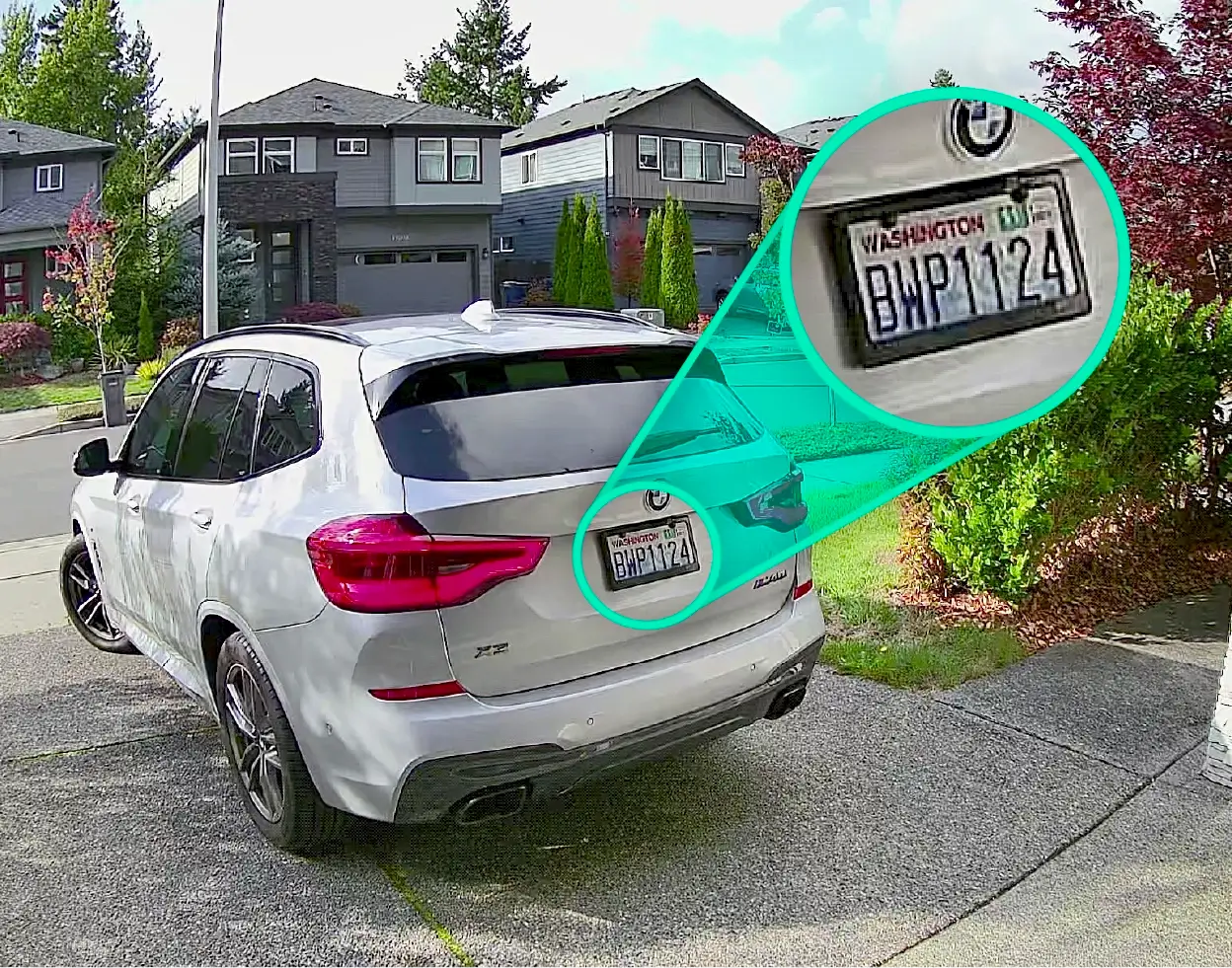
Wyze Solar Cam Pan can detect motion up to 30 feet away when mounted 8 feet above the ground, and tilted 30º downward (as recommended).

No, and it is not compatible with Wyze Base Station. Wyze Solar Cam Pan is set up using Bluetooth and connects directly to your 2.4 GHz home Wi-Fi network.

Camera: You can either mount Wyze Solar Cam Pan camera on a vertical wall or under eaves using the included camera mounting bracket and mounting kits. Solar Panel: You can either mount the solar panel on top of the camera or mount the solar panel separately, leveraging the attached 10-ft cable on the solar panel.

Yes, you can record continuously to a microSD card aslong as the camera is connected to 5V/2A AC power.

Just be sure to properly secure the Micro SD card slot cover to avoid water damage. If using the continuous plug-in power option, a Wyze CamUniversal Outdoor Power Adapter (latest version) is required for outdoor use.

Yes, Solar Cam Pan is equipped with a 6400 mAh lithium battery, allowing the camera to operate through cloudy or rainy conditions without solar charging, and last 2-6months under normal usage. Please note that solar charging will automatically pause to protect the battery when the outside temperature drops below 32°F (0°C).

No. The Solar Cam Pan has a built-in, non-removable battery. The battery pack from Battery Cam Pro is not compatible with Solar Cam Pan.
Since it comes with an integrated solar panel, you can say goodbye to battery swaps and charging downtime.

The best place to install solar panels is a south-facing roof or wall with minimal shading, as this orientation receives the most direct sunlight throughout the day. If a south-facing roof isn't an option, an east or west-facing roof or wall is the next best alternative, while a north-facing surface is the least ideal in the continental U.S.

The solar panel absorbs the sun’s rays and charges the removable Lithium-ion battery. It takes roughly 1 hour for the battery to fully charge and then the camera can last for 6 months on a full charge.


There are many benefits including: environmental friendliness, cost savings on your electric bill, great for remote security needs and are easy to install.

Wyze Cam + El Sol. Amor a primera luz.

Deje que el sol haga el trabajo. ☀️ Un panel solar ETFE integrado de alta eficiencia proporciona energía continua a la batería con una hora de luz solar al día.

Cobertura panorámica/inclinación de 360° con Seguimiento de personas impulsado por IA.

La IA de Edge detecta y enfoca a las personas, siguiéndolas a dondequiera que vayan. Protege todo un espacio con cobertura panorámica e inclinable. Controla remotamente con la app Wyze para ver exactamente lo que quieres.

Montaje flexible de paneles solares.

Conecta el panel solar en la parte superior de la cámara para una instalación ordenada. O colócalo por separado, donde la luz solar sea más intensa, para maximizar la potencia de carga. Tú decides.

¿Días nublados? No hay problema.

¿Te gusta el sol esconderse un rato donde vives? No te preocupes. La batería de iones de litio integrada de 6400 mAh proporciona hasta 6 meses de autonomía.

Resolución HD 2K con WDR

La grabación de video nítida con un amplio campo de visión captura cada detalle, de día o de noche. El amplio rango dinámico (WDR) equilibra las luces más brillantes y las sombras más oscuras para que no se pierda nada.

Foco y sirena activados por movimiento.

Disuade a los intrusos o ilumina tu camino a casa con un foco activado por movimiento. Activa la potente sirena de 105 dB para mayor seguridad.

Resistencia a la intemperie IP65.

Gotea. Salpica. Plop. No importa el clima, esta cámara es imparable. Fabricada para resistir las inclemencias del tiempo. Diseñada con estilo para integrarse en el interior de tu hogar.

  • Audio bidireccional

    Escuche sonidos y hable a través de la cámara desde cualquier lugar con la aplicación Wyze.

  • Características de detección

    Recibe notificaciones en tu teléfono inteligente cuando se detecte movimiento.

  • Notificaciones de IA y alertas descriptivas

    Personaliza tus detecciones y notificaciones. Recibe alertas detalladas de lo que sucede con las Alertas Descriptivas, disponibles con Cam Unlimited Pro. Haz clic para obtener más información .

  • Compatibilidad con Wi-Fi 6

    Mantenga una conexión fuerte y confiable con soporte Wi-Fi 6 (se requiere enrutador Wi-Fi 6), lo que da como resultado una transmisión en vivo más fluida.

Más para amar

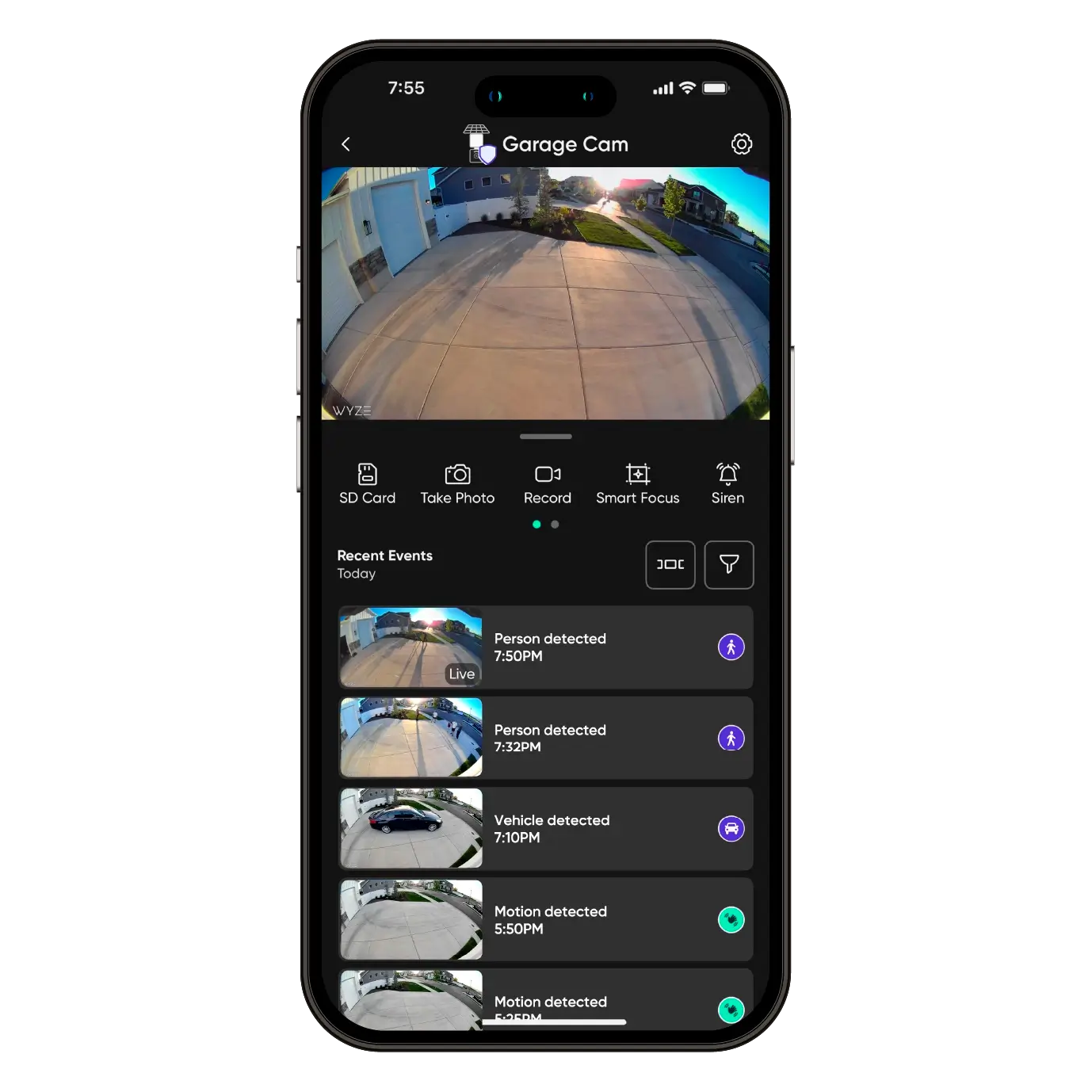
¿Te perdiste algo? ¡Claro que no! Porque estás usando una cámara compatible con la mejor app de hogar inteligente del mundo. Solo tienes que tocar para revisar los eventos grabados desde donde estés.

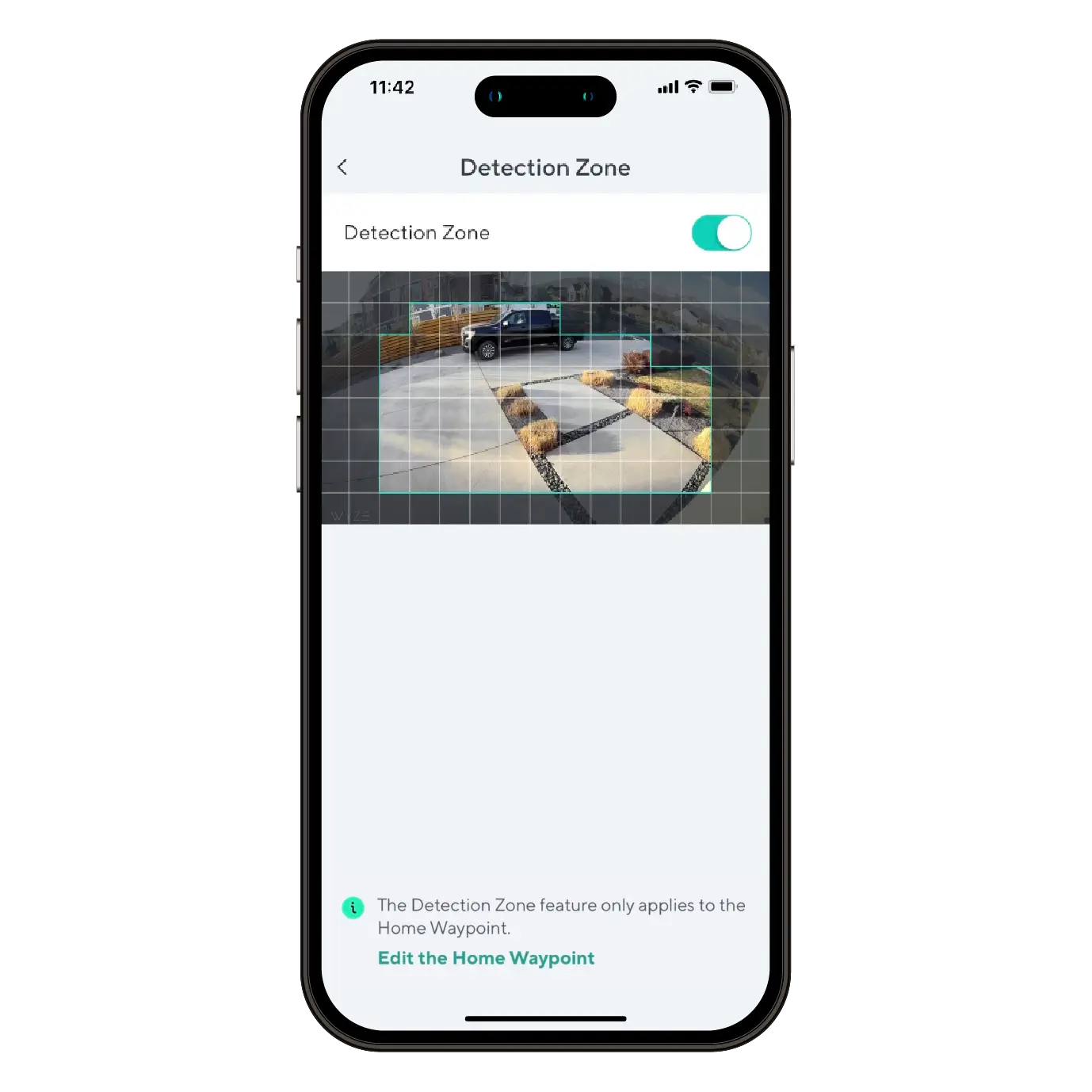
Monitor specific areas for motion so you only receive notifications when it matters.

Comodidad y personalización a tu alcance con integraciones como Amazon Alexa, Google Assistant, IFTTT y Wyze Rules.

Vea nuestro diseño único en acción.

How to Setup Wyze Solar Cam Pan

While following the Wyze Solar Cam Pan Setup Guide, you'll be prompted to install your camera. Follow along with this video and article to install your Wyze Solar Cam Pan.

Note: A 5V/2A power adapter is required to charge Wyze Solar Cam Pan using an outlet.

  1. Follow along in the Wyze Solar Cam Pan Setup Guide. Once successfully paired, tap Next.
  2. Ensure you have the required tools. Tap Next.You will need a ladder and a Philips-head screwdriver.
  3. Review the series of installation tips, tapping Next on each.Avoid pointing the camera at trees and busy roads.Position your camera for better motion detection.Mount the camera 7-10 feet up, angled 30° down.
  4. Check your Wi-Fi Strength. Tap Next.
  5. If you have a strong connection, tap Next.
  6. Choose how you'd like to install your Wyze Solar Cam Pan and solar panel.Tap Install Together to attach the solar panel to the camera before mounting.Attach the solar panel bracket to the top of the camera using the short screws. Secure the ball joint mount to the bracket and attach the solar panel. In the Wyze app, tap Next. Plug the solar panel cable into the charging port on the back of the camera. Wrap the excess cable around the cable organizer at the back of the solar panel. Tap Next.Install the Camera Mounting Bracket on a flat vertical wall using the included mounting screw kit. For concrete, brick, or similar materials, use the drill guide sticker to drill holes and secure the bracket. Tap Next.Slide your camera onto the mounting bracket until it clicks. Adjust the solar panel to maximize exposure to direct sunlight. Tap Next. Tap Install Separately to mount the solar panel and camera separately.Install the Camera Mounting Bracket on a flat vertical wall using the included mounting screw kit. For concrete, brick, or similar materials, use the drill guide sticker to drill holes and secure the bracket. Tap Next.Slide your camera onto the mounting bracket until it clicks. Tap Next.Choose a location within 10 feet of the camera that receives plenty of direct sunlight. Install the Solar Panel Bracket onto a flat surface using the included screws. Secure the ball joint mount to the bracket and attach the solar panel. Tap Next.Plug the solar panel cable into the charging port on the back of the camera. Wrap the excess cable around the cable organizer at the back of the solar panel. Tap Next.
  7. Once installation is complete, follow the in-app instructions to complete setup.
  8. You're all set! Tap Done.

Before you begin setup:

  1. Download the Wyze app on your smartphone or tablet.
  2. Connect your device to a 2.4 GHz Wi-Fi network, and enable BluetoothⓇ.
  3. Unpack your Wyze Solar Cam Pan box, removing all plastic and packing materials.Be sure to remove the plastic film from the lens.
  4. Plug the camera into power using the provided Type-C cable, and a 5V/2A adapter (not included).You must fully charge Wyze Solar Cam Pan before setup and installation.The camera’s status light will turn solid red while charging, and solid blue when charging is complete.

To set up your Wyze Solar Cam Pan:

  1. In the Wyze app, tap Home, then tap + plus sign on the top right.
  2. On the Add menu, tap Device.
  3. Tap Cameras > Pan and Tilt Camera > Wyze Solar Cam Pan.
  4. Ensure that your camera is fully charged. Tap Begin Setup.The camera's status light will be solid red when charging, and solid blue when fully charged.
  5. Single-press SETUP on top of the camera. The camera will say "ready to connect." In the app, check the box next to It said, Ready to connect".
  6. Tap Next.
  7. If BluetoothⓇ hasn't been enabled, you will be prompted to allow BluetoothⓇ and location access. Tap Next.If BluetoothⓇ and location access has already been enabled, it will skip to the next step.
  8. The app will automatically begin searching for and pairing with your Wyze Solar Cam Pan.If you have multiple Wyze Solar Cam Pans, select the correct camera by tapping the MAC address that matches the address on the top of the camera.
  9. Select your 2.4 GHz Wi-Fi network and enter your network password. Tap Next.Tap the icon in the password field to display the password to ensure it was entered correctly.
  10. Your device will continue pairing. Once paired, tap Next.
  11. Once connected, the app will show an installation guide with placement tips.
    Check out: Wyze Solar Cam Pan Installation GuideIf you want to use the installation guide now, tap Next.If not, tap Skip.
  12. Now it's time to set up your Home Waypoint, your cam's default view. Tap Continue.The Home Waypoint is required for this initial setup.Once your camera connects to the live stream, the camera will automatically calibrate for accurate positioning.
  13. Use the arrows in the app to pan/tilt your camera until you reach your desired Home position. Tap Set and then tap Next.Camera mounted upside down? Tap Rotate 180° to flip the live stream.
  14. Name your camera using the text field, or by choosing a suggestion. Tap Next.
  15. You may be prompted to try a Wyze security plan, if you're not already a subscriber. Tap Continue.
  16. Set up some automations on the Things to Try* page, or tap Skip then Done.
  17. Enjoy your new Wyze device!

You’ll find the status light on the front of Wyze Solar Cam Pan, to the right of the lens. The charging indicator light is on the back of the camera. No light? Make sure the battery is charged.

⚡️ All Wyze devices have a handy status light that helps determine what state the device is in.

Wyze Solar Cam Pan Status Light Guide

Wyze Solar Cam Pan Status Lights:

  • Flashing red – The device is ready to set up.
  • Flashing red and blue – The device is connecting to the network.
  • Solid red – The device has detected motion or is live streaming.
  • Solid blue – Setup was successful; the device is powered and fully connected.

Wyze Solar Cam Pan Charging Indicator Lights:

  • Solid red – The device is charging.
  • Solid blue – The device is fully charged.
Added to your cart
Envío GRATIS en pedidos de $59+
Subtotal
$0.00
View cart