So you want to find the best quality, most affordable indoor home security camera! No problem! We’ve got you covered.
But let’s take a minute first and nail down some terminology.
The Meaning of “Indoor”
The truth is, the word “indoor” used to mean something in this world.
Back in the old days, back when the world made sense, the words “indoor camera” used to mean that your camera was made for the indoors.
Not anymore.
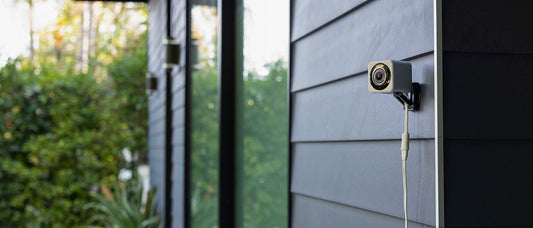
Today “indoor camera” likely just means that your camera is located indoors. The truth is that many popular modern home security cameras, no matter where you happen to plug them in, are going to have an outdoor rating in the neighborhood of IP65. That’s enough to survive a blizzard. Followed by a sandstorm. Followed by another blizzard.
So basically the “indoor” cameras work outdoors now. They’ve grown up and left the house! Many companies will still call their camera an “indoor camera,” because they know those are the words people type in a google search, but if you look at the description you’ll see that the camera has an outdoor rating.
So the word “indoor” has somewhat lost its meaning.
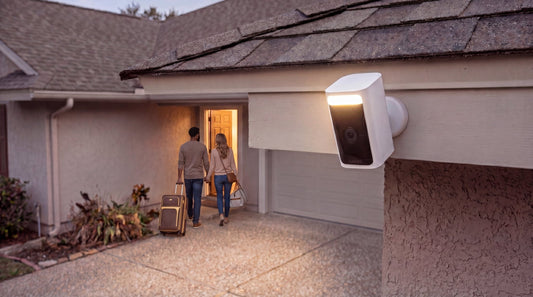
The more common distinction these days is if you needed a certain kind of outdoor camera with no access to power. Something powered by solar panels [wyze link] or batteries [wyze link]. Something you can nail to a tree or fencepost and leave there to watch squirrels, aliens, and bigfoot.
All of this matters when it comes to matching prices, because true indoor cameras—cameras that have zero weather protection and can only be used indoors—do still exist. And if you’re looking for one of those, if you just want a simple camera that works fine indoors but, much like a sullen teenager, would stop functioning immediately upon being placed outside on the grass, then without weather protection it ought to be significantly cheaper. If someone is selling you an indoor camera, but charging you outdoor prices, you’re being scammed.
The Meaning of Affordable
One more tangent before we dive in. We’ve talked about the definition of the word “indoor.” Let’s talk about the definition of the word “affordable.”
What’s important to understand when it comes to indoor home security is that “affordable” is a tricky word. Companies use all kinds of pricing schemes, making it hard to pin down.
The first, most basic question is still important: What is the price on the box?
But in today’s world, there’s a second question that can have an even bigger impact: What does it cost to use?
That’s because in today’s world it’s all about the subscription fees. And if you don’t know how they work, you’ll find too late that the price of your camera has quickly doubled, tripled, or more.
So let’s take these two questions—price to buy and price to use—one at a time, and see how the second affects the first.
Question 1: What is the Price on the Box?
Ah, yes, the price on the box. Remember the good old days when this was the only question that mattered? Back when the word indoor meant indoor? Back when a handshake meant something?
This is the simplest question and the most straightforward to answer. In fact, let’s just answer it. Here are the retail prices for each of the most popular “indoor” security cameras.

What do you notice immediately? Four of the cameras are true indoor cameras with no weather protections whatsoever, and yet, look at those prices! You’ve got Ring at $60, Arlo at $50, and Nest at $100! In today’s IP65 weather rating world, those are premium, outdoor camera prices, but they’re being slapped on old-fashioned, indoor cameras that could drop dead from a drop of water.
That ain’t right, folks.
If they want to be indoor cameras, fine, but only one of them, Tapo, actually has a true indoor price. (Don’t be too quick to jump on the Tapo bandwagon. More about Tapo below.)
And then there’s Wyze. A fully rated outdoor-capable camera with the best resolution camera on the board, full color night vision, and solid indoor pricing.
So what’s the deal with Tapo? Tapo is a cheap camera, but with cheap quality to go with its cheap price. The Tapo cam has the flat and colorless, black-and-white infrared night vision that most companies abandoned years ago. It’s priced like a chintzy product because it is a chintzy product. That includes very weak security. Tapo’s is based in China and its parent company is currently the subject of an active investigation and lawsuit alleging that its user data may be accessible by the Chinese government. That’s not a trivial concern.
So what does all of this tell us about the price on the box?
It tells us that the price on the box has almost nothing to do with quality.
Why?
The simplest explanation is that with security cameras, pricing is more a function of branding. Companies choose a higher price because they think it implies premium quality. (And also because they want more money.) And yes, it really is that straightforward.
Wyze consistently comes in at a significantly lower upfront price than its major competitors, and does not strip out core features to do it. If anything, Wyze’s commitment to features like local storage, premium all-weather durability, image quality, high security, and color night vision, make it the leader in quality as well as in price.
Question 2: What does it cost to use?
So we’ve established which cameras are the best in terms of features and quality, but for assessing true value, this is the question.
Subscriptions.
A word that used to refer to magazines and jelly-of-the-month clubs has now become the primary factor in determining affordability. Over the life of an indoor home security camera, a high subscription fee can easily triple or quadruple its sticker price. Companies know this, and that’s why some of them (ahem, Ring) make their cameras so borderline useless out of the box that you’re essentially forced to buy a subscription.
Now look, Wyze offers subscription packages, as well, but there are legitimate questions you should ask about what a subscription should be and what a subscription should cost. Are you subscribing to additional cloud and AI services from the company, or are you just subscribing to having your camera function?
You’re looking for a camera with solid functionality out of the box, including reasonable alerts and protections. You shouldn’t need a subscription for that. Most importantly, you need to be able to own and store your footage. Companies can offer to store it for you at some fee, but they shouldn’t rob you of your right to store it yourself.
Here’s a helpful chart to show how the popular brands stack up when it comes to subscription costs, subscription features, storage capacity, and functionality without a subscription.
|
Feature |
Wyze |
|
Arlo |
Ring |
|
Plan Tiers & Monthly Cost |
Cam Plus: $2.99/mo per camera Cam Unlimited: $9.99/mo Cam Unlimited Pro: $19.99/mo |
Standard: $10/mo Advanced: $20/mo |
Secure Plus: $17.99/mo Secure Premium: $24.99/mo |
Ring Solo: $4.99/mo Protect Multi: $9.99/mo Pro: $19.99/mo Virtual Security Guard: $99/mo |
|
Cameras Covered |
Plus: 1 Camera Unlimited/Pro: Unlimited cameras |
Covers all devices in the home ecosystem |
Plus/Premium: Unlimited cameras |
Covers all devices at one location |
|
Video History |
Plus: 14 days Unlimited: 14 Days Pro: Up to 60 days |
Standard: 30 days event history Advanced: 60 days event history + 10 days 24/7 history |
Up to 60 days |
Up to 180 days |
|
AI Detections |
Plus: Person, pet, vehicle, package Unlimited: Adds facial recognition ("Friendly Faces") Pro: Adds Descriptive Alerts & AI Video Search |
Standard: Intelligent alerts Advanced: More descriptive notifications, natural language search, daily summaries |
People, vehicles, packages, animals. Can learn familiar faces & vehicles. Advanced audio detection (e.g., smoke alarms) |
Multi: People, packages, vehicles AI Pro: Adds familiar faces, Active Warnings, consolidated events, and video search |
|
Professional Monitoring |
Plus/Unlimited: None (self-monitored) Pro: 24/7 Emergency Dispatch (medical, police, fire) |
Must purchase a separate subscription through ADT |
Plus: None Premium: 24/7 professional monitoring by live safety agents 8 |
Multi: None AI Pro: Professional monitoring team VSG: Live video monitoring by human agents 9 |
|
Unique Features |
Unlimited: Multi-camera timeline Pro: "No Big Deal" filter to reduce notifications, advanced home automations |
Gemini AI: Create automations with natural language ("help me create"), conversational AI partner ("Gemini Live") |
One-tap Emergency Response: Dispatch services to camera location Theft Replacement for devices |
Active Warnings: Spoken messages to deter trespassers Virtual Security Guard: Live agents use two-way talk/sirens to deter threats |
If Wyze was already the winner on features and price, this is the place where Wyze really becomes the outstanding value. Not only do Wyze indoor security cameras give you—right out of the box and at no additional cost—live view through the app, plus basic alerts and motion events. Wyze cameras also provide local storage via microSD. That means you own and can review your footage without a subscription.
Ring and Arlo are borderline useless without a subscription. Arlo compounds the insult by selling you a $100 SmartHub add-on if you want any local storage at all. You're out $150 before you've paid a single monthly fee.
Nest is the most brazen of all: no local storage option, period, at any price. You cannot own your own footage. Ever. Full stop. The only consolation is that Nest's free tier does give you person, animal, and vehicle detection, plus three hours of event clip previews, but that’s for a hundred dollar camera and the footage vanishes after three hours.
Wyze is the clear winner here in quality and functionality without a subscription. And if you do choose to unlock smart detections and cloud storage with a subscription, Wyze does it at a fraction of the cost. Compared to systems that rely entirely on expensive paid plans just to review footage or store clips, Wyze keeps the ongoing cost of ownership predictable and under your control.
A Final Note about “Indoor” Cams: the Pan Cam
So what have we learned today?
We’ve learned that indoor cameras, despite being a category that’s hard to define, can nevertheless be evaluated for affordability and value, and companies use some shady tricks to blur the lines on both. We’ve also learned that Wyze consistently offers the best value, which has nothing whatsoever to do with the fact that you’re reading this at wyze.com.
But we would be remiss if we didn’t mention one last thing on the subject of “indoor” home security cameras.
Even if the line distinguishing "indoor" cameras has basically dissolved, there is one style of camera that people love and rave about when they're setting up inside: the pan cam.
Unlike a fixed camera, a pan cam can rotate—scanning horizontally, tilting vertically, covering a whole room rather than just one corner of it. Pet owners in particular are obsessed with these things, and for good reason. There's something deeply satisfying about being able to check on your dog from your desk at work and actually find him, rather than staring at an empty couch wondering where he's gotten to.
So while we're here, let's just put the major pan cams side by side and see how they stack up.
| Feature | Blink Mini Pan-Tilt | Ring Pan-Tilt Indoor Cam | Wyze Cam Pan v3 | Wyze Cam Pan v4 | Arlo Essential Pan Tilt | Tapo C200 |
|---|---|---|---|---|---|---|
| Price | $49.99 | $59.99 | $39.98 | $59.98 | $59.99 | $30.00 |
| Pan/Tilt Range | 360° pan, plus up/down tilt | 360° pan, 169° tilt | 360° pan, 180° tilt | 360° pan, 180° tilt | 360° pan, 180° tilt | 360° pan, 114° tilt |
| Video Resolution | 1080p HD | 1080p HD | 1080p Full HD | 4K Ultra HD | 2K Resolution | 1080p HD |
| Night Vision | Infrared | Color | Color & Infrared | Enhanced Color | Color | Infrared |
| Use Environment | Indoor only | Indoor only | Indoor/Outdoor (IP65, requires adapter) | Indoor/Outdoor (IP65, requires adapter) | Indoor/Outdoor (Weather-resistant) | Indoor only |
| Privacy Features | Not specified | Manual Privacy Cover | Privacy Mode (lens points down) | Privacy Mode (lens points down) | Not specified | Privacy Mode & Privacy Zones |
| Video Storage | Cloud subscription or local (requires Sync Module 2) | Cloud subscription required | Local microSD supported | Local microSD supported, cloud subscription available | Cloud subscription required | Local microSD supported, cloud subscription available |
| Deterrents | None mentioned | Built-in siren | None mentioned | Spotlight and 100dB siren | Spotlight and siren | None mentioned |
The field is simple: Arlo and Ring at $50 and $60 respectively, and Blink and Wyze at about $40. Then you have two outliers: Wyze with a premium 4K camera at $60 and Tapo rounding things out at the bottom with a pan and tilt that’s only $29.99.
Here’s are biggest takeaways:
1. Ring and Blink both offer pan cams, but neither auto-tracks. In other words, if you want it to pan, you have to log into the camera and operate it yourself. It won’t automatically follow the action itself. Folks, that’s not a pan cam. That’s a stationary cam wearing a pan cam’s pants. It’s like a security guard that doesn’t want to get out of its chair.
2. Wyze and Arlo both have sophisticated auto-tracking that will not only detect motion, but follow it around the room. (Wyze’s premium 4K version has even more sophisticated auto-tracking that can be told to prioritize one target (the toddler) over another (the dog).
3. Tapo also offers auto-tracking, and 2K video.
That essentially makes this a three-camera race. The meaningful differences show up where they always do: storage, subscription cost, quality, and security. Arlo pan cam is not compatible with their $100 local storage add-on, which means this thing won’t even let you store your footage locally with their ridiculously over-priced option from above. No local storage ever, at any price. Meanwhile, Wyze and Tapo come with built-in SD slots, so you can start storing right away with just a simple, ten-dollar SD card. Arlo wants eight bucks a month for a subscription. Wyze and Tapo will do it for $3.
So that knocks out Arlo. And we’re down to a two-man race: Wyze vs Tapo.
And here the quality issues really start to show. Not only do the same camera quality issues from above still apply, the Tapo pan cam has a much more limited range of motion, and reviews of the Tapo pan cam consistently note that it struggles to follow the action. It lurches and lags, and is frequently described as “clunky.” That’s before you get into the security issues we already noted.
Wyze Pan Cam v3 is the best value here for anyone with budget constraints. Easy call. And if you’re truly on the market for a premium option, for an extra twenty bucks, Pan Cam v4 blows everything else on this chart out of the water, and it’s not close.
In Conclusion
At the end of the day, the best value on an “indoor” security camera is the same as the best value on any security camera: it’s the one that costs less upfront, works without nickeling and diming you for basic features, and scales without turning into a second mortgage. And within that calculation, pan cams deserve special attention.
But no matter how you slice it, the answer keeps coming back to the same place: Wyze.
Q: What does “indoor camera” actually mean? A: Not much. Most modern "indoor" cameras pack an IP65 rating to withstand any weather. If a camera is truly indoor-only, it shouldn't cost outdoor prices.
Q: Why are basic indoor cameras so expensive? A: Branding. Competitors charge premium prices for cameras that can't handle a drop of water. We prefer to keep prices low while packing in features like local storage and Enhanced Color Night Vision.
Q: Is Tapo a good budget option? A: It’s cheap because it’s chintzy. It uses flat, outdated night vision, and its parent company has active data privacy investigations. We'll pass.
Q: What’s the hidden cost of budget cameras? A: Subscriptions. Brands like Ring, Arlo, and Nest make their cameras borderline useless out of the box to force you into a monthly fee. Nest won't even give you a local storage option.
Q: Do I have to pay a monthly fee to use Wyze? A: Nope. Don’t miss a thing with continuous local recording to a microSD card. No subscription required. If you do want smarter alerts, Cam Plus upgrades your hardware with top-tier AI so you get alerted for what actually matters, and completely ignore the neighborhood raccoon.