Looking for the [suggested_country] site?

Some offers and content vary by region. You're currently browsing the Canada site.

Skip to product information
1 of 15

Wyze Battery Video Doorbell

Wyze Battery Video Doorbell

Effortless, battery-powered porch protection.

Color
Chime
Add ons
$85.98CAD
In stock
Get it as soon as
Use a 6-character postal code, for example L6Y 0P5.
30-day hassle-free returns.
$0.00 FREE / 1 month
14-Day Cloud Storage
Smart Detections & Notifications
Subscriber Discount

*Cam Plus subscription auto renews at $2.99/month/cam after the first month. No commitment, cancel anytime. Plan is not compatible with existing Cam Plus Unlimited plans.

A blue and white logo for Wyze.
Wyze.com Exclusive BENEFITS
18-month extended warranty

Get an 18-mo extended warranty when you buy this product on wyze.com. Also get special bundles, unique promos, + rewards with each order

  • Head-to-Toe Viewing
  • 1536 x 1536 HD+ Resolution
  • Wire-Free or Wired
  • Up to 6-Month Battery Life
  • AI-Powered Person & Package Detection
  • Easy Install in Minutes
View full details
  • Head-To-Toe View Angle

    Head-To-Toe View Angle

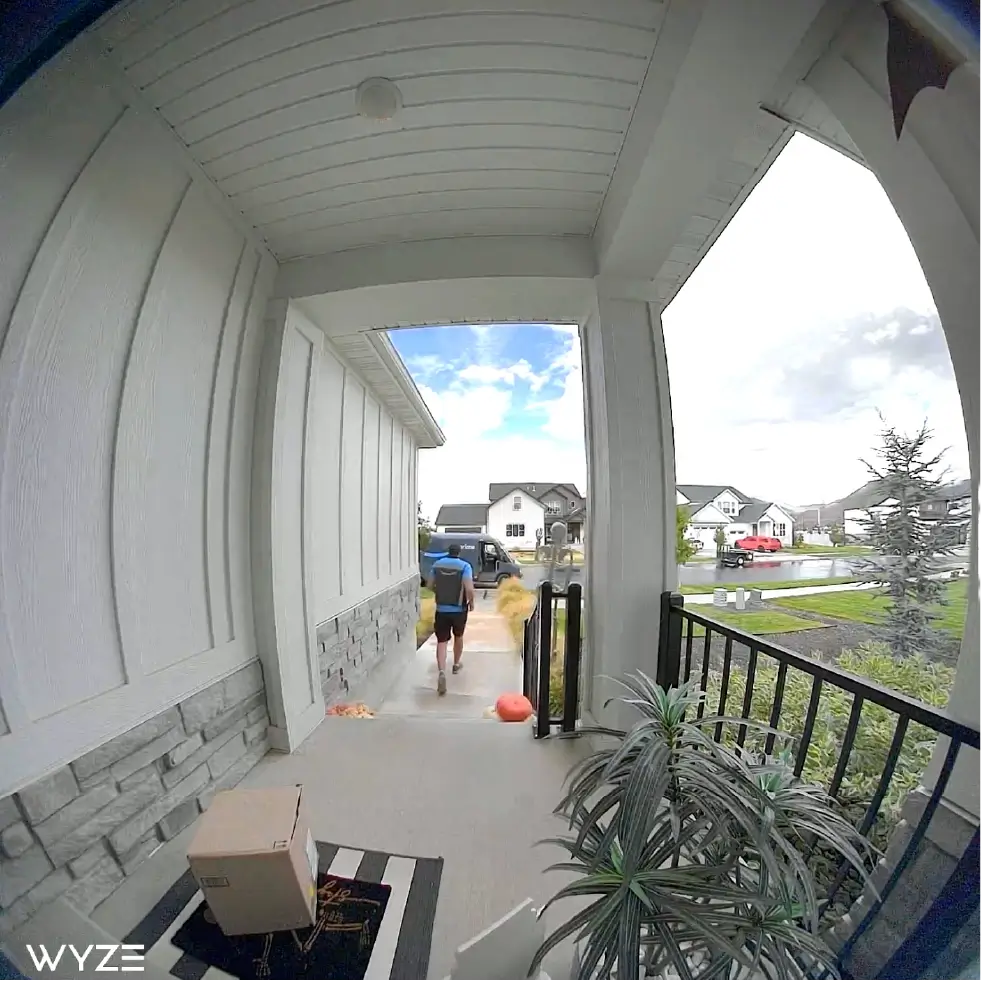
    Wide 150° x 150° view angle sees visitors and packages tucked right against your door.

  • 1536 x 1536 HD+ Video Resolution

    1536 x 1536 HD+ Video Resolution

    Records and streams crystal clear video with a 1:1 aspect ratio.

  • 6-Month Battery Life

    6-Month Battery Life

    Get up to 6 months of battery life, or hardwire for continuous power.​

  • Easy Install in Minutes

    Easy Install in Minutes

    Place it anywhere (mounting hardware included). A corner plate is also included for optimal viewing angles.

Wyze Battery Video Doorbell Specs

Colors & Materials
  • Model: MR_BVD
  • Finish: Gloss
  • Color: Black
Dimensions
  • 5.71 in x 1.85 in x 1.14 in (145 mm x 47 mm x 29 mm)
Weight
  • 7.58 oz (215 g)
Camera and Microphone
  • Field of View: 150° x 150°
  • Resolution: 1536 x 1536
  • IR Lights: 850nm
  • Siren: 90dB
Power
  • Power Source: Rechargeable 6400 mAH battery or 5V/2A DC/12-24V, 50/60HZ AC Wired
  • Battery Life: Up to 6 months with normal use
  • Charging Port: USB-C port (USB-C cable included)
Local Storage
  • MicroSD Card: Up to 256 GB
Weather & Operating Temps
  • Weather Resistance: IP65
Operating Temperature
  • -4°F - 122°F (-20°C - 50°C)
Storage Temperature
  • -4°F - 140°F (-20°C - 60°C)
Certifications
  • FCC, IC, UL, DOE, CEC, NRcan, CA65, TSCA
Connectivity & Compatibility
  • Communication Method: Bluetooth® 5.0, 2.4 GHz Wi-Fi, Wi-Fi 6
  • Compatibility: Wyze app 3.7+, Android 10.0+ or iOS 16.0+
Warranty
  • 1-Year
  • 1x Wyze Battery Video Doorbell
  • 1x Corner Back Plate
  • 1x Flat Back Plate
  • 3x Wire Nuts
  • 1x Jump Wire
  • 3x Long Screws
  • 1x USB-C Charging Cable
  • 2x Extension Wires
  • 3x Expansion Tubes
  • 1x Doorbell Detaching Pin
  • 3x Quick Start Guide

Mounting the doorbell on a wooden door frame with the included mounting kit should take under 1 minute.

No technician is required for installation, even if you choose the hardwired option to use your existing doorbell wiring.

Anywhere near your front door is a great choice since no wires are needed when you go fully wire-free. We recommend mounting your doorbell 4 feet up from the ground for the best motion detection and usability.

Yes, our wire-free doorbell is powered by a built-in battery pack. The battery life is 3-6 months with normal use.

Yes, and you can receive notifications whenever motion is detected (using the body heat infrared sensor and edge algorithm.). With a subscription to Cam Plus, you’ll be able to configure alerts to detect people, pets, packages, and more.

Yes, and you’ll receive a up to 30-day free trial of Cam Plus after activating your doorbell. With an annual or monthly subscription to Cam Plus, Wyze Battery Video Doorbell will have the latest AI features, including Person Detection, Package Detection, Vehicle Detection and Pet Detection. Also, Cam Plus enables the doorbell to record full-length event videos.

Yes, compatible wiring will allow the doorbell to charge while it’s mounted. Having constant external power will allow your doorbell to record an additional 3-6 seconds of pre-roll video before an event, allowing you to get more context for a video clip. 

Yes, the doorbell is compatible with Wyze Wi-Fi Chime (not included). Or you can use the Wyze chime controller(not included) to hard wire with your house mechanical chime.

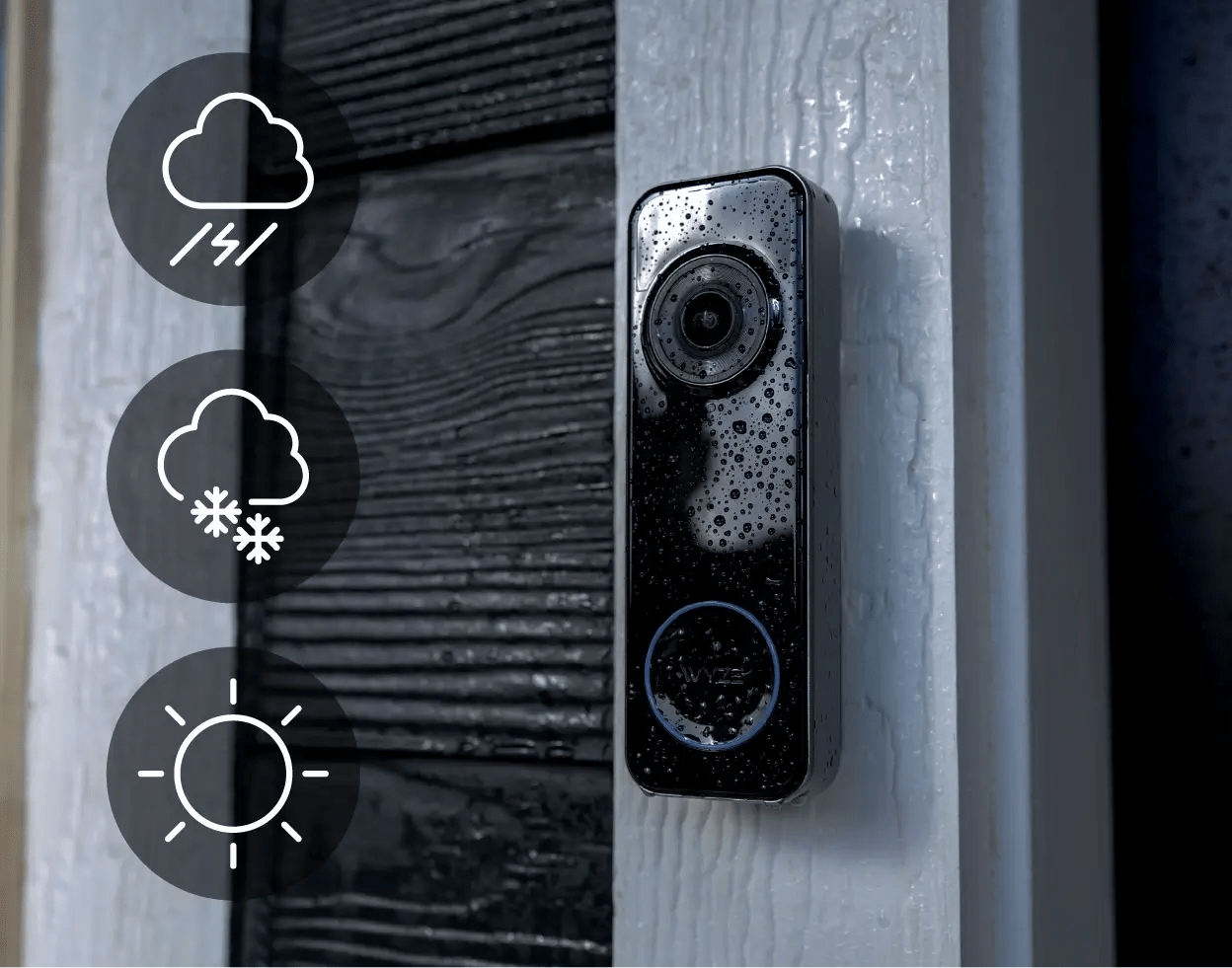
Yes, Wyze Battery Video Doorbell is IP65-rated as weather resistant for outdoor installation. This means that it is "dust-tight" and protected against water sprays from any angle.

Yes, you can adjust the volume or change ringtone in the Wyze app, in your Chime settings.

A battery-powered doorbell built to see the full picture.

Experience effortless front porch protection, no matter where you live. Easily install it wired or wire-free and view it all from anywhere in crystal-clear HD+ resolution.

Wyze Battery Video Doorbell + Palm Lock - Head-to-Toe Viewing 1536 x 1536 HD+ Resolution Wire-Free or Wired Up to 6-Month.

Wide head-to-toe view angle.

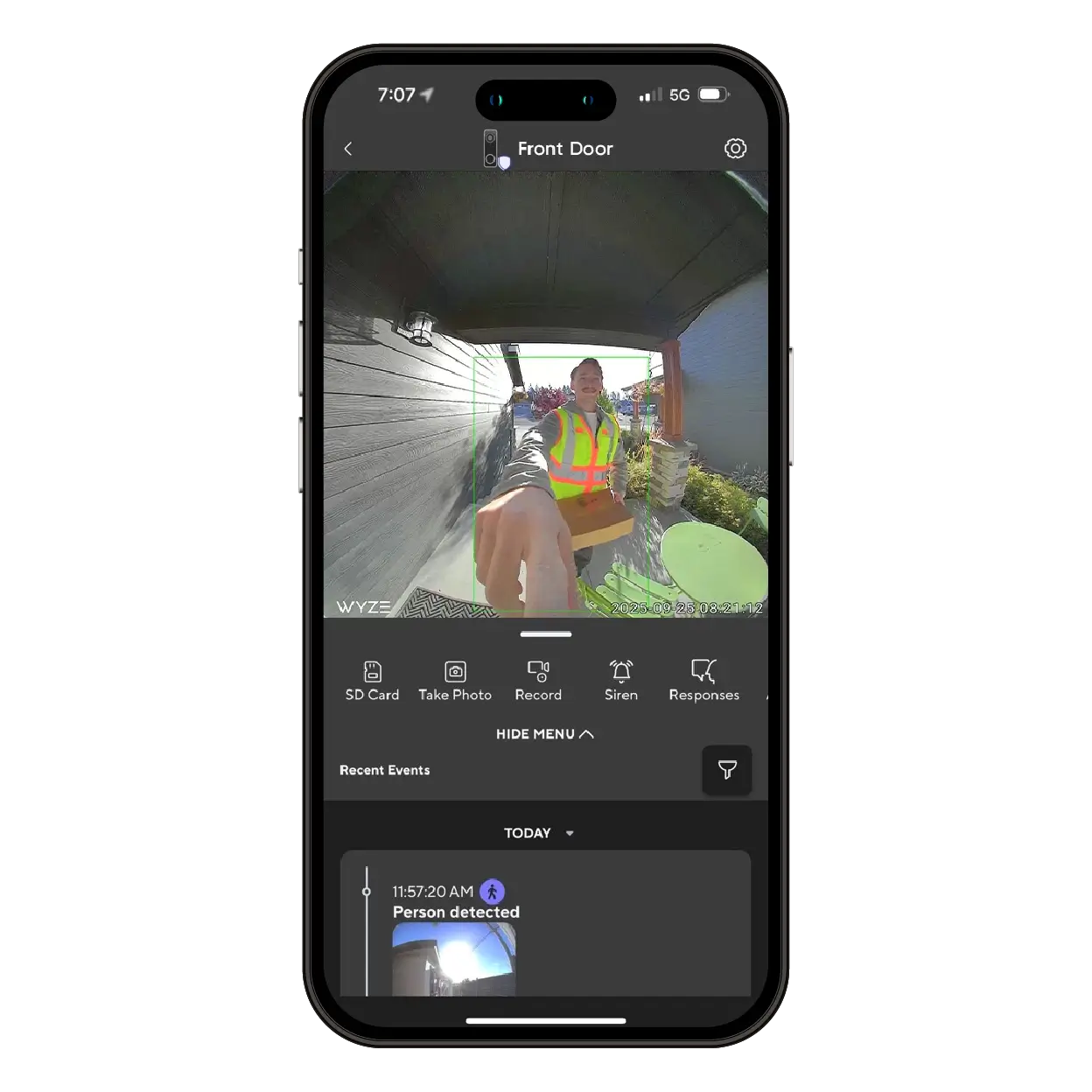
See more of what matters. With a 150° horizontal and 150° vertical field of view, Wyze Doorbell captures everything from a visitor’s smile to a package tucked against your door.

Keep an eye on kids coming home from school, delivery drop-offs, or unexpected guests, all without blind spots. Even if someone stands close to the camera, you’ll still see the full picture — from head to toe, porch to street.

Wire-free or wired.

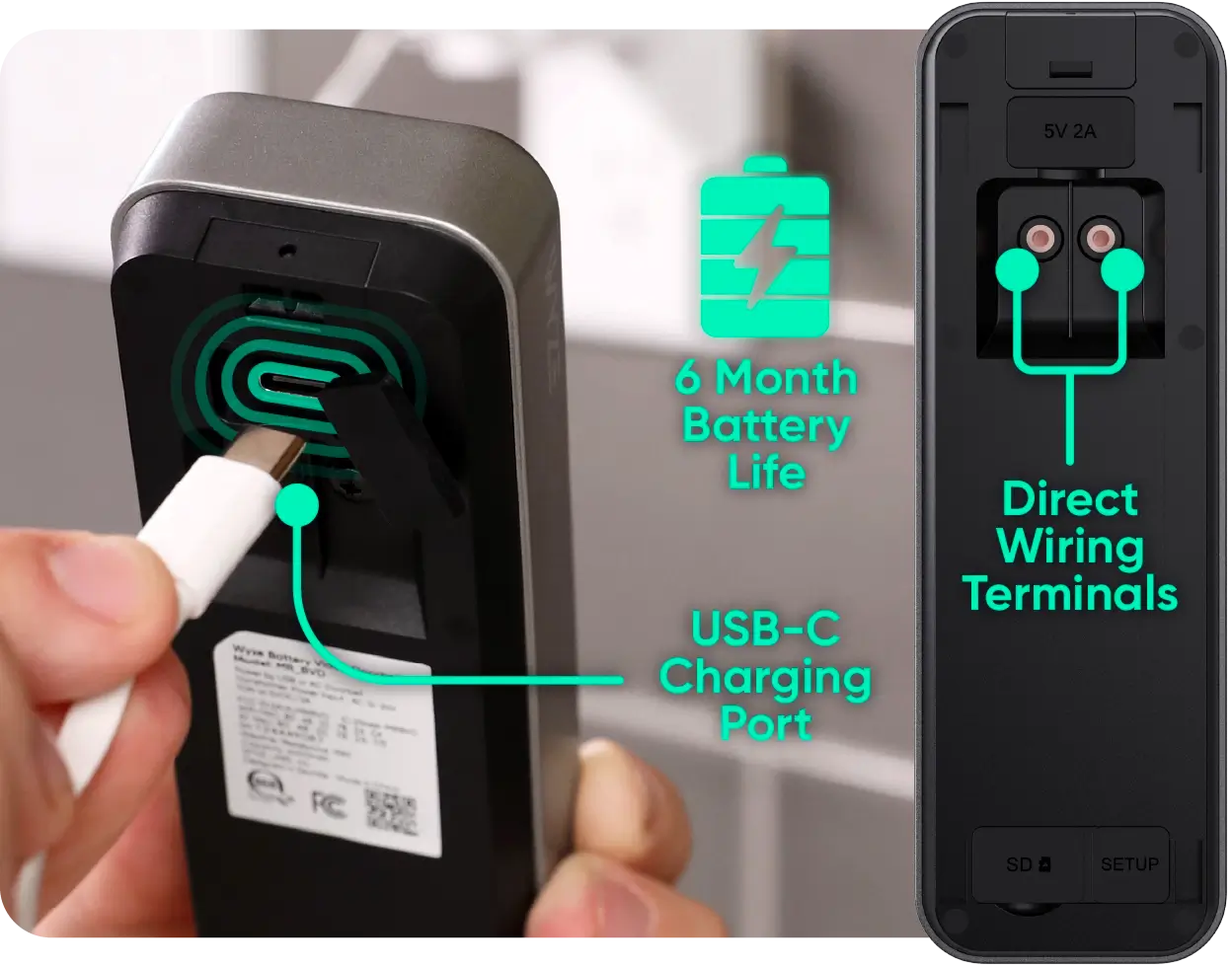
Go up to 6 months on a single charge, or hook it up to your existing doorbell wiring for nonstop power. Recharging is easy, just plug into the USB-C port on the back.

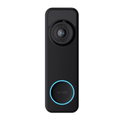
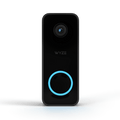
A black device with a blue light on it.

Flexible chime options.

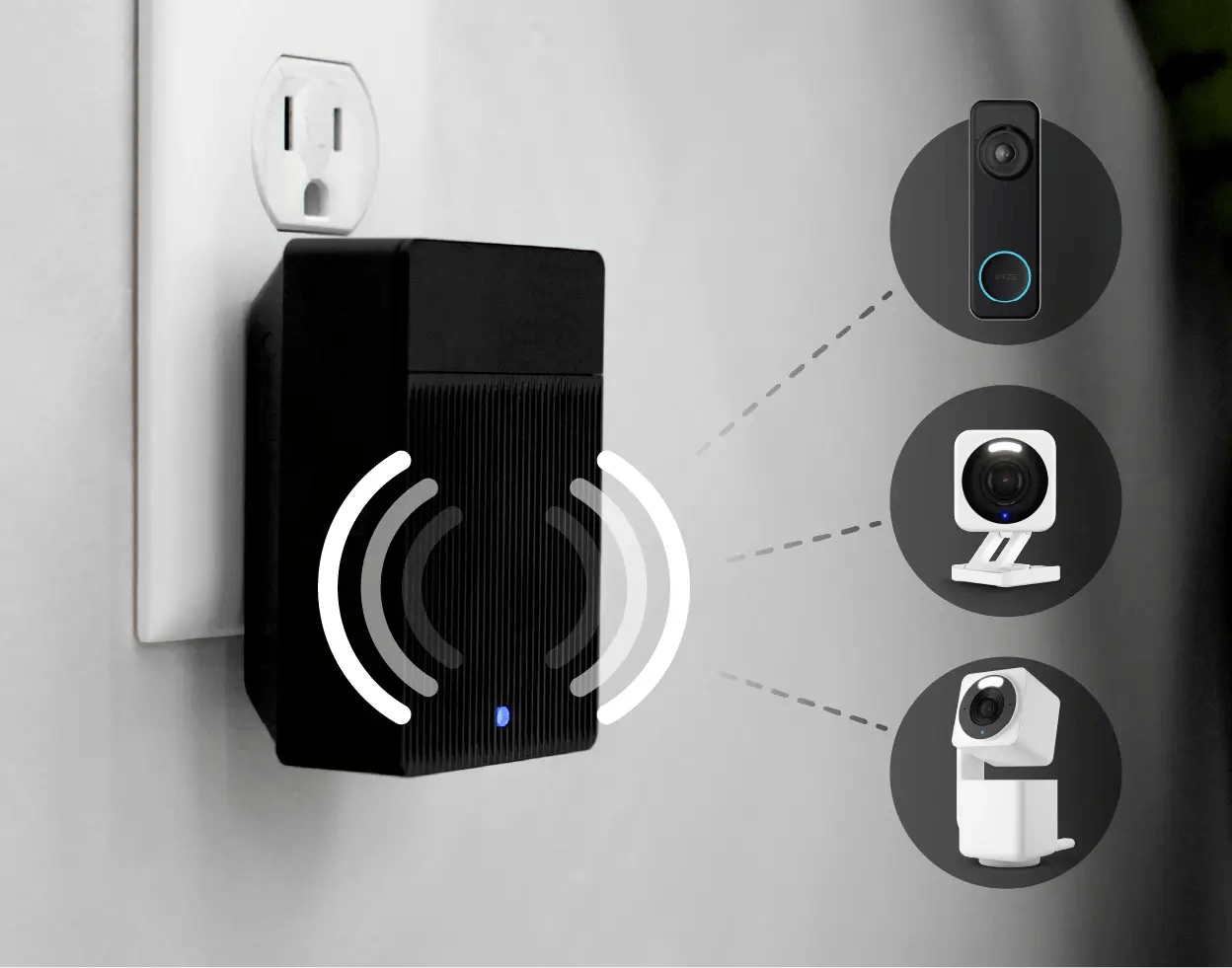
Never miss a ring. Connect to your home’s existing chime, or pair with a Wyze Universal Wi-Fi Chime (sold separately) to hear alerts anywhere in your home, even through your Wyze Cams.

Pick from 20 chime sounds and 8 volume levels to match your style (or have a little fun and set it to a dog bark to surprise uninvited guests).

Easy to install for homes and apartments.

Mount anywhere with the included hardware and corner plate for the perfect view. Ideal for renters or homeowners who want simple, secure installation without hassle.

Motion-activated voice deterrence.

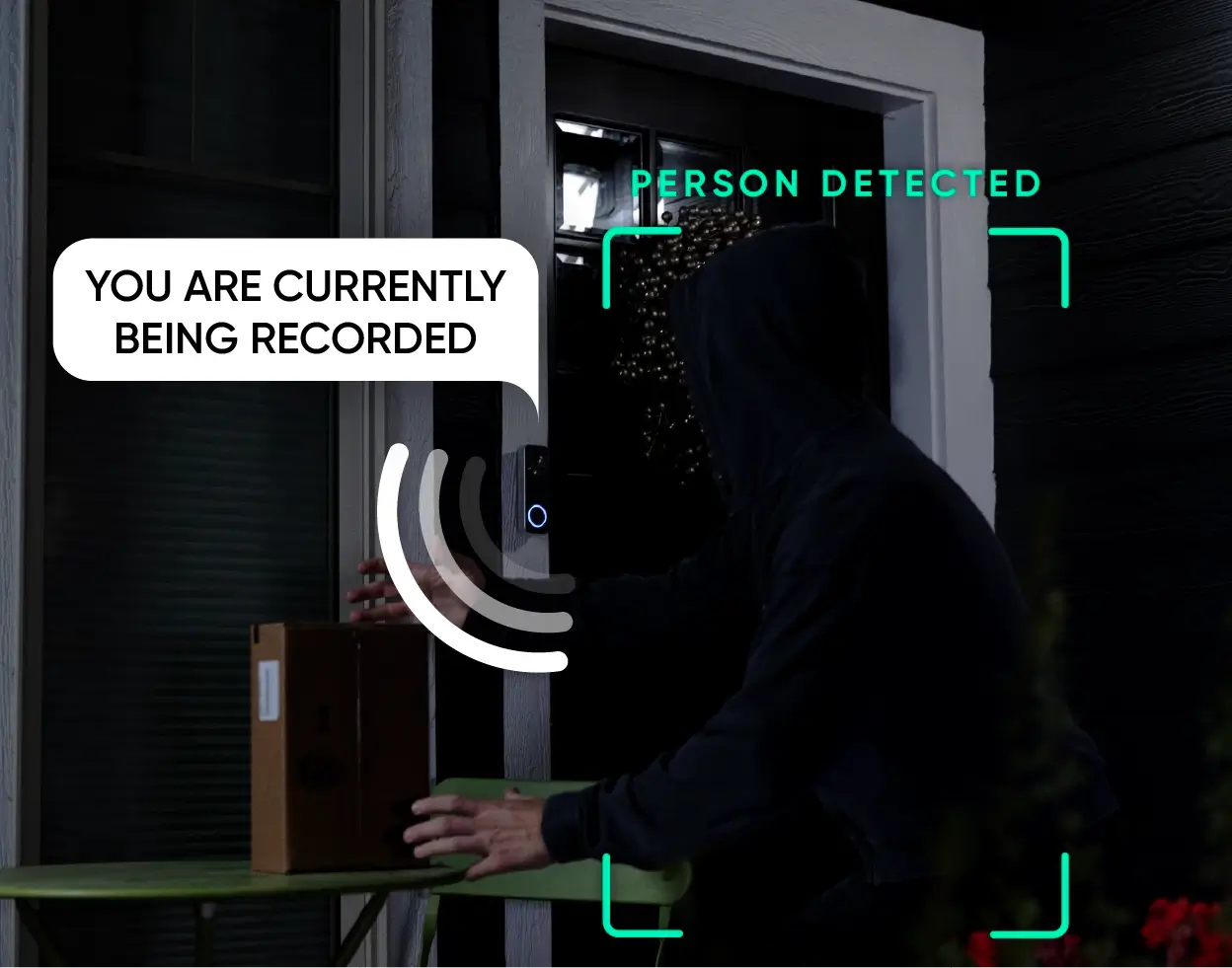
When motion is detected, Wyze Battery Video Doorbell can automatically play a “You are currently being recorded” message, letting visitors know they’re on camera.

That simple phrase can make a big difference. Studies have shown that visible or audible signs of surveillance reduce break-ins by up to 60%, and most burglars admit they’ll avoid homes with cameras or alarms altogether.

A Battery Video Doorbell with a Palm Lock.

Two-way audio and quick responses.

With two-way audio, you can greet guests, give delivery instructions, or let friends know you’ll be right there, all through the Wyze app.

In a rush? Use Quick Responses to instantly play preset messages like “Please leave the package at the door” or “Be there shortly.” Perfect for when your hands are full, your baby’s napping, or you just don’t feel like yelling through the door.

Battery Video Doorbell with Palm Lock, providing a secure front porch without a cord in sight.

IP65 weather resistance.

No need to worry about water damage, foggy lenses, or failed recordings of those cheaper doorbells. Get reliable protection and peace of mind, no matter what the forecast says.

Unlock from anywhere.

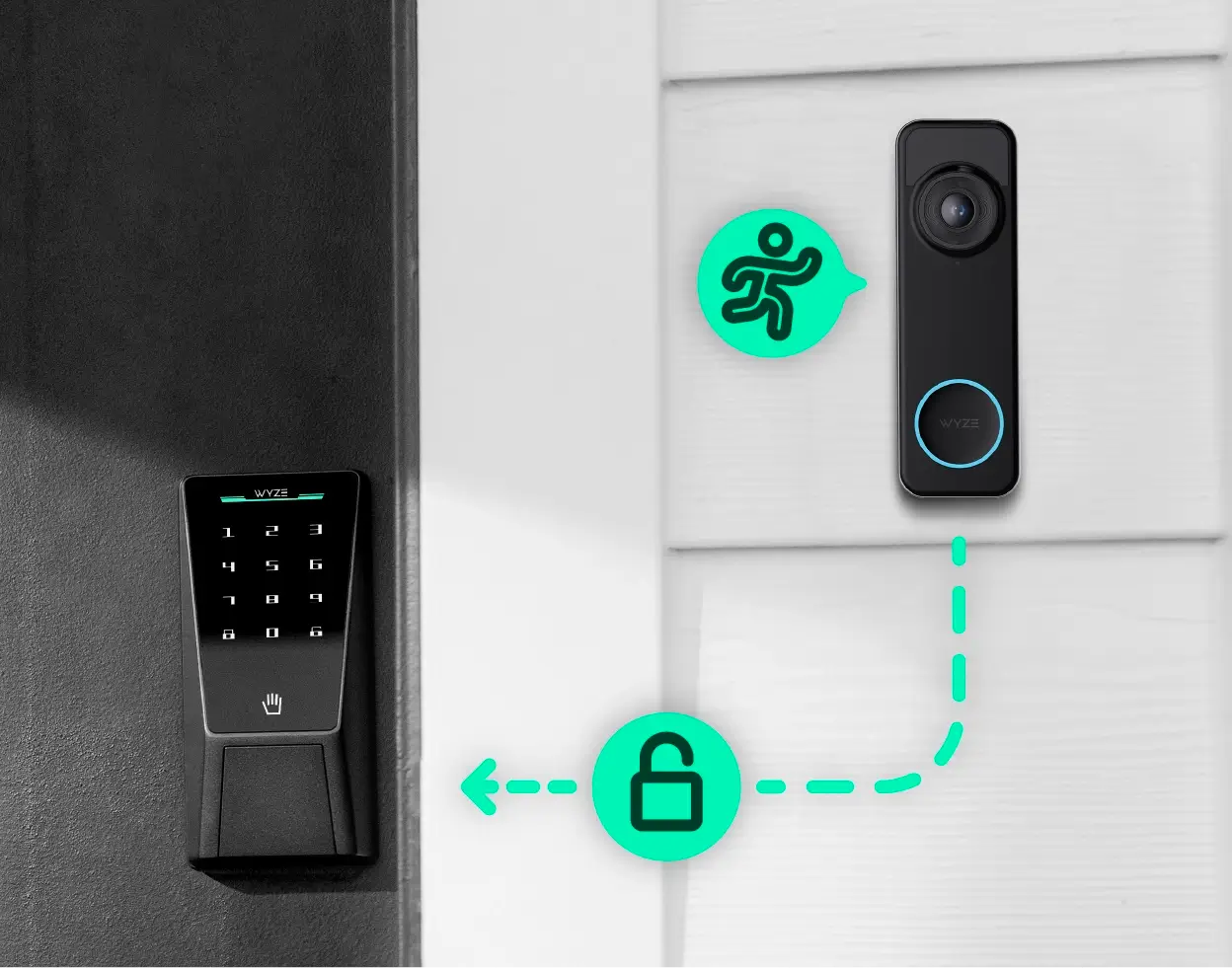
Pair with Wyze Lock and Wyze Palm Lock.

See who’s at the door and let them in, all from the same screen. When paired with Wyze Palm Lock, you can unlock your door remotely right from the Wyze app or your doorbell’s live view.
*Not compatible with Wyze Lock Bolt.

Shop now
Wyze Battery Video Doorbell + Palm Lock - 1536 x 1536 HD+ Resolution, Wire-Free or Wired.
A Battery Video Doorbell with a Palm Lock, designed to secure your front porch without a cord in sight.

More to love

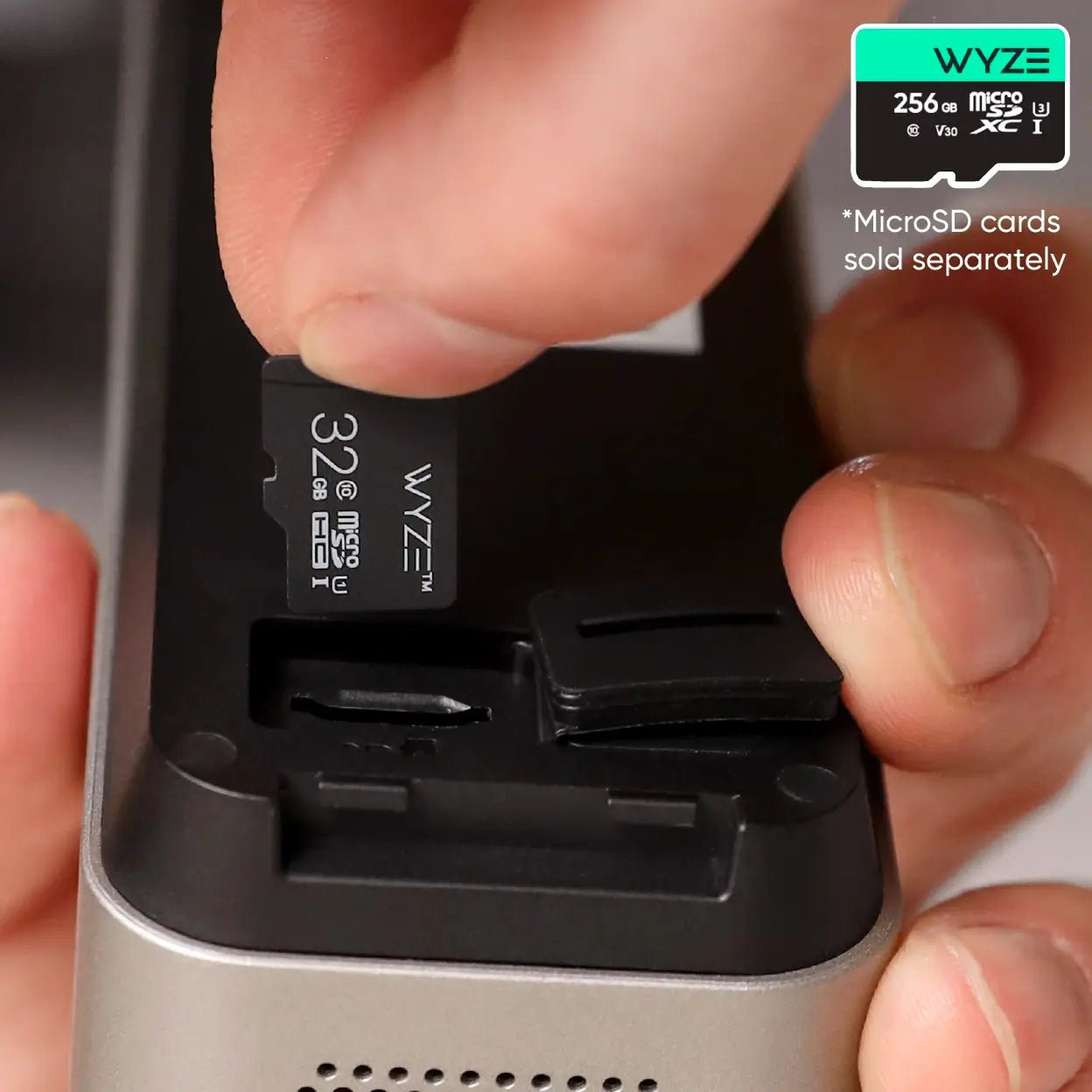
Don’t miss a thing with local recording (continuous wired power required) with a microSD card up to 256GB (sold separately).

Missed something? Of you course you didn't. Because you're using a camera that's backed by the world's best smart home app. Just tap to review recorded events from wherever you are.

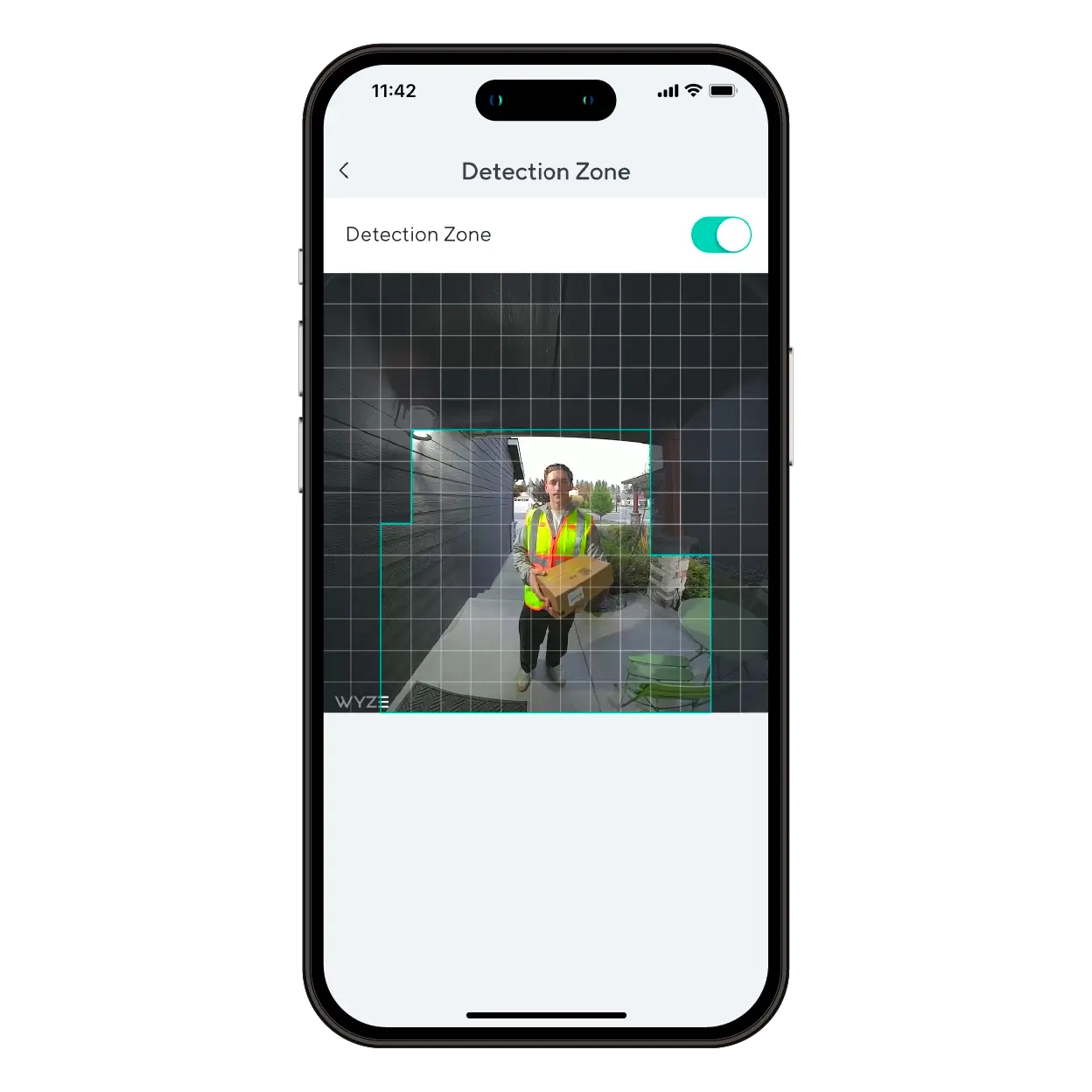
Monitor specific areas for motion so you only receive notifications when it matters.

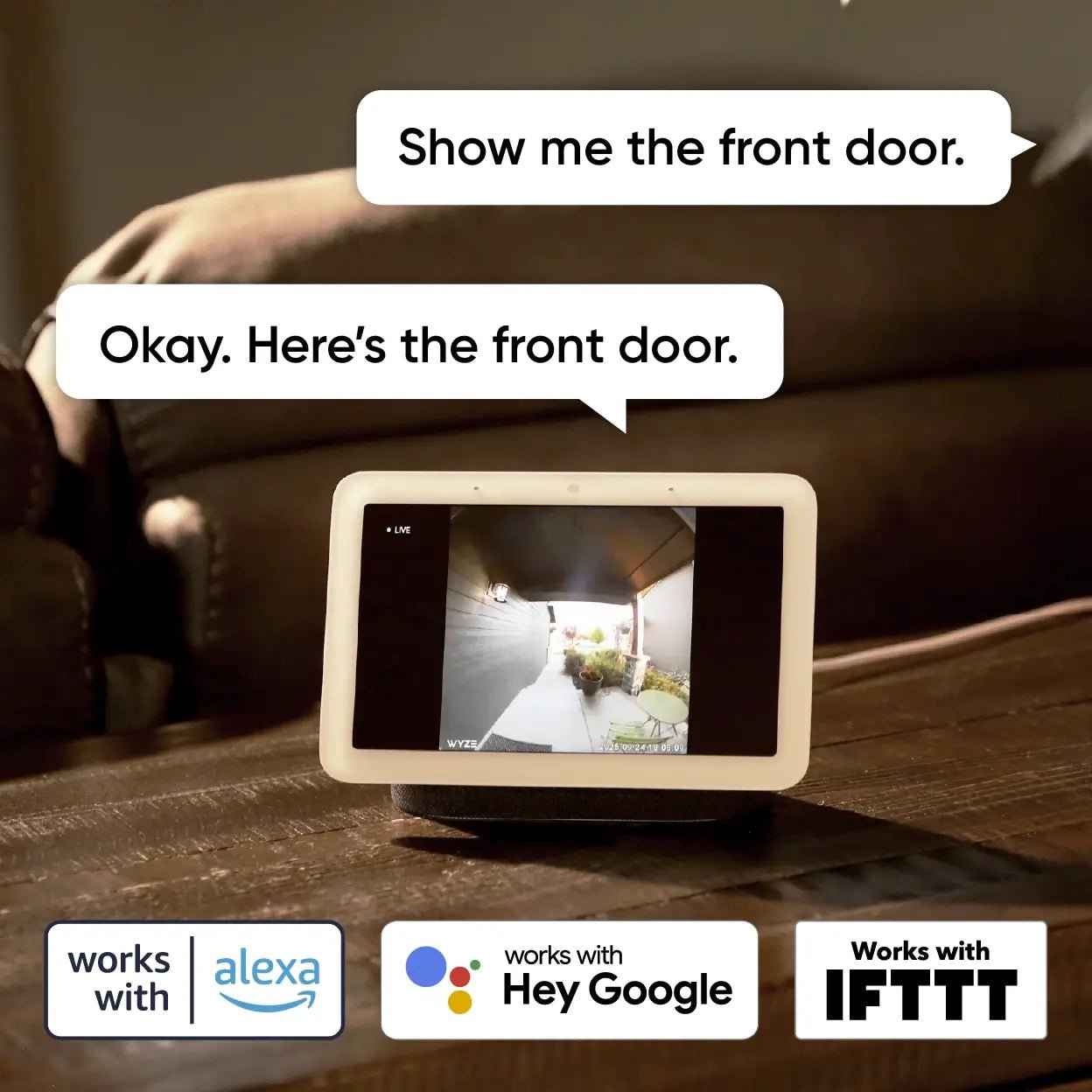
Convenience and customization at your fingertips with integrations like Amazon Alexa, Google Assistant, IFTTT, and Wyze Automations.

Watch and learn. Customize your doorbell.

Watch our unboxing below. Learn how to pair your doorbell, customize notifications, add a Chime, and more.

Compare Doorbells

Swipe to compare more products →
Compare Doorbells
Wyze Video Doorbell Pro: Battery-powered HD smart doorbell with 30 second install.
Wyze Video Doorbell Pro
from $141.00 $244.00
Wyze Video Doorbell v2: A smart doorbell with a chime controller, fully tested and guaranteed to work.
Wyze Video Doorbell v2
from $59.99 $84.98
Resolution
1440 x 1440
2048 x 1536 (2K)
Field-of-View
H: 150°, V: 150°
H: 135°, V: 103°
Chime
Auxiliary
Existing
Power Option
Battery + Wired
Wired Only
3P Integration
Amazon Alexa, Google Home
Storage
Cloud Only
Local & Cloud
View
View

Support Articles

Download the Quick Start Guide for Wyze Battery Video Doorbell in this article.

Below is the Quick Start Guide for Wyze Battery Video Doorbell, a short manual for how to get started.

This guide is a short user manual with the basics about Wyze Battery Video Doorbell, including:

  • What's in the box for Wyze Battery Video Doorbell.
  • How to insert a microSD card.
  • How to download the Wyze app.
  • A diagram of Wyze Battery Video Doorbell.
  • How to set up Wyze Battery Video Doorbell.
  • How to install Wyze Battery Video Doorbell.
  • How to hardwire Wyze Battery Video Doorbell (optional, requires Wyze Chime Controller)
  • How to read the status lights.

This article details how to set up your Wyze Battery Video Doorbell. Let's get started!

To set up your Wyze Battery Video Doorbell:

  1. In the Wyze app, tap Home, then tap + plus sign on the top right.
  2. On the Add menu, tap Device.
  3. Tap Cameras > Video Doorbells > Wyze Battery Video Doorbell.
  4. Press and hold the SETUP button on the back of the doorbell for 5 seconds until the status light flashes red and it says "ready to connect."
  5. In the app, tap "I heard “Ready to connect," then Begin Setup.
  6. If you haven’t already enabled Bluetooth® and location access for the Wyze app, there will be a screen prompting you to do so. Once enabled, tap Next.If Bluetooth® and location access have already been enabled, it will skip to the next step.
  7. The app will automatically begin searching for and pairing with your Wyze Battery Video Doorbell.If you have multiple Wyze Battery Video Doorbells, select the correct camera by tapping the MAC address that matches the address on the back of the doorbell.
  8. Select your 2.4 GHz network and enter your network password. Tap Connect.Tap the icon in the password field to display the password to ensure it was entered correctly.
  9. Your device will continue pairing. Once paired, tap Next.
  10. Follow the in-app instructions to mount Wyze Battery Video Doorbell.Also handy: Wyze Battery Video Doorbell Installation Guide.
  11. Choose your chime option, then tap Next. By Itself. The doorbell will ring when it's pressed. With an existing house chime. Your doorbell will ring on your house chime, using Wyze Chime Controller (sold separately) when pressed. You'll be prompted to set up Wyze Chime Controller after doorbell setup is complete. With a Wyze Wi-Fi Chime. Your doorbell will ring on a Wyze Wi-Fi Chime (sold separately) when it is pressed. You'll be prompted to set up Wyze Wi-Fi Chime after doorbell setup is complete.
  12. You've successfully set up your Wyze Battery Video Doorbell. Now it's time to customize it. Tap Next.
  13. Name your Wyze Battery Video Doorbell using the text field, or by choosing a suggestion. Tap Finish when done.
  14. You may have a prompt to enable Cam Plus. Tap Continue.
  15. Set up some automations on the Things to Try* page, or tap Skip.
  16. You’re all set! Your doorbell is set up and ready to go.

Before setting up your Wyze Doorbell, you'll follow the steps below to install Wyze Doorbell Chime Controller. Then, return to the setup guide for your doorbell.

Wyze Doorbell Chime Controller works with:

  • Wyze Video Doorbell v2
  • Wyze Duo Cam Doorbell
  • Wyze Battery Video Doorbell

💡 Even if your existing chime is non-functional, you should still install the chime controller.

To install your Wyze Doorbell Chime Controller:

  1. In the Wyze app, tap Home, then tap the plus sign + on the top right.
  2. On the Add menu, tap Device.
  3. Tap Cameras > Video Doorbells > Wyze Video Doorbell v2 or Wyze Battery Video Doorbell.
  4. Tap Next.
  5. Check the box next to "I have a screwdriver and existing wired doorbell." Tap Next.
  6. Verify that you have all of the items required for installation. Tap Next.
  7. Verify once more that you have the items required for this step, then tap Next.
  8. Press your existing doorbell button to check that it works as expected. Tap Next.
  9. Turn off power to your existing mechanical doorbell at your electrical panel.
  10. Press the doorbell button again to check that the power is turned off. Tap Next.
  11. Open your chime box and take a photo of your current wiring. Tap Next in the app.
  12. Select the option in the Wyze app that best matches your chime's wiring setup and follow along in the app to connect the wires to the correct terminals.

    Typically, homes with 1 doorbell have 2 wires, homes with 2 doorbells have 3 wires, etc. If you have 2 wires, follow the instructions to connect to the jump wire. See the Before and After Installation graphics below for reference. If you have 3 wires, follow the instructions to select the correct door, and connect the proper wires.If you have 4 or more wires, follow the instructions to find the proper wires to connect. This will involve some trial and error. If you are not comfortable testing your electrical panel, stop. Call your local electrician for help.
  13. Your Wyze Doorbell Chime Controller installation is complete! Close the chime box and prepare to install the doorbell. Tap Next, and return to the setup guide for your doorbell.

Note: If you don't install the included chime controller, you should bypass the house chime entirely. If you don't, you may experience unexpected chime sounds.

If you have 1 doorbell (2 wires in your chime box):
If you have two Wyze doorbell devices and 1 chime box, here are real photos of how the chime controllers would look when installed:

Important: If you do not have an existing in-house chime or you are unsure of wiring, stop. Contact your local, licensed electrician for assistance.

Added to your cart
FREE shipping on orders $99+
Subtotal
$0.00
View cart