
Passer aux informations produit
1 de 8

Casque antibruit Wyze

Casque antibruit Wyze

Écouteurs sans fil avec batterie de 20 heures

Couleur
Style
$139.99CAD
En stock
Get it as soon as
Retours sans tracas sous 30 jours.
A blue and white logo for Wyze.
AVANTAGES exclusifs de Wyze.com
Garantie prolongée de 18 mois

Bénéficiez d'une garantie prolongée de 18 mois à l'achat de ce produit sur wyze.com. Profitez également de lots spéciaux, de promotions uniques et de récompenses à chaque commande

Comme une symphonie jouée rien que pour vous.
Voir les détails complets
  • Noise cancelling headphones icon.

    Réduction active hybride du bruit

    Réduction active du bruit hybride de 40 dB avec mode Transparence.

  • A black and white image of a head with a phone icon in the center.

    Ajustement sans fatigue

    Mousse à mémoire de forme de 20 mm et coussinets d'oreille oblongs pour un confort optimal toute la journée.

  • A microphone icon with the text "Wyze Noise Cancelling Headphones.

    Microphones à isolation vocale

    Des microphones dédiés isolent votre voix dans une pièce bruyante.

  • Wyze Noise Cancelling Headphones.

    Sans fil avec une autonomie de 20 heures

    Profitez d'une autonomie allant jusqu'à 20 heures par charge. Dix minutes de charge vous offrent 4 heures d'écoute supplémentaires.

Poids et matériaux des écouteurs

  • Poids : 280 g
  • Matériau du bandeau : composite multicouche d’acier inoxydable, de mousse EVA et de plastique, recouvert de cuir protéiné
  • Matériau des oreillettes : plastique ABS et PC avec revêtement spécial pour les commandes tactiles
  • Matériau des coussinets d'oreille : mousse à mémoire de forme recouverte de cuir protéiné

Spécifications Bluetooth

  • Portée Bluetooth : 10 m (33 pi)
  • Version Bluetooth : Bluetooth 5.0
  • Codec Bluetooth : SBC, AAC
  • Connexion de plusieurs appareils : Prend en charge la connexion simultanée de deux appareils.

Conférencier

  • Dimensions du haut-parleur : haut-parleur à dôme de 40 mm (bobine mobile en fil de cuivre)
  • Matériau magnétique : néodyme
  • Diaphragme : Diaphragme composite double TPU à haute résistance transitoire
  • Réponse en fréquence via Bluetooth : 20 - 20 000 Hz (fréquence d’échantillonnage de 44,1 kHz)
  • Réponse en fréquence sur l'entrée ligne : 20 - 38 000 Hz
  • Sensibilité : 113 dB/mW à 1 kHz
  • Distorsion harmonique totale : <0,5 % à 1 mW/1 kHz
  • Impédance : 32 Ω

Batterie

  • Méthode de chargement : USB Type-C
  • Autonomie de la batterie : jusqu’à 20 heures d’écoute de musique ou d’appels avec une réduction de bruit élevée
  • Temps de charge : environ 2 heures
  • Charge rapide en 10 minutes : jusqu’à 4 heures d’autonomie
  • Température de charge : 41 à 95 ºF (5 à 35 ℃)
  • Type de batterie : Batterie rechargeable lithium-ion
  • Capacité de la batterie : 1 000 mAh CC 3,7 V

Microphones

6 microphones au total
  • 4 microphones pour la réduction active du bruit
  • 2 microphones pour la captation de la voix
  • microphones vocaux
  • Sensibilité : -32 dB à 1 kHz
  • Directivité : Omnidirectionnelle
  • Rapport signal/bruit : 74
  • Réponse en fréquence : 50 - 10 000 Hz
  • Impédance : 2,2 kΩ

Entrée de contrôle

  • Bouton Marche/Arrêt/Bluetooth
  • Une simple pression pour allumer et éteindre
  • Appuyez et maintenez enfoncé pour entrer en mode de couplage
  • bouton de réduction du bruit
  • Une simple pression permet de basculer entre les modes de réduction du bruit
  • Boutons de volume +/-
  • Appuyez une seule fois pour régler le volume
  • Bouton Lecture/Pause
  • Lecture de musique : une simple pression pour lire/mettre en pause, une double pression pour passer à la piste suivante, une triple pression pour revenir à la piste précédente.
  • Appel : appuyez une fois pour démarrer/mettre fin à l’appel, maintenez la pression pour rejeter un appel.
  • Assistant vocal : appuyez longuement pour activer l’assistant vocal
  • pavé tactile
  • Appuyez deux fois pour activer l'assistant vocal, ou pour couper et réactiver le micro pendant les appels.
  • Couvrir pour activer le mode de conversation rapide

Environnement

  • Environnement de fonctionnement : 0 à 40 °C (31 à 104 °F), humidité < 95 %
  • Environnement de stockage et de transport : -4 à 140 °F (-20 à 60 °C), humidité < 95 %

Pas de valise de voyage

  • Casque Wyze x1
  • Pochette de transport souple x1
  • Câble USB Type-C x1
  • Câble audio x1
  • Guide de démarrage rapide x1

Avec étui de voyage

  • Casque Wyze x1
  • Étui rigide x1
  • Câble USB Type-C x1
  • Câble audio x1
  • Guide de démarrage rapide x1

Please check the help center and see if we’ve got what you need. Alternatively, you may also find the list of related parts here.

Up to 20 hours of music playback and call time.

Yes, all you need is a Bluetooth connection to use the headphones. If you want to use more advanced features, like touch controls and the equalizer, you will need the Wyze app.

Yes! Wyze Headphones are wireless and connect via Bluetooth, but can also be used with the included 3.5mm headphone jack.

Download the Wyze app, and click the plus sign + > Add Device > Wyze Headphones. Follow the setup instructions.

Yes, they include a cloth carrying pouch.

Yes, you can control the bass, mids, highs, and more using the equalizer in the Wyze app.

Hybrid active noise canceling through 2 feedback microphones and 2 feed-forward microphones, with a 40dB noise reduction depth.

Yes, you can switch between High ANC, Low ANC, and Transparency mode in the Wyze app and on the headphones.

Wyze Headphones produce stereo sound.

A DC 1000mAh lithium ion battery.

Yes, Wyze Headphones can connect to Bluetooth-capable devices like gaming consoles and computers.

Découvrez les réactions de vraies personnes aux casques Wyze.

A woman wearing headphones and standing on a train platform.

Vous aurez l'impression que le reste du monde est à l'arrêt.

Annulation active du bruit hybride (ANC) à activation/désactivation rapide de 40 dB.

Doté de quatre microphones à réduction de bruit et d'un processeur ultra-rapide, cet appareil réduit les bruits extérieurs à un murmure, vous permettant ainsi de rester concentré malgré l'agitation du monde extérieur.

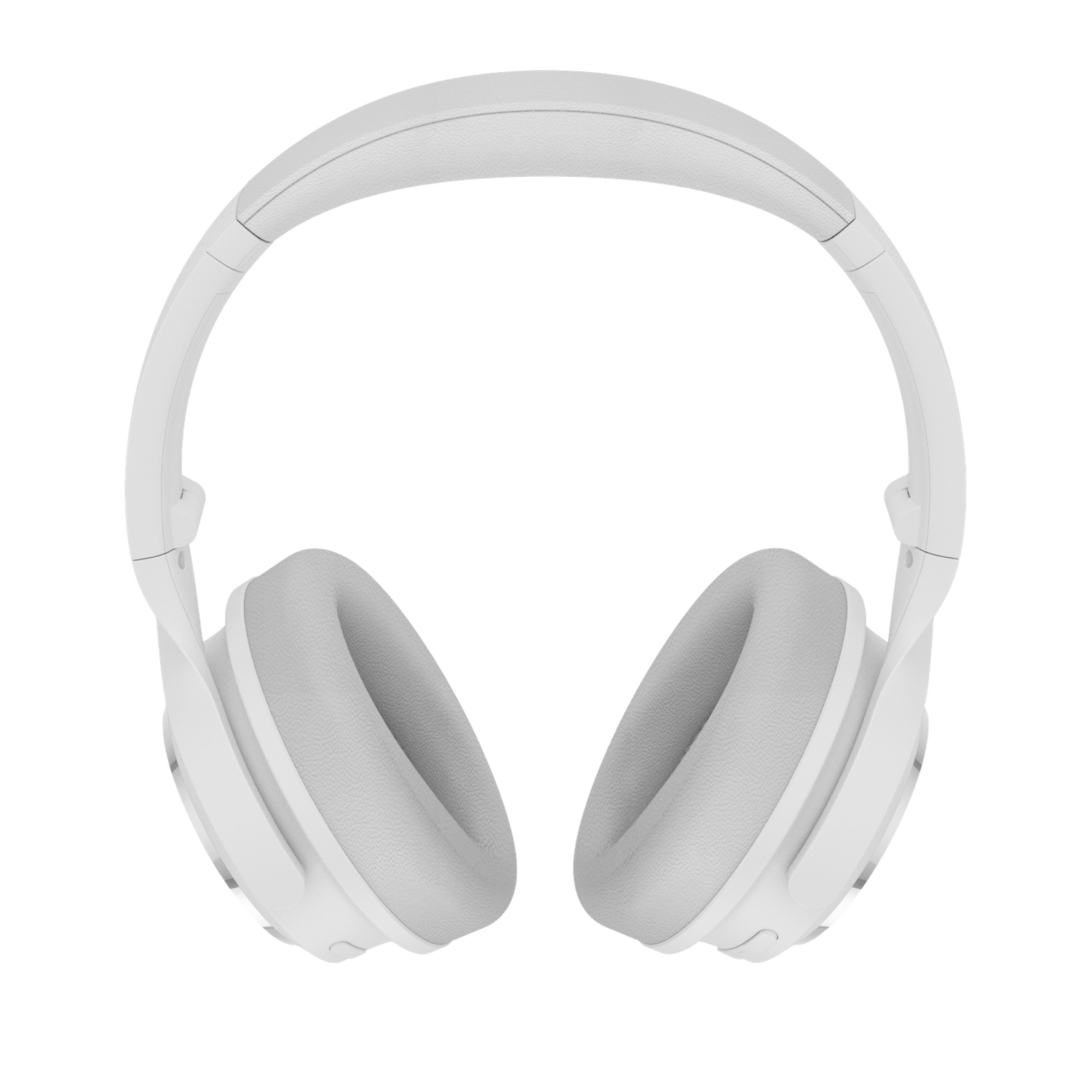
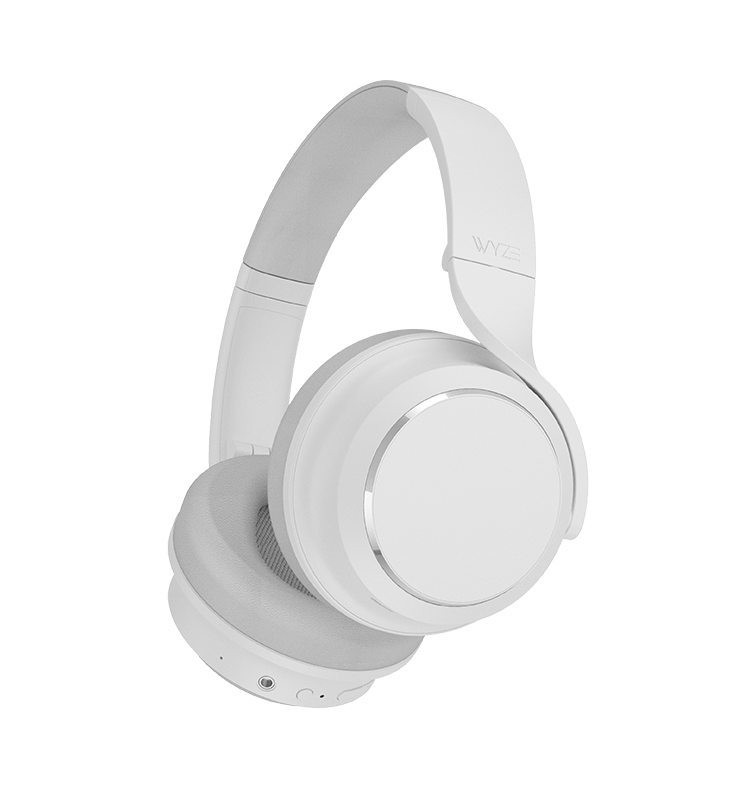
White Wyze Noise-Cancelling Headphones.

Pour quand vous voulez rompre le silence.

Mode Transparence

Les sons extérieurs sont amplifiés dans vos écouteurs d'une simple pression, ce qui vous permet d'attendre votre commande de café tout en écoutant de la musique.

Détection d'usure

La lecture audio se met automatiquement en pause lorsque vous retirez vos écouteurs et reprend lorsque vous les remettez, préservant ainsi votre position dans la chanson et l'autonomie de la batterie.

Conversations rapides

Une simple pression sur l'oreillette droite met en pause la lecture audio et active le mode Transparence, vous permettant ainsi de rejoindre une conversation à tout moment sans retirer votre casque.

Votre propre symphonie privée.

L'alliance d'une ingénierie de pointe, d'une intelligence artificielle exclusive et d'un matériel haut de gamme réglé avec précision. Préparez-vous à une expérience audio habituellement réservée aux marques les plus prestigieuses.

A woman wearing headphones and dancing in front of a colorful mural.
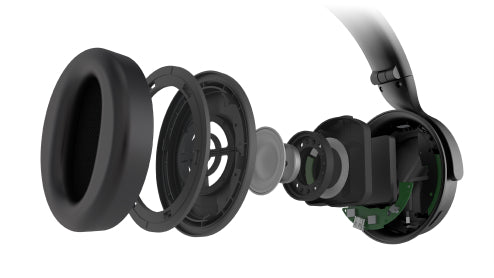
Wyze Noise Cancelling Headphones show internal components.

Transducteurs à double diaphragme composite TPU.

Des basses profondes, des médiums stables et des aigus nets sont délivrés par deux transducteurs de 40 mm et une gamme de fréquences allant jusqu'à 38 kHz pour vous transporter au premier rang de votre concert préféré.

En bref, ce casque ne rigole pas.

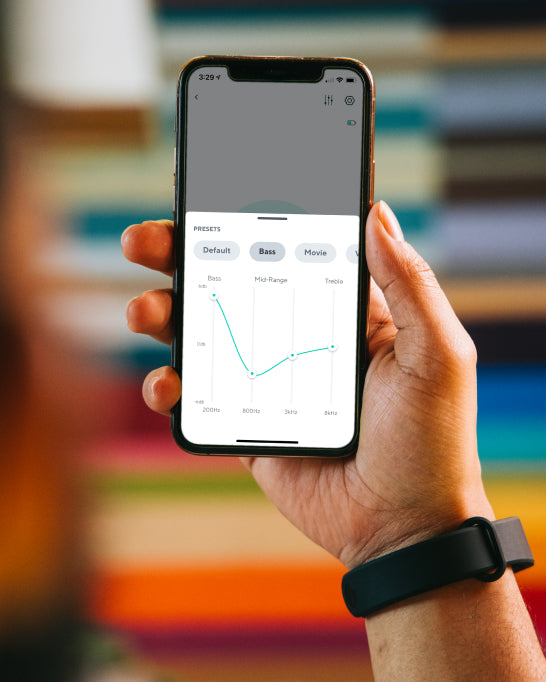
A person holding a phone with a Wyze Noise Cancelling Headphones banner on the screen.

Personnalisez votre expérience d'écoute idéale grâce à l'application Wyze.

Créez et enregistrez vos propres réglages et préférences personnalisées ou choisissez parmi des sélections prédéfinies optimisées pour la musique, les films, les jeux et bien plus encore.

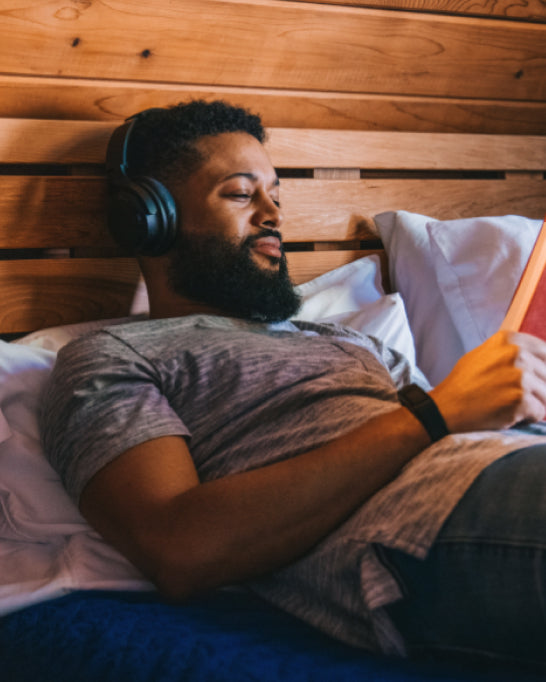
Man wearing headphones and reading a book.

Tellement confortables que vous oublierez que vous les portez.

La mousse à mémoire de forme réactive et les coussinets d'oreille allongés épousent délicatement la forme de l'oreille pour un confort optimal et sans fatigue.

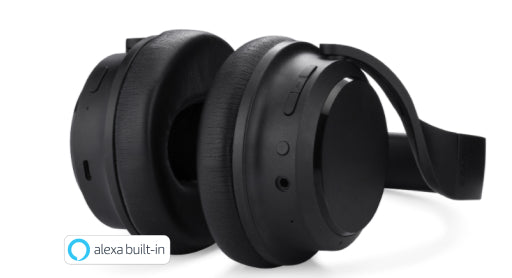
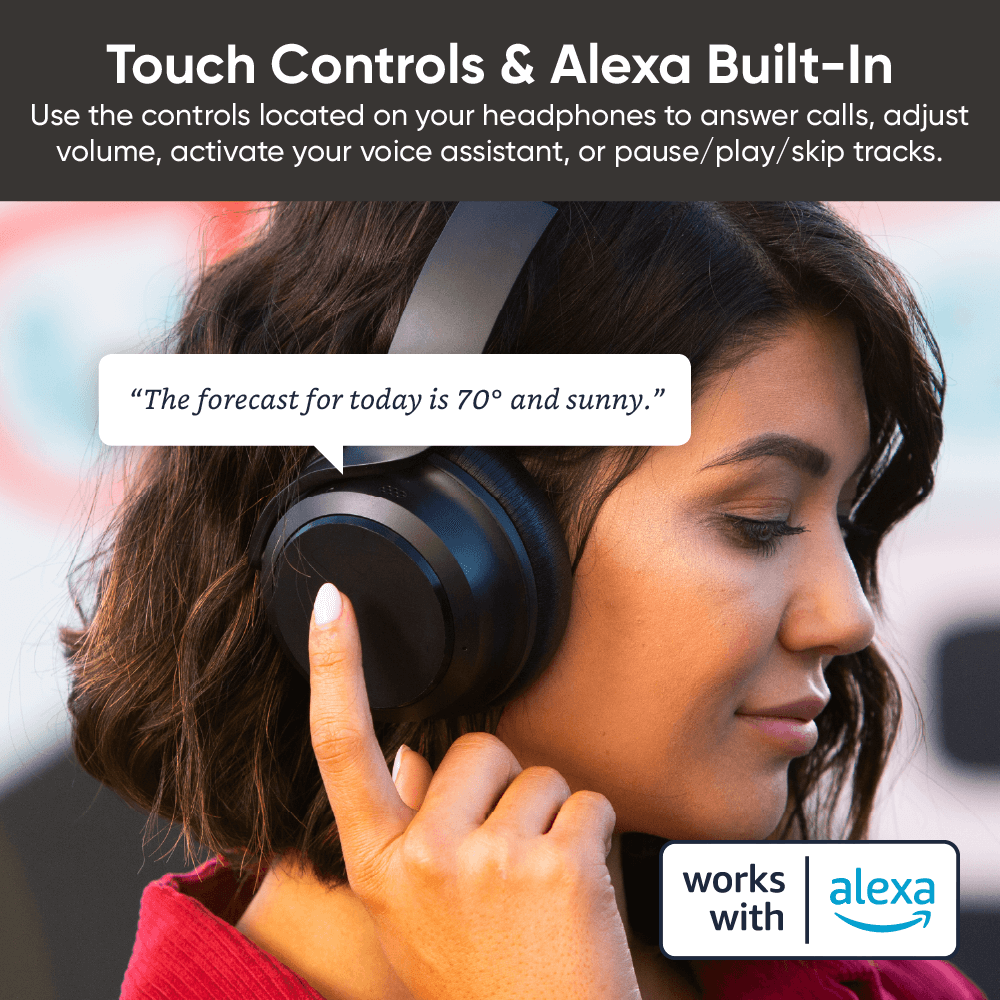
Wyze Noise Cancelling Headphones with Alexa built in.

Tactile et tactile intuitif.

Utilisez les commandes situées sur votre casque pour répondre aux appels, régler le volume, activer votre assistant vocal ou mettre en pause/lire/passer aux pistes suivantes.

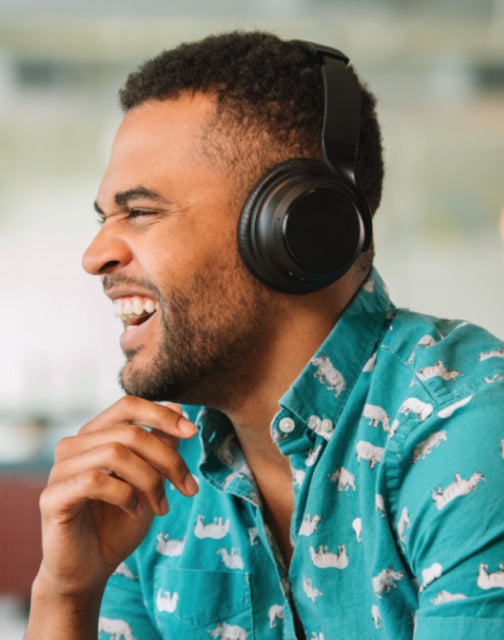
Man wearing headphones and laughing.
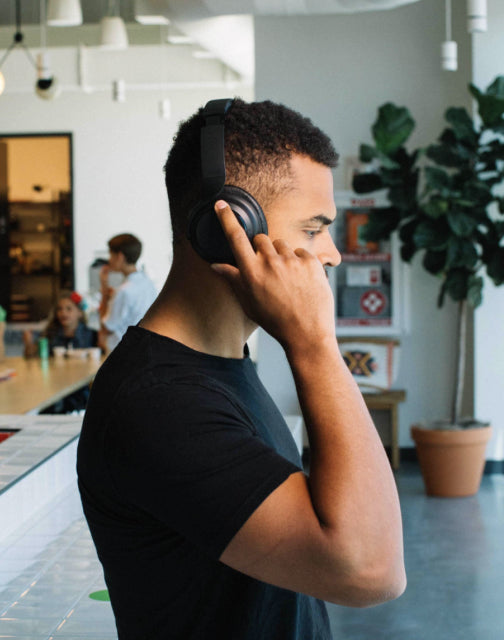
Man wearing black shirt and headphones.
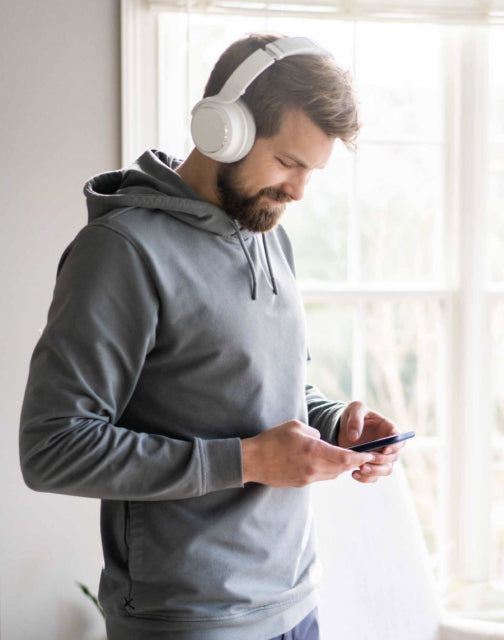
Man wearing headphones and looking at his phone.

Votre voix est désormais votre interrupteur. Commandez vos lumières à la voix en demandant à Alexa ou à l'Assistant Google de les allumer/éteindre, de régler la luminosité ou de changer leur couleur.

Deux microphones à isolation vocale. Des microphones dédiés isolent votre voix des conversations environnantes pour une clarté vocale optimale lors de vos appels.

Grâce au Bluetooth 5.0 et à la possibilité de connecter deux appareils simultanément, déplacez-vous librement dans votre maison ou votre bureau avec ces écouteurs entièrement sans fil. Passez facilement de la musique sur votre ordinateur portable aux appels entrants sur votre téléphone sans avoir à réinitialiser votre connexion Bluetooth.

Accédez à la musique, à la météo et bien plus encore grâce aux assistants vocaux.

Utilisez Amazon Alexa intégré ou l'assistant vocal natif de votre appareil (Siri, Google Assistant, Bixby). Laissez votre téléphone dans votre poche et demandez à Alexa ou à l'assistant vocal natif de votre téléphone d'accéder à des informations, de définir des rappels, de jouer de la musique et bien plus encore, simplement avec votre voix.

A woman wearing headphones and touching the side to ask a question.

Support Articles

Wyze Headphones are the quickest and easiest Wyze device to set up. As long as you're connected to Bluetooth, you're only a few taps away from being set up in the app.

Related article: Do the headphones work without the Wyze app?

To set up your Wyze Headphones:

  1. In the Wyze app, tap Home, then tap the plus sign + on the top right.
  2. On the Add menu, tap Device.
  3. Tap Lifestyle > Wyze Headphones.
  4. Your Wyze app will automatically begin searching for the headphones to pair via Bluetooth. If they’re already turned on and in pairing mode, the app should find them in a few seconds.If they’re not already turned on, briefly press the power button on the bottom of the right ear cup. Once the Headphones’ light turns blue, press and hold the power button until the light begins flashing blue/red. If you're wearing the headset during this process, you should hear a brief “Pairing” voice prompt.
  5. Once paired, the Wyze app will prompt you to cover the right ear cup with your hand. The app will proceed to the Wyze Headphones product page. You're all set!
  6. If the app doesn't automatically proceed at this point, tap Skip in the app to complete set up.

Download the Quick Start Guide for Wyze Headphones in this article.

Below is the Quick Start Guide for Wyze Headphones a short manual for how to get started.

This guide is a short user manual with the basics about Wyze Headphones including:

  • What's in the box for Wyze Headphones.
  • How to download the Wyze app.
  • How to set up Wyze Headphones.
  • How to use the controls on Wyze Headphones.
  • FAQs for Wyze Headphones.

Download the Quick Start Guide for Wyze Band here.

Below is the Quick Start Guide for Wyze Band, a short manual for how to get started.

This guide is a short user manual with the basics about Wyze Band including:

  • What's in the box for Wyze Band.
  • How to download the Wyze app.
  • How to set up Wyze Band.
  • How to use the controls on Wyze Band. Download the Quick Start Guide for Wyze Band here. Below is the Quick Start Guide for Wyze Band, a short manual for how to get started. This guide is a short user manual with the basics about Wyze Band including: What's in the box for Wyze Band.How to download the Wyze app.How to set up Wyze Band. How to use the controls on Wyze Band. Download the Quick Start Guide for Wyze Band here. Below is the Quick Start Guide for Wyze Band, a short manual for how to get started. This guide is a short user manual with the basics about Wyze Band including: What's in the box for Wyze Band.How to download the Wyze app.How to set up Wyze Band. How to use the controls on Wyze Band. Download the Quick Start Guide for Wyze Band here. Below is the Quick Start Guide for Wyze Band, a short manual for how to get started. This guide is a short user manual with the basics about Wyze Band including: What's in the box for Wyze Band.How to download the Wyze app.How to set up Wyze Band. How to use the controls on Wyze Band. Download the Quick Start Guide for Wyze Band here. Below is the Quick Start Guide for Wyze Band, a short manual for how to get started. This guide is a short user manual with the basics about Wyze Band including: What's in the box for Wyze Band.How to download the Wyze app.How to set up Wyze Band. How to use the controls on Wyze Band. Download the Quick Start Guide for Wyze Band here. Below is the Quick Start Guide for Wyze Band, a short manual for how to get started. This guide is a short user manual with the basics about Wyze Band including: What's in the box for Wyze Band.How to download the Wyze app.How to set up Wyze Band.How to use the controls on Wyze Band.

Problem

Your Wyze Headphones show offline in the Wyze app, load slowly, or disconnect frequently.

Troubleshooting

  1. Confirm that your Wyze app is up to date.In your Wyze app, navigate to the Account tab > tap About.Your current app version will be listed beneath the Wyze logo.Compare your app version to the latest app version listed on our Release Notes & Firmware page.If you find that your Wyze app is out of date, head over to your mobile device’s app store and update the Wyze app.
  2. Make sure the headphones are fully charged and turned on.If your Wyze Headphones aren’t charged, fully charge them, then make sure they are on and the status light is on.Short on time? You can do a Quick Charge by charging your headphones for 10 minutes.
  3. Check the Bluetooth® connection.In your phone’s settings, toggle Bluetooth® off and then back on.Ensure your headphones are within Bluetooth® range of your phone.This distance varies by device but is generally about 30 feet. If the headphones were previously connected, forget them in the Bluetooth® settings and then pair them again.Note: If your headphones were previously connected to other phones/tablets, you’ll need to unpair them from those devices as well. If there are other devices connected to your phone via Bluetooth® or other apps currently using Bluetooth® that may be causing interference, unpair the devices or close the apps.
  4. Verify that Location Permissions are enabled for the Wyze app in your phone/tablet settings.Make sure that it is set to Always or While Using the App.For iOS users, make sure that Precise Location is turned on.
  5. If possible, check that your Wyze Headphones firmware is up to date.You can check this by going to the Account tab > Firmware Update.If there is an update available for the headphones, please move forward with updating them.
  6. Force close the Wyze app.
  7. Restart your phone.
  8. Power cycle the headphones.Single-press the power button on the right ear cup. You should hear a “power off” voice prompt.Wait 10 seconds, then single-press the power button again. You should hear a “power on” voice prompt.
  9. Delete the headphones from the Wyze app and set them up like new.
  10. Try a different phone if possible.
Added to your cart
Livraison GRATUITE pour les commandes de 59 $ et plus
Subtotal
$0.00
View cart