Passer aux informations produit
1 de 15

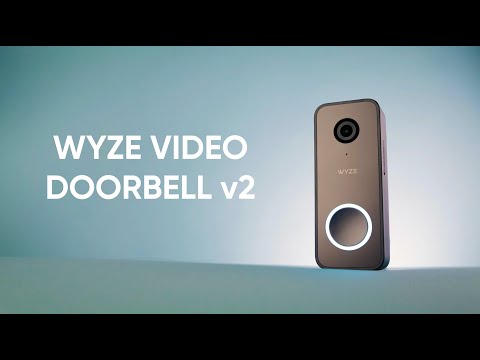
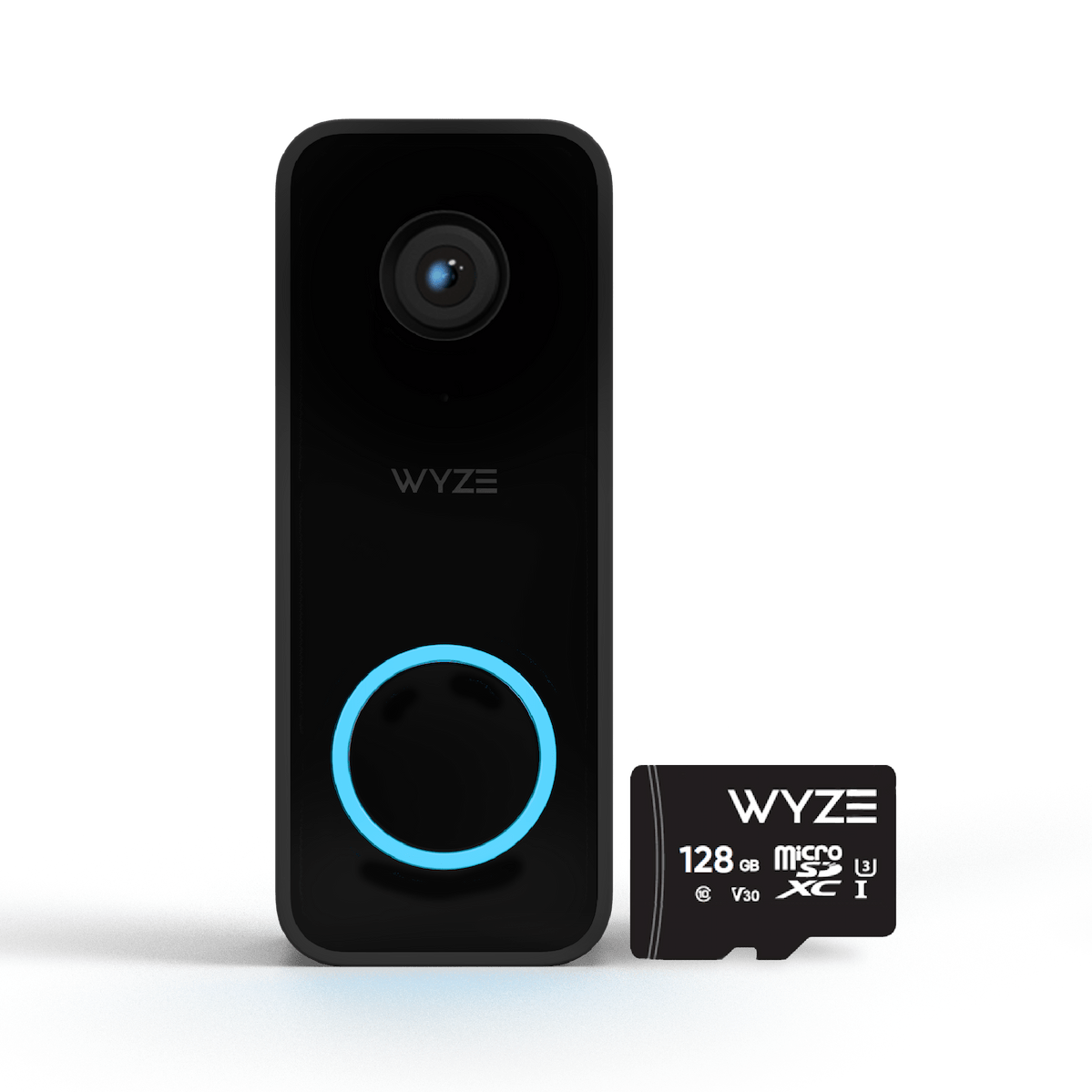
Sonnette vidéo Wyze v2

Sonnette vidéo Wyze v2

Sonnette connectée filaire 2K

Style
90+ added to cart in the last 24 hours
$59.99CAD
En stock
Get it as soon as
Retours sans tracas sous 30 jours.
A blue and white logo for Wyze.
AVANTAGES exclusifs de Wyze.com
Garantie prolongée de 18 mois

Bénéficiez d'une garantie prolongée de 18 mois à l'achat de ce produit sur wyze.com. Profitez également de lots spéciaux, de promotions uniques et de récompenses à chaque commande

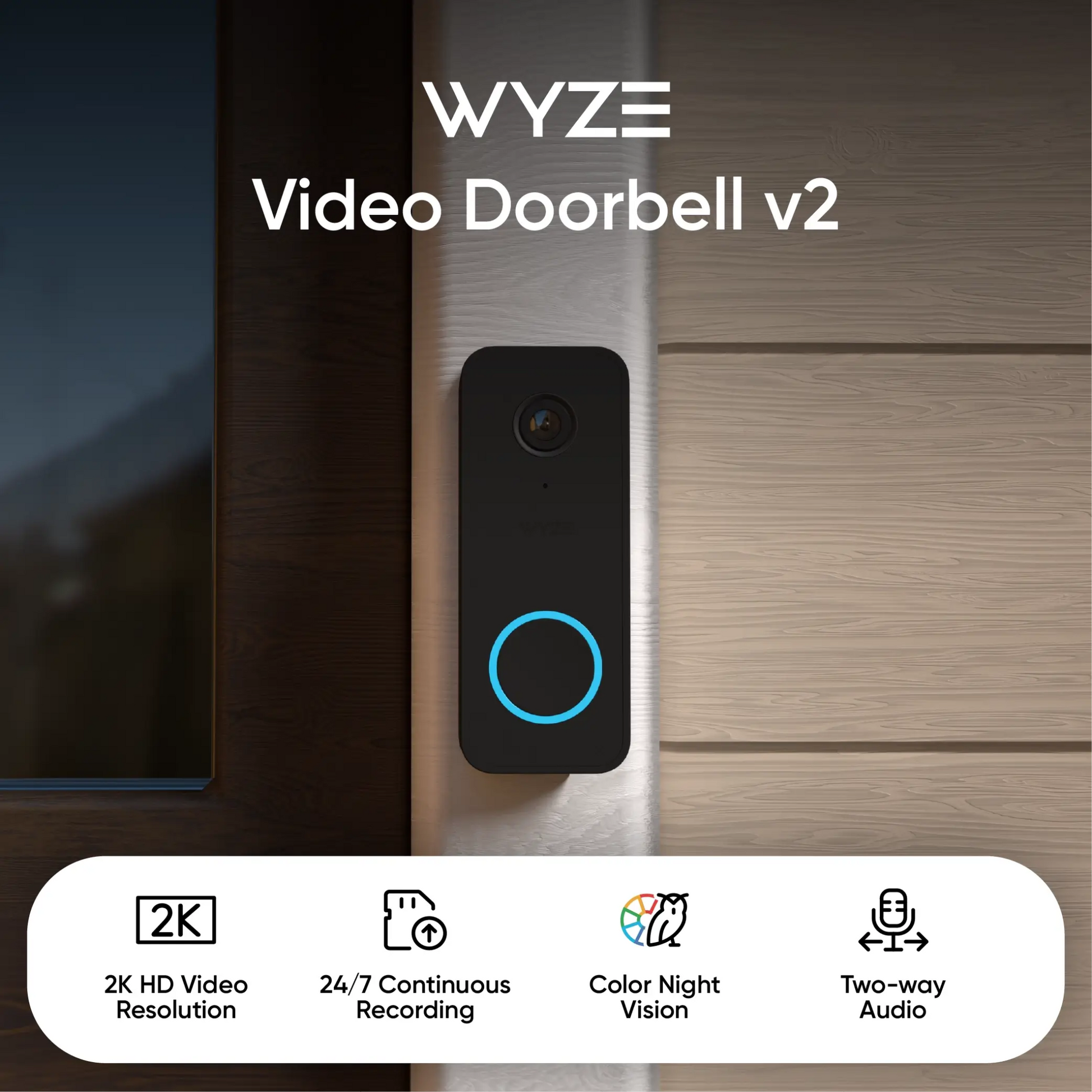
Répondez à votre porte où que vous soyez grâce à notre sonnette vidéo filaire la plus performante et la plus claire à ce jour. La sonnette vidéo Wyze v2 vous offre une vidéo 2K et un stockage local sur carte microSD, pour immortaliser chaque instant avec une précision inégalée. Profitez également des fonctionnalités essentielles d'une sonnette vidéo : audio bidirectionnel, alertes en temps réel et dissuasion vocale par détection de mouvement.
Voir les détails complets
  • A colorful logo for a company.

    Résolution vidéo 2K

    Capturez tous les arrivées et départs sur le porche avec un niveau de détail inégalé.

  • A black and white image of a clock with a small arrow pointing upwards.

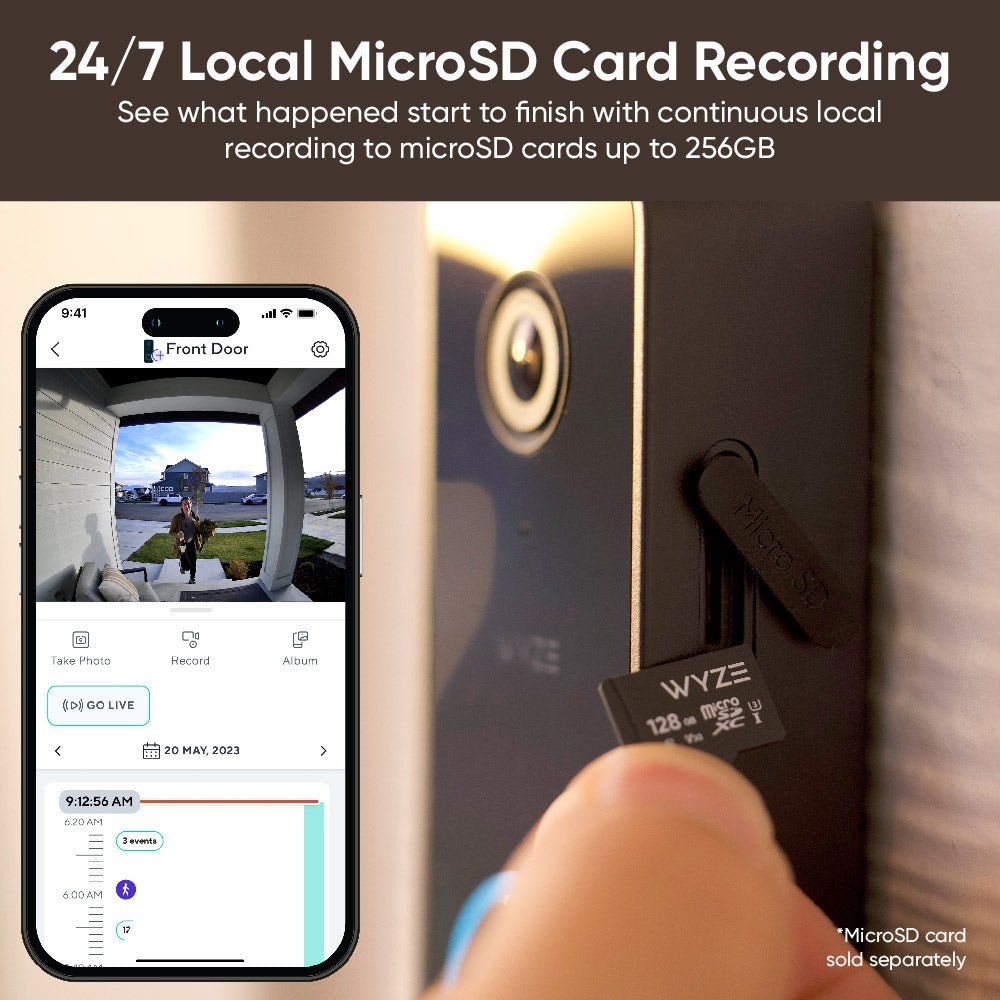
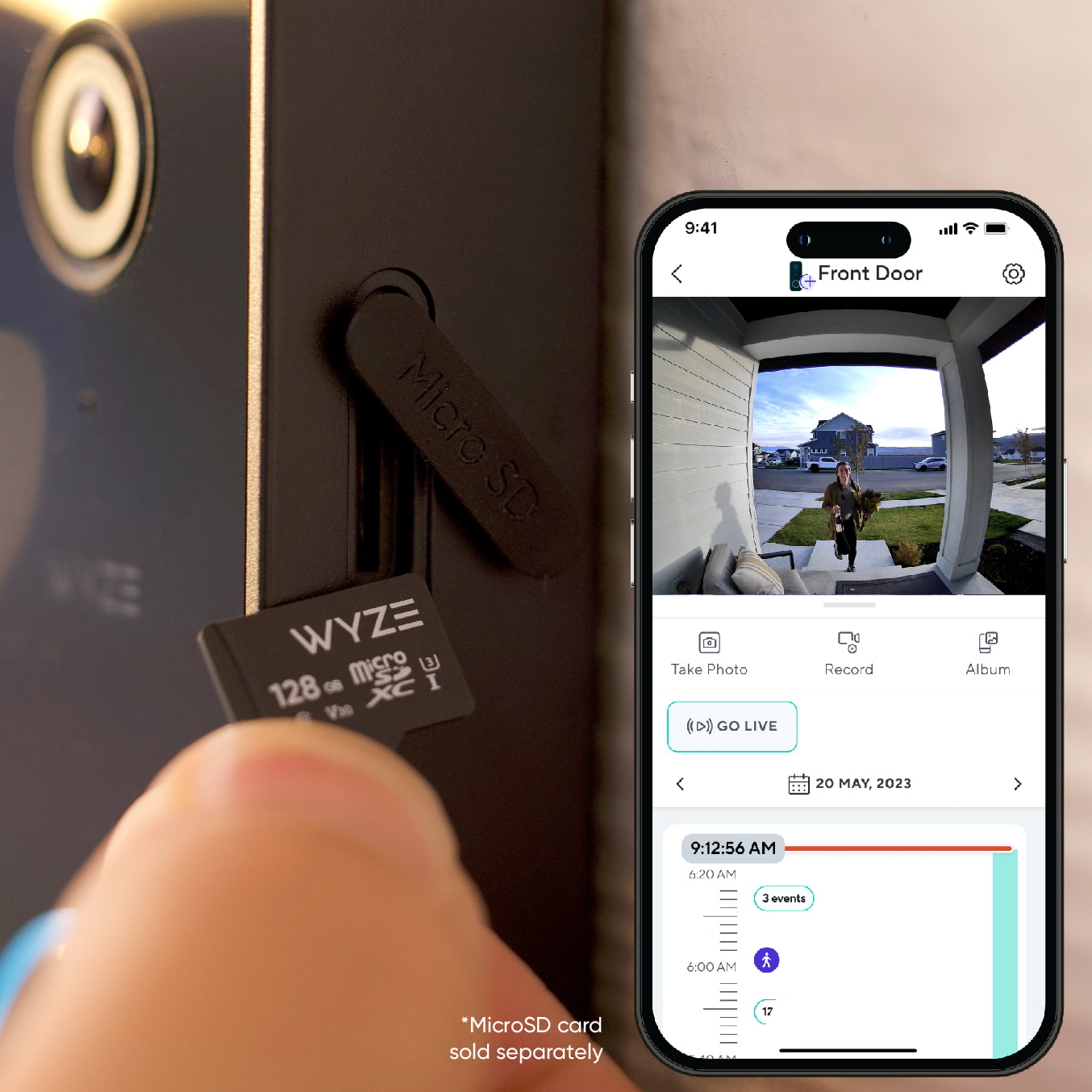
    Enregistrement 24h/24 et 7j/7 avec carte microSD

    Ne manquez rien grâce à l'enregistrement local continu.

  • A black and white image of a bell.

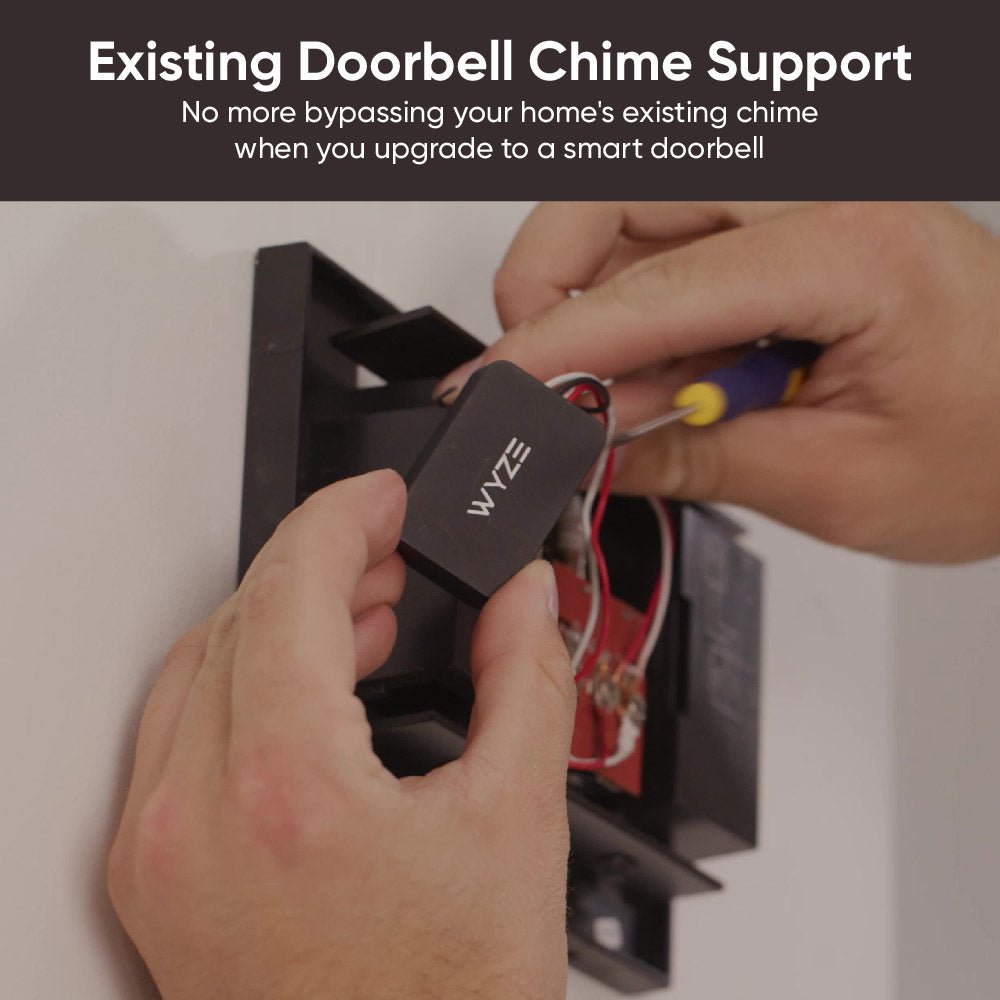
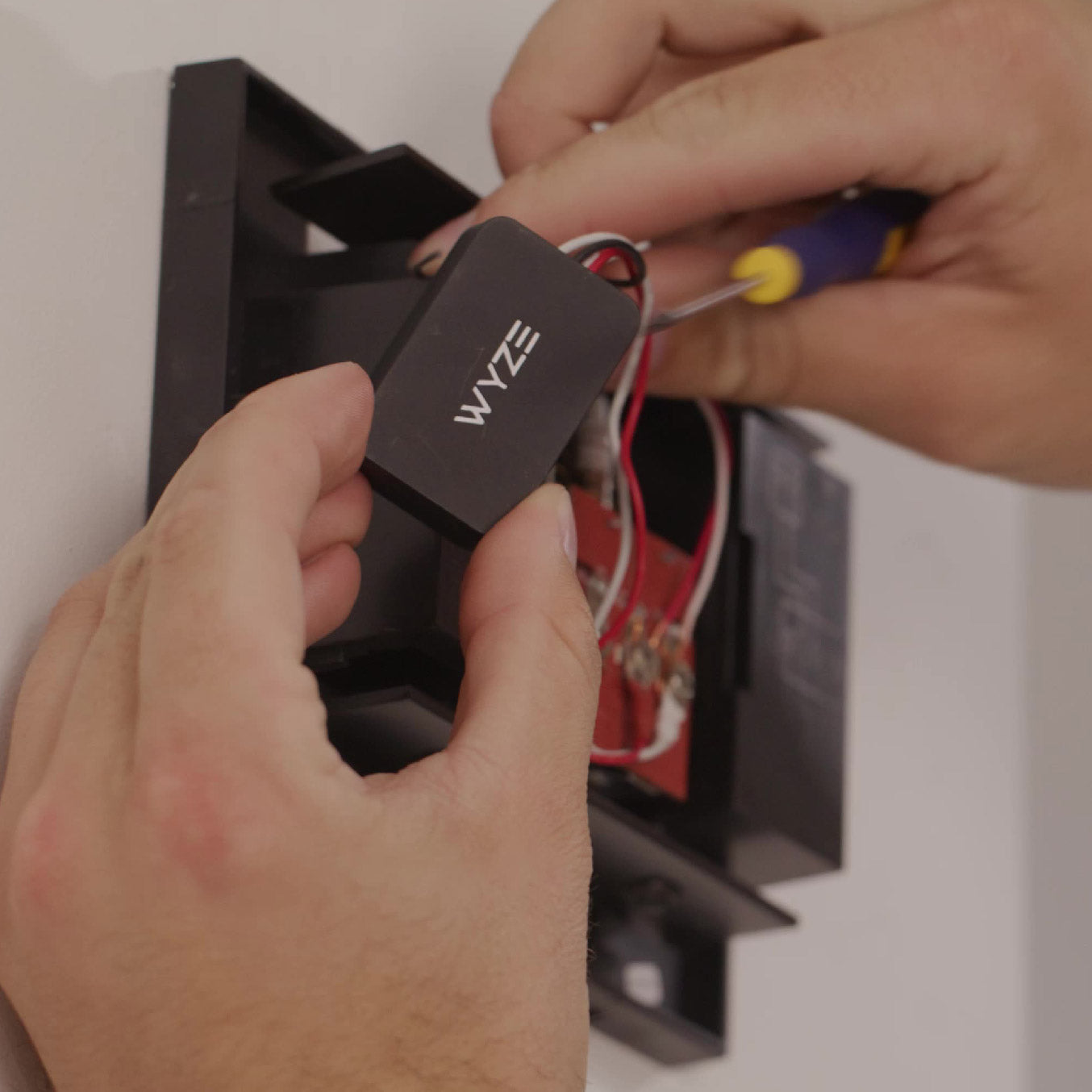
    Compatible avec les sonnettes de porte existantes

    Plus besoin de contourner la sonnette existante de votre maison lorsque vous installez une sonnette intelligente.

  • A black screen with no visible content.

    Message vocal activé par le mouvement

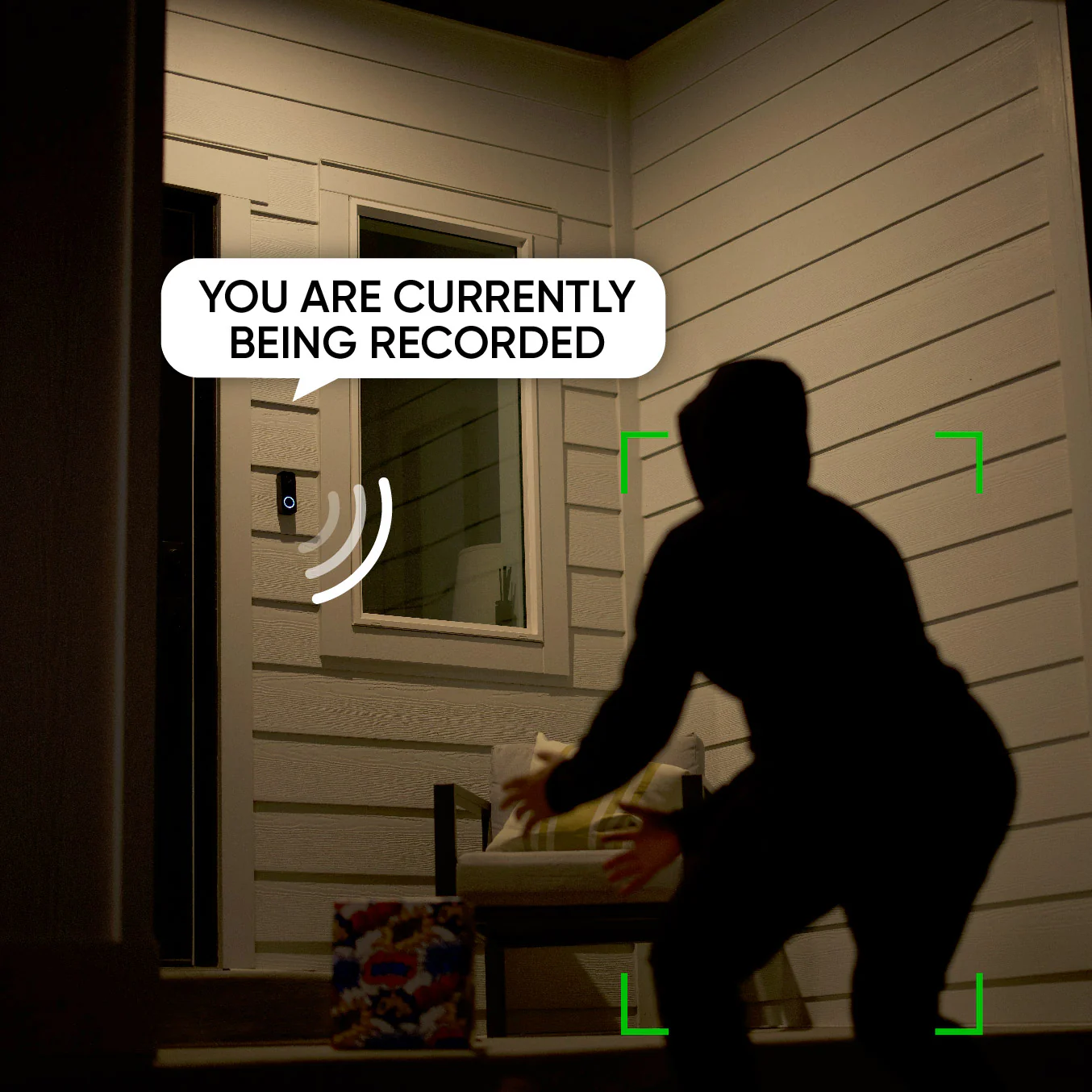
    Lorsque cette fonction est activée, un message vocal avertit les visiteurs qu'ils sont enregistrés.

    Remarque : un abonnement Cam Plus ou Cam Protect est requis pour cette fonctionnalité.

Caractéristiques de la sonnette vidéo Wyze v2

Couleurs et matériaux

  • Couleur : Noir
  • Corps : Polycarbonate
  • Lentille : résine
  • Capteur : Capteur CMOS Starlight

Dimension

  • 4,3 po x 1,7 po x 0,9 po (110 mm x 44 mm x 24 mm)

Vidéo

  • Résolution : 2K (2048 x 1536)
  • Format vidéo : H.264
  • Taille du capteur : 1/2,8"
  • Ouverture : F2.0
  • Longueur focale : 2,1 mm
Fréquence d'images
  • Jour : 20 FPS, Nuit : 15 FPS
Champ de vision
  • Horizontal : 135°, Vertical : 103°, Diagonale : 166,8°

Pouvoir

  • 16-24 V CA, ≥ 10 VA

Audio

  • Microphone : ECM (condensateur électrique)
  • Haut-parleur : 8 Ω 1 W, Boîte

Détails supplémentaires

  • Zoom : Zoom numérique
  • Mémoire flash : 16 Mo
  • Mémoire : 128 Mo
  • Fréquence d'horloge du processeur : 1,5 GHz
  • Lumière infrarouge : 6 lampes infrarouges de 940 nm

Stockage

  • Carte microSD : jusqu’à 256 Go au format FAT32
  • Cloud : lorsqu’il est associé à un forfait de sécurité Wyze

Note importante

  • Un transformateur 16 V 10 VA se situe dans la partie inférieure de la gamme d'alimentation. Son efficacité pour alimenter la sonnette vidéo v2 ou faire sonner une cloche mécanique peut être affectée par le vieillissement et l'état du câblage. Veuillez vérifier votre transformateur et votre câblage avant tout achat.

Connectivité et compatibilité

Météo et température

  • Résistance aux intempéries IP65
  • Température de fonctionnement : -4°F à 122°F (-20°C à 50°C)
  • Température de stockage : -40°F - 176°F (-40°C - 80°C)

Certifications

  • Certifications FCC, IC, UL, CA65, RoHS, REACH et IP65

Langues

  • Anglais

Garantie

  • 1 an
  • 1 sonnette vidéo Wyze v2
  • 1x Unité de contrôle Wyze Chime (Cliquez ici pourvérifier la compatibilité)
  • 1 plaque murale
  • 1x Coin (30°)
  • 1 kit d'installation
  • 3x Capuchons de fil
  • 2 rallonges électriques
  • 1x Kit de vis
  • 2 vis longues
  • 2 vis courtes
  • 2 chevilles murales
  • 1x Guide de démarrage rapide

Wyze Video Doorbell v2 is a true upgrade from our original wired doorbell, delivering some of our most requested features in a new, shiny black package. It comes with cloud and local storage (up to 256 GB) for 24/7 continuous recording, 2K resolution with an even larger diagonal FOV of 166.8º, and it now supports your own in-house chime.

Don't forget to remove your old device and the fuse wire inside your chime box before installing your new Wyze Video Doorbell v2. Otherwise, your chime may not ring!

No, Wyze Video Doorbell v2 is hardwired and does not use batteries.

Yes, Wyze Video Doorbell v2 works with most in-house mechanical chimes! However some custom, vintage, and high-end chime kits may not be compatible.

Yes, you can still use this doorbell without an in-house chime. Though even without a functioning chime, we highly recommend installing the included Wyze Doorbell Chime Controller to keep your new doorbell running smoothly.

When enabled, a voice prompt plays to alert visitors that they're being recorded. You will need either a Cam Plus or Cam Protect license to be able to use this feature. Open the Wyze app > Home > Select your Video Doorbell v2 device > Settings (cog icon) > Detection Settings > Motion Warning. You will not see this functionality if your camera does not have a Cam Plus or Cam Protect license attached to it.

The FOV is 135° horizontal, 103° vertical and 166.8° diagonal.

No, Wyze Video Doorbell v2 comes with a Chime Controller, which works with your existing in-house chime.

No, the original Wyze Chime does not work with Wyze Video Doorbell v2.

Wyze Video Doorbell v2 provides 12-second video clips when the doorbell is pressed, and if the microSD card is ejected unexpectedly. All other events will generate a snapshot. For full-length event videos, and so much more, subscribe to Cam Plus or Cam Protect.

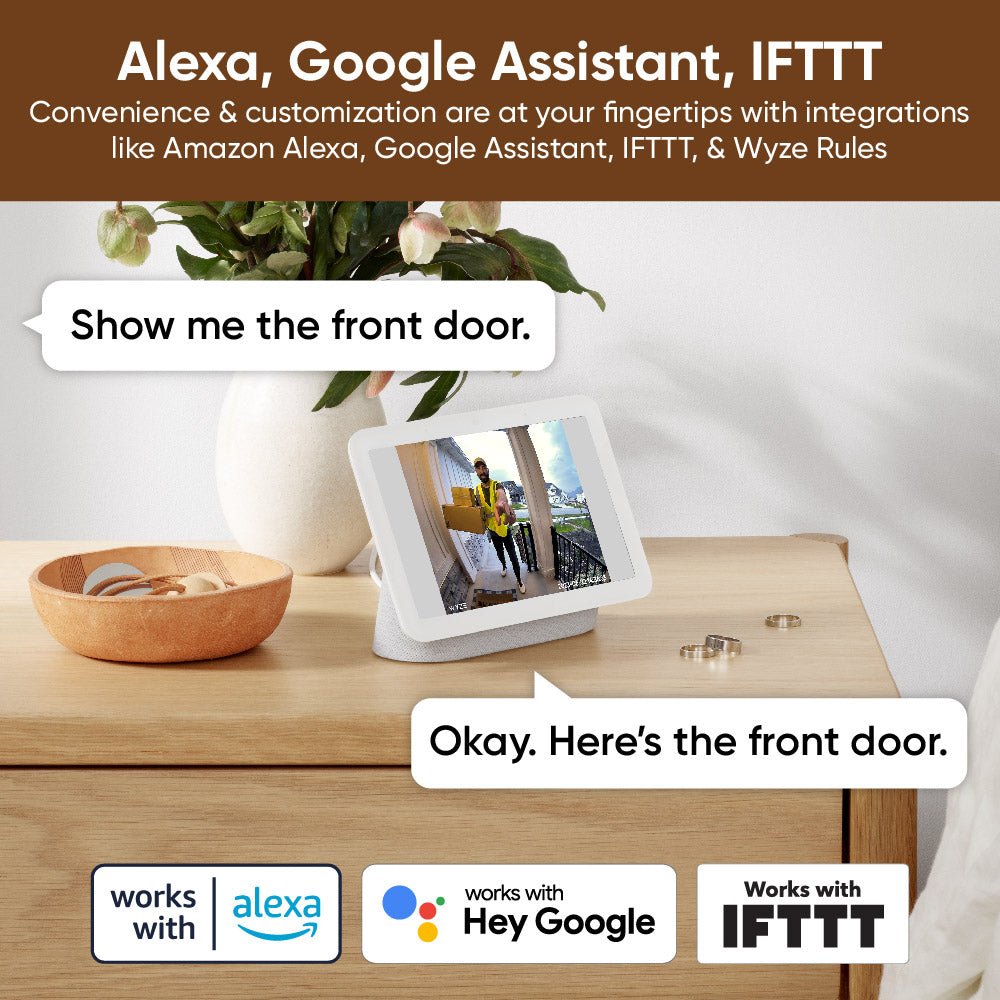
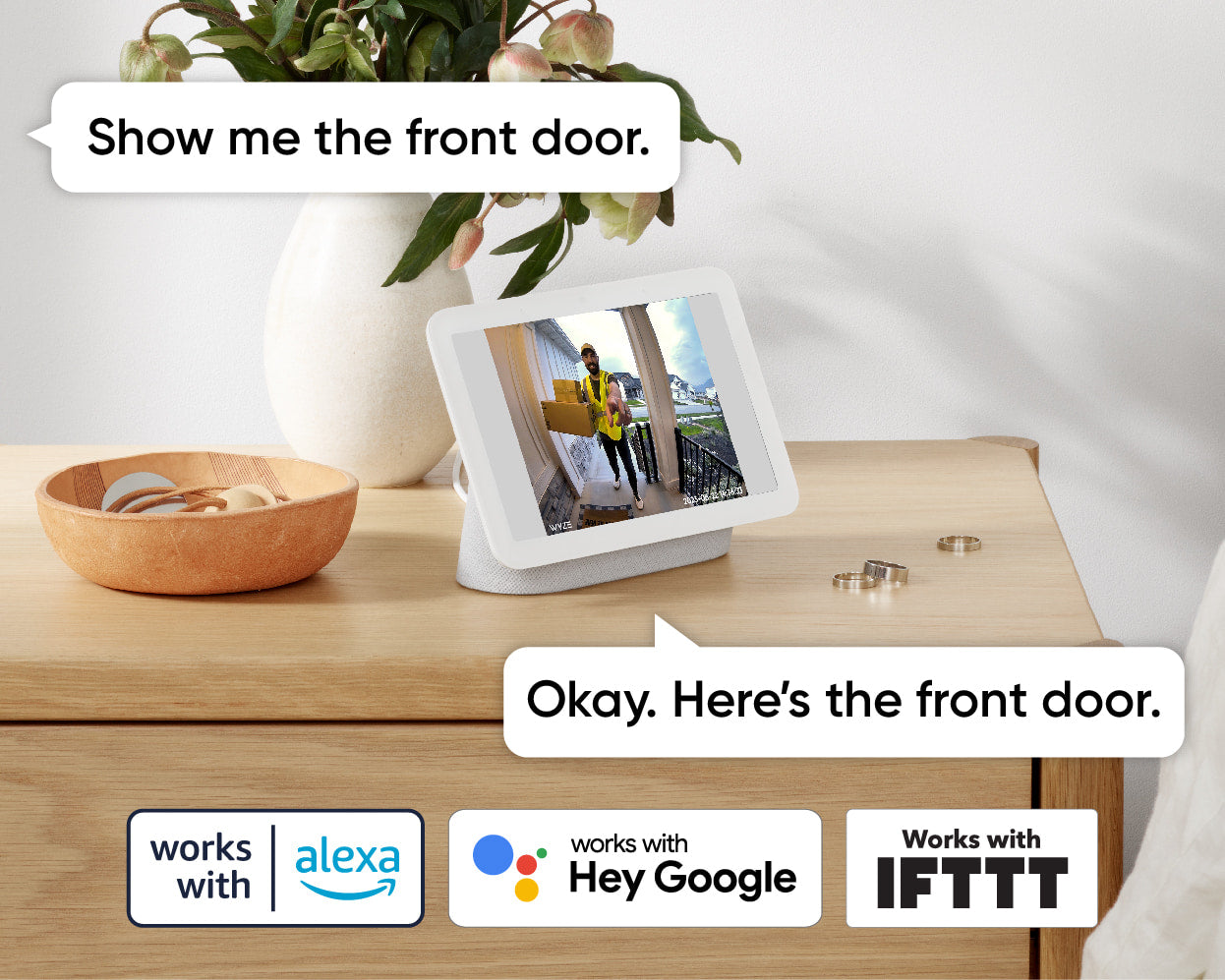
Yes! Use your smart hubs to view live video feeds of people at the door on your Echo Show and Google Home devices. For a complete breakdown of what functionality is available with Alexa or Google please take a look at this support article.

Of course! We have a range of installation and setup articles for the Video Doorbell v2 over on our support site

While we try to make sure the overall installation of Wyze Video Doorbell v2 is easy we understand that it's complex and there are many elements to consider between the camera unit, controller, chime box, and transformer. Troubleshooting can be frustrating but please take a look at our support articles for common issues and suggested solutions over on our support site.

Profitez d'une vidéo 2K d'une netteté exceptionnelle.

La vue panoramique et la résolution 2K impeccable vous permettent de capturer tous les arrivées et départs sur le perron avec plus de détails que jamais.

A man in a yellow vest is holding a box.
A person is holding a video doorbell.

Enregistrement local 24h/24 et 7j/7 sur carte microSD.

Le premier emplacement pour carte microSD intégré permet un enregistrement local continu. Vous n'aurez donc plus à vous demander ce qui s'est passé avant ou après avoir sonné à la porte.

A person is holding a black device with the word "WYZE" on it.

Compatible avec la sonnette existante de votre maison.

Plus besoin de contourner la sonnette existante lorsque vous installez une sonnette connectée. Un contrôleur de sonnette est inclus pour que vous puissiez continuer à sonner à l'ancienne.

Pour en savoir plus, consultez notre outil de vérification de compatibilité des carillons .

Dialogue bidirectionnel.

Répondez rapidement aux visiteurs en appuyant sur le bouton « parler » dans l'application Wyze.

A video doorbell is attached to a white door.
A person is standing in front of a doorbell.

Dissuasion vocale activée par le mouvement.

Rien n'est plus dissuasif qu'un message vocal automatisé informant les visiteurs qu'ils sont enregistrés. Il suffit d'activer cette fonctionnalité dans l'application Wyze.

Remarque : un abonnement Cam Plus ou Cam Protect est requis pour cette fonctionnalité.

A boy wearing a helmet is skateboarding in front of a house.

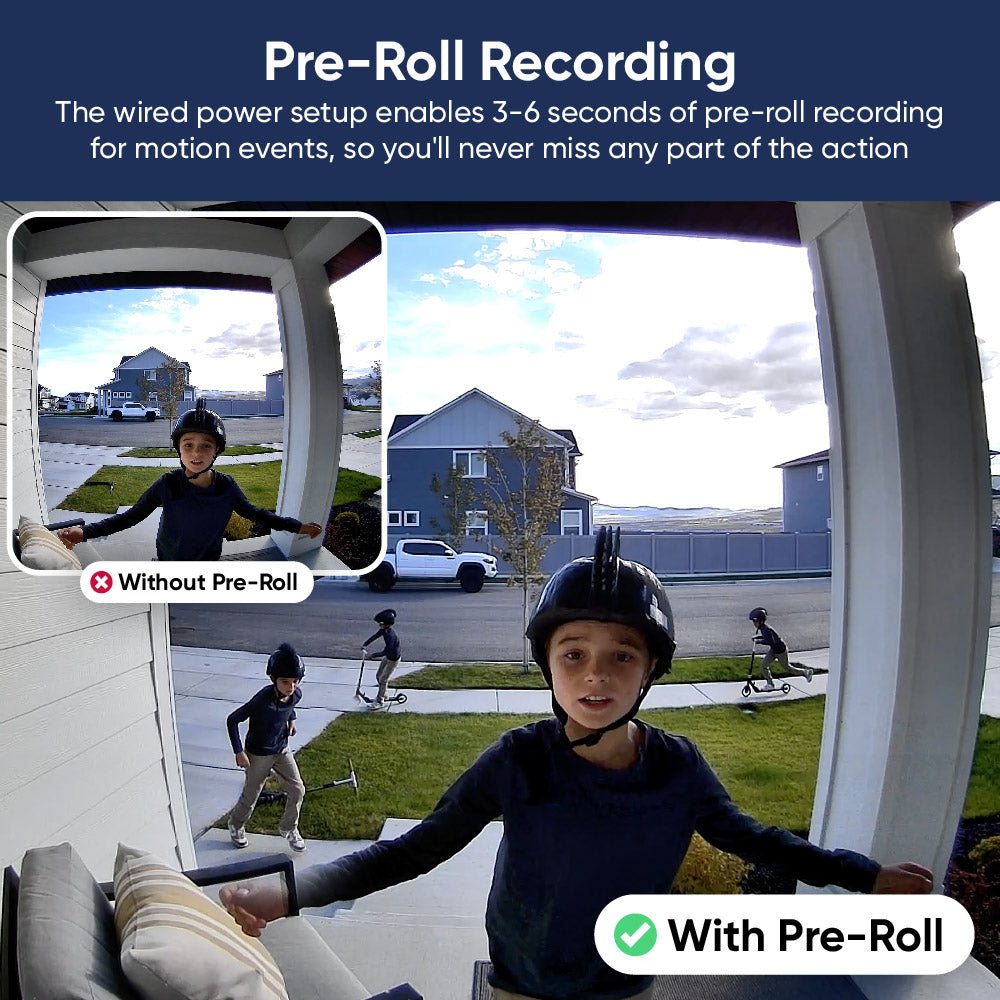
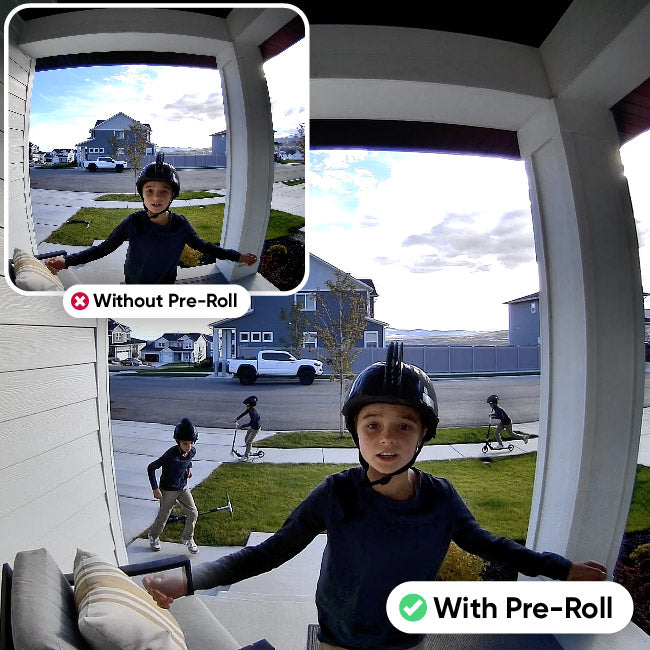
Enregistrement vidéo avant la lecture.

La configuration d'alimentation filaire permet un enregistrement de pré-déroulement de 3 à 6 secondes pour les événements de mouvement, vous permettant ainsi de capturer la scène avant même que le mouvement ne commence.

De plus, toutes les fonctionnalités que vous appréciez.

A man is holding a box in front of a doorbell.

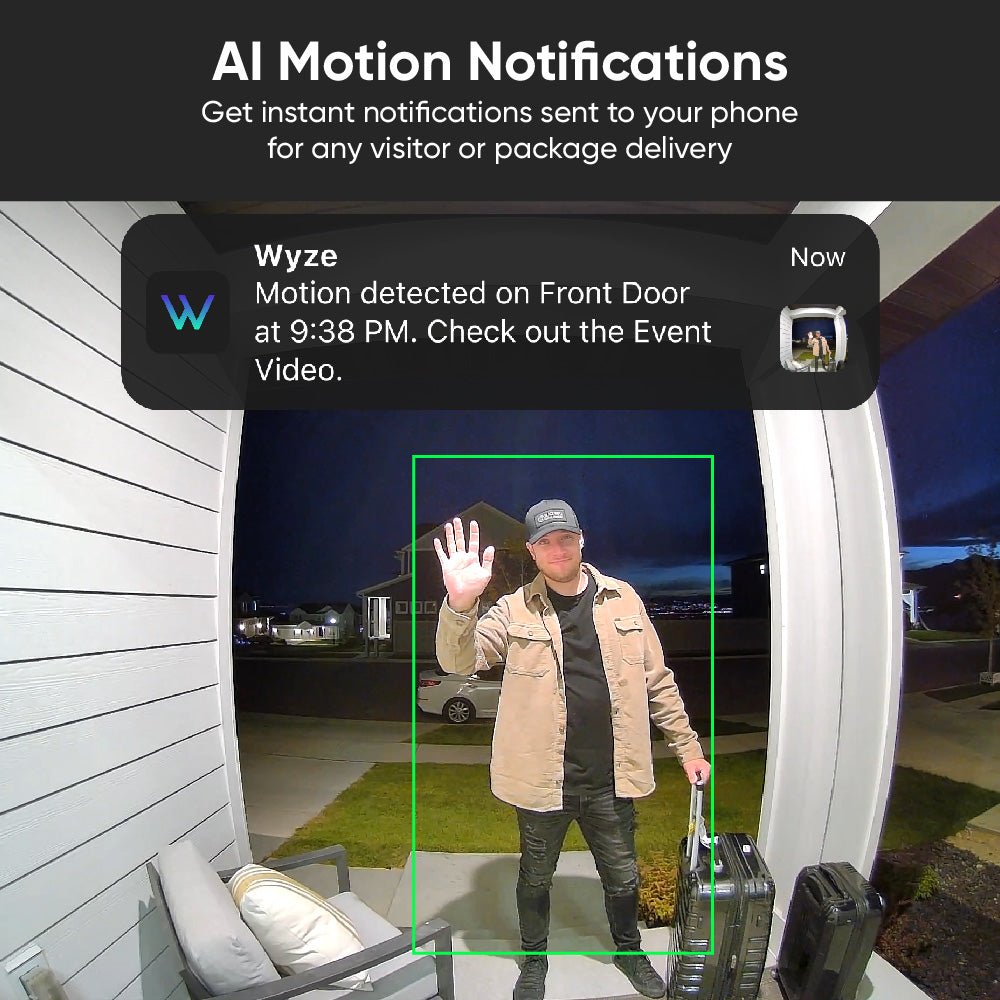
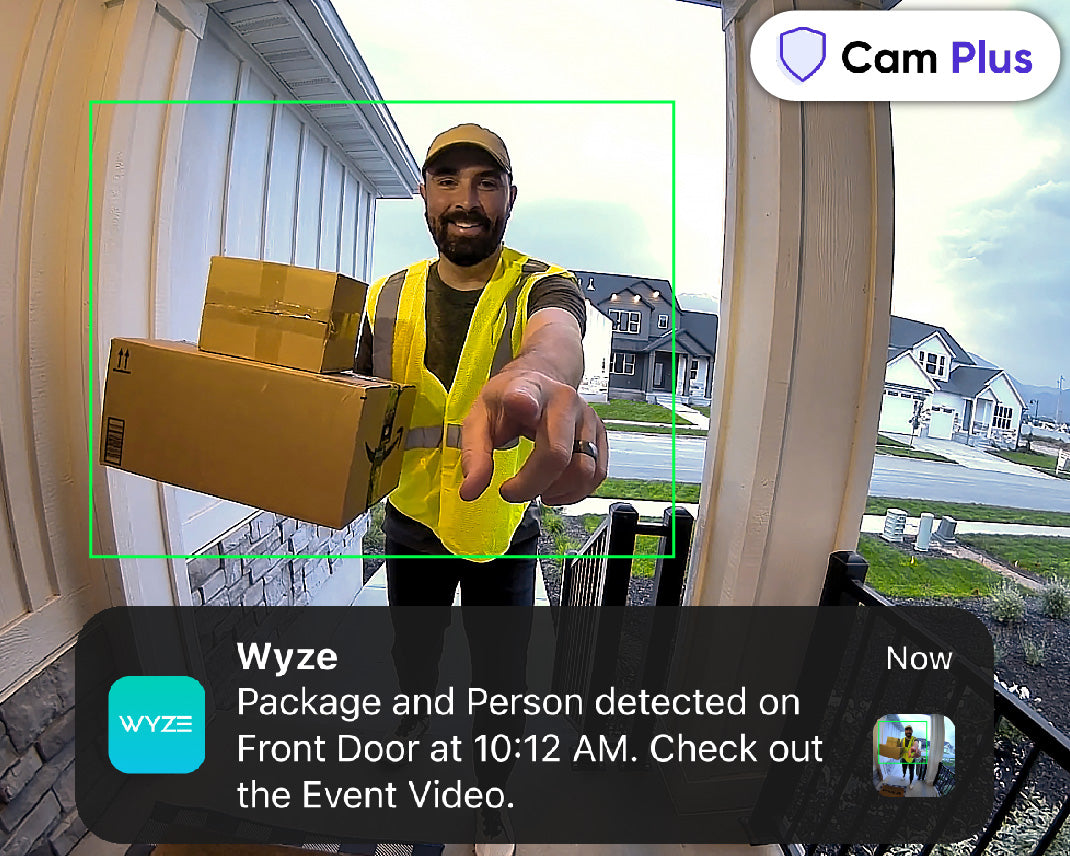
Bénéficiez de la détection par IA avec Cam Plus.

Détection de personnes et de colis, et bien plus encore avec Cam Plus. Profitez également d'un stockage vidéo illimité dans le cloud et de notifications plus intelligentes.

A black smartphone with a blue circle on the front.

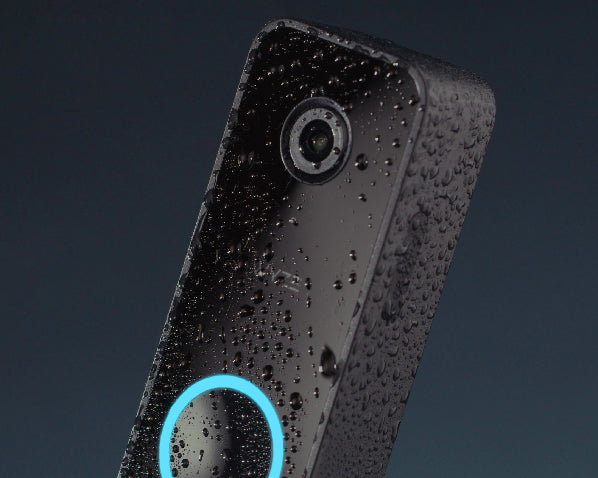
Étanchéité IP65.

Conçu pour résister à toutes les intempéries. Surtout aux intempéries du genre « il pleut des colis, ce qui signifie que mon partenaire a encore explosé sa carte AMEX ». C'est le pire des temps.

A man wearing a hoodie is standing on a porch holding a box.

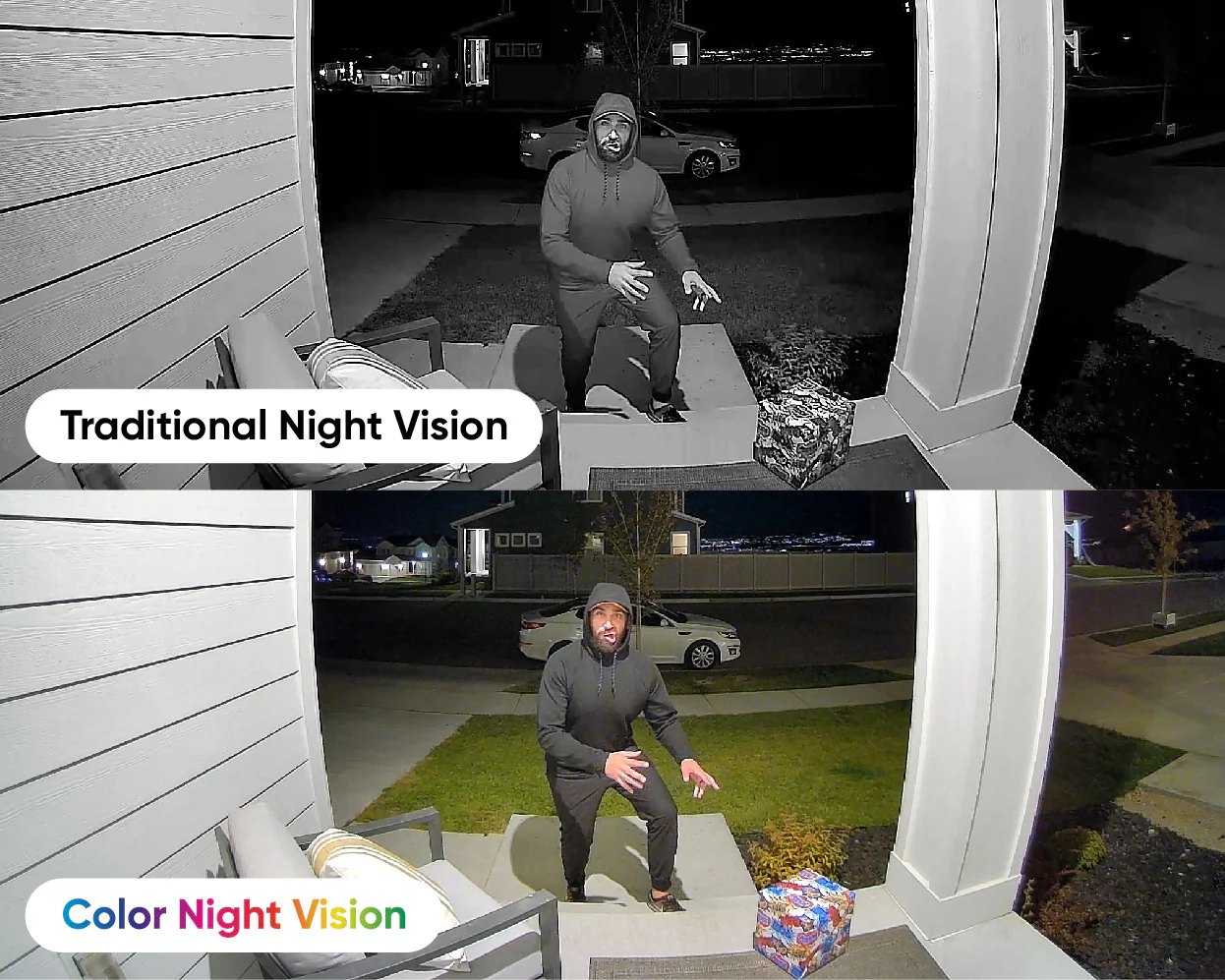
La nuit aussi claire que le jour.

Doté de notre capteur de lumière stellaire primé pour une vision nocturne couleur incroyable. Vous savez ce qui a aussi reçu un prix ? La tête de ce type. On dirait un véritable désastre ambulant.

A white doorbell with a picture of a person on it.

Compatible avec Alexa et Google Home.

Utilisez vos appareils Amazon Echo, Alexa et Google Home pour visionner en direct les images de votre sonnette. Grâce à Cam Plus, recevez même des alertes intelligentes lorsqu'une personne est détectée à votre porte.

A black video doorbell with a blue circle on the front.
A smartphone app with a video doorbell.
A smartphone screen displaying a video doorbell.

Un support de montage incliné est inclus avec chaque sonnette pour vous aider à obtenir une vue parfaite.

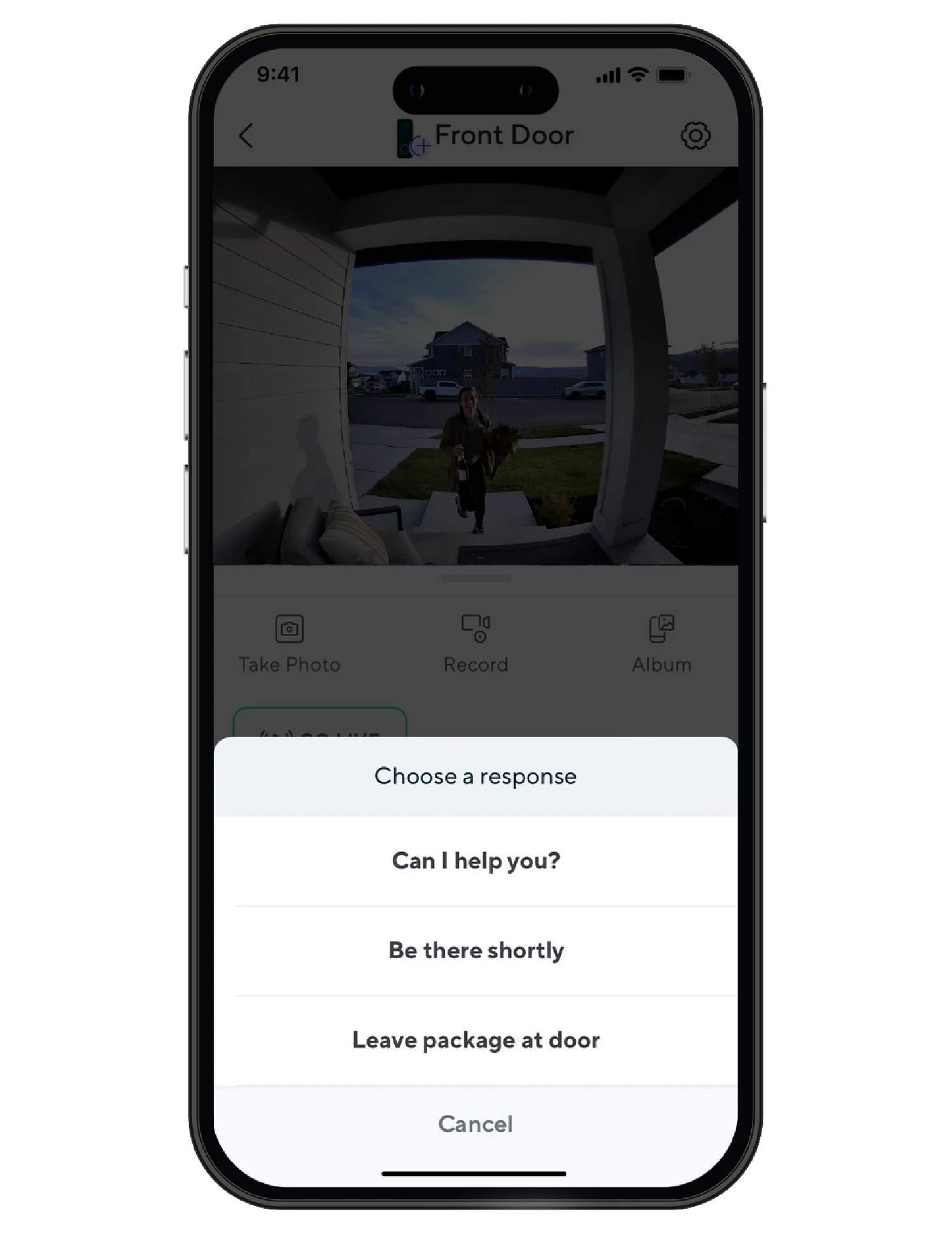
Utilisez des réponses rapides prédéfinies pour que la sonnette dise des choses comme : « J'arrive bientôt » ou « Déposez le colis devant la porte ».

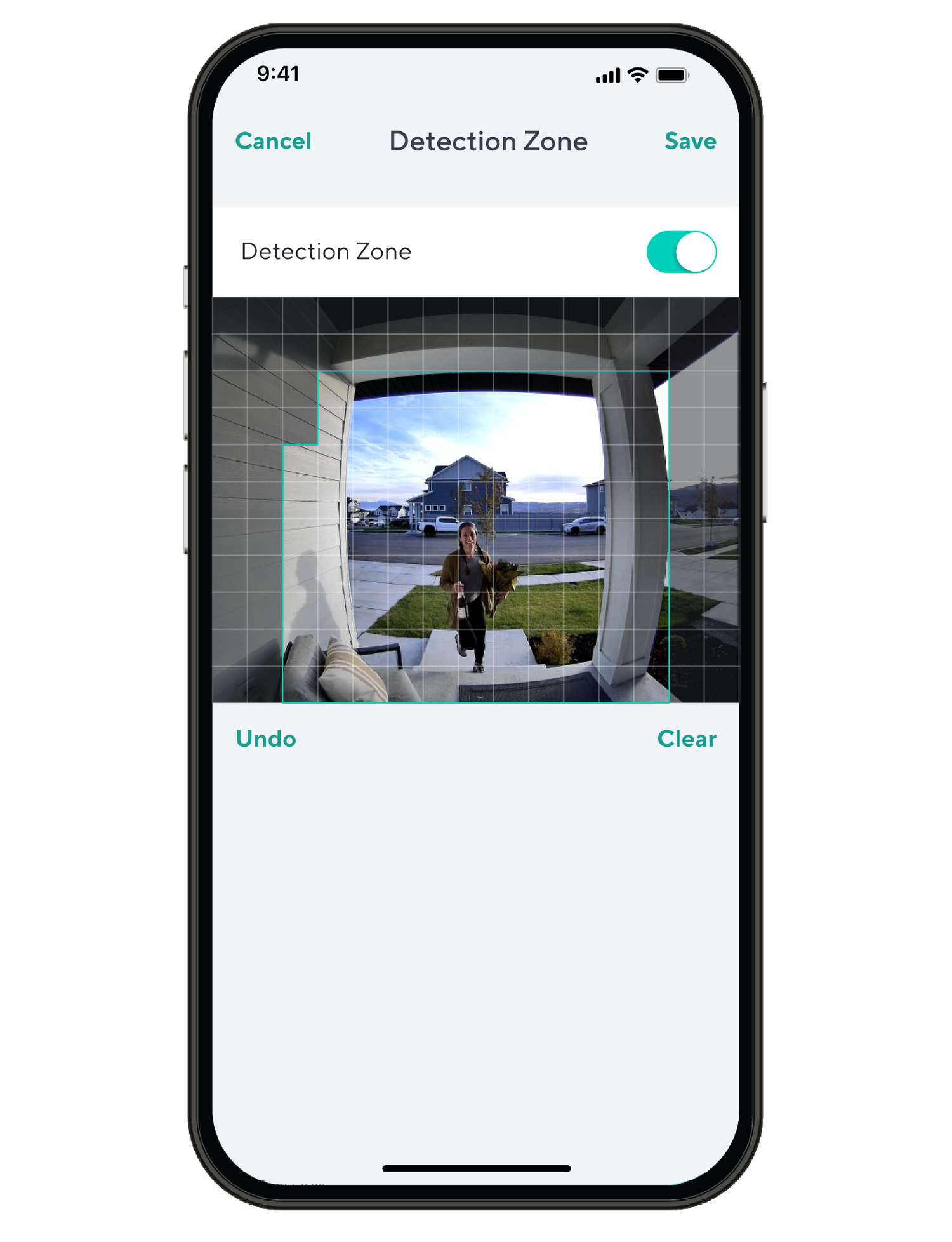
Définissez des zones de détection personnalisées afin de ne recevoir des notifications de mouvement que dans les zones qui vous intéressent.

Ne laissez aucun dong intact.

Voici un résumé détaillé expliquant pourquoi la sonnette vidéo Wyze v2 est la meilleure sonnette vidéo intelligente du marché.

Comparer les sonnettes

Swipe to compare more products →
Comparer les sonnettes
Wyze Video Doorbell v2: Une sonnerie intelligente avec un contrôleur de chime, entièrement testée et garantie de fonctionner.
Sonnette vidéo Wyze v2
from $59.99 $84.98
Résolution
2048 x 1536 (2K)
Champ de vision
H : 135°, V : 103°
Carillon
Existant
Option d'alimentation
Filaire uniquement
Intégration 3P
Amazon Alexa, Google Home
Rangement
Local et cloud
View

Support Articles

Before you begin setup

An existing wired mechanical doorbell is required to use Wyze Video Doorbell v2. The existing circuit must have a minimum voltage of 16V-24V and power output of 10VA.

Important: A 16V 10VA transformer is at the low end of the power supply spectrum. Wire age and other wiring conditions can affect how well it powers your Wyze Video Doorbell v2 or rings your mechanical chime. Please consider your wiring and transformer before continuing.

An existing in-house mechanical chime is also required, though it is not required to be functional.

What’s in the box?

Required

  • 1x Phillips Screwdriver
  • Existing wired doorbell and chime

To set up your Wyze Video Doorbell v2:

  1. In the Wyze app, tap Home, then tap + plus sign on the top right.
  2. On the Add menu, tap Device.
  3. Tap Cameras > Video Doorbells > Wyze Video Doorbell v2.
  4. If you’ve already installed your new doorbell, tap Click here to skip the installation tutorial. If not, tap Next and walk through installing the chime controller and doorbell or check out our Wyze Video Doorbell v2 Installation Guide.
  5. On the back of the doorbell, press and hold the SETUP button until it says “ready to connect” and the status light starts flashing orange. The doorbell may say “ready to connect” without pressing the SETUP button. If so, continue.
  6. In the app, tap I heard "ready to connect."
  7. If you haven’t already enabled Location Permissions for the Wyze app, you will see a screen prompting you to do so. Once enabled, tap OK.
  8. Select your 2.4 GHz Wi-Fi network and enter your network password. Tap Next.
  9. Scan the QR code displayed in the app with your doorbell. Hold your phone screen with the QR code displaying up to your doorbell. It will say “QR code scanned, please wait” then “setup completed”.
  10. In the app, check the box next to I heard, ‘QR code scanned’. Tap Next.
  11. You’re set up, it’s time to name your device. Name your Wyze Video Doorbell v2 using the text field, or by choosing a suggestion. Tap Finish when done.
  12. Choose between the Basic plan (no subscription) or Cam Plus. Tap Continue.
  13. Set up some automations on the Things to Try* page, or tap Skip.
  14. Verify that your doorbell’s status light is solid blue, then tap Next.
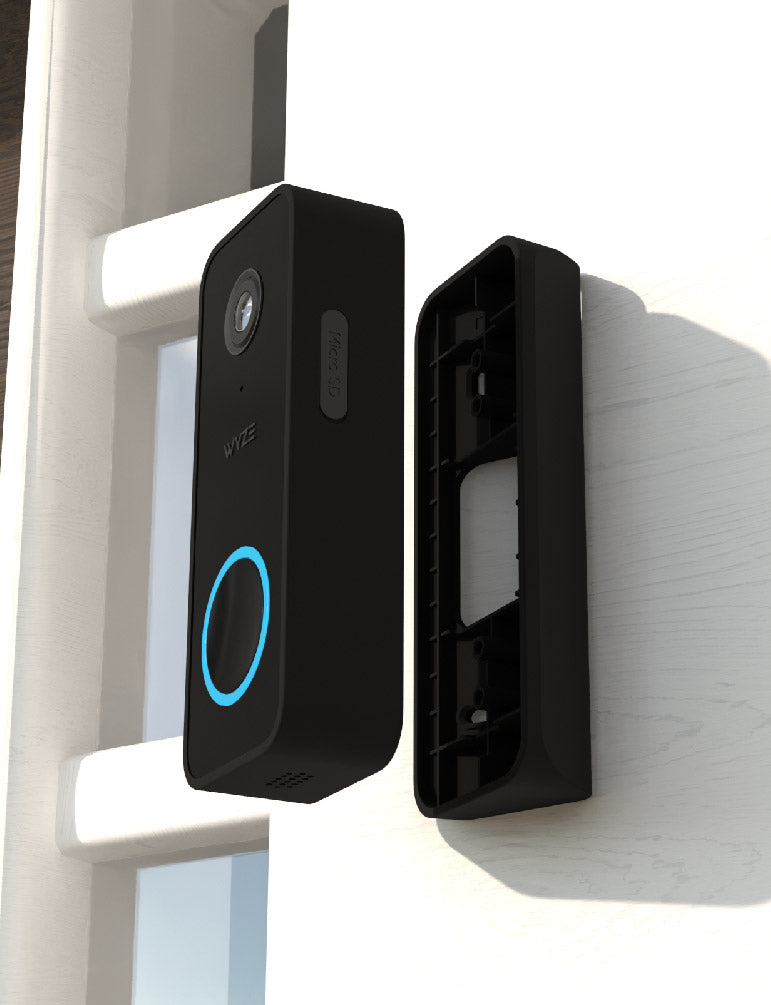
  15. Attach your doorbell to the wall plate. Place your doorbell onto the wall plate while aligning the holes on the back of the doorbell with the ridges on the plate. Then slide the doorbell downward to lock it into place. Tap Next.
  16. You’re all set! Tap Finish and enjoy your new Wyze device!

Things to Try: Tap Create or edit a device group, Share this device, Automate your device, or Skip. These are quick ways to set up a few automations before you finish setup. When you complete a task, it'll display a green checkmark ✅. You can move on from this page by tapping Skip.

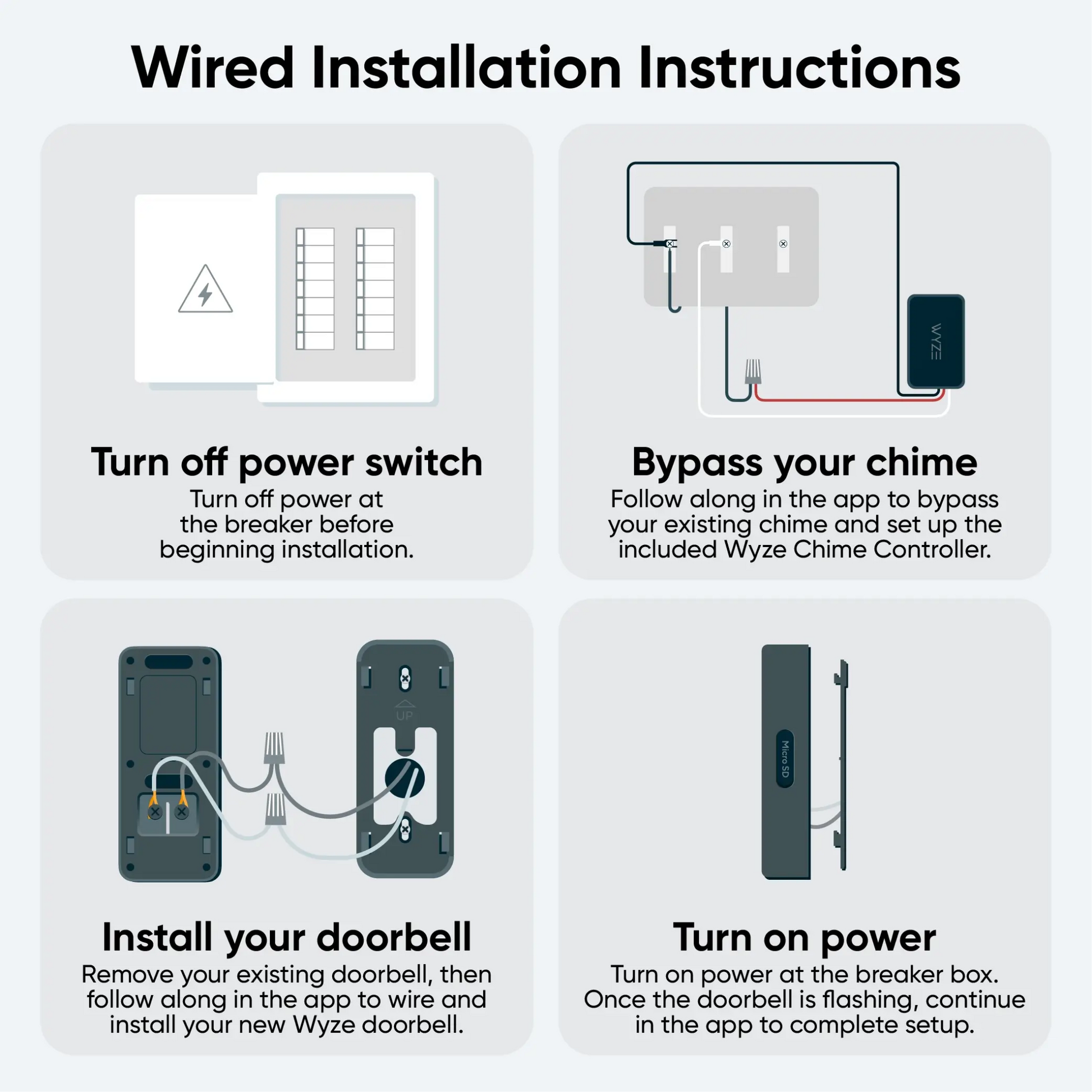
Installing your Wyze Video Doorbell v2 starts with connecting the chime controller to your existing chime. Then, simply connect your doorbell to power and mount it!

⚡️ An existing wired mechanical doorbell and chime is required to install Wyze Video Doorbell v2. The existing circuit must have a minimum voltage of 16V-24V and power output of 10VA.

What’s in the box?

To install your Wyze Video Doorbell v2:

In the Wyze app, complete steps 1-2 in the Wyze Video Doorbell v2 Setup Guide.

Continue below, following along in the Wyze app to wire your chime controller.

  1. In the Wyze app, tap Home, then tap the plus sign + on the top right.
  2. On the Add menu, tap Device.
  3. Tap Cameras > Wyze Video Doorbell v2.
  4. Tap Next.
  5. Check the box next to "I have a screwdriver and existing wired doorbell." Tap Next.
  6. Verify that you have all of the items required for installation. Tap Next.
  7. Verify once more that you have the items required for this step, then tap Next.
  8. Press your existing doorbell button to check that it works as expected. Tap Next.
  9. Turn off power to your existing mechanical doorbell at your electrical panel.
  10. Press the doorbell button again to check that the power is turned off. Tap Next.
  11. Open your chime box and take a photo of your current wiring. Tap Next in the app.
  12. Select the option in the Wyze app that best matches your chime's wiring setup and follow along in the app to connect the wires to the correct terminals. Typically, homes with 1 doorbell have 2 wires, homes with 2 doorbells have 3 wires, etc.
  13. Your Wyze Doorbell Chime Controller installation is complete! Close the chime box and prepare to install the doorbell. Tap Next.
  14. Verify that you have all of the items needed to install your doorbell, then tap Next.
  15. Gently remove your old doorbell and disconnect the wires. Tap Next.
  16. Specify where your doorbell is located in relation to your door. Tap Perpendicular or Parallel.
  17. Use the in-app graphic to determine if your setup would work best with or without a wedge. If a flat/straight view would work best, select Wall Plate and tap Next.If an angled view would work best, select Wedge and tap Next.
  18. Place the wall plate at your desired mounting location and mark the screw holes. Remove the wall plate then drill the screw holes and insert the wall anchors. Tip: We recommend installing 4.3 feet (1.2 meters) from the ground.
  19. Pass the wires from the wall through the middle of the wall plate. Then screw the wall plate to the wall.
  20. Use the screwdriver to loosen the screws on the back of your doorbell and attach the forked end of the extension wires to the screws. Then tighten the screws.
  21. Pair the loose wire ends, cover them with the provided wire caps, and twist the caps to fasten them securely. Tap Next. Note: If you can’t use the extension wires due to space limitations, connect the wires from the wall directly to the screw terminals on the doorbell.
  22. Press the doorbell against the wall plate and slide down to secure in place. To remove the doorbell, press the doorbell and slide it up before pulling away from the wall plate.
  23. Turn on the power to your new doorbell and wait for it to flash orange before continuing.
  24. Hooray! You’re ready to finish setting up your Wyze Video Doorbell v2.

Return to the Wyze Video Doorbell v2 Setup Guide to complete doorbell setup.

Note: Wyze Video Doorbell v2's back plate screw slots have a center distance of about 3 inches with ~0.5-inch tolerance based on the slot length.

Wyze Video Doorbell v2 is compatible with nearly every mechanical chime out there, even broken ones. But here's how to double-check if your existing chime is compatible with this doorbell.

1. Check your Transformer and Voltage

Wyze Video Doorbell v2 requires a power input of 16-24V AC. If your chime is battery-powered, then it is NOT compatible with this doorbell.

If your chime is AC-powered, please check your transformer (near your chime box) to see if the power output is within the required range. If it is not, your chime system is NOT compatible with this doorbell.

If you cannot find a transformer, your house may have an Integrated Chime system. This means the device is integrated Chime & Transformer into one part. Though some of these systems will also provide low output voltage within the required range. Due to complicated circuit designs, they are still NOT compatible with DBV2.

Integrated chime systems take an 110V input directly. Please DO NOT make any changes to it without a license/permit.

2. Check your Chime Box Terminal

When checking your chime box, you will typically find 2 or 3 screws connected to wires labeled “FRONT”, “BACK/REAR”, and “TRANS” (or simply “F”, “R”,” T”). These are called terminals.

If your terminals have different labels (“0”,”1”,”2”), please check the Wyze Video Doorbell v2 Quick Start Guide to identify the wires and set up your chime in the Wyze app.

If you chime has terminals labeled “Computer” or“COM," this means the chime could be a chip-controlled chime system and will be NOT compatible with Wyze Video Doorbell v2.

3. Check your Chime Striking Type

Mechanical chimes have a chime sound caused by a mechanical movement, typically by a striking metal reed. If your chime makes a short "ding" or "ding-dong" sound, then it's a typical mechanical chime and should be compatible with Wyze Video Doorbell v2.

However, some older chimes make a long or slow series of striking sounds like “ding... ding... ding... ding." In these chimes, the striking parts move multiple times while chiming, instead of one short burst. Due to this different powering and cut off mechanism, these chimes are NOT compatible with Wyze Video Doorbell v2.

Wyze Video Doorbell v2 and its Wyze Doorbell Chime Controller are not compatible with:

If you have one of the chime types shown above, we suggest picking up our Wyze Video Doorbell Pro. Wyze Video Doorbell Pro bypasses your existing chime, and pairs with its own chime via Bluetooth®.

Added to your cart
Livraison GRATUITE pour les commandes de 59 $ et plus
Subtotal
$0.00
View cart