Skip to product information
1 of 8

Wyze Cam v4

Wyze Cam v4

2.5K Camera with Night Vision & Spotlight

£37.98GBP
In stock
Get it as soon as
30-day hassle-free returns.

2.5K HD Video

Color Night Vision

2 Way Audio

Free Returns

Get unmatched security with Wyze Cam v4. Crystal-clear 2.5K QHD resolution, Enhanced Color Night Vision, and motion-activated spotlight keep your home safe day or night. Plus, 24/7 local recording, Wi-Fi 6 support, and compatibility with Alexa and Google Assistant for ultimate convenience. 

Why buy direct from wyze.com

  • 18-month warranty — six months longer than the standard 12 you'll find elsewhere.
  • Free 30-day returns — if it's not right, let us know and send it back at no cost.
  • Free UK delivery on orders over £59.
View full details
  • A colorful logo of a wheel with a red arrow pointing to the bottom.

    2.5K QHD Resolution + Color Night Vision

    See every detail clearly in vibrant color, day or night.

  • A smartphone with a lock icon on it.

    Indoor Security

    Capture images and video in greater detail with 2.5K Quad High Definition clarity.

  • A black background with a white spotlight icon.

    Motion-Activated Spotlight

    Automatically trigger the LED light and voice prompt for extra security.

  • A purple and white shield with a white background.

    Person Detection and more

    With Cam Plus, you get unlimited video length storage and advanced AI detection.

Wyze Cam v4 Specs

Colors & Materials

  • Colors: White and Grey
  • Body: Polycarbonate
  • Lens: Glass + Plastic
  • Lens FOV: DFOV 115.8°, HFOV 98.5°, VFOV 53.1°
  • Sensor: CMOS Starlight Sensor
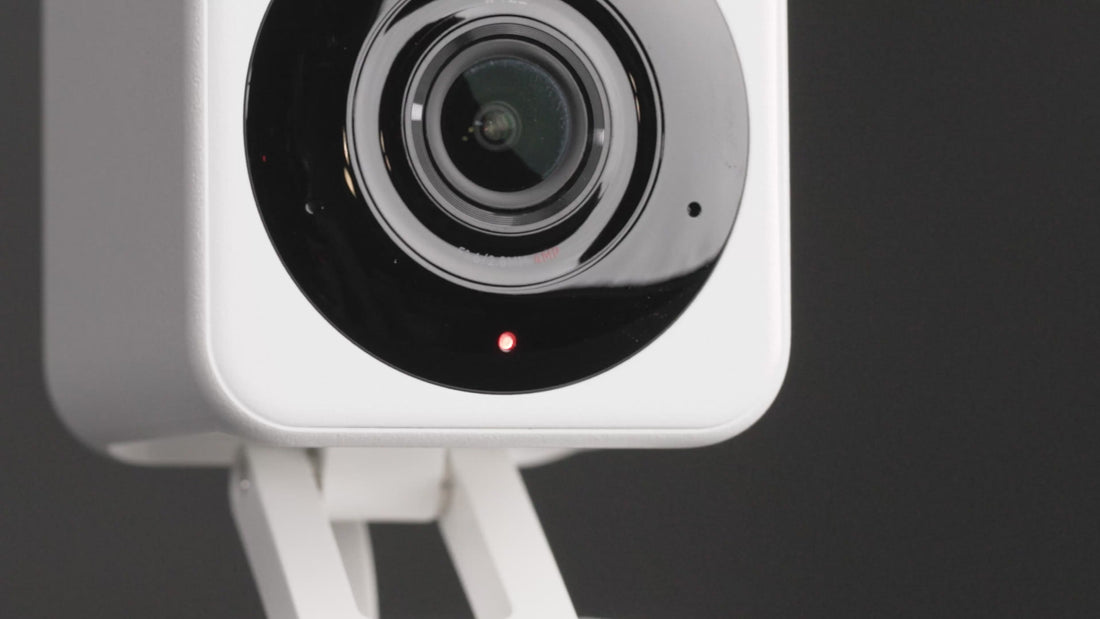
  • LED Indicator: Front. Red + Blue.

Dimensions & Weight

  • 2in x 2in x 2 3/8in
  • 0.49 lb (222 g)

Mounting

  • Stand, wall mount, ceiling mount,
    or magnetic wall mount (adhesive)

Power

  • Power Adapter: Input 110-240 V (AC/DC), Output Indoor 5V/1A
  • Cable: 6-Foot Flat micro USB to USB-A

Video

  • Resolution: 2.5K QHD (2560x1440)
  • Digital Zoom: 8x
  • Wide Dynamic Range (WDR): Yes
  • IR Lights: 4x850 nm
  • Day/Night Vision: Yes
  • Night Vision: 4 IR LEDs (850 nm) + 2 white spotlight LEDs (72 lumens)
  • Color Night Vision: Yes
  • Video Encoding: H.264
  • Video FPS: Daytime 20 FPS / Nighttime 15 FPS

Audio

  • Speaker: 99dB, waterproof
  • Simultaneous 2-way Talk: Yes
  • Built-in Siren: Yes
  • Noise & Echo Cancellation: Yes

Connectivity & Compatibility

  • Bluetooth® 5.2
  • Wi-Fi: 2.4 GHz Wi-Fi, Wi-Fi 6
  • Phone Compatibility: Android 9.0+, iOS 15.0+
  • Integrations: Alexa, Google Assistant, IFTTT

Storage

  • Local (microSD card required)
  • MicroSD card up to 512 GB
  • Cloud (with subscription plan)

Weather & Temperature

  • Operating temp: -4ºF - 122ºF (-20ºC - 50ºC)
  • Storage temp: -40°F - 158°F (-40°C - 70°C)

Warranty

  • 1-Year
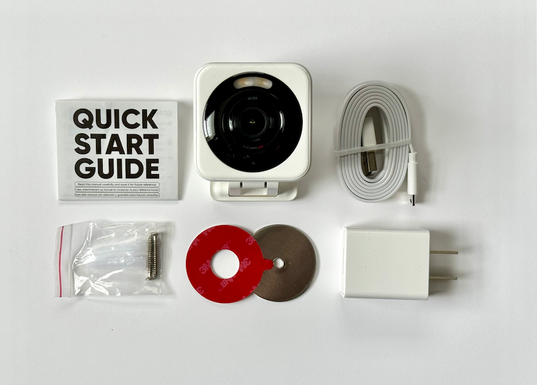
A box with a camera and a guide.

Included in a 1 pack:

  • Wyze Cam v4 x1
  • Quick Start Guide x1
  • Wall Mount Plate x1
  • Wall Mount Plate Tape x1
  • Screw Kit x1
  • Indoor USB Power Adapter x1
  • 6-Foot Flat micro USB to USB-A cable x1

Note: The camera and USB cable will be either white or grey, depending on the colorway chosen.

Wyze Cam v4 is our best camera yet, with super-clear, 2.5K QHD resolution and enhanced Color Night Vision. Our new audio technology now removes harsh and static sounds better than ever before. You can use Wyze Cam v4 indoors and outdoors, and use its built-in spotlight and Motion Warning feature to deter intruders. With Wi-Fi 6 capabilities, you can get better connectivity, and with Smart Focus on the Live stream, you can catch important details in motion while still viewing the bigger picture.

Wyze Cam v4 is a wired camera. It is not wireless or battery powered. It is powered via the included 6 ft USB cable.

Yes, Wyze Cam v4 is IP65-rated and can be used both indoors and outdoors.

2.5K QHD (2560x1440).

No, Wyze Cam v4 only supports 2.4 GHz networks.

Wyze Cam v4 is equipped with a starlight sensor that allows the camera to see color in extremely low light conditions, allowing you to see full color at night.

Yes, Wyze Cam v4 is compatible with Wyze Web View.

Wi-Fi 6 offers better range, handling of congestion, and higher connection speed. For example, the max capacity of Wi-Fi 5 is ~80 feet vs WiFi 6 at ~150 ft, and the number of streams for Wi-Fi 5 is 8 streams vs Wi-Fi 6 at 12 streams. If you are interested in a Wi-Fi 6 router, check out our Wyze Mesh Router and Wyze Mesh Router Pro.

Yes, Wi-Fi 6 is backwards compatible.

No, Wyze Cam v4 is powered via a USB cable.

Day: 20 frames per second (fps)
Night: 15 fps

Yes. While it's not waterproof, it is weather resistant and safe to use outside. Indoor and Outdoor IP65 rated.

Wyze Cam v4 works with the following accessories: Wyze Lamp Socket, Wyze Cam Window Mount, Wyze Cam Outdoor Adapter v1 and v2, and microSD cards up to 512 GB.

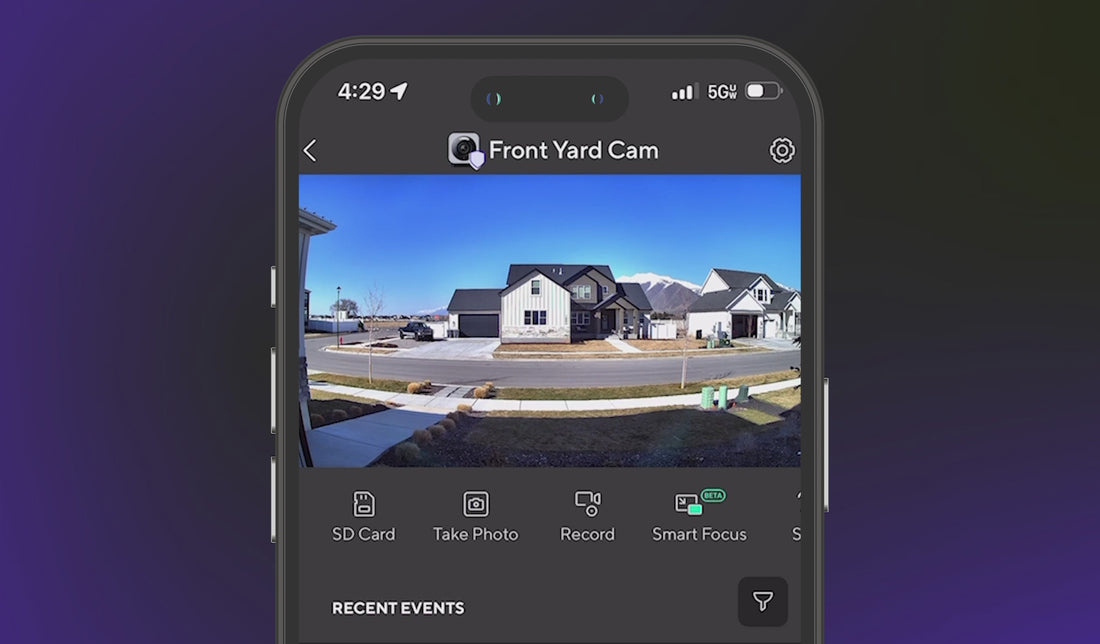
Smart Focus is a new feature that adds a smaller view of the Live stream, while the camera focuses on what matters - motion. When motion is detected, you will have two views of the Live stream at the same time.

No. Wyze Cam v4 is not compatible with our home monitoring service, but it's on the wish list!

Pound for pound, the <span>clearest</span> Wyze Cam ever.

Capture images and video in greater detail with 2.5K Quad High Definition clarity.

A young boy is flexing his arm in front of a map of the world.

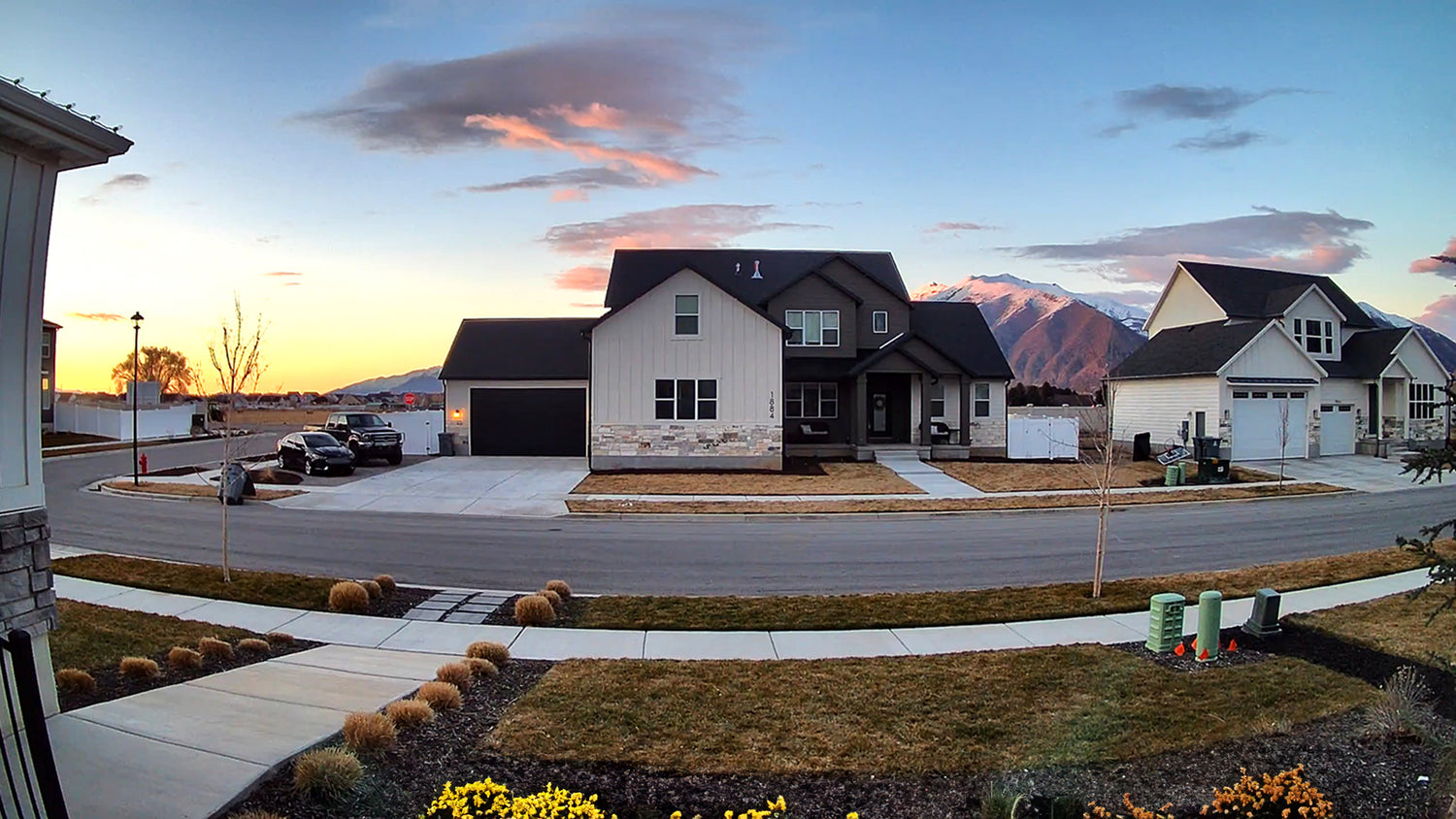
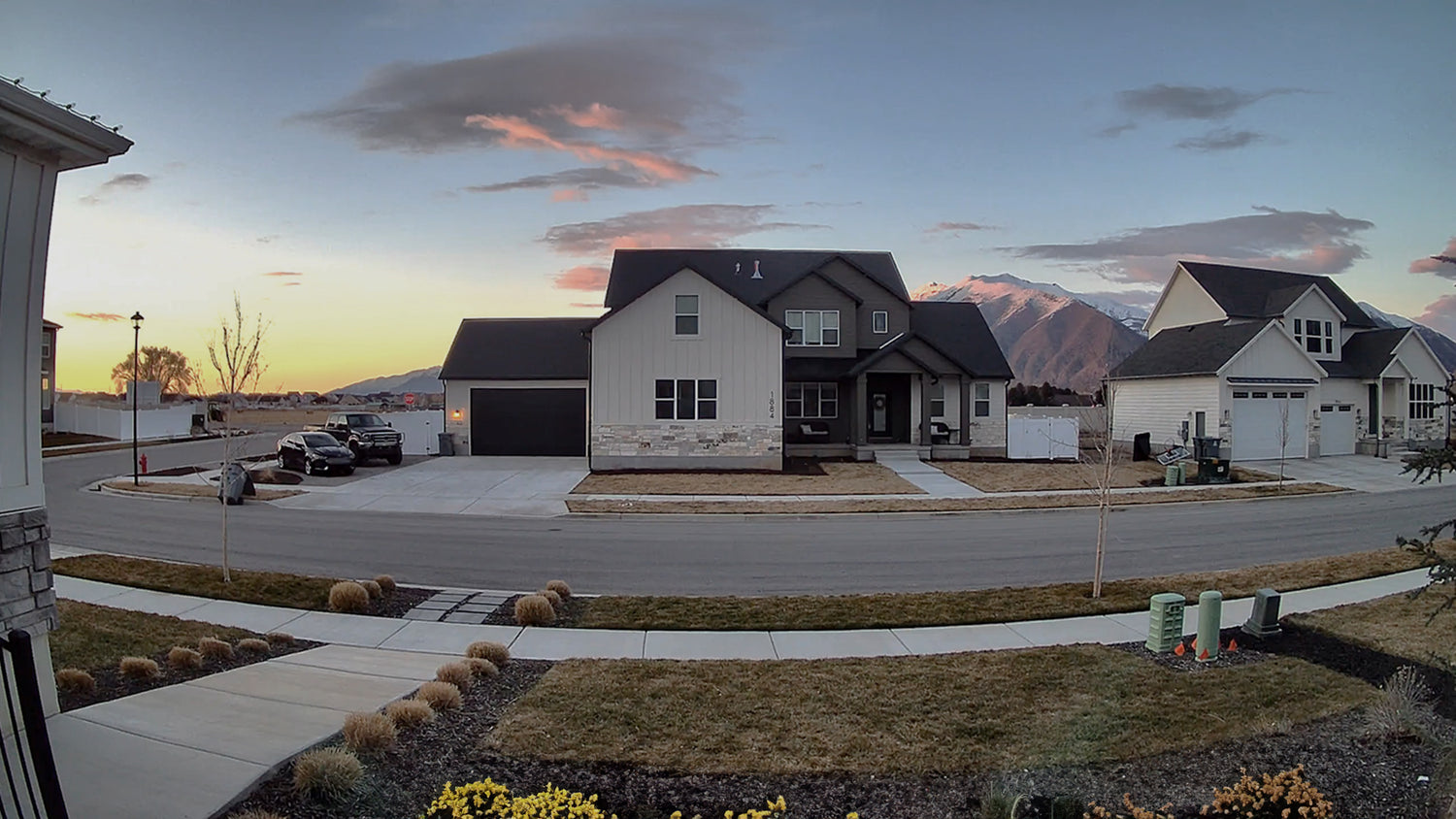
More vibrant colors with our best dynamic range.

An upgraded image processor enables Wide Dynamic Range (WDR) for rich, vibrant colors and better image quality.

A house with a black roof and white siding. A large house with a black roof and white siding.

Wyze Cam v4 with WDR

No WDR

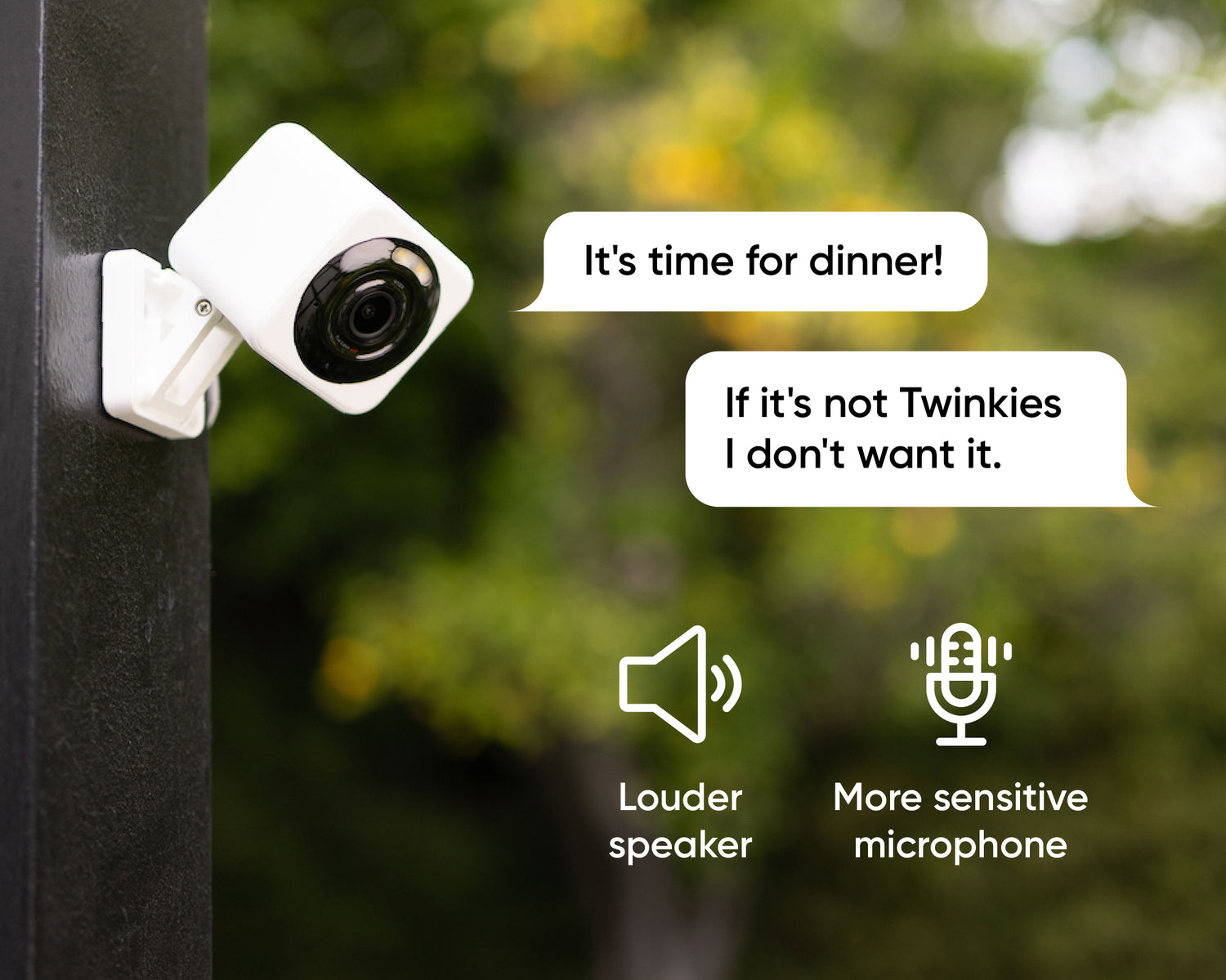
A Wyze Cam v4 is attached to a pole.

Enhanced two-way talk

Clearer conversation.

Advanced Audio Coding (AAC), a more powerful amplifier, and an updated mic combine for the best audio ever on a Wyze Cam.

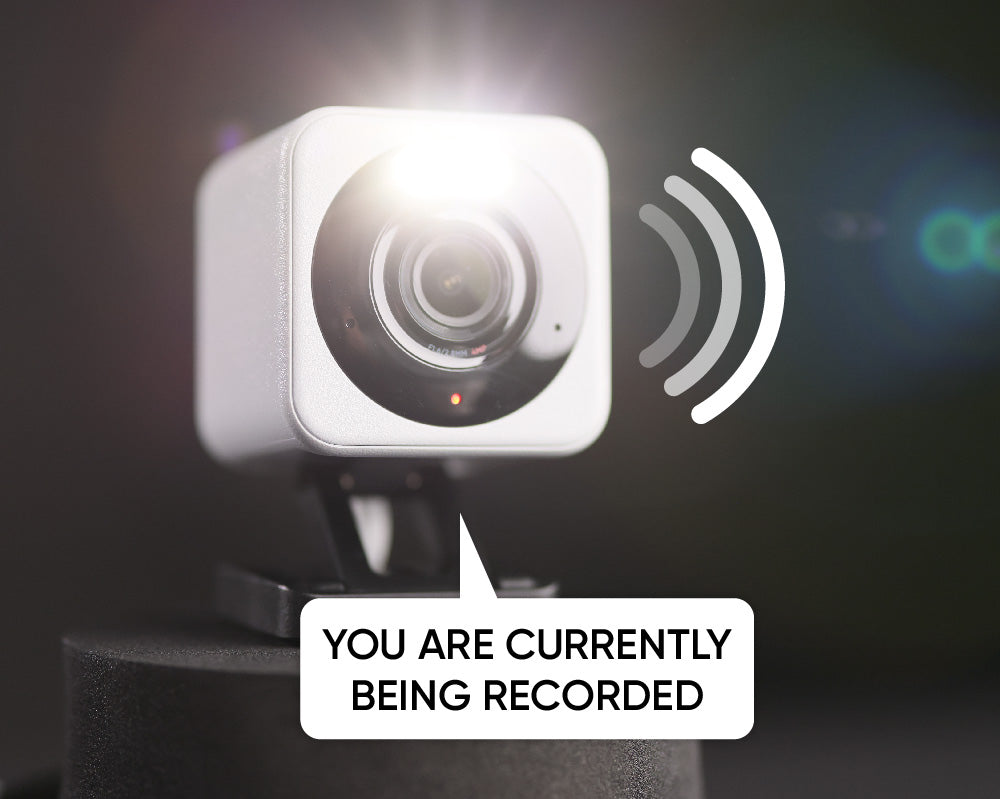
A white Wyze Cam v4 is currently being recorded.

Integrated Spotlight + Siren

More safety at night.

Deter intruders or light your way home with a motion-activated spotlight. Activate the loud siren for extra "get outta here" power.

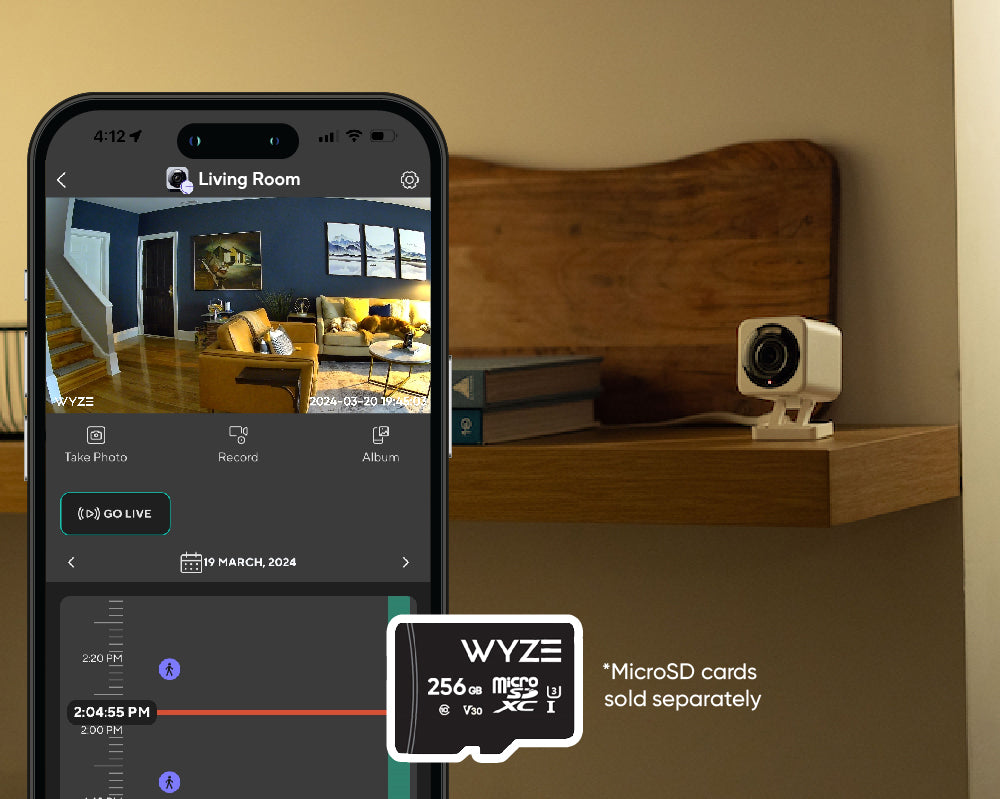
A Wyze Cam v4 microSD card.

Record every second

24/7 Recording with MicroSD Card.*

Record 24/7 locally with a microSD card up to 256 GB (sold separately). Add AI alerts and cloud backup with Cam Plus.

The best keeps getting better.

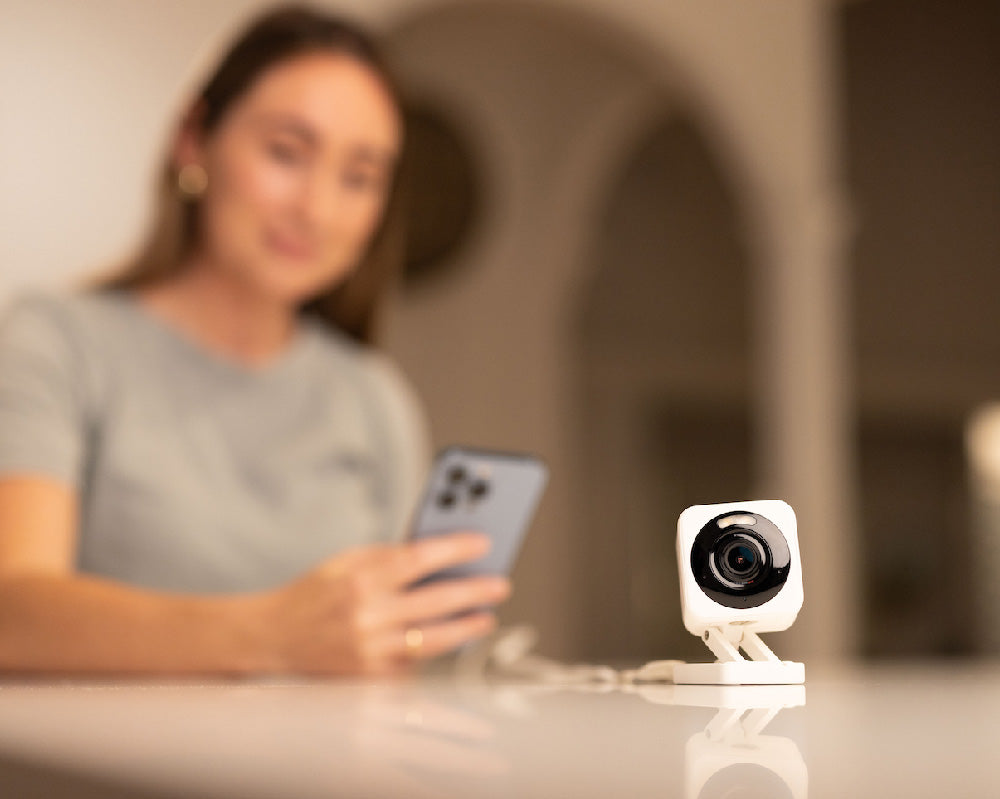
A woman holding a cell phone with a Wyze Cam v4 on a table.

Connect with bluetooth®

Easy to set up.

No need to scan QR codes. Enjoy hassle-free setup with Bluetooth®, which also presents opportunities to work with other smart home devices.

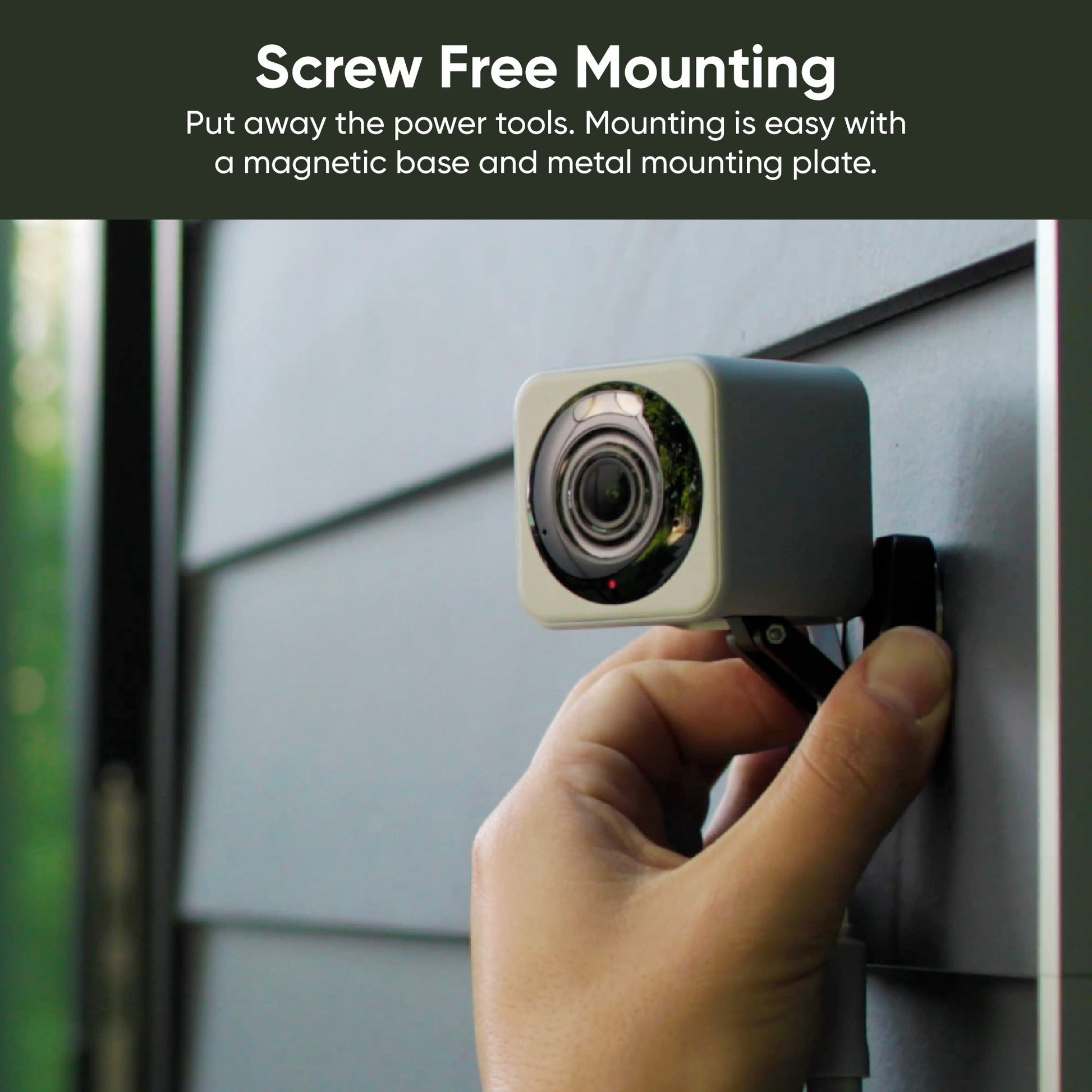
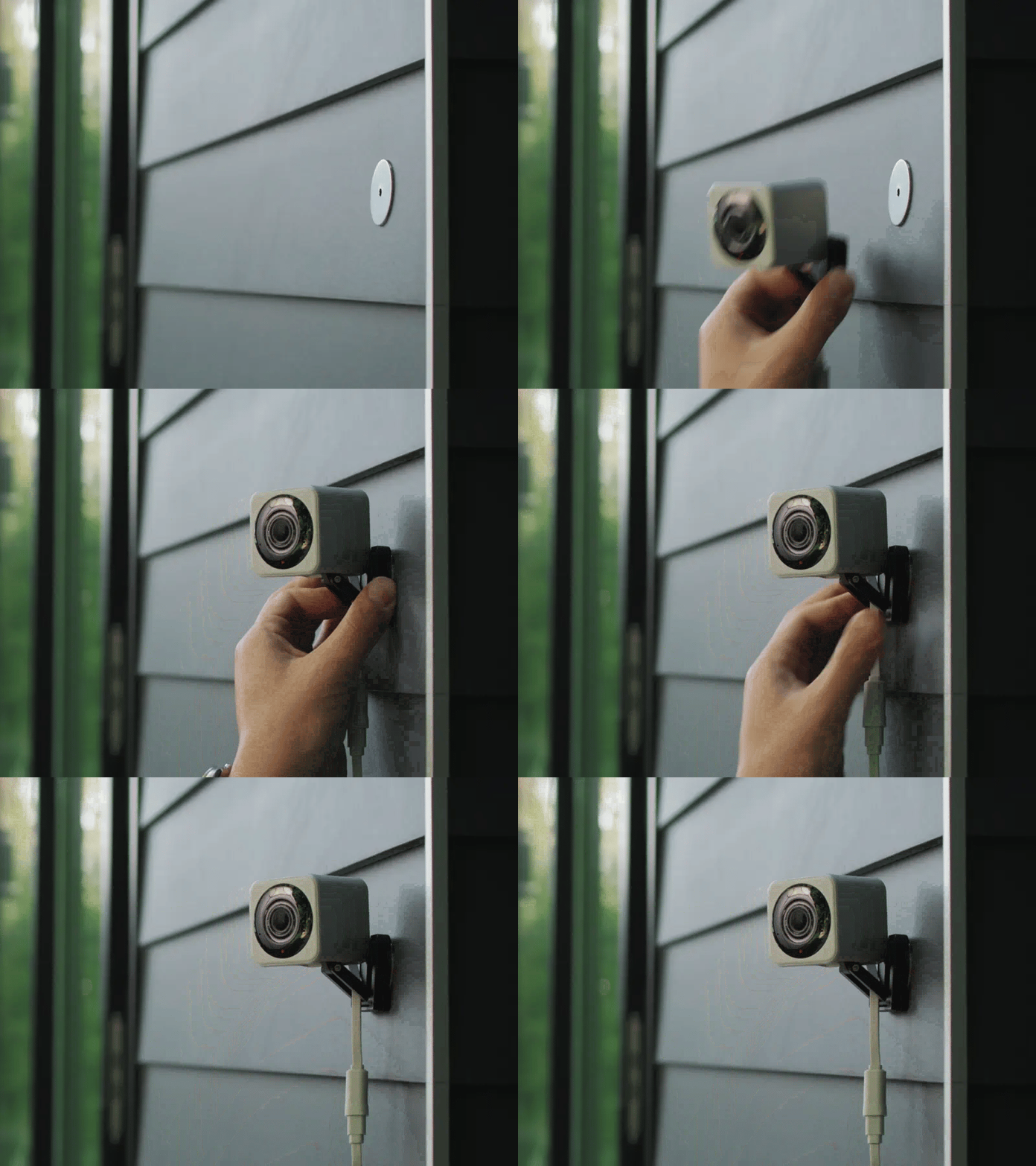
A small square magnet on a gray door.

Screw-free magnetic mount

Easy to mount.

Put away the power tools. Mounting is easy with a magnetic base and metal mounting plate.

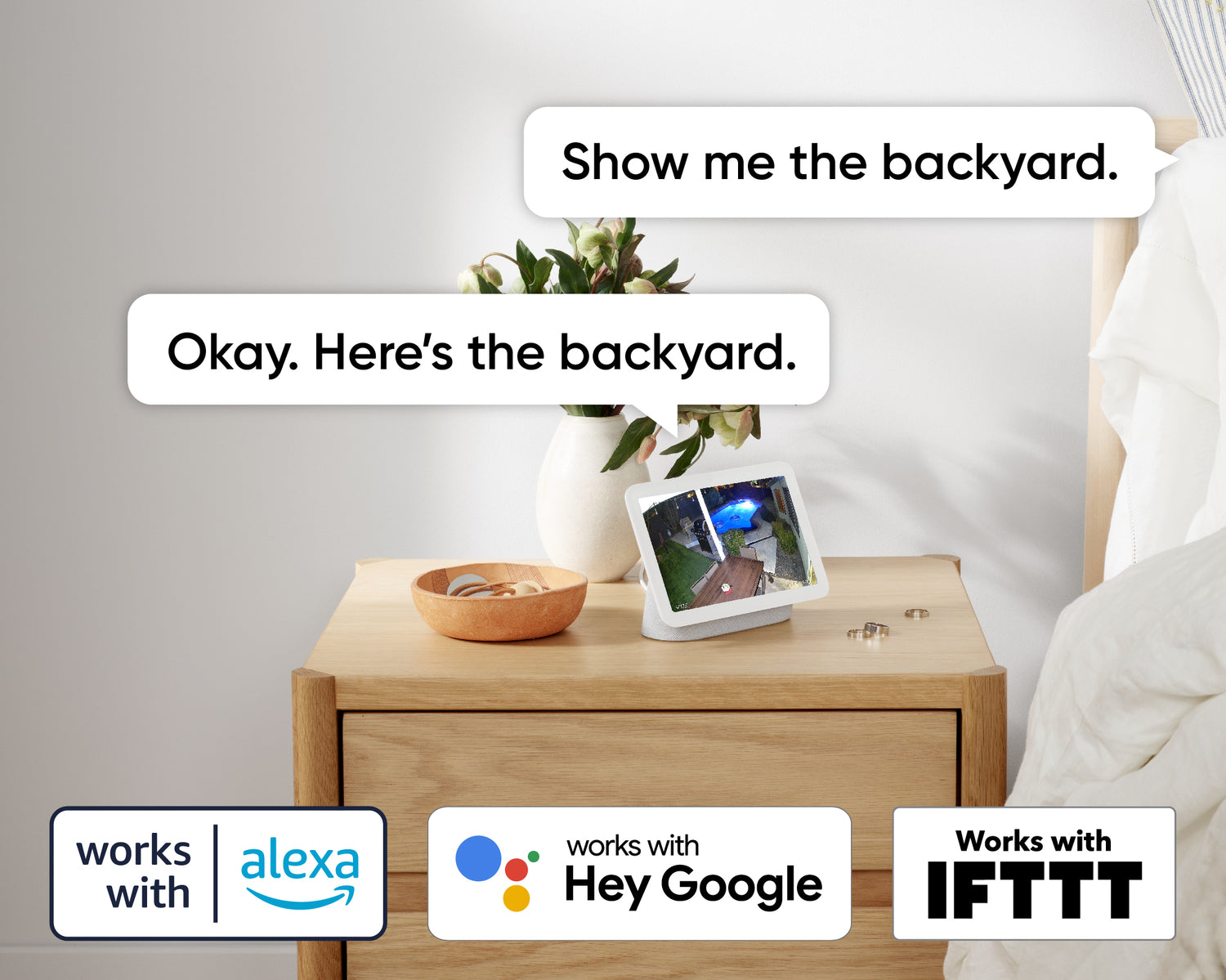
A Wyze Cam v4 is displayed on a wooden table.

Works with smart assistants

Alexa, Google Assistant, IFTTT support.

Convenience and customization at your fingertips with integrations like Amazon Alexa, Google Assistant, IFTTT, and Wyze Rules.

AUTO-ZOOM WITH AI

Track with Smart Focus.

Focus on what matters, while still viewing the bigger picture.

See why v4 is the best Wyze Cam yet.

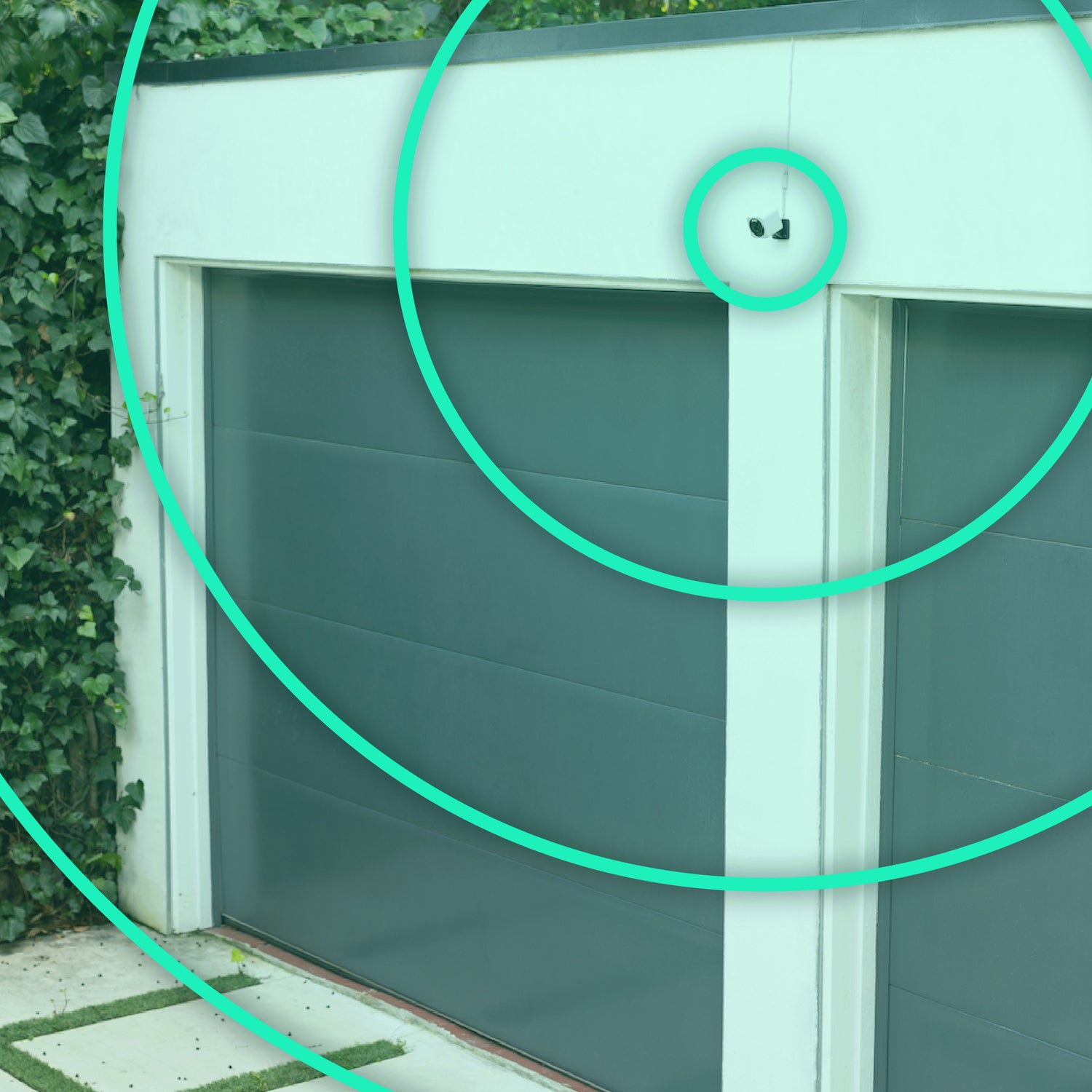
A green circle with a Wyze Cam v4 inside.
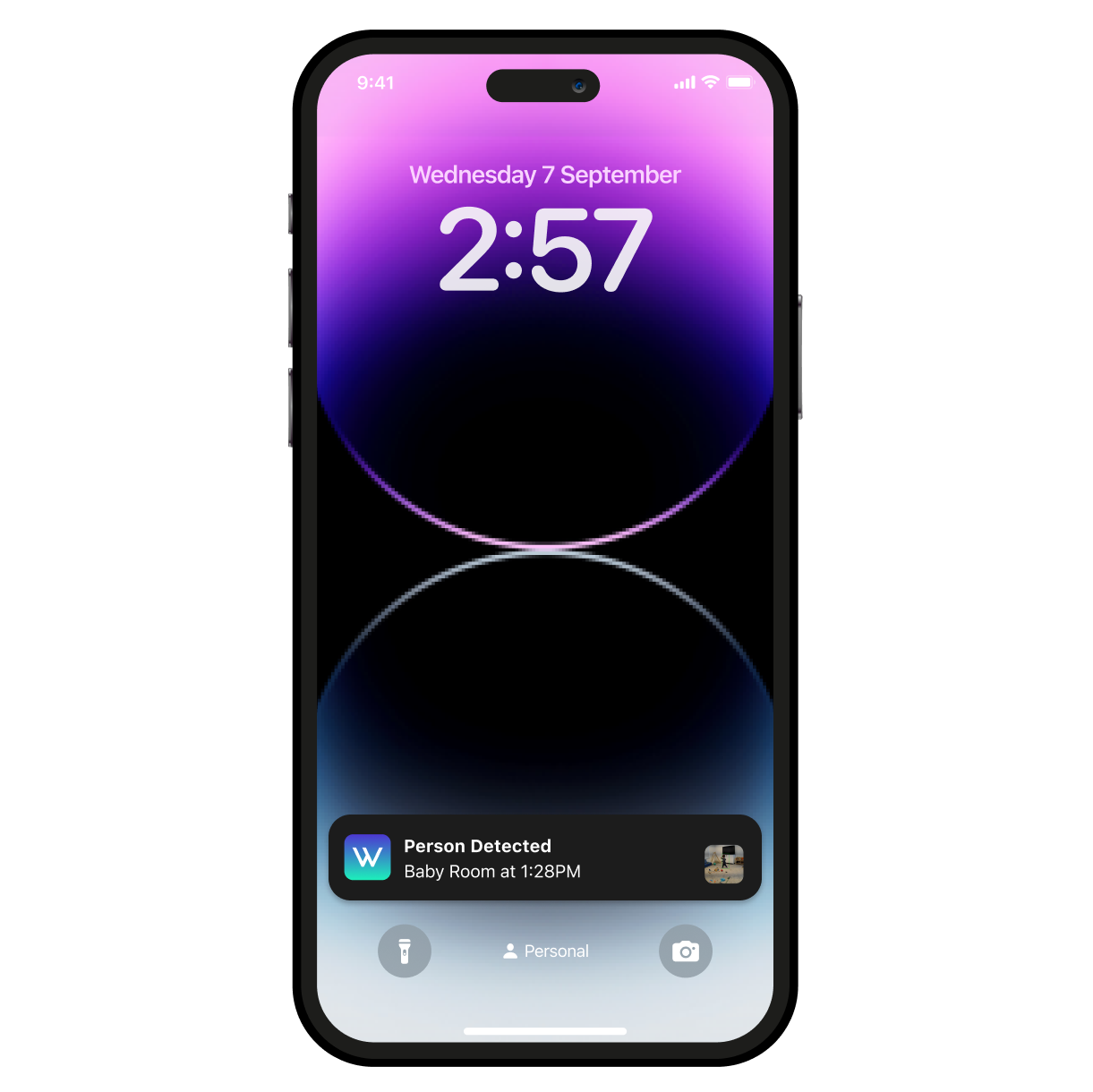
A smartphone with a purple screen displaying a time of 2:57.
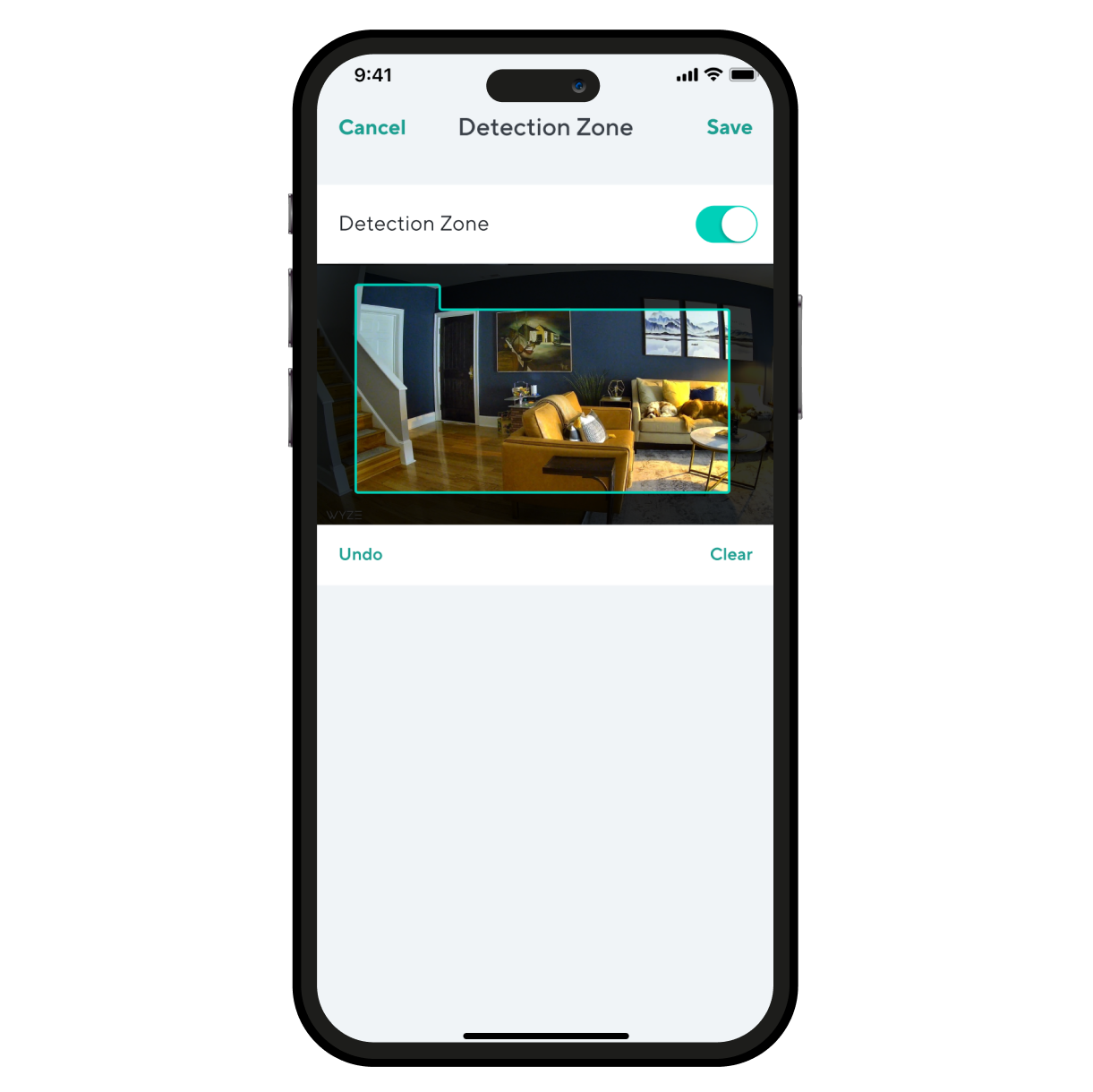
A smartphone screen displaying a room with a couch and a chair.
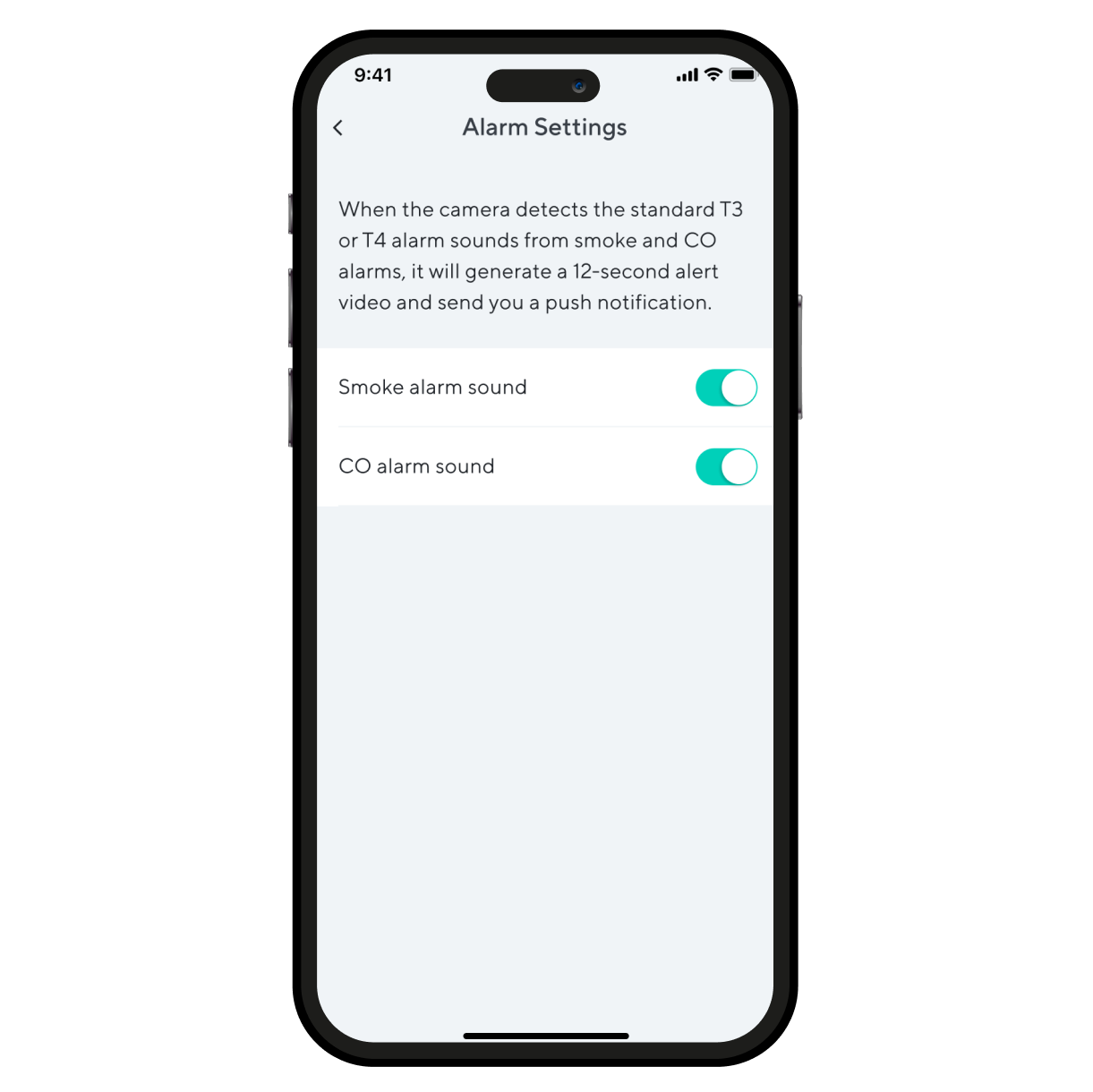
Alarm settings on a smartphone.

Even more features to love.

Maintain a stronger and more reliable connection at greater distances. Wi-Fi 6 router required.

Look & listen for motion & sound. Wyze Cam v4 sends your phone an alert and begins recording when either is detected.

Monitor specific areas for motion so you only receive notifications when it matters.

Receive an alert the moment Wyze Cam v4 hears a Smoke or CO alarm go off. Wyze Cam records a video during this time.

* Smart Detection is included with our subscription plans (or service plans). While every Wyze Cam has Motion Detection, our plans get you more detections such as Person, Pet, Package, and Vehicle detection. You even get access to AI-based Sound detection.


* Wyze Cam v4 is wired allowing for continuous power and recording.

** Requires Wyze Outdoor Power Adapter (sold separately) for outdoor use.

** Requires microSD card (sold separately).

Support Articles

Before you begin setup:

  1. Download the Wyze app on your smartphone or tablet.
  2. Connect your device to a 2.4 GHz Wi-Fi network.
  3. Unpack your Wyze Cam v4 removing all plastic and packing materials.Be sure to remove the plastic film from the lens.
  4. Plug the camera into power using the included USB cable and power adapter.The camera’s status light will turn solid red when powered. When flashing, it’s ready for setup.

To set up your Wyze Cam v4:

  1. In the Wyze app, tap Home, then tap the + plus sign on the top right.
  2. On the Add menu, tap Device.
  3. Tap Cameras > Wired Camera > Wyze Cam v4.
  4. With your camera plugged into an outlet, tap Next in the app.
  5. Behind the camera lens, single-press the SETUP button. It will say “ready to connect”.The camera may say “ready to connect” without pressing the SETUP button. If so, continue with setup. Note: Single-pressing the SETUP button does not factory reset, clear data or unbind your Wyze Cam v4.
  6. In the app, check the box next to I heard, “Ready to connect”.
  7. Tap Begin Setup.
  8. If BluetoothⓇ hasn’t already been enabled, you’ll be prompted to allow BluetoothⓇ access. Tap OK.If BluetoothⓇ has already been enabled, it will skip to the next step.
  9. Select your 2.4 GHz Wi-Fi network and enter your network password. Tap Next.Tap the icon in the password field to display the password to ensure it was entered correctly.
  10. After the camera is set up and connected, it will say "setup completed”.
  11. Tap Next. You’re set up, it’s time to name your device.
  12. Name your Wyze Cam v4 using the text field, or by choosing a suggestion.
  13. Tap Finish when done.
  14. You may have a prompt for a free trial of Cam Plus. Tap Continue.
  15. Set up some automations on the Things to Try* page, or tap Skip.
  16. You’re all set. Enjoy your new Wyze device!

Things to Try: Tap Create or edit a device group, Share this device, Automate your device, or Skip. These are quick ways to set up a few automations before you finish setup. When you complete a task, it'll display a green checkmark ✅. You can move on from this page by tapping Skip.

Download the Quick Start Guide for Wyze Cam Pan v4 in this article.

Below is the Quick Start Guide for Wyze Cam Pan v4, a short manual on how to get started.

This guide is a short user manual with the basics about Wyze Cam Pan v4, including:

  • What's in the box for Wyze Cam Pan v4.
  • How to download the Wyze app.
  • A diagram of Wyze Cam Pan v4.
  • How to set up Wyze Cam Pan v4.
  • How to mount Wyze Cam Pan v4.
  • How to read the status lights.

Problem

Your Wyze Cam v4 is unable to be set up in the Wyze app. The setup process fails.

Troubleshooting

  1. Confirm that your Wyze app is up to date. In your Wyze app, navigate to the Account tab > tap About.Your current app version will be listed beneath the Wyze logo.Compare your app version to the latest app version listed on our Release Notes & Firmware page.If you find that your Wyze app is out of date, head over to your mobile device’s app store and update the Wyze app.
  2. Check that BluetoothⓇ is enabled for the Wyze app in your phone/tablet settings. Unpair any unused BluetoothⓇ devices from your phone, since this can take up phone resources.Toggle BluetoothⓇ off/on.
  3. Verify that Location Permissions are enabled for the Wyze app in your phone/tablet settings. Make sure that it is set to Always or While Using the App.For iOS users, make sure that Precise Location is turned on.
  4. Verify that the camera’s status light is flashing red and that you hear a “ready to connect” voice prompt after pressing the setup button. The status light for Wyze Cam v4 is on the front of the camera.If the camera status light shows as solid red, follow the steps listed in My Wyze Cam v4's status light is solid red.If the camera does not show a status light, follow the steps listed in My Wyze Cam v4 won't power on.If the user does not hear the “ready to connect” voice prompt, follow the steps listed in There are no voice prompts while setting up my Wyze Cam v4.
  5. Ensure your phone/tablet is connected to the same 2.4 GHz Wi-Fi network that you are entering at the Select your network step and you are entering the SSID (Wi-Fi name) correctly. Wyze Cam v4 is not compatible with 5 GHz Wi-Fi networks.The SSID is case-sensitive and there should be no space before or after the SSID.The SSID should automatically populate if the user is connected to Wi-Fi. If it does not auto-populate, it can indicate that the phone/tablet that is being used for setup is not connected to Wi-Fi.
  6. Check that you are entering the Wi-Fi password correctly. Tap the eye icon to view the password you are entering.
  7. Make sure the camera and phone/tablet are close to the router during setup (within 6-10 feet).
  8. Forget the Wi-Fi network on your phone/tablet and then rejoin the network. Then try setting up the camera again.
  9. Power cycle the camera by unplugging it from its power source for 5 seconds and then plugging it back in.
  10. Factory reset the camera and then set it up as new. Remove any microSD card that is inserted into the camera. If you have one installed, you must remove the microSD card before resetting your Wyze Cam v4. Ensure the camera is plugged into power and powered on.Pull the base away from the bottom of the camera. The next step will reset your device. With the camera powered on, press and hold the SETUP button on the bottom of the camera for 10 seconds. Single-pressing the SETUP button will not reset your Wyze Cam v4. You must press and hold the SETUP button for 10 seconds, until the status light turns red, to reset the device. Once the status light starts flashing red, the camera is fully reset.
  11. Reboot your router.

What happens when you reset your Wyze Cam v4:

  • The camera is unbound from the current Wyze account.
  • The device settings and previous Wi-Fi/setup state are cleared.
  • The current firmware version remains intact.
  • The camera must be set up as a new device before it can be used again.
Added to your cart
FREE shipping on orders £59+
Subtotal
£0.00
View cart