Skip to content
View our Accessibility Statement
Skip to product information
1 of 15

Wyze Solar Cam Pan 2K

Wyze Solar Cam Pan 2K

Zero Wires. Zero Maintenance.

Pan and Tilt

Easy Install

Place it anywhere

Built-in Spotlight

More Safety at Night

2K Color Night Vision

Pack
$79.98
Low stock: 30 left
Get it as soon as
30-day hassle-free returns.
Low stock: 30 left
$0.00 FREE / 1 month
14-Day Cloud Storage
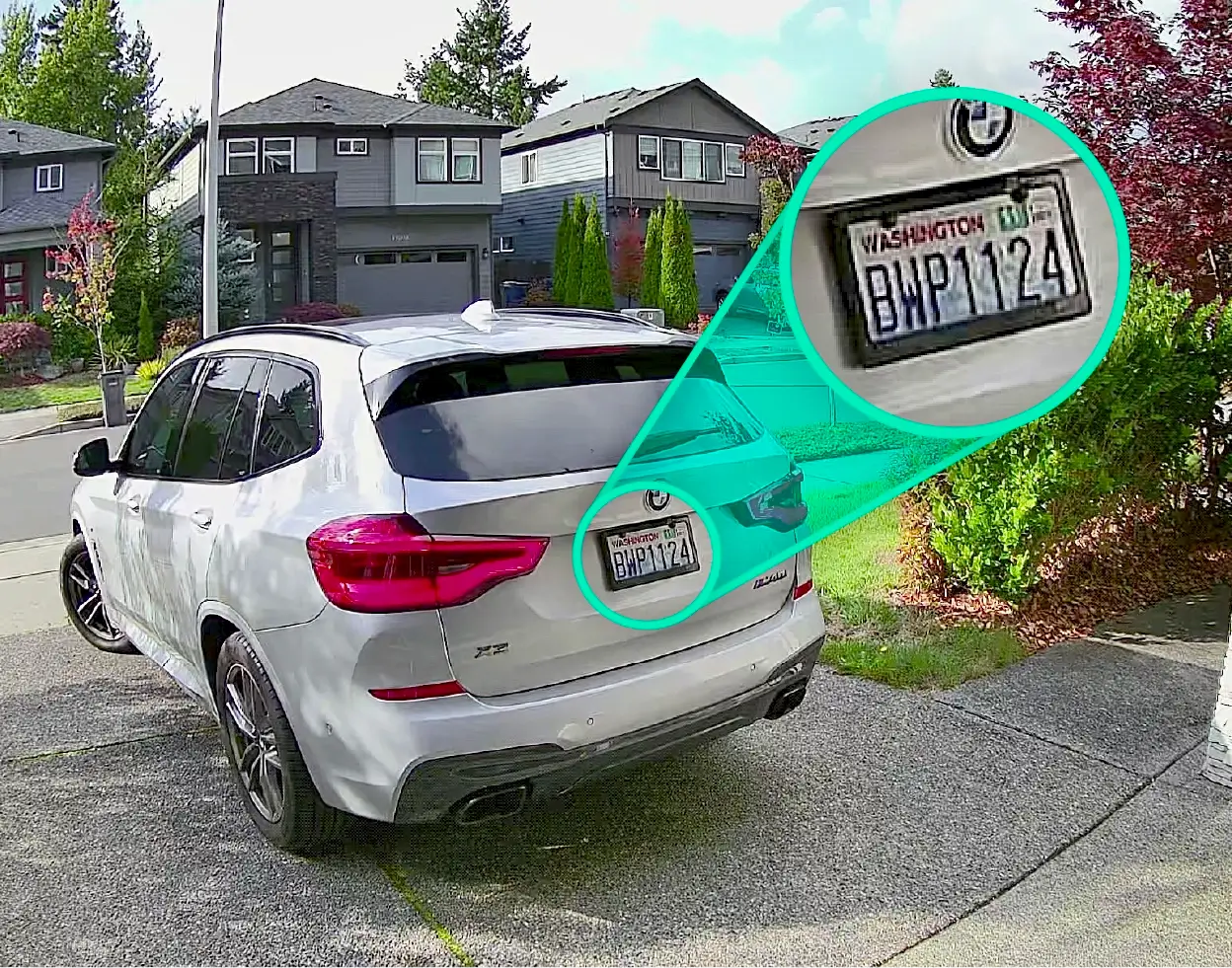
Smart Detections & Notifications
Subscriber Discount

*Cam Plus subscription auto renews at $2.99/month/cam after the first month. No commitment, cancel anytime. Plan is not compatible with existing Cam Plus Unlimited plans.

A blue and white logo for Wyze.
Wyze.com Exclusive BENEFITS
18-month extended warranty

Get an 18-mo extended warranty when you buy this product on wyze.com. Also get special bundles, unique promos, + rewards with each order

  • Integrated High-Efficiency Solar Panel
  • 360° Pan & 70° Tilt Coverage
  • AI-Powered Person Tracking
  • 2K HD Resolution with WDR
  • Quick, Easy Mounting
  • IP65 Weather Resistance
View full details
  • Maintenance-Free Solar Power

    Maintenance-Free Solar Power

    An integrated solar panel delivers continuous power to the battery with just one hour of sunlight per day.

  • 360° Pan/Tilt Coverage + 2K HD

    360° Pan/Tilt Coverage + 2K HD

    See every detail with no blind spots. Secure an entire space with pan and tilt coverage.

  • AI-Powered Person Tracking

    AI-Powered Person Tracking

    Detects and locks on to people, following them wherever they go.

  • Quick, Easy Mounting + Setup

    Quick, Easy Mounting + Setup

    Mount anywhere and snap into place in minutes. Enjoy hassle-free setup with Bluetooth®.​

Specs

  • Model: WYZESCPWH3
  • Body Material: Polycarbonate
  • Lens Material: Glass & Plastic
  • Certifications: FCC/IC, IP65, RoHS, REACH, CA65

Audio

  • Microphone: Built-in, digital
  • Siren: 105dB
  • 2-Way Audio

Storage & Alerts

  • Alerts: Push notifications
  • Cloud Storage: Stored in the AWS cloud (Wyze Service subscription required)
  • Local Storage (microSD card required): Supports 8-32 GB microSD cards in FAT32 format. Supports up to 512 GB microSD cards in exFAT format.

Weather & Temperature

  • Weather Resistance: IP65
  • Operating Temperature: -4°F - 122°F (-20°C - 50°C)
  • Storage Temperature: -4°F - 140°F (-20°C - 60°C)

Image

  • Resolution: 2K (3MP)
  • Digital Zoom: 8x 
  • Field of View: Diagonal: 130°, Horizontal: 108°, Vertical: 57°
  • Frame Rate: Daytime: 20 FPS, Nighttime: 15 FPS
  • Night Vision: Color Night Vision, IR LEDs: 2x 850nm
  • Spotlight: 2x White LED (100 lm)
  • Pan/Tilt Range: Horizontal: 360°, Vertical: 70°

Connectivity & Compatibility

  • OS Requirements: Android 9.0+ or iOS 15.0+
  • Wi-Fi: 802.11 b/g/n/ax 2.4 GHz, Wi-Fi 4/5/6
  • Bluetooth® Setup

Power

  • Power Adapter: 5V/2A (not included)
  • Input: 110-240V
  • Cable: Type-C to USB-A (2 ft. / 0.6 m)
  • Integrated Solar Panel (1.8W)
  • Battery: 6400mAh, non-removable Lithium-ion battery
  • Charging Time: 0-100% in 4-6 hours using the cable/adapter
  • Battery Life: Up to 6 months (if not connected to power)
  • Wyze Solar Cam Pan 2K x 1
  • Solar Panel x 1
  • Camera Mounting Bracket x 1
  • Solar Panel Mounting Bracket x 1
  • Charging Cable (2ft) x 1
  • Camera Mounting Kit x 1
  • Solar Panel Mounting Kit x 1
  • Camera Mounting Drilling Guide sticker x1
  • QSG x1

Wyze Solar Cam Pan is a revolutionary solar-powered, wire-free outdoor security camera with an integrated solar panel, offering 360° pan-and-tilt coverage, AI person tracking, 2K resolution, color night vision, and a motion-activated spotlight.

No. Wyze Solar Cam Pan 2K is the updated version of Wyze Solar Cam Pan and is not part of the previously announced voluntary recall for certain earlier Wyze Solar Cam Pan units purchased on or before April 3, 2026. That recall applied to certain earlier units where the solar panel may have been attached to the top of the camera using the incorrect long flat-head wood screws.

Wyze Solar Cam Pan 2K keeps the same compact, clean, and user-friendly industrial design customers expect, while adding several updates to support a clearer and more error-proof installation experience. These updates include revised installation instructions, redesigned screw packaging, fail-safe screw types, and added warning labels on the camera body and brass inserts to help guide proper setup.

The “2K” name and packaging update help clearly distinguish the updated version from earlier Wyze Solar Cam Pan units. If you purchase Wyze Solar Cam Pan 2K from Wyze after April 3, 2026, you are purchasing the updated version.

The previous recall was related to incorrect installation instructions for certain earlier Wyze Solar Cam Pan units. The issue could occur if the long flat-head wood screws were incorrectly used to attach the solar panel bracket to the top of the camera instead of the short pan-head machine screws. Wyze Solar Cam Pan 2K includes updated instructions, redesigned screw packaging, fail-safe screw types, and added warning labels to better support proper installation.

Use only the screws specified in the included Quick Start Guide and Outdoor Installation Guide for attaching the solar panel bracket to the top of the camera. The long screws are intended for mounting the product to a wall or other surface and should not be used to attach the solar panel bracket to the top of the camera. Always follow the included installation instructions before setup.

Before installation, carefully review the included Quick Start Guide and Outdoor Installation Guide. Pay close attention to the screw packaging, warning labels, and instructions for attaching the solar panel. 

Do not substitute screws or hardware. Only use the screws and hardware included in this package and specified in the installation instructions.

If you purchased Wyze Solar Cam Pan on or before April 3, 2026, please visit the Wyze recall page to determine whether your camera is affected. The recall applies to certain earlier units where the solar panel was attached to the top of the camera using the incorrect long flat-head wood screws.

You can identify Wyze Solar Cam Pan 2K by checking the packaging. The updated version includes “2K” after the “Wyze Solar Cam Pan” product title.

(Add this later after v3.18 release) You can also check in the Wyze app if you are using app version v3.18 or newer. Go to Settings > Device Info > Model Version. Both versions share the same device model name, “Wyze Solar Cam Pan,” but the updated Wyze Solar Cam Pan 2K shows Model Version 1.1, while the original version shows Model Version 1.0.

If you purchased an earlier Wyze Solar Cam Pan and are unsure whether it is affected by the previous recall, please visit the Wyze recall page for the step-by-step guide.

If you purchased Wyze Solar Cam Pan on or before April 3, 2026, please visit the Wyze recall page to determine whether your camera is affected. The recall applies to certain earlier units where the solar panel was attached to the top of the camera using the incorrect long flat-head wood screws.

Unlike other battery-powered Wyze Cams, Wyze Solar Cam Pan 2K comes with an integrated solar panel and a built-in 6400 mAh rechargeable Li-ion battery for truly maintenance-free power. It is our only wireless camera with full 360º pan-and-tilt coverage, smart AI person tracking, and crystal-clear 2K resolution, all designed for outdoor security without the hassle of swapping and charging batteries.

Wyze Solar Cam Pan 2K's high-efficiency ETFE solar panel is designed for maintenance-free performance. With as little as 1 hour of direct sunlight per day, the solar panel can generate enough energy to keep the camera running continuously with normal use. Battery performance may vary due to mounting location, seasonal changes, and event activity levels.

Wyze Solar Cam Pan 2K is truly wire-free, and can be installed in a snap. You can mount it anywhere without worrying about power outlets, complicated mounting equipment, or running wires.

No, Wyze Solar Cam Pan 2K comes with AI-powered person tracking without the need for a subscription. The camera follows and tracks the detected person when this feature is enabled in the Wyze app.

Wyze Solar Cam Pan 2K provides 360° pan and 70° tilt coverage, ensuring no blindspots around your property.

Yes, Wyze Solar Cam Pan 2K comes with a motion-activated spotlight, Motion Warning, and a 105dB siren to help warn and deter unwanted visitors.

Yes, Solar Cam Pan 2K supports Bluetooth® setup for fast and seamless pairing with the Wyze app.

Wyze Solar Cam Pan 2K can detect motion up to 30 feet away when mounted 8 feet above the ground, and tilted 30º downward (as recommended).

No, and it is not compatible with Wyze Base Station. Wyze Solar Cam Pan 2K is set up using Bluetooth and connects directly to your 2.4 GHz home Wi-Fi network.

Camera: You can either mount Wyze Solar Cam Pan 2K camera on a vertical wall or under eaves using the included camera mounting bracket and mounting kits. Solar Panel: You can either mount the solar panel on top of the camera or mount the solar panel separately, leveraging the attached 10-ft cable on the solar panel.

Yes, you can record continuously to a microSD card aslong as the camera is connected to 5V/2A AC power.

Just be sure to properly secure the Micro SD card slot cover to avoid water damage. If using the continuous plug-in power option, a Wyze Cam Universal Outdoor Power Adapter (latest version) is required for outdoor use.

Yes, Solar Cam Pan 2K is equipped with a 6400 mAh lithium battery, allowing the camera to operate through cloudy or rainy conditions without solar charging, and last 2-6months under normal usage. Please note that solar charging will automatically pause to protect the battery when the outside temperature drops below 32°F (0°C).

No. The Solar Cam Pan 2K has a built-in, non-removable battery. The battery pack from Battery Cam Pro is not compatible with Solar Cam Pan 2K. Since it comes with an integrated solar panel, you can say goodbye to battery swaps and charging downtime.

The best place to install solar panels is a south-facing roof or wall with minimal shading, as this orientation receives the most direct sunlight throughout the day. If a south-facing roof isn't an option, an east or west-facing roof or wall is the next best alternative, while a north-facing surface is the least ideal in the continental U.S.

The solar panel absorbs the sun’s rays and charges the removable Lithium-ion battery. It takes roughly 1 hour for the battery to fully charge and then the camera can last for 6 months on a full charge.


There are many benefits including: environmental friendliness, cost savings on your electric bill, great for remote security needs and are easy to install.

Wyze Cam + The Sun. Love at first light.

Let the sun do the work. ☀️ An integrated high-efficiency ETFE solar panel delivers continuous power to the battery with one hour of sunlight per day.

360° pan/tilt coverage with AI-powered person tracking.

Edge AI detects and locks on to people, following them wherever they go. Secure an entire space with pan and tilt coverage. Control remotely via the Wyze app to see exactly what you want.

Flexible solar panel mounting.

Connect the solar panel on top of the camera for a tidy install. Or place it separately where the sunlight’s strongest for maximum charging power. The choice is yours.

Cloudy days? No sweat.

Does the sun like to hideout for a while where you live? No worries. The built-in 6400mAh lithium-ion battery provides up to 6-months of standalone power.

2K HD Resolution with WDR

Crystal-clear video recording with a wide field-of-view captures every detail, day or night. Wide Dynamic Range (WDR) evens out the brightest highlights and the darkest shadows so nothing gets lost.

Motion-activated spotlight & siren.

Deter intruders or light your way home with a motion-activated spotlight. Activate the loud 105dB siren for extra security.

IP65 weather resistance.

Drip. Splash. Plop. No matter the weather, this camera cannot be stopped. Built tough to handle the elements outdoors. Designed with style to blend into your home indoors.

  • Two-Way Audio

    Hear sound and speak through the camera from anywhere with the Wyze app.

  • Detection Features

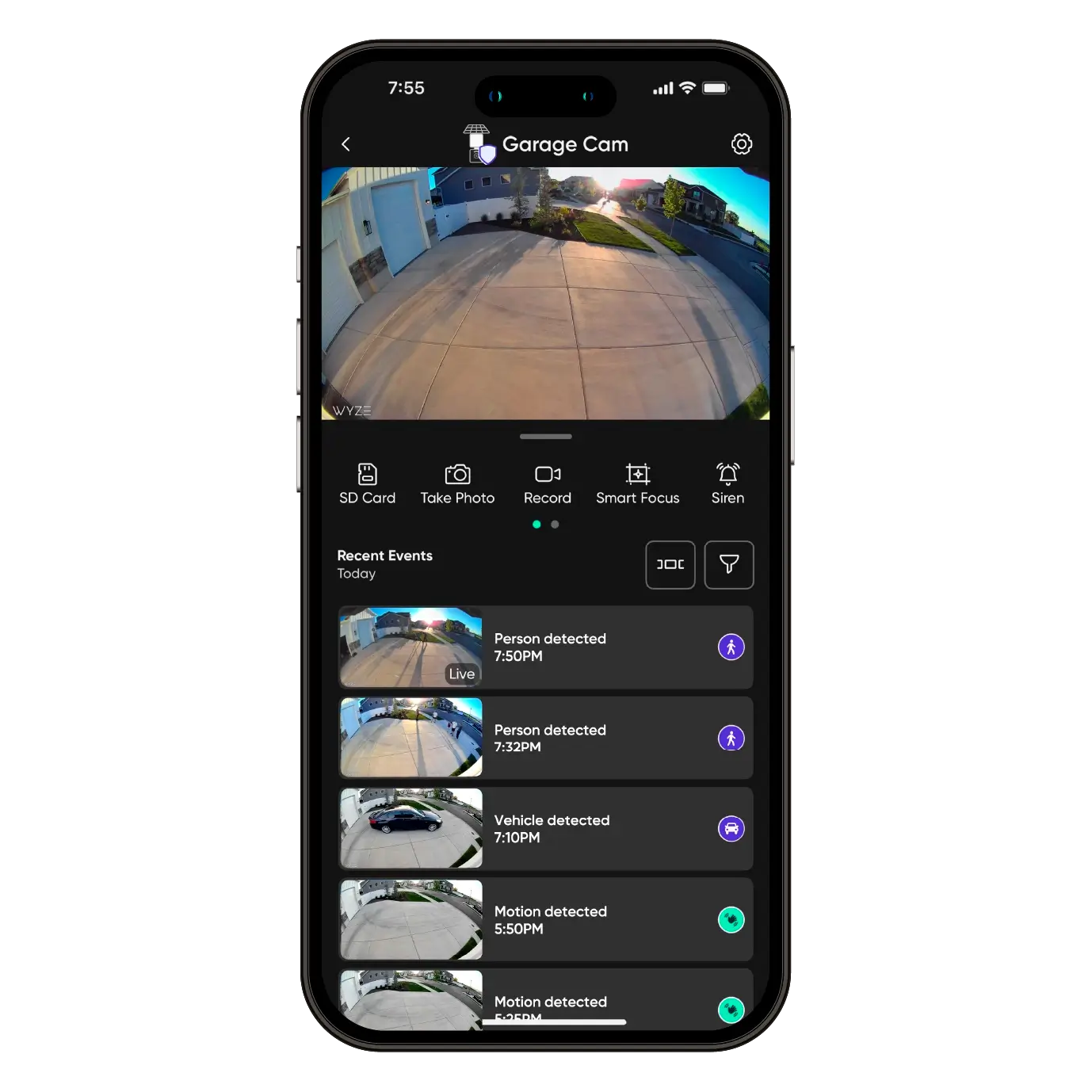
    Get notified on your smartphone when motion is detected. 

  • AI Notifications and Descriptive Alerts

    Customize your detections and notifications. Get a detailed alert of what's happening with Descriptive Alerts, available with Cam Unlimited Pro. Click to learn more.

  • Wi-Fi 6 Support

    Maintain a strong and reliable connection with Wi-Fi 6 support (Wi-Fi 6 router required), resulting in smoother livestreaming.

More to Love

Missed something? Of you course you didn't. Because you're using a camera that's backed by the world's best smart home app. Just tap to review recorded events from wherever you are.

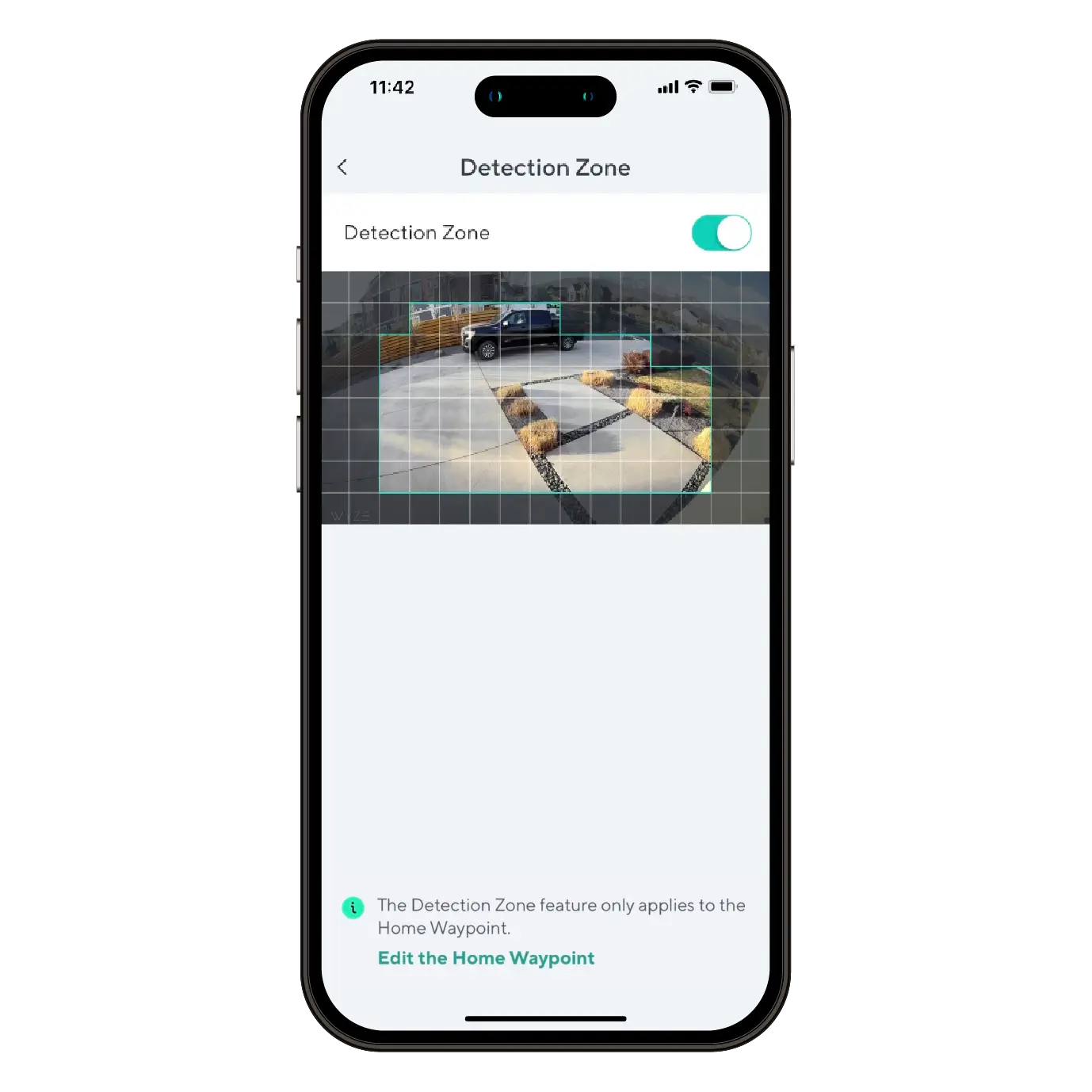
Monitor specific areas for motion so you only receive notifications when it matters.

Convenience and customization at your fingertips with integrations like Amazon Alexa, Google Assistant, IFTTT, and Wyze Rules. 

See our unique design in action.

How to Setup Wyze Solar Cam Pan

While following the Wyze Solar Cam Pan 2K Setup Guide, you'll be prompted to install your camera. Follow along with this video and article to install your Wyze Solar Cam Pan 2K.

What's in the box?

Note: A 5V/2A power adapter is required to charge Wyze Solar Cam Pan 2K using an outlet.

  1. Follow along in the Wyze Solar Cam Pan 2K Setup Guide. Once successfully paired, tap Next.
  2. Ensure you have the required tools. Tap Next.You will need a ladder and a Philips-head screwdriver.
  3. Review the series of installation tips, tapping Next on each.Avoid pointing the camera at trees and busy roads.Position your camera for better motion detection.Mount the camera 7-10 feet up, angled 30° down.
  4. Check your Wi-Fi Strength. Tap Next.
  5. If you have a strong connection, tap Next.
  6. Choose how you'd like to install your Wyze Solar Cam Pan 2K and solar panel.Tap Install Together to attach the solar panel to the camera before mounting.Tap Install Separately to mount the solar panel and camera separately.
  7. Once installation is complete, follow the in-app instructions to complete setup.
  8. You're all set! Tap Done.

Before you begin setup:

  1. Download the Wyze app on your smartphone or tablet.
  2. Connect your device to a 2.4 GHz Wi-Fi network, and enable BluetoothⓇ.
  3. Unpack your Wyze Solar Cam Pan 2K box, removing all plastic and packing materials.Be sure to remove the plastic film from the lens.
  4. Plug the camera into power using the provided Type-C cable, and a 5V/2A adapter (not included).You must fully charge Wyze Solar Cam Pan 2K before setup and installation.The camera’s status light will turn solid red while charging, and solid blue when charging is complete.

To set up your Wyze Solar Cam Pan:

  1. In the Wyze app, tap Home, then tap + plus sign on the top right.
  2. On the Add menu, tap Device.
  3. Tap Cameras > Pan and Tilt Camera > Wyze Solar Cam Pan 2K.
  4. Ensure that your camera is fully charged. Tap Begin Setup.The camera's status light will be solid red when charging, and solid blue when fully charged.
  5. Single-press SETUP on top of the camera. The camera will say "ready to connect." In the app, check the box next to It said, Ready to connect".
  6. Tap Next.
  7. If BluetoothⓇ hasn't been enabled, you will be prompted to allow BluetoothⓇ and location access. Tap Next.If BluetoothⓇ and location access has already been enabled, it will skip to the next step.
  8. The app will automatically begin searching for and pairing with your Wyze Solar Cam Pan.If you have multiple Wyze Solar Cam Pans, select the correct camera by tapping the MAC address that matches the address on the top of the camera.
  9. Select your 2.4 GHz Wi-Fi network and enter your network password. Tap Next.Tap the icon in the password field to display the password to ensure it was entered correctly.
  10. Your device will continue pairing. Once paired, tap Next.
  11. Once connected, the app will show an installation guide with placement tips.
    Check out: Wyze Solar Cam Pan 2K Installation GuideIf you want to use the installation guide now, tap Next.If not, tap Skip.
  12. Now it's time to set up your Home Waypoint, your cam's default view. Tap Continue.The Home Waypoint is required for this initial setup.Once your camera connects to the live stream, the camera will automatically calibrate for accurate positioning.
  13. Use the arrows in the app to pan/tilt your camera until you reach your desired Home position. Tap Set and then tap Next.Camera mounted upside down? Tap Rotate 180° to flip the live stream.
  14. Name your camera using the text field, or by choosing a suggestion. Tap Next.
  15. You may be prompted to try a Wyze security plan, if you're not already a subscriber. Tap Continue.
  16. Set up some automations on the Things to Try page, or tap Skip then Done.
  17. Enjoy your new Wyze device!

You’ll find the status light on the front of Wyze Solar Cam Pan / 2K, to the right of the lens. The charging indicator light is on the back of the camera.

⚡️ All Wyze devices have a handy status light that helps determine what state the device is in.

Wyze Solar Cam Pan 2K Status Light Guide

Wyze Solar Cam Pan 2K Status Lights:

  • Flashing red – The device is ready to set up.
  • Flashing red and blue – The device is connecting to the network.
  • Solid red – The device has detected motion or is live streaming.
  • Solid blue – Setup was successful; the device is powered and fully connected.

Wyze Solar Cam Pan 2K Charging Indicator Lights:

  • Solid red – The device is charging.
  • Solid blue – The device is fully charged.
Added to your cart
FREE shipping on orders $59+
Subtotal
$0.00
View cart